Interval Timer ++
Interval Timer ++
다운로드: App Store

이 페이지는 앱이나 개발자의 공식 페이지가 아니며, 정보 제공 및 논평을 목적으로 작성된 독립 편집 간행물입니다. 명시적으로 달리 언급되지 않는 한, 해당 앱이나 개발자는 MWM, Apple, Google Play, 앱 퍼블리셔 또는 앱 개발자와 제휴, 보증, 후원, 승인 또는 공식적으로 연결되어 있지 않으며, 이 페이지의 어떤 내용도 해당 앱이 MWM의 서비스를 사용하여 개발되었음을 의미하지 않습니다. 모든 상표, 로고, 스크린샷 및 기타 콘텐츠는 해당 소유자의 자산입니다.

로고: Interval Timer ++
다운로드: App Store

Interval Timer ++

간결함을 위해 설계된 수상 경력에 빛나는 타이머를 경험해 보세요. 원터치 설정, 원활한 Apple Watch 통합, 보기 좋은 디자인으로 매일의 운동을 더욱 강력하게 만들어 보세요.

주요 수치

다운로드

741K+

사용자 평점

4.7/5

총 평가 수

2K+

개발사

Rong Liu

카테고리

Health & Fitness

지원 언어

3

최신 버전

4.3.3

크기

86.5 MB

출시일

2017년 12월 20일
기능

더 똑똑하게, 더 강하게 운동하세요

활동적인 라이프스타일과 Apple 생태계에 완벽하게 통합되도록 설계된 강력하고 직관적인 인터벌 타이머로 운동 효율성을 극대화하세요.

원터치 운동 설정

의사 결정 피로를 줄여보세요. 번개처럼 빠른 초간편 인터페이스로 몇 초 안에 HIIT, 타바타 또는 사용자 지정 서킷을 시작하세요.

완벽한 Apple Watch 통합

휴대폰은 주머니에 넣어두세요. 손목에서 직접 세트 수를 제어하고, 햅틱 알림을 느끼고, 심박수를 추적하세요.

다음 스크린샷과 설명은 앱의 공식 스토어 목록에서 직접 가져온 것이며 앱 개발자의 자산입니다.

앱 스토어

스크린샷
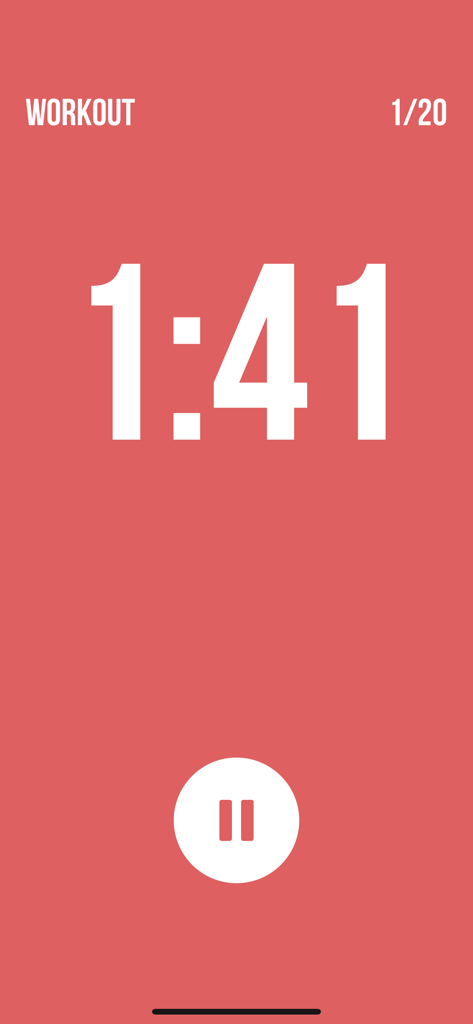
Interval Timer ++ - 카운트다운 시계와 일시 정지 버튼이 있는 미니멀한 빨간색 HIIT 운동 타이머 화면
카운트다운 시계와 일시 정지 버튼이 있는 미니멀한 빨간색 HIIT 운동 타이머 화면

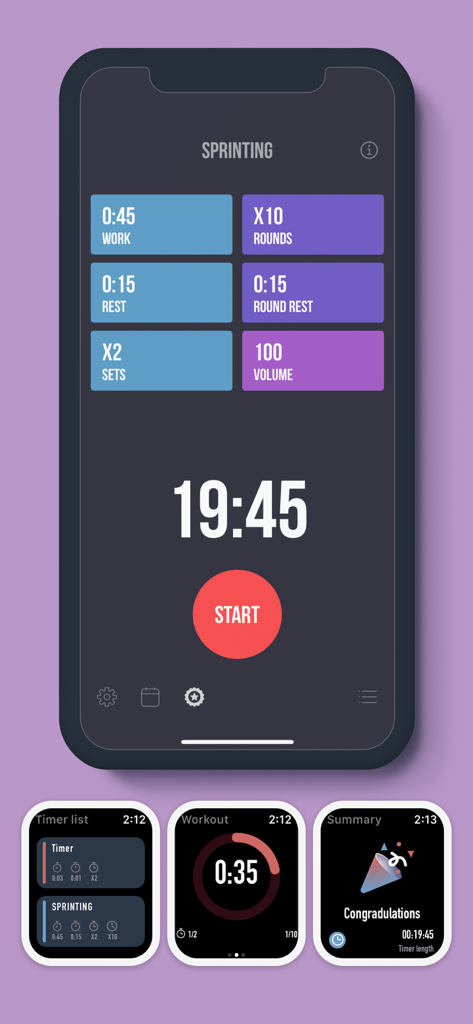
Interval Timer ++ - iPhone 및 Apple Watch 화면에서 운동 설정을 보여주는 Interval Timer Plus 앱 인터페이스.
iPhone 및 Apple Watch 화면에서 운동 설정을 보여주는 Interval Timer Plus 앱 인터페이스.

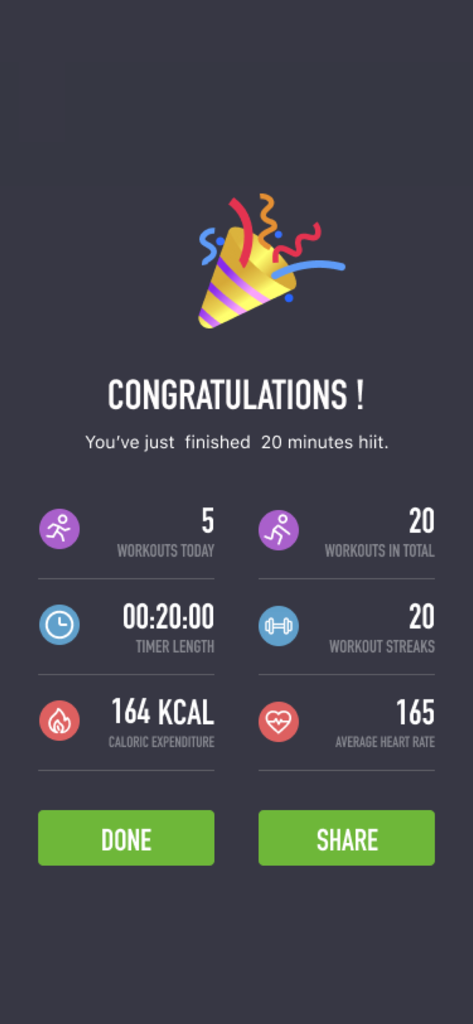
Interval Timer ++ - 20분 HIIT 세션의 통계를 보여주는 Interval Timer 앱의 운동 완료 화면
20분 HIIT 세션의 통계를 보여주는 Interval Timer 앱의 운동 완료 화면

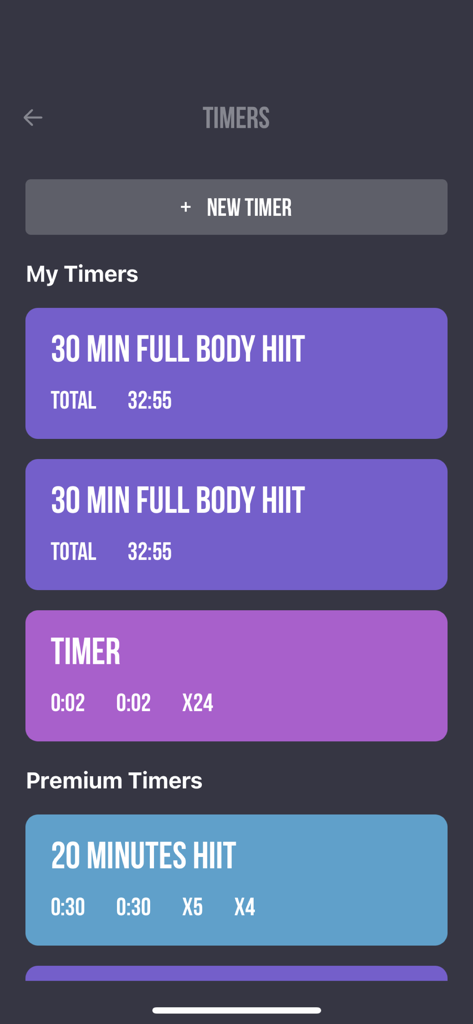
Interval Timer ++ - 깔끔한 보라색과 파란색 인터페이스로 사용자 지정 및 프리미엄 HIIT 운동 타이머 목록을 보여주는 모바일 앱 화면
깔끔한 보라색과 파란색 인터페이스로 사용자 지정 및 프리미엄 HIIT 운동 타이머 목록을 보여주는 모바일 앱 화면

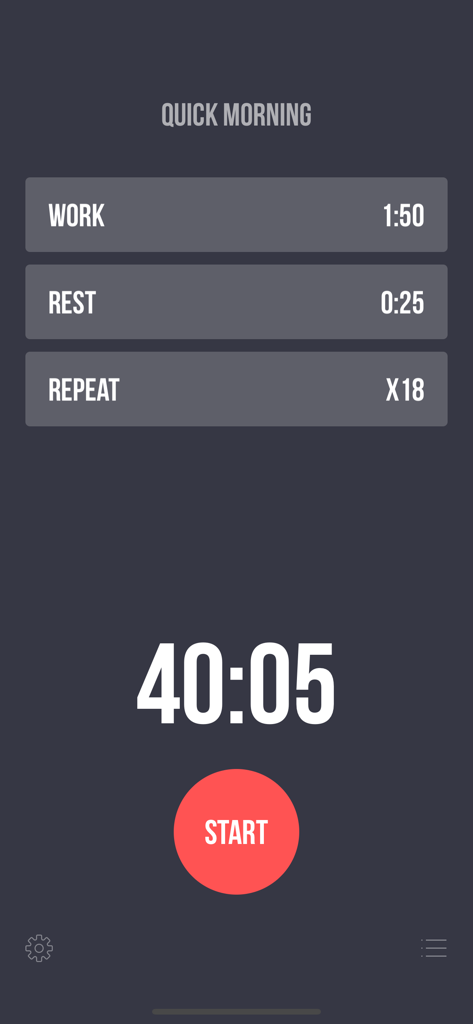
Interval Timer ++ - 시작 버튼과 함께 휴식 및 반복 설정을 보여주는 Interval Timer Plus 운동 구성 화면
시작 버튼과 함께 휴식 및 반복 설정을 보여주는 Interval Timer Plus 운동 구성 화면

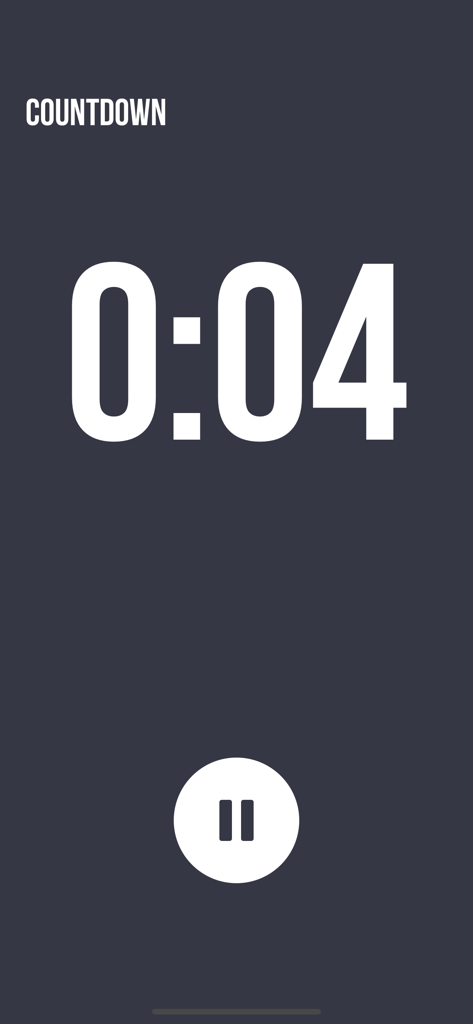
Interval Timer ++ - Interval Timer Plus 앱의 미니멀한 운동 카운트다운 화면

Interval Timer Plus 앱의 미니멀한 운동 카운트다운 화면

설명

Award-winning app for your daily workouts! Simple set up, intense workout: *** One touch to set up Workout, Rest, and Repeat. *** Supports both iPhone and Apple Watch *** Colorful design, to give you some eye candy while working hard *** Multiple timers for easy access and training *** Premium timers where different fitness types are mixed *** Background notification, so you can keep working out while browsing other apps, or even when screen is locked *** Listen to your favorite music while working out *** See your workout history in calendar view Health App Integration We integrate with the health app (HealthKit) to read and track your steps data and show them in a beautiful way. Feature details: - Workout duration: 2 seconds to 8 minutes - Rest duration: 0 seconds to 8 minutes - Repeat: 20 times (50 times if purchased Premium Subscription) - Premium timers: mix fitness types, including Planks, Jumping Jack, Push Ups, Sit Ups, High Knees, Side Planks, Butt Kicks, Side Lunges, Lunges, etc. - Multiple timers for quick access - Name your timers - Swipe-to-delete timers - Drag-n-drop to reorder custom timers - 10 seconds count down, so you can get into workout position - Count down sound before next workout starts, for you to recover position - Pause and resume workout at any time - Reset at any time if workout was interrupted - Calendar view: shows your work/rest/repeat sessions - Listen to your favorite music in background, while working out the Interval Timer in foreground - Background music will be tuned down when playing workout sounds - Vibration / Haptic feedbacks between workout and rest - Ability to mute all workout sound Users say good works after usage: "I love the simplicity and ease of use of this app. It is almost exactly what I am looking for." "No frills or gimmicks, this app gives it to you straight, which is how interval timers should work IMO." "An eye-candy for your tough workouts." "Mind-blowing on how easy it is to use." "Simple. Does EXACTLY what you need." Also checkout our awesome demo video on Youtube: https://www.youtube.com/watch?v=gO_z8mN1asU Interval Timer Pro (In App Purchase): - Create unlimited number of timers for easy access - Use our premium timers - Repeat workout for more than 20 times • You can subscribe for Interval Timer Pro inside the app; subscriptions are billed monthly or annually at the rate selected depending on the subscription plan. • Alternatively a one-time payment plan is available (this is not a subscription). • Payment will be charged to your iTunes account at confirmation of purchase. • Subscriptions will automatically renew unless auto-renew is cancelled at least 24 hours before the end of current period. • Your account will be charged according to your plan for renewal within 24 hours prior to the end of the current period. • You can manage or turn off auto-renew in your Apple ID account settings at any time after purchase. • To manage your subscriptions or turn off auto-renewal: - Go to Settings > iTunes & App Store - Tap your Apple ID at the top of the screen - Tap View Apple ID. You might need to sign in or use Touch ID. - Tap Subscriptions. - Tap the subscription you want to manage. - Use the options to manage your subscription. • No cancellation of the current subscription is allowed during the active subscription period. Once purchased, refunds will not be provided for any unused portion of the term. We take the security of our customers very seriously. Read our Terms of Service at https://sunnystudio.wordpress.com/2018/08/03/interval-timer-terms-of-us/ and our Privacy Policy at https://sunnystudio.wordpress.com/2018/07/31/interval-timer-privacy-policy/ Attributions: Lock by Maxim Kulikov from the Noun Project Premium by Gregor Cresnar from the Noun Project

Download

다운로드: App Store

이 페이지는 앱이나 개발자의 공식 페이지가 아니며, 정보 제공 및 논평을 목적으로 작성된 독립 편집 간행물입니다. 명시적으로 달리 언급되지 않는 한, 해당 앱이나 개발자는 MWM, Apple, Google Play, 앱 퍼블리셔 또는 앱 개발자와 제휴, 보증, 후원, 승인 또는 공식적으로 연결되어 있지 않으며, 이 페이지의 어떤 내용도 해당 앱이 MWM의 서비스를 사용하여 개발되었음을 의미하지 않습니다. 모든 상표, 로고, 스크린샷 및 기타 콘텐츠는 해당 소유자의 자산입니다.