이 페이지는 앱이나 개발자의 공식 페이지가 아니며, 정보 제공 및 논평을 목적으로 작성된 독립 편집 간행물입니다. 명시적으로 달리 언급되지 않는 한, 해당 앱이나 개발자는 MWM, Apple, Google Play, 앱 퍼블리셔 또는 앱 개발자와 제휴, 보증, 후원, 승인 또는 공식적으로 연결되어 있지 않으며, 이 페이지의 어떤 내용도 해당 앱이 MWM의 서비스를 사용하여 개발되었음을 의미하지 않습니다. 모든 상표, 로고, 스크린샷 및 기타 콘텐츠는 해당 소유자의 자산입니다.
Invitation Maker-RSVP,Greeting
결혼식, 생일, 베이비샤워를 위한 전문적인 카드 제작에 15,000개 이상의 디자이너 템플릿을 사용하는 수천 명의 스타일리시한 호스트와 함께하세요. 최고의 디자인과 쉬운 RSVP 추적으로 손님들에게 깊은 인상을 남기세요.
주요 수치
다운로드
3K+
사용자 평점
1.0/5
총 평가 수
0
개발사
Shubham Bodar
카테고리
Graphics & Design
지원 언어
31
최신 버전
1.11
크기
138.3 MB
출시일
2023년 1월 25일
기능
손쉽게 잊을 수 없는 순간 만들기
주머니 속 전문가 수준의 그래픽 디자이너의 힘을 경험하세요. 생일부터 기업 행사까지, 이벤트 계획을 아름답고 스트레스 없이 만들어 드립니다.
15,000개 이상의 감각적인 템플릿
디자이너 비용은 건너뛰세요. 결혼식, 베이비샤워, 축제를 위한 수천 개의 고급 핀터레스트 스타일 템플릿 중에서 선택하세요.
몇 초 만에 전문가급 맞춤 설정
바쁜 일정을 고려하여 제작된 직관적인 드래그 앤 드롭 편집기로 글리터 효과, 프리미엄 타이포그래피, 나만의 사진을 추가하세요.
다음 스크린샷과 설명은 앱의 공식 스토어 목록에서 직접 가져온 것이며 앱 개발자의 자산입니다.
앱 스토어
스크린샷
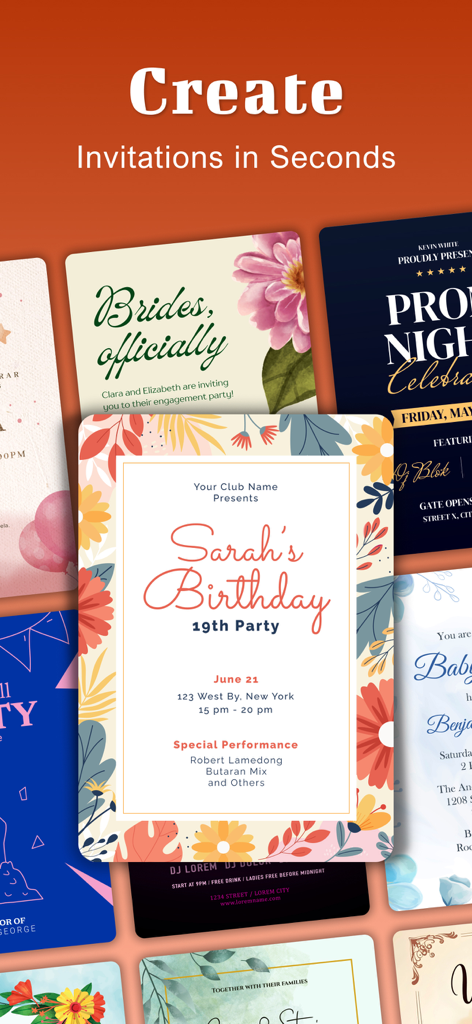
생일, 결혼식, 파티를 위한 다양한 디지털 초대장 템플릿
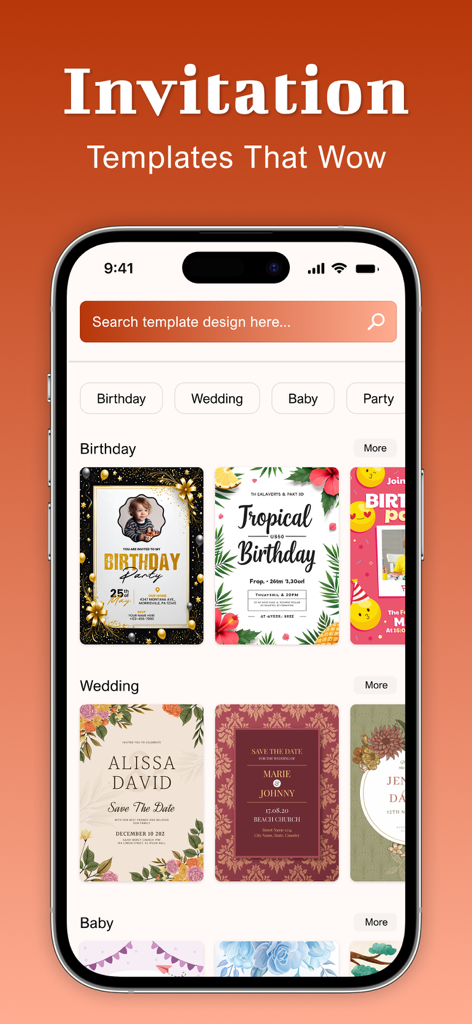
생일 및 결혼식 이벤트를 위한 다양한 초대장 템플릿을 보여주는 모바일 앱 인터페이스
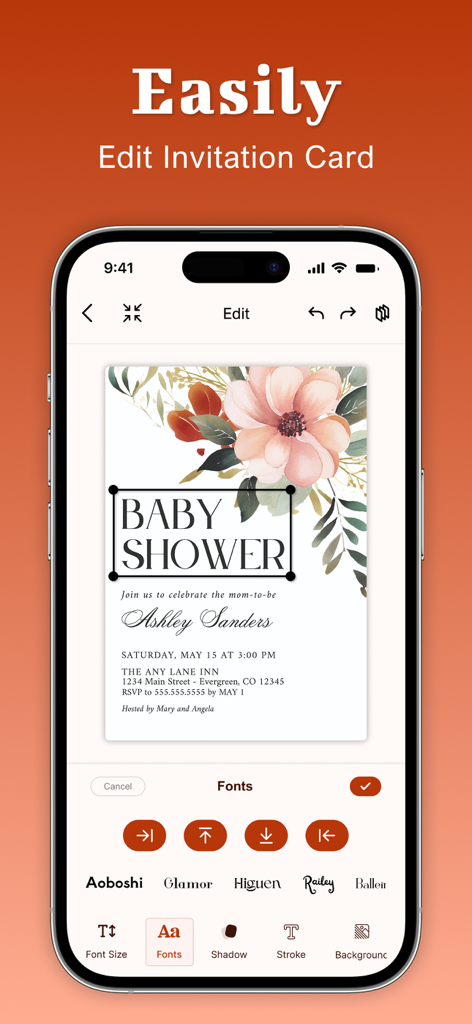
꽃 무늬 베이비샤워 초대장을 편집하는 초대장 메이커 앱 인터페이스를 보여주는 아이폰 화면
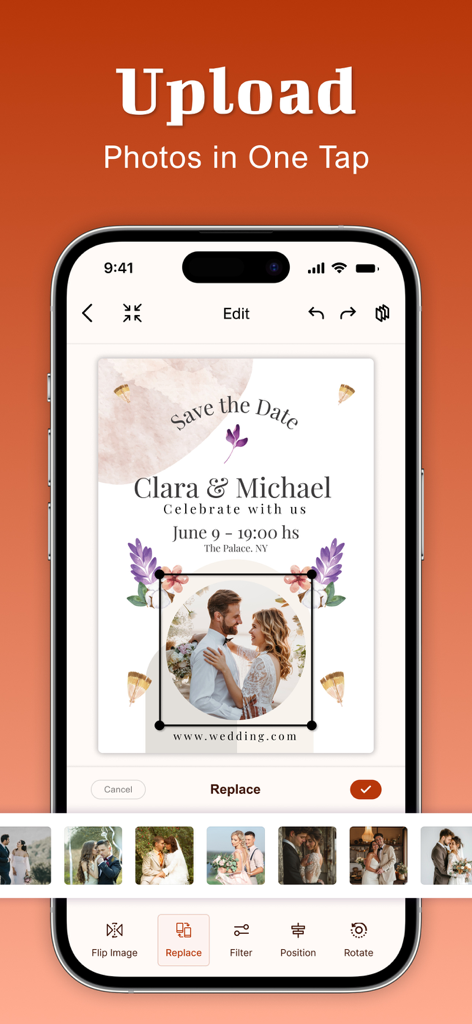
결혼식 D-Day 초대장에 커플 사진을 업로드하고 교체하는 방법을 보여주는 모바일 화면
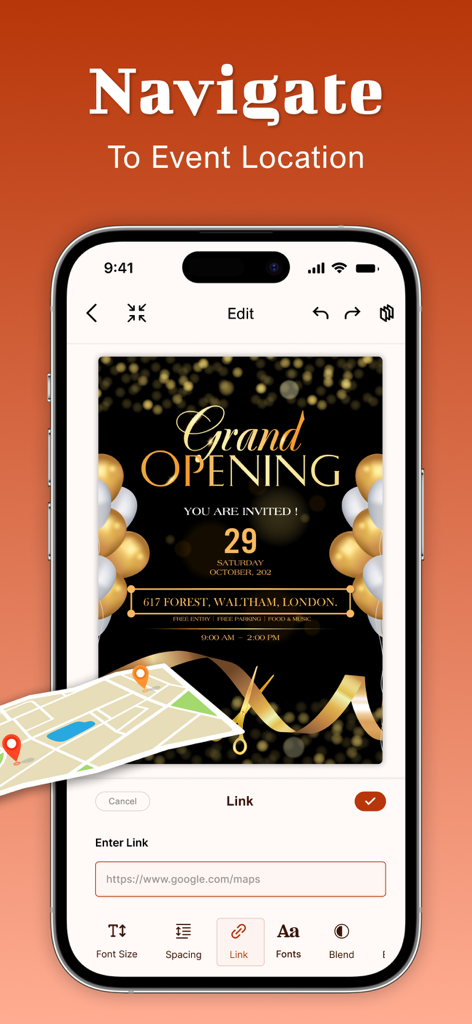
오프닝 카드에 지도 위치를 추가하는 방법을 보여주는 초대장 메이커 앱의 인터페이스
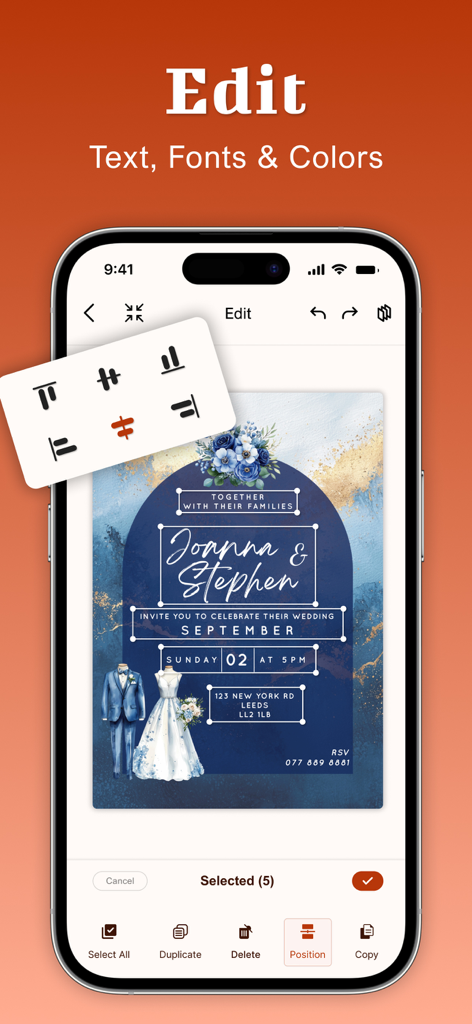
텍스트 및 글꼴 사용자 지정 옵션으로 결혼식 초대장을 편집하는 것을 보여주는 스마트폰 화면
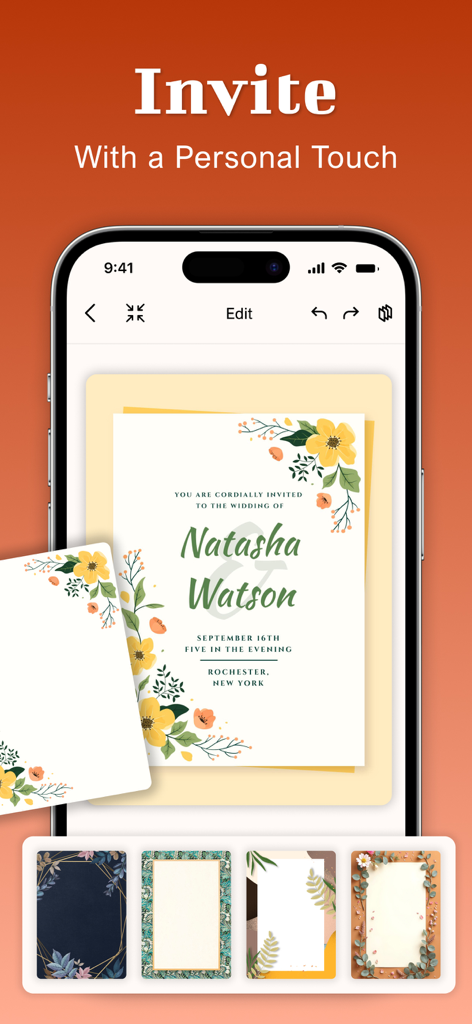
앱에서 꽃 무늬 결혼식 초대장을 편집하는 것을 보여주는 스마트폰 화면
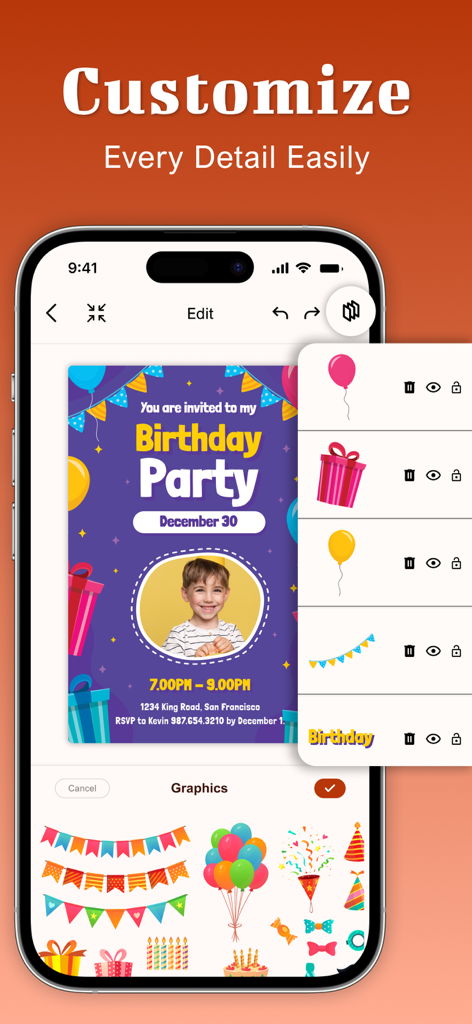
사진과 축제 그래픽으로 생일 파티 초대장을 맞춤 설정하는 것을 보여주는 모바일 앱 인터페이스
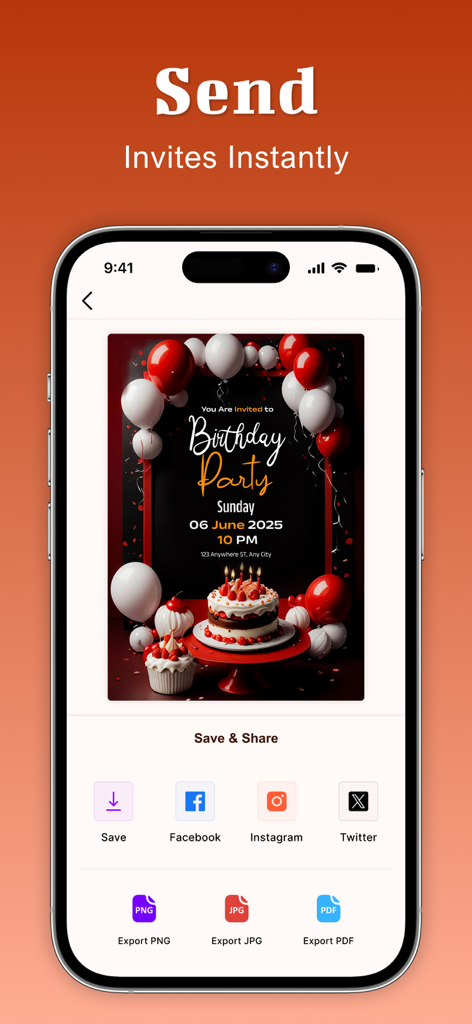
소셜 미디어에 공유하고 PNG, JPG 또는 PDF로 내보내는 옵션이 있는 생일 초대장을 표시하는 스마트폰
설명
Invitation Maker helps make your celebration memorable by creating beautiful invitation cards for birthdays, weddings, baby showers, save the dates, concerts, parties, events, gatherings, and festivals without requiring too much time, budget, effort, or design skills. The best invitation creator app.
invitation card maker offers you over 15,000 beautiful ready-made invitation card templates, allowing you to design invitations in any theme of your choice in no time. Simply customize a ready-made invitation template to make it completely personal.
Invitation Card Template Gallery:
- Birthday invitation templates – quirky, fun, colorful, minimalistic.
- Wedding invitation templates – elegant, classic, modern, destination.
- Baby shower invitation design and gender reveal templates – adorable, pastel, whimsical.
- Corporate event invitation templates – formal, branded, professional.
- Holiday party templates – festive, seasonal, bright and bold.
Explore a wide variety of invitation designs. No more last-minute stress creates beautiful, thoughtful invitations in just a few taps. Save your designs and share them directly through the invitation creator so you never miss a date or deadline.
Invitation Maker Pro Tools:
- Unlimited access to premium invitation design and invitation card template designs with invitation card makers.
- Put text effects like curved and bend, drop shadows, glitter effects using Invitation creator.
- Photo filters, frames, masks, and background remover features are in our apps.
- For different languages or guests,create multiple versions of the same invitation card.
- Make a multi page invitation card for invitation plus event agenda or directions.
Impress your guests, family, and friends with beautifully created, elegant invitation card designs. Create stunning invitation templates and more using the invitation maker app.
Invitation Design Editor:
- Use invitation card maker drag & drop elements, images, shapes, icons.
- Edit text colors, add gradients, manage opacity, and set proper text alignment.
- Add personalized text, event details, RSVP information.
- Upload your own photos from the phone galley or use the invitation card creator stock image library in your card.
- Live preview to see how your invitation card design looks.
Best Practices for Invitation Design:
- Match the occasion theme (birthday, corporate, wedding). Use the invitation maker category filters.
- Limit fonts to two, contrast colors for readability, align elements neatly via the invitation card maker.
- Date, time, location, RSVP – ensure text is legible and well formatted.
- Upload your own or use our stock collection elements to your invitation design.
About Subscriptions and Terms of Use:
- For some features of Invitation Maker, a Premium subscription is needed.
- Payment will be made from your iTunes account after you confirm the purchase.
- Your subscription automatically renews unless auto-renewal is turned off at least 24-hours before the end of the current period.
- You can manage your subscriptions and turn off auto-renewal by going to your Account Settings in the iTunes store after purchase.
Privacy policy: https://shubham-bodar.web.app/privacy.html
Terms of use: https://shubham-bodar.web.app/terms.html
이 페이지는 앱이나 개발자의 공식 페이지가 아니며, 정보 제공 및 논평을 목적으로 작성된 독립 편집 간행물입니다. 명시적으로 달리 언급되지 않는 한, 해당 앱이나 개발자는 MWM, Apple, Google Play, 앱 퍼블리셔 또는 앱 개발자와 제휴, 보증, 후원, 승인 또는 공식적으로 연결되어 있지 않으며, 이 페이지의 어떤 내용도 해당 앱이 MWM의 서비스를 사용하여 개발되었음을 의미하지 않습니다. 모든 상표, 로고, 스크린샷 및 기타 콘텐츠는 해당 소유자의 자산입니다.