iPrint Scan Smart Printer App
다운로드: App Store

이 페이지는 앱이나 개발자의 공식 페이지가 아니며, 정보 제공 및 논평을 목적으로 작성된 독립 편집 간행물입니다. 명시적으로 달리 언급되지 않는 한, 해당 앱이나 개발자는 MWM, Apple, Google Play, 앱 퍼블리셔 또는 앱 개발자와 제휴, 보증, 후원, 승인 또는 공식적으로 연결되어 있지 않으며, 이 페이지의 어떤 내용도 해당 앱이 MWM의 서비스를 사용하여 개발되었음을 의미하지 않습니다. 모든 상표, 로고, 스크린샷 및 기타 콘텐츠는 해당 소유자의 자산입니다.


로고: iPrint Scan Smart Printer App
다운로드: App Store

iPrint Scan Smart Printer App

iPhone을 HP, Canon, Brother 또는 Epson 프린터에 즉시 연결하세요. 컴퓨터 없이도 계약서를 스캔하고 가족 사진을 쉽게 공유할 수 있습니다.

주요 수치

다운로드

7K+

사용자 평점

4.2/5

총 평가 수

0

개발사

Izhar Ullah

카테고리

Business

지원 언어

1

최신 버전

3.4

크기

123.2 MB

출시일

2024년 12월 17일
기능

인쇄 및 스캔에 필요한 모든 것

복잡한 설정과 번거로운 드라이버는 잊으세요. iPrint는 iPhone을 강력한 모바일 오피스로 변환하여 탭 한 번으로 문서와 사진을 관리할 수 있습니다.

유니버설 Wi-Fi 프린팅

컴퓨터 없이도 HP, Canon, Brother, Epson 등 주요 프린터 브랜드에 원활하게 연결하세요.

스마트 모바일 스캐너

계약서, 영수증, 신분증을 고품질 PDF로 변환하세요. 책상에서든 이동 중이든 문서를 즉시 편집하고 공유하세요.

다음 스크린샷과 설명은 앱의 공식 스토어 목록에서 직접 가져온 것이며 앱 개발자의 자산입니다.

앱 스토어

스크린샷

iPrint Scan Smart Printer App - iPrint 스마트 프린터 앱 인터페이스, 다양한 문서 및 사진 인쇄 옵션 표시
iPrint 스마트 프린터 앱 인터페이스, 다양한 문서 및 사진 인쇄 옵션 표시

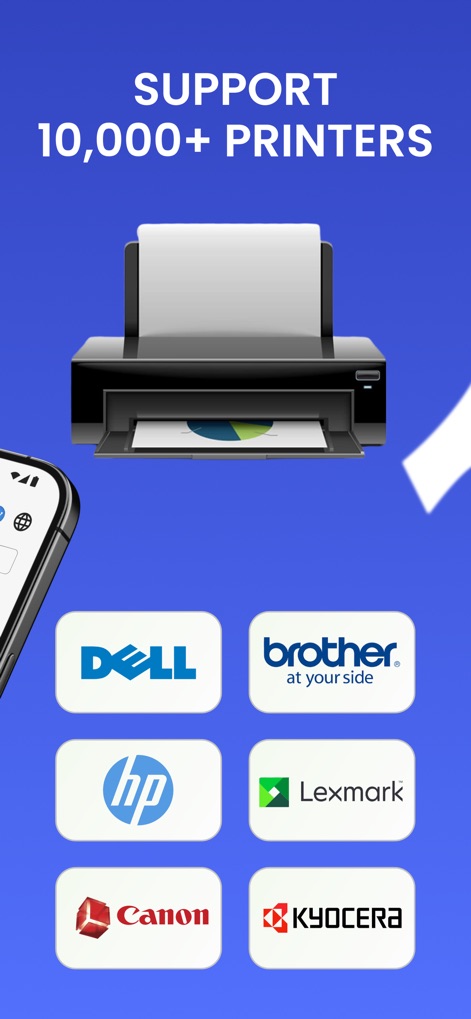
iPrint Scan Smart Printer App - HP Brother Canon 및 Lexmark를 포함한 10,000개 이상의 프린터 브랜드 지원을 보여주는 스마트 프린터 앱 인터페이스

HP Brother Canon 및 Lexmark를 포함한 10,000개 이상의 프린터 브랜드 지원을 보여주는 스마트 프린터 앱 인터페이스

iPrint Scan Smart Printer App - 프린터로 사진 및 문서의 무선 인쇄를 보여주는 스마트폰 앱 화면

프린터로 사진 및 문서의 무선 인쇄를 보여주는 스마트폰 앱 화면

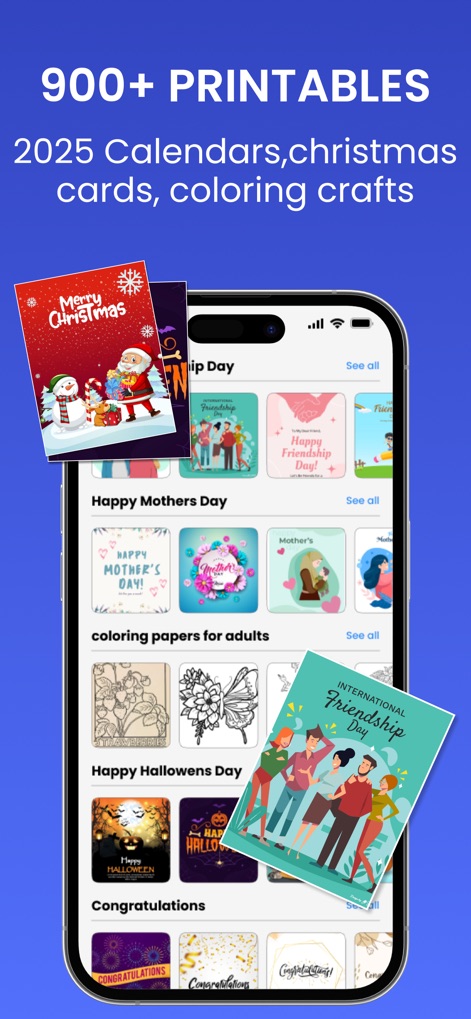
iPrint Scan Smart Printer App - iPrint 스캔 앱의 모바일 인터페이스, 휴일 카드 및 달력용 900개 이상의 인쇄 가능한 템플릿 라이브러리 표시
iPrint 스캔 앱의 모바일 인터페이스, 휴일 카드 및 달력용 900개 이상의 인쇄 가능한 템플릿 라이브러리 표시

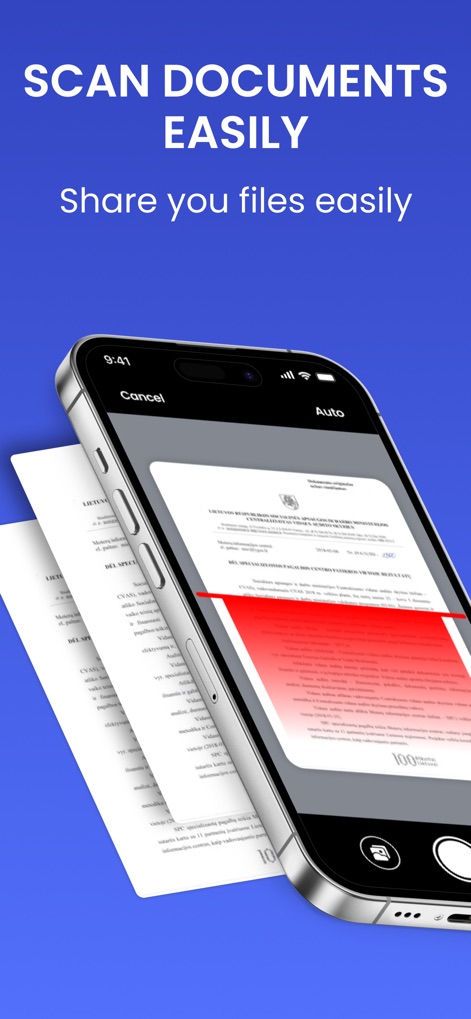
iPrint Scan Smart Printer App - iPrint 스캔 앱을 사용하여 실제 종이 문서를 스캔하는 iPhone

iPrint 스캔 앱을 사용하여 실제 종이 문서를 스캔하는 iPhone

설명

Smart Printer Scanner is a Print Master that helps you scan & print photos. Smart Printer and Scanner lets you print photos and documents easily from your phone. Our incredible smart printer app supports various printer models, including popular brands like HP, Canon, Brother, and Epson. Print photos, documents, PDF files, invoices, receipts, boarding passes, and more with ease, sharing them with family and friends using the smart printer app. Experience seamless use of the print master capabilities to print everything you need. The smart printer app functions as a print master, supporting multiple printer models. Like the Canon printer and Brother apps, the printer app operates smoothly and precisely, enhancing the user experience. HP all-in-one printer remote & Canon printer will automatically resize your paper based on the printer’s capability and the type of document you’re printing using the smart printer app. Enjoy easy Wi-Fi printing from your mobile device through the smart printer app. Download this Brother printer app for a seamless printing and scanning experience! Smart Printing and Sharing with Canon and HP smart printer app: Print photos and share them with family and friends using our print master app. Print documents, PDFs, invoices, and receipts with the smart printer app, which functions as a comprehensive remote app for all your printing needs at home, work, or on the go! The smart printer app acts as an all-in-one remote, much like other smart printing solutions. This Brother printer app supports printing and scanning from your phone, enabling the printing of photos, documents, and web pages. With the HP Smart Tank 580 printer, you can edit scanned documents and then print, email, or share them easily. Print Photos Directly from Anywhere: With our smart printer app, you can print several photos on a single page by creating photo collages. The app keeps your printed files safe and easy to find. Ensure your phone and Brother printer app-enabled printer are on the same Wi-Fi network. Get the print master app now for stress-free printing! The all-in-one printer remote app and scanner work with various printers such as HP, Canon, Epson, Brother, and more. Whether for home or office, if it supports AirPrint, the smart printer app is your go-to tool. The paid subscription plans - Weekly Subscription - Monthly Subscription - Yearly Subscription The price for each plan may vary according to the country from where a user gets subscribed. Payment will be charged to your iTunes account at confirmation of purchase. Your subscription will automatically renew unless auto-renew is turned off at least 24 hours before the end of the current subscription period. Your account will be charged for renewal within 24 hours before the end of the current subscription period. You can manage your subscriptions and turn off auto-renewal by going to your Account Settings on the App Store after purchase. Privacy Policy & Terms & Conditions https://izharapps.blogspot.com/2024/01/term-of-use.html https://izharapps.blogspot.com/2023/10/privacy-policy-for-izhar-ullah.html

Download

다운로드: App Store

이 페이지는 앱이나 개발자의 공식 페이지가 아니며, 정보 제공 및 논평을 목적으로 작성된 독립 편집 간행물입니다. 명시적으로 달리 언급되지 않는 한, 해당 앱이나 개발자는 MWM, Apple, Google Play, 앱 퍼블리셔 또는 앱 개발자와 제휴, 보증, 후원, 승인 또는 공식적으로 연결되어 있지 않으며, 이 페이지의 어떤 내용도 해당 앱이 MWM의 서비스를 사용하여 개발되었음을 의미하지 않습니다. 모든 상표, 로고, 스크린샷 및 기타 콘텐츠는 해당 소유자의 자산입니다.