iWriter 2

iWriter 2

다운로드: App Store
로고: iWriter 2

iWriter 2: 몰입형 작업을 위한 우아한 마크다운 편집기

집중과 성능을 위해 설계된 방해 없는 환경에 몰입하세요. TextKit 2로 재구축된 iWriter 2는 아이디어를 전문적인 PDF, DOCX 또는 LaTeX 문서로 변환할 수 있는 세련되고 키보드 우선 경험을 제공합니다.

다운로드: App Store

개발사

Sergey Zorin

카테고리

Productivity

다운로드

300

사용자 평점

4.8/5

총 평가 수

0

지원 언어

5

집중의 단순함

이 인터페이스를 사용하는 300 명의 사용자.

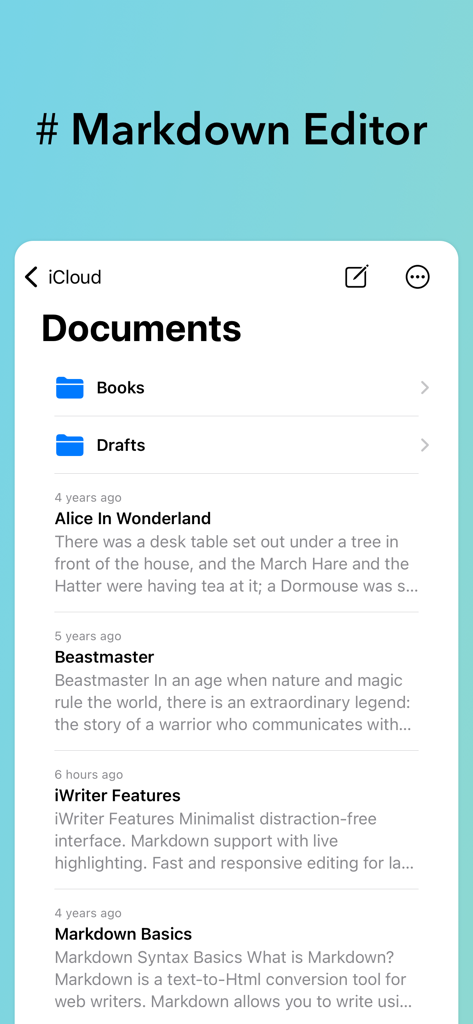
iWriter 2 앱 인터페이스가 폴더와 마크다운 텍스트 파일이 있는 문서 관리자를 표시합니다.

iWriter 2 앱 인터페이스가 폴더와 마크다운 텍스트 파일이 있는 문서 관리자를 표시합니다.

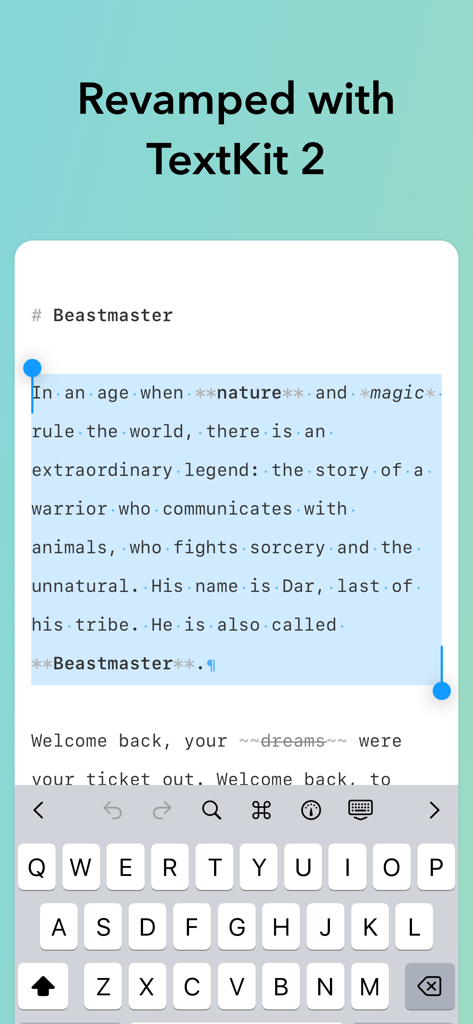
iWriter 2 앱 인터페이스가 TextKit 2로 마크다운 텍스트 선택과 개선된 성능을 보여줍니다.

iWriter 2 앱 인터페이스가 TextKit 2로 마크다운 텍스트 선택과 개선된 성능을 보여줍니다.

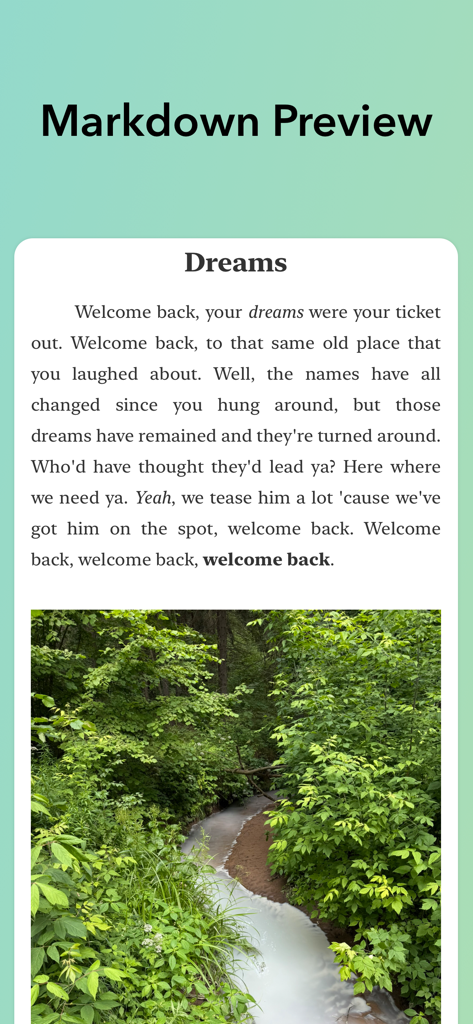
iWriter 2의 실시간 마크다운 미리보기가 렌더링된 텍스트와 숲속 시냇물 이미지를 표시합니다.

iWriter 2의 실시간 마크다운 미리보기가 렌더링된 텍스트와 숲속 시냇물 이미지를 표시합니다.

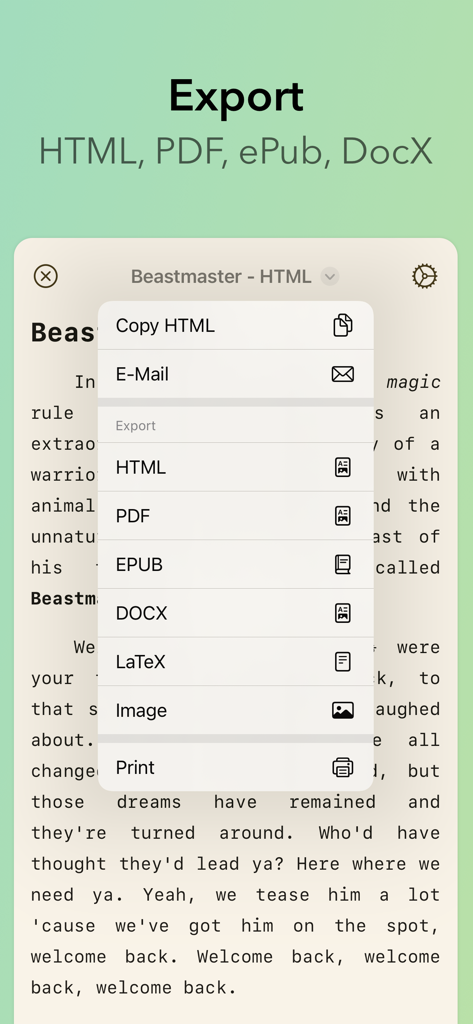
iWriter 2 내보내기 메뉴가 HTML PDF EPUB DOCX 및 LaTeX 옵션을 표시합니다.

iWriter 2 내보내기 메뉴가 HTML PDF EPUB DOCX 및 LaTeX 옵션을 표시합니다.

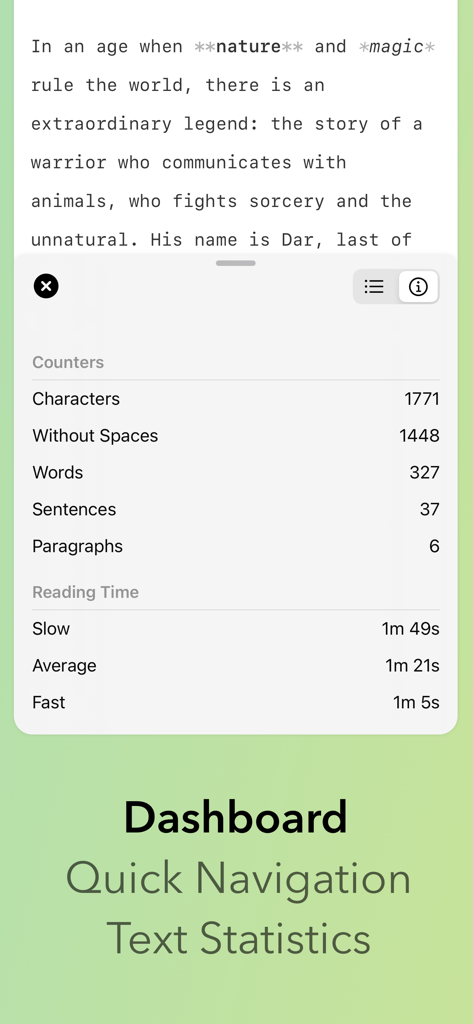
iWriter 2 대시보드가 단어 수, 문자 수, 예상 읽기 시간 등 텍스트 통계를 표시합니다.

iWriter 2 대시보드가 단어 수, 문자 수, 예상 읽기 시간 등 텍스트 통계를 표시합니다.

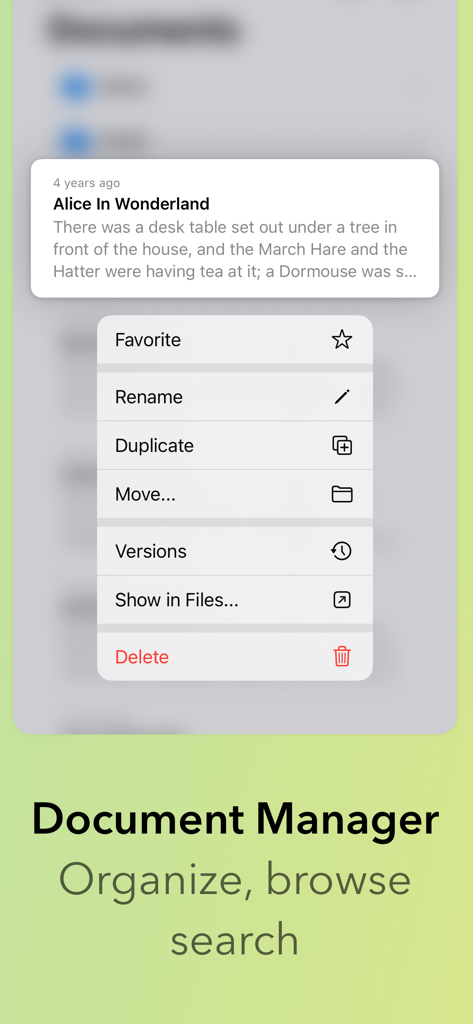
iWriter 2 문서 관리자 인터페이스가 파일 메뉴와 문서 이름 바꾸기, 복제, 이동 옵션을 표시합니다.

iWriter 2 문서 관리자 인터페이스가 파일 메뉴와 문서 이름 바꾸기, 복제, 이동 옵션을 표시합니다.

글쓰기 흐름 마스터하기

이 앱을 돋보이게 하는 도구, 300 명의 사용자가 선택.

🧘

몰입형 집중 작업 공간

전통적인 워드 프로세서의 번잡함 없이 생각을 중심으로 가져올 수 있는 세련되고 방해 없는 인터페이스.

🚀

고성능 편집

Apple의 TextKit 2로 재구축되어 가장 복잡한 기술 문서에서도 매우 빠른 응답성과 부드러운 스크롤링을 제공합니다.

📄

범용 전문가 내보내기

어떤 전문 출판 플랫폼에서도 사용할 수 있는 세련된 PDF, EPUB, DOCX 또는 LaTeX 파일로 마크다운을 변환하세요.

앱 소개

에 대해 알아야 할 모든 것 iWriter 2.

설명

iWriter 2 is an elegant and minimalist Markdown text editor designed for distraction-free writing. # iWriter 2 is the next generation of the beloved iWriter text editor. "Simple & beautiful" App Store Review, 2019 "Terrific Writing and Notes App" App Store Review, 2015 "Great simple text editor" App Store Review, 2014 Immerse yourself in a minimalist writing environment designed to enhance focus and productivity. Say goodbye to clutter and hello to structured, professional documents that effortlessly transform your ideas. ## MultiMarkdown Support A full-featured Markdown editor built for precision and flexibility. iWriter 2 supports MultiMarkdown with live preview and syntax highlighting. Easily create task lists, code blocks, and use inline formatting with keyboard shortcuts. The app saves your progress automatically and exports seamlessly to multiple formats. Perfect for writers, developers, technical writers, and anyone who values clean, structured text. ## Built-in Document Manager A built-in document manager that lets you easily organize, browse, and manage all your files in one place — complete with powerful document search to quickly find exactly what you need. ## Rebuilt with TextKit 2 iWriter 2 has been completely rebuilt from the ground up using Apple’s modern TextKit 2 framework, delivering faster performance, smoother scrolling, and a more responsive writing experience. ## Refined Interface A refined, user-friendly interface designed for focus and productivity, offering intuitive formatting options and seamless export to multiple formats including HTML, PDF, EPUB, DOCX (Microsoft Word), and LaTeX. --- Terms of Use: http://www.apple.com/legal/itunes/appstore/dev/stdeula Privacy Policy: https://serpensoft.com/privacy-policy/

최신 버전

8

크기

15.8 MB

출시일

2025년 10월 16일

집중적인 글쓰기의 예술을 경험하세요

원활하고 고성능의 마크다운 경험을 위해 iWriter 2를 신뢰하는 디지털 미니멀리스트 및 기술 전문가 커뮤니티에 참여하세요.

다운로드: App Store

App information, icons, screenshots, and descriptions displayed on this page are sourced from the Apple App Store and are the property of their respective developers. Download estimates and rankings are based on MWM's proprietary models and may not reflect actual figures. This page is provided for informational and analytical purposes only.

Believe this page infringes your intellectual property? File a dispute