JavaScript Coding Editor IDE
다운로드: App Store

이 페이지는 앱이나 개발자의 공식 페이지가 아니며, 정보 제공 및 논평을 목적으로 작성된 독립 편집 간행물입니다. 명시적으로 달리 언급되지 않는 한, 해당 앱이나 개발자는 MWM, Apple, Google Play, 앱 퍼블리셔 또는 앱 개발자와 제휴, 보증, 후원, 승인 또는 공식적으로 연결되어 있지 않으며, 이 페이지의 어떤 내용도 해당 앱이 MWM의 서비스를 사용하여 개발되었음을 의미하지 않습니다. 모든 상표, 로고, 스크린샷 및 기타 콘텐츠는 해당 소유자의 자산입니다.


로고: JavaScript Coding Editor IDE
다운로드: App Store

JavaScript Coding Editor IDE

데스크톱급 자동 완성, 사용자 정의 가능한 테마, 이동 중인 현대 개발자를 위해 설계된 번개처럼 빠른 에디터를 사용하여 어디에서든 JavaScript를 코딩, 디버깅 및 배포하세요.

주요 수치

다운로드

49K+

사용자 평점

4.4/5

총 평가 수

100

개발사

HurryApp LTD

카테고리

Developer Tools

지원 언어

1

최신 버전

1.7

크기

20.3 MB

출시일

2023년 2월 14일
기능

이동 중에도 전문가 수준의 개발

현대 JavaScript 생태계를 위해 설계된 데스크톱급 기능을 갖춘 고성능 워크스테이션으로 iPhone 또는 iPad를 바꿔보세요.

지능형 자동 완성

모바일 인터페이스에서 코딩을 유연하고 직관적으로 느끼게 하는 스마트 코드 제안 및 실시간 구문 강조로 효율성을 극대화하세요.

통합 파워 디버거

추측을 멈추고 해결을 시작하세요. 모바일 IDE에서는 드문 파워 기능인 전문 단계별 디버거를 사용하여 논리 오류를 즉시 찾아 수정하세요.

다음 스크린샷과 설명은 앱의 공식 스토어 목록에서 직접 가져온 것이며 앱 개발자의 자산입니다.

앱 스토어

스크린샷
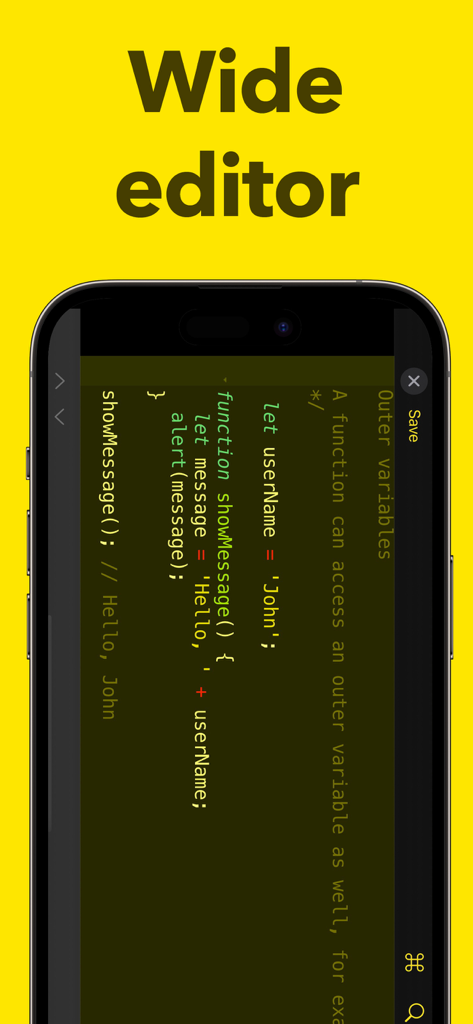
JavaScript Coding Editor IDE - 스마트폰에서 가로 모드로 코드를 보여주는 JavaScript 코딩 에디터
스마트폰에서 가로 모드로 코드를 보여주는 JavaScript 코딩 에디터

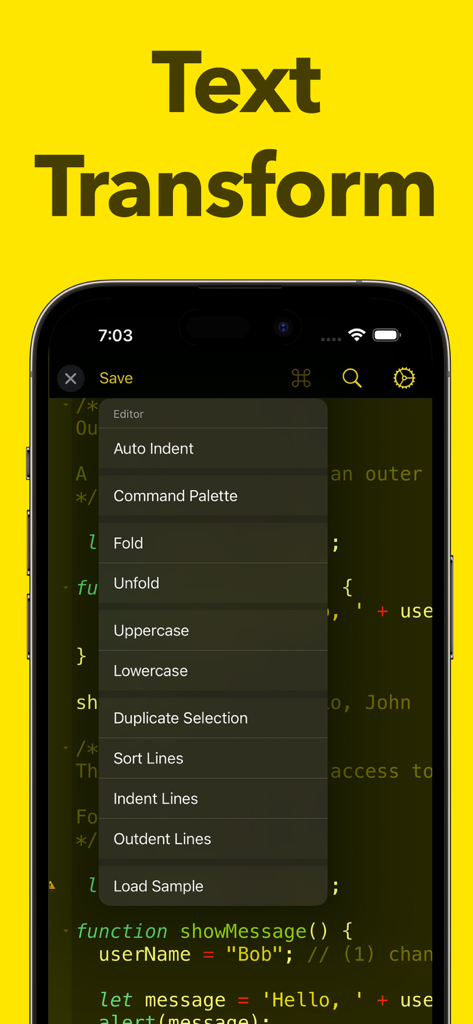
JavaScript Coding Editor IDE - 텍스트 변환 및 코드 편집 도구 메뉴를 표시하는 모바일 JavaScript 에디터 인터페이스
텍스트 변환 및 코드 편집 도구 메뉴를 표시하는 모바일 JavaScript 에디터 인터페이스

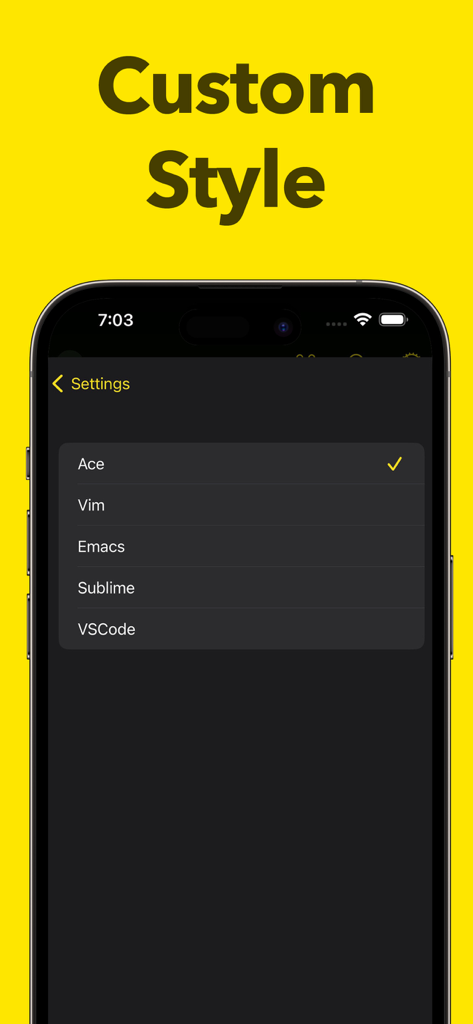
JavaScript Coding Editor IDE - Vim Emacs 및 VSCode를 포함한 사용자 지정 스타일 옵션을 보여주는 JavaScript 코딩 에디터 앱의 설정 화면

Vim Emacs 및 VSCode를 포함한 사용자 지정 스타일 옵션을 보여주는 JavaScript 코딩 에디터 앱의 설정 화면

설명

ntroducing Javascript Editor, the ultimate JavaScript editor ! Designed with the modern developer in mind, Javascript Editor provides you with a streamlined and efficient editing experience, helping you code faster and smarter. With Javascript Editor, you'll enjoy lightning-fast performance, thanks to its optimized code architecture. The app offers real-time syntax highlighting for JavaScript, making it easy for you to identify and fix errors in your code. Javascript Editor also features an advanced text editor that supports customizable themes and font styles, allowing you to personalize your coding environment and adjust it to your liking. Whether you're a seasoned developer or just starting out, Javascript Editor has everything you need to take your JavaScript coding to the next level. With its advanced code completion and autocompletion features, you can code faster and more accurately, reducing the time you spend on repetitive tasks. In addition to its advanced editing capabilities, Javascript Editor includes a powerful debugger that helps you quickly locate and fix bugs in your code. With its intuitive user interface and step-by-step debugging process, you'll be able to identify and fix issues in no time. And that's not all! Javascript Editor also includes a wide range of other tools and features, such as code folding, line numbers, code commenting, and more. Whether you're working on a small script or a large project, Javascript Editor has everything you need to get the job done. So what are you waiting for? Download Javascript Editor today and experience the future of JavaScript editing !

Download

다운로드: App Store

이 페이지는 앱이나 개발자의 공식 페이지가 아니며, 정보 제공 및 논평을 목적으로 작성된 독립 편집 간행물입니다. 명시적으로 달리 언급되지 않는 한, 해당 앱이나 개발자는 MWM, Apple, Google Play, 앱 퍼블리셔 또는 앱 개발자와 제휴, 보증, 후원, 승인 또는 공식적으로 연결되어 있지 않으며, 이 페이지의 어떤 내용도 해당 앱이 MWM의 서비스를 사용하여 개발되었음을 의미하지 않습니다. 모든 상표, 로고, 스크린샷 및 기타 콘텐츠는 해당 소유자의 자산입니다.








