JavaScript Coding Editor & IDE
다운로드: App Store

이 페이지는 앱이나 개발자의 공식 페이지가 아니며, 정보 제공 및 논평을 목적으로 작성된 독립 편집 간행물입니다. 명시적으로 달리 언급되지 않는 한, 해당 앱이나 개발자는 MWM, Apple, Google Play, 앱 퍼블리셔 또는 앱 개발자와 제휴, 보증, 후원, 승인 또는 공식적으로 연결되어 있지 않으며, 이 페이지의 어떤 내용도 해당 앱이 MWM의 서비스를 사용하여 개발되었음을 의미하지 않습니다. 모든 상표, 로고, 스크린샷 및 기타 콘텐츠는 해당 소유자의 자산입니다.

로고: JavaScript Coding Editor & IDE
다운로드: App Store

JavaScript Coding Editor & IDE

iPhone 또는 iPad를 전문 워크스테이션으로 바꿔보세요. TypeScript를 컴파일하고, Node.js를 100% 오프라인으로 실행하며, AI 어시스턴트로 버그를 잡으세요. 한계 없이 코딩하는 통근자, 학생, 프로 개발자를 위해 설계되었습니다.

주요 수치

다운로드

79K+

사용자 평점

4.7/5

총 평가 수

0

개발사

Cloudbit d.o.o.

카테고리

Developer Tools

지원 언어

6

최신 버전

1.8.18

크기

186.3 MB

출시일

2022년 11월 9일
기능

제약 없는 전문 코딩

JavaScript 및 TypeScript를 위한 가장 강력한 모바일 IDE입니다. 휴대폰이나 태블릿에서 바로 프로급 도구로 연습하고, 프로토타입을 만들고, 구축하세요.

오프라인 Node.js 런타임

어디서든 JavaScript 또는 TypeScript를 컴파일하고 실행하세요. 핵심 개발 워크플로우에 인터넷이나 서버가 필요하지 않습니다.

스마트 AI 코드 어시스턴트

AI 기반 오류 해결, 코드 리팩토링, 복잡한 로직에 대한 즉각적인 설명으로 더 빠르게 디버깅하세요.

다음 스크린샷과 설명은 앱의 공식 스토어 목록에서 직접 가져온 것이며 앱 개발자의 자산입니다.

앱 스토어

스크린샷
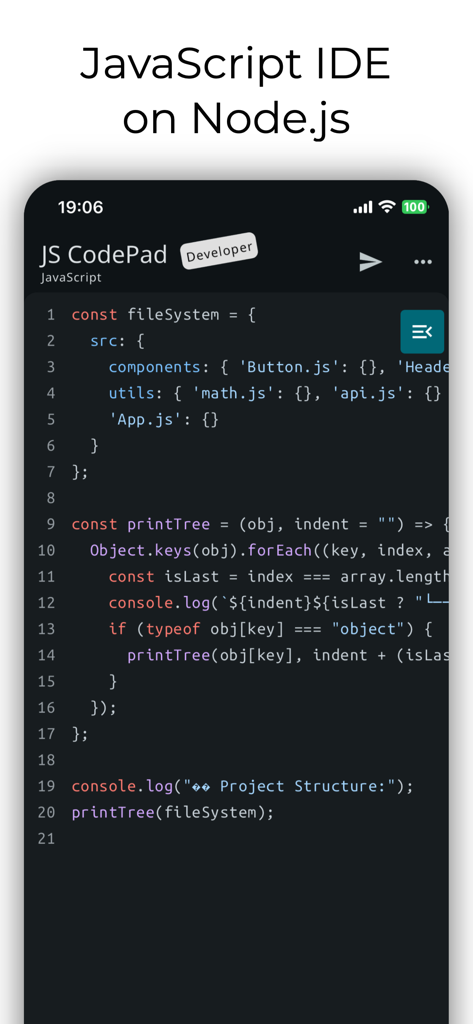
JavaScript Coding Editor & IDE - 모바일 개발을 위한 JavaScript IDE 및 코드 에디터 인터페이스
모바일 개발을 위한 JavaScript IDE 및 코드 에디터 인터페이스

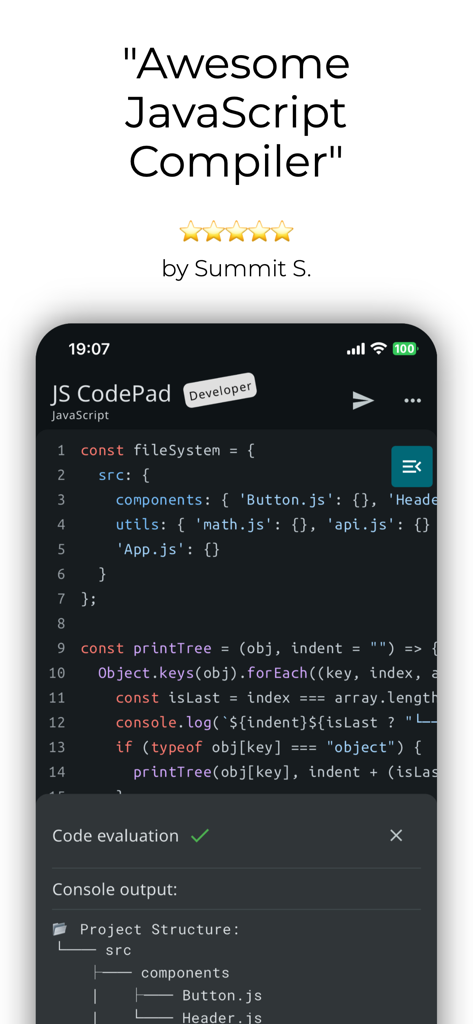
JavaScript Coding Editor & IDE - 코드 에디터와 별점 5개 리뷰가 있는 JavaScript CodePad 모바일 앱 인터페이스
코드 에디터와 별점 5개 리뷰가 있는 JavaScript CodePad 모바일 앱 인터페이스

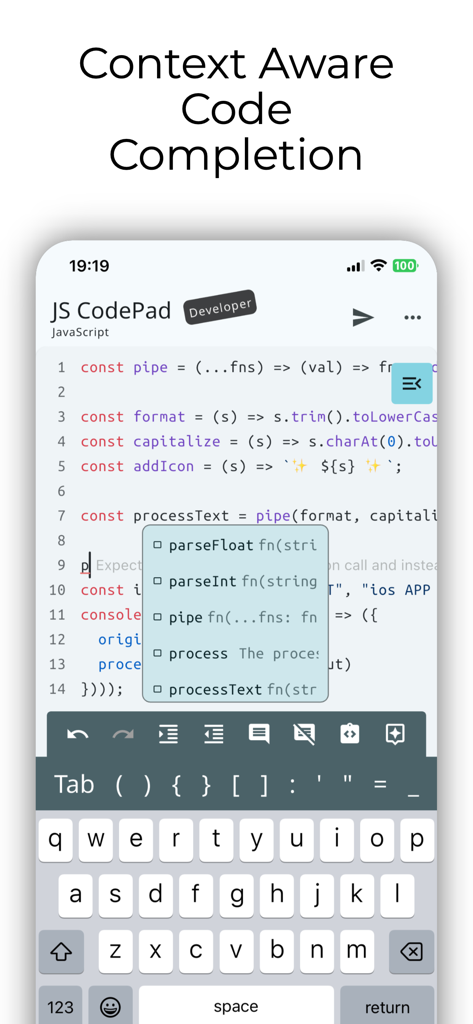
JavaScript Coding Editor & IDE - 컨텍스트 인식 코드 완성 및 자동 완성 제안을 보여주는 모바일 JavaScript IDE
컨텍스트 인식 코드 완성 및 자동 완성 제안을 보여주는 모바일 JavaScript IDE

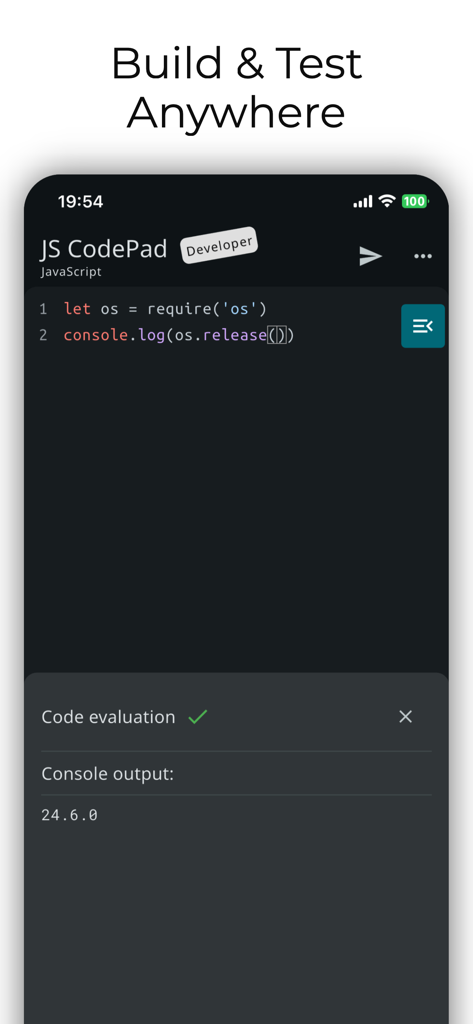
JavaScript Coding Editor & IDE - 다크 모드 및 콘솔 출력이 특징인 iPhone의 JavaScript IDE 및 코드 에디터 모바일 애플리케이션 인터페이스
다크 모드 및 콘솔 출력이 특징인 iPhone의 JavaScript IDE 및 코드 에디터 모바일 애플리케이션 인터페이스

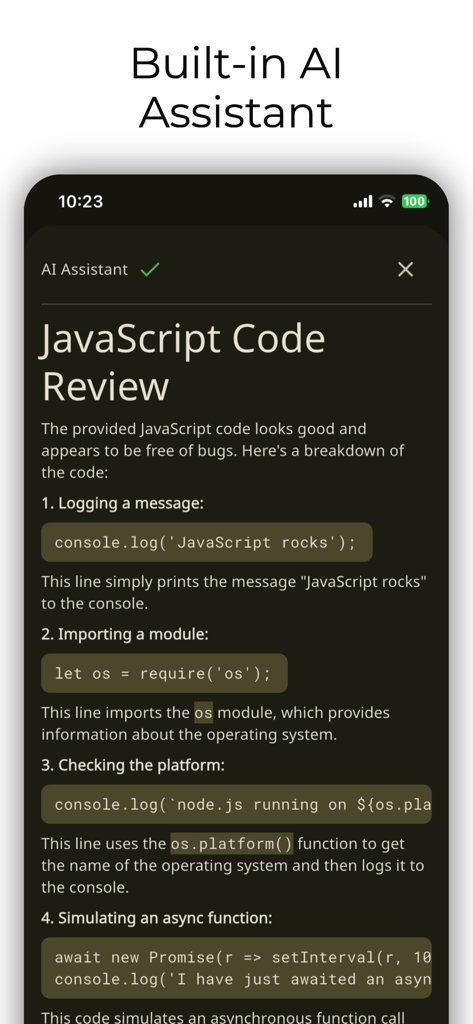
JavaScript Coding Editor & IDE - JS 스니펫에 대한 코드 검토를 제공하는 AI 어시스턴트를 보여주는 JavaScript 모바일 IDE
JS 스니펫에 대한 코드 검토를 제공하는 AI 어시스턴트를 보여주는 JavaScript 모바일 IDE

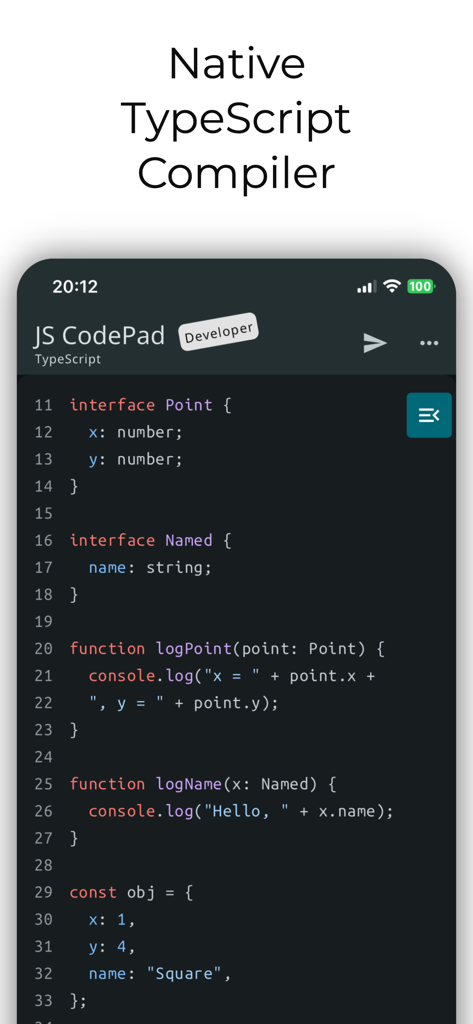
JavaScript Coding Editor & IDE - 네이티브 컴파일러 기능으로 TypeScript 코드 편집을 보여주는 JS CodePad의 모바일 인터페이스
네이티브 컴파일러 기능으로 TypeScript 코드 편집을 보여주는 JS CodePad의 모바일 인터페이스

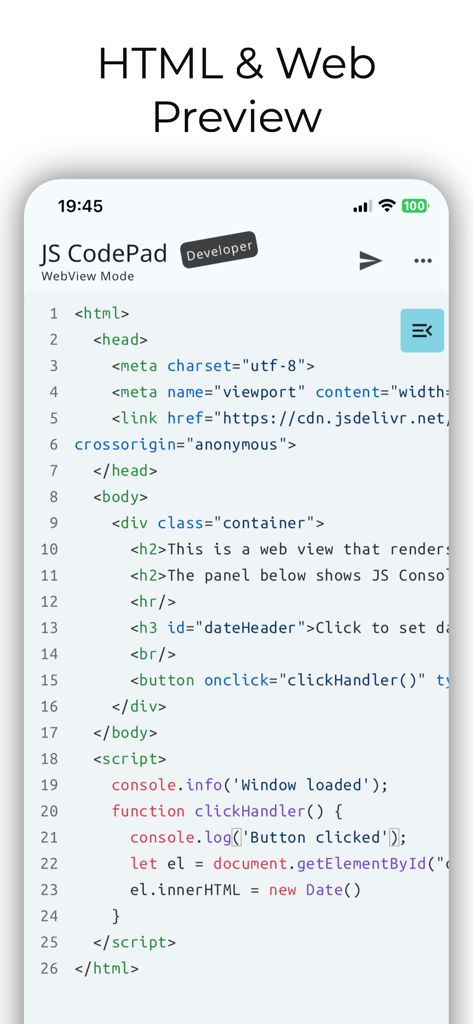
JavaScript Coding Editor & IDE - 웹 개발 미리보기를 위한 HTML 및 JavaScript 코드를 보여주는 JS CodePad 모바일 앱의 스크린샷
웹 개발 미리보기를 위한 HTML 및 JavaScript 코드를 보여주는 JS CodePad 모바일 앱의 스크린샷

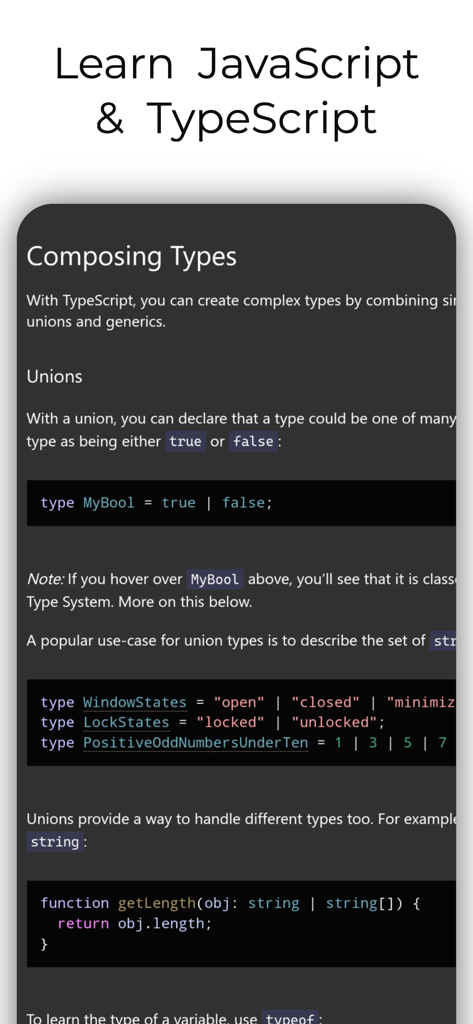
JavaScript Coding Editor & IDE - 코딩 에디터 앱에서 복합 유형 및 유니언을 설명하는 TypeScript 튜토리얼 페이지의 스크린샷

코딩 에디터 앱에서 복합 유형 및 유니언을 설명하는 TypeScript 튜토리얼 페이지의 스크린샷

설명

Run JavaScript and TypeScript on Node.js anywhere—100% Offline. The most powerful mobile IDE for JS and TS.  Features a built-in compiler, console, and DOM WebView. No server, no internet, no limits. Whether you are a professional developer, a student, or a hobbyist, JavaScript CodePad will help you practice and improve your coding skills anytime, anywhere. Built in tsc compiler transpiles your TypeScript code to JavaScript offline. Use the WebView mode to access the built-in Web Browser Window and DOM interface. Combine HTML, CSS, and JavaScript and learn building Web apps. Organise your code into modules and run multiple JS files using Node.js as a runtime (Internet connection required). You can run, execute, and evaluate JS code and programs from this app. Lightweight app with full JavaScript syntax highlighting, code completion and editor actions like undo, redo, comment lines, and indent selection to enhance your developer productivity. Enhanced productivity with live JS and TS code analysis as you type. Catch errors before you run the code. Built-in AI Assistant, whenever you get an error in your code, AI can suggest how to resolve it. AI Assistant can also refactor your code, clean it up, check it for bugs, write comments and documentation strings or just explain it. Blazing fast, all single script and Web View code is ran directly on the embedded node.js runtime or built in Web browser. Enhance your programming and JavaScript skills by solving built-in coding problems. Learn JavaScript with the MDN tutorial. Become a JavaScript coding master. Learn TypeScript with the official TypeScript handbook. Test your JavaScript and TypeScript knowledge, the app will tell you if you are writing valid JavaScript. With JavaScript CodePad, you can: - Write and execute JavaScript code with syntax highlighting and auto-indentation. - Run and compile TypeScript code and scripts - Test and debug your code with the built-in console and error messages. - Share and load your code snippets for later use - Customised keyboard with special keys and shortcuts for JavaScript and TypeScript - Code completion - Code formatting - Code linting - Solve built-in coding challenges - Access JavaScript and TypeScript tutorial and library reference from the app - Learn new concepts and techniques - Write HTML, CSS and JS code and run it in a built-in WebView - Run multiple JS files Download it today and unleash your creativity with the most popular programming language in the world. Note that certain features like Code completion, WebView mode and project mode require paid Developer upgrade.

Download

다운로드: App Store

이 페이지는 앱이나 개발자의 공식 페이지가 아니며, 정보 제공 및 논평을 목적으로 작성된 독립 편집 간행물입니다. 명시적으로 달리 언급되지 않는 한, 해당 앱이나 개발자는 MWM, Apple, Google Play, 앱 퍼블리셔 또는 앱 개발자와 제휴, 보증, 후원, 승인 또는 공식적으로 연결되어 있지 않으며, 이 페이지의 어떤 내용도 해당 앱이 MWM의 서비스를 사용하여 개발되었음을 의미하지 않습니다. 모든 상표, 로고, 스크린샷 및 기타 콘텐츠는 해당 소유자의 자산입니다.









