JPG to PDF | Photos to PDF
다운로드: App Store

이 페이지는 앱이나 개발자의 공식 페이지가 아니며, 정보 제공 및 논평을 목적으로 작성된 독립 편집 간행물입니다. 명시적으로 달리 언급되지 않는 한, 해당 앱이나 개발자는 MWM, Apple, Google Play, 앱 퍼블리셔 또는 앱 개발자와 제휴, 보증, 후원, 승인 또는 공식적으로 연결되어 있지 않으며, 이 페이지의 어떤 내용도 해당 앱이 MWM의 서비스를 사용하여 개발되었음을 의미하지 않습니다. 모든 상표, 로고, 스크린샷 및 기타 콘텐츠는 해당 소유자의 자산입니다.

로고: JPG to PDF | Photos to PDF
다운로드: App Store

JPG to PDF | Photos to PDF

모든 이미지를 몇 초 안에 세련된 PDF로 변환하세요. 100% 오프라인으로 파일을 처리하여 완벽한 개인 정보를 유지하고, 디지털 서명을 추가하고, 전문 템플릿을 사용하여 이동 중에도 더 빠르게 작업을 완료하세요.

주요 수치

다운로드

3K+

사용자 평점

4.9/5

총 평가 수

0

개발사

MARGOAPPS LLC

카테고리

Graphics & Design

지원 언어

1

최신 버전

1.0.5

크기

66.9 MB

출시일

2025년 5월 20일
기능

이동 중에도 서류 작업을 마스터하세요

영수증, 메모, 사진을 안전한 올인원 도구 세트로 전문 등급 PDF로 변환하세요. 모바일 라이프스타일에 맞게 설계되었습니다.

개인 정보 보호 우선 처리

클라우드 업로드가 필요하지 않습니다. 민감한 ID 및 계약을 100% 오프라인으로 변환하여 데이터가 있어야 할 곳, 즉 iPhone에 그대로 유지합니다.

몇 초 만에 서명 및 전송

데스크톱 소프트웨어의 필요성을 없앱니다. 변환된 파일에 직접 디지털 서명 및 전문 표지를 추가하세요.

다음 스크린샷과 설명은 앱의 공식 스토어 목록에서 직접 가져온 것이며 앱 개발자의 자산입니다.

앱 스토어

스크린샷
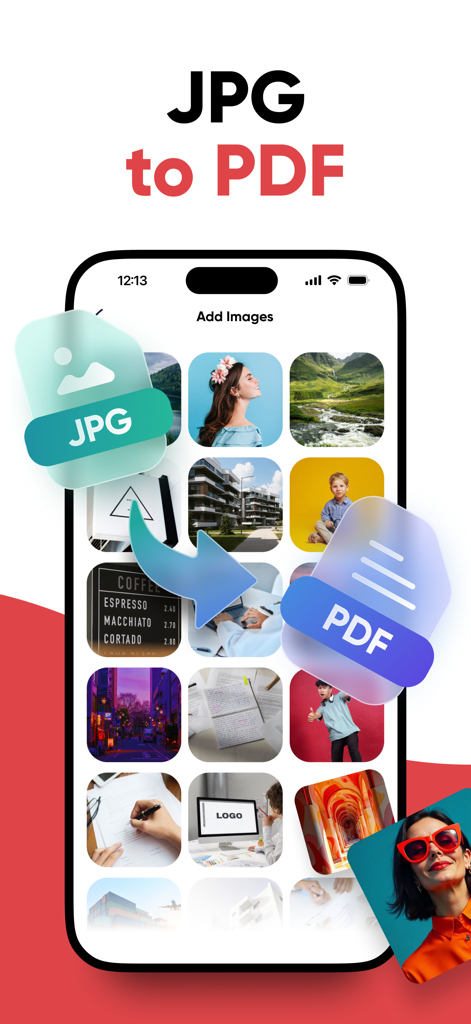
JPG to PDF | Photos to PDF - JPG 이미지를 PDF 파일로 변환하는 화살표와 함께 사진 갤러리를 보여주는 모바일 앱 인터페이스
JPG 이미지를 PDF 파일로 변환하는 화살표와 함께 사진 갤러리를 보여주는 모바일 앱 인터페이스

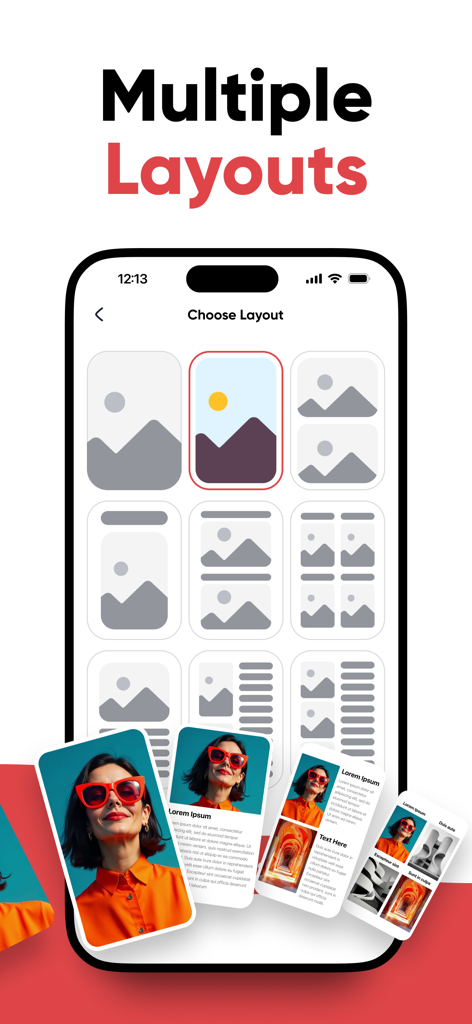
JPG to PDF | Photos to PDF - 이미지를 전문 PDF 문서로 변환하기 위한 여러 페이지 레이아웃 템플릿을 보여주는 스마트폰 인터페이스
이미지를 전문 PDF 문서로 변환하기 위한 여러 페이지 레이아웃 템플릿을 보여주는 스마트폰 인터페이스

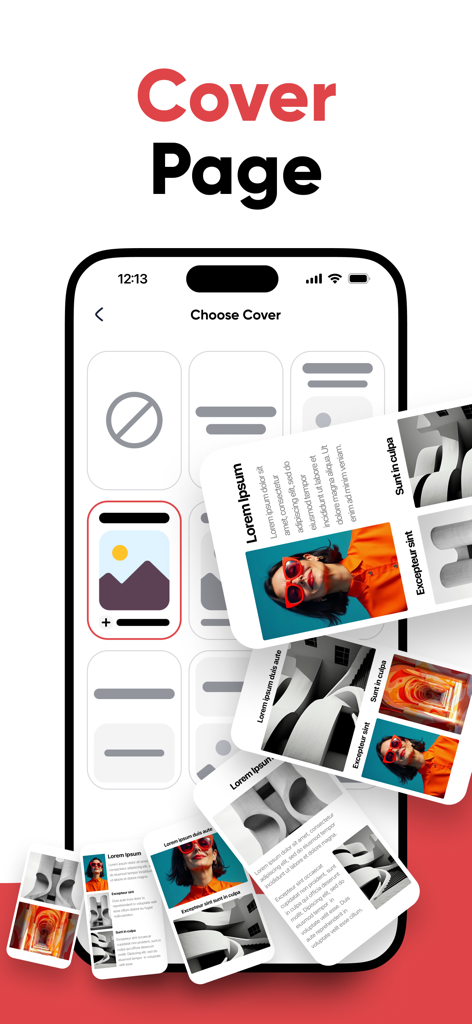
JPG to PDF | Photos to PDF - 앱 내에서 다양한 전문 PDF 표지 템플릿을 표시하는 휴대폰 화면

앱 내에서 다양한 전문 PDF 표지 템플릿을 표시하는 휴대폰 화면

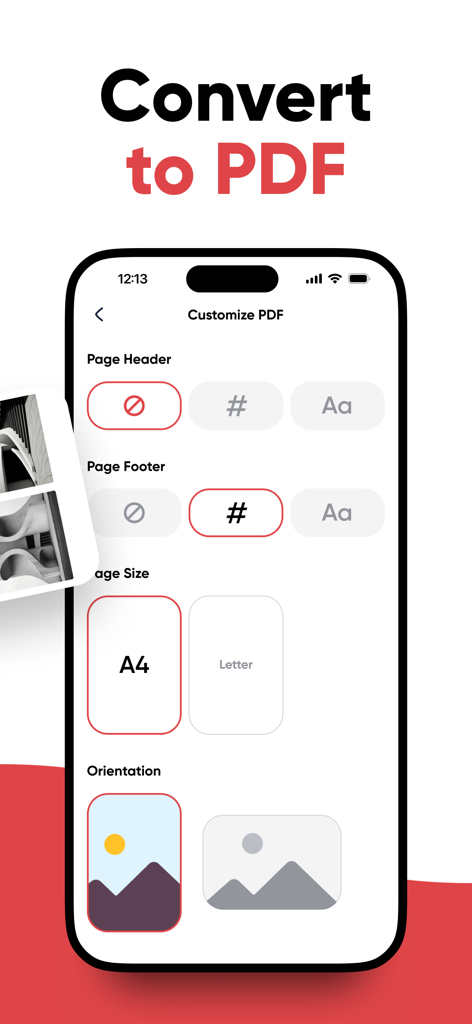
JPG to PDF | Photos to PDF - PDF 페이지 크기 및 레이아웃 방향을 사용자 지정하는 인터페이스

PDF 페이지 크기 및 레이아웃 방향을 사용자 지정하는 인터페이스

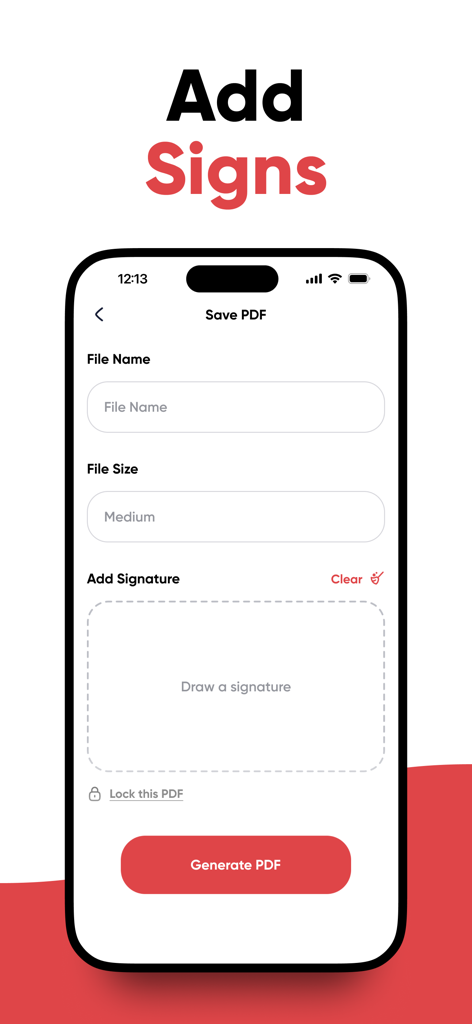
JPG to PDF | Photos to PDF - 저장하기 전에 PDF 문서에 디지털 서명을 추가하는 사용자 인터페이스
저장하기 전에 PDF 문서에 디지털 서명을 추가하는 사용자 인터페이스

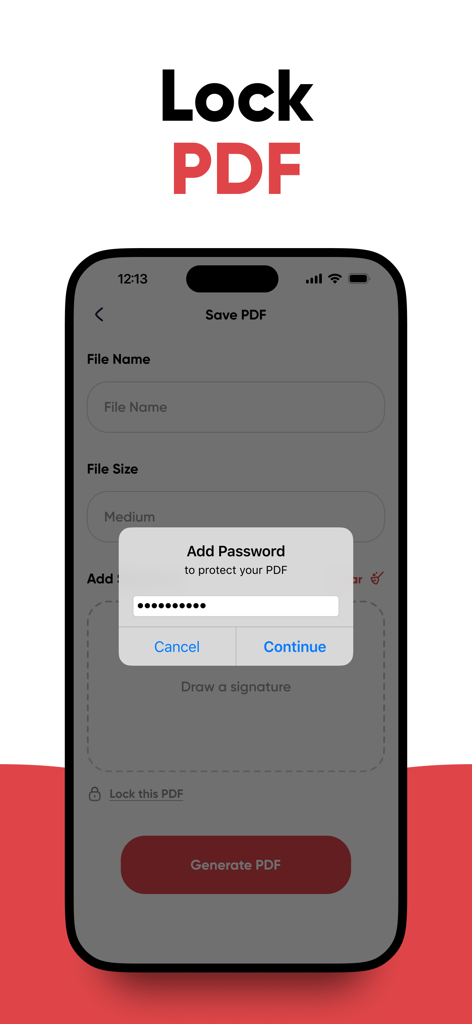
JPG to PDF | Photos to PDF - 보안 및 개인 정보 보호를 위해 PDF에 암호를 추가하는 기능을 보여주는 모바일 인터페이스
보안 및 개인 정보 보호를 위해 PDF에 암호를 추가하는 기능을 보여주는 모바일 인터페이스

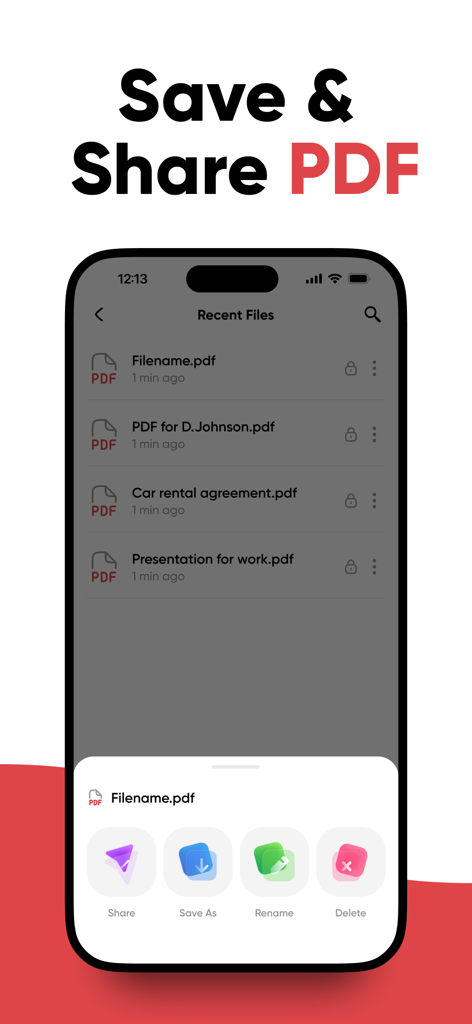
JPG to PDF | Photos to PDF - 공유, 저장, 이름 바꾸기 및 삭제 옵션이 있는 최근 PDF 파일 목록을 표시하는 모바일 앱 화면

공유, 저장, 이름 바꾸기 및 삭제 옵션이 있는 최근 PDF 파일 목록을 표시하는 모바일 앱 화면

설명

JPG to PDF | Photos to PDF – Convert Images to PDF Easily JPG to PDF | Photos to PDF is your all-in-one tool for converting images into high-quality PDF documents in seconds. No scanner or desktop software needed—this app lets you turn JPG, JPEG, HEIC, or PNG files into PDFs directly on your device. Perfect for work, school, or personal use. Key Features Convert JPG, JPEG, HEIC, PNG, and other image formats to PDF Use offline or online—no internet required All conversions processed locally for full privacy Choose from multiple PDF templates and optional cover pages Add titles, subtitles, or notes with the built-in text editor Set your preferred paper size (A4, Letter, etc.) and orientation Sign your documents with an in-app digital signature Lock PDFs with a password for added protection Rename, organize, share, or delete files with ease Save files to your device or export via email, messaging, or cloud services How It Works Select images from your gallery or take new photos Choose a PDF template (Optional) Add a custom cover page Add and edit text fields like title and description Choose paper size and orientation Add a signature or password (optional) Save, rename, share, or manage the file as needed Turn everything from receipts and forms to sketches and ID cards into professional PDFs—quickly and securely. Why Choose This App Fast and simple interface Works 100% offline Keeps your files private—no uploads to servers Full document customization options Ideal for students, freelancers, and professionals Supports all major image file types Optimized for productivity on mobile devices Subscription Details Unlock unlimited access and advanced tools with a premium subscription. Payment will be charged to your iTunes Account at purchase confirmation Subscriptions are billed weekly, monthly, quarterly, or annually Auto-renews unless canceled at least 24 hours before the current billing cycle ends Renewal charges occur within 24 hours before the end of the current period Manage or cancel your subscription anytime in Account Settings Support Need help or have a question? Contact our team: support@convertpdfonline.net Privacy Policy: https://margoapps.com/privacy-policy/ Terms of Service: https://margoapps.com/terms-and-services/ Download JPG to PDF | Photos to PDF now and enjoy the easiest way to convert images into polished PDF documents—right from your phone or tablet.

Download

다운로드: App Store

이 페이지는 앱이나 개발자의 공식 페이지가 아니며, 정보 제공 및 논평을 목적으로 작성된 독립 편집 간행물입니다. 명시적으로 달리 언급되지 않는 한, 해당 앱이나 개발자는 MWM, Apple, Google Play, 앱 퍼블리셔 또는 앱 개발자와 제휴, 보증, 후원, 승인 또는 공식적으로 연결되어 있지 않으며, 이 페이지의 어떤 내용도 해당 앱이 MWM의 서비스를 사용하여 개발되었음을 의미하지 않습니다. 모든 상표, 로고, 스크린샷 및 기타 콘텐츠는 해당 소유자의 자산입니다.