JSON Editor Mobile
JSON Editor Mobile
다운로드: App Store

이 페이지는 앱이나 개발자의 공식 페이지가 아니며, 정보 제공 및 논평을 목적으로 작성된 독립 편집 간행물입니다. 명시적으로 달리 언급되지 않는 한, 해당 앱이나 개발자는 MWM, Apple, Google Play, 앱 퍼블리셔 또는 앱 개발자와 제휴, 보증, 후원, 승인 또는 공식적으로 연결되어 있지 않으며, 이 페이지의 어떤 내용도 해당 앱이 MWM의 서비스를 사용하여 개발되었음을 의미하지 않습니다. 모든 상표, 로고, 스크린샷 및 기타 콘텐츠는 해당 소유자의 자산입니다.


로고: JSON Editor Mobile
다운로드: App Store

JSON Editor Mobile

직관적인 개요 모드, 스마트한 검증, Git 친화적인 편집으로 데이터를 마스터하세요. 워크플로우를 손상시키지 않고 이동 중에 코드를 시각화, 편집 및 수정해야 하는 개발자를 위해 제작되었습니다.

주요 수치

다운로드

18K+

사용자 평점

4.1/5

총 평가 수

0

개발사

VDT LABS S.R.L.

카테고리

Developer Tools

지원 언어

1

최신 버전

1.3

크기

10.5 MB

출시일

2024년 4월 30일
기능

이동 중에 전문적인 JSON 편집

원본 텍스트와 씨름하는 것을 멈추세요. 정밀성, 속도 및 깔끔한 워크플로우를 위해 설계된 강력한, 개발자 우선 모바일 IDE로 데이터 구조를 마스터하세요.

구조 우선 개요 모드

터치에 최적화된 트리 뷰로 복잡한 중첩 객체를 탐색하고 조작하세요. 모바일 텍스트 선택의 좌절감 없이 항목을 추가, 재정렬 또는 편집하세요.

Git 친화적인 스마트 편집

버전 관리를 위해 설계되었습니다. 앱은 저장소 diff가 다음 풀 요청에 대해 깔끔하고 관련성을 유지하도록 최소한의 파일 변경을 수행합니다.

다음 스크린샷과 설명은 앱의 공식 스토어 목록에서 직접 가져온 것이며 앱 개발자의 자산입니다.

앱 스토어

스크린샷
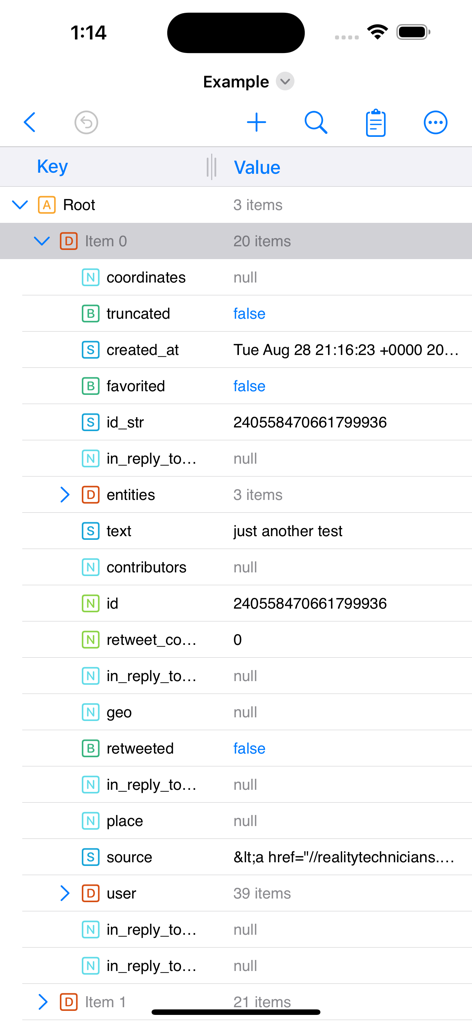
JSON Editor Mobile - JSON Editor Mobile 앱 인터페이스의 스크린샷으로, 키 및 값 열이 있는 개요 모드에서 중첩된 데이터 트리 구조를 표시합니다.
JSON Editor Mobile 앱 인터페이스의 스크린샷으로, 키 및 값 열이 있는 개요 모드에서 중첩된 데이터 트리 구조를 표시합니다.

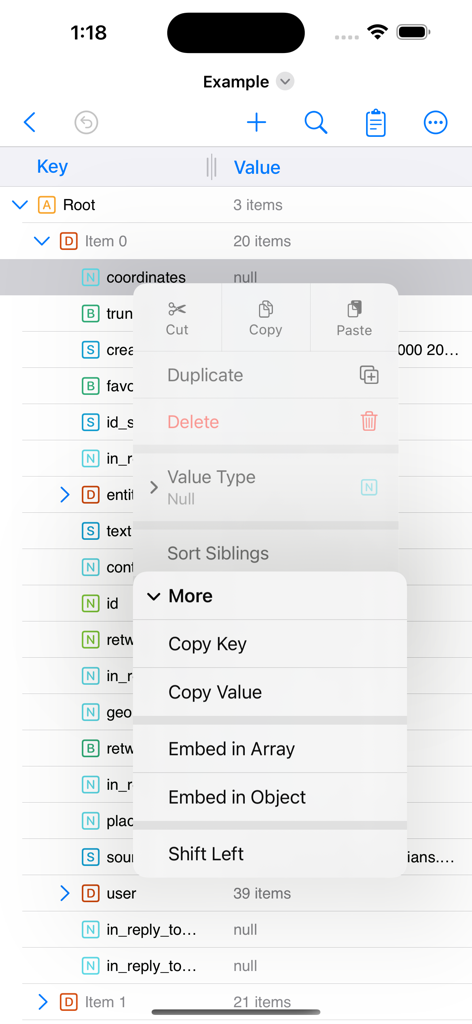
JSON Editor Mobile - JSON Editor Mobile 앱 인터페이스로, 개요 트리 뷰와 데이터 조작을 위한 열린 컨텍스트 메뉴를 표시합니다.
JSON Editor Mobile 앱 인터페이스로, 개요 트리 뷰와 데이터 조작을 위한 열린 컨텍스트 메뉴를 표시합니다.

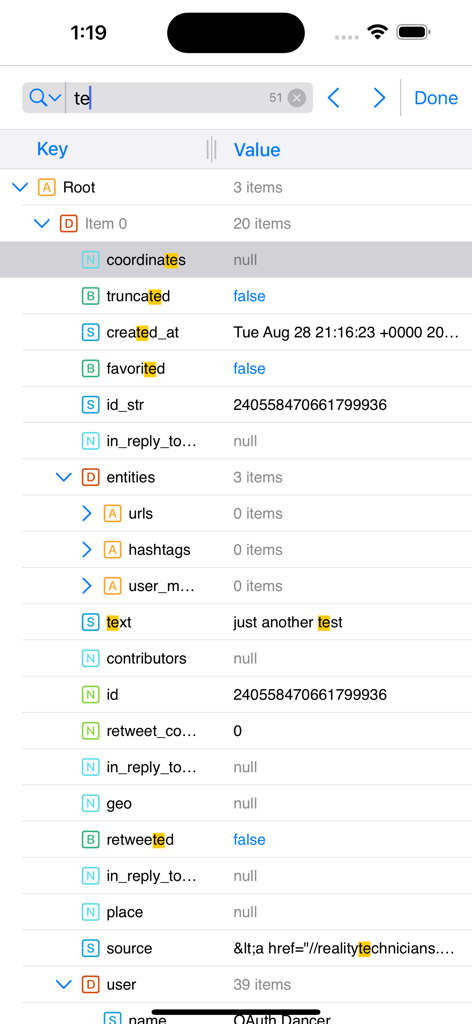
JSON Editor Mobile - JSON Editor Mobile 인터페이스로, 개요 모드에서 강조 표시된 검색 결과 표시
JSON Editor Mobile 인터페이스로, 개요 모드에서 강조 표시된 검색 결과 표시

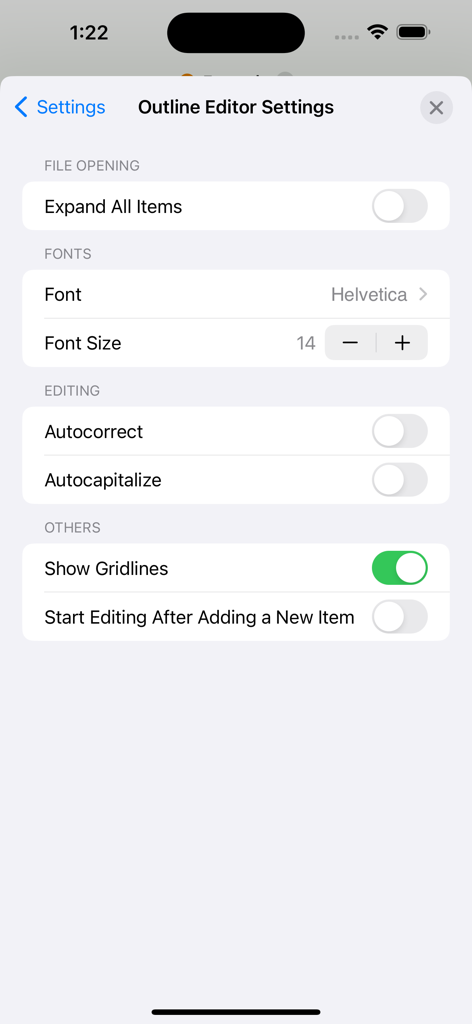
JSON Editor Mobile - JSON Editor Mobile 개요 편집기 설정 화면으로, 글꼴 및 편집 사용자 지정 옵션 표시
JSON Editor Mobile 개요 편집기 설정 화면으로, 글꼴 및 편집 사용자 지정 옵션 표시

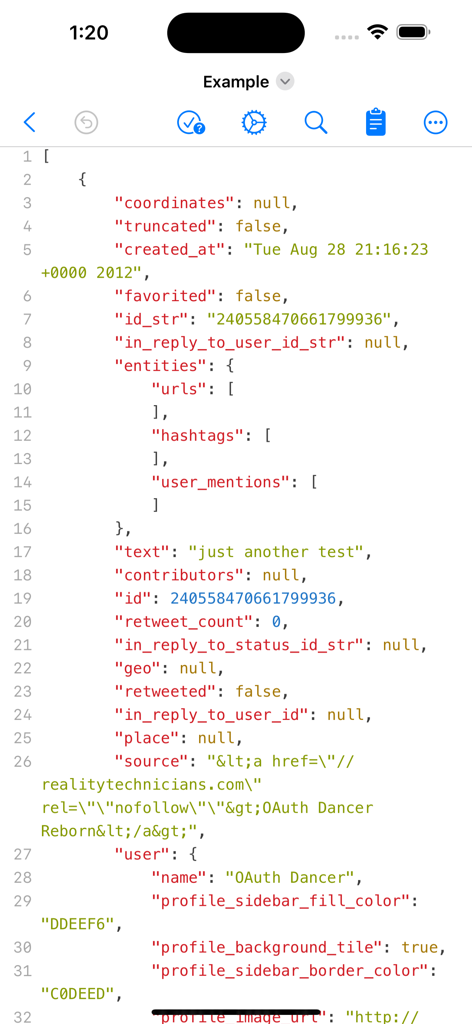
JSON Editor Mobile - 구문 강조 및 줄 번호가 있는 텍스트 모드의 JSON 편집기 모바일 인터페이스
구문 강조 및 줄 번호가 있는 텍스트 모드의 JSON 편집기 모바일 인터페이스

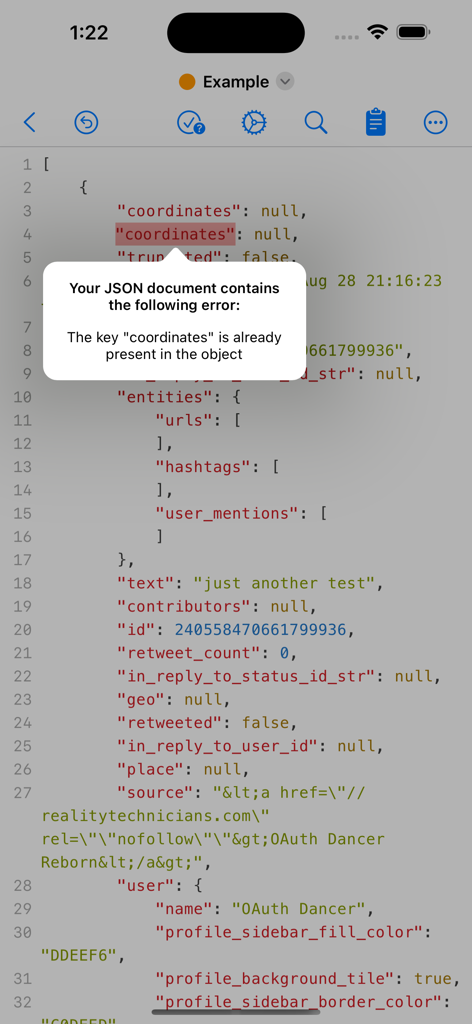
JSON Editor Mobile - JSON Editor Mobile에서 코드 문서의 중복 키에 대한 유효성 검사 오류 알림 표시
JSON Editor Mobile에서 코드 문서의 중복 키에 대한 유효성 검사 오류 알림 표시

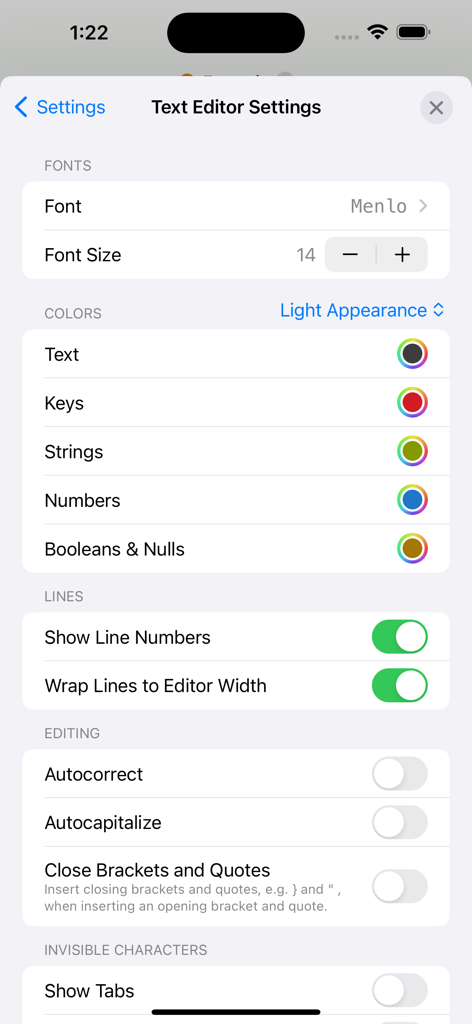
JSON Editor Mobile - JSON Editor Mobile의 텍스트 편집기 설정 화면으로, 글꼴 및 색상 사용자 지정 옵션 표시

JSON Editor Mobile의 텍스트 편집기 설정 화면으로, 글꼴 및 색상 사용자 지정 옵션 표시

설명

JSON Editor is a beautiful viewer and editor for JSON data. It allows you to create, visualize, modify, validate, format and save your JSON documents. The app has the smarts needed to make the minimum changes when editing a file, even in the "outline" mode. This is especially useful when you keep the files in a repository, because only the relevant changes will be shown when diff-ing the edited files. MAJOR FEATURES • View and edit your JSON documents in "outline" (aka "tree") or "text" modes • The "outline" mode offers a great and error proof way to manipulate your JSON, by allowing you to easily add, reorder, delete, copy & paste the items • The "text" mode offers a quick way to interact with the raw text which makes up the JSON and to investigate invalid JSONs OUTLINE MODE • Perform standard operations: cut, copy, paste, delete, reorder • Edit keys & values • Sort sibling items or the children of a parent item • Sort the entire JSON by tapping the "Key" or "Value" columns • Auto-detect if the document is human readable or compact, and preserve this format • Find & Replace - configure where the Find (and replace) will take place: in "Key" column or "Value" column or both. • Duplicate items • Change font & font size for better readability • Undo & redo • More customization options available in "More ->Settings -> Outline Editor" TEXT MODE • Syntax coloring, auto-indentation and line numbers • Customize the syntax colors, both for the light and dark appearances • Validate the JSON document • Highlight of the validation errors, along with a description of them • Make the JSON document human readable or compact, even if it is not entirely valid • Find & Replace • Change font & font size for better readability • Undo & redo • More customization options available in "More -> Settings -> Text Editor" IMPORTANT: JSON Editor is available as free to download, but a few features are disabled by default: Save documents, Find & Replace, Sort. In order to get the most out of the app, and to enable the aforementioned features, "Premium" is recommended to be purchased ("Premium" is a one-time in-app purchase).

Download

다운로드: App Store

이 페이지는 앱이나 개발자의 공식 페이지가 아니며, 정보 제공 및 논평을 목적으로 작성된 독립 편집 간행물입니다. 명시적으로 달리 언급되지 않는 한, 해당 앱이나 개발자는 MWM, Apple, Google Play, 앱 퍼블리셔 또는 앱 개발자와 제휴, 보증, 후원, 승인 또는 공식적으로 연결되어 있지 않으며, 이 페이지의 어떤 내용도 해당 앱이 MWM의 서비스를 사용하여 개발되었음을 의미하지 않습니다. 모든 상표, 로고, 스크린샷 및 기타 콘텐츠는 해당 소유자의 자산입니다.








