Korean Handwriting Board
다운로드: App Store

이 페이지는 앱이나 개발자의 공식 페이지가 아니며, 정보 제공 및 논평을 목적으로 작성된 독립 편집 간행물입니다. 명시적으로 달리 언급되지 않는 한, 해당 앱이나 개발자는 MWM, Apple, Google Play, 앱 퍼블리셔 또는 앱 개발자와 제휴, 보증, 후원, 승인 또는 공식적으로 연결되어 있지 않으며, 이 페이지의 어떤 내용도 해당 앱이 MWM의 서비스를 사용하여 개발되었음을 의미하지 않습니다. 모든 상표, 로고, 스크린샷 및 기타 콘텐츠는 해당 소유자의 자산입니다.

로고: Korean Handwriting Board
다운로드: App Store

Korean Handwriting Board

복잡한 키보드 레이아웃은 잊으세요. 손가락이나 Apple Pencil로 문자를 쉽게 그리고, 즉각적인 발음을 듣고, 사용자 정의 가능한 글쓰기 환경으로 더 직관적으로 배우고 소통하세요.

주요 수치

다운로드

6K+

사용자 평점

4.8/5

총 평가 수

0

개발사

倩喜 阮

카테고리

Utilities

지원 언어

5

최신 버전

1.1

크기

61.7 MB

출시일

2022년 1월 3일
기능

자연스럽게 한국어 쓰기

복잡한 키보드 레이아웃은 건너뛰세요. 손가락이나 Apple Pencil을 사용하여 문자를 직관적으로 입력하고, 읽어주는 소리를 듣고, 원하는 스타일대로 보드를 사용자 정의하세요.

지능형 획 인식

키보드가 아닌 문자에 집중하세요. 당사의 스마트 엔진은 완벽하지 않은 손글씨라도 낙서한 한국어, 기호 및 영어 문자를 정확하게 인식합니다.

실시간 오디오 피드백

쓰면서 발음을 마스터하세요. 고음질 읽기 기능은 조절 가능한 속도로 손으로 쓴 내용을 소리 내어 읽어주어 학습 효과를 높입니다.

다음 스크린샷과 설명은 앱의 공식 스토어 목록에서 직접 가져온 것이며 앱 개발자의 자산입니다.

앱 스토어

스크린샷
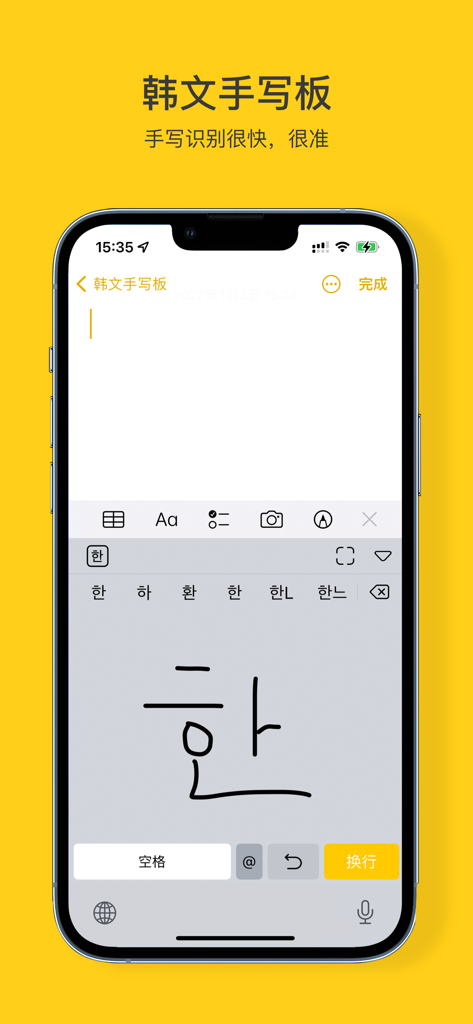
Korean Handwriting Board - 사용자가 한국어 문자 '한'을 그리고 문자 제안을 입력 영역 위에 받는 한국어 손글씨 보드 앱이 표시된 스마트폰 화면.
사용자가 한국어 문자 '한'을 그리고 문자 제안을 입력 영역 위에 받는 한국어 손글씨 보드 앱이 표시된 스마트폰 화면.

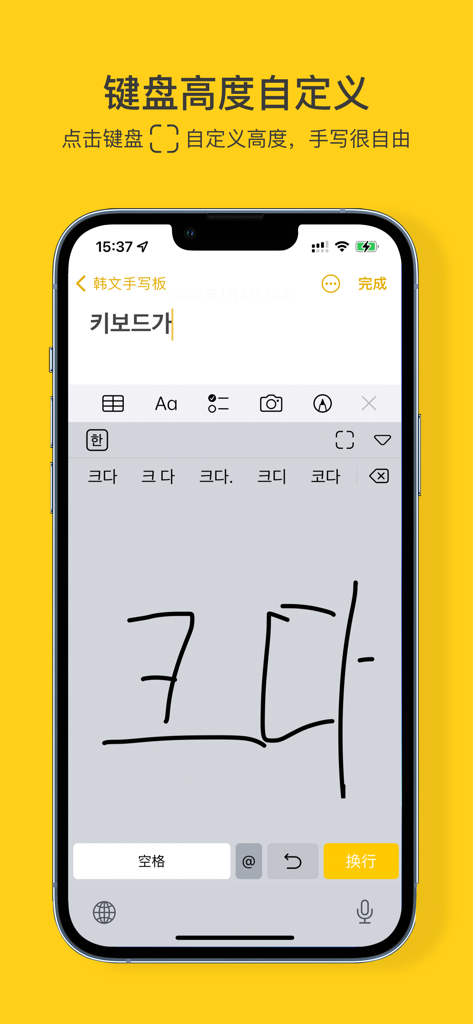
Korean Handwriting Board - 손으로 쓴 한국어 문자와 키보드 높이 사용자 정의 설정이 표시된 한국어 손글씨 보드 앱 인터페이스가 표시된 휴대폰.
손으로 쓴 한국어 문자와 키보드 높이 사용자 정의 설정이 표시된 한국어 손글씨 보드 앱 인터페이스가 표시된 휴대폰.

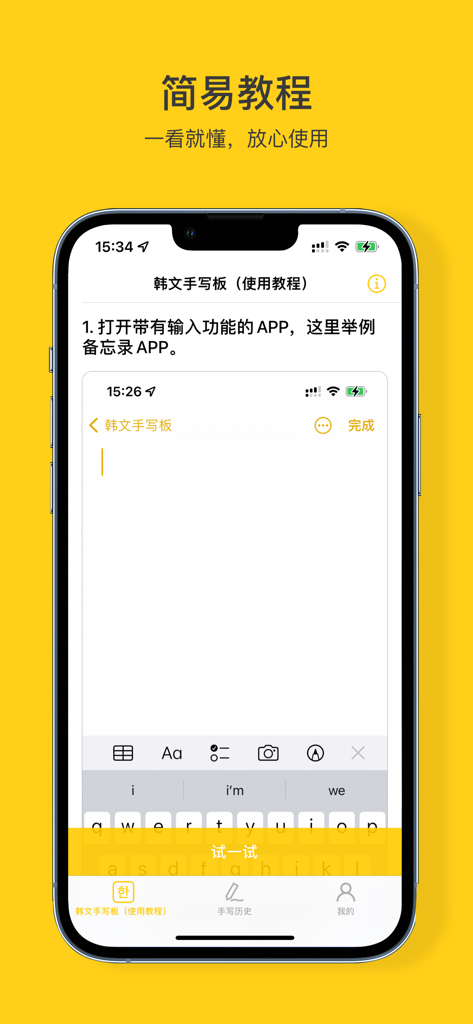
Korean Handwriting Board - 한국어 손글씨 보드 앱의 단계별 튜토리얼을 보여주는 iPhone 화면.
한국어 손글씨 보드 앱의 단계별 튜토리얼을 보여주는 iPhone 화면.

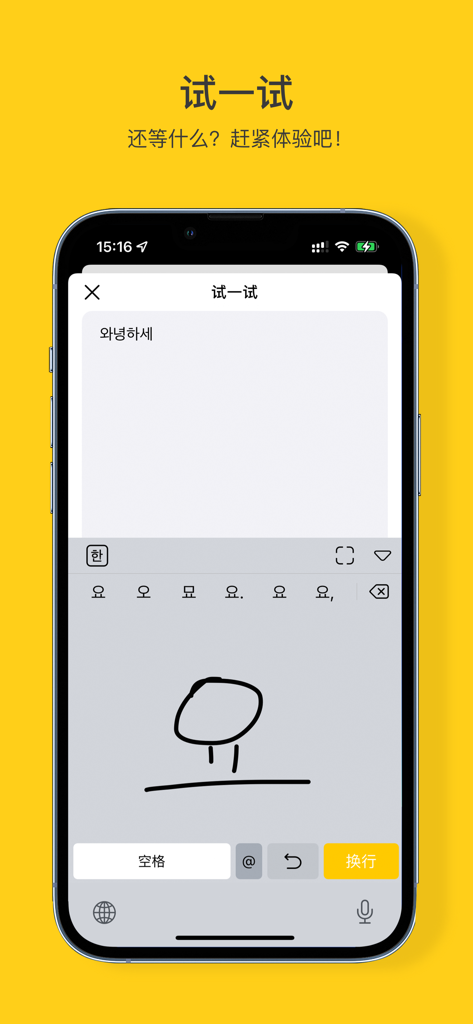
Korean Handwriting Board - 한국어 문자에 대한 손글씨 입력을 보여주는 스마트폰 화면.

한국어 문자에 대한 손글씨 입력을 보여주는 스마트폰 화면.

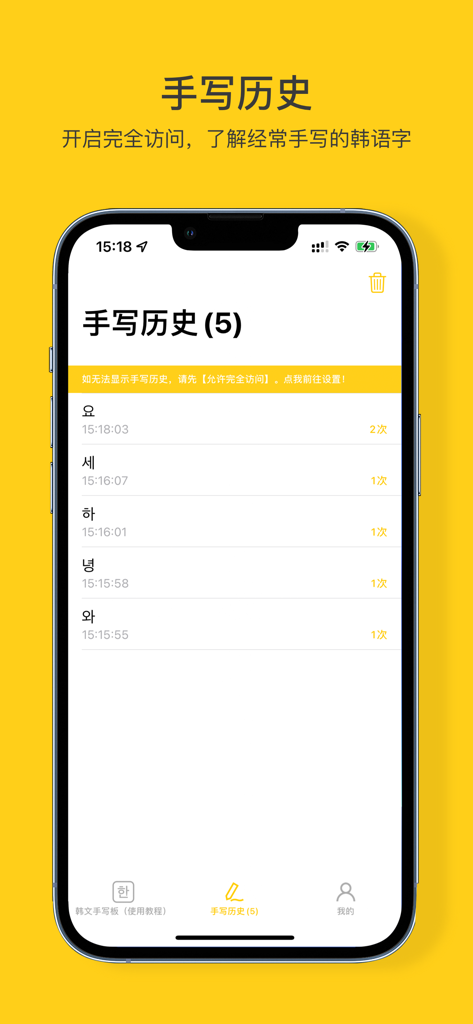
Korean Handwriting Board - 최근에 쓴 한국어 문자와 사용 빈도를 표시하는 손글씨 기록 화면.

최근에 쓴 한국어 문자와 사용 빈도를 표시하는 손글씨 기록 화면.

설명

Korean Handwriting Board: an input method for handwritten Korean characters = = = Product Features = = = 【Accurate recognition】A large thesaurus, which can be accurately recognized even if it is scribbled 【Recognition PLUS】Arabic numerals, symbols and English 26 letters are OK! 【High Pitched Reading Handwritten Content】It can read handwritten content and support speed adjustment. (go to my - Settings - Sound - read handwritten content, and you can start using it) 【Brush color customization】Choose any color you want! 【Custom brush thickness】If you want to define how thin and thick the brush is, just drag and drop it! 【Keyboard height customization】Large screen handwriting is very free 【Stable input】Continuous optimization to ensure stability 【Handwriting history】View frequently handwritten Korean characters 【Hav a try】Combine with the tutorial to practice quickly 【Offline use】Without networking, the operation is very natural 【Theme following】Dark and light color mode of appearance following system 【Tip 1】How to enable Korean handwriting keyboard? Step 1: After installation, enter system settings -> General -> Keyboard -> Add a new keyboard -> Third-party keyboard, Select KOBoard -> KOBoard -> Turn on full access (You can view your handwriting history and use the optional key) -> Finish Step 2: Open any input box -> Long press the earth key to select 【KOBoard】 【Tip 2】How to view handwriting history and use the optional key? Enter system settings -> General -> Keyboard -> KOBoard -> Enable full access 【Tip 3】How to customize the height of the keyboard? Open any input box -> set the keyboard to KOBoard keyboard -> Click the「」button in the upper right corner of the keyboard to adjust 【Tip 4】If downloaded the KOBoard app and can't find the KOBoard, please restart the associated app or restart the device! (or update the latest stable IOS system) = = = Thanks = = = Thank you. Your support (five-star praise) will make us do better!!

Download

다운로드: App Store

이 페이지는 앱이나 개발자의 공식 페이지가 아니며, 정보 제공 및 논평을 목적으로 작성된 독립 편집 간행물입니다. 명시적으로 달리 언급되지 않는 한, 해당 앱이나 개발자는 MWM, Apple, Google Play, 앱 퍼블리셔 또는 앱 개발자와 제휴, 보증, 후원, 승인 또는 공식적으로 연결되어 있지 않으며, 이 페이지의 어떤 내용도 해당 앱이 MWM의 서비스를 사용하여 개발되었음을 의미하지 않습니다. 모든 상표, 로고, 스크린샷 및 기타 콘텐츠는 해당 소유자의 자산입니다.