Lao Keyboard: Translator
다운로드: App Store

이 페이지는 앱이나 개발자의 공식 페이지가 아니며, 정보 제공 및 논평을 목적으로 작성된 독립 편집 간행물입니다. 명시적으로 달리 언급되지 않는 한, 해당 앱이나 개발자는 MWM, Apple, Google Play, 앱 퍼블리셔 또는 앱 개발자와 제휴, 보증, 후원, 승인 또는 공식적으로 연결되어 있지 않으며, 이 페이지의 어떤 내용도 해당 앱이 MWM의 서비스를 사용하여 개발되었음을 의미하지 않습니다. 모든 상표, 로고, 스크린샷 및 기타 콘텐츠는 해당 소유자의 자산입니다.

로고: Lao Keyboard: Translator
다운로드: App Store

Lao Keyboard: Translator

라오스 커뮤니티를 위한 최고의 키보드 확장 프로그램입니다. 스마트 자동 완성 제안, 즉석 번역, 여러분의 고유한 정체성을 반영하는 완벽하게 사용자 지정 가능한 테마를 사용하여 소셜 미디어에서 가족과 소통하세요.

주요 수치

다운로드

1000

사용자 평점

1.0/5

총 평가 수

0

개발사

Rushikesh Trivedi

카테고리

Utilities

지원 언어

1

최신 버전

1.1.4

크기

29.0 MB

출시일

2022년 2월 1일
기능

자신 있게 라오스어로 소통하세요

스마트 타이핑 지원, 즉석 번역, 끝없는 시각적 사용자 지정 기능을 갖춘 현대 라오스 디아스포라를 위해 설계된 올인원 키보드 확장 프로그램입니다.

스마트 스크립트 예측

스크립트 숙달이 아직 부족하더라도 사용자의 의도를 인식하는 지능형 자동 완성 엔진으로 더 빠르고 정확하게 타이핑하세요.

앱 내 번역

언어 간의 격차를 즉시 해소하세요. 즐겨 사용하는 소셜 및 메시징 앱 내에서 직접 라오스어 텍스트를 다른 언어로 번역하세요.

다음 스크린샷과 설명은 앱의 공식 스토어 목록에서 직접 가져온 것이며 앱 개발자의 자산입니다.

앱 스토어

스크린샷
Lao Keyboard: Translator - 라오스 문자가 있는 키보드 아이콘이 iPhone에 표시되는 라오스 키보드 번역기 앱의 시작 화면
라오스 문자가 있는 키보드 아이콘이 iPhone에 표시되는 라오스 키보드 번역기 앱의 시작 화면

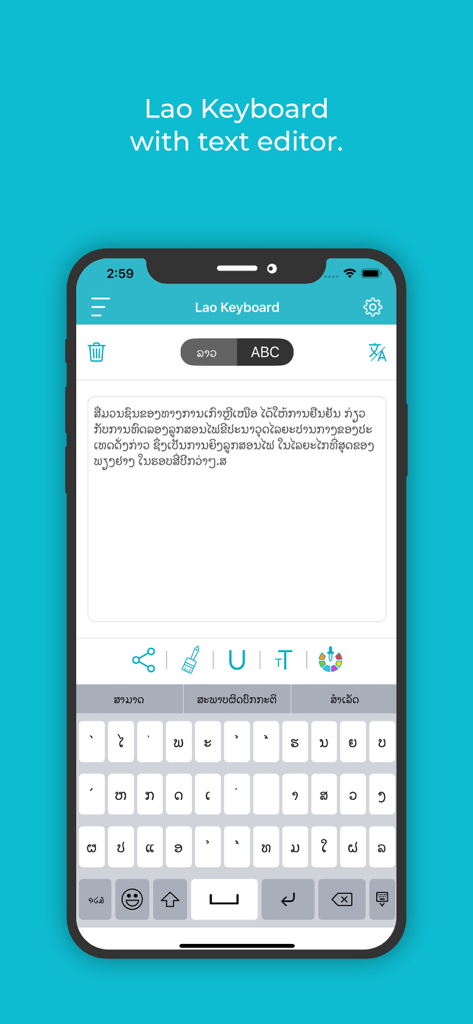
Lao Keyboard: Translator - 라오스 문자가 있는 텍스트 편집기와 키보드를 표시하는 라오스 키보드 앱 인터페이스
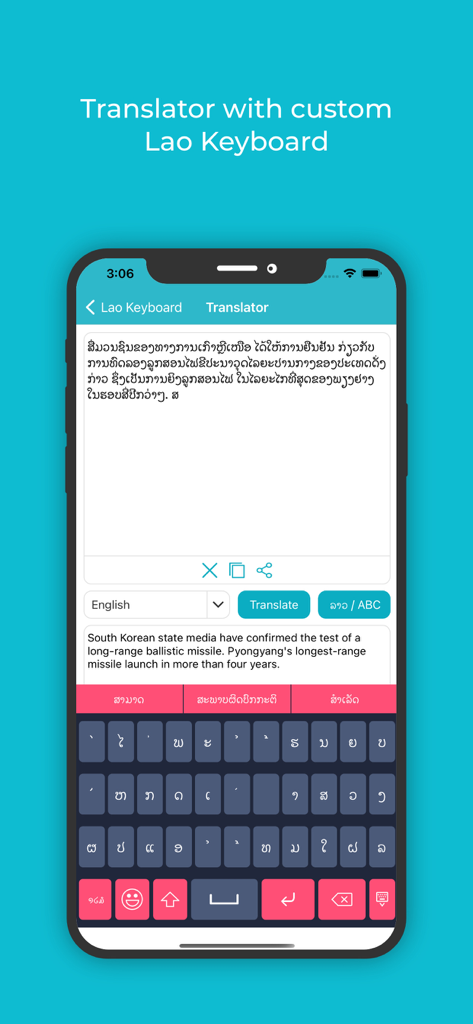
라오스 문자가 있는 텍스트 편집기와 키보드를 표시하는 라오스 키보드 앱 인터페이스

Lao Keyboard: Translator - 라오스어 스크립트 번역 및 사용자 지정 키보드를 보여주는 라오스 키보드 및 번역기 앱 인터페이스
라오스어 스크립트 번역 및 사용자 지정 키보드를 보여주는 라오스 키보드 및 번역기 앱 인터페이스

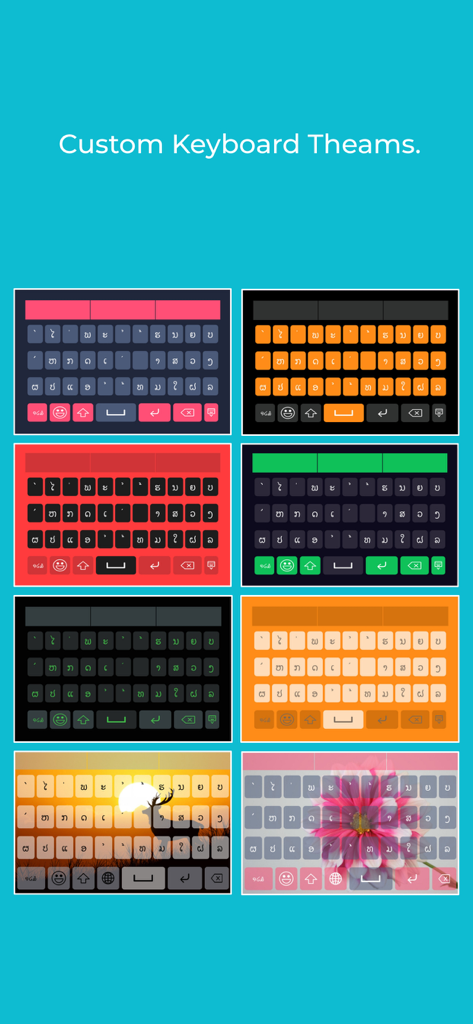
Lao Keyboard: Translator - 라오스 키보드 앱용으로 다양한 다채로운 사용자 지정 키보드 스킨 및 배경
라오스 키보드 앱용으로 다양한 다채로운 사용자 지정 키보드 스킨 및 배경

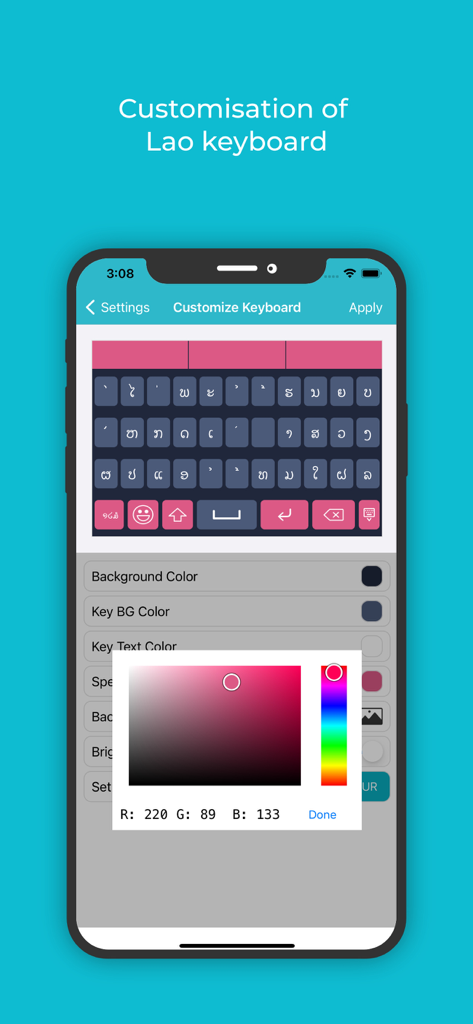
Lao Keyboard: Translator - 핑크색 색상 선택기로 테마 및 배경을 사용자 지정하는 라오스 키보드 앱의 스크린샷
핑크색 색상 선택기로 테마 및 배경을 사용자 지정하는 라오스 키보드 앱의 스크린샷

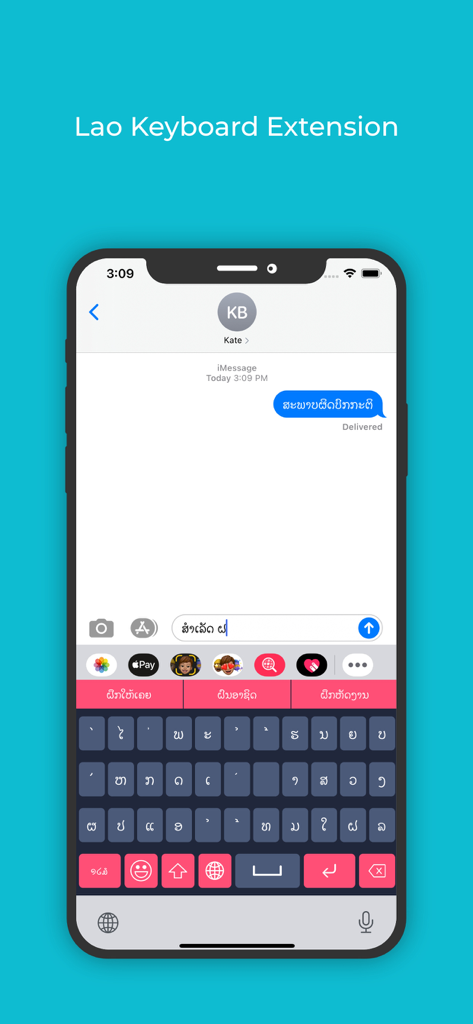
Lao Keyboard: Translator - iPhone의 메시징 앱에서 사용되는 라오스 키보드 확장 프로그램

iPhone의 메시징 앱에서 사용되는 라오스 키보드 확장 프로그램

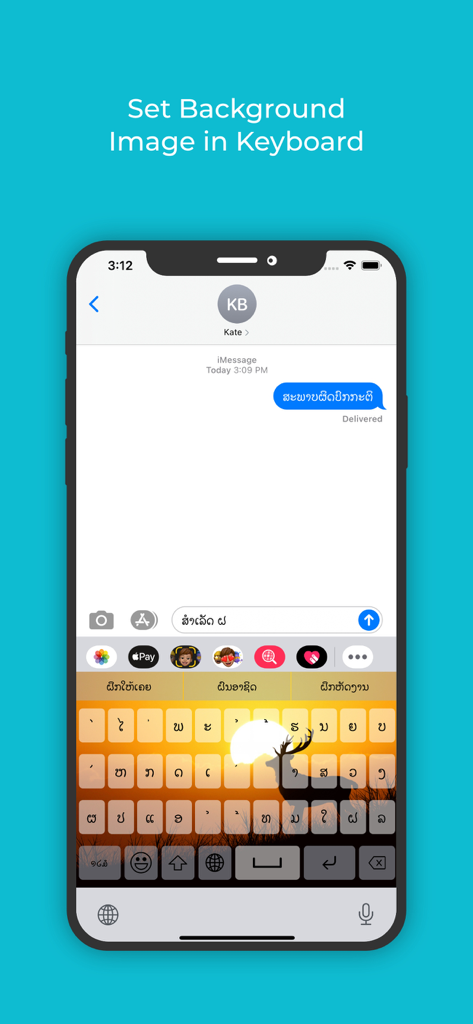
Lao Keyboard: Translator - 라오스어 스크립트 문자가 있는 사용자 지정 일몰 및 사슴 배경 이미지가 있는 라오스 키보드 인터페이스

라오스어 스크립트 문자가 있는 사용자 지정 일몰 및 사슴 배경 이미지가 있는 라오스 키보드 인터페이스

설명

**** Lao Keyboard and Translator ***** If you want to write something in Lao, but have still not mastered the language, use this Lao keyboard and translator, the best Lao keyboard and translator for iOS. You can easily write and if there is any mistake, or you are not able to recall some particular word that would fit, it offers an auto suggestion very quickly, and more importantly very precisely. Even if you are an expert at Lao language, you can use this Lao keyboard and translator iOS that has a multitude of features and functionalities to make your message appealing to the eye and compelling to the mind of the reader. This best Lao Keyboard And Translator for iOS has been researched very well, so whatever word you intend to write, it picks it up without offering irrelevant word suggestions. This is the reason that makes it the best Lao Keyboard And Translator for iOS users. Next, once you write in Lao, you can translate the text to any language of the world just by a few clicks. So you can compare your content both in intent and syntax with other languages easily. Complete your Lao writing tasks very easily with this Lao keyboard and Translator for iOS. Change font colors, keyboard skins, background images and what not. This Lao Keyboard And Translator is all yours to explore. App Features • Easily write messages in Lao language with the Lao keyboard for iOS. • Changing the font, the colour, underlining features inbuilt in this Lao keyboard iOS. • Directly share messages or delete them with the best Lao Keyboard And Translator for iOS as you’d like. • Keypress sound functionality and vibration functionality to make tying feel fun. • Change colours for the Background colour, Key background colour, Keyboard text colour, Suggestion box colour etc, so that typing does not seem boring and monotonous with this Lao keyboard for iOS. • With the Lao keyboard for iOS, you can even set your own image in the background. • If you do not wish to spend a lot of time in the setup, use the default theme that comes in built in the best Lao Keyboard and Translator for iOS. • A colour picker allows you to pick any colour of your choice. • You can also pick out from the many available themes for the keyboard. • Another important feature in the Lao keyboard and Translator, and one that makes this the best Lao keyboard and Translator for iOS is its adaptability with apps. Use the keyboard extension feature to type Lao directly into any app. • If you later wish to translate your Lao message to any other language, you can easily do so as there are a number of languages already pre-installed in this Lao keyboard and Translator with iOS software. How To Use • Once the software for this best Lao keyboard and Translator for iOS is installed, you can use the enable extension feature in this app, to sync it with any other app where you want to start writing Lao. • Now use the apps background and theme settings to customise before you start typing, or go with the default theme in the best Lao Keyboard for iOS. • Once you start typing, you can underline, colour or change the font of any letter to emphasise or de-emphasise it in this best Lao Keyboard And Translator for iOS. • Once you’re done with your writing in Lao, you can use the translator feature in the best Lao Keyboard And Translator for iOS to convert the text into any other language as well.

Download

다운로드: App Store

이 페이지는 앱이나 개발자의 공식 페이지가 아니며, 정보 제공 및 논평을 목적으로 작성된 독립 편집 간행물입니다. 명시적으로 달리 언급되지 않는 한, 해당 앱이나 개발자는 MWM, Apple, Google Play, 앱 퍼블리셔 또는 앱 개발자와 제휴, 보증, 후원, 승인 또는 공식적으로 연결되어 있지 않으며, 이 페이지의 어떤 내용도 해당 앱이 MWM의 서비스를 사용하여 개발되었음을 의미하지 않습니다. 모든 상표, 로고, 스크린샷 및 기타 콘텐츠는 해당 소유자의 자산입니다.