Laser Measure - High Precision
다운로드: App Store

이 페이지는 앱이나 개발자의 공식 페이지가 아니며, 정보 제공 및 논평을 목적으로 작성된 독립 편집 간행물입니다. 명시적으로 달리 언급되지 않는 한, 해당 앱이나 개발자는 MWM, Apple, Google Play, 앱 퍼블리셔 또는 앱 개발자와 제휴, 보증, 후원, 승인 또는 공식적으로 연결되어 있지 않으며, 이 페이지의 어떤 내용도 해당 앱이 MWM의 서비스를 사용하여 개발되었음을 의미하지 않습니다. 모든 상표, 로고, 스크린샷 및 기타 콘텐츠는 해당 소유자의 자산입니다.

로고: Laser Measure - High Precision
다운로드: App Store

Laser Measure - High Precision

iPhone의 원시 센서 데이터를 활용하여 전문가 수준의 거리 측정을 수행하세요. 필름 사진의 수동 초점부터 엔지니어링 측량 및 주택 개조까지, 추측 없이 즉각적이고 신뢰할 수 있는 결과를 얻을 수 있습니다.

주요 수치

다운로드

2K+

사용자 평점

4.0/5

총 평가 수

200

개발사

绪海 罗

카테고리

Photo & Video

지원 언어

14

최신 버전

1.19.0

크기

29.4 MB

출시일

2023년 10월 2일
기능

손끝에서 느껴지는 전문가급 정밀도

iPhone의 LiDAR 센서의 강력한 성능을 활용하여 전문 측량, 사진 촬영 및 주택 디자인을 위한 즉각적인 밀리미터 단위 정확도 측정을 수행하세요.

원시 센서 정확도

추측은 이제 그만. 저희 앱은 LiDAR 및 TrueDepth 센서에서 직접 원시 거리 데이터를 가져와 비교할 수 없는 정밀도를 제공합니다.

필름 사진 작가의 동반자

필름 카메라의 초점 오류를 제거하세요. 모든 수동 촬영을 완벽하게 만들기 위해 정확한 피사체 거리 측정을 얻으세요.

다음 스크린샷과 설명은 앱의 공식 스토어 목록에서 직접 가져온 것이며 앱 개발자의 자산입니다.

앱 스토어

스크린샷
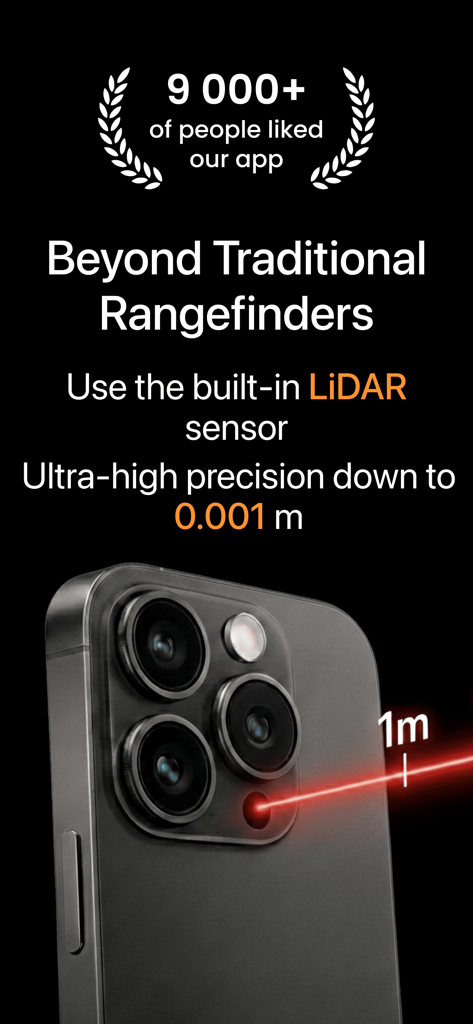
Laser Measure - High Precision - LiDAR 정밀 측정 기능을 시연하는 빨간색 레이저 빔이 있는 iPhone Pro 카메라 모듈의 클로즈업
LiDAR 정밀 측정 기능을 시연하는 빨간색 레이저 빔이 있는 iPhone Pro 카메라 모듈의 클로즈업

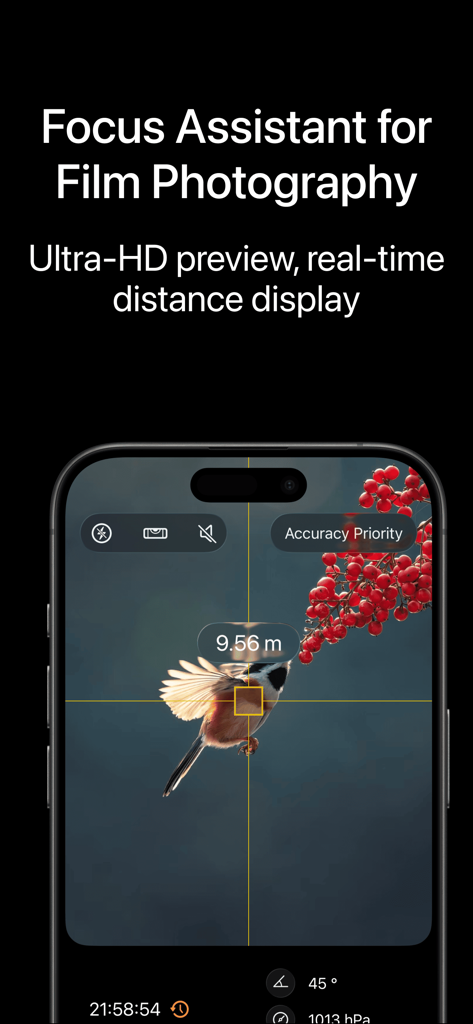
Laser Measure - High Precision - 사진 촬영을 위한 실시간 거리를 보여주는 레이저 측정 앱의 초점 보조 인터페이스
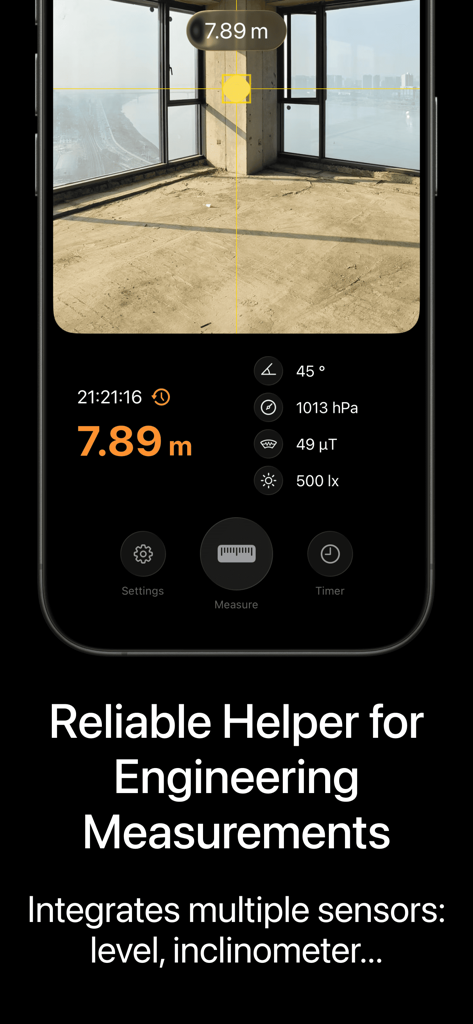
사진 촬영을 위한 실시간 거리를 보여주는 레이저 측정 앱의 초점 보조 인터페이스

Laser Measure - High Precision - 7.89미터 거리와 엔지니어링용 통합 센서 데이터를 표시하는 디지털 레이저 측정 앱
7.89미터 거리와 엔지니어링용 통합 센서 데이터를 표시하는 디지털 레이저 측정 앱

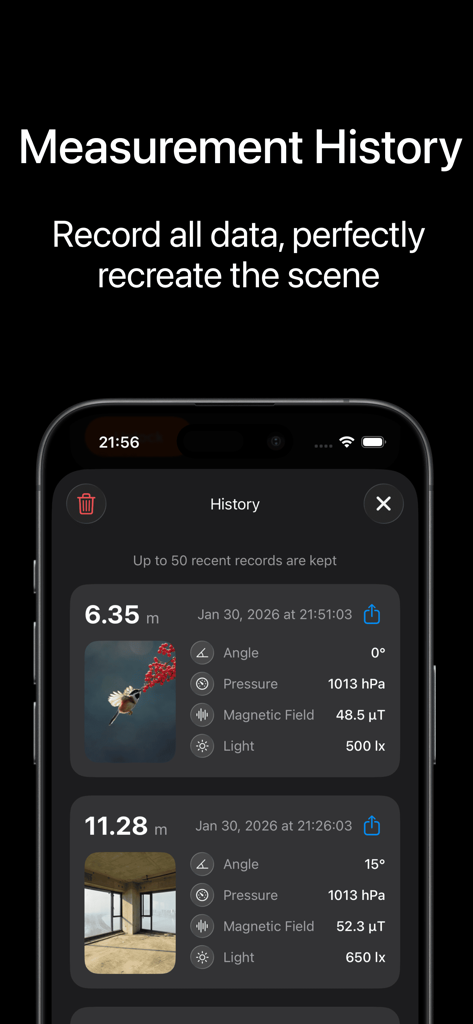
Laser Measure - High Precision - 저장된 거리 기록과 환경 센서 데이터를 보여주는 측정 기록 화면

저장된 거리 기록과 환경 센서 데이터를 보여주는 측정 기록 화면

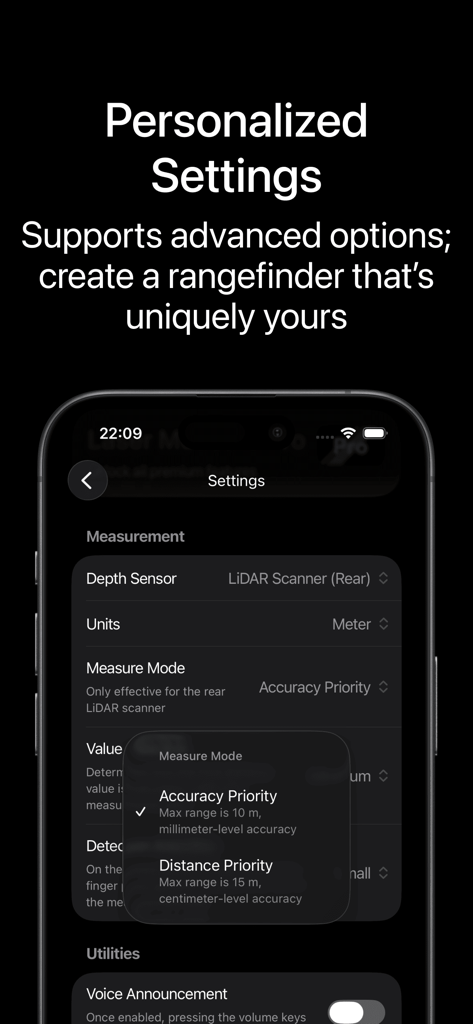
Laser Measure - High Precision - 레이저 측정 앱에서 정확도 및 거리 우선순위 측정을 위한 설정 화면 표시

레이저 측정 앱에서 정확도 및 거리 우선순위 측정을 위한 설정 화면 표시

설명

Laser Measure is a high-precision distance measurement app that leverages your device's built-in LiDAR sensor or TrueDepth camera to deliver accurate measurements with millimeter-level precision. Whether you're a professional engineer or a tech enthusiast, this app is easy to use, featuring an intuitive interface that simplifies operation. Unlike other rangefinder apps, it retrieves raw distance data directly from the depth sensor, eliminating the need for complex algorithms to estimate distances and ensuring superior accuracy. Use Cases: - Photography & focusing: a great companion for film camera users. Measure quickly before shooting and use the distance as a reference for manual focus to avoid misfocus from guesswork. - Engineering surveying & on-site records: an efficiency tool for job sites. Quickly get distances for objects or spaces, replacing tape measurements and speeding up early inspections and communication. - Home & space measurement: great for renovations and furniture shopping. Get room length, width, and ceiling height in one tap, or quickly confirm door/window and soft-furnishing dimensions. How It Works: Combines the rear standard camera and depth sensor (LiDAR/TrueDepth) to calculate distances. Supported Devices: All iPhones and iPads equipped with a LiDAR scanner or Face ID functionality. Auto-Renewal Subscription Service: After subscribing, you can unlock all premium features and continuously receive future premium feature updates. After confirming the purchase, the subscription will automatically renew through your Apple account. Automatic charges will occur within 24 hours before expiration, and after successful payment, the subscription will be extended for one period. If you wish to cancel auto-renewal, please manually disable auto-renewal in your Apple ID settings at least 24 hours before your current subscription expires. The decision to cancel the subscription is yours; if you do not cancel, it will be considered consent to proceed to the next billing cycle. Privacy Policy: https://laser-rangefinder.netlify.app/en-us/privacy-policy Terms of Use: https://www.apple.com/legal/internet-services/itunes/dev/stdeula Contact Us: Email: darkce97@gmail.com

Download

다운로드: App Store

이 페이지는 앱이나 개발자의 공식 페이지가 아니며, 정보 제공 및 논평을 목적으로 작성된 독립 편집 간행물입니다. 명시적으로 달리 언급되지 않는 한, 해당 앱이나 개발자는 MWM, Apple, Google Play, 앱 퍼블리셔 또는 앱 개발자와 제휴, 보증, 후원, 승인 또는 공식적으로 연결되어 있지 않으며, 이 페이지의 어떤 내용도 해당 앱이 MWM의 서비스를 사용하여 개발되었음을 의미하지 않습니다. 모든 상표, 로고, 스크린샷 및 기타 콘텐츠는 해당 소유자의 자산입니다.