Learn Addition: Math Kids
다운로드: App Store

이 페이지는 앱이나 개발자의 공식 페이지가 아니며, 정보 제공 및 논평을 목적으로 작성된 독립 편집 간행물입니다. 명시적으로 달리 언급되지 않는 한, 해당 앱이나 개발자는 MWM, Apple, Google Play, 앱 퍼블리셔 또는 앱 개발자와 제휴, 보증, 후원, 승인 또는 공식적으로 연결되어 있지 않으며, 이 페이지의 어떤 내용도 해당 앱이 MWM의 서비스를 사용하여 개발되었음을 의미하지 않습니다. 모든 상표, 로고, 스크린샷 및 기타 콘텐츠는 해당 소유자의 자산입니다.

로고: Learn Addition: Math Kids
다운로드: App Store

Learn Addition: Math Kids

대화형 애니메이션과 명확한 지도를 통해 자녀가 여러 자리 덧셈을 마스터할 수 있도록 도와주세요. 유치원부터 3학년까지 시각적 학습자를 위한 완벽하고 주의 산만 없는 동반자입니다.

주요 수치

다운로드

600

사용자 평점

4.1/5

총 평가 수

100

개발사

Hosam Mohammed

카테고리

Education

지원 언어

24

최신 버전

2.2.4

크기

35.0 MB

출시일

2018년 2월 9일
기능

단계별 마법으로 덧셈 마스터하기

교육자들이 어린 학습자를 위해 설계한 시각적 도구로 수학 불안을 학업 자신감으로 바꾸세요.

시각적 과정 마스터리

애니메이션 세로 덧셈은 아이들이 '올림'을 실시간으로 볼 수 있도록 도와 추상적인 개념을 명확하고 시각적인 단계로 바꿉니다.

아이들의 성공과 함께 성장

최대 999,999까지의 숫자를 지원하므로, 이 앱은 기본적인 유치원 덧셈부터 고급 초등 과제까지 발전합니다.

다음 스크린샷과 설명은 앱의 공식 스토어 목록에서 직접 가져온 것이며 앱 개발자의 자산입니다.

앱 스토어

스크린샷
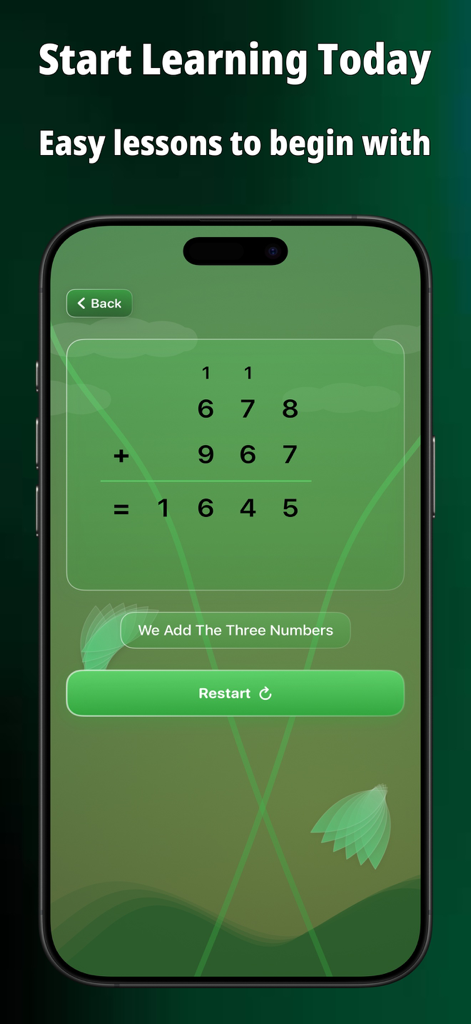
Learn Addition: Math Kids - 올림이 있는 세로 덧셈을 위한 단계별 시각적 가이드를 보여주는 덧셈 배우기 앱 인터페이스
올림이 있는 세로 덧셈을 위한 단계별 시각적 가이드를 보여주는 덧셈 배우기 앱 인터페이스

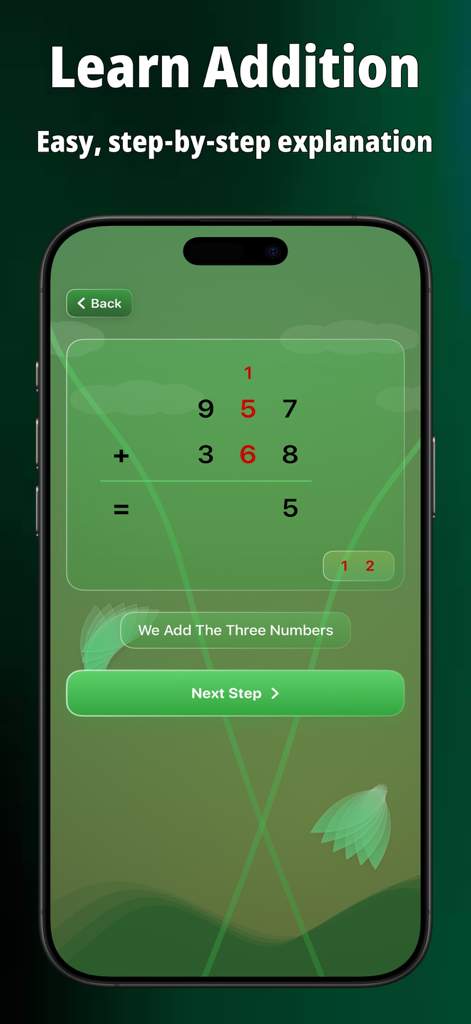
Learn Addition: Math Kids - 어린이용 덧셈 배우기 수학 앱에서 올림 숫자가 있는 단계별 세로 덧셈 문제
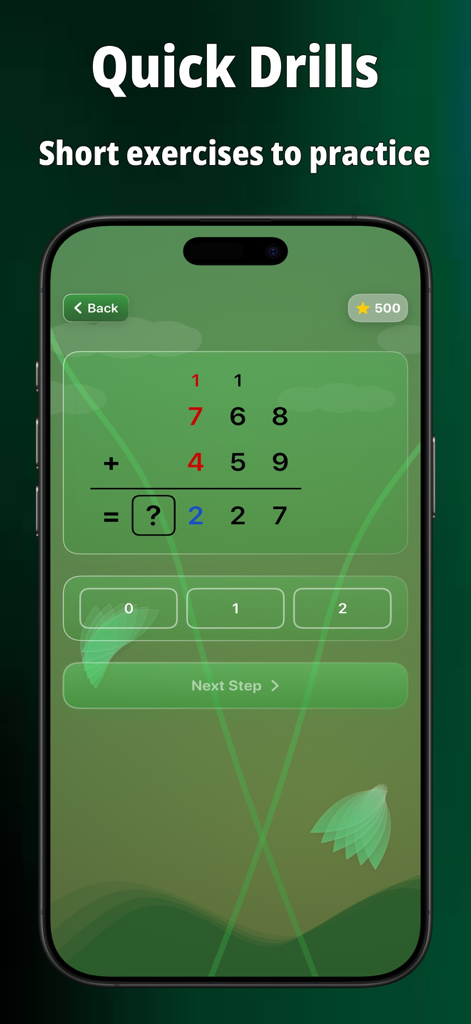
어린이용 덧셈 배우기 수학 앱에서 올림 숫자가 있는 단계별 세로 덧셈 문제

Learn Addition: Math Kids - 어린이용 수학 학습 앱에서 올림 숫자가 있는 세로 덧셈 문제.

어린이용 수학 학습 앱에서 올림 숫자가 있는 세로 덧셈 문제.

Learn Addition: Math Kids - 덧셈 배우기 수학 키즈 앱의 스크린샷으로, 올림이 있는 세로 덧셈을 보여줍니다.
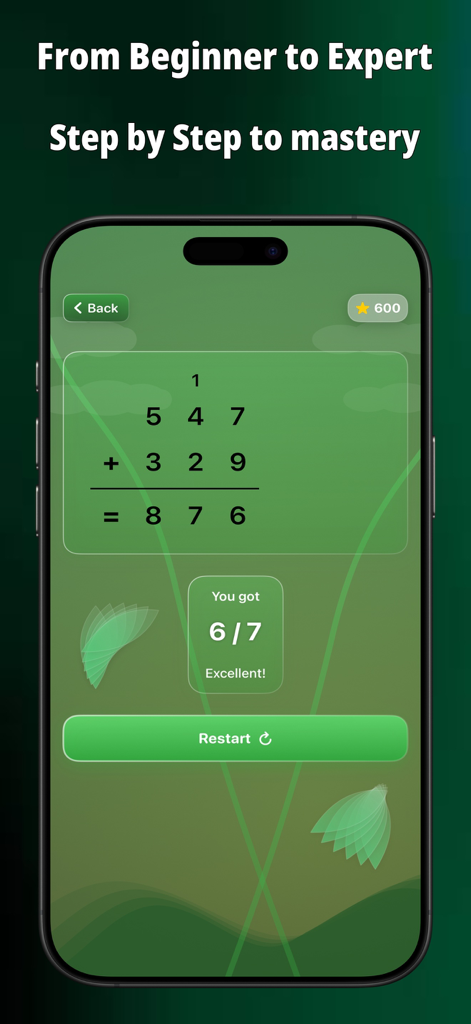
덧셈 배우기 수학 키즈 앱의 스크린샷으로, 올림이 있는 세로 덧셈을 보여줍니다.

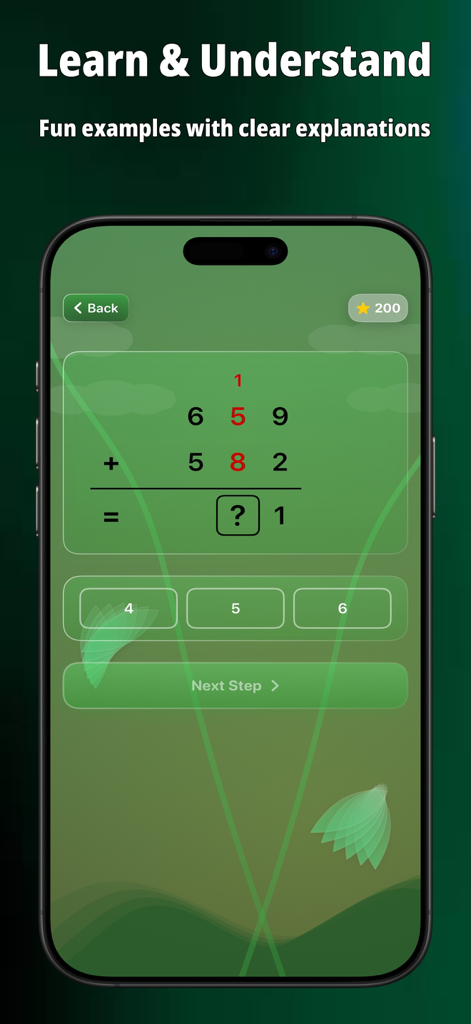
Learn Addition: Math Kids - 올림 숫자가 있는 세 자리 세로 덧셈 문제와 진행 상황 피드백 메시지를 보여주는 어린이 친화적인 수학 앱 인터페이스.

올림 숫자가 있는 세 자리 세로 덧셈 문제와 진행 상황 피드백 메시지를 보여주는 어린이 친화적인 수학 앱 인터페이스.

설명

Learn Addition - Step by Step Math Learning for Kids Transform your child's math learning experience with our interactive addition app! Designed specifically for young learners, this app makes mastering addition fun, engaging, and easy to understand. KEY FEATURES: Step-by-Step Visual Learning • Watch numbers come to life with animated vertical addition • Follow each step of the addition process clearly • Perfect for visual learners who need to see the math happening Practice & Challenge Modes • Test Yourself: Challenge yourself with problems, get step-by-step solutions, and learn from your mistakes. • Manual Mode: Enter your own numbers to practice specific problems you want. • Random Mode: Get surprise addition challenges to keep practice fun and engaging. Smart Learning Features • Supports numbers up to 999,999 for growing math skills • Clear error guidance to help correct mistakes • Instant feedback to reinforce learning • Beautiful animations that make math exciting Customizable Experience • Adjustable animation speeds (Slow, Normal, Fast, Instant) • Multiple background themes for personalized learning • Support for Multiple numerals • Sound effects that can be toggled on/off Child-Friendly Design • Clean, colorful interface designed for young users • Large, easy-to-tap buttons • Intuitive navigation that kids can master quickly • Distraction-free learning environment Perfect For: • Elementary school students learning addition • Parents teaching math at home • Teachers looking for engaging classroom tools • Kids who learn better with visual and interactive methods Whether your child is just starting their math journey or needs extra practice with addition, our app provides the perfect learning companion. Download now and watch your child's math confidence grow! From the developers who care about quality education and making learning accessible to everyone.

Download

다운로드: App Store

이 페이지는 앱이나 개발자의 공식 페이지가 아니며, 정보 제공 및 논평을 목적으로 작성된 독립 편집 간행물입니다. 명시적으로 달리 언급되지 않는 한, 해당 앱이나 개발자는 MWM, Apple, Google Play, 앱 퍼블리셔 또는 앱 개발자와 제휴, 보증, 후원, 승인 또는 공식적으로 연결되어 있지 않으며, 이 페이지의 어떤 내용도 해당 앱이 MWM의 서비스를 사용하여 개발되었음을 의미하지 않습니다. 모든 상표, 로고, 스크린샷 및 기타 콘텐츠는 해당 소유자의 자산입니다.