Lift Assist – Training Log
다운로드: App Store

이 페이지는 앱이나 개발자의 공식 페이지가 아니며, 정보 제공 및 논평을 목적으로 작성된 독립 편집 간행물입니다. 명시적으로 달리 언급되지 않는 한, 해당 앱이나 개발자는 MWM, Apple, Google Play, 앱 퍼블리셔 또는 앱 개발자와 제휴, 보증, 후원, 승인 또는 공식적으로 연결되어 있지 않으며, 이 페이지의 어떤 내용도 해당 앱이 MWM의 서비스를 사용하여 개발되었음을 의미하지 않습니다. 모든 상표, 로고, 스크린샷 및 기타 콘텐츠는 해당 소유자의 자산입니다.

로고: Lift Assist – Training Log
다운로드: App Store

Lift Assist – Training Log

마찰을 없애고 철에 집중하세요. RPE를 추적하고, 체육관 수학을 자동화하고, 계정 불필요한 고속 기록으로 진행 상황을 시각화하세요.

주요 수치

다운로드

1K+

사용자 평점

5.0/5

총 평가 수

0

개발사

Fresh Take

카테고리

Health & Fitness

지원 언어

1

최신 버전

1.1.1

크기

13.4 MB

출시일

2023년 4월 25일
기능

데이터 기반 운동선수를 위해 제작됨

군더더기, 계정, 방해 요소 없음. 수술적 정밀도로 가장 무거운 세션을 처리하도록 설계된 고성능 훈련 기록을 경험해 보세요.

제로 마찰 기록

지루한 설정은 건너뛰세요. 속도에 최적화된 인터페이스로 몇 초 만에 세트를 기록하여 화면이 아닌 리프트에 집중할 수 있습니다.

전문 체육관 수학

고급 점진적 과부하를 위해 설계된 자동 웜업 생성기, 1RM 계산기 및 RPE 추적으로 정신적 피로를 제거합니다.

다음 스크린샷과 설명은 앱의 공식 스토어 목록에서 직접 가져온 것이며 앱 개발자의 자산입니다.

앱 스토어

스크린샷
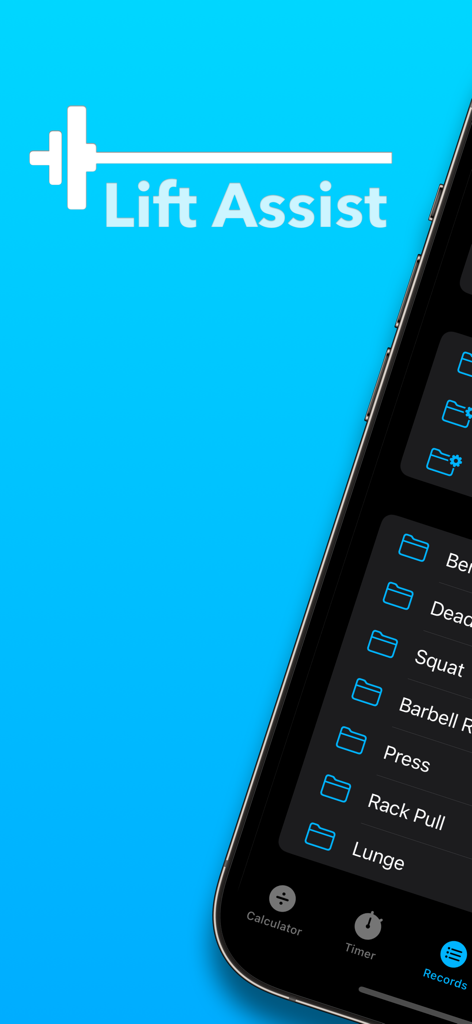
Lift Assist – Training Log - Lift Assist 앱 인터페이스가 iPhone에서 운동 기록 및 운동 폴더를 표시합니다.
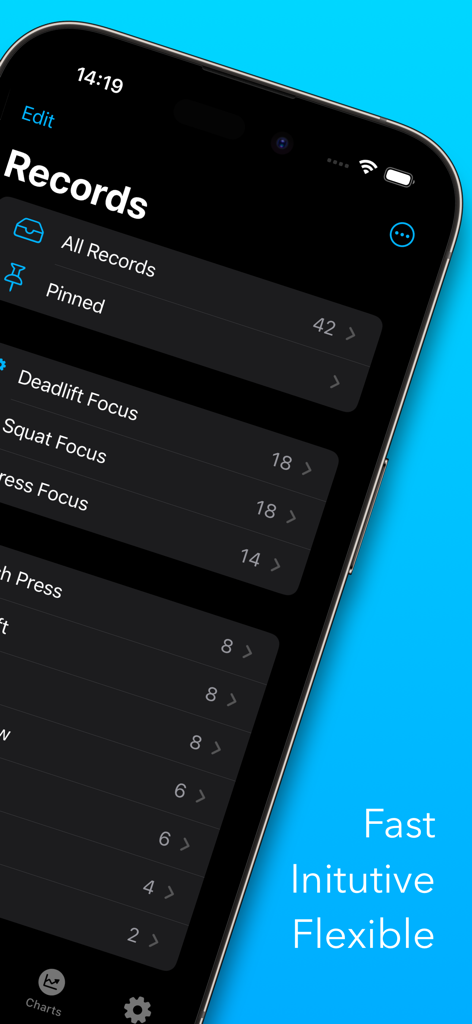
Lift Assist 앱 인터페이스가 iPhone에서 운동 기록 및 운동 폴더를 표시합니다.

Lift Assist – Training Log - iPhone 화면이 어두운 모드에서 Lift Assist 훈련 로그 앱 내의 기록 및 폴더를 표시합니다.
iPhone 화면이 어두운 모드에서 Lift Assist 훈련 로그 앱 내의 기록 및 폴더를 표시합니다.

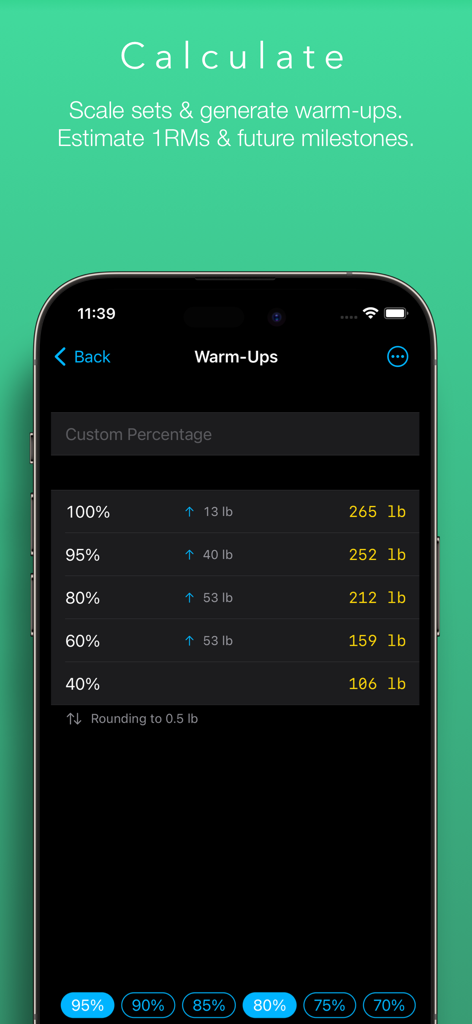
Lift Assist – Training Log - Lift Assist 앱의 웜업 계산기 화면이 파운드 단위의 무게 백분율과 계산된 무게를 보여줍니다.
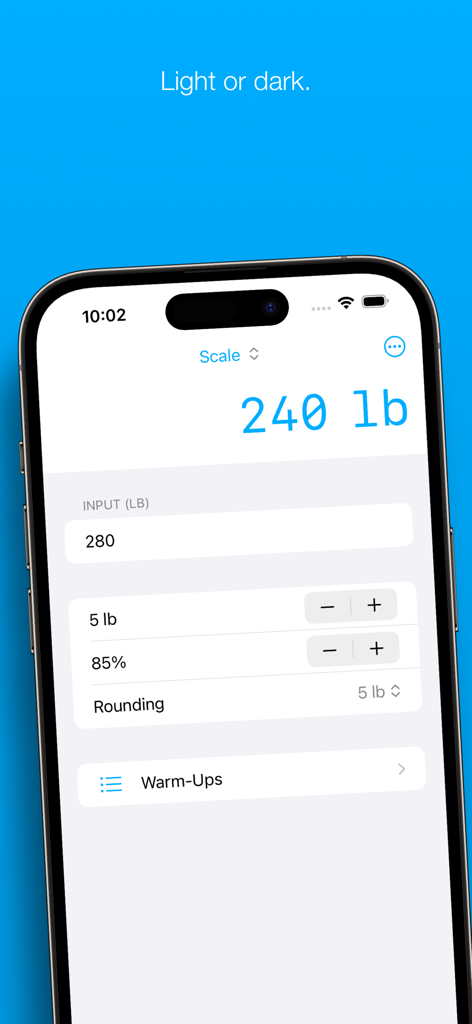
Lift Assist 앱의 웜업 계산기 화면이 파운드 단위의 무게 백분율과 계산된 무게를 보여줍니다.

Lift Assist – Training Log - Lift Assist 앱의 스크린샷으로 카운트다운과 이전 휴식 간격 목록이 있는 운동 휴식 타이머를 보여줍니다.
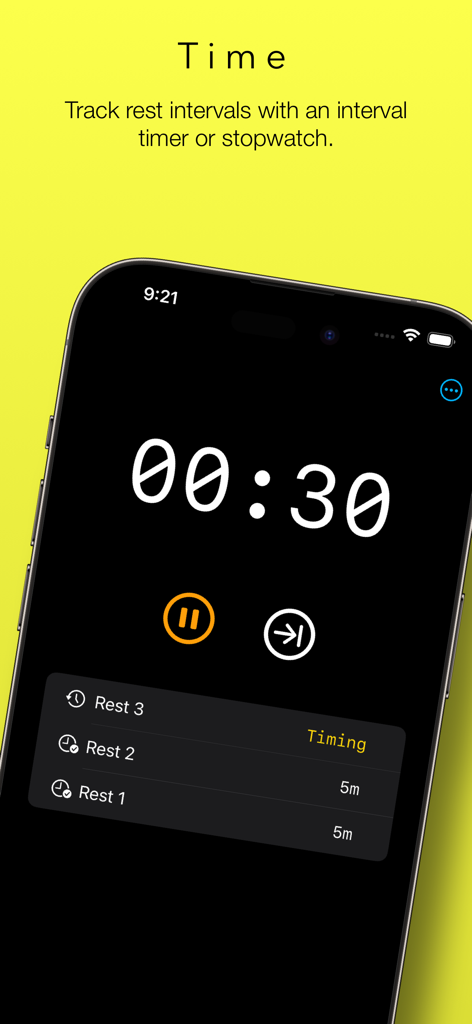
Lift Assist 앱의 스크린샷으로 카운트다운과 이전 휴식 간격 목록이 있는 운동 휴식 타이머를 보여줍니다.

Lift Assist – Training Log - Lift Assist 앱의 인터페이스가 어두운 모드 화면에서 세트, 무게 및 RPE 값이 있는 운동 로그를 보여줍니다.
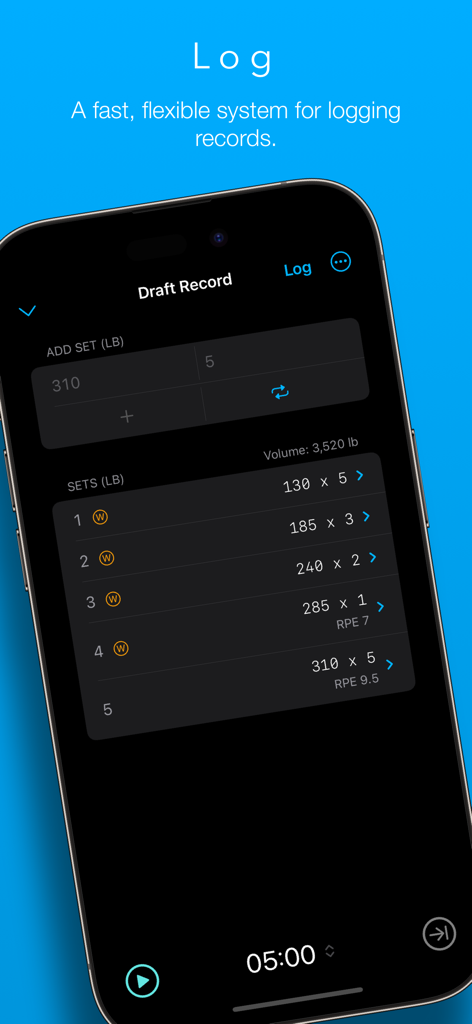
Lift Assist 앱의 인터페이스가 어두운 모드 화면에서 세트, 무게 및 RPE 값이 있는 운동 로그를 보여줍니다.

Lift Assist – Training Log - Lift Assist 앱의 꺾은선 그래프가 3개월 동안 주별로 가장 무거운 스쿼트 무게를 추적합니다.
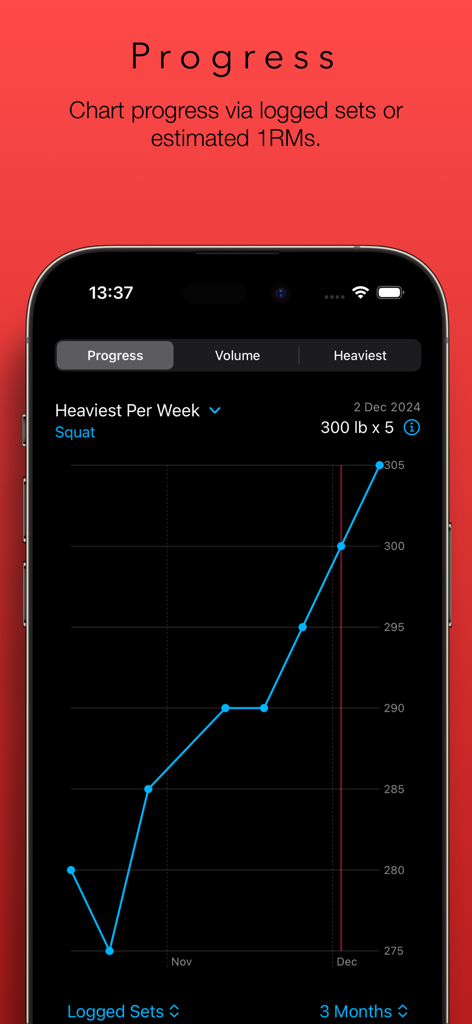
Lift Assist 앱의 꺾은선 그래프가 3개월 동안 주별로 가장 무거운 스쿼트 무게를 추적합니다.

Lift Assist – Training Log - Lift Assist 앱 인터페이스가 무게 스케일링 계산기 도구를 보여줍니다.
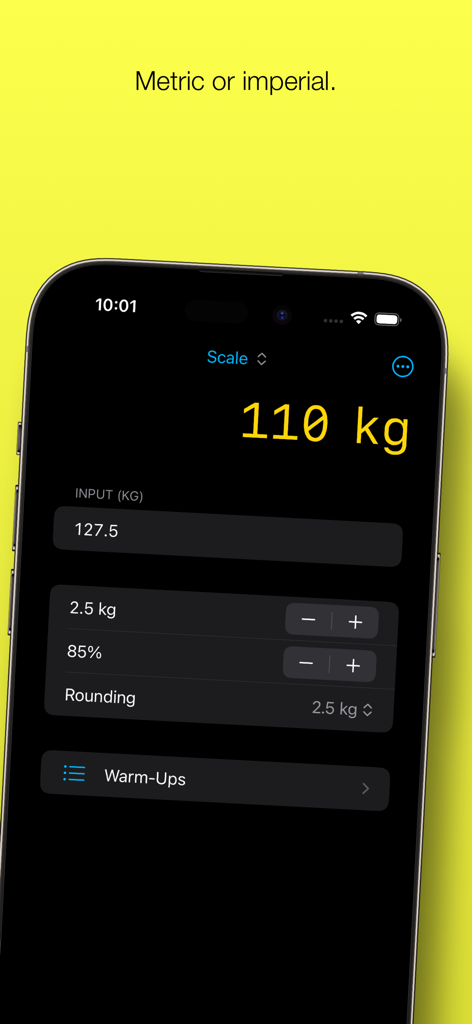
Lift Assist 앱 인터페이스가 무게 스케일링 계산기 도구를 보여줍니다.

Lift Assist – Training Log - Lift Assist 앱 인터페이스가 킬로그램 단위의 무게 스케일링 계산기를 보여줍니다.

Lift Assist 앱 인터페이스가 킬로그램 단위의 무게 스케일링 계산기를 보여줍니다.

설명

Lift Assist is a user-friendly weight lifting app that combines a flexible training log with some handy tools, such as a rest timer and calculators for generating warm-ups and estimating 1RMs. Whether you're into Olympic lifting, powerlifting, bodybuilding or simply love lifting weights, Lift Assist can help you get the most out of your workouts. FEATURES – Fast and flexible training log – Scale work sets – Generate warm-ups on the fly – Estimate 1RMs – Forecast future milestones – Rest timer with interval or stopwatch operation – Charts for PRs, volume and progress timelines – Metric and imperial units – Share sheet for exporting top sets – Cloud storage – Light and dark modes TRAINING LOG Lift Assist has been designed with speed and flexibility in mind. There’s no need to waste time creating a user account or building and maintaining complex workout plans. Simply add a folder for the lift you wish to track and start logging immediately. (Hint: Hit the Repeat button to record sets across in a flash.) Want to dig deeper? For each set, you can add a category (e.g. warm-up or back-off) and a Rate of Perceived Effort (RPE). For each record, you can add notes and a URL (e.g. a link to a video). There are even options to include an estimated 1RM and bodyweight ratio calculated from your top set. (Hint: Long-press the + button to quickly select a category for the set.) CHARTS The Progress chart provides a sleek timeline of progress made for each lift. This chart emphasises the trend over time. Reviewing the last three months? You’ll see your heaviest lifts for each week. Reviewing the last year? You’ll see your heaviest lift for each month. Reviewing the last five years? The trend will still be clear. Sometimes you can get a better picture of your progress by comparing estimated 1RMs. You can do that too. This is great when following programs that vary rep ranges and intensities over long periods of time. The Heaviest chart displays PRs for the selected timeframe, either as logged sets or estimated 1RMs. The Volume chart displays the volume of each lift for the selected timeframe, either by reps or weight. This can provide valuable insight when assessing your workout program. CALCULATORS The principal calculator provides a convenient way to scale an input weight by a selected percentage, increment/decrement by small plates and round the output to a selected value. This is ideal for calculating top sets based on previous PRs, but it’s also great for calculating back-off sets and de-loads on the fly. Once you’ve calculated your top set, it’s a cinch to produce a list of warm-ups by selecting from a list of common percentages. Lift Assist displays the weight increments between each warm-up set to help you optimise your routine for your condition on the day. Want to get really precise? You can enter your own custom percentages, too. (Hint: Can’t find any small plates? Swipe the warm-up rows to round up or down to the nearest 5 kg / 10 lb.) The 1RM calculator contains seven different formulas, rounding options and will even provide an estimated body weight ratio if provided with a body weight. (Hint: You can use the output of the 1RM calculator to scale weights based on an estimated 1RM, which is great for programs such as 5/3/1.) The Milestone Calculator helps you to plan for your next PR. Input the number of expected increments between two dates, and it will show you the expected weight you’ll be lifting. Enter in your target weight, and it will display the approximate date of your next PR attempt. REST TIMER Lift Assist’s rest timer helps you time and count rests between lifts. You can use this as an interval timer or stopwatch, or switch between the two. Ever lost count of which set you were on? Let the rest timer keep you on track. FEEDBACK For support and feedback, drop us a line at feedback@freshtake.design. And don’t hesitate to send any requests for new features – this is only version 1.0!

Download

다운로드: App Store

이 페이지는 앱이나 개발자의 공식 페이지가 아니며, 정보 제공 및 논평을 목적으로 작성된 독립 편집 간행물입니다. 명시적으로 달리 언급되지 않는 한, 해당 앱이나 개발자는 MWM, Apple, Google Play, 앱 퍼블리셔 또는 앱 개발자와 제휴, 보증, 후원, 승인 또는 공식적으로 연결되어 있지 않으며, 이 페이지의 어떤 내용도 해당 앱이 MWM의 서비스를 사용하여 개발되었음을 의미하지 않습니다. 모든 상표, 로고, 스크린샷 및 기타 콘텐츠는 해당 소유자의 자산입니다.








