Light Captain - DMX Controller
다운로드: App Store

이 페이지는 앱이나 개발자의 공식 페이지가 아니며, 정보 제공 및 논평을 목적으로 작성된 독립 편집 간행물입니다. 명시적으로 달리 언급되지 않는 한, 해당 앱이나 개발자는 MWM, Apple, Google Play, 앱 퍼블리셔 또는 앱 개발자와 제휴, 보증, 후원, 승인 또는 공식적으로 연결되어 있지 않으며, 이 페이지의 어떤 내용도 해당 앱이 MWM의 서비스를 사용하여 개발되었음을 의미하지 않습니다. 모든 상표, 로고, 스크린샷 및 기타 콘텐츠는 해당 소유자의 자산입니다.

로고: Light Captain - DMX Controller
다운로드: App Store

Light Captain - DMX Controller

iPad를 강력한 조명 콘솔로 바꾸세요. 에너지 넘치는 모바일 DJ 세트부터 복잡한 극장 큐까지, 직관적인 전문가급 DMX 프로그래밍으로 모든 쇼를 마스터하세요.

주요 수치

다운로드

2K+

사용자 평점

3.9/5

총 평가 수

0

개발사

Steinigke Showtechnic GmbH

카테고리

Utilities

지원 언어

1

최신 버전

1.3.6

크기

25.2 MB

출시일

2022년 5월 25일
기능

모든 무대를 위한 전문적인 제어

무거운 하드웨어를 버리세요. 모바일 DJ, 극장 기술자 또는 공연장 소유주든, Light Captain은 iPad에 최적화된 강력하고 논리 기반의 DMX 인터페이스를 제공합니다.

모바일에 최적화된 전문가 워크플로우

40파운드짜리 콘솔은 잊으세요. '백팩 속 사무실' 전문가를 위해 설계된 휴대 가능한 인터페이스로 현장을 돌아다니며 실시간으로 조명 각도를 조정하세요.

고급 극장 및 큐 로직

정확한 페이드 시간과 순차적 큐로 복잡한 공연을 실행하여 지역 극장 및 이벤트 장소에 최고급 극장 제어를 제공합니다.

다음 스크린샷과 설명은 앱의 공식 스토어 목록에서 직접 가져온 것이며 앱 개발자의 자산입니다.

앱 스토어

스크린샷
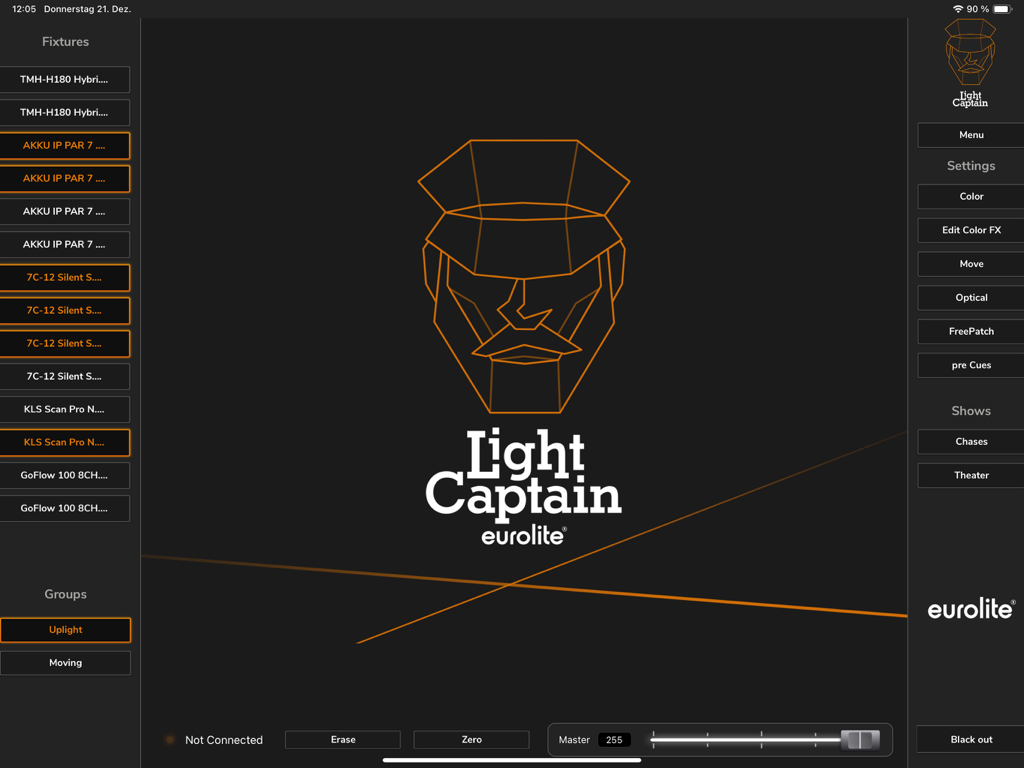
Light Captain - DMX Controller - 조명 장비 목록과 제어 설정을 보여주는 iPad의 Light Captain DMX 컨트롤러 앱 메인 대시보드
조명 장비 목록과 제어 설정을 보여주는 iPad의 Light Captain DMX 컨트롤러 앱 메인 대시보드

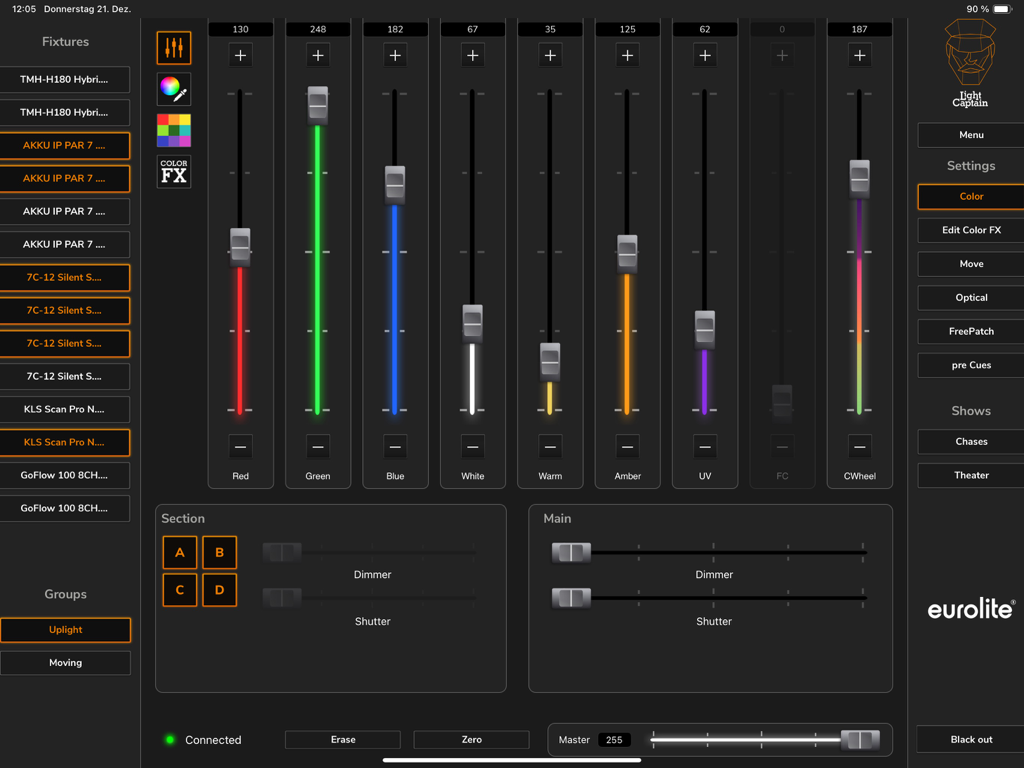
Light Captain - DMX Controller - 전문 DMX 조명을 위한 색상 페이더와 장비 제어를 보여주는 iPad의 Light Captain 앱 인터페이스
전문 DMX 조명을 위한 색상 페이더와 장비 제어를 보여주는 iPad의 Light Captain 앱 인터페이스

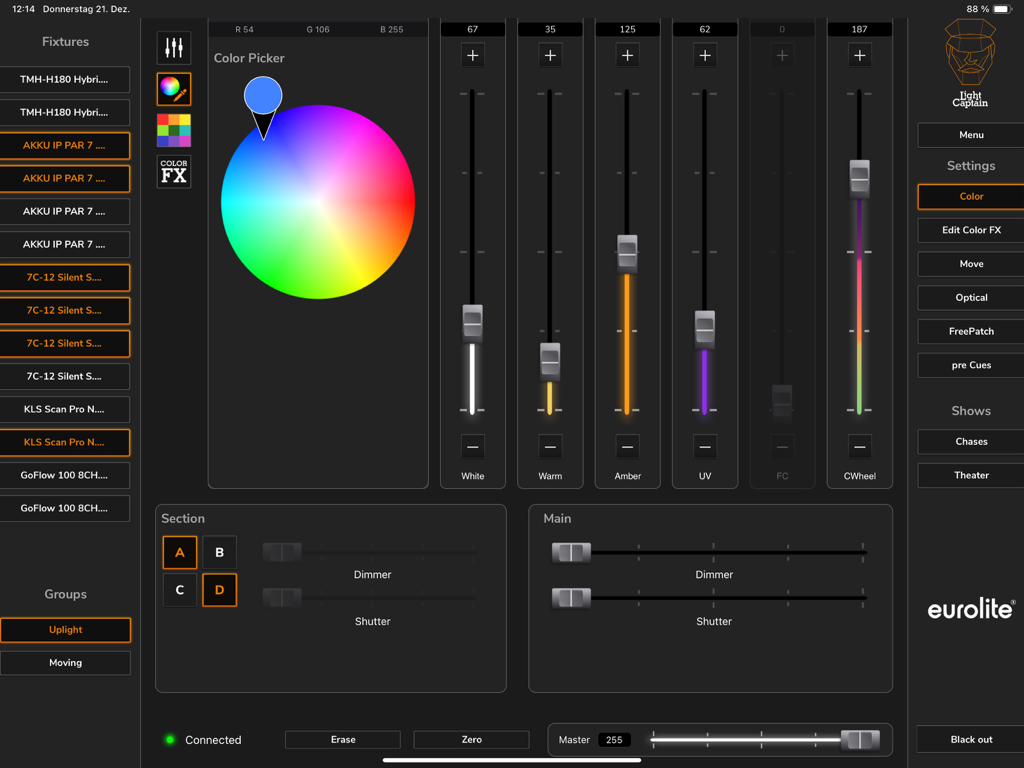
Light Captain - DMX Controller - 색상 선택기와 장비 제어 페이더를 보여주는 iPad의 전문 Light Captain DMX 컨트롤러 앱 인터페이스
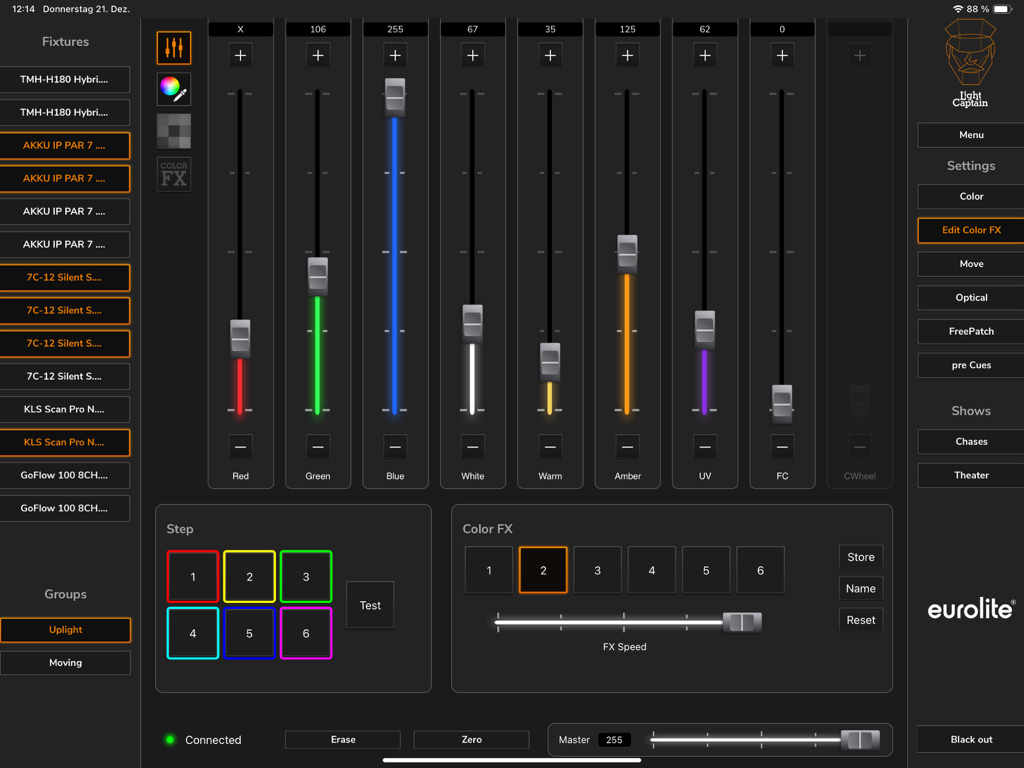
색상 선택기와 장비 제어 페이더를 보여주는 iPad의 전문 Light Captain DMX 컨트롤러 앱 인터페이스

Light Captain - DMX Controller - iPad에서 색상 혼합 페이더와 효과 제어를 보여주는 Light Captain DMX 앱 인터페이스
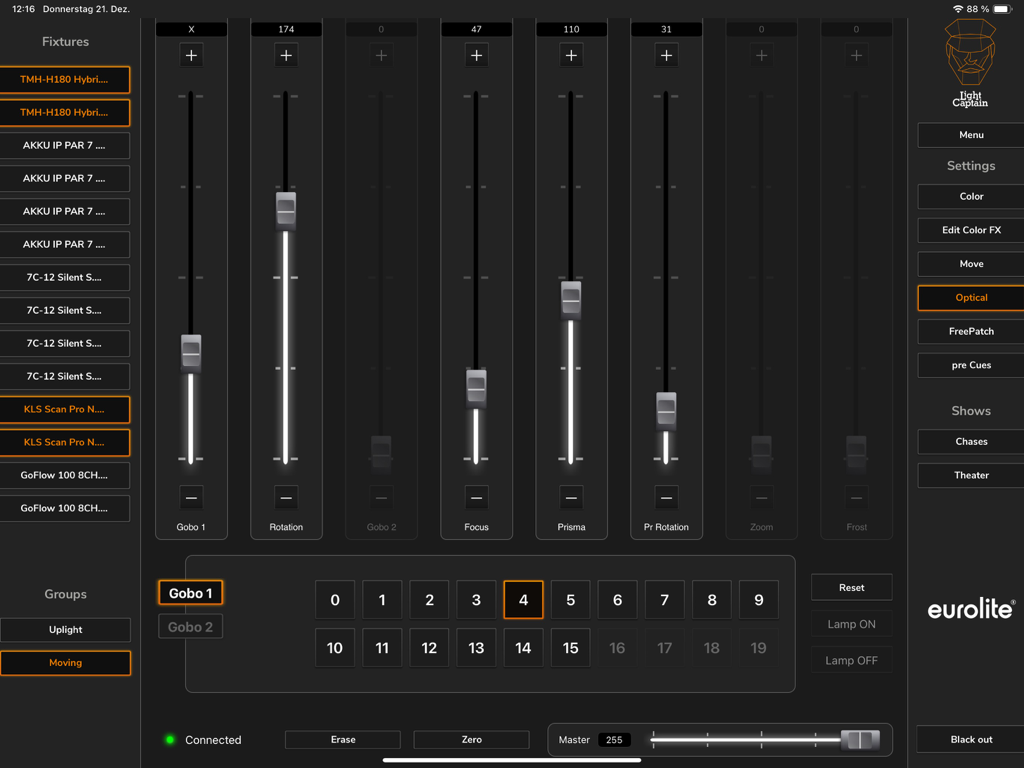
iPad에서 색상 혼합 페이더와 효과 제어를 보여주는 Light Captain DMX 앱 인터페이스

Light Captain - DMX Controller - 고보, 초점 및 프리즘 제어를 포함한 조명 장비의 광학 설정을 보여주는 Light Captain DMX 컨트롤러의 iPad 인터페이스
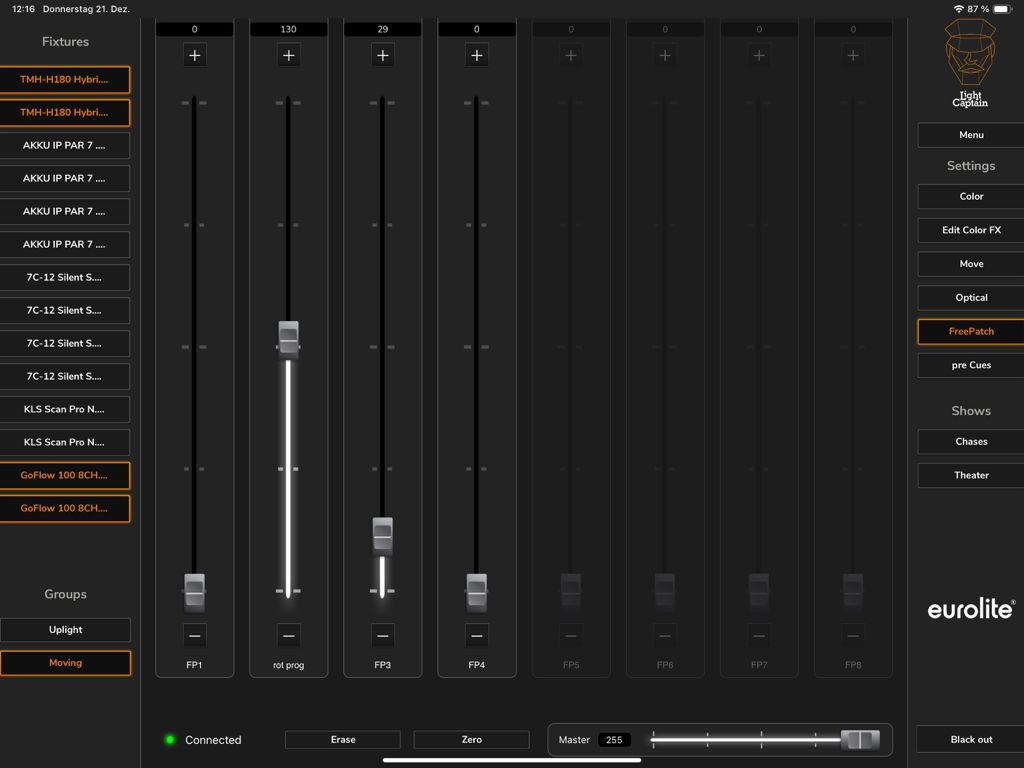
고보, 초점 및 프리즘 제어를 포함한 조명 장비의 광학 설정을 보여주는 Light Captain DMX 컨트롤러의 iPad 인터페이스

Light Captain - DMX Controller - 조정 가능한 수직 페이더와 장비 목록이 있는 FreePatch 섹션을 표시하는 Light Captain DMX 컨트롤러 앱의 iPad 인터페이스
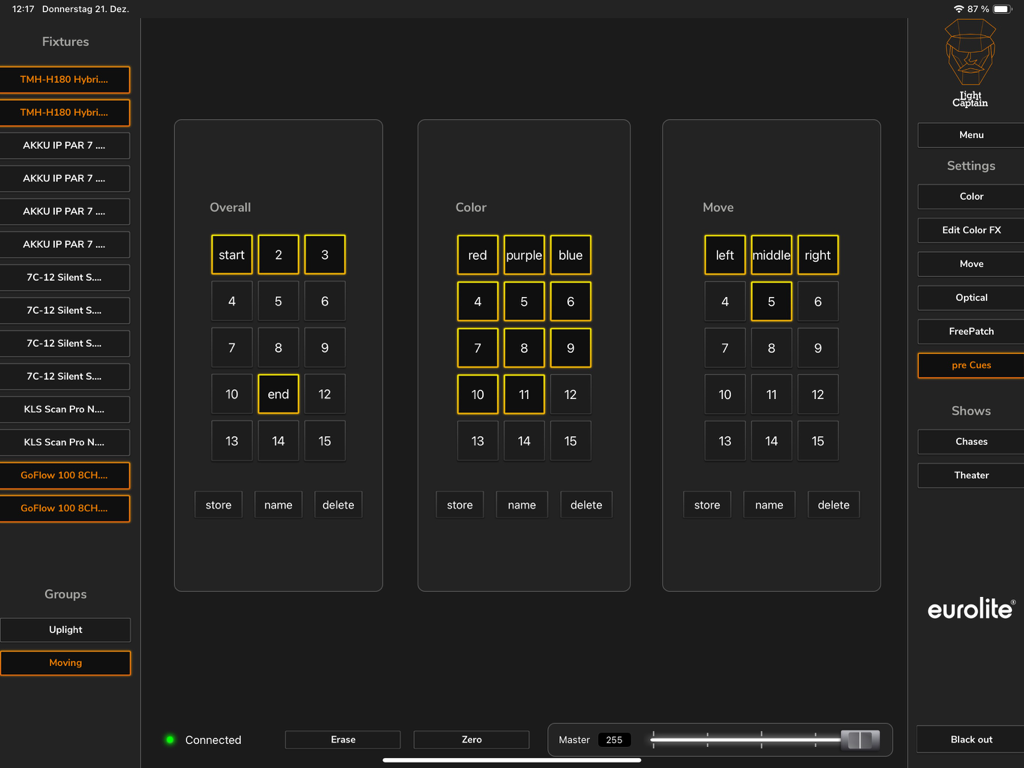
조정 가능한 수직 페이더와 장비 목록이 있는 FreePatch 섹션을 표시하는 Light Captain DMX 컨트롤러 앱의 iPad 인터페이스

Light Captain - DMX Controller - 색상 및 움직임 설정을 위한 사전 큐 화면을 보여주는 Light Captain DMX 컨트롤러 iPad 인터페이스
색상 및 움직임 설정을 위한 사전 큐 화면을 보여주는 Light Captain DMX 컨트롤러 iPad 인터페이스

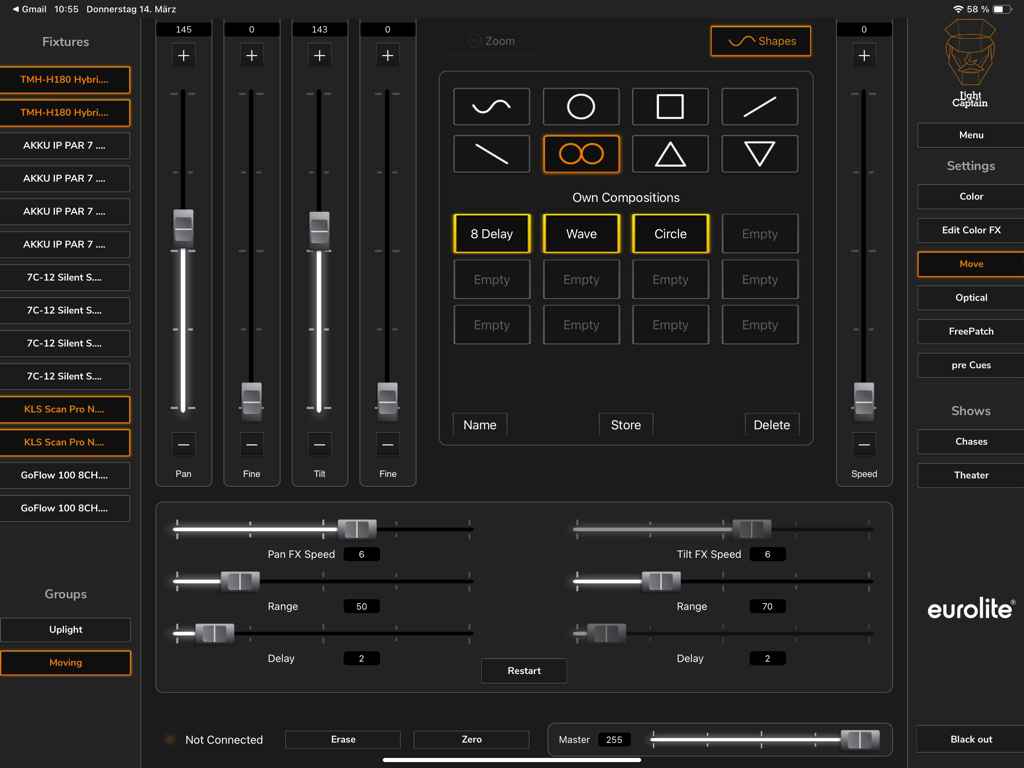
Light Captain - DMX Controller - 팬/틸트 및 모션 모양을 보여주는 Light Captain DMX 앱의 무빙 라이트 제어 인터페이스
팬/틸트 및 모션 모양을 보여주는 Light Captain DMX 앱의 무빙 라이트 제어 인터페이스

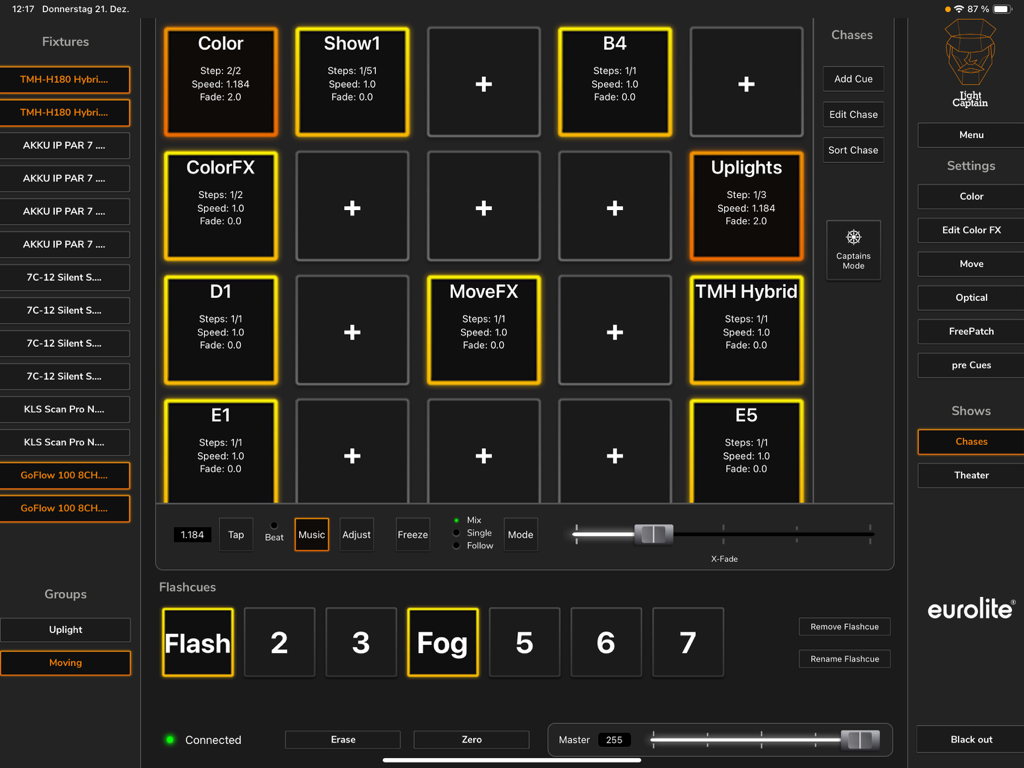
Light Captain - DMX Controller - 체이스 사전 설정 및 장비 제어를 갖춘 DMX 조명 제어 대시보드를 보여주는 Light Captain iPad 앱 인터페이스
체이스 사전 설정 및 장비 제어를 갖춘 DMX 조명 제어 대시보드를 보여주는 Light Captain iPad 앱 인터페이스

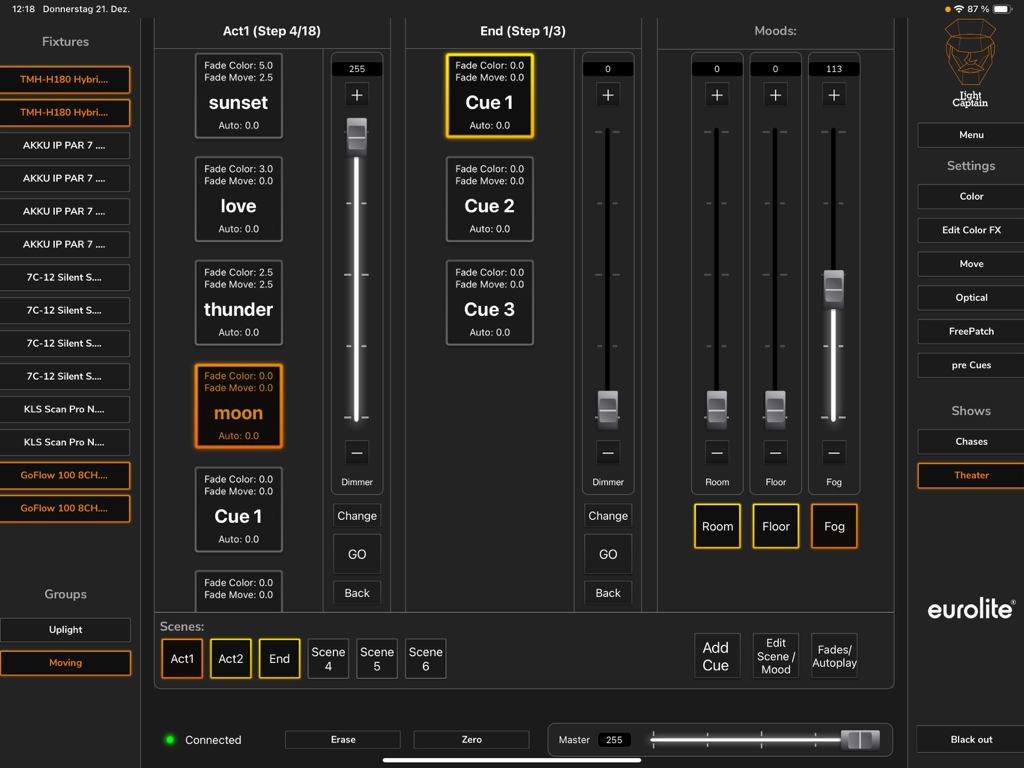
Light Captain - DMX Controller - 조명 큐와 페이더를 보여주는 Light Captain 앱의 극장 모드 인터페이스

조명 큐와 페이더를 보여주는 Light Captain 앱의 극장 모드 인터페이스

설명

This lighting control app for DMX devices leaves nothing to be desired: it is just as suitable for party use as for concert or theater performance. The app is aimed at both beginners, who are taking their first DMX steps, and demanding users. Therefore, the app is very clearly and logically structured, so that even inexperienced users can quickly find their way around. At the same time, Light Captain offers many solutions that also make the work of professionals easier and enable more complex lighting situations. The app is suitable for all types of spotlights: White light spotlights, colorful LED spotlights, compact lighting systems of all kinds, lighting effects, or moving lights. Even the DMX protocols of show lasers or multi-effects can be mapped. To operate the app as a lighting controller, the Eurolite freeDMX interface is required. For beginners and professionals: In the first section (Chases), users who want to use different lighting scenes and chases for parties or concerts will feel most comfortable. Chases can be controlled either by adjusting the speed or by music control. Advanced users will prefer the second section, which also allows individual programming of cues and scenes with individual fade times. A password-protected mode allows operators to recall and adjust lights only, but not change programs or shows. Light Captain is therefore also suitable for installations and clubs where the lights are pre-programmed and need to be operated by different people without sources of error. Programming: A large and constantly growing library of fixtures already offers many models pre-programmed. Creating other fixtures is just as easy. For professional requirements, values can also be restricted or default values assigned and the individual positions of the color and gobo wheels can be defined. "Lamp on/off" commands for discharge lamps are also easy to assign and recall later. Control: Light Captain can inherently control four color segments on each fixture, each with up to 8 basic colors. No matter if KLS system, LED bar with 4 segments, or wash light with four rings, everything can be easily created and adjusted. For color effects, there is a separate effect section with 6 pre-programmed effects, which can also be modified in the expansion stages. For moving lights, there is a 16bit capable control. In addition to positioning, there is an effects unit that can be used to create motion effects quickly and effectively. Another control level is used to adjust gobos, prisms, zoom, focus, etc. Eight Freepatch controls can be freely assigned. Even complex multi-effects or show lasers can be sensibly created here. Frequently used settings can be stored on pre-cues and called up again and again. There are 15 general memory locations, 15 memory locations that store color values, and 15 memory locations that store position values. Theater mode (only available in the Full version) allows you to control your lights in programmed shows and performances. It allows you to save scenes in a specific order and then have them play during the performance.

Download

다운로드: App Store

이 페이지는 앱이나 개발자의 공식 페이지가 아니며, 정보 제공 및 논평을 목적으로 작성된 독립 편집 간행물입니다. 명시적으로 달리 언급되지 않는 한, 해당 앱이나 개발자는 MWM, Apple, Google Play, 앱 퍼블리셔 또는 앱 개발자와 제휴, 보증, 후원, 승인 또는 공식적으로 연결되어 있지 않으며, 이 페이지의 어떤 내용도 해당 앱이 MWM의 서비스를 사용하여 개발되었음을 의미하지 않습니다. 모든 상표, 로고, 스크린샷 및 기타 콘텐츠는 해당 소유자의 자산입니다.








