Light Scope - Lux Meter
다운로드: App Store

이 페이지는 앱이나 개발자의 공식 페이지가 아니며, 정보 제공 및 논평을 목적으로 작성된 독립 편집 간행물입니다. 명시적으로 달리 언급되지 않는 한, 해당 앱이나 개발자는 MWM, Apple, Google Play, 앱 퍼블리셔 또는 앱 개발자와 제휴, 보증, 후원, 승인 또는 공식적으로 연결되어 있지 않으며, 이 페이지의 어떤 내용도 해당 앱이 MWM의 서비스를 사용하여 개발되었음을 의미하지 않습니다. 모든 상표, 로고, 스크린샷 및 기타 콘텐츠는 해당 소유자의 자산입니다.

로고: Light Scope - Lux Meter
다운로드: App Store

Light Scope - Lux Meter

iPhone을 과학 등급 도구로 바꾸세요. 사진, 디자인, 원예를 위한 실험실 수준의 알고리즘으로 럭스, 색온도, 명암비를 측정하세요.

주요 수치

다운로드

72K+

사용자 평점

3.1/5

총 평가 수

0

개발사

Byungil Park

카테고리

Graphics & Design

지원 언어

3

최신 버전

2.0

크기

1.5 MB

출시일

2021년 6월 30일
기능

iPhone을 전문가용 조명 실험실로 바꾸세요

추측은 그만하고 실험실 등급의 정밀도로 측정하세요. 영화 세트부터 실내 정원까지, Light Scope는 번거로운 하드웨어 없이 필요한 기술적 정확성을 제공합니다.

전문 스튜디오 정확도

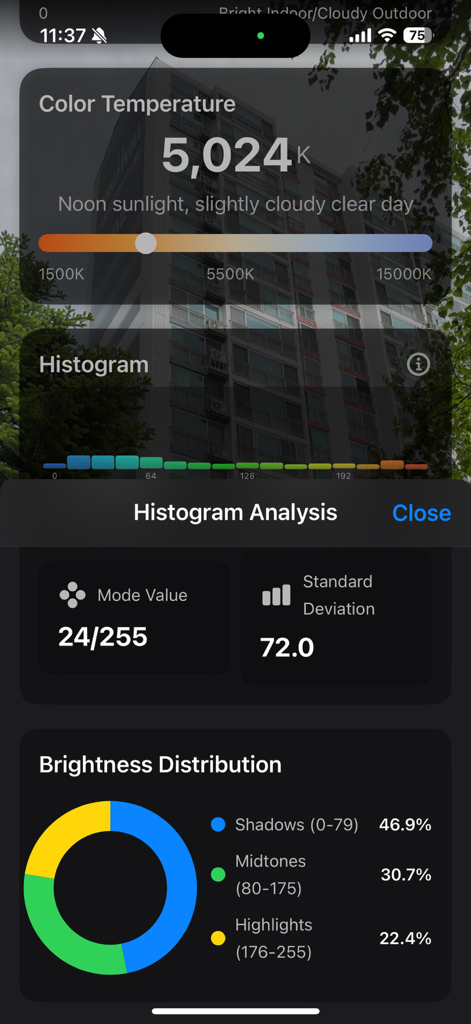
고급 CMOS 센서 알고리즘을 사용하여 색온도(K) 및 광도(cd)를 분석합니다. 세트에서 조명을 맞추거나 창의적인 작업 공간을 보정하는 데 완벽합니다.

접근성을 위한 디자인

WCAG 표준에 따라 명암비를 즉시 평가합니다. 모든 환경에서 시각적 명확성과 법적 규정 준수를 보장하는 UI/UX 디자이너 및 건축가를 위한 필수 도구입니다.

다음 스크린샷과 설명은 앱의 공식 스토어 목록에서 직접 가져온 것이며 앱 개발자의 자산입니다.

앱 스토어

스크린샷
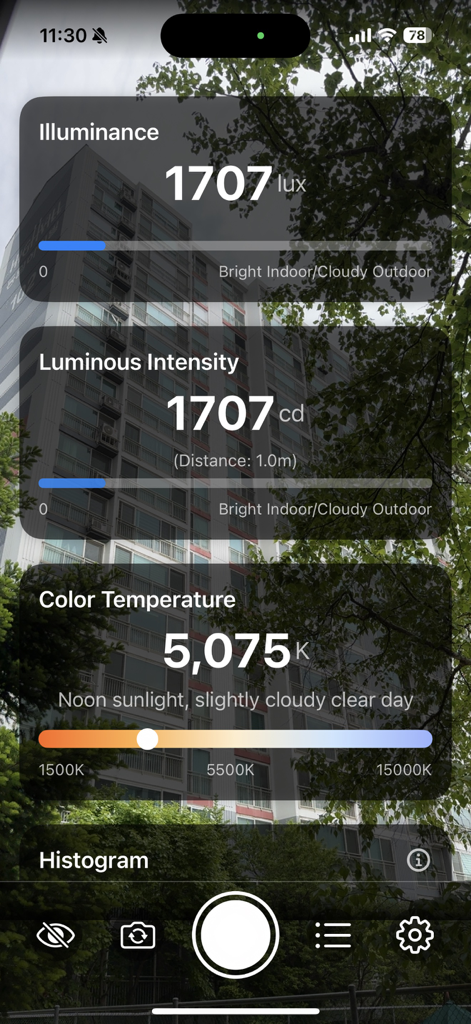
Light Scope - Lux Meter - 광도, 광도 및 색온도를 측정하는 Light Scope 앱을 보여주는 스마트폰 화면.
광도, 광도 및 색온도를 측정하는 Light Scope 앱을 보여주는 스마트폰 화면.

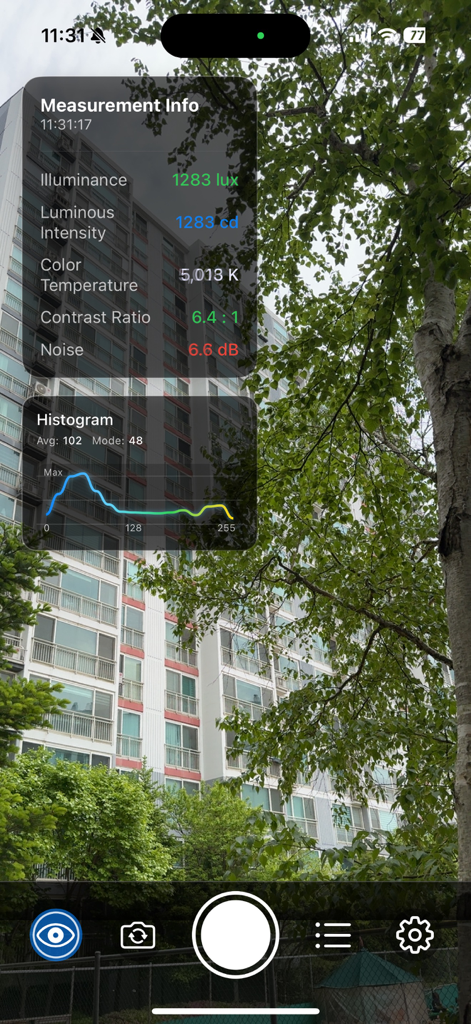
Light Scope - Lux Meter - 도시 외부 장면의 럭스 및 색온도를 포함한 실시간 조명 측정 데이터를 보여주는 Light Scope 앱 스크린샷.
도시 외부 장면의 럭스 및 색온도를 포함한 실시간 조명 측정 데이터를 보여주는 Light Scope 앱 스크린샷.

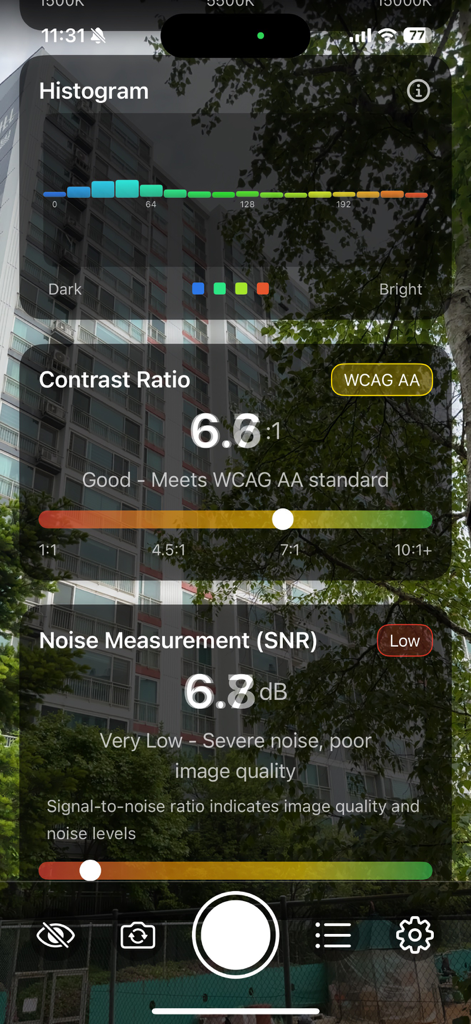
Light Scope - Lux Meter - WCAG 표준을 충족하는 명암비와 노이즈 측정 데이터를 표시하는 Light Scope 앱 인터페이스
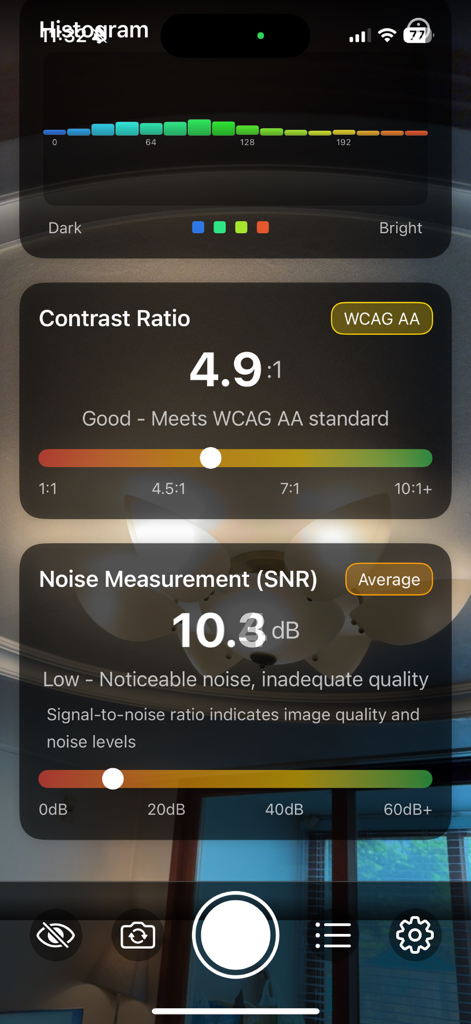
WCAG 표준을 충족하는 명암비와 노이즈 측정 데이터를 표시하는 Light Scope 앱 인터페이스

Light Scope - Lux Meter - 명암비와 SNR 노이즈 측정 수준을 보여주는 Light Scope 앱 스크린샷
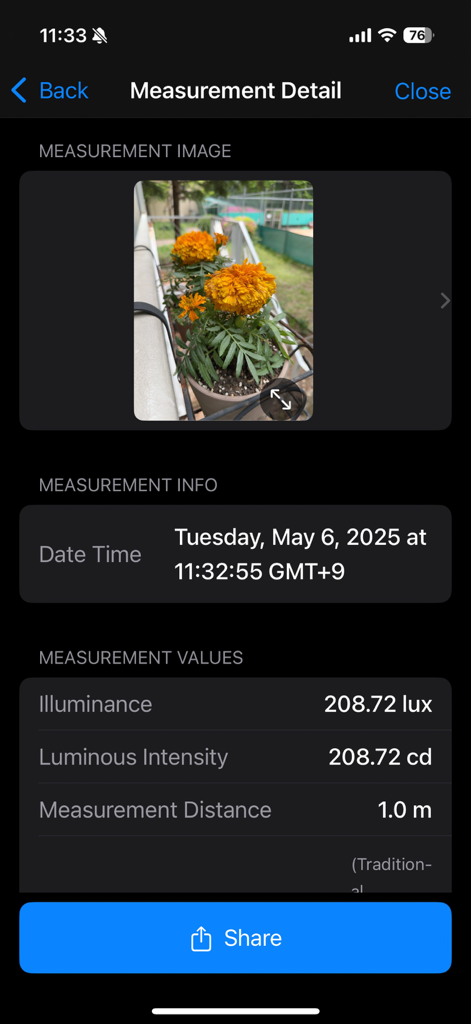
명암비와 SNR 노이즈 측정 수준을 보여주는 Light Scope 앱 스크린샷
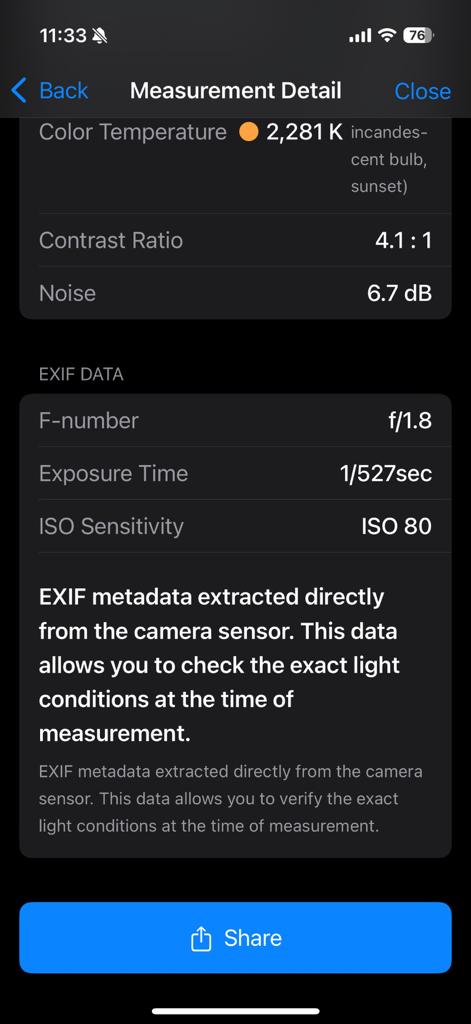
Light Scope - Lux Meter -

Light Scope - Lux Meter -

Light Scope - Lux Meter -

Light Scope - Lux Meter -

Light Scope - Lux Meter -

Light Scope - Lux Meter -

설명

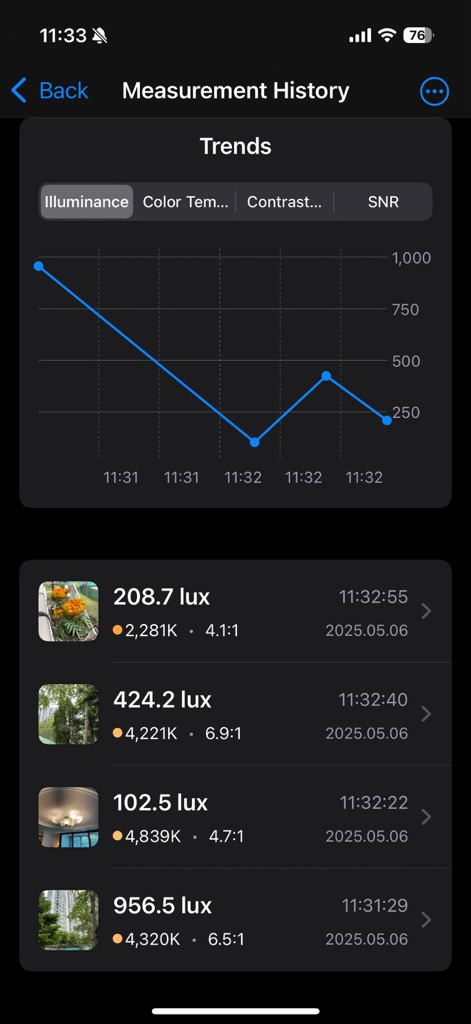
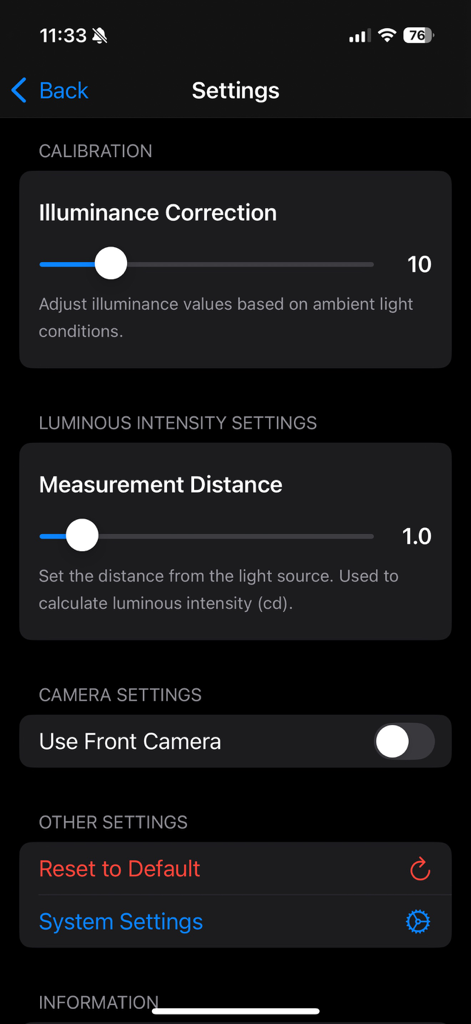
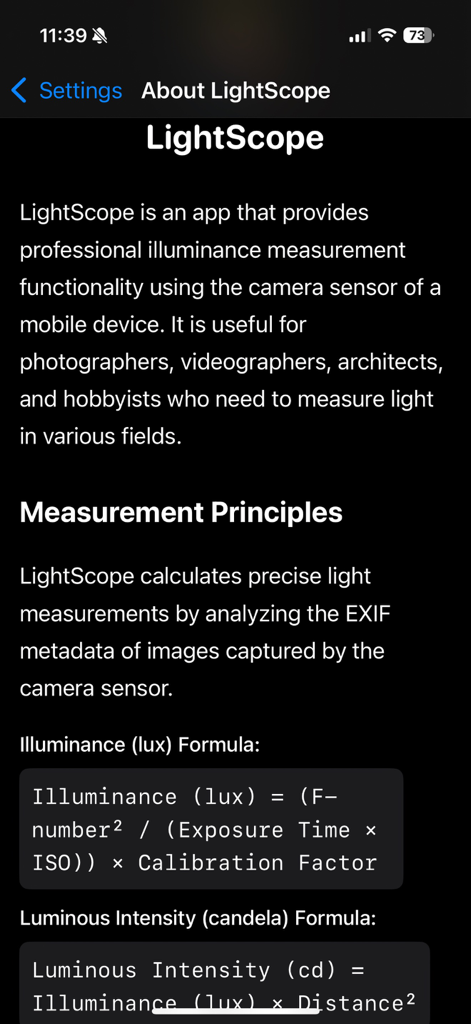
LightScope is a comprehensive solution providing professional light measurement and analysis using your device's camera sensor. 【Key Measurement Features】 • Illuminance (lux) Measurement: Calculates accurate illuminance by analyzing EXIF data from the camera sensor. Illuminance is derived using the formula: (F-number² / (Exposure Time × ISO)) × Calibration Factor. • Luminous Intensity (candela) Calculation: Automatically calculates the luminous intensity of a light source based on the set distance. Uses the formula: Illuminance (lux) × Distance². • Color Temperature (K) Analysis: Precisely measures color temperature in the range of 1500K~15000K by converting RGB values to XYZ color space using McCamy's formula. • Real-time Histogram: Visualizes the balance of shadows, midtones, and highlights through 16-level brightness distribution analysis. • Contrast Ratio Measurement: Evaluates the ratio between the brightest and darkest parts of a scene according to WCAG accessibility standards. • Noise Measurement (SNR): Calculates the signal-to-noise ratio in dB to evaluate image quality in the shooting environment. 【Advanced Features】 • Image Capture and Storage: Captures camera images at the time of measurement and stores them with measurement data. • Full-screen Image View: Zoom, pan, and rotate captured images for detailed inspection. • Gallery Saving: Save captured images to your device's photo library. • Measurement History and Trends: Save all measurements chronologically and visualize trends with graphs. • Camera Full-screen Mode: Hide panels to focus on the camera view while checking key measurements via a mini info panel. • Perfect Dark/Light Mode Support: All UI elements automatically adapt to the system theme. 【User Settings】 • Illuminance Calibration: Adjust the calibration factor for more accurate measurements based on your environment. • Distance Setting: Set the distance to the light source for precise luminous intensity (cd) calculations. • Front/Rear Camera Selection: Choose the appropriate camera for your measurement situation. 【Technical Features】 • Support for measuring various light source types: natural light, LED, fluorescent, incandescent, etc. • Algorithm optimization for stable color temperature calculation even in low-light environments • 10-frame moving average filter for measurement stabilization • Center-weighted image analysis for accurate evaluation of main subject quality • Automatic exposure quality assessment based on histogram analysis Perfect tool for photographers, videographers, lighting designers, UI/UX developers, and anyone who needs accurate light measurements.

Download

다운로드: App Store

이 페이지는 앱이나 개발자의 공식 페이지가 아니며, 정보 제공 및 논평을 목적으로 작성된 독립 편집 간행물입니다. 명시적으로 달리 언급되지 않는 한, 해당 앱이나 개발자는 MWM, Apple, Google Play, 앱 퍼블리셔 또는 앱 개발자와 제휴, 보증, 후원, 승인 또는 공식적으로 연결되어 있지 않으며, 이 페이지의 어떤 내용도 해당 앱이 MWM의 서비스를 사용하여 개발되었음을 의미하지 않습니다. 모든 상표, 로고, 스크린샷 및 기타 콘텐츠는 해당 소유자의 자산입니다.