이 페이지는 앱이나 개발자의 공식 페이지가 아니며, 정보 제공 및 논평을 목적으로 작성된 독립 편집 간행물입니다. 명시적으로 달리 언급되지 않는 한, 해당 앱이나 개발자는 MWM, Apple, Google Play, 앱 퍼블리셔 또는 앱 개발자와 제휴, 보증, 후원, 승인 또는 공식적으로 연결되어 있지 않으며, 이 페이지의 어떤 내용도 해당 앱이 MWM의 서비스를 사용하여 개발되었음을 의미하지 않습니다. 모든 상표, 로고, 스크린샷 및 기타 콘텐츠는 해당 소유자의 자산입니다.
Linea Sketch
복잡한 디자인 소프트웨어의 번거로움 없이 아이디어를 캡처하고 전문적인 스토리보드를 제작하며 브레인스토밍할 수 있는 기능과 단순함의 완벽한 조화.
주요 수치
다운로드
2M+
사용자 평점
3.8/5
총 평가 수
800
개발사
The Iconfactory
카테고리
Productivity
지원 언어
1
최신 버전
4.3.7
크기
95.5 MB
출시일
2017년 1월 31일
기능
복잡함 없이 흐르는 아이디어
Linea Sketch는 종이 메모장과 전문 소프트웨어 사이의 간극을 메워 브레인스토밍, 프로토타입 제작 및 비전을 구체화할 수 있는 완벽한 공간을 제공합니다.
즉각적인 정밀함으로 스케치
거친 원과 흔들리는 선을 즉시 완벽한 모양으로 바꿔보세요. ZipShapes는 창의적인 흐름을 방해하지 않고 아이디어를 정교하게 다듬어 줍니다.
집중력을 높이는 미니멀한 인터페이스
방해되지 않도록 설계된 깔끔한 UI. 브레인스토밍을 체계적으로 유지해 주는 5개의 우아한 레이어로 컨셉을 관리하세요.
FAQ
자주 묻는 질문
에 대해 알아야 할 모든 것 Linea Sketch
Linea Sketch는 그림 경험을 어떻게 단순화하나요?
Linea Sketch는 최소한의 UI를 제공하여 창의성에 집중합니다. 컨트롤은 필요할 때까지 숨겨져 있어 사용자가 방해 없이 자신의 작품에 집중할 수 있습니다.
Linea Sketch에서 사용자 정의 색상을 만들 수 있나요?
예, Linea Sketch에서는 탭 한 번으로 사용자 정의 색상을 만들 수 있습니다. 또한 틴트와 셰이드를 자동으로 생성하고 11가지 사전 정의된 색상 세트를 제공합니다.
Linea Sketch의 ZipShapes와 ZipLines는 무엇인가요?
ZipShapes와 ZipLines는 Linea Sketch의 기능으로, 거친 선, 사각형, 원 또는 삼각형 그림을 자동으로 보정합니다. 자동 보정을 위해 그린 후 잠시 멈추면 됩니다.
Linea Sketch는 수채화 브러시 도구를 제공하나요?
예, Linea Sketch에는 수채화 브러시가 포함되어 있습니다. 이 도구는 Simple, Wet, Cloud의 세 가지 모드에서 거칠고 예술적인 효과를 만듭니다.
사용자는 Linea Sketch에서 그림에 텍스트와 메모를 어떻게 추가할 수 있나요?
Linea Sketch는 주석을 지원하여 사용자가 그림에 레이블, 메모 및 호출선을 추가할 수 있습니다. iOS Scribble이나 키보드를 사용하여 글꼴과 색상을 조절할 수 있습니다.
Linea Sketch는 어떤 파일 형식으로 내보낼 수 있나요?
Linea Sketch는 그림을 PNG, JPEG, PSD 및 PDF 파일로 내보낼 수 있습니다. 전체 그림을 저장하거나 내보내기 전에 일부를 잘라낼 수 있습니다.
Linea Sketch는 그림을 프로젝트로 구성할 수 있나요?
예, Linea Sketch에서는 그림을 프로젝트 폴더로 구성할 수 있습니다. 썸네일 미리 보기와 공유, 이름 바꾸기, 그림 이동 기능도 지원합니다.
Linea Sketch는 iPad와 iPhone 모두에서 사용할 수 있나요?
예, Linea Sketch는 iPad와 iPhone 모두에서 사용할 수 있는 유니버설 앱입니다. 그림은 iCloud를 통해 모든 기기에서 원활하게 동기화됩니다.
Linea Sketch에서 어떤 종류의 그리드와 템플릿을 사용할 수 있나요?
Linea Sketch는 일반 그리드, 3D 등각선, 육각형, 원형, 노트패드, 할 일 목록, 악보, UI/아이콘 디자인, 스토리보드를 포함한 다양한 그리드와 템플릿을 제공합니다.
Linea Sketch는 그림을 위한 레이어를 지원하나요?
예, Linea Sketch는 재정렬, 병합, 잠금 또는 조절할 수 있는 5개의 유연한 레이어를 제공합니다. 사용자는 참조 및 추적을 위해 레이어에 이미지를 가져올 수도 있습니다.
다음 스크린샷과 설명은 앱의 공식 스토어 목록에서 직접 가져온 것이며 앱 개발자의 자산입니다.
앱 스토어
스크린샷
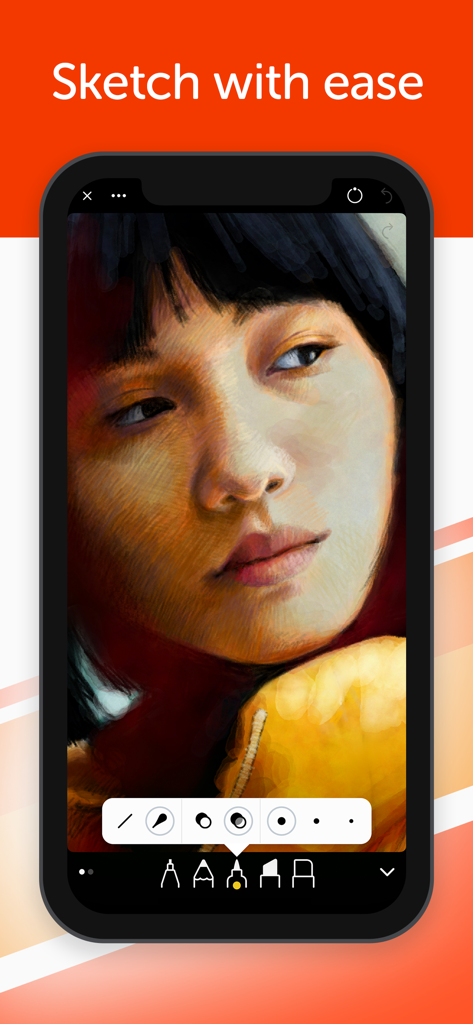
미니멀한 드로잉 도구와 '수월하게 스케치하세요'라는 텍스트가 있는 Linea Sketch 모바일 앱 인터페이스의 여성 얼굴 디지털 페인팅
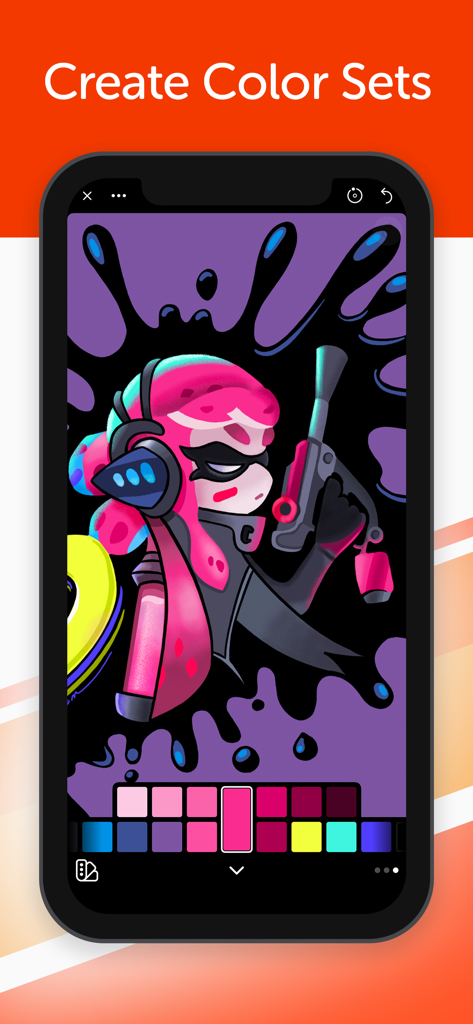
커스텀 컬러 팔레트 인터페이스를 보여주는 Linea Sketch 내 캐릭터의 디지털 일러스트레이션.
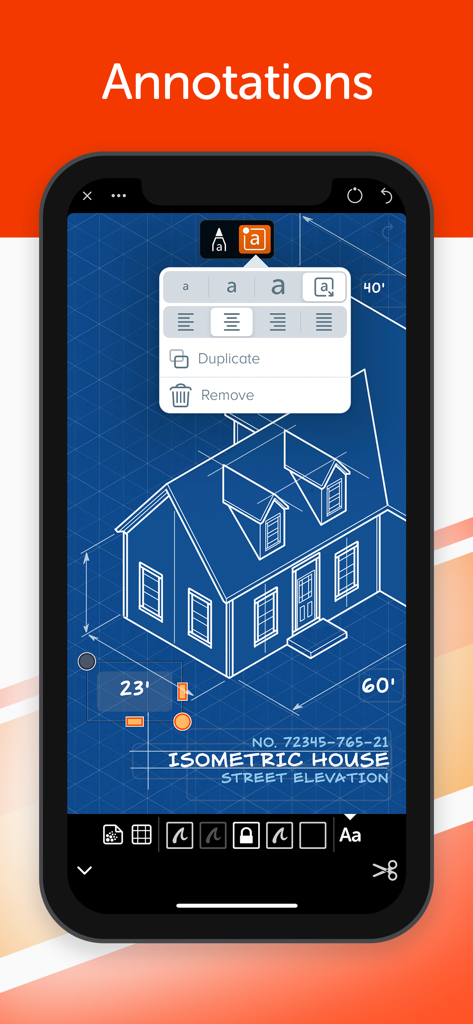
등각 투영 주택 청사진에 텍스트 주석을 보여주는 Linea Sketch 앱 인터페이스
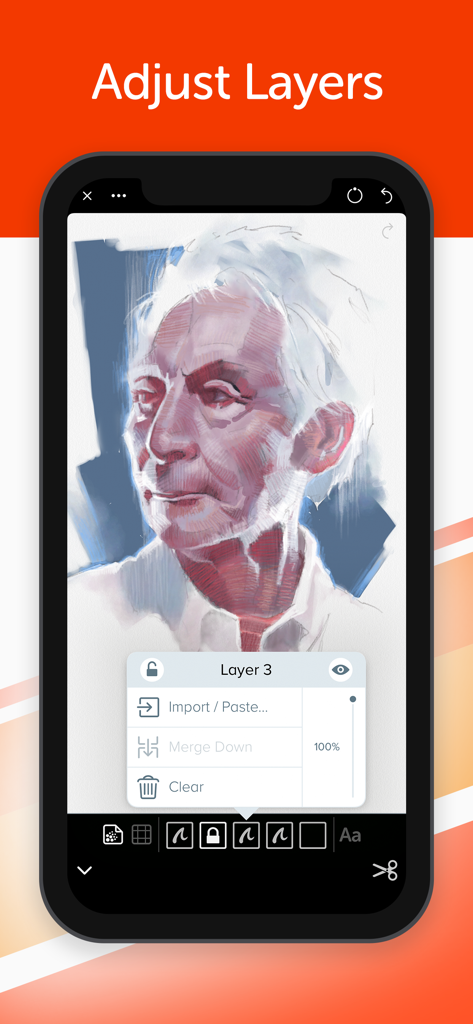
레이어 조정 옵션과 디지털 인상 스케치를 보여주는 Linea Sketch 모바일 앱 인터페이스
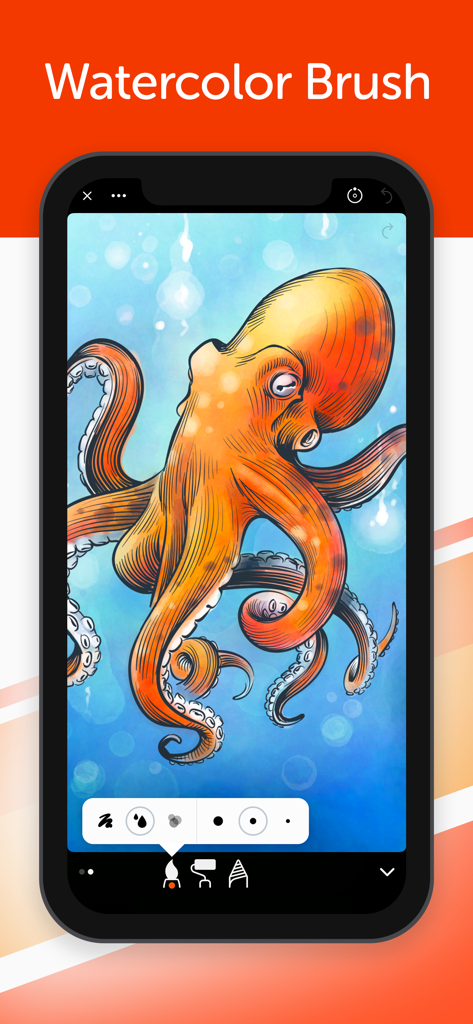
Linea Sketch의 수채화 브러시 도구로 만든 주황색 문어 그림
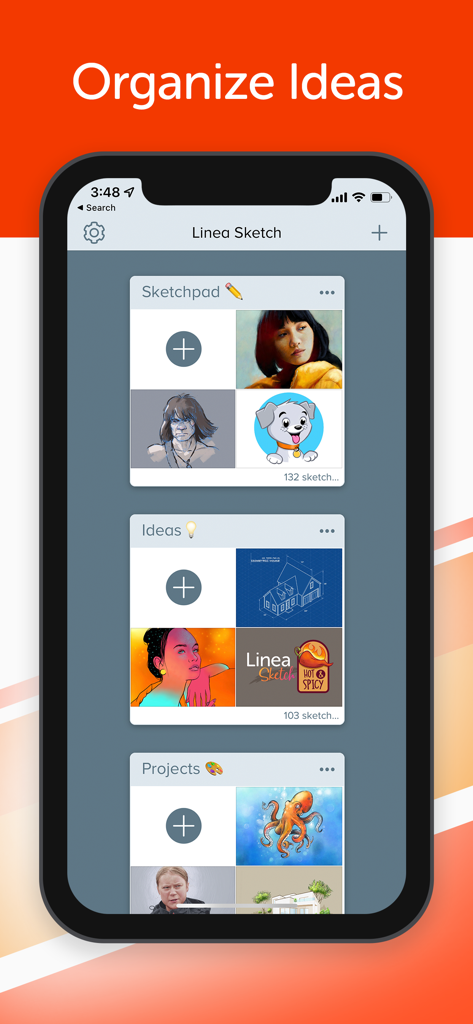
스케치패드, 아이디어, 프로젝트 등의 카테고리로 정리된 프로젝트 폴더를 보여주는 Linea Sketch 인터페이스.
설명
Draw and take notes with ease.
Linea Sketch gives you the right balance of power and control to capture thoughts and ideas effortlessly. The focus stays where it belongs: on your creations, not on the tools.
Why Linea Sketch?
⁕ Minimal UI - Every control is designed to stay out of your way until you need it. Linea's elegant interface puts the focus on your creations.
⁕ Easy Colors - Choose from a wide range of pre-defined colors, or create your own with a single tap. Autogenerated tints & shades save time and effort.
⁕ Elegant Layers - Simplified set of layers that can be easily rearranged, merged, locked, or adjusted. Use the file browser and photo library to import images for reference and tracing.
⁕ ZipShapes & ZipLines - Simply hold still for a moment after drawing a line, rough square, circle, or triangle and ZipShape automatically creates a perfect version for you. You can then adjust final size, placement, and corner radius.
⁕ Move / Transform - Lasso part of your sketch, then move, rotate, flip, or resize. Transform one or more layers quickly & easily.
⁕ Watercolor Brush - Create rustic & artistic effects by painting with organic pigment in three modes: Simple, Wet, and Cloud.
⁕ Annotations - Add labels, notes, and callouts to your sketches using iOS Scribble or a keyboard. Fonts, colors, placement, and more can be adjusted effortlessly.
⁕ Time-Lapse - Record your creative process as you sketch! Save a video of the result as either a compressed 30 second clip or a full length movie.
⁕ Grids & Templates - A wide range of traditional grids, 3D isometric lines, storyboards, and templates for iOS screen or icon design.
⁕ Universal App - Linea Sketch is a universal app for iPad and iPhone. Your sketches seamlessly sync via iCloud to all of your devices, wherever you go.
……………………………………
What do you get?
Tools:
• Technical Pencil - Hard lead, thin lines
• Art Pencil - Soft lead, thick lines
• Felt Tip Pen - Thin solid lines that vary in opacity
• Marker - Fat solid lines
• Watercolor Brush - Paint with organic, artistic pigment
• Fill - Roll out wide areas of color or tap to flood fill
• Blend - Smudge or soften strokes
• Eraser - Clean up with your finger or Pencil
• Pencil Plus! - Create additional effects using Apple Pencil pressure and tilt
Colors:
• Always on-screen & easily available
• Tints and shades are automatically generated in six variations
• 11 predefined color sets for various types of drawing
• Create custom colors for branding and consistency
• Drag & drop color swatches with other apps
Layers:
• Five flexible layers that can be dragged, merged, or cleared
• Import any image from Files, Photo Library, or clipboard
• Lockable to prevent accidental changes
• Adjust opacity or double tap to toggle visibility on/off
Templates:
• Traditional grids displayed with lines & dots
• Hexagonal, circular, and isometric (3D) grids
• Notepads, to-do lists, and sheet music
• App user interface and icon design
• Storyboards in 16:9, 1.85:1, and 2.35:1 ratios
• Adjustable intensity and can be hidden quickly
Backgrounds & Paper Textures:
• White Bond, Butcher’s Paper, Black Construction, Blueprint & many more
• Adjustable custom background colors
• Paper grain can be toggled on or off
Exporting:
• Save as PNG, JPEG, PSD, and PDF
• Save entire sketch or crop a portion
• Export to Slack, Dropbox, AirDrop & more
• Presentation Mode shows just the canvas via AirPlay - perfect for classrooms
Projects:
• Organize drawings in project folders
• Share, rename, or move drawings within projects
• Thumbnail previews of drawings save time
• Export PDF of entire project
General:
• Two-finger tap for Undo, three-finger tap for Redo
• Pinch to zoom and rotate canvas
• Tap Compass to lock, flip, or reset your canvas
• Supports portrait & landscape orientations
• Supports split screen and drag & drop
Terms and Conditions: https://linea-app.com/terms
Privacy Policy https://linea-app.com/privacy
이 페이지는 앱이나 개발자의 공식 페이지가 아니며, 정보 제공 및 논평을 목적으로 작성된 독립 편집 간행물입니다. 명시적으로 달리 언급되지 않는 한, 해당 앱이나 개발자는 MWM, Apple, Google Play, 앱 퍼블리셔 또는 앱 개발자와 제휴, 보증, 후원, 승인 또는 공식적으로 연결되어 있지 않으며, 이 페이지의 어떤 내용도 해당 앱이 MWM의 서비스를 사용하여 개발되었음을 의미하지 않습니다. 모든 상표, 로고, 스크린샷 및 기타 콘텐츠는 해당 소유자의 자산입니다.








