Live Link Face

Live Link Face

다운로드: App Store
로고: Live Link Face

Live Link Face: Unreal Engine용 전문 얼굴 애니메이션

iPhone을 고품질 퍼포먼스 캡처 리그로 바꿔보세요. 실시간 표정을 MetaHuman으로 스트리밍하거나 프로덕션 워크플로를 위한 시네마틱 데이터를 기록하세요.

개발사

Epic Games International, S.a.r.l.

카테고리

Graphics & Design

다운로드

926K+

사용자 평점

3.6/5

총 평가 수

500

지원 언어

4

주머니 속의 스튜디오 파워

이 인터페이스를 사용하는 926K+ 명의 사용자.

Unreal Engine MetaHuman 얼굴 모션 캡처를 위해 미소 짓는 연기자의 클로즈업

Unreal Engine MetaHuman 얼굴 모션 캡처를 위해 미소 짓는 연기자의 클로즈업

Unreal Engine MetaHuman 기술을 사용하여 생성된 고품질 디지털 캐릭터
Unreal Engine MetaHuman 기술을 사용하여 생성된 고품질 디지털 캐릭터

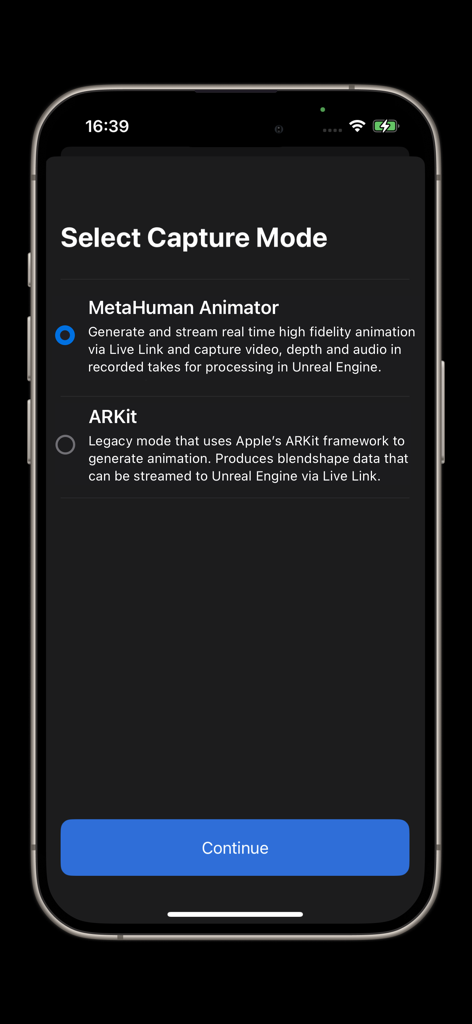
Live Link Face 앱 선택 화면으로 MetaHuman Animator 및 ARKit 캡처 모드 옵션 표시
Live Link Face 앱 선택 화면으로 MetaHuman Animator 및 ARKit 캡처 모드 옵션 표시

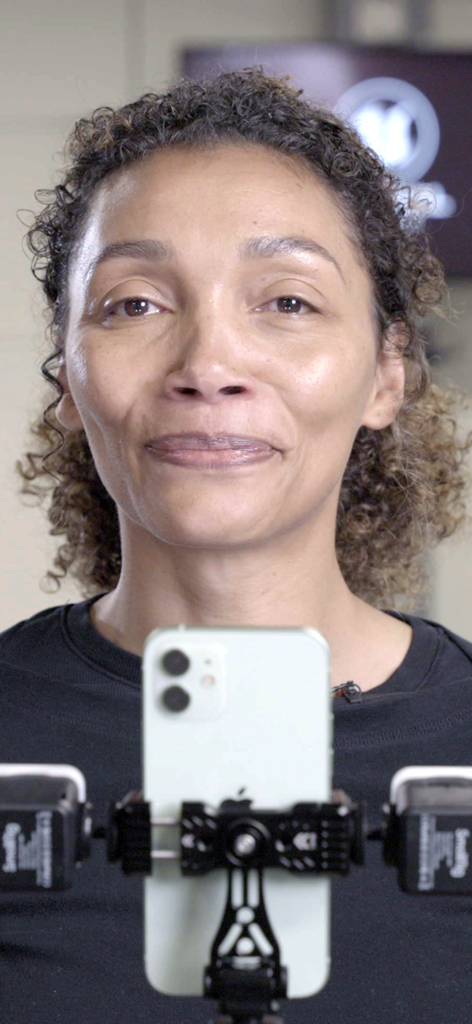
전문 모션 캡처 리그에 장착된 iPhone 앞에서 얼굴 표정을 짓는 여성
전문 모션 캡처 리그에 장착된 iPhone 앞에서 얼굴 표정을 짓는 여성

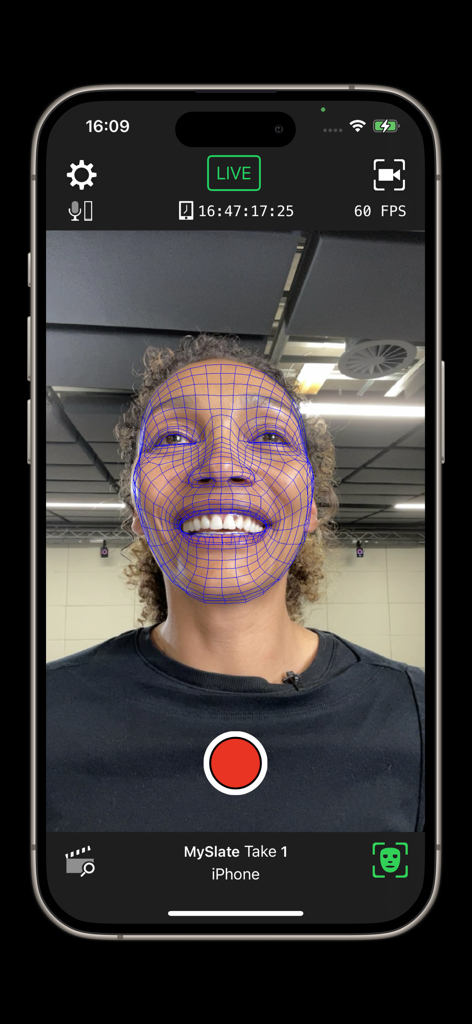
Live Link Face에서 메쉬 오버레이가 있는 실시간 얼굴 모션 캡처 인터페이스
Live Link Face에서 메쉬 오버레이가 있는 실시간 얼굴 모션 캡처 인터페이스

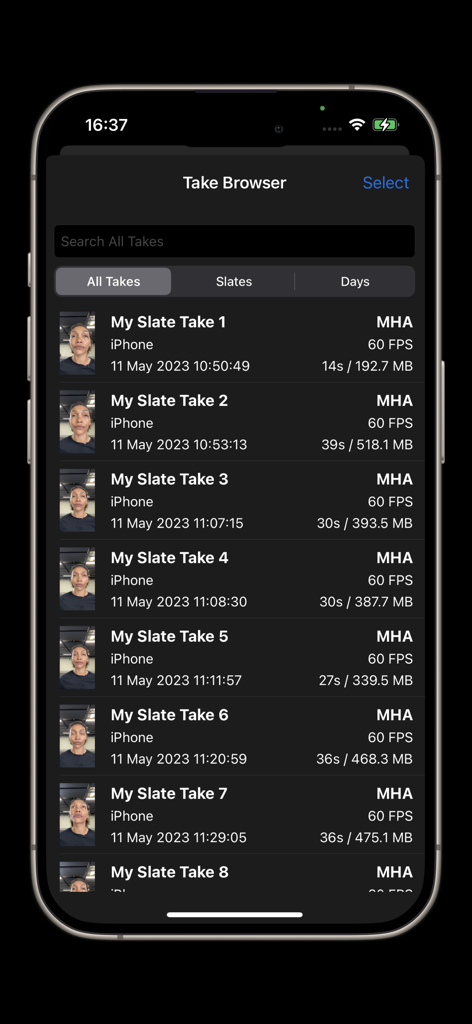
Live Link Face의 테이크 브라우저에 녹화된 얼굴 캡처 퍼포먼스 목록 표시
Live Link Face의 테이크 브라우저에 녹화된 얼굴 캡처 퍼포먼스 목록 표시

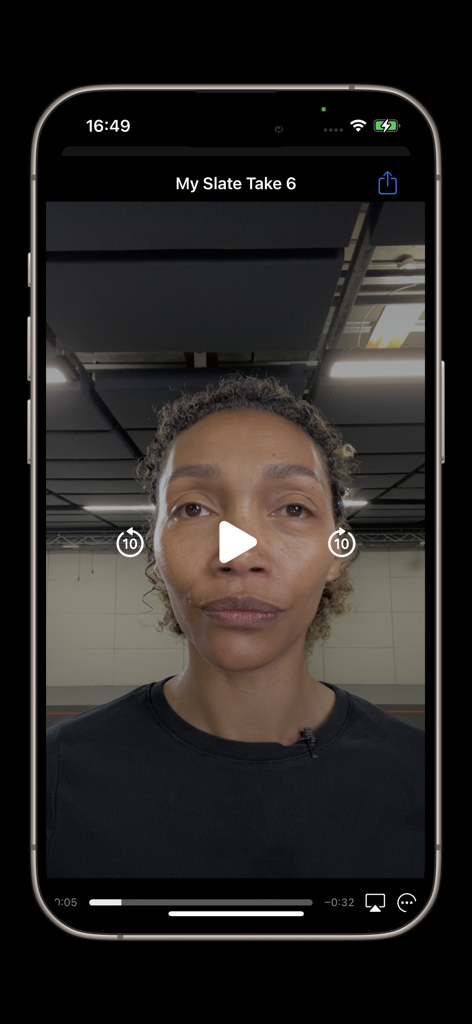
Live Link Face 앱 인터페이스에서 캡처된 얼굴 퍼포먼스의 비디오 재생

Live Link Face 앱 인터페이스에서 캡처된 얼굴 퍼포먼스의 비디오 재생

스튜디오급 얼굴 캡처

이 앱을 돋보이게 하는 도구, 926K+ 명의 사용자가 선택.

👤

MetaHuman 통합

고품질 깊이 데이터와 원시 비디오를 캡처하여 MetaHuman Animator를 구동하고 클릭 몇 번으로 AAA급 얼굴 퍼포먼스를 제공합니다.

실시간 스트리밍

ARKit 애니메이션 데이터를 네트워크를 통해 스트리밍하여 Unreal Engine의 실시간 렌더링으로 3D 메시에 즉시 표정을 시각화합니다.

🎬

전문 동기화 및 제어

Tentacle Sync 타임코드 지원으로 프레임 정확한 동기화를 유지하고 복잡한 스튜디오 워크플로를 위해 OSC를 통한 원격 녹음을 관리합니다.

앱 소개

에 대해 알아야 할 모든 것 Live Link Face.

설명

Live Link Face for effortless facial animation in Unreal Engine—capture performances for use in Unreal Engine from your iPhone or iPad. Capture facial performances for MetaHuman Animator: - Live Link Face supports both real-time and processed animation. - MetaHuman Animator uses Live Link Face to capture performances, then applies its own processing to create high-fidelity facial animation for MetaHumans. - The Live Link Face app captures raw video and depth data, which can be transmitted directly from your device into Unreal Engine for use with the MetaHuman plugin. - Facial animation created with MetaHuman Animator can be applied to any MetaHuman character in just a few clicks. - This workflow requires an iPhone (12 or above) and a desktop PC running Windows 10/11. Real-time animation for MetaHumans: - The Live Link Face app generates animation to drive a MetaHuman Character in real time. - Animation data is streamed to Unreal Engine over a network using the MetaHuman Live Link Plugin. - This workflow requires an iPhone (12 or above) and a desktop PC running Windows 10/11. Real-time animation for non-MetaHuman characters: - Stream out ARKit animation data live to an Unreal Engine instance via Live Link over a network. - Visualize facial expressions in real time with live rendering in Unreal Engine. - Drive a 3D preview mesh, optionally overlaid over the video reference on the phone. - Record the raw ARKit animation data and front-facing video reference footage. - Tune the capture data to the individual performer and improve facial animation quality with rest pose calibration. Timecode support for multi-device synchronization: - Select from the system clock, an NTP server, or use a Tentacle Sync device to connect with a master clock on stage. - Video reference is frame accurate with embedded timecode for editorial. Control Live Link Face remotely with OSC or via the MetaHuman Plugin for Unreal Engine: - Trigger recording remotely so actors can focus on their performances. - Capture slate names and take numbers consistently. - Extract data for processing and storage. Browse and manage the library of captured takes: - Delete takes within Live Link Face, share via AirDrop. - Transfer directly over network when using MetaHuman Animator. - Review captured footage on-device.

최신 버전

1.6.0

크기

116.6 MB

출시일

2020년 7월 7일

iPhone을 전문 Mocap 리그로 변환하세요

수천 명의 크리에이터와 함께 AAA급 얼굴 애니메이션을 Unreal Engine으로 가져오세요. 지금 Live Link Face를 다운로드하고 고품질 퍼포먼스 캡처를 시작하세요.

다운로드: App Store
FAQ

자주 묻는 질문

에 대해 알아야 할 모든 것 Live Link Face

Live Link Face는 무엇에 사용되나요?

Live Link Face는 iPhone 또는 iPad에서 캡처한 얼굴 성능을 Unreal Engine으로 가져오는 데 사용됩니다. MetaHuman 및 기타 캐릭터의 실시간 및 처리된 얼굴 애니메이션을 가능하게 하며 Unreal Engine 워크플로우와 직접 통합됩니다.

Live Link Face와 호환되는 기기는 무엇인가요?

Live Link Face는 얼굴 성능 캡처를 위해 iPhone 12 이상이 필요합니다. Unreal Engine 내에서 캡처된 데이터를 활용하려면 Windows 10 또는 11을 실행하는 데스크톱 PC도 필요합니다.

Live Link Face는 MetaHuman Animator를 지원하나요?

예, Live Link Face는 MetaHuman Animator를 지원합니다. 원시 비디오 및 깊이 데이터를 캡처하며, MetaHuman Animator는 이를 처리하여 Unreal Engine에서 MetaHuman 캐릭터를 위한 고품질 얼굴 애니메이션을 생성합니다.

Live Link Face는 실시간으로 MetaHuman이 아닌 캐릭터도 애니메이션할 수 있나요?

예, Live Link Face는 ARKit 애니메이션 데이터를 Unreal Engine 인스턴스로 실시간 스트리밍합니다. 이를 통해 MetaHuman이 아닌 캐릭터의 표정을 실시간으로 시각화할 수 있으며 사용자 정의 3D 미리보기 메쉬도 지원합니다.

Live Link Face는 캡처된 얼굴 성능 테이크를 어떻게 관리하나요?

Live Link Face는 테이크 브라우저를 통해 캡처된 테이크를 관리합니다. 사용자는 테이크를 삭제하고, AirDrop으로 공유하고, MetaHuman Animator를 위해 네트워크를 통해 전송하고, 기기에서 직접 푸티지를 검토할 수 있습니다.

Live Link Face는 타임코드 동기화를 지원하나요?

예, Live Link Face는 다중 기기 동기화를 위해 타임코드 지원을 제공합니다. 시스템 시계, NTP 서버 또는 무대 마스터 시계에 연결하기 위한 Tentacle Sync 장치와 같은 옵션이 있습니다.

Live Link Face 녹화를 원격으로 제어할 수 있나요?

예, 사용자는 OSC 또는 Unreal Engine용 MetaHuman 플러그인을 통해 Live Link Face를 원격으로 제어할 수 있습니다. 이를 통해 녹화를 원격으로 트리거하고 슬레이트 이름 및 테이크 번호를 일관되게 캡처할 수 있습니다.

Live Link Face는 어떤 프레임 속도로 얼굴 성능 데이터를 캡처하나요?

Live Link Face는 초당 60 프레임(FPS)으로 얼굴 성능 데이터를 캡처합니다. 이 프레임 속도는 실시간 스트리밍 피드와 녹화된 테이크 모두에 적용되어 고품질 애니메이션을 보장합니다.

추천

비슷한 앱

유사한 기능과 사용자 경험을 가진 앱

App information, icons, screenshots, and descriptions displayed on this page are sourced from the Apple App Store and are the property of their respective developers. Download estimates and rankings are based on MWM's proprietary models and may not reflect actual figures. This page is provided for informational and analytical purposes only.

Believe this page infringes your intellectual property? File a dispute