Live Recorder: Record Screen
다운로드: App Store

이 페이지는 앱이나 개발자의 공식 페이지가 아니며, 정보 제공 및 논평을 목적으로 작성된 독립 편집 간행물입니다. 명시적으로 달리 언급되지 않는 한, 해당 앱이나 개발자는 MWM, Apple, Google Play, 앱 퍼블리셔 또는 앱 개발자와 제휴, 보증, 후원, 승인 또는 공식적으로 연결되어 있지 않으며, 이 페이지의 어떤 내용도 해당 앱이 MWM의 서비스를 사용하여 개발되었음을 의미하지 않습니다. 모든 상표, 로고, 스크린샷 및 기타 콘텐츠는 해당 소유자의 자산입니다.


로고: Live Recorder: Record Screen
다운로드: App Store

Live Recorder: Record Screen

아이폰 화면에서 직접 콘텐츠 왕국을 건설할 수 있습니다. 스크린 레코딩은 그저 시작일 뿐입니다.

주요 수치

다운로드

500k+

사용자 평점

4.5/5

총 평가 수

22.9K

개발사

Joy Sarkar

카테고리

Utilities

지원 언어

1

최신 버전

3.2.4

크기

272.8 MB

출시일

2020년 9월 3일
기능

통합된 콘텐츠 제작을 위한 핵심 기능 평가

Live Recorder: Record Screen 앱 분석

통합 올인원 솔루션

이 앱은 HD 화면 녹화, 라이브 스트리밍, 페이스캠 오버레이, 보이스오버, 그리고 완전한 비디오 편집기를 하나의 앱에서 제공하여, 사용자가 여러 도구 사이를 전환할 필요 없이 콘텐츠를 효율적으로 제작하고 게시할 수 있게 해줍니다.

내장 비디오 편집기

사용자는 클립 자르기, 재생 속도 조절, 필터 적용, 배경 음악 추가 등 다양한 전문 편집 도구를 앱 내에서 바로 사용할 수 있어, 별도의 편집 앱 없이 모든 작업을 완료할 수 있습니다.

고화질 화면 녹화

사용자가 아이폰 및 아이패드 화면을 풀 HD 고화질로 녹화하여 게임 플레이, 튜토리얼, 소셜 미디어 콘텐츠 등을 선명하게 기록할 수 있습니다.

다음 스크린샷과 설명은 앱의 공식 스토어 목록에서 직접 가져온 것이며 앱 개발자의 자산입니다.

앱 스토어

스크린샷
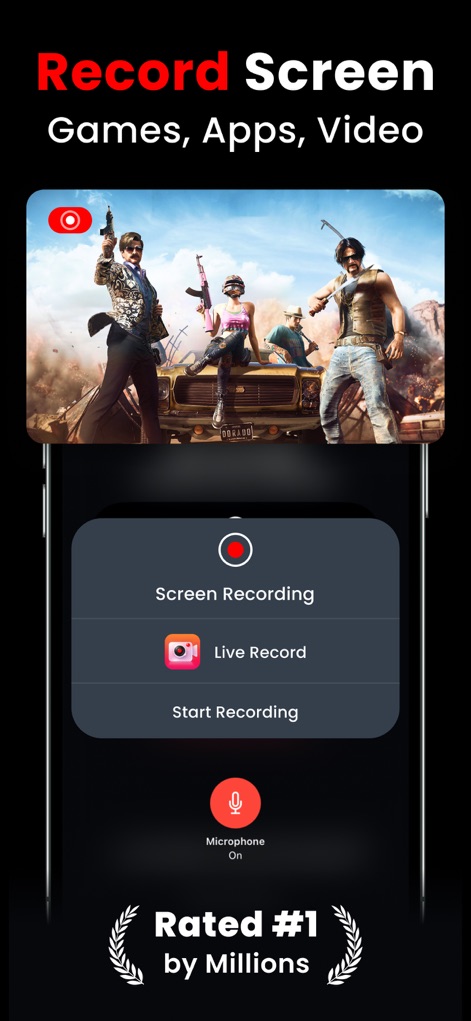
Live Recorder: Record Screen - 사용자는 간편하게 화면 녹화를 시작할 수 있으며, 마이크 활성화와 "Start Recording" 버튼을 통해 즉시 콘텐츠를 만들 수 있습니다.

사용자는 간편하게 화면 녹화를 시작할 수 있으며, 마이크 활성화와 "Start Recording" 버튼을 통해 즉시 콘텐츠를 만들 수 있습니다.

화면 녹화 시작
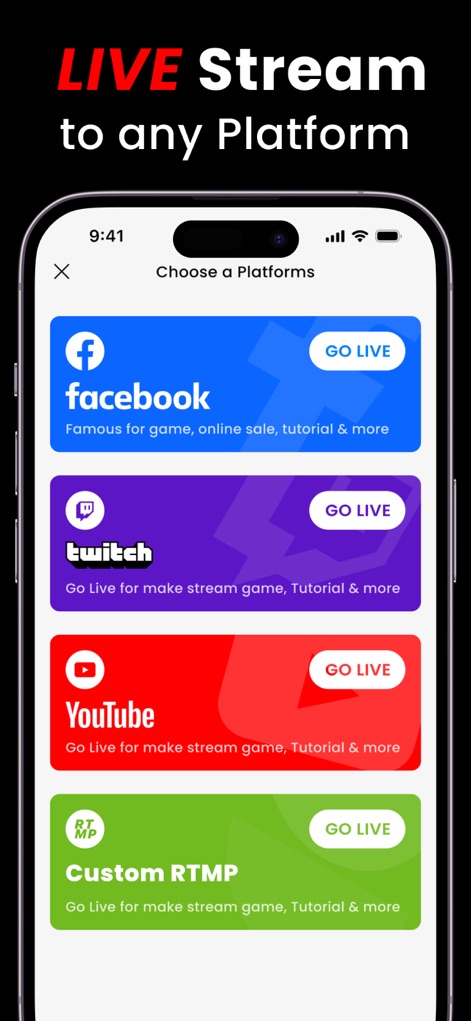
Live Recorder: Record Screen - 이 앱은 사용자가 Facebook 및 YouTube와 같은 다양한 플랫폼으로 라이브 스트리밍을 할 수 있도록 지원하며, "GO LIVE" 버튼을 통해 실시간 공유를 용이하게 합니다.

이 앱은 사용자가 Facebook 및 YouTube와 같은 다양한 플랫폼으로 라이브 스트리밍을 할 수 있도록 지원하며, "GO LIVE" 버튼을 통해 실시간 공유를 용이하게 합니다.

어디든 라이브 스트림
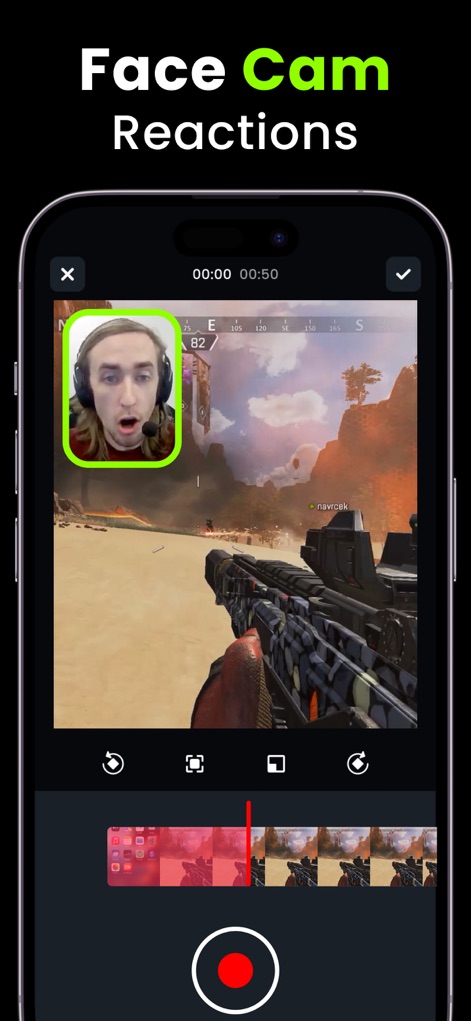
Live Recorder: Record Screen - 사용자는 내장된 FaceCam 기능을 활용하여 게임 화면 위에 자신의 반응을 오버레이할 수 있으며, 하단의 타임라인에서 이 "그림 안에 그림" 레이아웃을 편집할 수 있습니다.

사용자는 내장된 FaceCam 기능을 활용하여 게임 화면 위에 자신의 반응을 오버레이할 수 있으며, 하단의 타임라인에서 이 "그림 안에 그림" 레이아웃을 편집할 수 있습니다.

페이스캠으로 생생하게
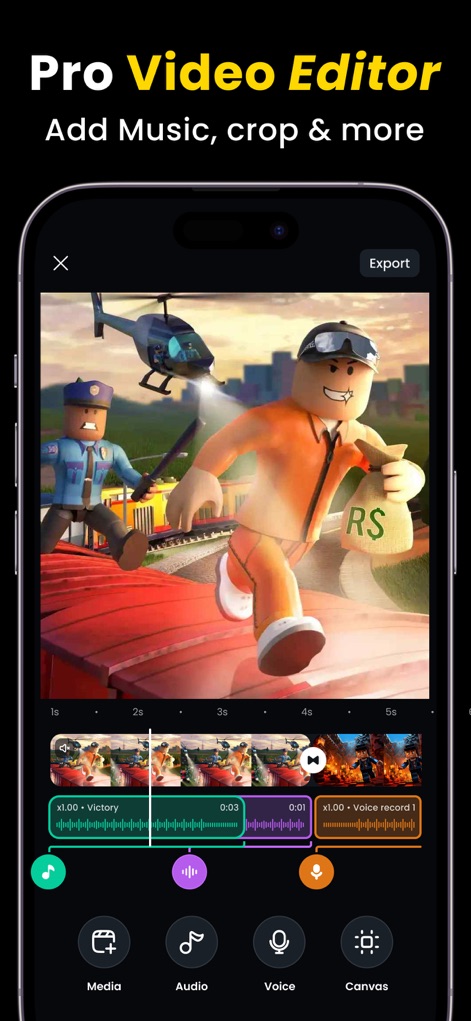
Live Recorder: Record Screen - 이 앱은 음악, 오디오, 보이스를 추가할 수 있는 전문적인 비디오 편집 기능을 제공하며, 사용자는 하단의 "미디어" 및 "오디오" 도구를 통해 콘텐츠를 정교하게 다듬을 수 있습니다.

이 앱은 음악, 오디오, 보이스를 추가할 수 있는 전문적인 비디오 편집 기능을 제공하며, 사용자는 하단의 "미디어" 및 "오디오" 도구를 통해 콘텐츠를 정교하게 다듬을 수 있습니다.

전문 비디오 편집기
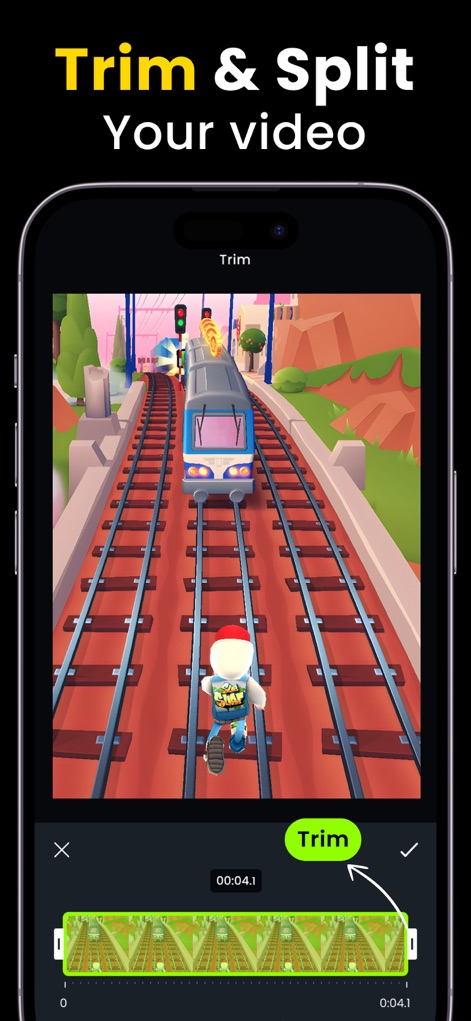
Live Recorder: Record Screen - 사용자는 영상 길이를 정밀하게 조절하여 원치 않는 부분을 제거할 수 있으며, 하단의 "트림" 도구를 사용하여 특정 "클립 영역"을 쉽게 선택할 수 있습니다.

사용자는 영상 길이를 정밀하게 조절하여 원치 않는 부분을 제거할 수 있으며, 하단의 "트림" 도구를 사용하여 특정 "클립 영역"을 쉽게 선택할 수 있습니다.

영상 다듬기 및 분할
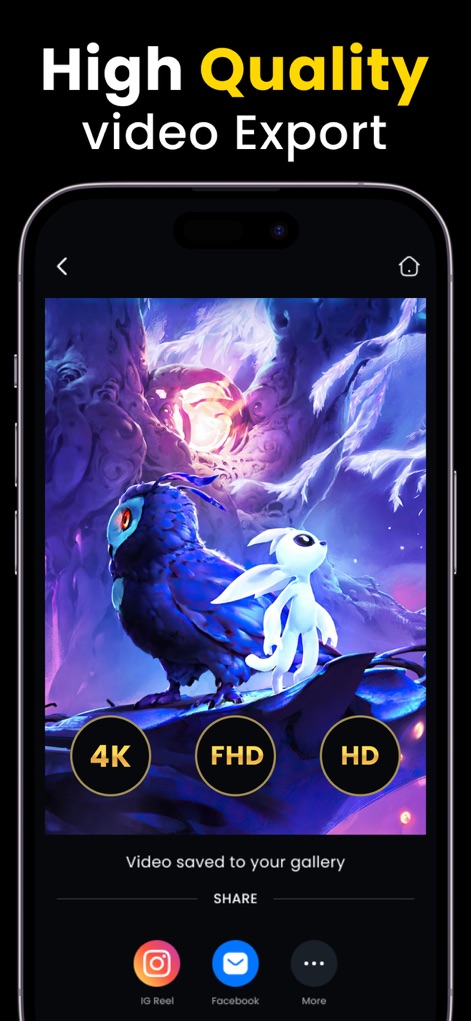
Live Recorder: Record Screen - 이 앱은 사용자가 최종 결과물을 "4K" 및 "FHD"와 같은 고화질로 내보낼 수 있도록 지원하며, 완성된 영상을 "인스타그램 릴" 또는 "페이스북"에 직접 공유할 수 있습니다.

이 앱은 사용자가 최종 결과물을 "4K" 및 "FHD"와 같은 고화질로 내보낼 수 있도록 지원하며, 완성된 영상을 "인스타그램 릴" 또는 "페이스북"에 직접 공유할 수 있습니다.

고품질 영상 내보내기

설명

Live Recorder is the all-in-one screen recorder for iPhone and iPad. Record your screen in HD, go live to YouTube, Facebook or Instagram, add your face with FaceCam, and edit your final video — all without leaving the app. One tap to start. No complicated setup. Designed for gamers, content creators, streamers, and anyone who wants to share their iPhone/iPad screen professionally. BUILT FOR - Mobile gamers capturing gameplay highlights and clips - YouTube creators producing tutorials and walkthroughs - TikTok and Instagram Reels content creators - Reaction video creators using FaceCam picture-in-picture - iPhone and iPad streamers going live to YouTube and Instagram - Beginners who want a simple, one-tap screen recorder SCREEN RECORDING Record any app, game, or screen on your iPhone or iPad in full HD quality. Works across all apps — mobile games, social media, tutorials, walkthroughs, and more. No time limits on premium. HD LIVE STREAMING Go live directly from your iPhone to YouTube, Facebook, and Instagram. Stream gameplay, tutorials, or reaction videos to your audience in real time without any third-party streaming software. FACECAM — PICTURE IN PICTURE Add your face to any recording or live stream using the built-in FaceCam. Adjust the size, position, and rotation of your FaceCam overlay to create the perfect picture-in-picture layout for your content. VOICEOVER AND COMMENTARY Record your voice directly over your footage inside the app. Ideal for gaming commentary, tutorial narration, and reaction video voiceovers. BUILT-IN VIDEO EDITOR Trim clips, adjust playback speed, apply filters, control volume, rotate footage, split scenes, add background music, and rearrange your video timeline — all inside Live Recorder. No third-party video editor needed. SAVE DRAFTS Save any video project as a draft and return to finish editing at any time. Your clips, edits, and settings are preserved exactly as you left them. WHY LIVE RECORDER Most iPhone screen recorder apps only record. Live Recorder is one of the few apps that combines HD screen recording, live streaming, FaceCam overlay, voiceover recording, and a full video editor in a single app — removing the need to switch between multiple tools to create and publish content. SUBSCRIPTION OPTIONS - Weekly plan: $4.99 - Monthly plan: $7.99 per month - Annual plan: $49.99 per year - Remove all ads: $1.99 one-time purchase Payment is charged to your Apple ID at confirmation of purchase. Subscriptions renew automatically unless cancelled at least 24 hours before the end of the current billing period. Manage or cancel anytime in iPhone Settings under Subscriptions. SUPPORT AND FEEDBACK Live Recorder is updated regularly with new features and improvements based on user feedback. To report a bug or suggest a feature, reach us on Facebook at facebook.com/kingappsstudio If Live Recorder has helped your content creation, please take a moment to leave a rating on the App Store. Your review helps other creators find the app and helps us keep building. Privacy Policy: https://sites.google.com/view/kinggamesstudio/privacy-tos/rec-game-privacy-policy Terms of Use: https://sites.google.com/view/kinggamesstudio/privacy-tos/rec-game-tos

Download

다운로드: App Store

이 페이지는 앱이나 개발자의 공식 페이지가 아니며, 정보 제공 및 논평을 목적으로 작성된 독립 편집 간행물입니다. 명시적으로 달리 언급되지 않는 한, 해당 앱이나 개발자는 MWM, Apple, Google Play, 앱 퍼블리셔 또는 앱 개발자와 제휴, 보증, 후원, 승인 또는 공식적으로 연결되어 있지 않으며, 이 페이지의 어떤 내용도 해당 앱이 MWM의 서비스를 사용하여 개발되었음을 의미하지 않습니다. 모든 상표, 로고, 스크린샷 및 기타 콘텐츠는 해당 소유자의 자산입니다.








