Log GPS
Log GPS
다운로드: App Store

이 페이지는 앱이나 개발자의 공식 페이지가 아니며, 정보 제공 및 논평을 목적으로 작성된 독립 편집 간행물입니다. 명시적으로 달리 언급되지 않는 한, 해당 앱이나 개발자는 MWM, Apple, Google Play, 앱 퍼블리셔 또는 앱 개발자와 제휴, 보증, 후원, 승인 또는 공식적으로 연결되어 있지 않으며, 이 페이지의 어떤 내용도 해당 앱이 MWM의 서비스를 사용하여 개발되었음을 의미하지 않습니다. 모든 상표, 로고, 스크린샷 및 기타 콘텐츠는 해당 소유자의 자산입니다.


로고: Log GPS
다운로드: App Store

Log GPS

측량사, 검사관 및 탐험가를 위한 궁극의 오프라인 유틸리티. 탭 한 번으로 정확한 좌표를 캡처하고 배터리를 절약하며 전문적인 CSV 또는 GPX 파일로 데이터를 내보낼 수 있습니다.

주요 수치

다운로드

111K+

사용자 평점

1.0/5

총 평가 수

0

개발사

Performance Champions, Inc.

카테고리

Navigation

지원 언어

1

최신 버전

5.2.1

크기

2.7 MB

출시일

2011년 1월 18일
기능

현장 전문가를 위한 정밀 매핑

Log GPS는 배터리를 소모하지 않으면서 강력한 오프라인 성능과 전문적인 내보내기 기능을 제공하여 데이터 집약적인 현장 작업에 적합한 궁극적인 유틸리티입니다.

안정적인 오프라인 로깅

외딴 농촌 지역이나 도시의 통신 음영 지역에서도 정확한 좌표를 캡처합니다. 당사의 시스템은 데이터 수집을 위해 네트워크 액세스가 전혀 필요하지 않으므로 포인트를 놓치지 않습니다.

현장 테스트 배터리 수명

전체 근무 시간 동안 생산성을 유지하세요. Log GPS는 백그라운드 추적 지도 앱의 일반적인 무거운 배터리 소모를 피하면서 최대 효율을 위해 최적화되었습니다.

다음 스크린샷과 설명은 앱의 공식 스토어 목록에서 직접 가져온 것이며 앱 개발자의 자산입니다.

앱 스토어

스크린샷
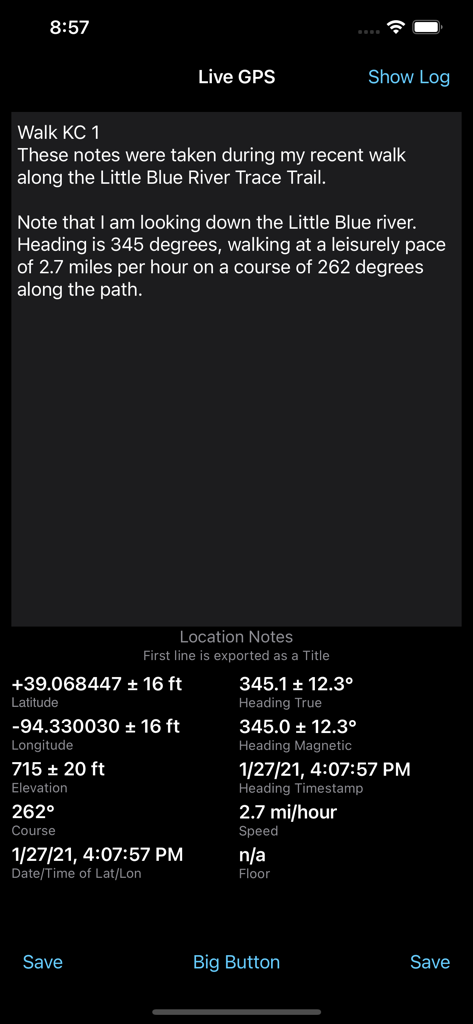
Log GPS - Log GPS 앱 인터페이스로, 실시간 좌표, 방향, 속도 및 위치 메모 표시
Log GPS 앱 인터페이스로, 실시간 좌표, 방향, 속도 및 위치 메모 표시

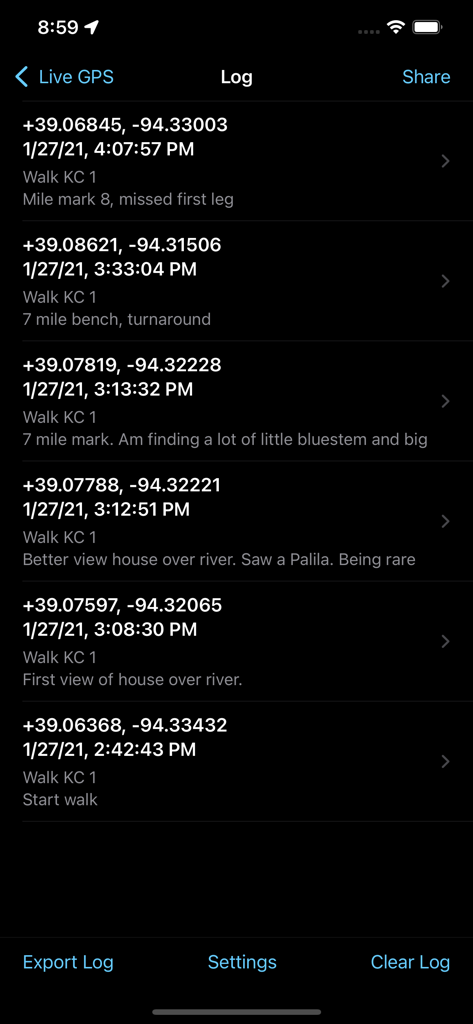
Log GPS - Log GPS 앱 인터페이스에서 저장된 GPS 좌표 및 현장 메모 목록
Log GPS 앱 인터페이스에서 저장된 GPS 좌표 및 현장 메모 목록

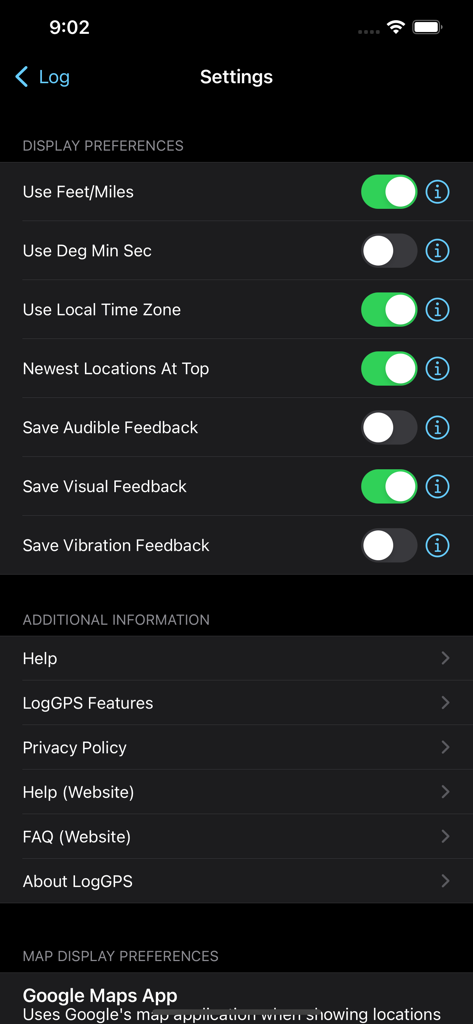
Log GPS - Log GPS 앱의 설정 화면으로, 디스플레이 기본 설정 토글 및 추가 정보 메뉴 표시
Log GPS 앱의 설정 화면으로, 디스플레이 기본 설정 토글 및 추가 정보 메뉴 표시

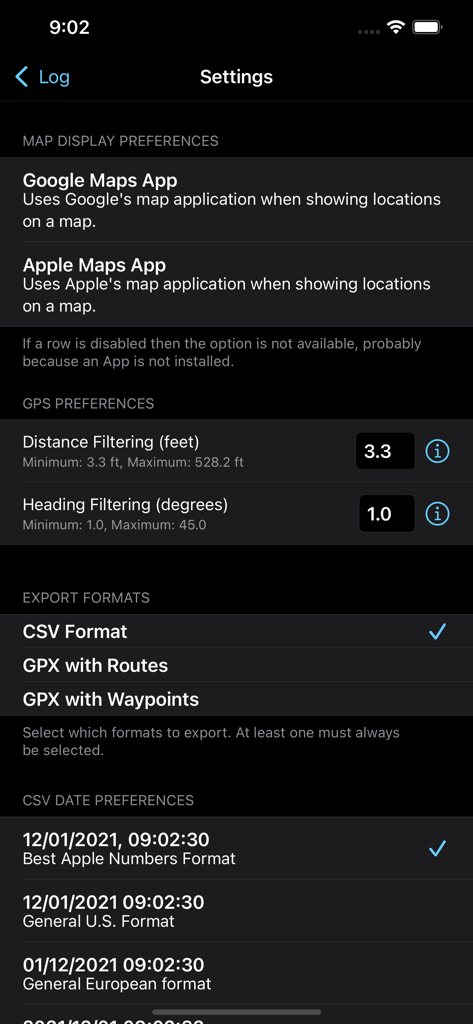
Log GPS - Log GPS 앱의 설정 메뉴로, 지도 표시 기본 설정, GPS 필터링 옵션 및 데이터 내보내기 형식 선택 표시
Log GPS 앱의 설정 메뉴로, 지도 표시 기본 설정, GPS 필터링 옵션 및 데이터 내보내기 형식 선택 표시

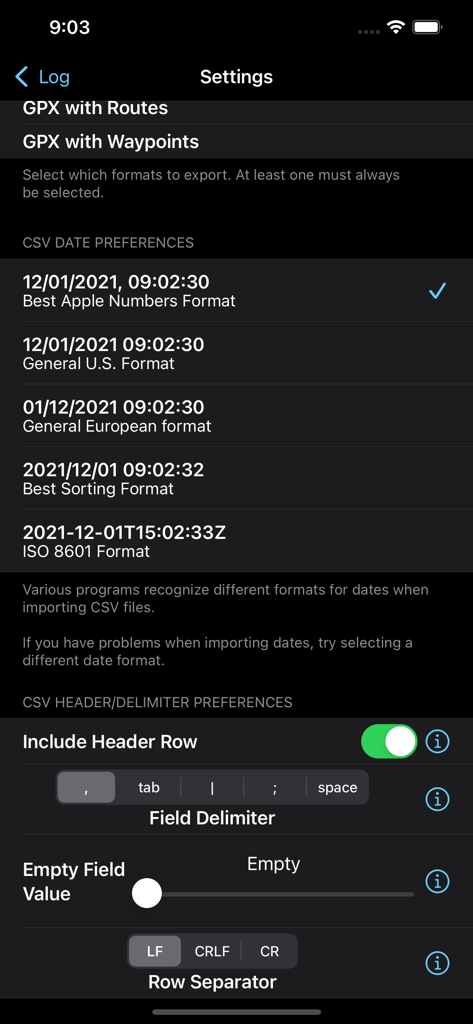
Log GPS - CSV 내보내기 날짜 형식 및 필드 구분 기호 구성을 위한 Log GPS 앱 설정 화면

CSV 내보내기 날짜 형식 및 필드 구분 기호 구성을 위한 Log GPS 앱 설정 화면

설명

LogGPS is a GPS data logger and recorder utility that saves all GPS data when you press the 'Save' button. The saved data includes notes, date and time, longitude, latitude, altitude, horizontal accuracy, vertical accuracy, speed, course, heading, and heading accuracy. The notes are not cleared between saves so you may save multiple data points with the same notes, add to the existing notes, or you may manually clear or edit the notes between saves. LogGPS is an ideal application to use for remote GPS data gathering with the intent of importing the GPS data into another application. LogGPS does not require any mapping for basic operation and therefor it does not require any network access. Because it does not require network access and currently does not record in the background it is fast and very easy on battery life. LogGPS has an option for a Big Button mode that make the entire screen a 'Save' button. Once activated, touching anywhere on the screen saves the current GPS location. This mode was designed specifically for city administrations to log locations for follow-up code enforcement inspections. It is possible to show any saved location using a map application. Of course, it only works if you have network access. There is also a 'return to location' function. After selecting a saved location, select the 'Return To' button and a new view will appear that shows the course, bearing, distance, and time to return to the saved location. The user may view all saved GPS readings. Individual readings can be deleted and notes edited. Clicking ‘Export’ allows sharing the collected data as a comma separated (CSV), GPX route, and/or GPX waypoint file. Data is exported without any transformations (metric units and UTC) regardless of the display settings. Once the data is exported and a file selected, it can be emailed, sent to other applications, saved in a common file area, etc. using the 'Share' button Settings in the Apple Settings application allow: - Metric or US Customary Units for displayed distance. - Local device time or UTC for displayed time. - DMS or fractional degrees for displayed latitude and longitude. - Sorting newest readings at top or bottom. - Selection of mapping application (Apple Maps, Google Maps, Google Web.) - Self contained help files. - GPS update settings to balance battery life with accuracy. - Selection of CSV export formats (header row inclusion, time format, separator, null values, line endings, etc.) - Type of Save feedback.

Download

다운로드: App Store

이 페이지는 앱이나 개발자의 공식 페이지가 아니며, 정보 제공 및 논평을 목적으로 작성된 독립 편집 간행물입니다. 명시적으로 달리 언급되지 않는 한, 해당 앱이나 개발자는 MWM, Apple, Google Play, 앱 퍼블리셔 또는 앱 개발자와 제휴, 보증, 후원, 승인 또는 공식적으로 연결되어 있지 않으며, 이 페이지의 어떤 내용도 해당 앱이 MWM의 서비스를 사용하여 개발되었음을 의미하지 않습니다. 모든 상표, 로고, 스크린샷 및 기타 콘텐츠는 해당 소유자의 자산입니다.








