LogicalArt - Logic Gate Sim
다운로드: App Store

이 페이지는 앱이나 개발자의 공식 페이지가 아니며, 정보 제공 및 논평을 목적으로 작성된 독립 편집 간행물입니다. 명시적으로 달리 언급되지 않는 한, 해당 앱이나 개발자는 MWM, Apple, Google Play, 앱 퍼블리셔 또는 앱 개발자와 제휴, 보증, 후원, 승인 또는 공식적으로 연결되어 있지 않으며, 이 페이지의 어떤 내용도 해당 앱이 MWM의 서비스를 사용하여 개발되었음을 의미하지 않습니다. 모든 상표, 로고, 스크린샷 및 기타 콘텐츠는 해당 소유자의 자산입니다.

로고: LogicalArt - Logic Gate Sim
다운로드: App Store

LogicalArt - Logic Gate Sim

직관적인 시각적 시뮬레이터를 사용하여 복잡한 회로와 사용자 정의 칩을 구축하여 디지털 논리를 마스터하세요. 납땜 없이 컴퓨팅의 기본을 이해하려는 학생과 엔지니어에게 적합합니다.

주요 수치

다운로드

2K+

사용자 평점

2.5/5

총 평가 수

0

개발사

CrazyLazy OU

카테고리

Education

지원 언어

4

최신 버전

1.18.0

크기

13.3 MB

출시일

2020년 12월 3일
기능

컴퓨팅 아키텍처 마스터하기

직관적인 시각적 편집기로 복잡한 디지털 회로를 설계, 시뮬레이션 및 패키징하세요. 브레드보드의 번거로움 없이 소프트웨어와 하드웨어 간의 격차를 해소하세요.

직관적인 회로 설계

손가락이나 Apple Pencil로 로직 네트워크를 구축하고 테스트하세요. 번거로운 물리적 구성 요소를 대체하는 원활하고 위험 없는 샌드박스를 경험하세요.

모듈식 칩 패키징

추상화를 쉽게 만드세요. 사용자 정의 로직 설계를 재사용 가능한 칩으로 패키징하고 기본 게이트에서 전문적인 수준의 명확성을 갖춘 복잡한 CPU로 이동하세요.

다음 스크린샷과 설명은 앱의 공식 스토어 목록에서 직접 가져온 것이며 앱 개발자의 자산입니다.

앱 스토어

스크린샷
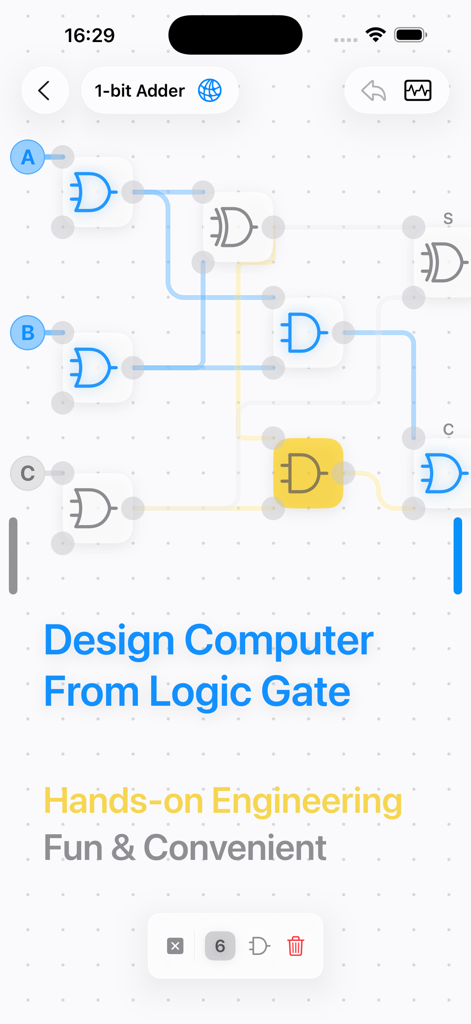
LogicalArt - Logic Gate Sim - 1비트 가산기를 위한 로직 게이트 회로 설계를 보여주는 LogicalArt 앱 인터페이스.
1비트 가산기를 위한 로직 게이트 회로 설계를 보여주는 LogicalArt 앱 인터페이스.

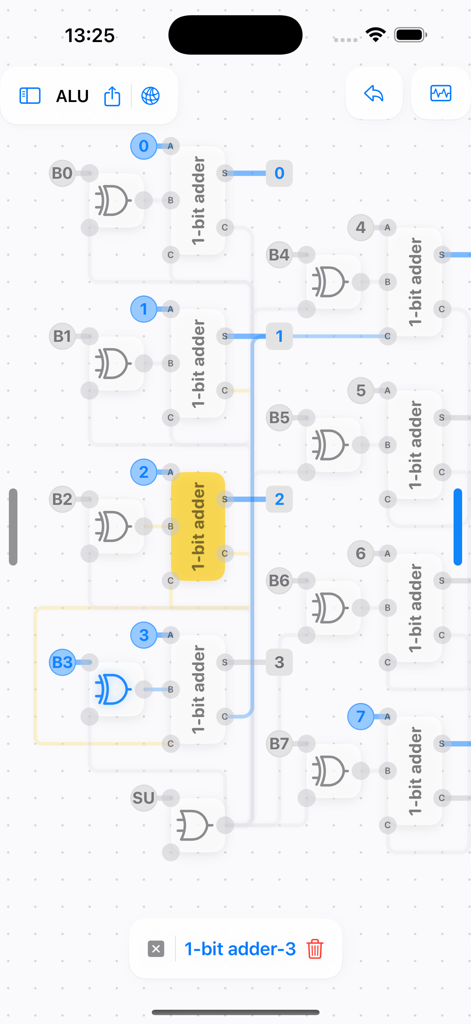
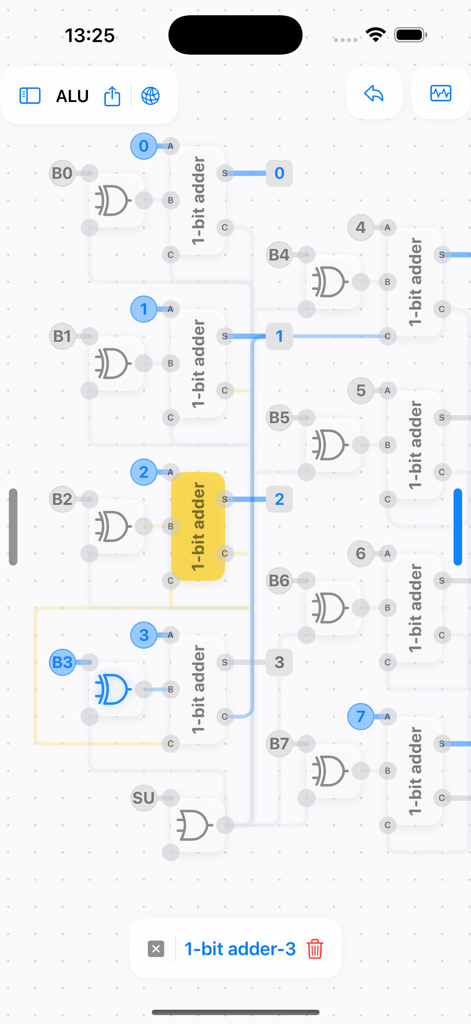
LogicalArt - Logic Gate Sim - 로직 게이트 시뮬레이터에서 여러 1비트 가산기를 보여주는 산술 논리 장치(ALU)의 디지털 회로도
로직 게이트 시뮬레이터에서 여러 1비트 가산기를 보여주는 산술 논리 장치(ALU)의 디지털 회로도

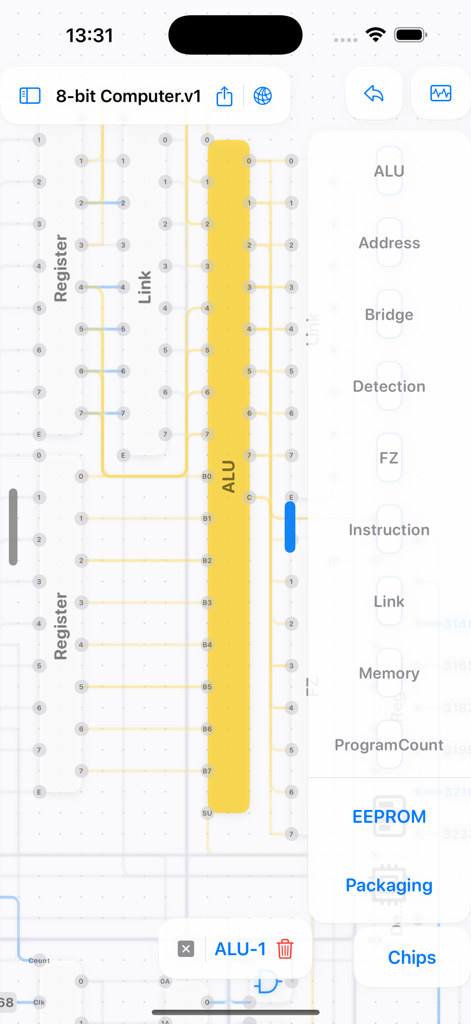
LogicalArt - Logic Gate Sim - ALU 및 레지스터 구성 요소가 있는 8비트 컴퓨터 회로 설계를 보여주는 LogicalArt 앱 인터페이스.
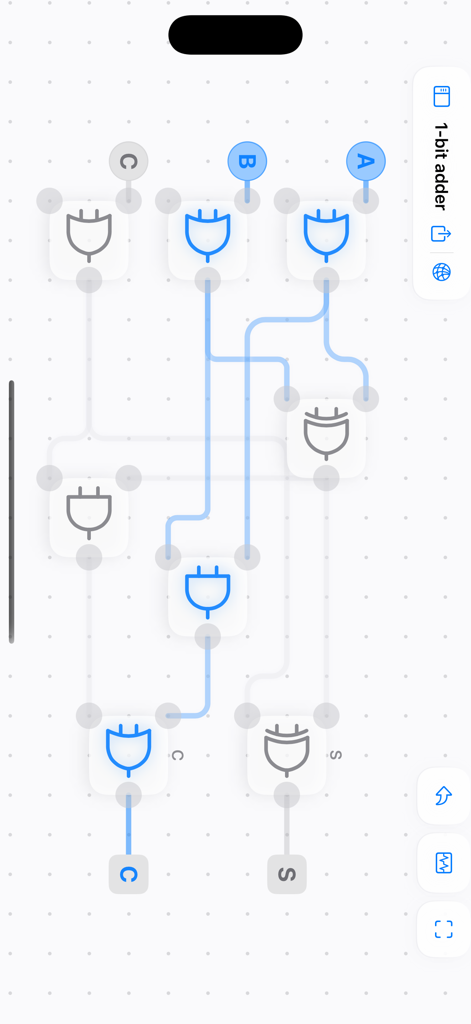
ALU 및 레지스터 구성 요소가 있는 8비트 컴퓨터 회로 설계를 보여주는 LogicalArt 앱 인터페이스.

LogicalArt - Logic Gate Sim - LogicalArt 앱에서 로직 게이트를 사용하여 설계된 1비트 가산기 회로.
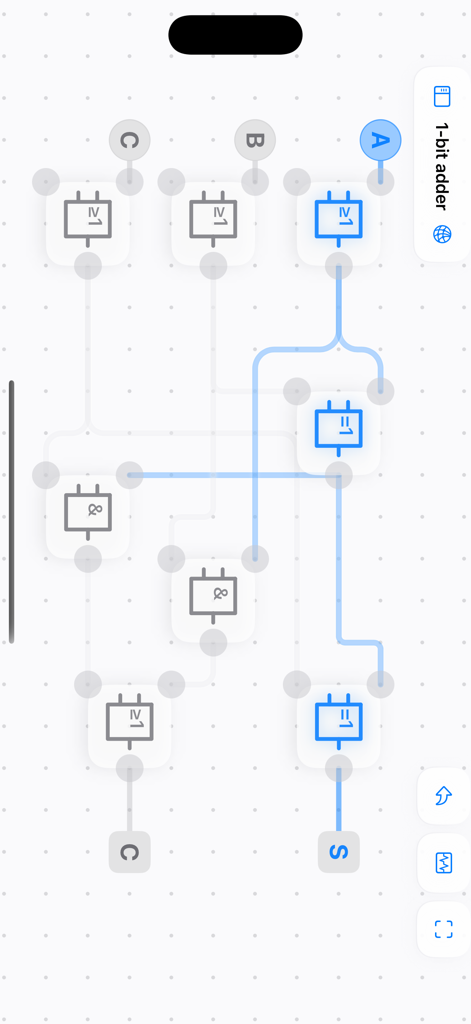
LogicalArt 앱에서 로직 게이트를 사용하여 설계된 1비트 가산기 회로.

LogicalArt - Logic Gate Sim - LogicalArt 앱에서 1비트 가산기 회로 설계를 보여주는 모습.
LogicalArt 앱에서 1비트 가산기 회로 설계를 보여주는 모습.

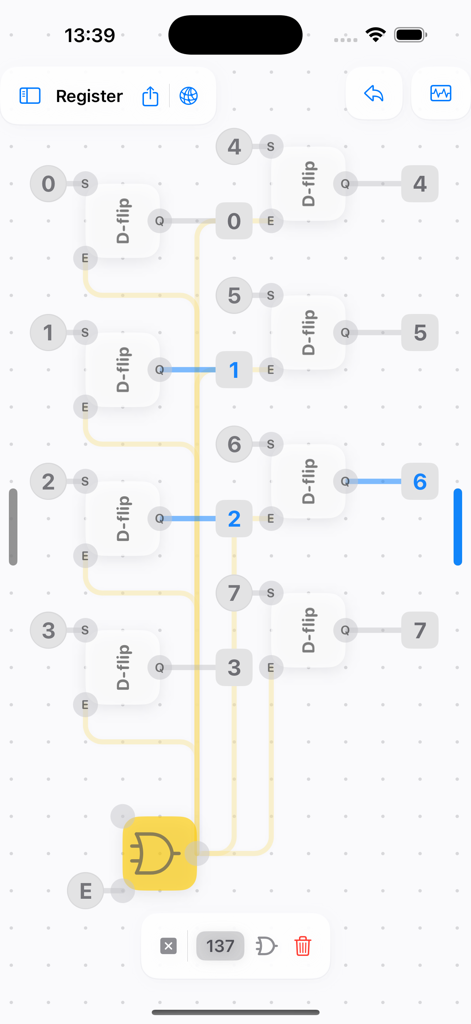
LogicalArt - Logic Gate Sim - D 플립플롭과 로직 게이트가 있는 디지털 레지스터 회로 설계를 보여주는 모바일 인터페이스.
D 플립플롭과 로직 게이트가 있는 디지털 레지스터 회로 설계를 보여주는 모바일 인터페이스.

LogicalArt - Logic Gate Sim - 그리드 배경에 연결된 여러 1비트 가산기와 로직 게이트를 보여주는 ALU의 상세한 디지털 로직 회로 시뮬레이션.
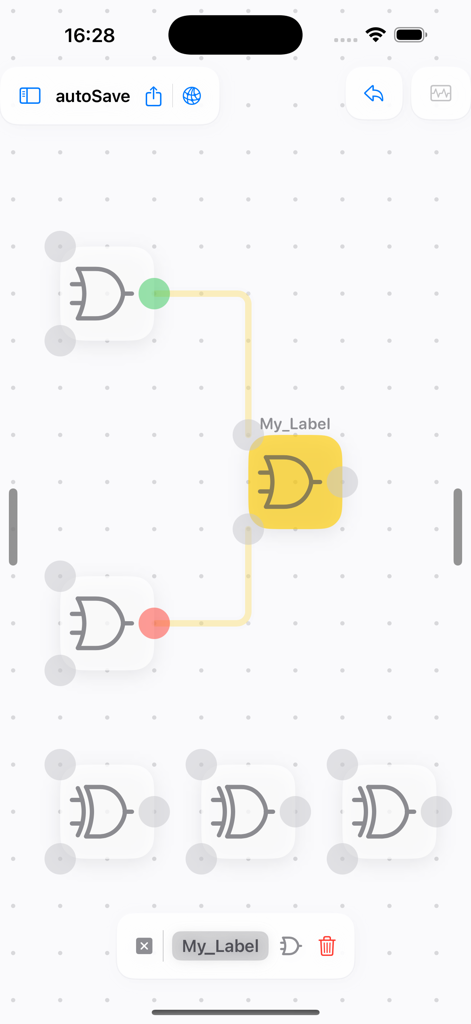
그리드 배경에 연결된 여러 1비트 가산기와 로직 게이트를 보여주는 ALU의 상세한 디지털 로직 회로 시뮬레이션.

LogicalArt - Logic Gate Sim - 그리드에서 연결된 OR 및 XOR 게이트를 보여주는 디지털 로직 게이트 시뮬레이터 인터페이스.
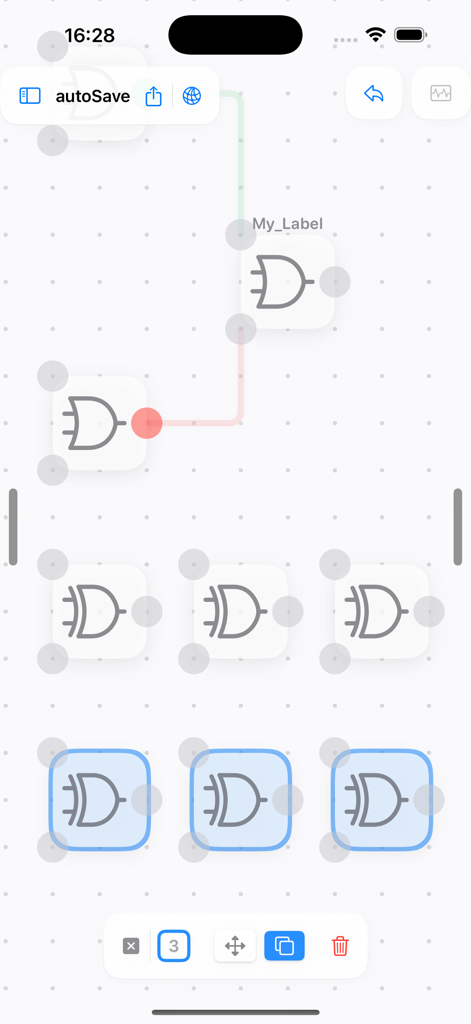
그리드에서 연결된 OR 및 XOR 게이트를 보여주는 디지털 로직 게이트 시뮬레이터 인터페이스.

LogicalArt - Logic Gate Sim - 그리드 배경에 신호선으로 연결된 여러 로직 게이트를 보여주는 LogicalArt의 디지털 회로 설계 인터페이스.

그리드 배경에 신호선으로 연결된 여러 로직 게이트를 보여주는 LogicalArt의 디지털 회로 설계 인터페이스.

설명

If you've ever wondered why the first calculating machines were built using gears and connecting rods, and how computers work, this app will allow you to build a Turing-complete computer using just four basic logic gates, or design any functions you like. This app focuses on easy interaction design and user-friendly diagram representation. Thanks to the built-in frequency generator and number display, you can concentrate on designing your circuits. You can draw, analyse and simplify logic gate networks with ease, without the need for soldering or dismantling breadboards. Ultimately, it provides a clear circuit diagram in schematic format. This allows you to see each connection and how the logic gate have changed. You can then reuse your design by packaging it as a chip. You can start with the basic logic gate (NOT, AND, OR and XOR) and work up to chips with specific functions such as D-flip, JK-flip, Full Adder, Program Counter, Register, Bridge and Memory. Then assemble them into a complete computer through the bridge. This app natively supports multiple platforms, including iOS, iPadOS and macOS. There are also features that allow you to discover more circuits and share your designs with others, beyond the design itself. This is for you if you're a software engineer or developer looking to gain a deeper understanding of computer systems beyond assembly, or if you're interested in state machines or computer theory, such as finite automata. Build, connect and understand — don't be afraid of Verilog! Whether you are in high school, college or university, this is for you! You may need to understand how semiconductors and transistors work, and how a logic gate are built from it. You can visit https://logicart.crazylazy.xyz/computer for more info. ● Why I Built This App I used to wonder how electronics did their computing until I learned about transistors and understood the physical process of switching them on or off. I taught myself the basics of computer science and became a software engineer. I was inspired to do so after watching Ben Eater's 'Building an 8-bit breadboard computer' video. If the tool had been more inviting and easier to understand, I might have started my journey earlier and not had to try multiple times. - Have fun creating circuits with your fingertips! - I'd love to hear how you use this application so I can continue to improve it and add more features.

Download

다운로드: App Store

이 페이지는 앱이나 개발자의 공식 페이지가 아니며, 정보 제공 및 논평을 목적으로 작성된 독립 편집 간행물입니다. 명시적으로 달리 언급되지 않는 한, 해당 앱이나 개발자는 MWM, Apple, Google Play, 앱 퍼블리셔 또는 앱 개발자와 제휴, 보증, 후원, 승인 또는 공식적으로 연결되어 있지 않으며, 이 페이지의 어떤 내용도 해당 앱이 MWM의 서비스를 사용하여 개발되었음을 의미하지 않습니다. 모든 상표, 로고, 스크린샷 및 기타 콘텐츠는 해당 소유자의 자산입니다.








