Low Frequency Detector
다운로드: App Store

이 페이지는 앱이나 개발자의 공식 페이지가 아니며, 정보 제공 및 논평을 목적으로 작성된 독립 편집 간행물입니다. 명시적으로 달리 언급되지 않는 한, 해당 앱이나 개발자는 MWM, Apple, Google Play, 앱 퍼블리셔 또는 앱 개발자와 제휴, 보증, 후원, 승인 또는 공식적으로 연결되어 있지 않으며, 이 페이지의 어떤 내용도 해당 앱이 MWM의 서비스를 사용하여 개발되었음을 의미하지 않습니다. 모든 상표, 로고, 스크린샷 및 기타 콘텐츠는 해당 소유자의 자산입니다.

로고: Low Frequency Detector
다운로드: App Store

Low Frequency Detector

아이폰을 전문가 수준의 음향 도구로 전환하여 다른 사람들이 놓치는 1Hz~100Hz의 소리를 식별, 측정 및 문서화하세요. 건설 현장의 소음, 산업용 드론 또는 환경적 진동에 대한 증거를 포착하는 데 완벽합니다.

주요 수치

다운로드

17K+

사용자 평점

4.0/5

총 평가 수

0

개발사

TOON,LLC

카테고리

Utilities

지원 언어

1

최신 버전

7.0.1

크기

0.6 MB

출시일

2017년 1월 26일
기능

정확하게 당신의 경험을 확인하세요

모든 것이 당신의 생각 속에 있는 것인지 궁금해하는 것을 멈추세요. 당사의 고급 음향 도구는 근처 건설 현장 및 기계에서 발생하는 숨겨진 저주파 소음을 감지하여 당신의 평화와 안녕에 영향을 미칩니다.

당신이 느끼는 것을 감지하세요

깊은 윙윙거림과 진동이 발생하는 중요한 1Hz에서 100Hz 범위에 초점을 맞추세요. 고감도 측정으로 불편함의 보이지 않는 원인을 식별하세요.

과학적 주파수 매핑

FFT 및 1/3 옥타브 밴드 분석 도구에 액세스하세요. 아이폰을 전문 장비로 전환하여 특정 사운드 구성 요소와 데시벨 레벨을 시각화하세요.

다음 스크린샷과 설명은 앱의 공식 스토어 목록에서 직접 가져온 것이며 앱 개발자의 자산입니다.

앱 스토어

스크린샷
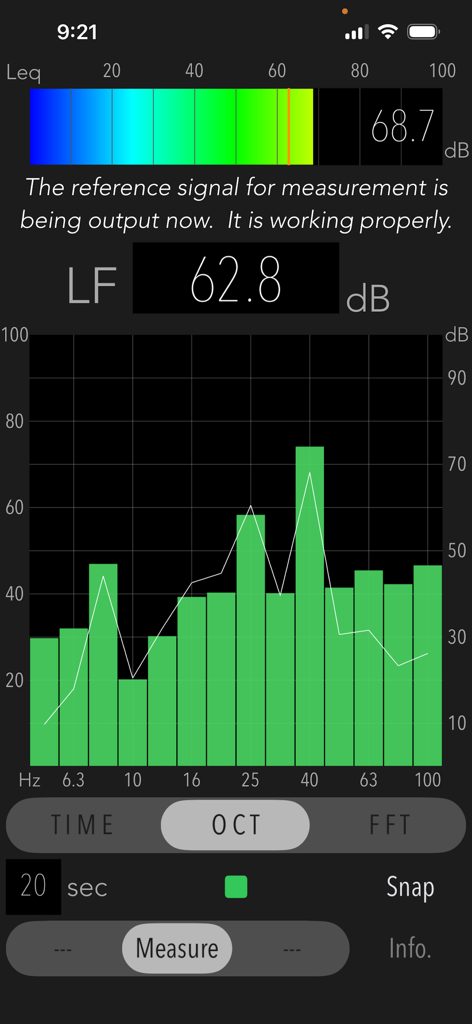
Low Frequency Detector - 저주파 감지기 앱의 인터페이스로 1/3 옥타브 밴드 주파수 분석 그래프와 저주파 소음의 데시벨 레벨을 보여줍니다.
저주파 감지기 앱의 인터페이스로 1/3 옥타브 밴드 주파수 분석 그래프와 저주파 소음의 데시벨 레벨을 보여줍니다.

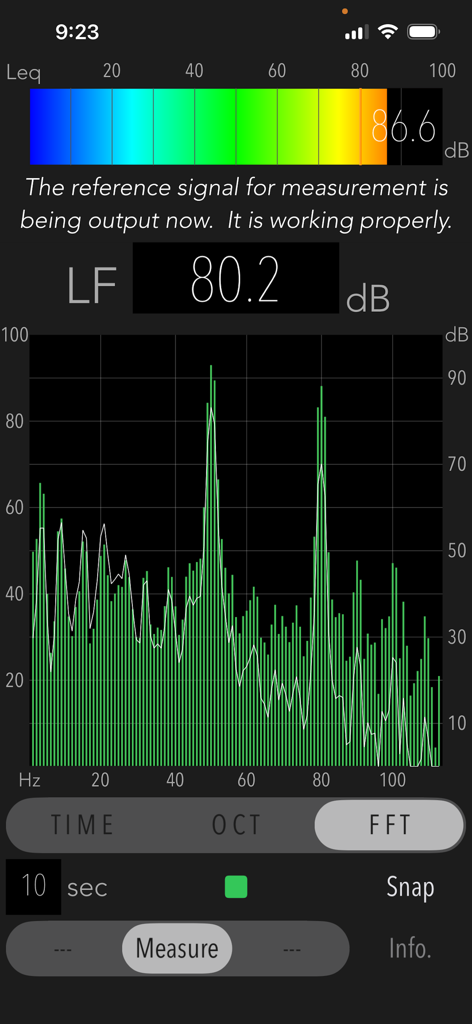
Low Frequency Detector - 저주파 감지기 앱의 FFT 분석 화면으로 저주파 소음에 대한 데시벨 피크가 있는 주파수 응답 그래프를 보여줍니다.
저주파 감지기 앱의 FFT 분석 화면으로 저주파 소음에 대한 데시벨 피크가 있는 주파수 응답 그래프를 보여줍니다.

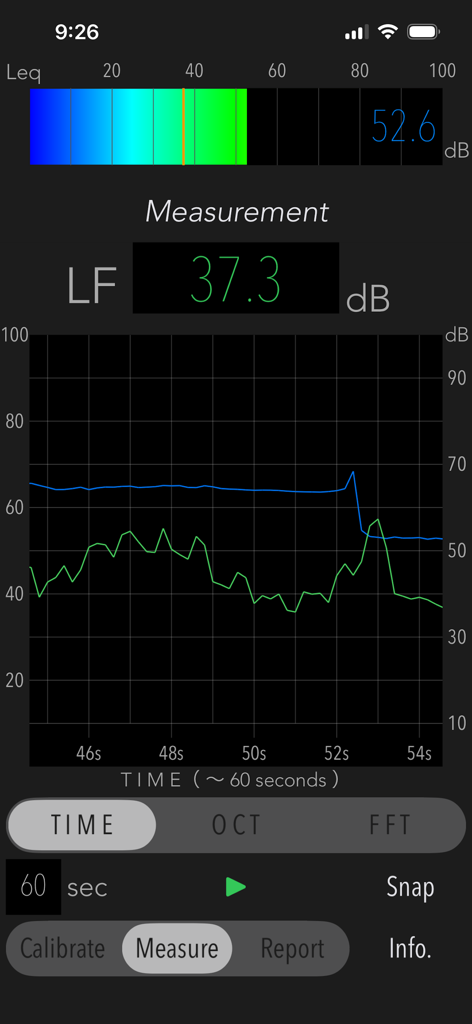
Low Frequency Detector - 저주파 감지기 앱의 사용자 인터페이스로 시간 경과 그래프와 저주파 소음 분석을 위한 데시벨 수치를 표시합니다.
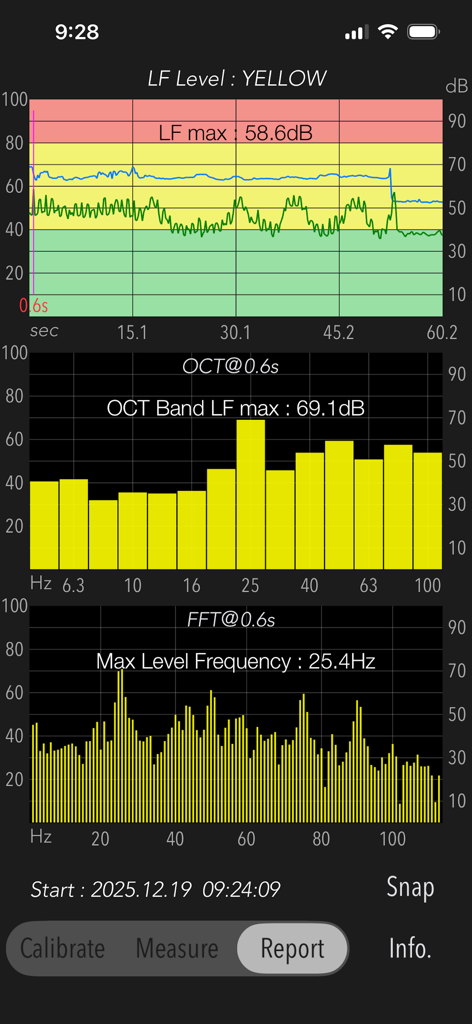
저주파 감지기 앱의 사용자 인터페이스로 시간 경과 그래프와 저주파 소음 분석을 위한 데시벨 수치를 표시합니다.

Low Frequency Detector - 저주파 감지기 앱 보고서 스크린샷으로 음량 그래프와 주파수 분석을 보여줍니다.
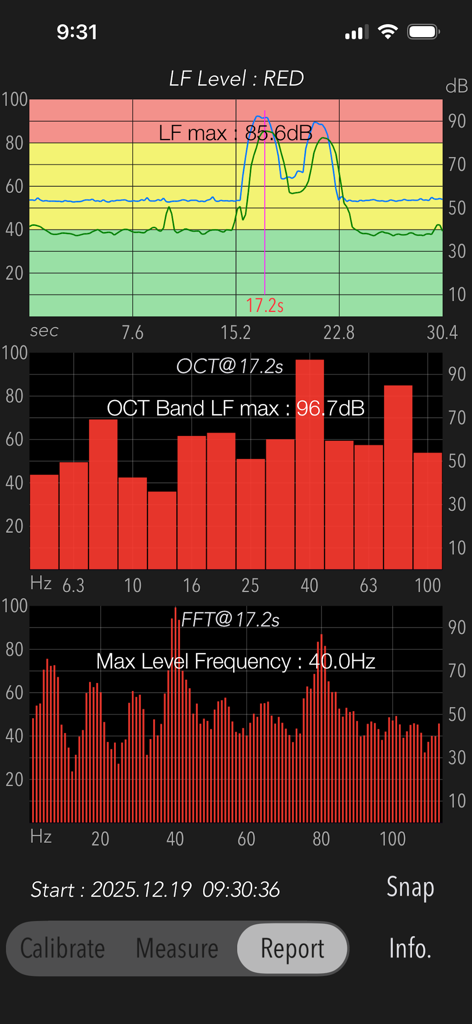
저주파 감지기 앱 보고서 스크린샷으로 음량 그래프와 주파수 분석을 보여줍니다.

Low Frequency Detector - 저주파 소음 감지를 위한 시간 경과 그래프, 옥타브 밴드 분석 및 FFT 분석을 보여주는 음향 측정 보고서입니다.
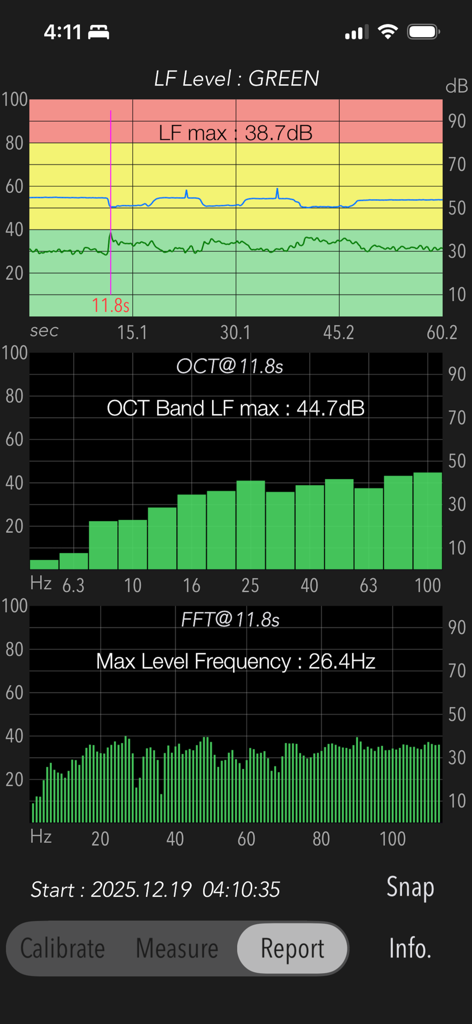
저주파 소음 감지를 위한 시간 경과 그래프, 옥타브 밴드 분석 및 FFT 분석을 보여주는 음향 측정 보고서입니다.

Low Frequency Detector - 저주파 소음에 대한 시간 경과, 옥타브 밴드 및 FFT 분석을 표시하는 보고서 화면입니다.
저주파 소음에 대한 시간 경과, 옥타브 밴드 및 FFT 분석을 표시하는 보고서 화면입니다.

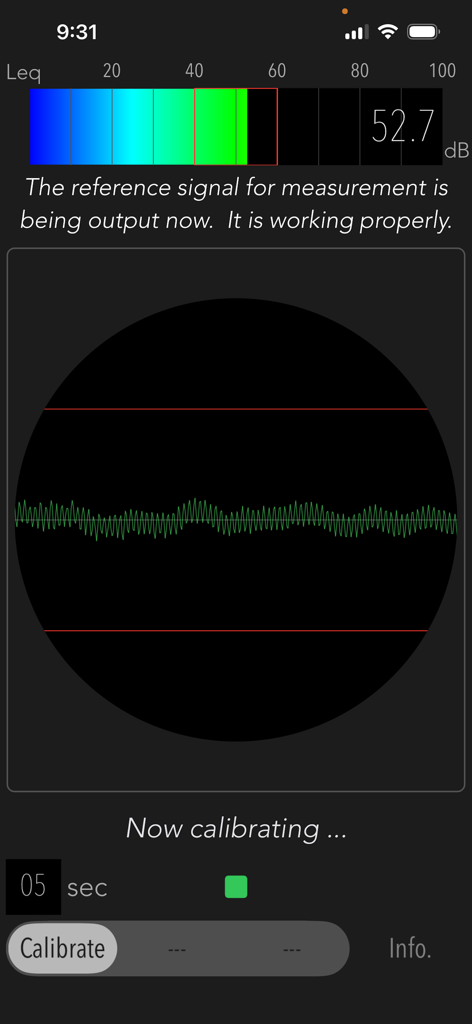
Low Frequency Detector - 저주파 감지기 앱의 보정 화면으로 52.7dB의 음량과 신호 파형을 표시합니다.
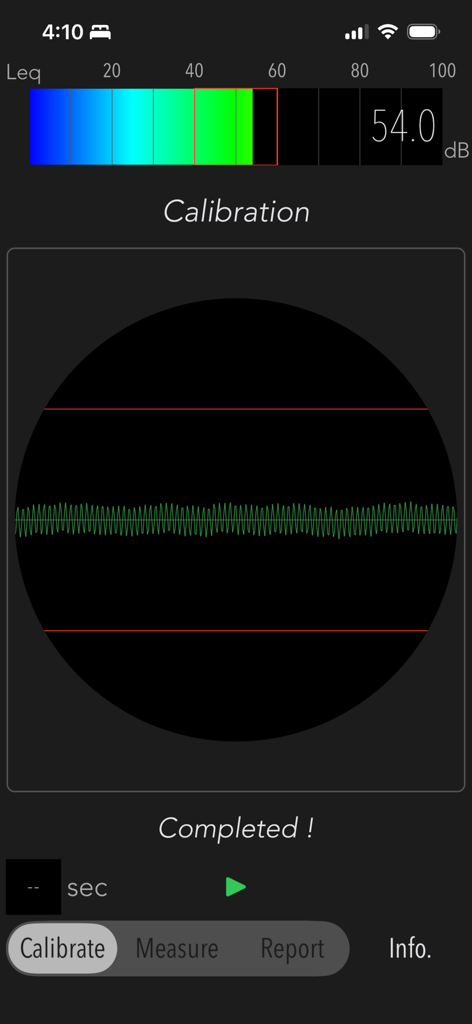
저주파 감지기 앱의 보정 화면으로 52.7dB의 음량과 신호 파형을 표시합니다.

Low Frequency Detector - 데시벨 측정기와 파형 신호를 표시하는 저주파 감지기 보정 화면

데시벨 측정기와 파형 신호를 표시하는 저주파 감지기 보정 화면

설명

"Low Frequency Detector" is a new acoustic measurement tool for detecting low-frequency sounds that is hard to hear in normal situation. The human ear is not sensitive enough to low-frequency sounds. If you are exposed to the noise of nearby construction and factories without noticing, you may have a bad feeling and a sense of oppression. In such cases, you can use this app to check what kind of low-frequency noise is present. Generally, low-frequency sounds is a sound wave ranging from 1Hz to 100Hz. Depending on its frequency component and sound level, the degree of influence on the human body and the noise sensation is different. This app allows you to examine the frequency component of low-frequency sounds by 1/3 octave band analysis and FFT analysis. Features: - Low-frequency power level measurement less than 100Hz (LF Level): Flat characteristic, Updating indication of measurement period 1 sec. - Power level measurement in the audible band (Leq): Flat characteristic, Updating indication of measurement period 200ms. - 1/3 octave band analysis (OCT) - FFT analysis (FFT) - Time course graph (TIME) - Snapshot (Snap) on the measurement display screen. - Report function (Report): Analysis report of a peak LF Level with TIME, OCT and FFT. - Measurement time: up to 60 sec Functions: The measurement analysis is performed in the following step. Be sure to set the measurement conditions in Step-1 once before starting the sound measurement. 1) Calibration (Calibrate): The reference signal (1kHz sine wave) is output to determine the reference noise level for the low-frequency component. If the volume level of iPhone is set to about 20-50%, the calibration will automatically adjust it to the optimum volume level for the reference signal. 2) Measurement (Measure): Analyze a power level of low-frequency sounds. - LF Level (dB): Low-frequency power level less than 100Hz. - Leq (dB): Sound power level with the frequency weight characteristic Z (Flat) of the audible band. 3) Measurement display: It can select either 1/3 octave band frequency analysis, FFT analysis or Time course graph. They are updated in real time. 4) Report: Measurement result report. It is effective when measuring for 10 seconds or more. # Time course graph: TIME - Low-frequency (LF) Level (dB): Time course graph with peak level noise level judgment (RED-very noisy, YELLOW-noisy, GREEN-normal) at the peak level. - LF max (dB): maximum dB value of low frequency. # Frequency response graph: OCT, FFT - OCT Band LF max (dB): maximum dB value in 1/3 octave band at LF max observation. - Max Level Frequency (Hz): peak frequency at LF max observation. Notes: - The sound measurement of the low-frequency range is a level difference with respect to the reference signal, which indicates the relative power level. - The reference signal is output during calibration and sound level measurement. - Do not change the volume level of iPhone after the calibration. - White line in the OCT and FFT modes indicates frequency characteristics in frequency weight correction of G characteristics. - Since iPhone's built-in microphone has a lower sensitivity on the very low frequency range, it is not recommended to measure a huge volume sound near a very loud noise source. - Since it takes a while for the observation value to stabilize immediately after the start of measurement, the maximum value is calculated from about 2 seconds later. - In the case high power of 1kHz component is included in the measured noise source, the precision of measured value by this app largely decreases. - Sudden noise or impulsive sounds are not low frequency noises in general. - The previous calibration information can be maintained internally. - The analysis results may vary due to individual differences in iPhone devices. - The authorization to access built-in microphone and Photos will be confirmed by iOS system at first access. Please visit our iOS app support page for more information.

Download

다운로드: App Store

이 페이지는 앱이나 개발자의 공식 페이지가 아니며, 정보 제공 및 논평을 목적으로 작성된 독립 편집 간행물입니다. 명시적으로 달리 언급되지 않는 한, 해당 앱이나 개발자는 MWM, Apple, Google Play, 앱 퍼블리셔 또는 앱 개발자와 제휴, 보증, 후원, 승인 또는 공식적으로 연결되어 있지 않으며, 이 페이지의 어떤 내용도 해당 앱이 MWM의 서비스를 사용하여 개발되었음을 의미하지 않습니다. 모든 상표, 로고, 스크린샷 및 기타 콘텐츠는 해당 소유자의 자산입니다.








