Lumin: View, Edit, Share PDF
다운로드: App Store

이 페이지는 앱이나 개발자의 공식 페이지가 아니며, 정보 제공 및 논평을 목적으로 작성된 독립 편집 간행물입니다. 명시적으로 달리 언급되지 않는 한, 해당 앱이나 개발자는 MWM, Apple, Google Play, 앱 퍼블리셔 또는 앱 개발자와 제휴, 보증, 후원, 승인 또는 공식적으로 연결되어 있지 않으며, 이 페이지의 어떤 내용도 해당 앱이 MWM의 서비스를 사용하여 개발되었음을 의미하지 않습니다. 모든 상표, 로고, 스크린샷 및 기타 콘텐츠는 해당 소유자의 자산입니다.


로고: Lumin: View, Edit, Share PDF
다운로드: App Store

Lumin: View, Edit, Share PDF

Lumin을 통해 원활한 문서 관리를 신뢰하는 1억 명의 전문가 및 학생들과 함께하세요. 어디서든 작업할 수 있는 환경에서 몇 초 만에 Google Drive와 동기화하고 PDF를 편집하고 전자 서명하세요.

주요 수치

다운로드

269K+

사용자 평점

4.5/5

총 평가 수

2K+

개발사

Nitrolabs Limited

카테고리

Productivity

지원 언어

9

최신 버전

5.0.0

크기

203.3 MB

출시일

2018년 5월 10일
기능

언제 어디서든 문서를 마스터하세요

iPhone 및 iPad를 강력한 모바일 워크스테이션으로 전환한 1억 명의 사용자와 함께하세요. Lumin은 실제 작업 공간과 클라우드 간의 격차를 해소합니다.

마찰 없는 클라우드 동기화

Google Drive, Dropbox 또는 OneDrive에 직접 연결하세요. 몇 초 만에 파일을 편집하고 '다운로드-편집-재업로드' 루프 없이 모든 기기에서 변경 사항을 자동 저장하세요.

실시간 공동 작업

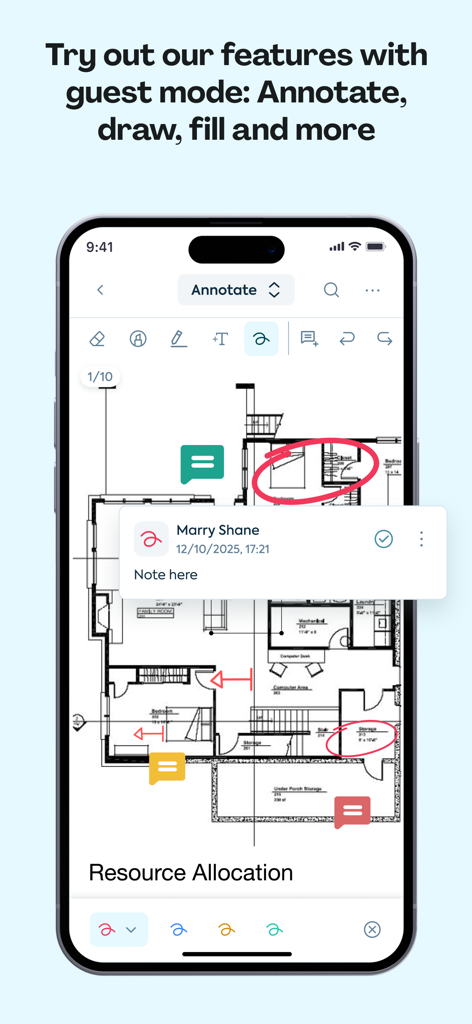
건설 현장에서 청사진에 마크업하거나 법률 문서를 검토하는 경우, 다양한 주석 도구와 전자 서명을 사용하여 프로젝트를 계속 진행하세요.

다음 스크린샷과 설명은 앱의 공식 스토어 목록에서 직접 가져온 것이며 앱 개발자의 자산입니다.

앱 스토어

스크린샷
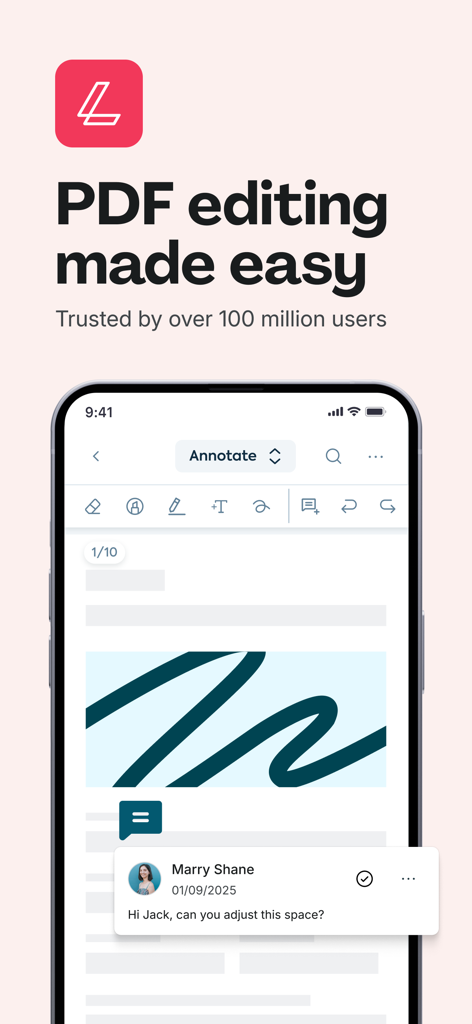
Lumin: View, Edit, Share PDF - Lumin 앱이 iPhone에서 PDF 편집 도구와 팀 구성원의 공동 작업 댓글을 보여주는 모습
Lumin 앱이 iPhone에서 PDF 편집 도구와 팀 구성원의 공동 작업 댓글을 보여주는 모습

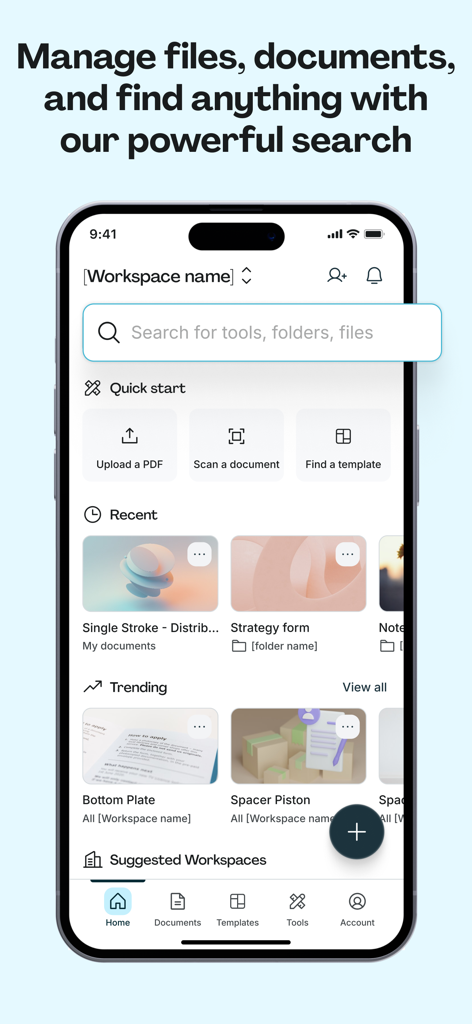
Lumin: View, Edit, Share PDF - Lumin 앱 홈 화면에서 검색창과 빠른 문서 관리 도구를 보여주는 모습
Lumin 앱 홈 화면에서 검색창과 빠른 문서 관리 도구를 보여주는 모습

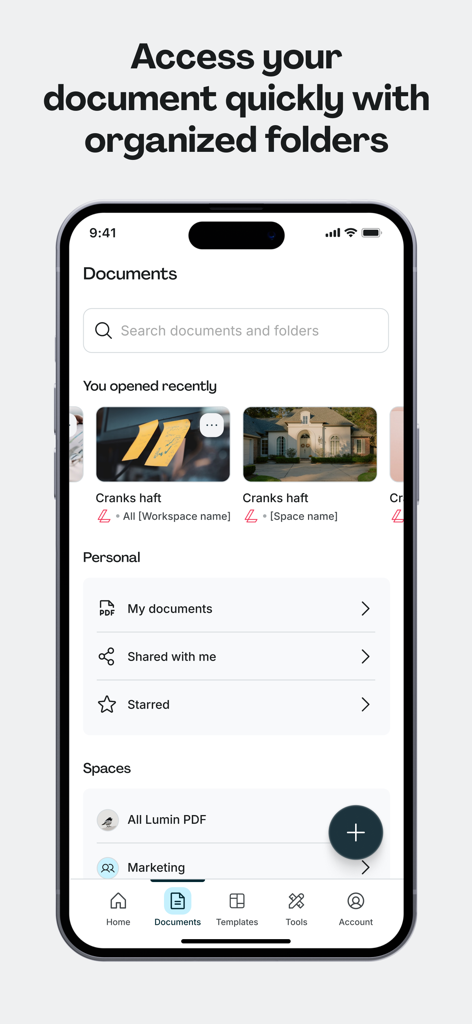
Lumin: View, Edit, Share PDF - Lumin 앱의 모바일 인터페이스에서 정리된 문서 폴더와 최근 PDF 파일을 보여주는 모습
Lumin 앱의 모바일 인터페이스에서 정리된 문서 폴더와 최근 PDF 파일을 보여주는 모습

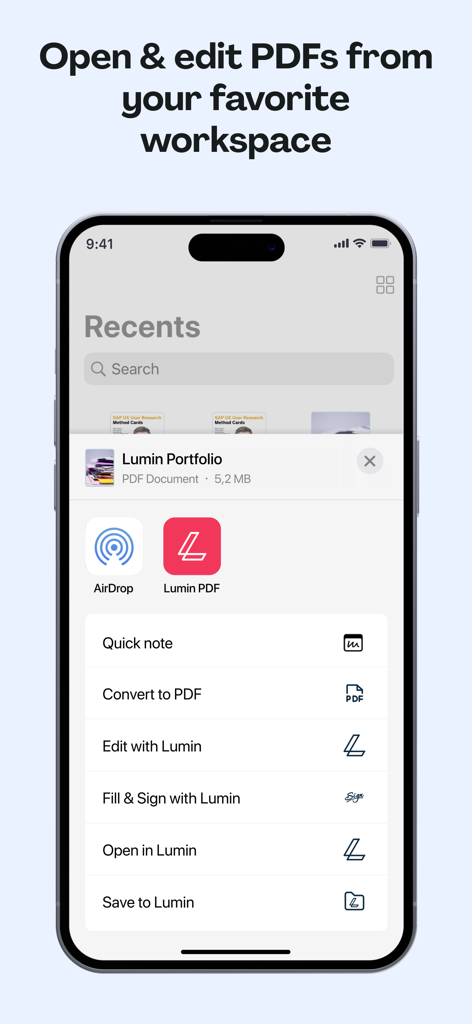
Lumin: View, Edit, Share PDF - iPhone 인터페이스에서 Lumin PDF 문서 메뉴와 파일 편집, 서명, 변환 옵션을 보여주는 모습
iPhone 인터페이스에서 Lumin PDF 문서 메뉴와 파일 편집, 서명, 변환 옵션을 보여주는 모습

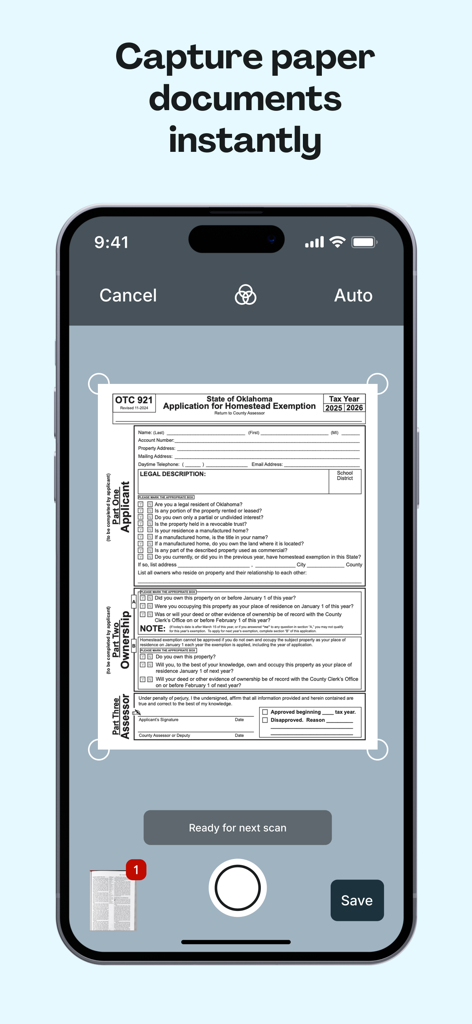
Lumin: View, Edit, Share PDF - 종이 문서를 PDF 형식으로 스캔하기 위한 Lumin 앱 모바일 인터페이스
종이 문서를 PDF 형식으로 스캔하기 위한 Lumin 앱 모바일 인터페이스

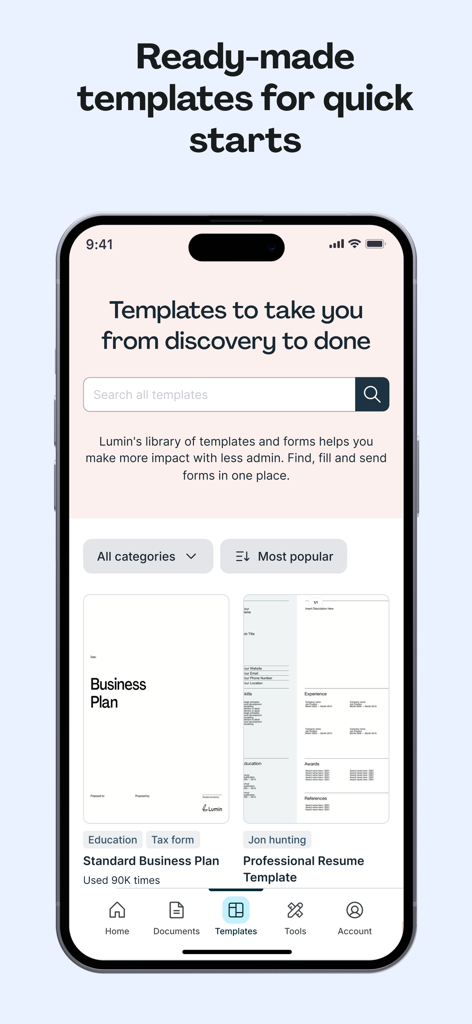
Lumin: View, Edit, Share PDF - 비즈니스 계획 및 전문 이력서용으로 미리 만들어진 PDF 템플릿 라이브러리를 보여주는 Lumin 앱 화면
비즈니스 계획 및 전문 이력서용으로 미리 만들어진 PDF 템플릿 라이브러리를 보여주는 Lumin 앱 화면

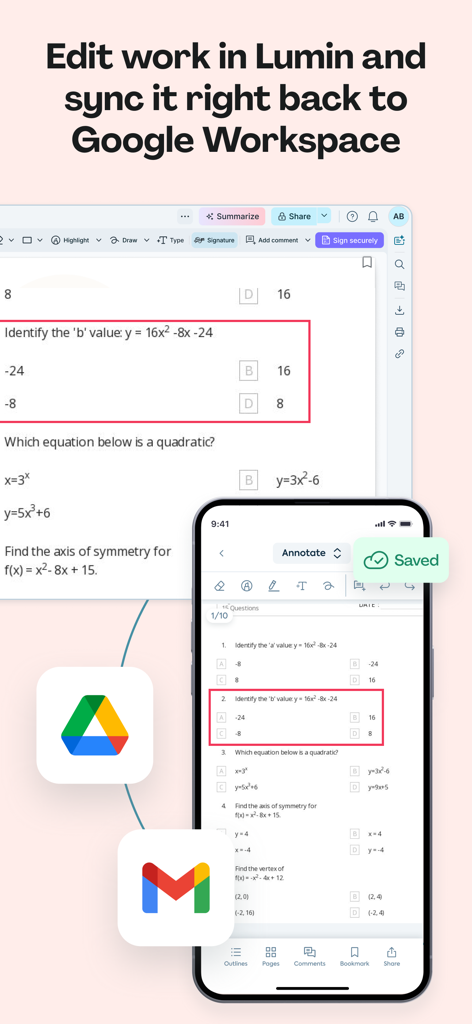
Lumin: View, Edit, Share PDF - Lumin 앱이 PDF 문서를 편집하고 Google Workspace와 변경 사항을 동기화하는 모습을 보여주는 모바일 및 데스크톱 인터페이스
Lumin 앱이 PDF 문서를 편집하고 Google Workspace와 변경 사항을 동기화하는 모습을 보여주는 모바일 및 데스크톱 인터페이스

Lumin: View, Edit, Share PDF - 건축 평면에 디지털 주석 및 댓글을 보여주는 Lumin 모바일 앱

건축 평면에 디지털 주석 및 댓글을 보여주는 Lumin 모바일 앱

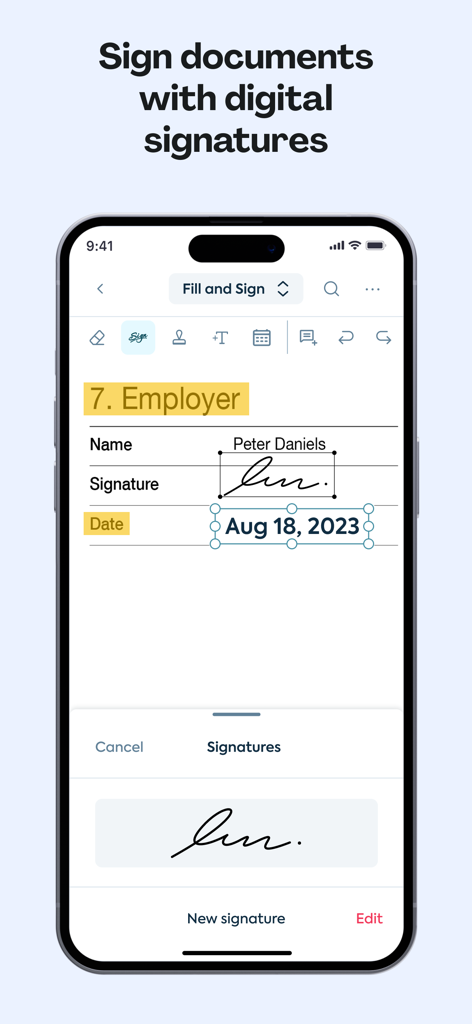
Lumin: View, Edit, Share PDF - 문서에 디지털 서명을 위한 Lumin 앱 인터페이스를 표시하는 iPhone 화면
문서에 디지털 서명을 위한 Lumin 앱 인터페이스를 표시하는 iPhone 화면

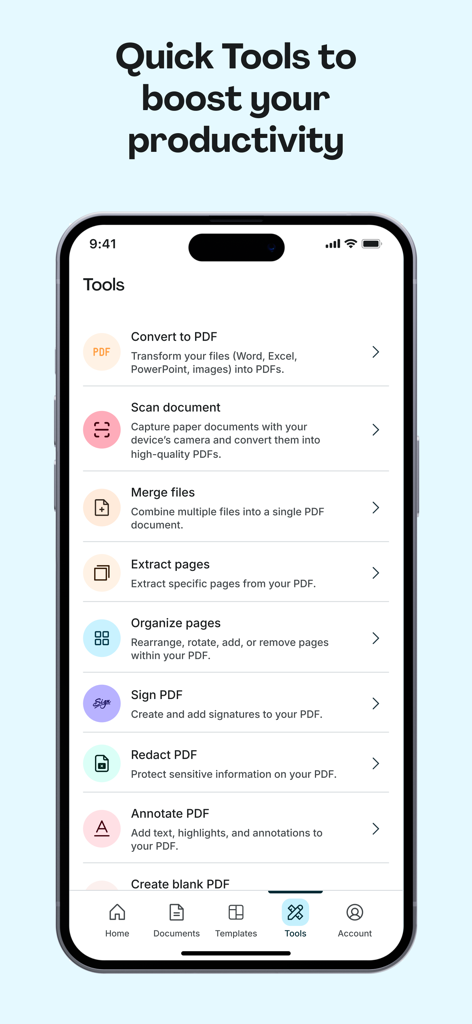
Lumin: View, Edit, Share PDF - 스캔, 서명, 병합 옵션을 포함한 Lumin 앱의 다양한 PDF 생산성 도구를 보여주는 스마트폰 화면

스캔, 서명, 병합 옵션을 포함한 Lumin 앱의 다양한 PDF 생산성 도구를 보여주는 스마트폰 화면

설명

Lumin for iOS allows you to edit and sync to your Google documents in seconds. Collaborate with colleagues in real-time with a diverse set of editing tools. Lumin auto-saves your changes and syncs them to all your devices. Connect your Google account and stay on top of your documents. You can effortlessly view and share files with anybody via email or shareable links. TRUSTED BY MILLIONS Join over 100 million Lumin users worldwide who use our app to edit, share, and collaborate in the cloud. From note-taking and project management to client onboarding and legal document review, Lumin empowers you across industries. KEY FEATURES - Seamless document management: Import from your favorite storage (Dropbox, Google Drive, OneDrive), edit, and share PDFs effortlessly. - Cloud integration: Automatically save changes and sync across devices. - Versatile editing tools: Highlight, annotate, draw on PDFs and more. - Document organization: Organize, extract pages, merge files, convert to/from PDF,... - Pre-designed templates: Choose from various templates for various purposes and industries, such as real estate, education, job application, etc. - Collaboration: Share files and receive real-time notifications. - eSignatures: Sign and fill out forms with ease. - Scanning: Convert paper documents into portable PDFs. LUMIN IN THE REVIEWS “I use Lumin to mark up PDF drawings and send them to my subcontractors. In my role, time is of the essence. Lumin provides me with a tool to make collaboration and feedback easy.” – Construction site manager, US “We have been using Lumin for a little over two years, and it's been amazing. Using Lumin on-the-go and in-office allows us better turnaround time for our patients' care.” – Director of Services and Operations, US “It s very useful and handful for studying and I feel like they make good improvements with each upgrade. I use it for studying, it's cool that I can connect my university Google Drive to the Lumin account and I can edit, draw, write, highlight and add comments and they always get saved.” – Individual user “Too loud. You can open and edit texts from any device, everything is saved automatically, quickly. Access is very fast. The options for editing documents are diverse.” – Individual user Terms & conditions: https://www.luminpdf.com/terms-of-use/

Download

다운로드: App Store

이 페이지는 앱이나 개발자의 공식 페이지가 아니며, 정보 제공 및 논평을 목적으로 작성된 독립 편집 간행물입니다. 명시적으로 달리 언급되지 않는 한, 해당 앱이나 개발자는 MWM, Apple, Google Play, 앱 퍼블리셔 또는 앱 개발자와 제휴, 보증, 후원, 승인 또는 공식적으로 연결되어 있지 않으며, 이 페이지의 어떤 내용도 해당 앱이 MWM의 서비스를 사용하여 개발되었음을 의미하지 않습니다. 모든 상표, 로고, 스크린샷 및 기타 콘텐츠는 해당 소유자의 자산입니다.