이 페이지는 앱이나 개발자의 공식 페이지가 아니며, 정보 제공 및 논평을 목적으로 작성된 독립 편집 간행물입니다. 명시적으로 달리 언급되지 않는 한, 해당 앱이나 개발자는 MWM, Apple, Google Play, 앱 퍼블리셔 또는 앱 개발자와 제휴, 보증, 후원, 승인 또는 공식적으로 연결되어 있지 않으며, 이 페이지의 어떤 내용도 해당 앱이 MWM의 서비스를 사용하여 개발되었음을 의미하지 않습니다. 모든 상표, 로고, 스크린샷 및 기타 콘텐츠는 해당 소유자의 자산입니다.
LYNX Whiteboard
브레인스토밍과 수업을 대화형 경험으로 바꿔보세요. 교실에서든 회의실에서든, 실시간으로 협업하고, 클라우드 동기화 및 기존 문서의 원활한 통합을 통해 전문가 수준의 광고 없는 환경에서 모든 것을 경험하세요.
주요 수치
다운로드
2K+
사용자 평점
4.0/5
총 평가 수
0
개발사
SAHARA PRESENTATION SYSTEMS LTD
카테고리
Education
지원 언어
-
최신 버전
8.5.11
크기
200.5 MB
출시일
2017년 10월 16일
기능
아이디어를 행동으로 바꾸세요
대화형 교실부터 하이브리드 회의실까지, LYNX 화이트보드는 시각화, 협업 및 성공에 필요한 전문 도구를 제공합니다.
모든 파일 통합
처음부터 시작하지 마세요. SMART Notebook, PowerPoint 및 Google Docs 파일을 완벽하게 호환되도록 가져오고 편집하세요.
라이브 멀티터치 시너지
최대 10명의 사용자가 동시에 브레인스토밍하고 그림을 그릴 수 있도록 하여 적극적인 참여를 유도합니다. 그룹 프로젝트 및 허들 세션에 적합합니다.
다음 스크린샷과 설명은 앱의 공식 스토어 목록에서 직접 가져온 것이며 앱 개발자의 자산입니다.
앱 스토어
스크린샷
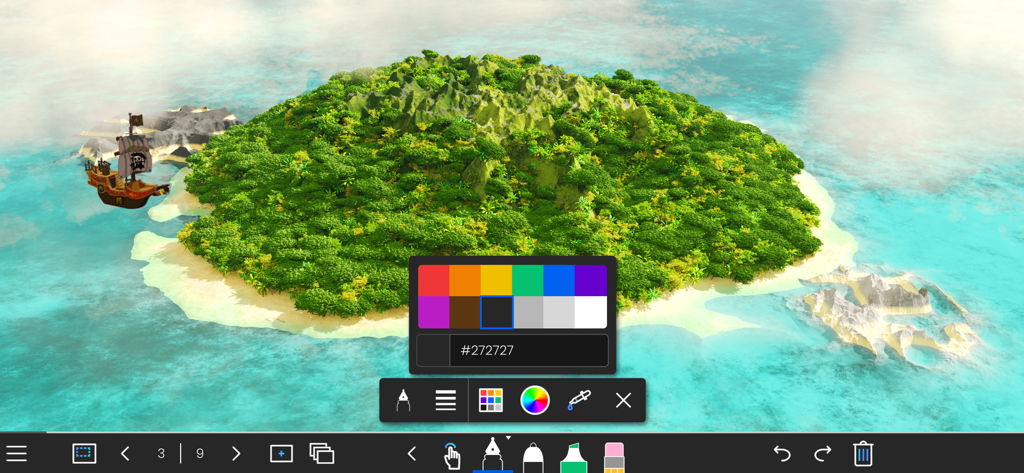
LYNX 화이트보드 앱 인터페이스, 색상 선택기 및 그리기 도구가 있는 3D 섬 배경 표시
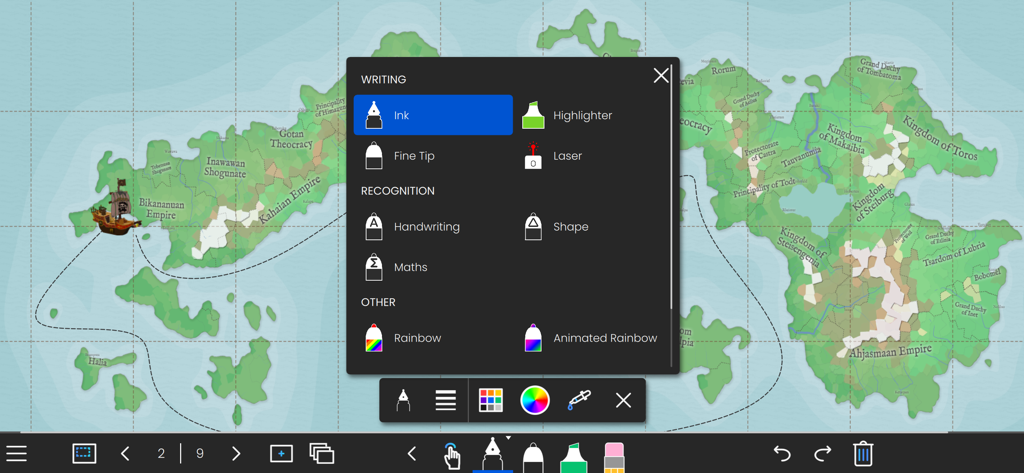
LYNX 화이트보드 애플리케이션, 대화형 지도 배경에서 글쓰기 및 인식 도구 옵션 표시
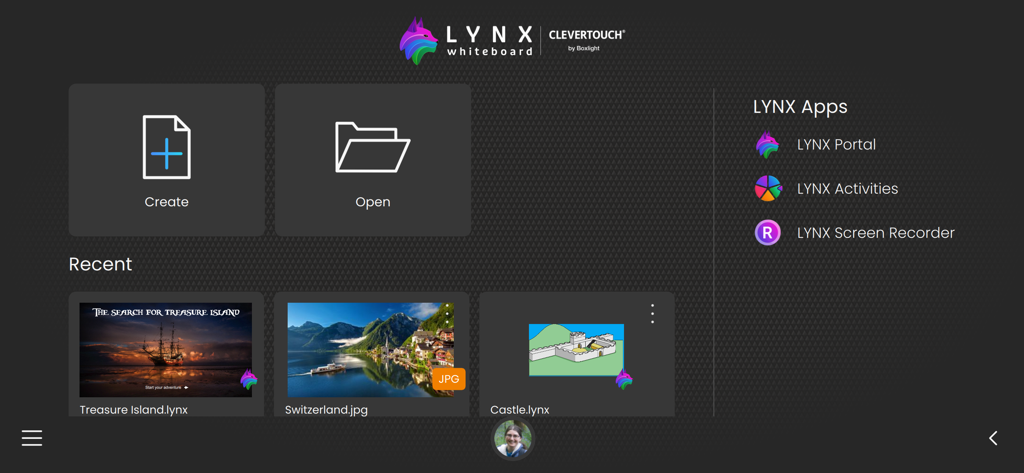
LYNX 화이트보드 앱 홈 화면, 프로젝트를 생성하거나 열기 위한 버튼 및 최근 파일 섹션 표시
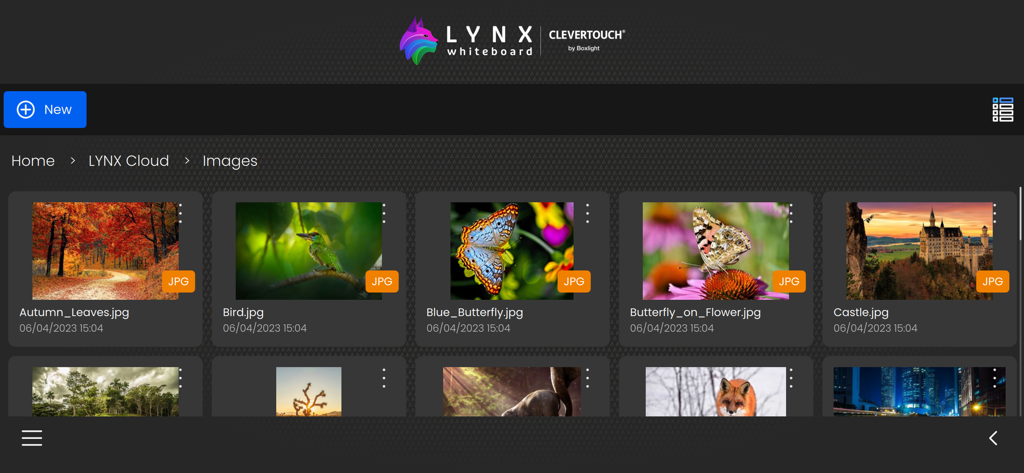
LYNX 화이트보드 앱 인터페이스, LYNX 클라우드 갤러리에 저장된 이미지 모음 표시
설명
Introducing LYNX Whiteboard, the ultimate tool for idea sharing and collaboration with your team or classmates. LYNX Whiteboard is designed to enhance your productivity and creativity by providing you with a virtual whiteboard that you can access from anywhere. With LYNX Whiteboard, you can easily sketch, draw, write, and erase just like you would on a physical whiteboard. Whether you’re working on a project, presenting an idea, or teaching a class, LYNX Whiteboard has everything you need to make your collaboration sessions more effective. -- LYNX for Business -- Brainstorming sessions: Collaborate with colleagues to generate new ideas and strategies, and capture them all on your virtual whiteboard. Presentations: Use LYNX Whiteboard to create engaging presentations that showcase your ideas and data, and share them with your team or clients. Project planning: Organize your thoughts, tasks, and timelines on a virtual whiteboard, and collaborate with your team to stay on track. -- LYNX for Education -- Lesson planning: Use LYNX Whiteboard to create interactive lessons that engage students with multimedia, diagrams, and games, and collaborate with other teachers to share your best practices. Group projects: Work with classmates to brainstorm, plan, and create projects using a virtual whiteboard, and collaborate in real-time from anywhere. Virtual tutoring: Use LYNX Whiteboard to provide virtual tutoring sessions, and collaborate with students to help them learn and solve problems. -- LYNX for Families -- Creative projects: Use LYNX Whiteboard to sketch out ideas for art, design, or writing projects, and collaborate with friends or family members to refine your vision. Organization: Keep track of schedules, grocery lists, and other important information by creating a shared whiteboard for your family to access from anywhere. Virtual game nights: Use LYNX Whiteboard to play charades and other drawing games with friends and family. FEATURES -- Easy to Use Interface -- LYNX Whiteboard has an intuitive interface that makes it easy to start using right away. You can create a new board with just a few taps, and start sketching, drawing, or writing immediately. -- Variety of Pen Styles and Sizes -- From ink pens, handwriting recognition and highlighters to rainbow pens and erasers, LYNX Whiteboard has everything you need to create a stylish and engaging presentation. -- Multi-touch -- LYNX Whiteboard supports up to 10 people all collaborating simultaneously on the board. -- Customizable Backgrounds -- You can choose from a range of backgrounds for your whiteboard, including plain white, gridlines, music score or an image from the media search. This makes it easy to tailor your whiteboard to your specific needs. -- Sharing and Collaboration -- LYNX Whiteboard makes it easy to share your whiteboard with others, whether you’re working on a project with colleagues, teaching a class, or presenting an idea. You can invite others to view your board, or share it as a PDF. -- LYNX Cloud Storage -- Whiteboards can be saved to LYNX Cloud, so you can access them from anywhere, anytime. This means you can pick up right where you left off, even if you switch devices or locations. -- Multi-Device Support -- LYNX Whiteboard works across multiple devices, including smartphones, tablets, and computers. This means you can start working on one device, and pick up where you left off on another. -- Extensive File Support -- Use all your existing presentation files and documents. LYNX Whiteboard supports PowerPoint, MS Word, Google Docs, SMART Notebook, PDF and more. -- No Ads -- LYNX Whiteboard is completely ad-free. LYNX Whiteboard is perfect for teams, students, teachers, and anyone who needs to collaborate and share ideas. With its intuitive interface, and comprehensive features, it’s the ultimate tool for boosting productivity and creativity. Try LYNX Whiteboard today, and take your collaboration sessions to the next level.
이 페이지는 앱이나 개발자의 공식 페이지가 아니며, 정보 제공 및 논평을 목적으로 작성된 독립 편집 간행물입니다. 명시적으로 달리 언급되지 않는 한, 해당 앱이나 개발자는 MWM, Apple, Google Play, 앱 퍼블리셔 또는 앱 개발자와 제휴, 보증, 후원, 승인 또는 공식적으로 연결되어 있지 않으며, 이 페이지의 어떤 내용도 해당 앱이 MWM의 서비스를 사용하여 개발되었음을 의미하지 않습니다. 모든 상표, 로고, 스크린샷 및 기타 콘텐츠는 해당 소유자의 자산입니다.