Manual Camera Pro + RAW Photo
다운로드: App Store

이 페이지는 앱이나 개발자의 공식 페이지가 아니며, 정보 제공 및 논평을 목적으로 작성된 독립 편집 간행물입니다. 명시적으로 달리 언급되지 않는 한, 해당 앱이나 개발자는 MWM, Apple, Google Play, 앱 퍼블리셔 또는 앱 개발자와 제휴, 보증, 후원, 승인 또는 공식적으로 연결되어 있지 않으며, 이 페이지의 어떤 내용도 해당 앱이 MWM의 서비스를 사용하여 개발되었음을 의미하지 않습니다. 모든 상표, 로고, 스크린샷 및 기타 콘텐츠는 해당 소유자의 자산입니다.

로고: Manual Camera Pro + RAW Photo
다운로드: App Store

Manual Camera Pro + RAW Photo

자동 모드에서 벗어나세요. 전체 수동 제어로 놀라운 RAW 이미지를 촬영하고 전문가급 필름 프리셋으로 나만의 감성을 완성하세요.

주요 수치

다운로드

1M+

사용자 평점

4.6/5

총 평가 수

33K+

개발사

Onelight Apps CY Ltd

카테고리

Photo & Video

지원 언어

2

최신 버전

1.6.5

크기

101.7 MB

출시일

2016년 5월 19일
기능

모바일 사진의 수준을 높이세요

현대적인 크리에이터를 위해 설계된 전문가급 수동 제어와 정교한 필름 감성 편집 도구로 아이폰의 잠재력을 최대한 끌어올리세요.

정밀한 수동 촬영

ISO, 셔터 속도, 초점을 개별적으로 제어하여 어떤 조명에서도 DSLR급 품질의 사진을 촬영하세요.

정통 필름 미학

필름 시뮬레이션 프리셋과 전문가용 RGB 커브를 통해 차가운 스마트폰 느낌을 버리고 작품에 시대를 초월한 자연스러운 감성을 더하세요.

다음 스크린샷과 설명은 앱의 공식 스토어 목록에서 직접 가져온 것이며 앱 개발자의 자산입니다.

앱 스토어

스크린샷
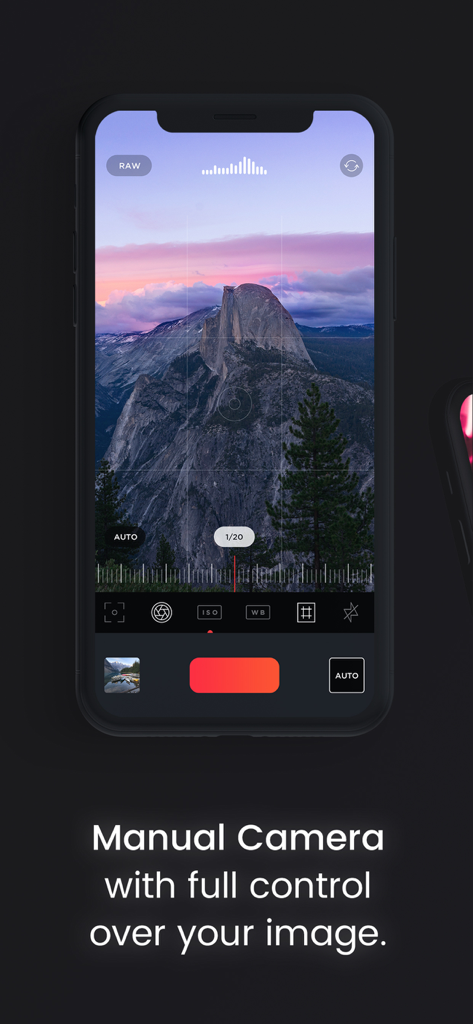
Manual Camera Pro + RAW Photo - ISO 및 셔터 속도에 대한 전문가용 수동 제어를 보여주는 아이폰의 수동 카메라 프로 앱 인터페이스
ISO 및 셔터 속도에 대한 전문가용 수동 제어를 보여주는 아이폰의 수동 카메라 프로 앱 인터페이스

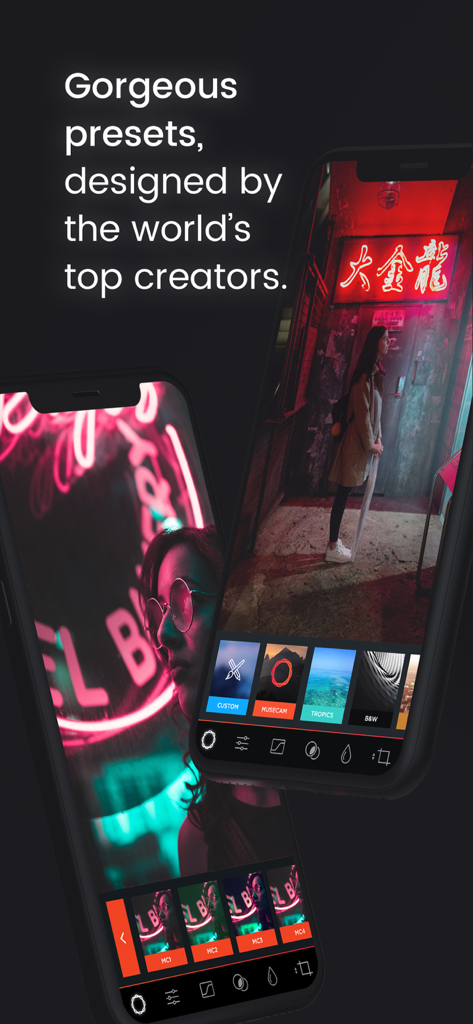
Manual Camera Pro + RAW Photo - 아이폰에서 전문가용 사진 프리셋을 표시하는 수동 카메라 프로 앱 인터페이스
아이폰에서 전문가용 사진 프리셋을 표시하는 수동 카메라 프로 앱 인터페이스

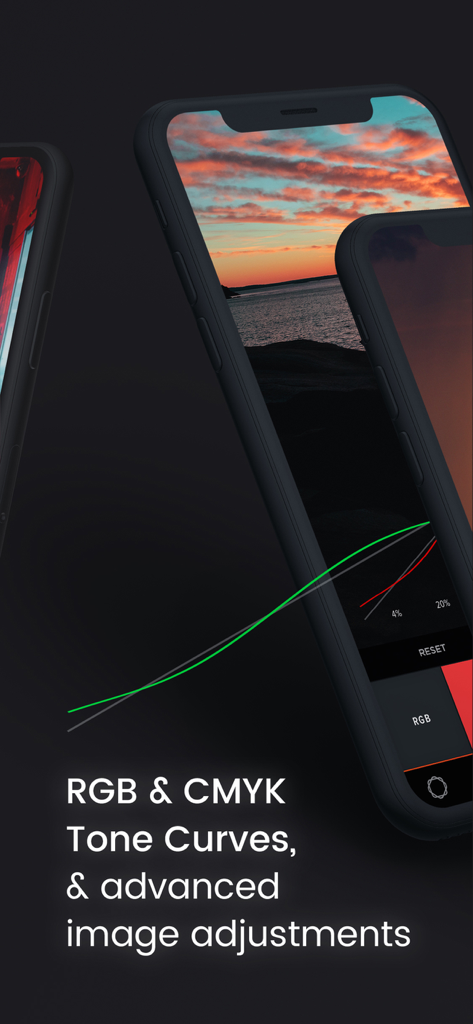
Manual Camera Pro + RAW Photo - 전문가용 사진 편집을 위한 고급 RGB 및 CMYK 톤 커브를 표시하는 아이폰 화면
전문가용 사진 편집을 위한 고급 RGB 및 CMYK 톤 커브를 표시하는 아이폰 화면

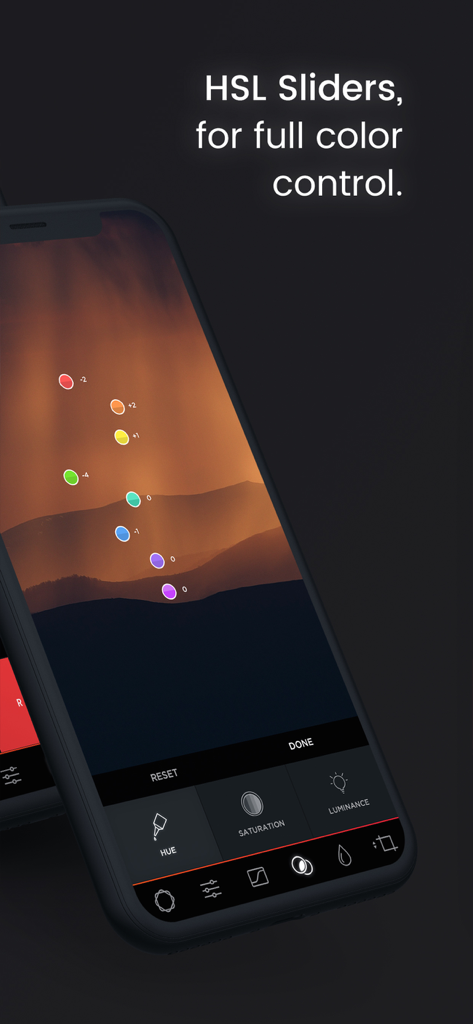
Manual Camera Pro + RAW Photo - 산 풍경 사진에서 전체 색상 제어를 위한 HSL 슬라이더

산 풍경 사진에서 전체 색상 제어를 위한 HSL 슬라이더

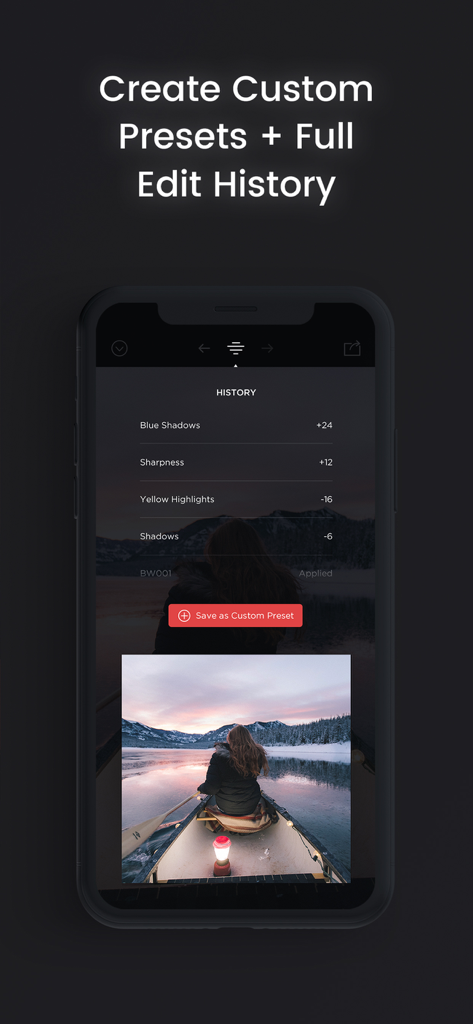
Manual Camera Pro + RAW Photo - 사진 편집 내역 및 맞춤형 프리셋 옵션을 보여주는 수동 카메라 프로 앱 인터페이스

사진 편집 내역 및 맞춤형 프리셋 옵션을 보여주는 수동 카메라 프로 앱 인터페이스

설명

Try the App Store Editor's Choice manual camera app - make quality RAW photos, take pictures of the moon and edit your photos using unique presets and color settings. Capture the perfect look for your photos with the next generation image editor MuseCam! Shoot and edit your images using film-emulating presets, pro grade tools, and advanced camera controls. Discover advanced MuseCam features: • Manual Camera Custom exposure for your iPhone camera with independent control of shutter, ISO, white balance & focus. • Gorgeous, Film-Inspired Presets MuseCam features a superior collection of presets, diverse in nature. Some of the world's finest photographers have contributed their secret formulas that emulate film in a timeless, and beautifully subtle way. • No-Import Editing Speed is the name of the game. Forget the slow, multi-tap import process. Your photos are ready to edit right away. • RGB Tone Curves Capture the perfect tone with the Curves tool, allowing independent access to the red, green and blue color channels. • CMYK Tone Curves Further tweak your photos with precision with independent access to the Cyan, Magenta, Yellow and Black color channels. • Create Custom Presets & Filters Create a custom preset from scratch, or edit existing ones to perfect the look you're after. Quickly apply them to any other photo in your library. • Color Tool Adjust the hue, saturation, and luminance of different colors. • Complete Edit History MuseCam stores your full edit history, allowing you to come back at any time to make changes to your workflow. • Split Toning Infuse color into the shadows or the highlights of your photo, or both. • Depth of Field Tool Simulate depth of field by applying a lens blur to your photo. Intensify the blur with multiple swipes, or by taking advantage of Apple’s 3D Touch technology. • Professional Image Adjustments Edit every detail on your photo using professional adjustment tools such as exposure, brightness, saturation and more. Payment will be charged to your Apple ID account at the time of purchase confirmation. Subscription renews automatically unless it is canceled at least 24 hours before the end of the current period. Your account will be charged for renewal within 24 hours prior to the end of the current period. You can manage and cancel your subscriptions by going to your account settings on the App Store after purchase. Privacy Policy: https://onelightapps.io/privacy-policy Terms of Use: https://onelightapps.io/terms-of-use

Download

다운로드: App Store

이 페이지는 앱이나 개발자의 공식 페이지가 아니며, 정보 제공 및 논평을 목적으로 작성된 독립 편집 간행물입니다. 명시적으로 달리 언급되지 않는 한, 해당 앱이나 개발자는 MWM, Apple, Google Play, 앱 퍼블리셔 또는 앱 개발자와 제휴, 보증, 후원, 승인 또는 공식적으로 연결되어 있지 않으며, 이 페이지의 어떤 내용도 해당 앱이 MWM의 서비스를 사용하여 개발되었음을 의미하지 않습니다. 모든 상표, 로고, 스크린샷 및 기타 콘텐츠는 해당 소유자의 자산입니다.