Maptrails
Maptrails
다운로드: App Store

이 페이지는 앱이나 개발자의 공식 페이지가 아니며, 정보 제공 및 논평을 목적으로 작성된 독립 편집 간행물입니다. 명시적으로 달리 언급되지 않는 한, 해당 앱이나 개발자는 MWM, Apple, Google Play, 앱 퍼블리셔 또는 앱 개발자와 제휴, 보증, 후원, 승인 또는 공식적으로 연결되어 있지 않으며, 이 페이지의 어떤 내용도 해당 앱이 MWM의 서비스를 사용하여 개발되었음을 의미하지 않습니다. 모든 상표, 로고, 스크린샷 및 기타 콘텐츠는 해당 소유자의 자산입니다.


로고: Maptrails
다운로드: App Store

Maptrails

오프라인 지형도, 고급 GIS 레이어, iPhone, iPad, Mac, Apple Watch 간의 원활한 동기화로 야외 활동을 마스터하세요. 구독 피로 없이 하이킹, 사냥, 탐험에 필요한 모든 기능.

주요 수치

다운로드

30K+

사용자 평점

4.8/5

총 평가 수

300

개발사

Pasi Salenius

카테고리

Navigation

지원 언어

11

최신 버전

2025.7.2

크기

28.0 MB

출시일

2020년 8월 2일
기능

진지한 탐험가를 위한 고급 내비게이션

Maptrails는 구독 없이 기술적인 하이커, 사냥꾼, 내비게이터를 위해 전문가 수준의 매핑과 원활한 Apple 생태계 통합을 제공합니다.

원활한 Apple 생태계 동기화

Mac 또는 iPad에서 Apple Pencil 지원으로 트레킹을 계획하고, iCloud 동기화를 통해 iPhone 및 Apple Watch로 자신 있게 탐색하세요.

전문 데이터 및 오프라인 지도

정밀한 계획을 위해 GPX, KML, Shapefile을 가져오세요. 가장 깊은 오지에서도 100% 오프라인에서 사용할 수 있도록 지도 타일을 다운로드하세요.

다음 스크린샷과 설명은 앱의 공식 스토어 목록에서 직접 가져온 것이며 앱 개발자의 자산입니다.

앱 스토어

스크린샷
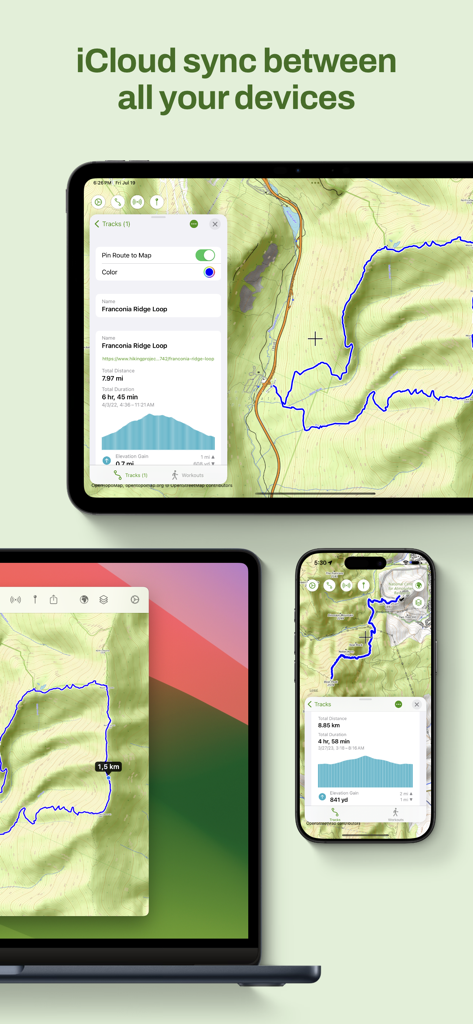
Maptrails - iPad, Mac, iPhone에서 Maptrails 앱 인터페이스가 하이킹 지도 및 트랙의 iCloud 동기화를 보여줍니다.
iPad, Mac, iPhone에서 Maptrails 앱 인터페이스가 하이킹 지도 및 트랙의 iCloud 동기화를 보여줍니다.

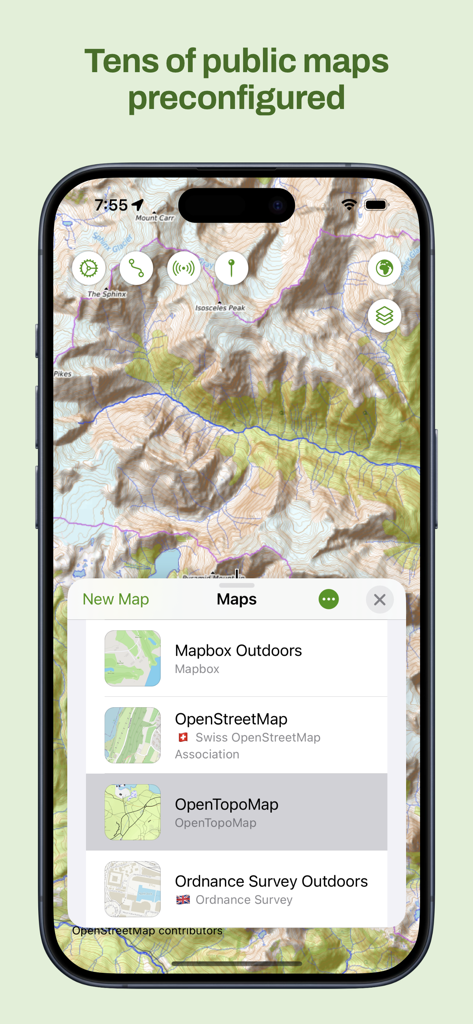
Maptrails - Maptrails 앱의 iPhone 스크린샷으로 OpenTopoMap과 같은 사전 구성된 공개 지도 목록과 지형도를 보여줍니다.
Maptrails 앱의 iPhone 스크린샷으로 OpenTopoMap과 같은 사전 구성된 공개 지도 목록과 지형도를 보여줍니다.

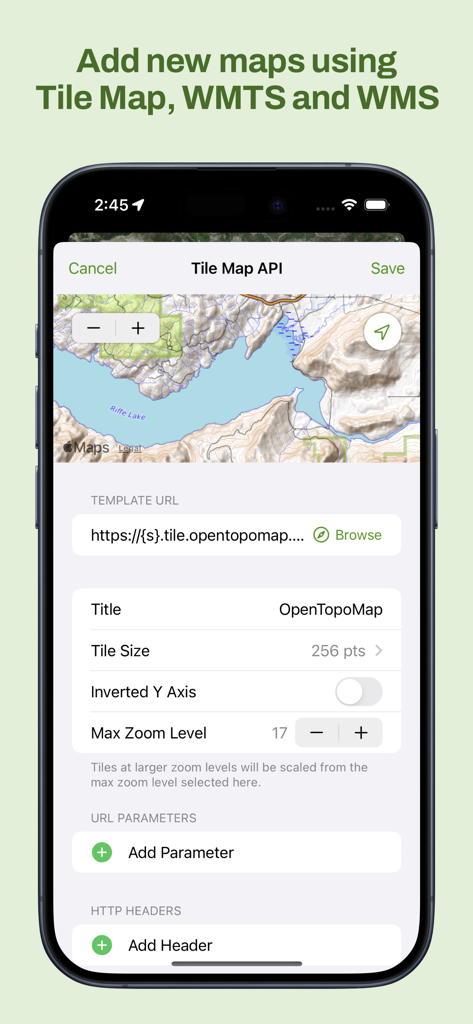
Maptrails - Maptrails 앱 인터페이스에서 사용자 지정 타일 맵 WMTS 및 WMS 레이어 추가
Maptrails 앱 인터페이스에서 사용자 지정 타일 맵 WMTS 및 WMS 레이어 추가

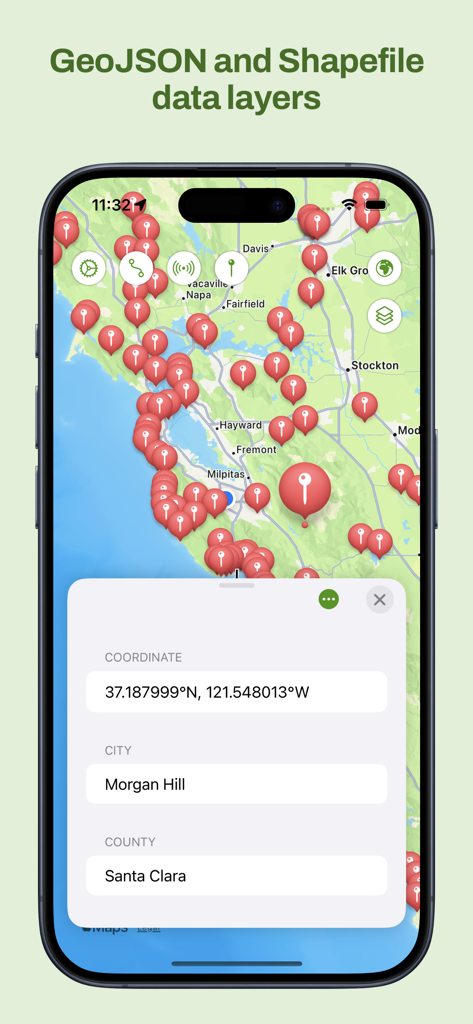
Maptrails - Maptrails 앱 인터페이스에서 위치 핀 및 좌표가 있는 GeoJSON 및 Shapefile 지도 레이어를 보여줍니다.
Maptrails 앱 인터페이스에서 위치 핀 및 좌표가 있는 GeoJSON 및 Shapefile 지도 레이어를 보여줍니다.

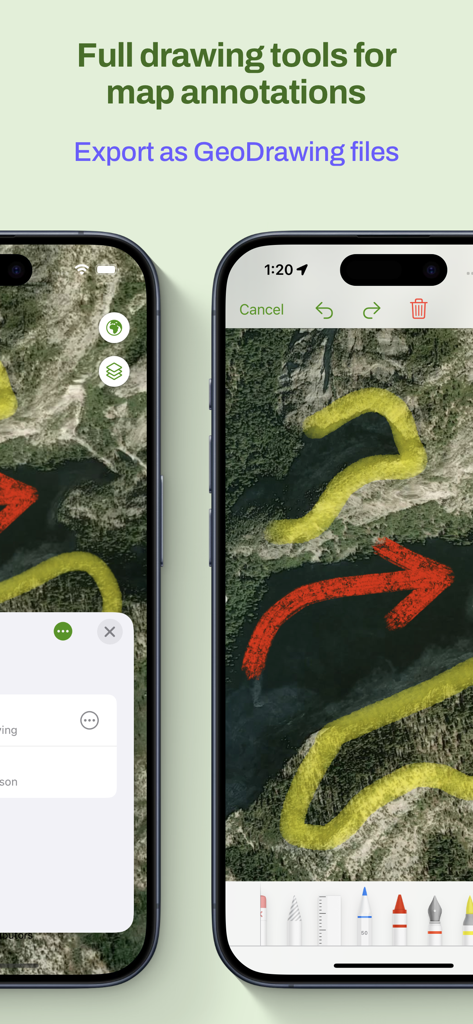
Maptrails - 다양한 색상의 그리기 도구와 내보내기 옵션으로 지도 주석을 보여주는 스마트폰 화면.
다양한 색상의 그리기 도구와 내보내기 옵션으로 지도 주석을 보여주는 스마트폰 화면.

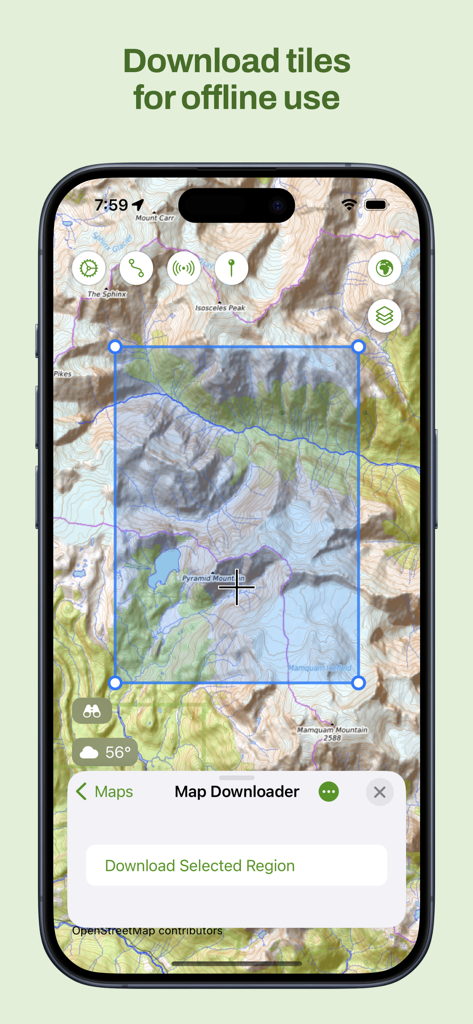
Maptrails - 오프라인 사용을 위한 지형 지도 타일 선택 및 다운로드 인터페이스를 보여주는 Maptrails 앱의 iPhone 스크린샷
오프라인 사용을 위한 지형 지도 타일 선택 및 다운로드 인터페이스를 보여주는 Maptrails 앱의 iPhone 스크린샷

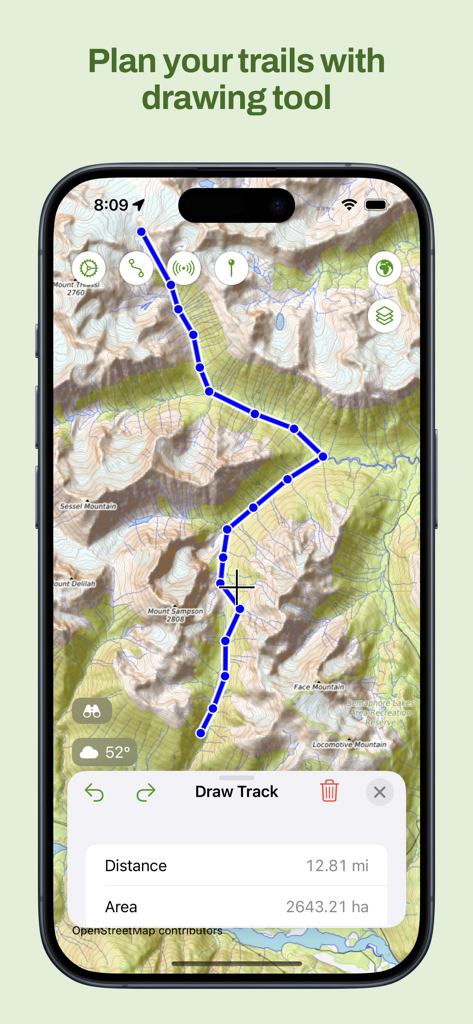
Maptrails - 트랙 계획 도구를 사용하여 사용자 지정 하이킹 경로를 그린 Maptrails 앱 지형도 화면.
트랙 계획 도구를 사용하여 사용자 지정 하이킹 경로를 그린 Maptrails 앱 지형도 화면.

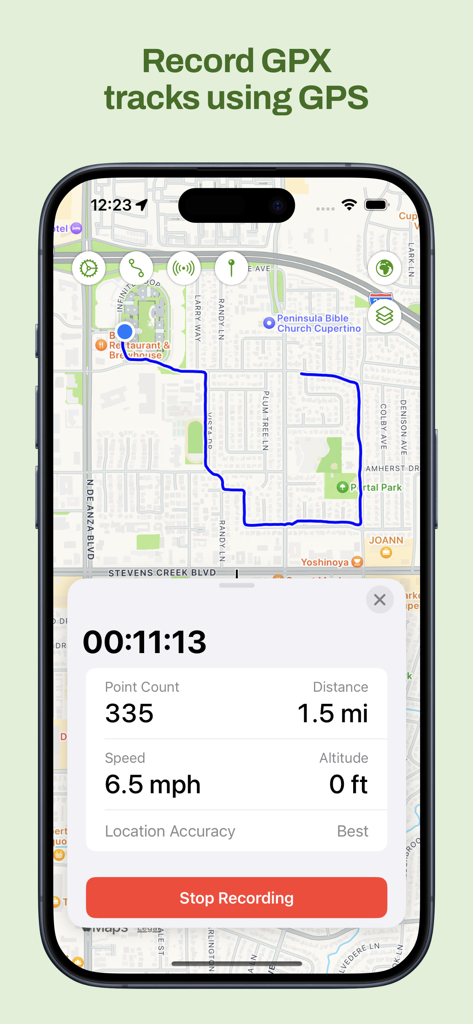
Maptrails - 실시간 거리 및 속도 데이터와 함께 지도에서 GPX 트랙을 녹화하는 Maptrails iPhone 앱
실시간 거리 및 속도 데이터와 함께 지도에서 GPX 트랙을 녹화하는 Maptrails iPhone 앱

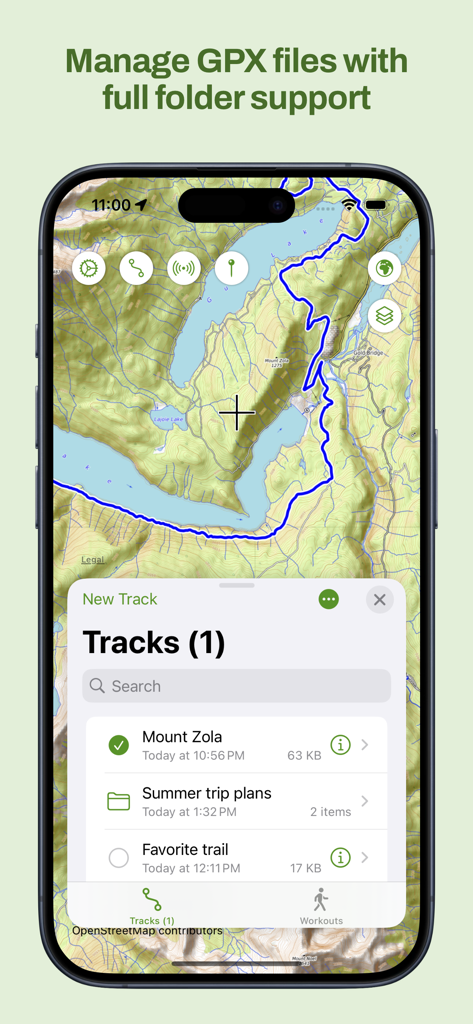
Maptrails - 지형도에서 폴더 지원을 포함한 GPX 트랙 관리 인터페이스를 보여주는 Maptrails 앱
지형도에서 폴더 지원을 포함한 GPX 트랙 관리 인터페이스를 보여주는 Maptrails 앱

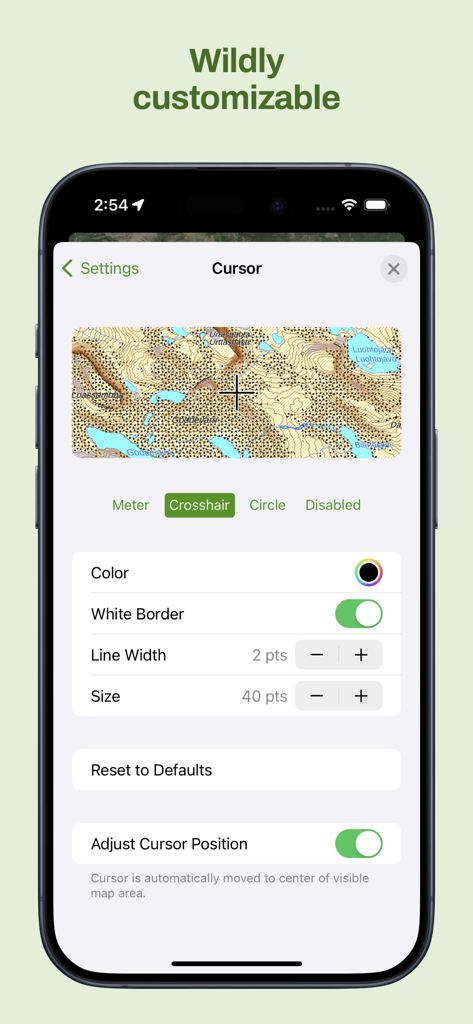
Maptrails - 지형도에서 색상 및 크기와 같은 자세한 커서 사용자 지정 옵션을 보여주는 Maptrails 앱 인터페이스

지형도에서 색상 및 크기와 같은 자세한 커서 사용자 지정 옵션을 보여주는 Maptrails 앱 인터페이스

설명

Maptrails is a modern map browser that packs an amazing experience for hiking, hunting, orienteering, or just enjoying your time outdoors. Only Maptrails offers full featured apps for iPhone, iPad, Apple Watch and Mac. The app comes preconfigured with a large selection of built-in maps in topographic, nautical, and aerial imagery styles. Save places as map markers that sync between your devices over iCloud. It is easy and fun to measure distances and draw paths on the map, or use Look Around to see street level imagery at any address. Maptrails Pro one-time purchase unlocks a professional grade feature set. Add your own maps and data layers from standard APIs, and bring in GeoJSON, GPX, IMG, KML or Shapefile data. You can even draw notes directly on the map using touch or pencil! Maptrails makes it easy to plan your upcoming hike by letting you download map tiles for offline use, view up-to-date weather forecasts, or draw tracks on the map and save them to GPX files. During your hike, record the route to a GPX track or workout in Health app, and graph out its speed and altitude data. For hunters, integration with Oma Riista lets you import hunting areas using area code. Share your current GPS location with a private group of other Maptrails users. Build your own dog tracker by installing separate Beacon app to another device and pairing it with Maptrails. Its position can then be tracked on the map in Maptrails. Maptrails Pro one-time purchase unlocks full functionality • Use folders to organize tracks and markers • Attach images to markers from photo library • Track other devices with Beacon app installed • Import hunting areas from Oma Riista service • Get weather forecast for targeted location • Draw notes on map using touch or pencil • Import tile maps from web using browser • Download map areas for offline use • Share your GPS location with groups • Draw tracks on map and save as GPX files • Import GPX files and view them on map • View workout routes from Health app • Record workouts and export to GPX • Add Tile Map, WMTS and WMS maps • Add GeoJSON, GPX, IMG, KML and Shapefile map layers • Get new features in future versions If some map available via open data APIs is not yet included, or you want to make your maps available in Maptrails, please email me at feedback@freshbits.fi. Also follow on Instagram at @KartastoApp. This app has been built by one developer as a hobby project during many evenings and weekends. Please be nice and take this into account when giving feedback. Icon symbol credit to Wolf Böse (Creative Commons).

Download

다운로드: App Store

이 페이지는 앱이나 개발자의 공식 페이지가 아니며, 정보 제공 및 논평을 목적으로 작성된 독립 편집 간행물입니다. 명시적으로 달리 언급되지 않는 한, 해당 앱이나 개발자는 MWM, Apple, Google Play, 앱 퍼블리셔 또는 앱 개발자와 제휴, 보증, 후원, 승인 또는 공식적으로 연결되어 있지 않으며, 이 페이지의 어떤 내용도 해당 앱이 MWM의 서비스를 사용하여 개발되었음을 의미하지 않습니다. 모든 상표, 로고, 스크린샷 및 기타 콘텐츠는 해당 소유자의 자산입니다.