
이 페이지는 앱이나 개발자의 공식 페이지가 아니며, 정보 제공 및 논평을 목적으로 작성된 독립 편집 간행물입니다. 명시적으로 달리 언급되지 않는 한, 해당 앱이나 개발자는 MWM, Apple, Google Play, 앱 퍼블리셔 또는 앱 개발자와 제휴, 보증, 후원, 승인 또는 공식적으로 연결되어 있지 않으며, 이 페이지의 어떤 내용도 해당 앱이 MWM의 서비스를 사용하여 개발되었음을 의미하지 않습니다. 모든 상표, 로고, 스크린샷 및 기타 콘텐츠는 해당 소유자의 자산입니다.


Mark II Artist's Viewfinder
업계에서 가장 정확한 시각화 도구로 구도를 마스터하고 현장을 답사하세요. 800개 이상의 카메라 및 전문가용 렌즈를 시뮬레이션하여 장비를 챙기기도 전에 완벽한 프레임을 찾으세요.
다운로드
93K+사용자 평점
총 평가 수
300개발사
카테고리
Photo & Video지원 언어
3최신 버전
8.0크기
5.1 MB출시일
2013년 12월 14일사전 제작 워크플로우를 마스터하세요
추측을 없애고 현장에서 몇 시간을 절약하세요. 전문가용 장비를 시뮬레이션하고, 기술적인 현장 데이터를 관리하며, 업계에서 가장 신뢰받는 뷰파인더 앱으로 예술적 비전을 다듬으세요.
800개 이상의 카메라 시뮬레이션
Arri, RED, Leica 등의 실제 렌즈 및 센서 데이터로 구성된 방대한 데이터베이스에 액세스하여 장비를 운반하기도 전에 정확한 프레임을 시각화하세요.
스마트 기술 현장 답사
현장 메타데이터 및 GPX 트랙을 자동으로 캡처하여 정확한 기술 촬영 패키지와 GPS 좌표를 감독 또는 렌탈 업체에 직접 공유하세요.
자주 묻는 질문
에 대해 알아야 할 모든 것 Mark II Artist's Viewfinder
Mark II Artist's Viewfinder의 주요 기능은 무엇인가요?
Mark II Artist's Viewfinder는 실제 장비를 설치하지 않고도 카메라 및 렌즈 조합을 시뮬레이션하여 구도를 시각화함으로써 사진가와 영화 제작자를 지원합니다. 최적의 카메라 배치를 위해 다양한 장소와 각도를 탐색하는 데 도움이 됩니다.
Mark II Artist's Viewfinder는 고해상도 사진을 저장하나요?
예, Mark II Artist's Viewfinder는 고해상도 사진을 저장합니다. 이 기능을 통해 사용자는 앱을 일반 카메라처럼 사용할 수 있습니다.
Mark II 앱은 광각 렌즈를 시뮬레이션할 수 있나요?
예, 0.5배급 슈퍼 와이드 컨버터 렌즈와 함께 사용하면 Mark II Artist's Viewfinder는 풀프레임 35mm 형식에서 최대 16mm까지 슈퍼 와이드 렌즈를 시뮬레이션합니다. 또한 실시간으로 왜곡을 보정합니다.
Mark II Artist's Viewfinder에 흑백 모드가 포함되어 있나요?
예, Mark II Artist's Viewfinder에는 흑백 모드가 있습니다. 이 모드는 밝기 정보만 표시하여 사용자가 흑백 사진의 톤 구조를 탐색하는 데 도움을 줍니다.
Mark II Artist's Viewfinder는 어떤 카메라 및 렌즈 데이터를 지원하나요?
Mark II Artist's Viewfinder는 800개 이상의 스틸/모션 카메라, 180개의 중형/대형 포맷 백, ALPA, Hartblei, Hasselblad, Leica, Rodenstock, Schneider, Zeiss와 같은 브랜드의 수많은 렌즈를 지원합니다. 사용자는 사용자 지정 장비도 정의할 수 있습니다.
사용자는 Mark II Artist's Viewfinder에서 자신만의 카메라와 렌즈를 정의할 수 있나요?
예, Mark II Artist's Viewfinder는 사용자가 자신만의 카메라와 렌즈를 정의할 수 있도록 합니다. 이 기능은 특정 작업 요구 사항에 대한 유연성을 제공합니다.
Mark II Artist's Viewfinder는 로케이션 스카우팅을 어떻게 지원하나요?
Mark II Artist's Viewfinder는 사진과 함께 위치 및 시뮬레이션 메타데이터를 저장합니다. 이를 통해 사용자는 컴퓨터에서 로케이션 스카우트 결과를 평가하거나 앱에서 직접 제작진 또는 렌탈 회사와 정보를 공유할 수 있습니다.
Mark II Artist's Viewfinder는 GPS 데이터를 기록하나요?
예, Mark II Artist's Viewfinder는 표준 GPX 형식 트랙 로그를 기록합니다. 이를 통해 로케이션 스카우팅 중에 별도의 로깅 장치가 필요하지 않습니다.
Mark II Artist's Viewfinder에서 프레임 표시를 위한 사용자 지정 옵션은 무엇인가요?
Mark II Artist's Viewfinder는 비활성 프레임 숨기기, 활성 프레임으로 확대/축소, 프레임 라인 조정, 프레임 크기 조정을 포함한 프레임 표시 사용자 지정을 허용합니다.
Mark II Artist's Viewfinder는 이미지를 자동으로 내보낼 수 있나요?
예, Mark II Artist's Viewfinder는 자동 이미지 내보내기를 지원합니다. 사용자는 앱을 고해상도 JPG로 자동 내보내도록 구성하고 저장할 앨범을 지정할 수 있습니다.
다음 스크린샷과 설명은 앱의 공식 스토어 목록에서 직접 가져온 것이며 앱 개발자의 자산입니다.
앱 스토어
스크린샷
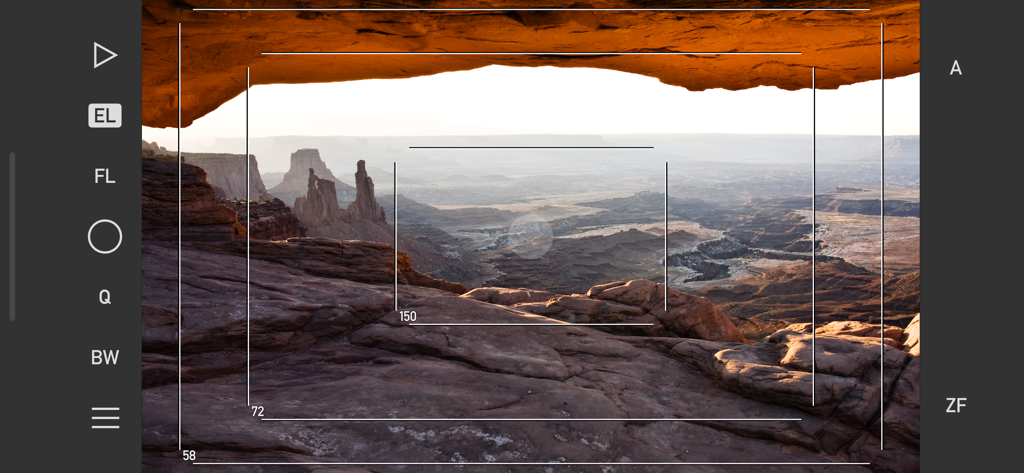
Mark II Artist's Viewfinder 앱 인터페이스가 사막 협곡 풍경 위에 기술적인 프레임 라인과 초점 거리 시뮬레이션을 보여줍니다.
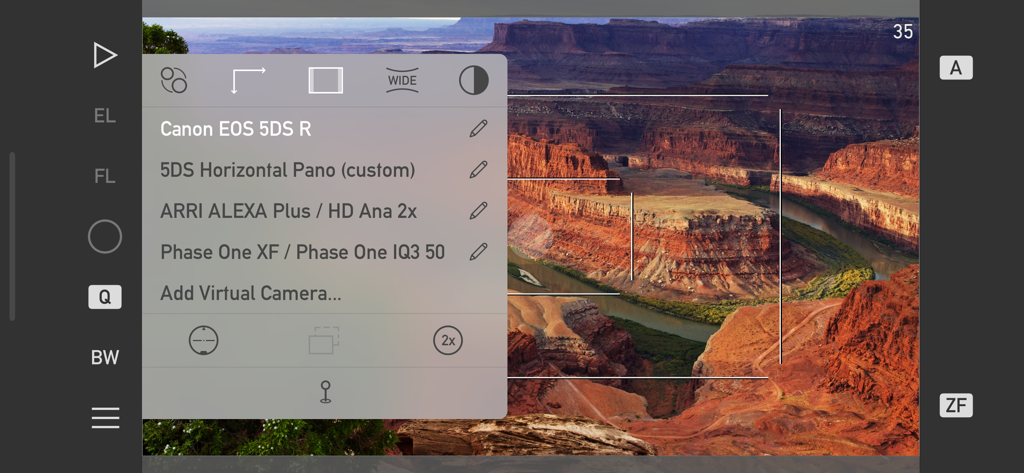
Mark II Artist's Viewfinder 앱 인터페이스가 협곡 풍경 위에 Canon EOS 5DS R 및 ARRI ALEXA와 같은 전문가용 카메라 시뮬레이션 목록을 보여줍니다.
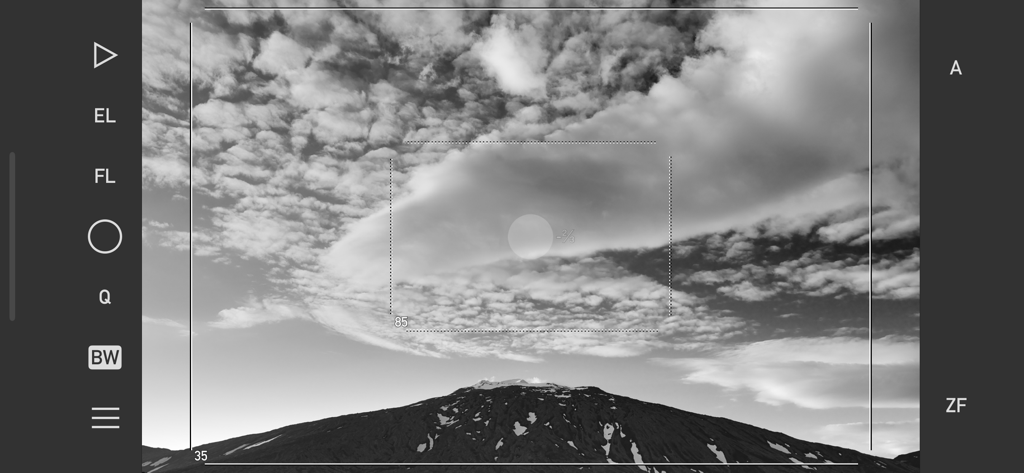
Mark II Artist's Viewfinder 앱 인터페이스의 프레임 라인과 카메라 컨트롤을 보여주는 산 풍경의 흑백 보기
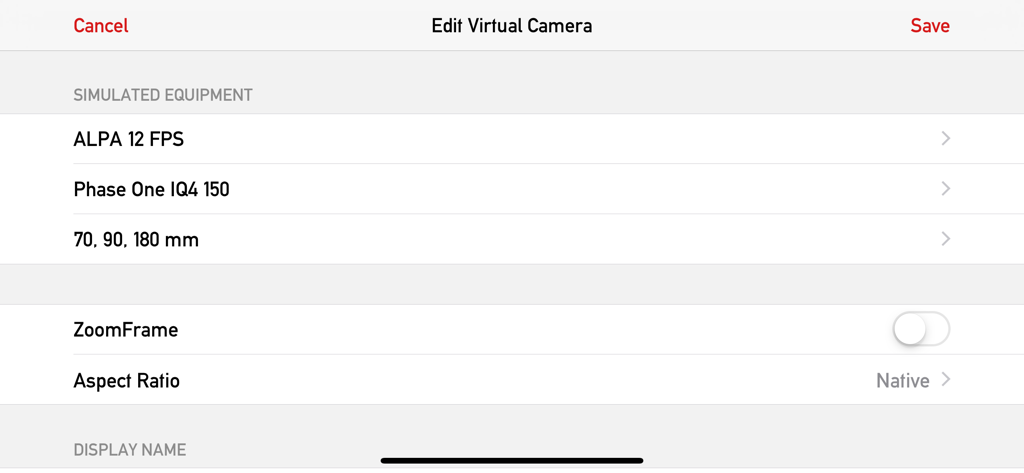
Mark II Artist Viewfinder 앱의 인터페이스로 ALPA 및 Phase One의 시뮬레이션된 장비 설정을 보여주는 가상 카메라 편집 화면
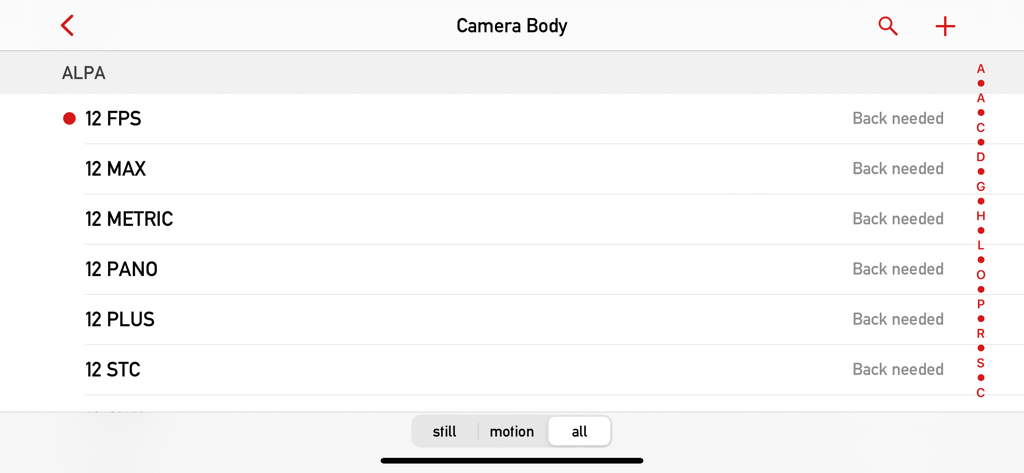
Mark II Artist Viewfinder 앱 데이터베이스의 ALPA 카메라 본체 선택 화면
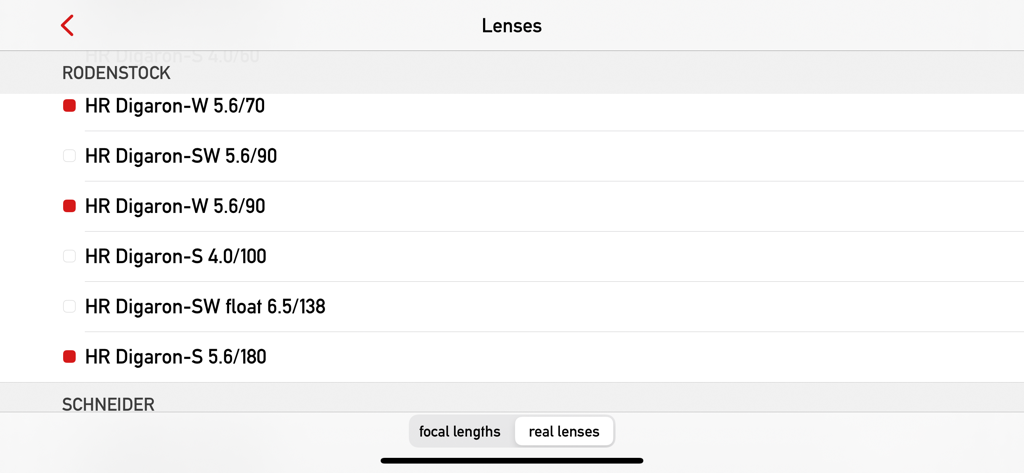
Mark II Artist's Viewfinder 앱 데이터베이스의 Rodenstock 렌즈 목록
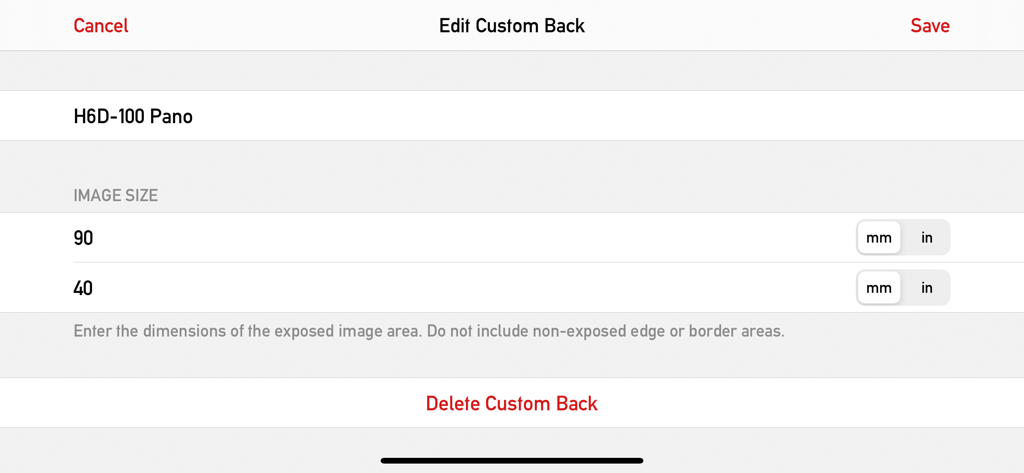
Mark II Artists Viewfinder 앱에서 사용자 정의 카메라 백 및 센서 크기 편집을 위한 인터페이스
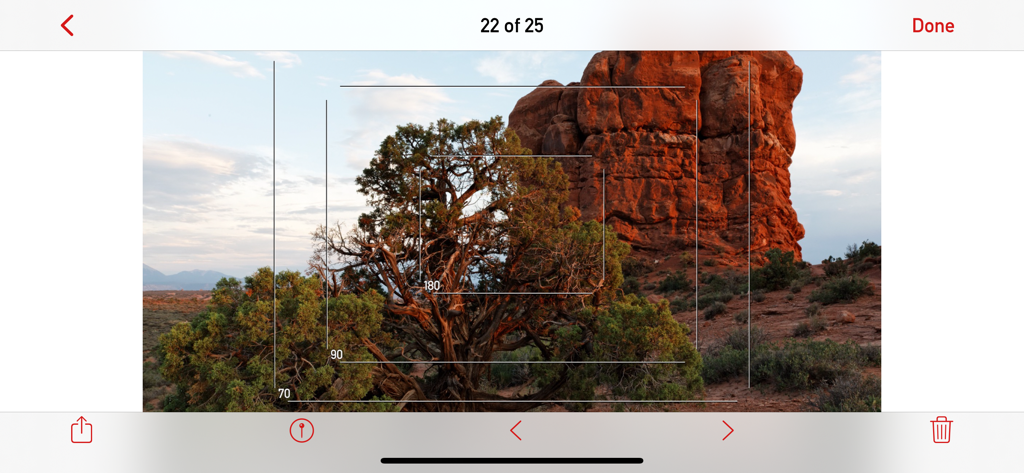
Mark II Artist's Viewfinder 앱 인터페이스가 사막 풍경 위에 여러 카메라 프레임 라인을 보여줍니다.
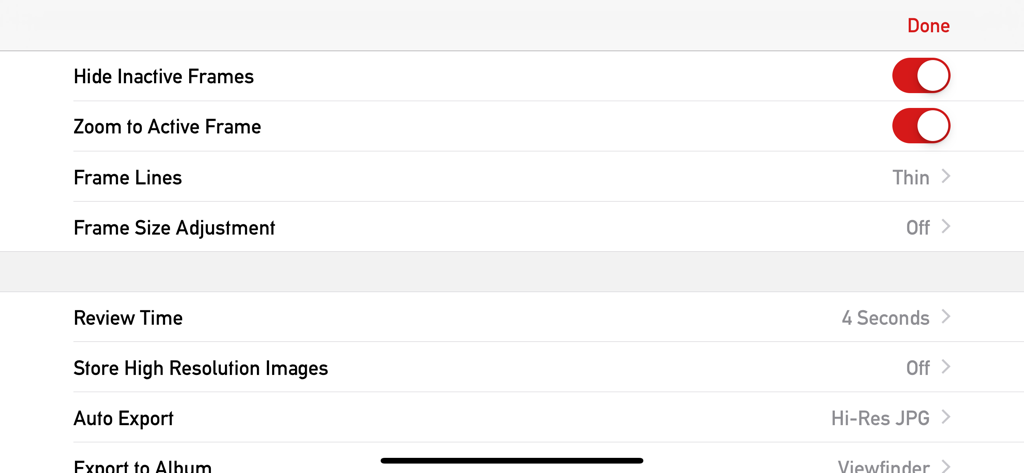
Mark II Artist's Viewfinder 앱의 설정 메뉴로 프레임 사용자 정의 및 내보내기 옵션을 보여줍니다.
설명
Download
비슷한 앱
같은 카테고리의 상위 앱

CapCut: Photo & Video Editor
BYTEDANCE PTE. LTD.

Instagram, Inc.

YouTube
Google LLC

Canva: AI Photo & Video Editor
Canva Pty Ltd

Snapchat
Snap, Inc.

快手
Beijing Kwai Technology Co., Ltd.

Edits: Video Editor
Instagram, Inc.

Meitu- AI Photo & Video Editor
Xiamen Meitu Technology Co., Ltd.

Google Photos: Backup & Edit
Google LLC
이 페이지는 앱이나 개발자의 공식 페이지가 아니며, 정보 제공 및 논평을 목적으로 작성된 독립 편집 간행물입니다. 명시적으로 달리 언급되지 않는 한, 해당 앱이나 개발자는 MWM, Apple, Google Play, 앱 퍼블리셔 또는 앱 개발자와 제휴, 보증, 후원, 승인 또는 공식적으로 연결되어 있지 않으며, 이 페이지의 어떤 내용도 해당 앱이 MWM의 서비스를 사용하여 개발되었음을 의미하지 않습니다. 모든 상표, 로고, 스크린샷 및 기타 콘텐츠는 해당 소유자의 자산입니다.