이 페이지는 앱이나 개발자의 공식 페이지가 아니며, 정보 제공 및 논평을 목적으로 작성된 독립 편집 간행물입니다. 명시적으로 달리 언급되지 않는 한, 해당 앱이나 개발자는 MWM, Apple, Google Play, 앱 퍼블리셔 또는 앱 개발자와 제휴, 보증, 후원, 승인 또는 공식적으로 연결되어 있지 않으며, 이 페이지의 어떤 내용도 해당 앱이 MWM의 서비스를 사용하여 개발되었음을 의미하지 않습니다. 모든 상표, 로고, 스크린샷 및 기타 콘텐츠는 해당 소유자의 자산입니다.

MarkFlow: AI Format Engine
AI 시대를 위한 궁극의 마크다운 엔진. 원시 채팅 출력을 단 한 번의 클릭으로 오프라인 처리 및 iOS 단축키 통합을 통해 세련된 DOCX, PDF 또는 멋진 시각적 테마로 쉽게 변환합니다.
주요 수치
다운로드
3K+
사용자 평점
1.0/5
총 평가 수
0
개발사
友娥 尹
카테고리
Utilities
지원 언어
3
최신 버전
1.0.6
크기
12.0 MB
출시일
2025년 3월 30일
기능
AI 워크플로우를 향상시키세요
MarkFlow는 원시 AI 출력과 전문 등급 콘텐츠 간의 격차를 해소합니다. 단 한 번의 탭으로 아이디어를 쉽게 형식 지정, 스타일 지정 및 공유하세요.
전문 등급 문서 내보내기
어수선한 마크다운을 즉시 세련된 DOCX, PDF 또는 PPTX 파일로 변환하세요. 보고서, 프레젠테이션 및 학생 에세이에 적합합니다.
소셜을 위한 디자이너 테마
12가지 미적 테마로 텍스트를 멋지고 공유 가능한 이미지로 변환하세요. LinkedIn, X 및 Slack 환경을 손쉽게 향상시키세요.
다음 스크린샷과 설명은 앱의 공식 스토어 목록에서 직접 가져온 것이며 앱 개발자의 자산입니다.
앱 스토어
스크린샷
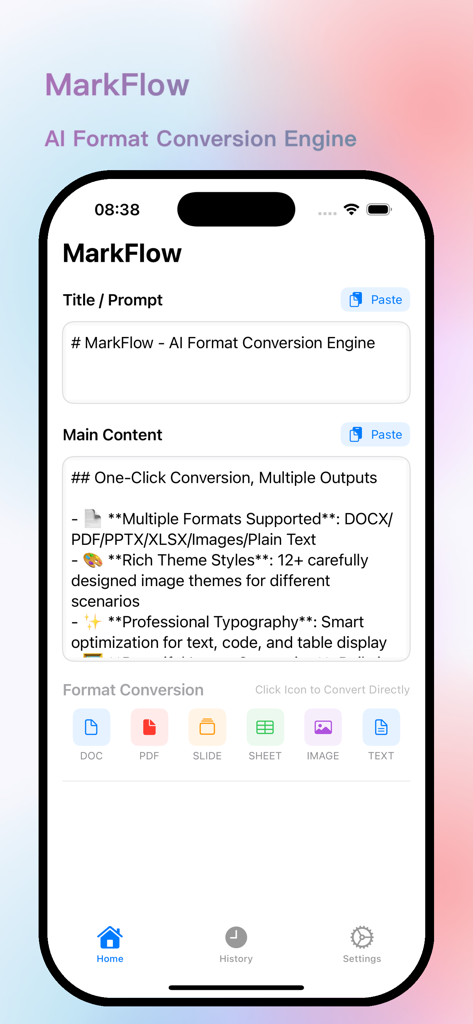
MarkFlow 앱 인터페이스에 마크다운 텍스트 입력 및 PDF 및 DOCX와 같은 형식 변환 옵션이 표시됩니다.
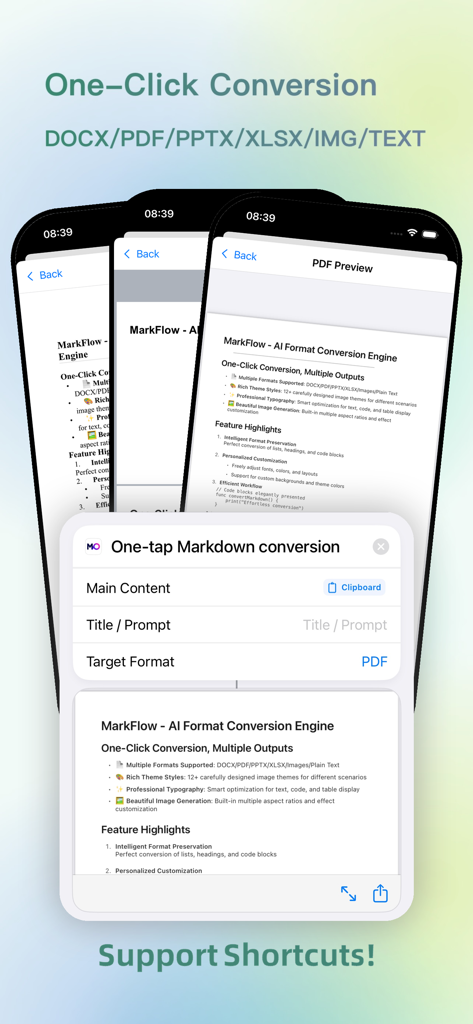
MarkFlow 앱 인터페이스에 iOS 단축키를 사용하여 PDF로의 단 한 번의 탭 마크다운 변환이 표시됩니다.
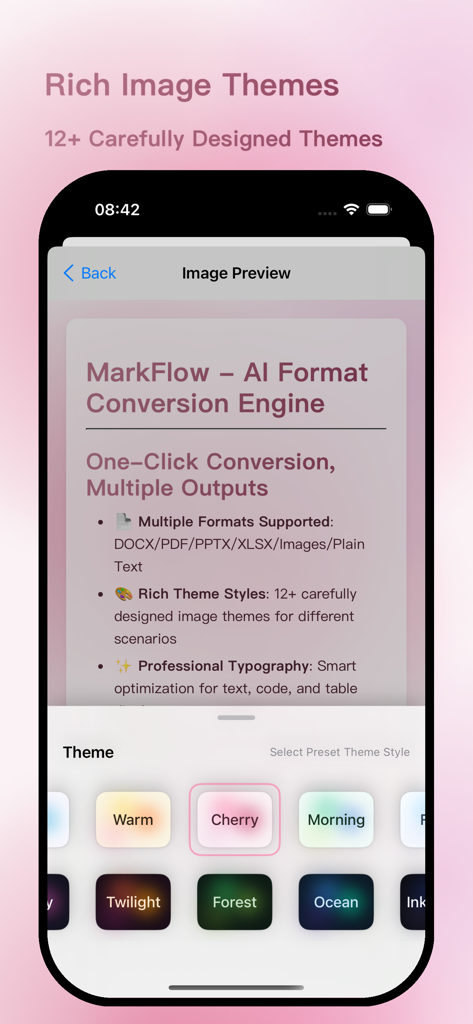
MarkFlow 앱 인터페이스에 마크다운 텍스트를 이미지로 형식 지정하기 위한 다양한 미적 테마가 표시됩니다.
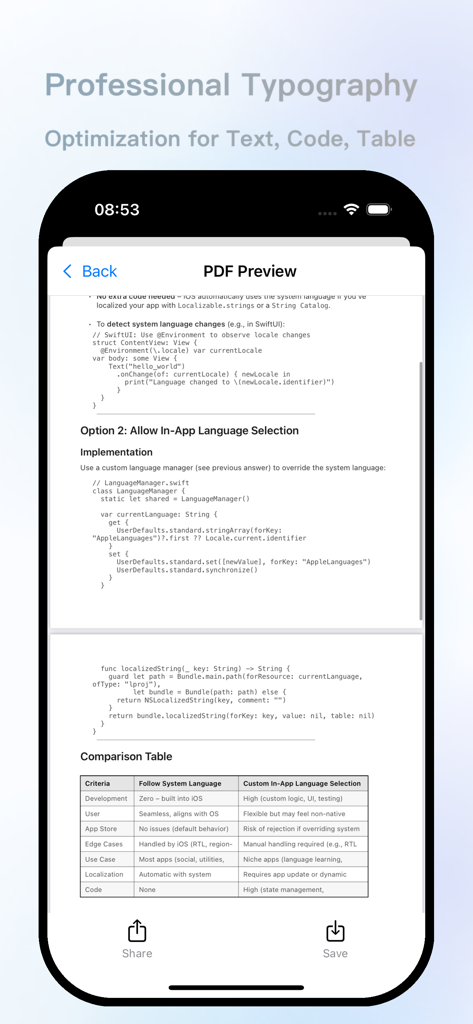
MarkFlow 앱 인터페이스에 텍스트, 코드 스니펫 및 데이터 테이블에 최적화된 서식이 적용된 전문 PDF 미리 보기가 표시됩니다.
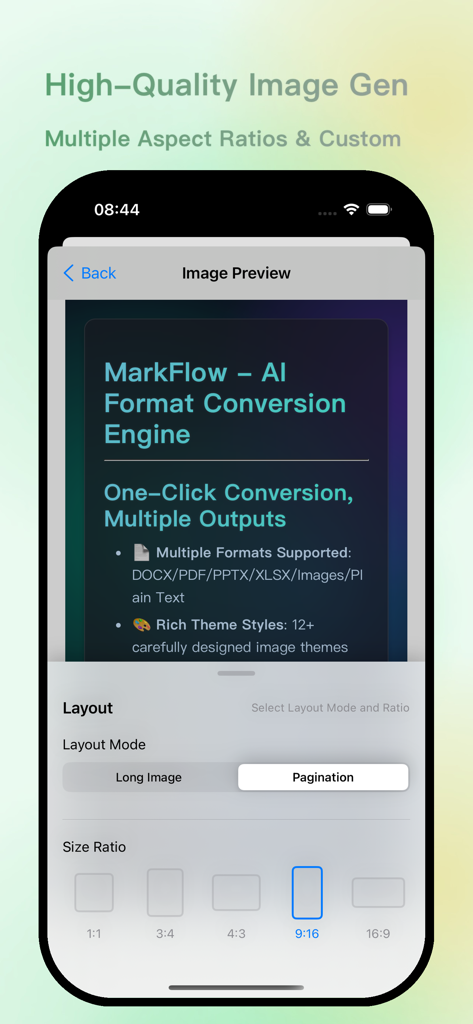
MarkFlow 앱 인터페이스에 AI 문서 변환을 위한 다양한 레이아웃 모드 및 종횡비 옵션이 포함된 이미지 미리 보기가 표시됩니다.
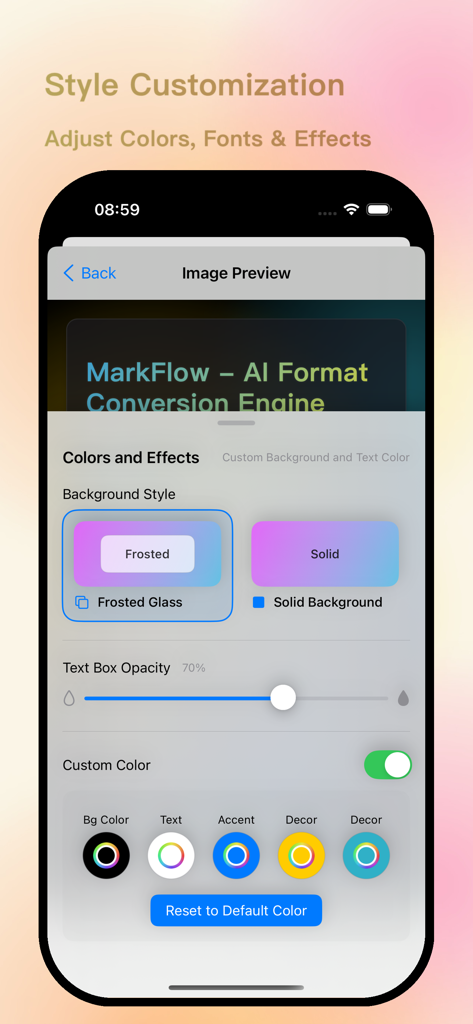
MarkFlow 앱 인터페이스에 배경색, 텍스트 상자 불투명도 및 글꼴에 대한 스타일 사용자 지정 옵션이 표시됩니다.
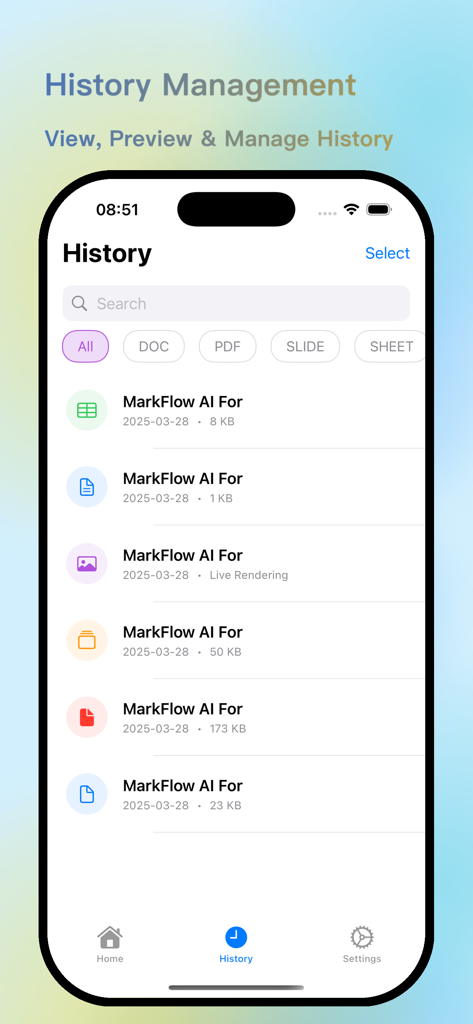
MarkFlow 앱 기록 관리 인터페이스에 형식 필터가 포함된 변환된 AI 문서 목록이 표시됩니다.
설명
Say Goodbye to Markdown Symbols, Create Beautiful Documents with One Click
Convert Markdown from AI outputs to DOCX, PDF, PPTX, images, XLSX, TXT with one click. 12 beautiful image themes, offline processing, customizable image styles.
MarkFlow is a format conversion tool specially designed for processing AI output content, helping you easily convert Markdown text into various professional document formats. No internet required, local processing, protecting your privacy and security.
【Multiple Format Conversion】
• Convert to documents (.docx), PDF files, presentations (.pptx), spreadsheets (.xlsx), beautiful images, and plain text with one click
• Preserve original formatting and layout, making AI output content instantly professional and beautiful
• Quick conversion interface, start converting with a simple click, no complex operations needed
【Beautiful Image Themes】
• 12 carefully designed image themes: Clear Sky, Starry Night, Warm Sun, Forest, Ocean, Dusk, Cherry Blossom, Morning Dew, Frost, Ink Night, Green Field, and Purple Glow
• Each theme has matching background, text, and accent colors, presenting a harmonious and beautiful visual effect
• Support for custom theme colors to meet personalized needs
【iOS Shortcuts Support】
• Convert Markdown to various document formats with a single tap via iOS Shortcuts
• Transform Markdown into beautiful images and preview them directly within Shortcuts
• Complete conversions without opening the app, enhancing your productivity
【Rich Style Options】
• Multiple image size presets: Square (1:1), Portrait (3:4), Standard (4:3), Vertical Screen (9:16), Horizontal Screen (16:9), and custom sizes
• Various font schemes: System Default, Medium Black, Light, Happy Black, Good Body, Sugar Round, and more
• Support for frosted glass and solid color background text box styles
• Adjustable content padding and container padding to optimize layout effects
【Convenient History Records】
• Automatically save all conversion records for viewing and reuse anytime
• Filter history records by document type
• Batch selection and deletion functions for easy history management
【Simple and Efficient Operation】
• Intuitive user interface with clear function layout
• Support for one-click pasting of AI output content
• No internet required, local processing, protecting your privacy
MarkFlow is a powerful assistant for processing AI output content, helping you say goodbye to Markdown symbol troubles and easily create professional and beautiful documents. Whether for study notes, work reports, presentations, or data analysis, MarkFlow can help you quickly complete format conversions and improve work efficiency.
Download MarkFlow and turn AI output into beautiful documents instantly!
이 페이지는 앱이나 개발자의 공식 페이지가 아니며, 정보 제공 및 논평을 목적으로 작성된 독립 편집 간행물입니다. 명시적으로 달리 언급되지 않는 한, 해당 앱이나 개발자는 MWM, Apple, Google Play, 앱 퍼블리셔 또는 앱 개발자와 제휴, 보증, 후원, 승인 또는 공식적으로 연결되어 있지 않으며, 이 페이지의 어떤 내용도 해당 앱이 MWM의 서비스를 사용하여 개발되었음을 의미하지 않습니다. 모든 상표, 로고, 스크린샷 및 기타 콘텐츠는 해당 소유자의 자산입니다.









