Mavis - Camera
Mavis - Camera
다운로드: App Store

이 페이지는 앱이나 개발자의 공식 페이지가 아니며, 정보 제공 및 논평을 목적으로 작성된 독립 편집 간행물입니다. 명시적으로 달리 언급되지 않는 한, 해당 앱이나 개발자는 MWM, Apple, Google Play, 앱 퍼블리셔 또는 앱 개발자와 제휴, 보증, 후원, 승인 또는 공식적으로 연결되어 있지 않으며, 이 페이지의 어떤 내용도 해당 앱이 MWM의 서비스를 사용하여 개발되었음을 의미하지 않습니다. 모든 상표, 로고, 스크린샷 및 기타 콘텐츠는 해당 소유자의 자산입니다.

로고: Mavis - Camera
다운로드: App Store

Mavis - Camera

완전한 수동 제어, ProRes 녹화, NDI® 스트리밍을 활용하세요. 독립 영화부터 라이브 방송까지, 업계에서 가장 진보된 촬영 도구로 iPhone을 장착하세요.

주요 수치

다운로드

363K+

사용자 평점

4.3/5

총 평가 수

2K+

개발사

Mavis Broadcast Ltd

카테고리

Photo & Video

지원 언어

7

최신 버전

7.4.3

크기

231.4 MB

출시일

2015년 4월 16일
기능

주머니 속 전문가용 시네마 스튜디오

업계 표준 수동 제어, 실시간 모니터링, 원활한 클라우드 우선 워크플로를 통해 iPhone 하드웨어의 잠재력을 최대한 발휘하세요.

시네마 등급 녹화

Open Gate 및 사용자 정의 LUT를 활용하여 ProRes 및 10비트 HEVC 지원으로 최고의 영화적 느낌을 카메라 내에서 구현하여 여러분의 기술을 마스터하세요.

연결된 클라우드 워크플로

직접적인 Adobe Frame.io 통합 및 NDI® HX3 인증 방송 기능을 통해 현장과 후반 작업 간의 격차를 해소하세요.

다음 스크린샷과 설명은 앱의 공식 스토어 목록에서 직접 가져온 것이며 앱 개발자의 자산입니다.

앱 스토어

스크린샷
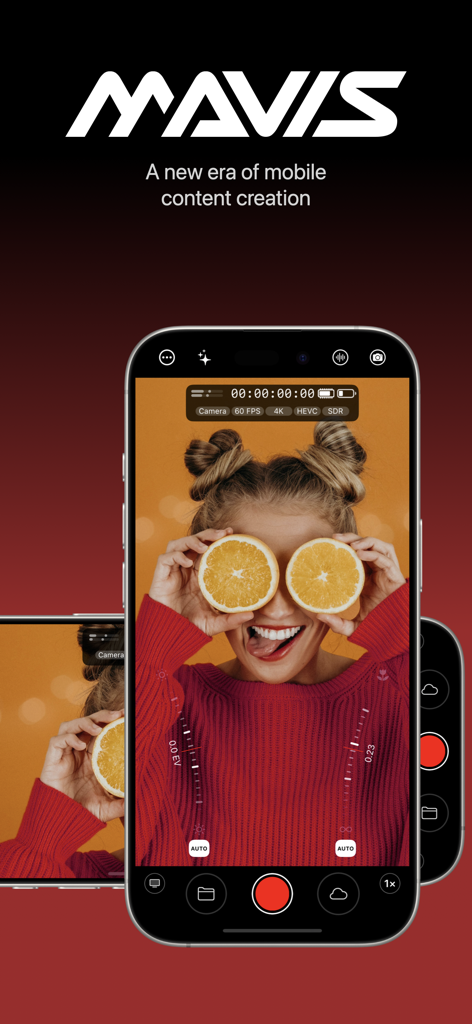
Mavis - Camera - iPhone에서 Mavis 카메라 앱 전문가 인터페이스를 사용하여 영화 콘텐츠 제작
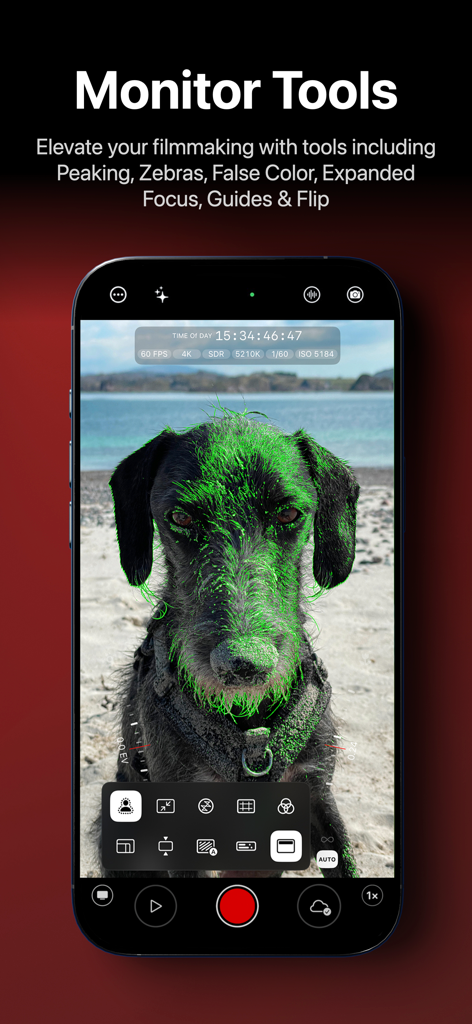
iPhone에서 Mavis 카메라 앱 전문가 인터페이스를 사용하여 영화 콘텐츠 제작

Mavis - Camera - 개에 대한 녹색 초점 피킹이 있는 Mavis 카메라 모니터 도구를 표시하는 스마트폰 화면
개에 대한 녹색 초점 피킹이 있는 Mavis 카메라 모니터 도구를 표시하는 스마트폰 화면

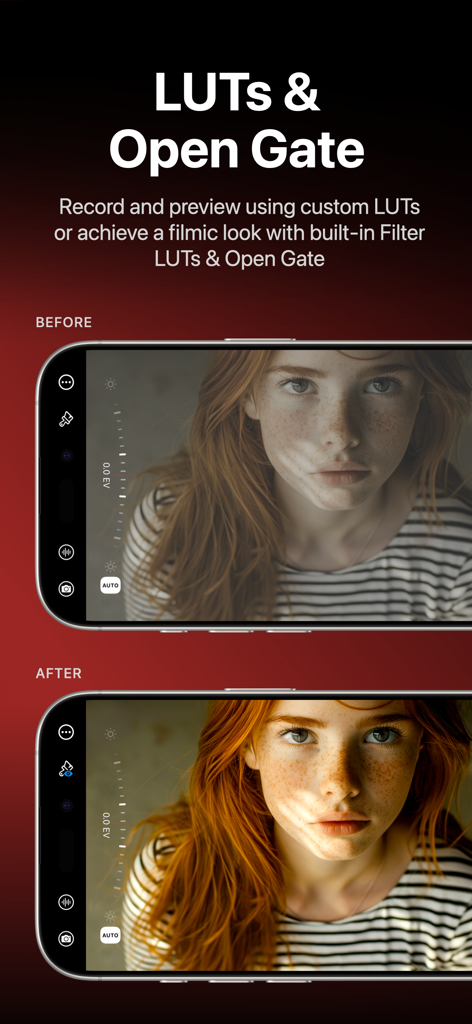
Mavis - Camera - Mavis 카메라 앱 인터페이스에서 필름 LUT의 이전 및 이후 비교
Mavis 카메라 앱 인터페이스에서 필름 LUT의 이전 및 이후 비교

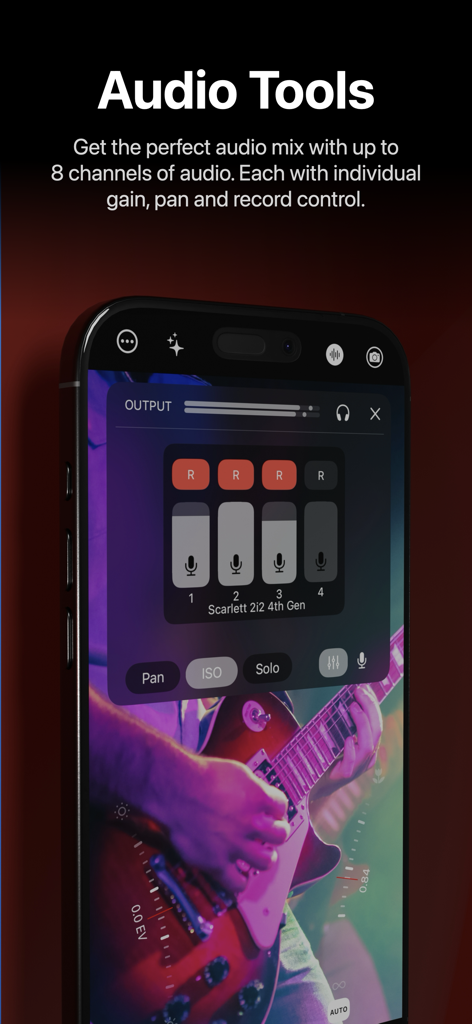
Mavis - Camera - Mavis 카메라 전문가 오디오 믹서가 멀티채널 게인 및 녹화 컨트롤을 표시함
Mavis 카메라 전문가 오디오 믹서가 멀티채널 게인 및 녹화 컨트롤을 표시함

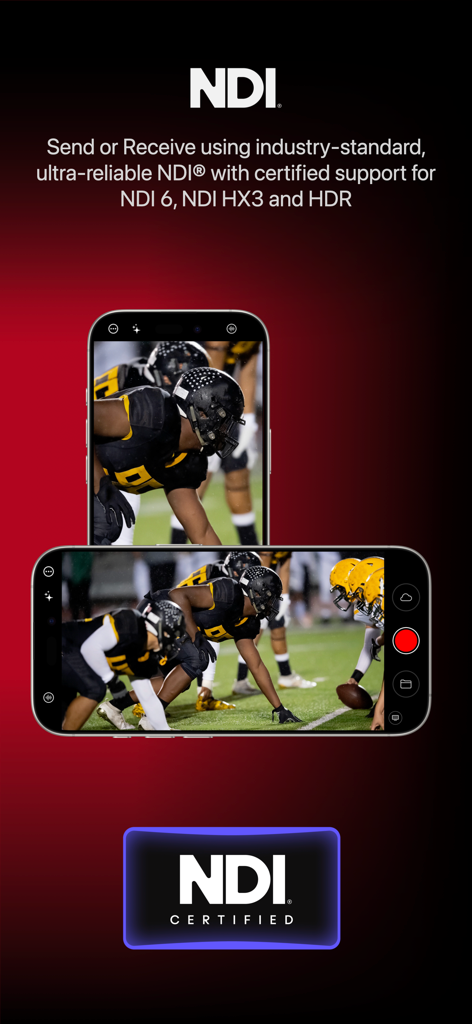
Mavis - Camera - 전문 비디오 방송 및 스트리밍을 위한 NDI 인증 지원 기능을 갖춘 Mavis 카메라 앱
전문 비디오 방송 및 스트리밍을 위한 NDI 인증 지원 기능을 갖춘 Mavis 카메라 앱

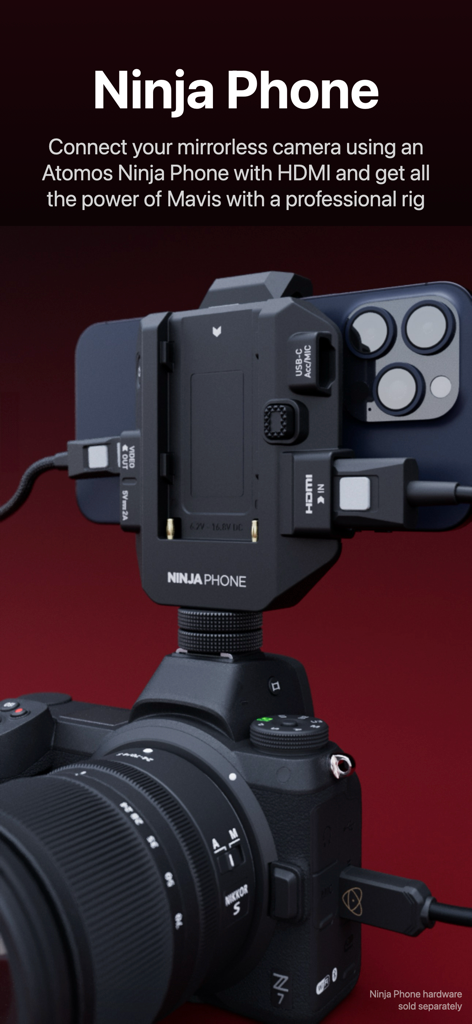
Mavis - Camera - 전문 촬영을 위해 Atomos Ninja Phone 하드웨어를 사용하여 미러리스 카메라에 장착된 iPhone
전문 촬영을 위해 Atomos Ninja Phone 하드웨어를 사용하여 미러리스 카메라에 장착된 iPhone

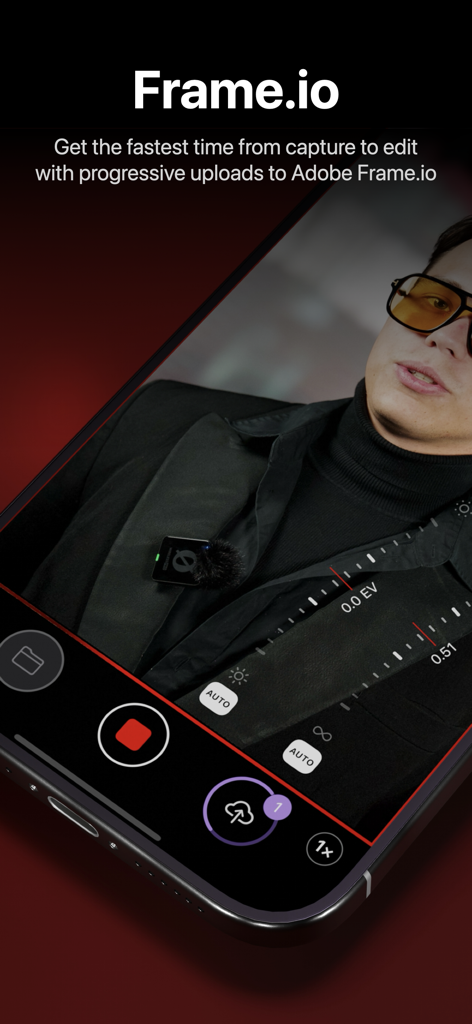
Mavis - Camera - Mavis 카메라 앱이 Adobe Frame.io와의 통합을 표시하여 캡처에서 편집까지 빠른 클라우드 업로드
Mavis 카메라 앱이 Adobe Frame.io와의 통합을 표시하여 캡처에서 편집까지 빠른 클라우드 업로드

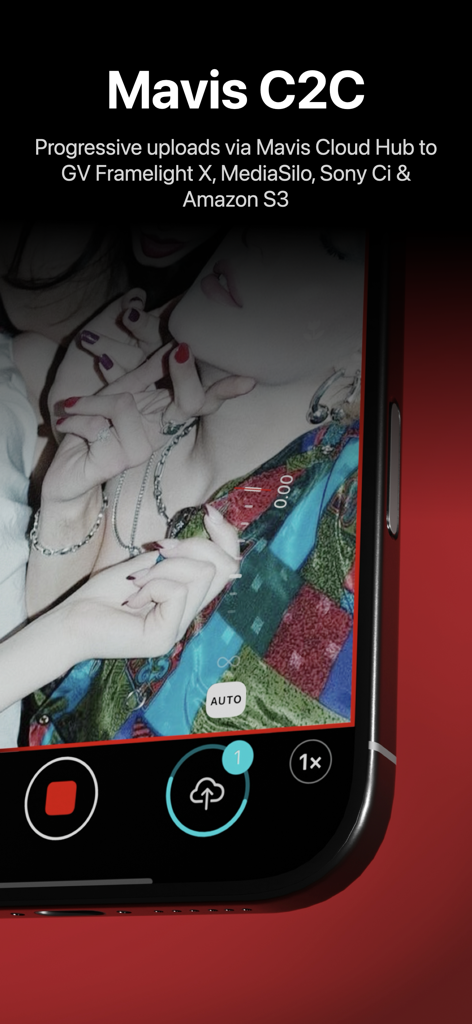
Mavis - Camera - 비디오 녹화 중 점진적인 클라우드 업로드를 보여주는 Mavis 카메라 앱 인터페이스
비디오 녹화 중 점진적인 클라우드 업로드를 보여주는 Mavis 카메라 앱 인터페이스

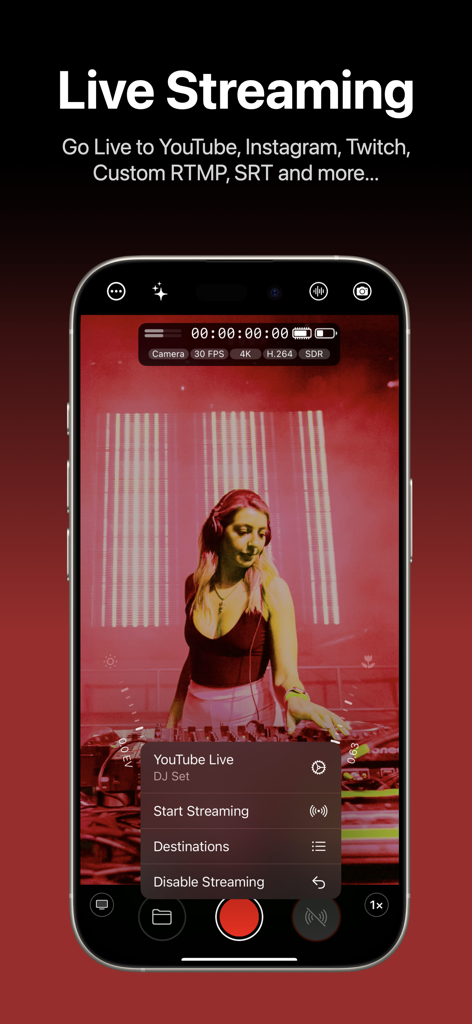
Mavis - Camera - YouTube 방송을 위한 라이브 스트리밍 설정을 보여주는 iPhone의 Mavis 카메라 앱 인터페이스
YouTube 방송을 위한 라이브 스트리밍 설정을 보여주는 iPhone의 Mavis 카메라 앱 인터페이스

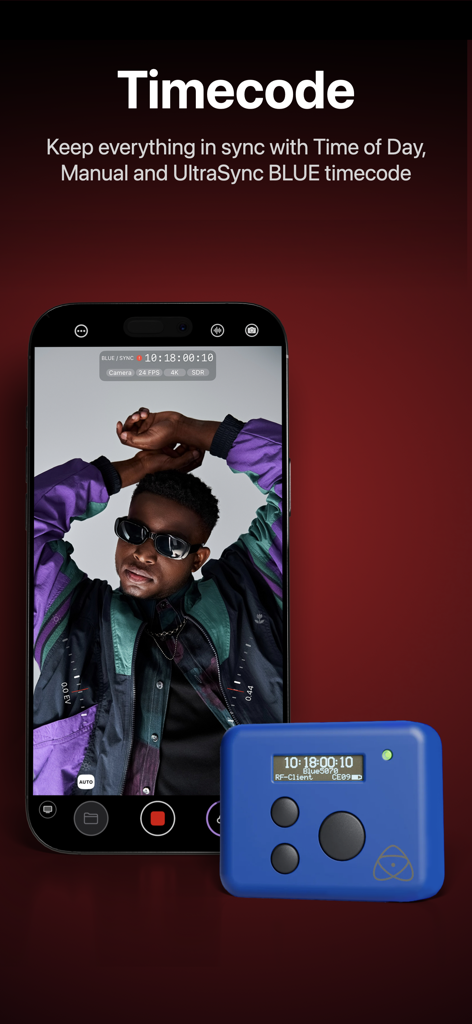
Mavis - Camera - 파란색 UltraSync BLUE 장치와 시간 코드 동기화를 보여주는 Mavis 카메라 앱이 실행되는 iPhone

파란색 UltraSync BLUE 장치와 시간 코드 동기화를 보여주는 Mavis 카메라 앱이 실행되는 iPhone

설명

Mavis Camera has been built from the ground up to equip you with the tools you'll need for the next era of content creation. Whether you're a streamer building a channel, an industry veteran looking for new ways of working or a creator with a passion for filmmaking, Mavis Camera has something for you. -- MAIN FEATURES -- • Record in a range of resolutions, frame rates, and codecs including Open Gate, HEVC 10-bit and ProRes • Record and preview using custom LUTs, and achieve a filmic look with built-in Filter LUTs • Monitor tools including focus peaking, zebras, false color, expanded focus, guides, flip • Manual camera controls including focus, exposure, shutter and color • NDI® HX3 Certified • Atomos Ninja Phone input support • Adobe Frame.io Camera to Cloud • Streaming including YouTube, Twitch, Instagram and Facebook • Custom audio inputs • Audio mixer including gain, pan and solo controls for individual channels • Real-time audio passthrough for monitoring in headphones • HDR video pipeline • Custom RTMP destination & SRT (TX Caller) streaming • Mavis C2C including Framelight X, MediaSilo, Sony Ci & Amazon S3 • Mavis Cloud Hub remote configuration for Mavis C2C and streaming settings • Timecode including Time-of-Day, Offset and UltraSync BLUE • Vertical and landscape recording and streaming -- AUDIO TOOLS -- • Integrated audio mixer with stereo output • Gain & pan control per input channel • External mic inputs • Internal mic selection • Multi-track ISO recording • Bluetooth monitoring -- CONNECTED WORKFLOWS -- NDI • Send or Receive with NDI • NDI HX3 Certified • Automatically find all NDI sources on local network • Set NDI Groups, Discovery Server, UDP/TCP Mode Camera to Cloud • Mavis C2C integrations with Framelight X, MediaSilo, Sony Ci & Amazon S3 • Direct integration with Adobe Frame.io • Direct integration with Atomos ATOMOSphere • Progressive uploads while you record • Manage Mavis C2C devices from hub.mavis.cloud Live Streaming • Vertical and landscape streaming • Simultaneously record and stream • Custom RTMP and SRT Caller destinations • Manage Streaming devices from hub.mavis.cloud -- CAMERA CONTROLS -- Manual controls including • Focus • Exposure • ISO • Shutter • Color temperature • Shutter lock • Custom frame rates • Range of resolutions • Range of bitrates • Codecs including ProRes -- MONITOR TOOLS -- What they do • Mavis LUTs let you record or preview your footage with a filmic grade, helping you visualise the final look while you shoot • Focus peaking and expanded focus features help you achieve consistently sharp and precise shots • Zebras help ensure your shots are never overexposed • Guides help you frame your shot • Aspect Ratio overlay lets you preview your image in a different width/height • Waveform monitor helps you shoot with the optimal dynamic range • Vectorscope helps maintain consistent colors and ensures accurate white balance Notable settings • Record and preview LUTs • Focus peaking color and sensitivity • Guides including thirds, portrait safe and square • Zebras, color and sensitivity range • Aspect Ratio overlay cross hairs, safe area and transparency -- USER INTERFACE -- • Vertical and landscape layouts • Designed with DSLR familiarity • Monitor toolbar • Internal Camera Control Wheel • Shutter displayed in angle or speed • Custom Function (FN) button • Support for Camera Control Device restrictions apply. Some features require In-App Purchase or App Subscription. Check out the support pages for full details - support.mavis.cloud EULA - https://www.apple.com/legal/internet-services/itunes/dev/stdeula/ Mavis Camera was developed by people who love what they do. We hope you enjoy it as much as we do! :-)

Download

다운로드: App Store

이 페이지는 앱이나 개발자의 공식 페이지가 아니며, 정보 제공 및 논평을 목적으로 작성된 독립 편집 간행물입니다. 명시적으로 달리 언급되지 않는 한, 해당 앱이나 개발자는 MWM, Apple, Google Play, 앱 퍼블리셔 또는 앱 개발자와 제휴, 보증, 후원, 승인 또는 공식적으로 연결되어 있지 않으며, 이 페이지의 어떤 내용도 해당 앱이 MWM의 서비스를 사용하여 개발되었음을 의미하지 않습니다. 모든 상표, 로고, 스크린샷 및 기타 콘텐츠는 해당 소유자의 자산입니다.








