MC-Timer
MC-Timer
다운로드: App Store

이 페이지는 앱이나 개발자의 공식 페이지가 아니며, 정보 제공 및 논평을 목적으로 작성된 독립 편집 간행물입니다. 명시적으로 달리 언급되지 않는 한, 해당 앱이나 개발자는 MWM, Apple, Google Play, 앱 퍼블리셔 또는 앱 개발자와 제휴, 보증, 후원, 승인 또는 공식적으로 연결되어 있지 않으며, 이 페이지의 어떤 내용도 해당 앱이 MWM의 서비스를 사용하여 개발되었음을 의미하지 않습니다. 모든 상표, 로고, 스크린샷 및 기타 콘텐츠는 해당 소유자의 자산입니다.

로고: MC-Timer
다운로드: App Store

MC-Timer

시계를 보는 것을 멈추고 흐름에 집중하세요. 동기화된 오디오 큐, 음성으로 안내되는 운동, 그리고 정확한 타이밍에 재생되는 고강도 비트로 HIIT 및 타바타 세션을 맞춤 설정하세요.

주요 수치

다운로드

1K+

사용자 평점

1.0/5

총 평가 수

0

개발사

Eric Roller

카테고리

Health & Fitness

지원 언어

1

최신 버전

1.9.2

크기

8.9 MB

출시일

2021년 2월 20일
기능

소리를 통한 강도 마스터

좋아하는 음악을 고성능 코치로 바꾸세요. MC-Timer는 플레이리스트를 루틴에 완벽하게 동기화하여 완전한 집중과 방해 요소를 제거합니다.

음악 기반 흐름

음악이 재생될 때 운동하고 멈출 때 휴식하세요. 플레이리스트가 속도를 결정하게 하여 시계를 확인하는 대신 반복 횟수에 집중하세요.

노래의 '심장'

느린 도입부를 건너뛰세요. 가장 강렬한 운동 세트가 시작될 때 각 트랙의 가장 에너지 넘치는 부분을 자동으로 트리거하세요.

다음 스크린샷과 설명은 앱의 공식 스토어 목록에서 직접 가져온 것이며 앱 개발자의 자산입니다.

앱 스토어

스크린샷
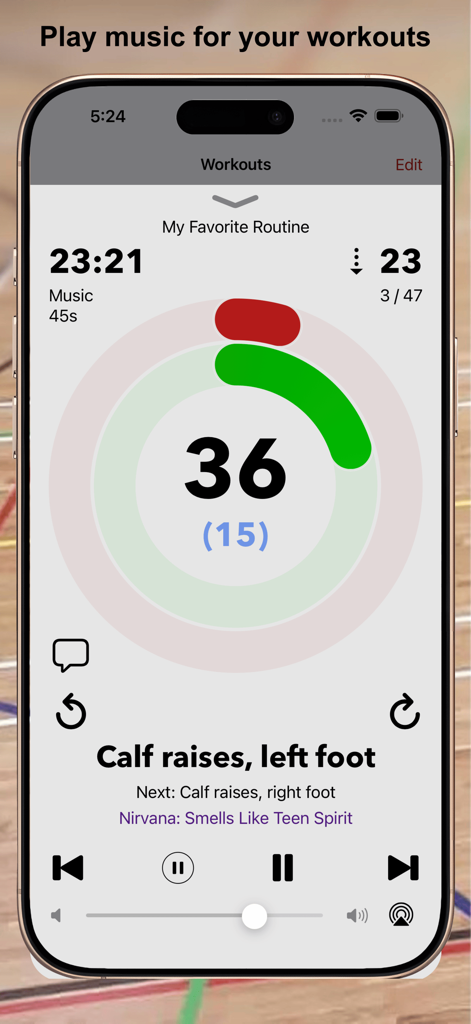
MC-Timer - MC-Timer 앱 인터페이스, 음악 및 운동 이름과 함께 피트니스 인터벌 타이머 표시.
MC-Timer 앱 인터페이스, 음악 및 운동 이름과 함께 피트니스 인터벌 타이머 표시.

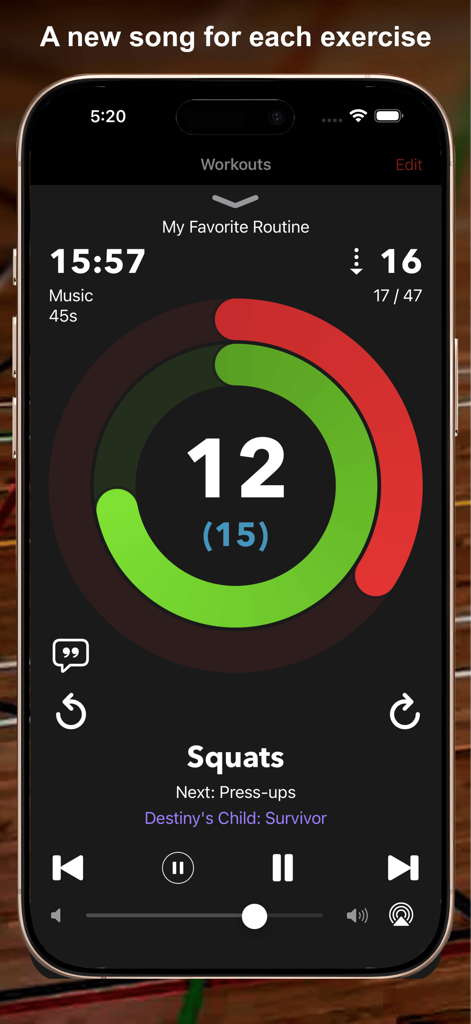
MC-Timer - MC-Timer 앱, 진행 링 및 음악 통합과 함께 스쿼트 카운트다운 타이머 표시.
MC-Timer 앱, 진행 링 및 음악 통합과 함께 스쿼트 카운트다운 타이머 표시.

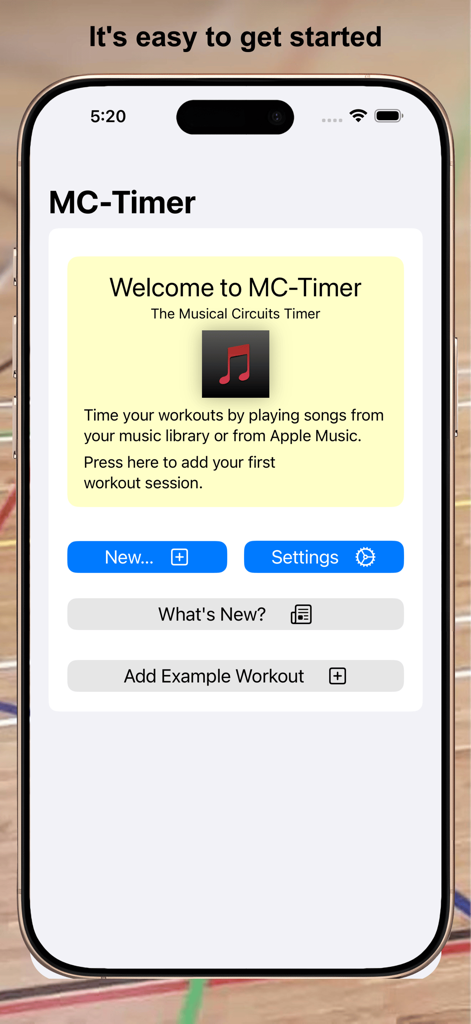
MC-Timer - 새 운동 세션 시작 옵션이 있는 iPhone의 MC-Timer 앱 환영 화면
새 운동 세션 시작 옵션이 있는 iPhone의 MC-Timer 앱 환영 화면

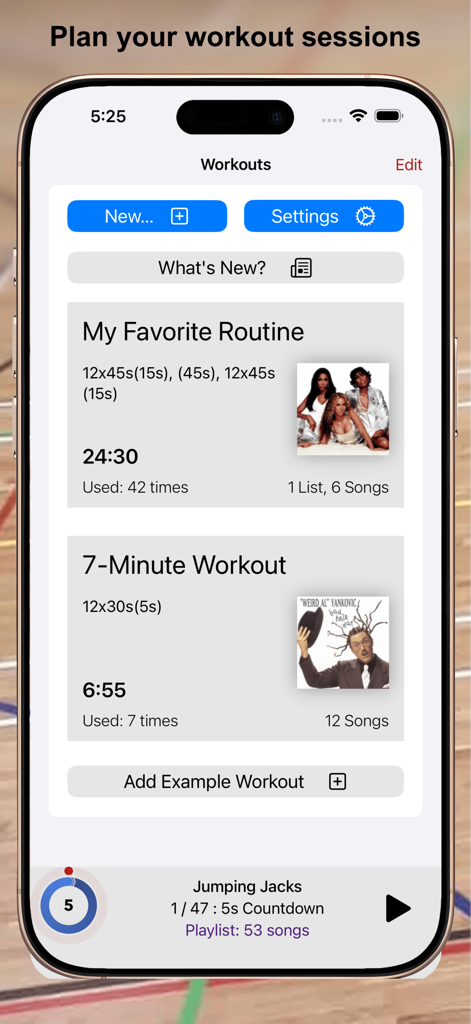
MC-Timer - 음악 앨범 아트 및 타이밍 세부 정보와 함께 사용자 지정 운동 루틴 목록을 표시하는 모바일 앱 인터페이스
음악 앨범 아트 및 타이밍 세부 정보와 함께 사용자 지정 운동 루틴 목록을 표시하는 모바일 앱 인터페이스

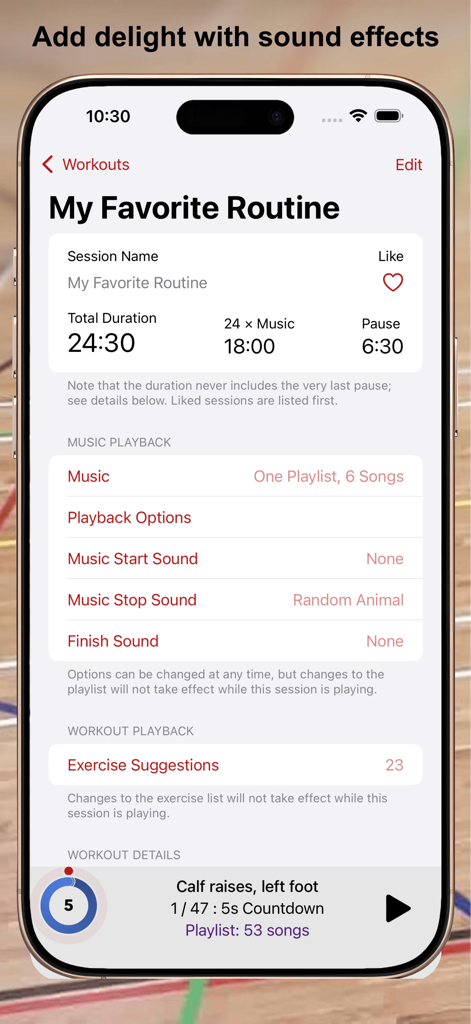
MC-Timer - 음악 및 사운드 효과로 운동 루틴을 사용자 정의하기 위한 MC-Timer 앱 인터페이스
음악 및 사운드 효과로 운동 루틴을 사용자 정의하기 위한 MC-Timer 앱 인터페이스

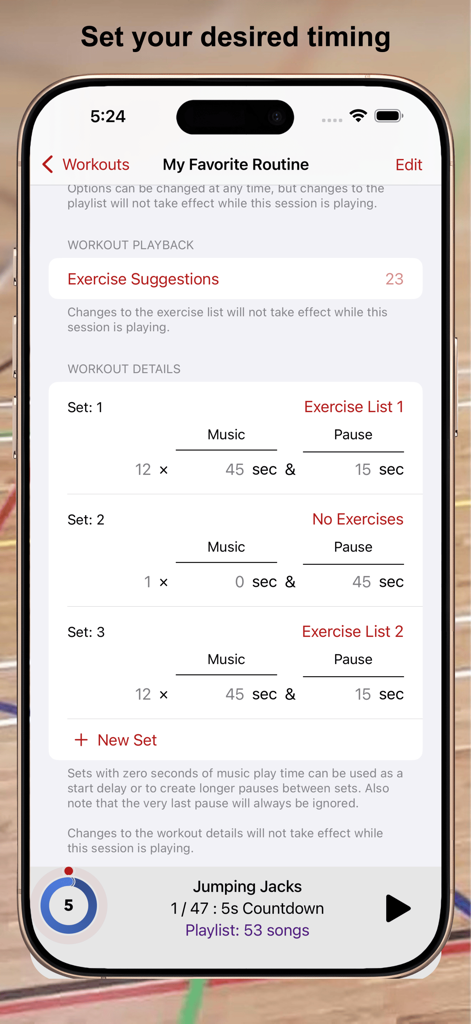
MC-Timer - 다른 세트에 대한 사용자 지정 음악 및 일시 중지 시간을 보여주는 MC-Timer 앱의 상세 운동 인터벌 설정
다른 세트에 대한 사용자 지정 음악 및 일시 중지 시간을 보여주는 MC-Timer 앱의 상세 운동 인터벌 설정

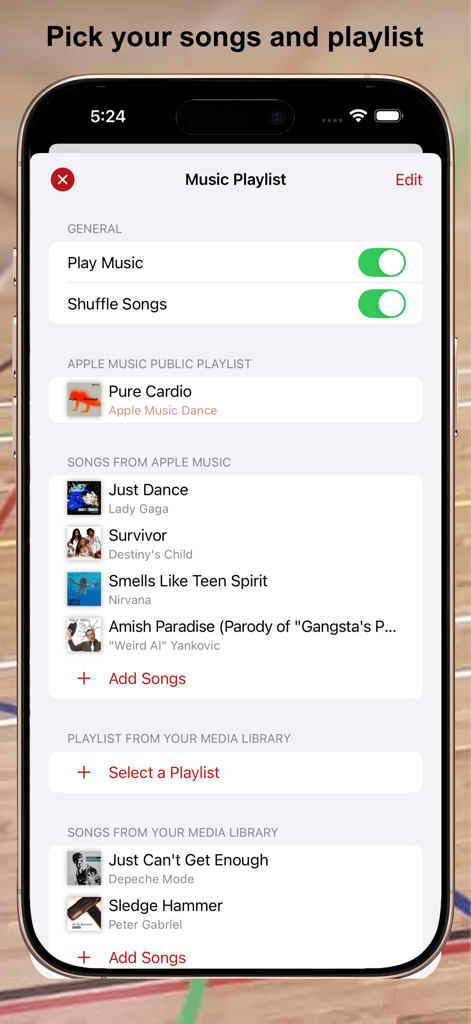
MC-Timer - 선택한 노래 및 셔플 옵션을 보여주는 MC-Timer 앱 음악 재생 목록 설정 화면
선택한 노래 및 셔플 옵션을 보여주는 MC-Timer 앱 음악 재생 목록 설정 화면

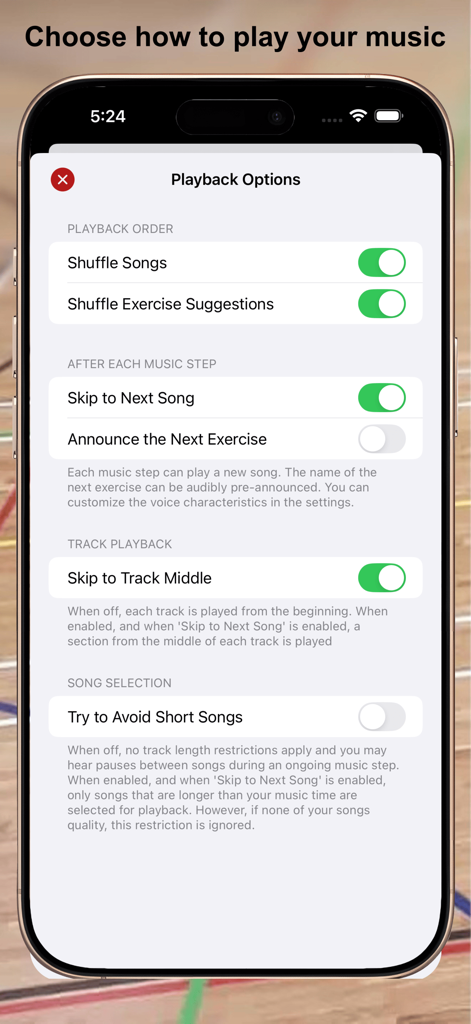
MC-Timer - iPhone에서 음악 셔플 및 트랙 재생 설정을 보여주는 MC-Timer 앱 재생 옵션 메뉴.
iPhone에서 음악 셔플 및 트랙 재생 설정을 보여주는 MC-Timer 앱 재생 옵션 메뉴.

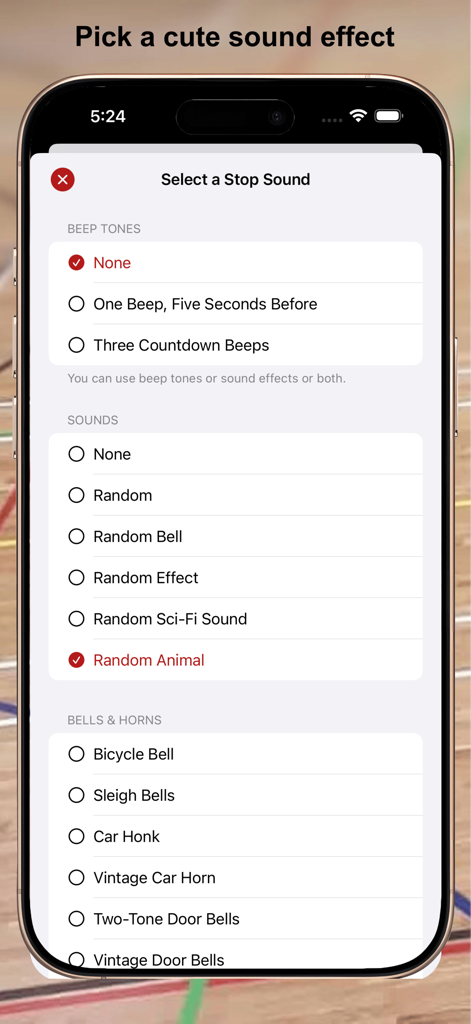
MC-Timer - 운동 인터벌 사운드 효과 선택을 위한 MC-Timer 앱 화면

운동 인터벌 사운드 효과 선택을 위한 MC-Timer 앱 화면

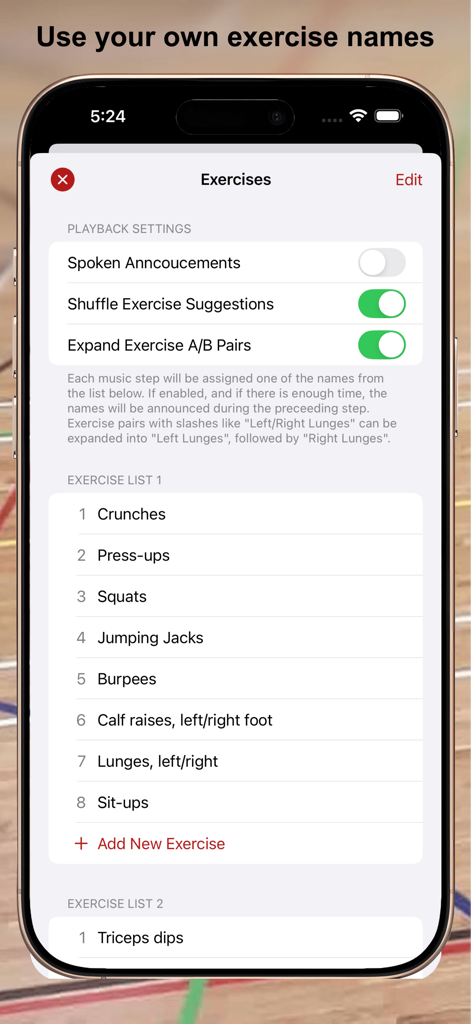
MC-Timer - iPhone에서 사용자 지정 가능한 운동 목록 및 재생 설정을 보여주는 MC-Timer 앱 인터페이스 스크린샷

iPhone에서 사용자 지정 가능한 운동 목록 및 재생 설정을 보여주는 MC-Timer 앱 인터페이스 스크린샷

설명

MC-Timer plays music for timed intervals. You can use this app to have some fun during workout sessions like Tabata, intervals, HIIT, or circuit training, where you have multiple, timed sets of exercise and rest phases. For more complex routines, the names of your exercises can be shown and randomized, optionally also audibly announced. MC-Timer will guide you through your planned workout by playing music during the high-effort exercise phases and by being quiet during the pauses. No need to constantly look at your watch. Just listen to the music. Your music. When the work phases are shorter than the typical duration of a song, then you can nicely play a new song for each set. Let yourself be surprised and allow MC-Timer to play a randomly chosen song for each set. And if you do not want to listen to mellow song intros, you can set MC-Timer to play a suitably long section from the "heart" of the song. While the workout is playing, you can see your progress within each set and within the entire session by looking at the progress rings and the countdown timers. The progress rings are distinct and remain legible even from the other side of the room. To make this possible, the display will stay on while MC-Timer is playing your session. MC-Timer synchronizes the workout definitions across your devices. If you like to use a bigger screen, play the workouts using MC-Timer on iPad or Apple TV. The workout details are fully customizable. You can, but you don't have to: - define any number of repeated sets of "music" and "pause" phases; - insert special sets without music to create longer pauses; - define one or more lists of exercise names to be shown or announced; - choose all the songs that will be played; - use the playlist or exercise lists as is or randomized; - select whether you want to skip to the next song for each set; - play tracks from the beginning or from the middle. Alerts!!! - optionally, use countdown beeps or just a single warning beep; - pick a fun alert sound to play at the start or end of each music phase, or at the end of the session; - select from 62 custom sounds: bells, horns, special effects, Science Fiction and cute animals; A few geeky details: - Each set consists of a "music" phase and a "pause" phase, optionally repeated multiple times. - Music and pause times are entered in seconds. - The start delay (or the default 5-second countdown) is not counted for the workout duration. - A complete session always ends at its last music phase, i.e. the very last pause is skipped. - When you have multiple exercise lists, you can assign which list to use for which set. - You can define exercise pairs like "lunges, left/right" which can be split into "lunges, left" followed by "lunges, right". - You can enable or randomize lead phrases like "Next up: " for the voice announcements or define your own. - MC-Timer accurately times your workout; unlike other apps, there are no timing errors that accumulate as the session progresses. - The counters/timers in the playback view can be tapped to toggle between counting up or down. - The shuffle mode randomises the order in which the songs are played. That is to say: songs will not be repeated until all songs in the playlist have been played. - You can override the default system-wide appearance and always use the app in its dark or light appearance. Medical Advice Please consult with a physician prior to engaging in a new exercise program; even more so if this is not something that you are used to. MC-Timer on the Apple TV You can easily playback your workout sessions directly on Apple TV by using the MC-Timer companion app for Apple TV. However, you cannot edit the sessions there; you need to do that on your iPhone or iPad and sync your changes via iCloud. Also note that since your (iTunes) media library is not available on Apple TV, you will need an Apple Music subscription in order to play music on Apple TV.

Download

다운로드: App Store

이 페이지는 앱이나 개발자의 공식 페이지가 아니며, 정보 제공 및 논평을 목적으로 작성된 독립 편집 간행물입니다. 명시적으로 달리 언급되지 않는 한, 해당 앱이나 개발자는 MWM, Apple, Google Play, 앱 퍼블리셔 또는 앱 개발자와 제휴, 보증, 후원, 승인 또는 공식적으로 연결되어 있지 않으며, 이 페이지의 어떤 내용도 해당 앱이 MWM의 서비스를 사용하여 개발되었음을 의미하지 않습니다. 모든 상표, 로고, 스크린샷 및 기타 콘텐츠는 해당 소유자의 자산입니다.