
이 페이지는 앱이나 개발자의 공식 페이지가 아니며, 정보 제공 및 논평을 목적으로 작성된 독립 편집 간행물입니다. 명시적으로 달리 언급되지 않는 한, 해당 앱이나 개발자는 MWM, Apple, Google Play, 앱 퍼블리셔 또는 앱 개발자와 제휴, 보증, 후원, 승인 또는 공식적으로 연결되어 있지 않으며, 이 페이지의 어떤 내용도 해당 앱이 MWM의 서비스를 사용하여 개발되었음을 의미하지 않습니다. 모든 상표, 로고, 스크린샷 및 기타 콘텐츠는 해당 소유자의 자산입니다.


Media Converter - video to mp3
이동 중에도 미디어를 손쉽게 변환, 압축 및 편집하는 6백만 이상의 사용자와 함께하세요. 고품질 MP3를 추출하고, 맞춤 벨소리를 만들고, 모바일 장치를 위한 가장 다재다능한 스위스 군용 칼로 저장 공간을 되찾으세요.
다운로드
6M+사용자 평점
총 평가 수
118K+개발사
카테고리
Utilities지원 언어
49최신 버전
4.12크기
124.3 MB출시일
2017년 10월 10일제한 없이 미디어를 마스터하세요
'지원되지 않는 파일' 오류와 저장 공간 경고로 씨름하는 것을 멈추세요. 6백만 이상의 사용자가 신뢰하는 올인원 툴킷으로 변환, 압축 및 생성하세요.
모든 형식을 즉시 변환
장치 간의 간극을 연결하세요. MP4, MOV, MKV, MP3 간을 원활하게 전환하여 파일이 언제 어디서나 작동하도록 보장합니다.
저장 공간을 되찾으세요
품질 손실 없이 대용량 4K 비디오와 무거운 미디어 파일을 축소하세요. iPhone을 빠르고 iCloud를 비우는 데 완벽합니다.
자주 묻는 질문
에 대해 알아야 할 모든 것 Media Converter - video to mp3
Media Converter - video to mp3는 무엇인가요?
Media Converter - video to mp3는 비디오, 오디오, 이미지, GIF 및 PDF를 변환하는 올인원 앱입니다. 미디어 편집기, 벨소리 메이커 및 비디오 플레이어도 제공됩니다.
Media Converter는 비디오 형식을 변환할 수 있나요?
네, Media Converter는 MP4, MOV, 3GP, MKV 및 AVI와 같은 인기 있는 형식 간에 비디오를 변환합니다. H.264, H.265, MPEG-4 및 AV1과 같은 인코더를 지원합니다.
Media Converter는 비디오에서 오디오를 추출할 수 있나요?
네, Media Converter는 녹화된 비디오에서 오디오를 추출합니다. 출력 형식에는 MP3, M4A, OGG, WAV 및 FLAC가 포함됩니다. 다양한 오디오 인코더를 지원합니다.
Media Converter로 나만의 벨소리를 만들 수 있나요?
네, Media Converter를 사용하면 개인 맞춤 벨소리를 만들 수 있습니다. 비디오에서 오디오를 추출하고 벨소리 길이를 사용자 정의하기 위한 트리밍 도구를 제공합니다.
Media Converter는 어떤 이미지 형식을 지원하나요?
Media Converter는 JPG, PNG, HEIC 및 WEBP 형식으로 이미지를 변환하거나 다른 형식에서 이미지로 변환하는 것을 지원합니다. 또한 이미지를 PDF로 변환하거나 PDF에서 페이지를 이미지로 추출합니다.
Media Converter에 비디오 압축기가 포함되어 있나요?
네, Media Converter에는 비디오 압축기가 포함되어 있습니다. 품질 손실 없이 비디오 파일을 압축하고 저장 공간을 절약하기 위해 해상도, 프레임 속도 및 비트 전송률을 조정할 수 있습니다.
Media Converter의 구독 옵션은 무엇인가요?
Media Converter는 영구 액세스를 위한 평생 프로(Lifetime Pro) 일회성 구매를 제공합니다. 연간 자동 갱신 구독도 사용할 수 있으며, 확인 시 iTunes 계정에 요금이 청구됩니다.
Media Converter 앱 내에서 파일을 관리할 수 있나요?
네, Media Converter는 파일 관리 도구를 제공합니다. 안전한 저장을 위해 일괄 가져오기, Wi-Fi 전송, 파일 공유 및 iCloud Drive 백업을 지원합니다.
Media Converter에 내장 비디오 플레이어가 있나요?
네, Media Converter에는 내장 비디오 플레이어가 포함되어 있습니다. 모든 비디오 또는 음악 파일을 원활하게 재생하며 재생 목록 및 오프라인 재생을 지원합니다.
Media Converter를 사용하여 비디오에서 원치 않는 개체를 제거하는 방법은 무엇인가요?
Media Converter는 이 목적을 위해 "비디오 지우개" 도구를 제공합니다. 사용자는 이 기능을 사용하여 비디오에서 직접 원치 않는 개체를 제거할 수 있습니다.
다음 스크린샷과 설명은 앱의 공식 스토어 목록에서 직접 가져온 것이며 앱 개발자의 자산입니다.
앱 스토어
스크린샷
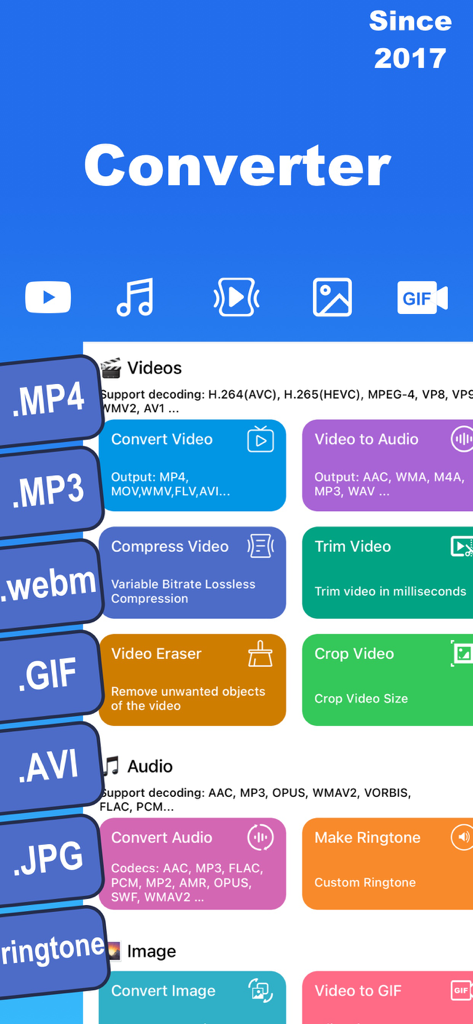
비디오 및 오디오 변환 압축 및 벨소리 메이커 도구를 보여주는 미디어 변환기 앱 인터페이스
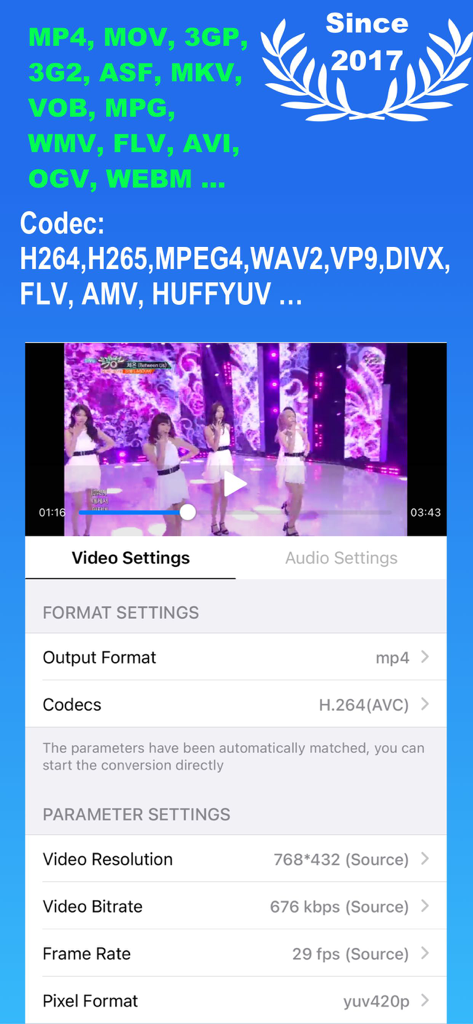
비디오 형식 설정 및 코덱 조정 옵션을 보여주는 미디어 변환기 앱의 모바일 앱 인터페이스.
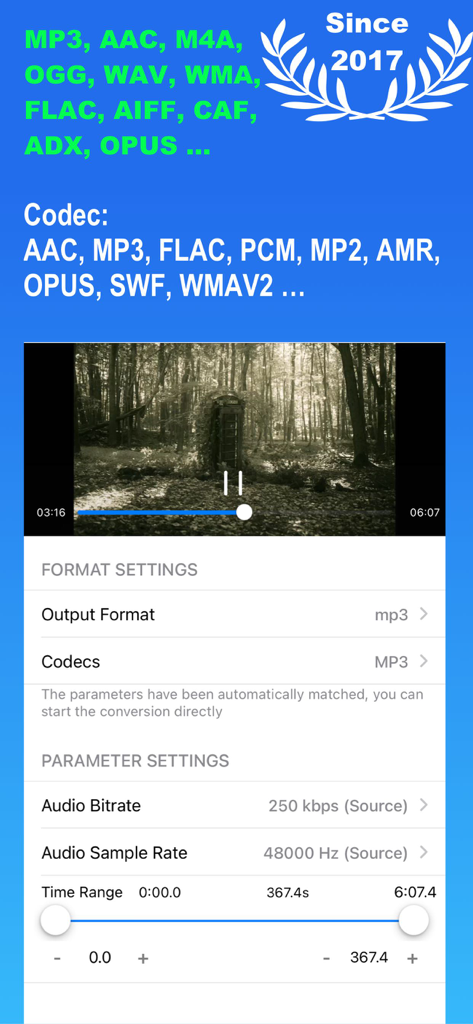
비트레이트 및 트리밍 옵션을 보여주는 미디어 변환기 앱의 오디오 변환 및 매개변수 설정 인터페이스.
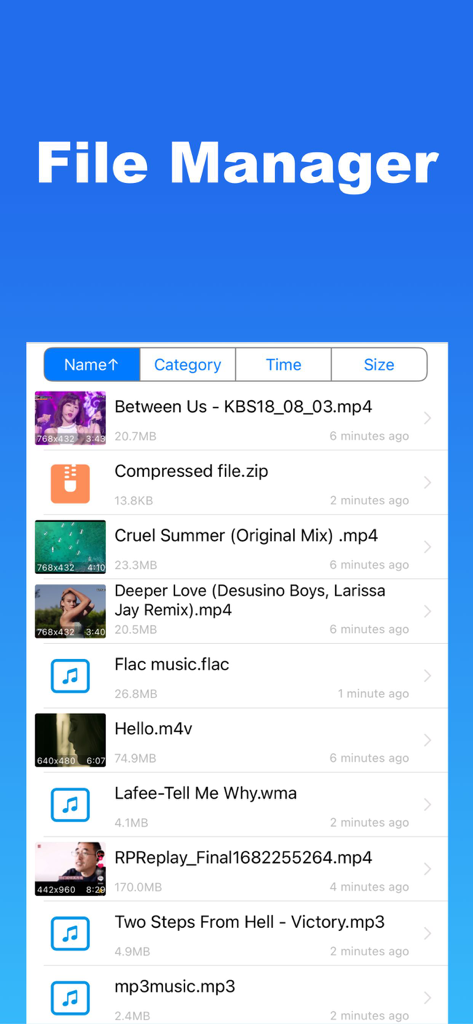
비디오, 오디오 및 압축 파일 목록을 표시하는 미디어 변환기 앱 파일 관리자 화면
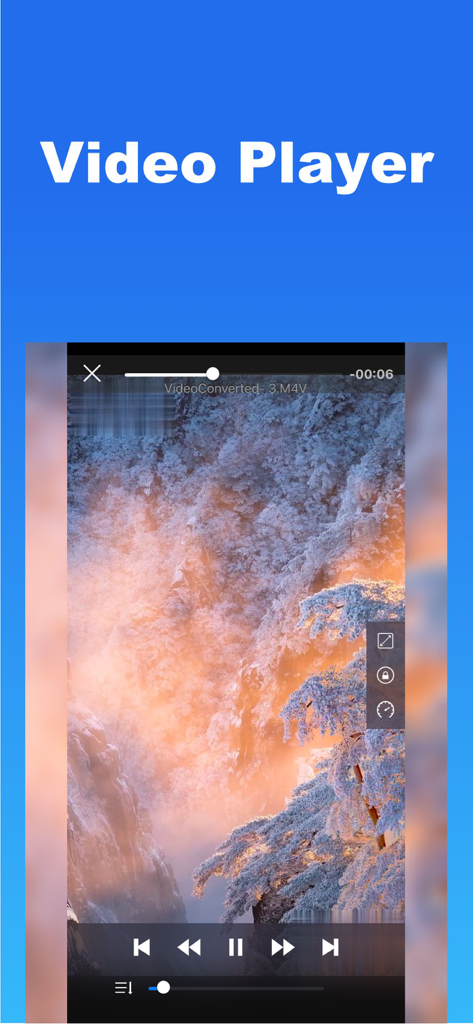
아름다운 산 풍경을 보여주는 재생 컨트롤이 있는 내장 비디오 플레이어 인터페이스
설명
Download
비슷한 앱
유사한 기능과 사용자 경험을 가진 앱

Video compressor - save space
俊杰 阮

SlimSpace - Compressor
琛 王
转换猫-视频音频图片格式转换
ZHN Co., Ltd.

Video Compressor - HQ Compress
LightByte Co., Ltd.

The Video Compressor
Dalian Hengwei Electronics Co., Ltd

Compress Videos & Resize Video
New Marketing Lab, Inc

Easy Video Compressor - Resize
Osawa Shunsuke
Video Compress - Shrink Vids
Brachmann Online Marketing GmbH & Co. KG

Panda - Video Compressor
Farluner Apps Grzegorz Balcerzak
이 페이지는 앱이나 개발자의 공식 페이지가 아니며, 정보 제공 및 논평을 목적으로 작성된 독립 편집 간행물입니다. 명시적으로 달리 언급되지 않는 한, 해당 앱이나 개발자는 MWM, Apple, Google Play, 앱 퍼블리셔 또는 앱 개발자와 제휴, 보증, 후원, 승인 또는 공식적으로 연결되어 있지 않으며, 이 페이지의 어떤 내용도 해당 앱이 MWM의 서비스를 사용하여 개발되었음을 의미하지 않습니다. 모든 상표, 로고, 스크린샷 및 기타 콘텐츠는 해당 소유자의 자산입니다.