Melody Scanner
Melody Scanner
다운로드: App Store

이 페이지는 앱이나 개발자의 공식 페이지가 아니며, 정보 제공 및 논평을 목적으로 작성된 독립 편집 간행물입니다. 명시적으로 달리 언급되지 않는 한, 해당 앱이나 개발자는 MWM, Apple, Google Play, 앱 퍼블리셔 또는 앱 개발자와 제휴, 보증, 후원, 승인 또는 공식적으로 연결되어 있지 않으며, 이 페이지의 어떤 내용도 해당 앱이 MWM의 서비스를 사용하여 개발되었음을 의미하지 않습니다. 모든 상표, 로고, 스크린샷 및 기타 콘텐츠는 해당 소유자의 자산입니다.


로고: Melody Scanner
다운로드: App Store

Melody Scanner

YouTube 동영상, 마이크 녹음 또는 MP3를 전문 악보, MIDI 파일 및 기타 타브로 변환하세요. 피아노 학생이든 방구석 프로듀서이든 AI 기반 변환 기능으로 모든 음표를 캡처하세요.

주요 수치

다운로드

53K+

사용자 평점

3.5/5

총 평가 수

200

개발사

Klangio GmbH

카테고리

Music

지원 언어

1

최신 버전

3.0.1

크기

26.6 MB

출시일

2024년 1월 25일
기능

연주하는 모든 음표를 잠금 해제하세요

Melody Scanner는 고급 AI를 사용하여 연주와 기보 사이의 간극을 연결하여 음악가들이 작업을 쉽게 변환, 편집 및 공유할 수 있도록 합니다.

YouTube를 악보로 변환

좋아하는 노래 또는 커버의 링크를 붙여넣기만 하면 즉시 재생 가능한 악보, MIDI 또는 기타 타브를 생성할 수 있습니다.

작곡 캡처

실시간 피아노, 플루트 또는 기타 연주를 마이크를 통해 직접 녹음하고 전문 기보로 변환되는 것을 확인하세요.

다음 스크린샷과 설명은 앱의 공식 스토어 목록에서 직접 가져온 것이며 앱 개발자의 자산입니다.

앱 스토어

스크린샷
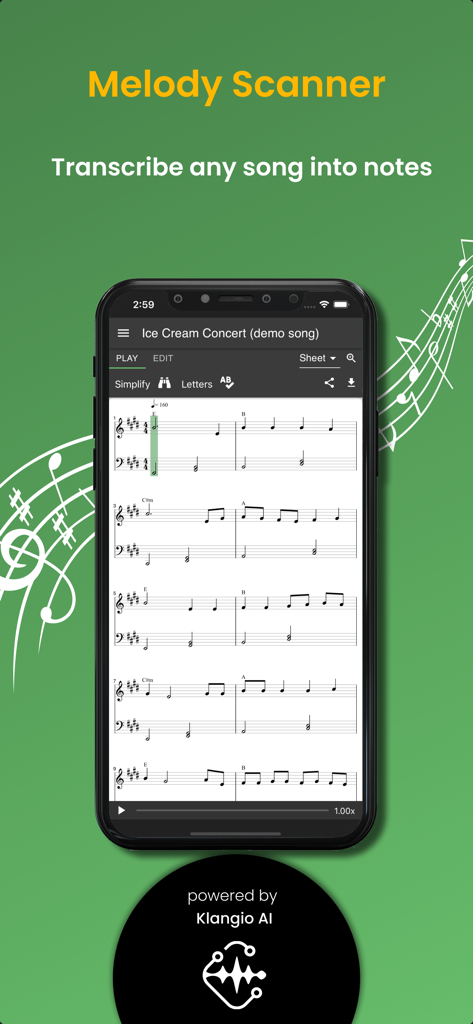
Melody Scanner - 스마트폰 화면에 멜로디 스캐너 앱이 노래를 피아노 악보로 변환하는 모습
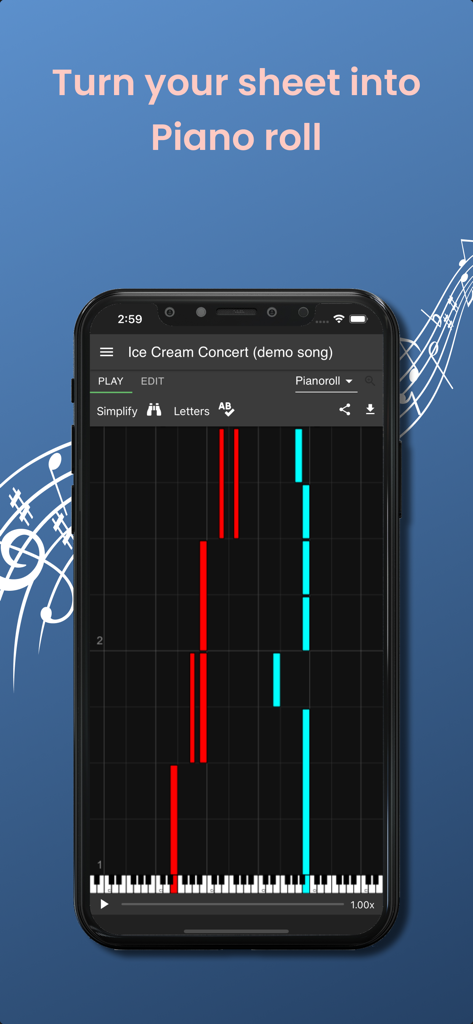
스마트폰 화면에 멜로디 스캐너 앱이 노래를 피아노 악보로 변환하는 모습

Melody Scanner - 멜로디 스캐너 앱 인터페이스가 스마트폰 화면에 음표가 있는 피아노 롤을 표시하고 있습니다
멜로디 스캐너 앱 인터페이스가 스마트폰 화면에 음표가 있는 피아노 롤을 표시하고 있습니다

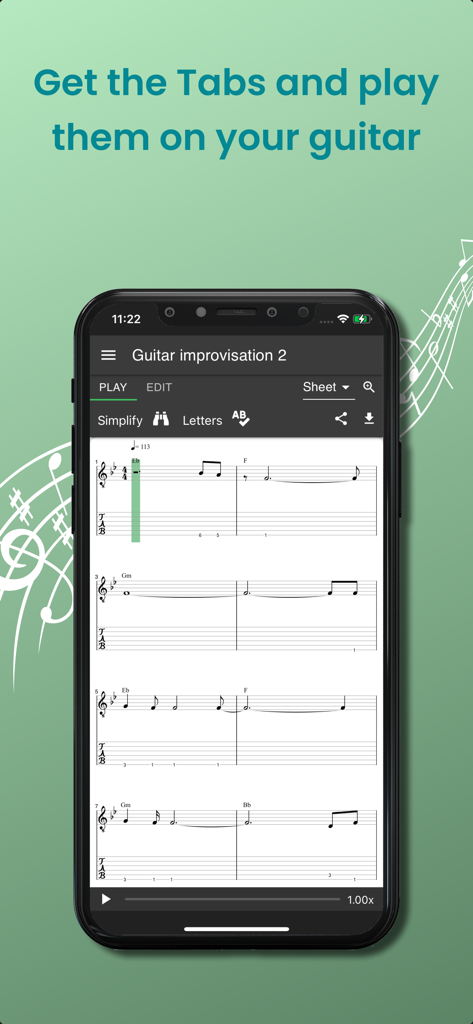
Melody Scanner - 멜로디 스캐너 앱에서 녹음에서 생성된 기타 타브와 악보를 보여주는 스마트폰
멜로디 스캐너 앱에서 녹음에서 생성된 기타 타브와 악보를 보여주는 스마트폰

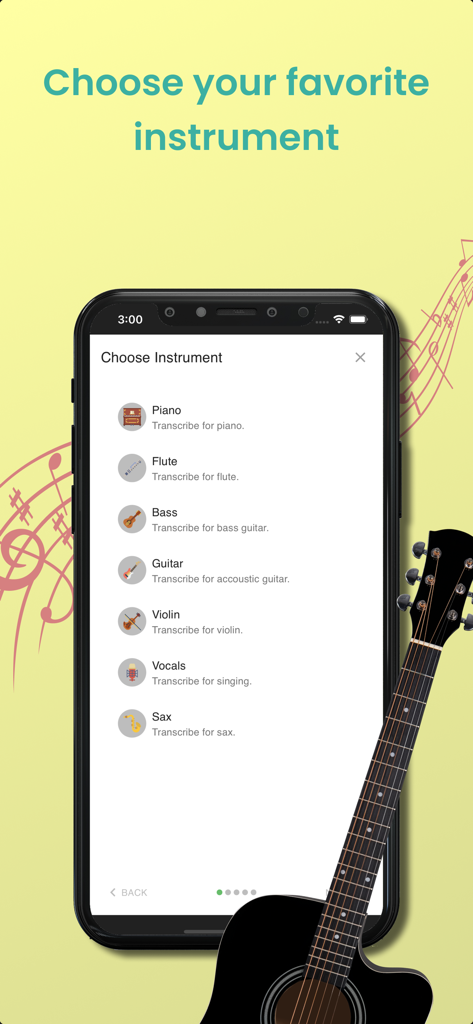
Melody Scanner - 멜로디 스캐너 앱의 악기 선택 화면으로 피아노, 플루트, 기타, 바이올린 등의 변환 기능이 포함되어 있습니다
멜로디 스캐너 앱의 악기 선택 화면으로 피아노, 플루트, 기타, 바이올린 등의 변환 기능이 포함되어 있습니다

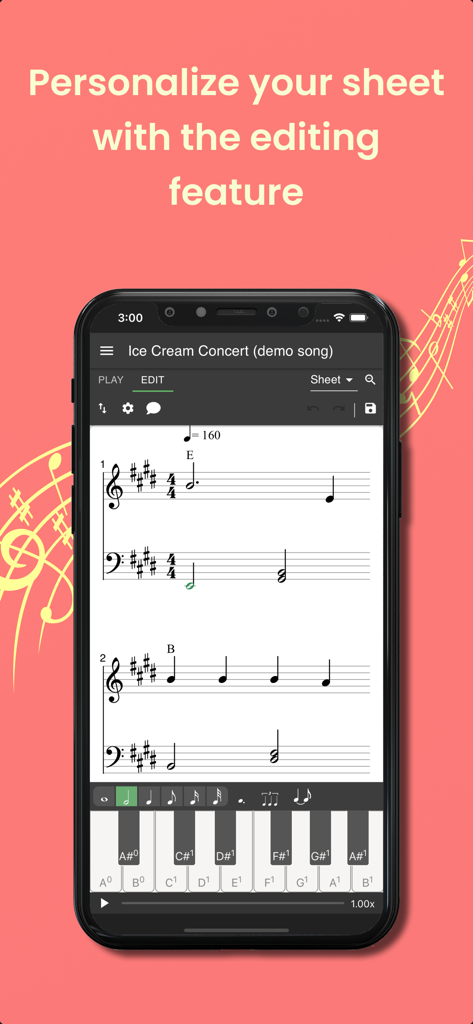
Melody Scanner - 멜로디 스캐너 앱이 스마트폰 화면에서 악보 편집 기능을 보여줍니다

멜로디 스캐너 앱이 스마트폰 화면에서 악보 편집 기능을 보여줍니다
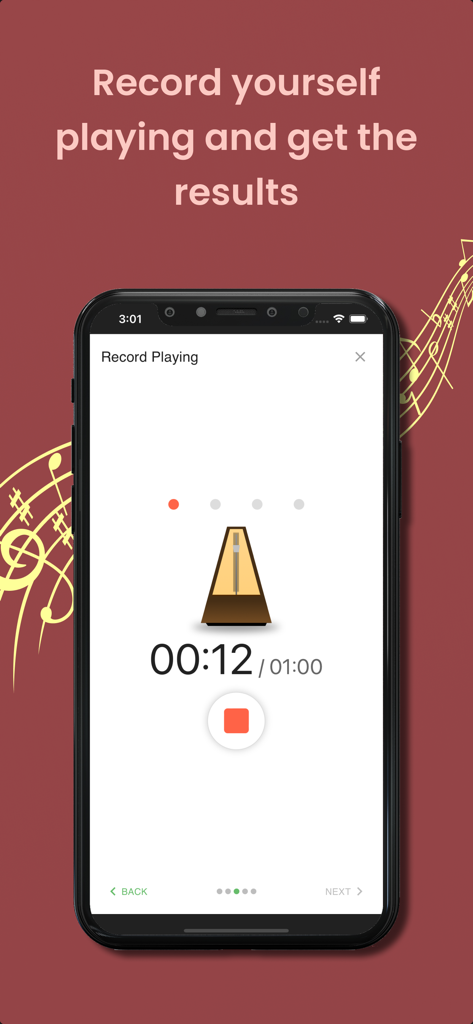
Melody Scanner - 멜로디 스캐너 앱 인터페이스가 오디오 변환을 위한 메트로놈과 12초 타이머가 있는 녹음 재생 화면을 보여줍니다.

멜로디 스캐너 앱 인터페이스가 오디오 변환을 위한 메트로놈과 12초 타이머가 있는 녹음 재생 화면을 보여줍니다.

설명

Transcribe piano music recordings to scores and edit them online. SUPPORTED INSTRUMENTS: Piano, Flute, Violin (beta), Accoustic Guitar (beta) Currently only solo instruments are supported, no bands or orchestras. FUNCTIONS » Transcribe YouTube song covers, microphone recordings and audio files to sheet music » View the transcribed music as classical score, piano roll or guitar tab » Playback the sheet music and listen to the result » Download sheet as PDF, MIDI, or MusicXML » Share your compositions with your friends » Synchronize with the desktop version WHAT THIS APP DOESN'T OFFER » Separation of multiple instruments: The note recognition can't separate multiple instruments. If you record multiple instruments playing simultaneously you will get bad transcription results! » Live note recognition: This app is not able to show you live note recognition results. Instead, it will take some time to perform the frequency analysis and show you the results. » 100% match percentage: This app won't detect 100% of the played notes and there will also be wrong detections. But depending on the quality of the input signal, it will give you useful suggests! WHY DO I NEED AN ACCOUNT? You create an account to ensure that only you can access your created sheet music! A lot of computing power is necessary to generate the scores from the audio, so it needs to run on a powerful server in the cloud. Also, you can access your sheets from the desktop version, too, by signing in using the same account. FREE AND PREMIUM » Transcribing audio to sheet music is a computation expensive process and needs to be run on a powerful server in the cloud. Your PREMIUM purchase supports us paying our checks and developing new features for the app. » The FREE version of this app covers Microphone and YouTube transcriptions. Uploading your own files is a PREMIUM feature. » In the FREE version sheets are limited to 40 bars (about 2 minutes). Upgrading to PREMIUM will unlock the full sheet. » PREMIUM subscriptions can be cancelled at any time and you will continue to use PREMIUM features until the end of the subscription period. » All with PREMIUM transcribed songs will stay unlocked forever. REQUIREMENTS » Internet: active internet connection for server connectivity » Microphone (optional) DESKTOP VERSION » There is a desktop version of this app available, which you can access in your browser. » The desktop version covers even more features like editing your sheets, since there is more space available on a bigger screen » You can login with the same account and synchronize your scores between multiple devices Give music your personal note! SUMMARY Transcribe music recordings from YouTube, MP3 or microphone to sheet music and edit them online. With the Melody Scanner App you can create on-the-go recordings of your instrument. Those are uploaded to your personal cloud songbook and transcribed to score. You can record your instrument, import YouTube videos or upload MP3 files. It has never been so easy to create sheet music! CONTACT US  We're always happy to hear from you. No matter what comes to your mind, we want to hear it. Would you like another feature? Does something not work as expected? Send us an e-mail at: support@melodyscanner.com This app is actively developed and there are updates on a regular base The Apple Terms of Use apply: https://www.apple.com/legal/internet-services/itunes/dev/stdeula/

Download

다운로드: App Store

이 페이지는 앱이나 개발자의 공식 페이지가 아니며, 정보 제공 및 논평을 목적으로 작성된 독립 편집 간행물입니다. 명시적으로 달리 언급되지 않는 한, 해당 앱이나 개발자는 MWM, Apple, Google Play, 앱 퍼블리셔 또는 앱 개발자와 제휴, 보증, 후원, 승인 또는 공식적으로 연결되어 있지 않으며, 이 페이지의 어떤 내용도 해당 앱이 MWM의 서비스를 사용하여 개발되었음을 의미하지 않습니다. 모든 상표, 로고, 스크린샷 및 기타 콘텐츠는 해당 소유자의 자산입니다.








