Memo-Only Memopad

Memo-Only Memopad

다운로드: App Store
로고: Memo-Only Memopad

Memo-Only Memopad: 구독 없는 체계적인 생각 정리

깊이 있는 정리를 위한 번개처럼 빠른 미니멀리스트 메모장. 구독료 없이 한 번의 구매로 아이디어를 캡처하고, 작업을 색상으로 구분하고, 폴더를 원하는 방식으로 구성하세요.

다운로드: App Store

개발사

GIGABIT GAME LAB

카테고리

Productivity

다운로드

600

사용자 평점

4.1/5

총 평가 수

0

지원 언어

2

작업 중인 미니멀리즘

이 인터페이스를 사용하는 600 명의 사용자.

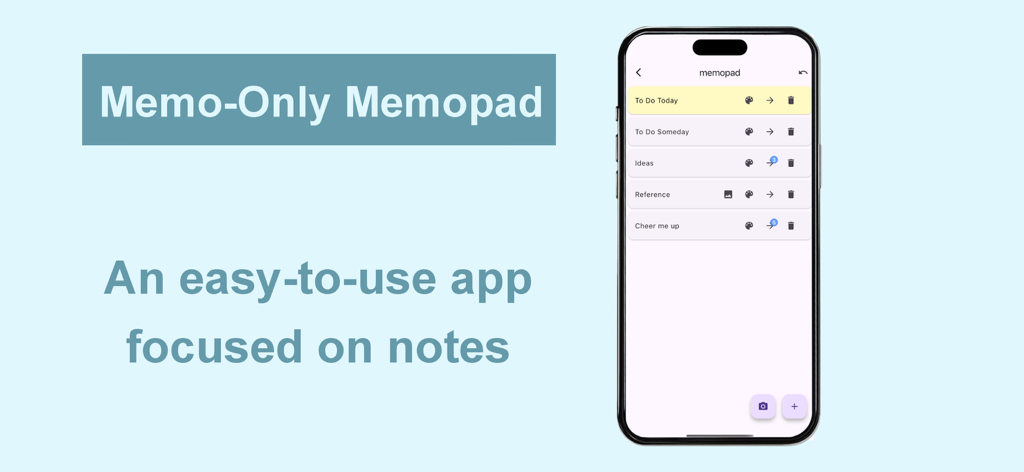
Memo-Only Memopad 앱 인터페이스로, iPhone에서 정리된 메모 카테고리 목록을 보여줍니다.

Memo-Only Memopad 앱 인터페이스로, iPhone에서 정리된 메모 카테고리 목록을 보여줍니다.

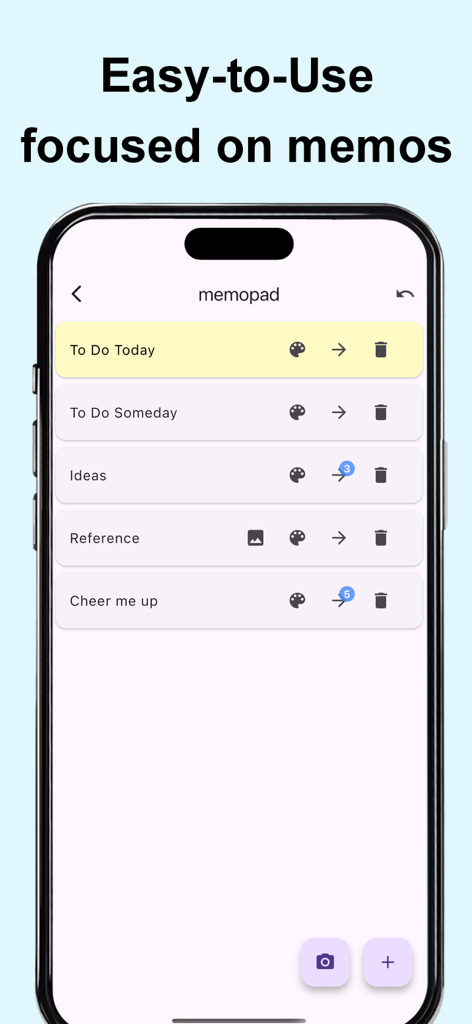
스마트폰 화면에 표시된 Memo-Only Memopad 앱의 미니멀리스트 사용자 인터페이스로, 분류 및 색상 코드화된 메모 목록을 보여줍니다.

스마트폰 화면에 표시된 Memo-Only Memopad 앱의 미니멀리스트 사용자 인터페이스로, 분류 및 색상 코드화된 메모 목록을 보여줍니다.

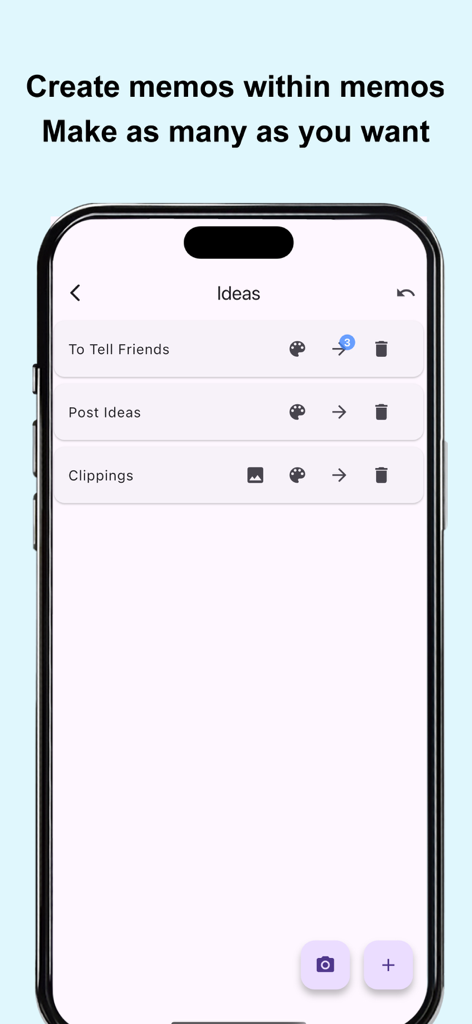
Memo-Only Memopad 앱 인터페이스 스크린샷으로, 중첩된 폴더 구성 및 계층적 메모 목록을 보여줍니다.

Memo-Only Memopad 앱 인터페이스 스크린샷으로, 중첩된 폴더 구성 및 계층적 메모 목록을 보여줍니다.

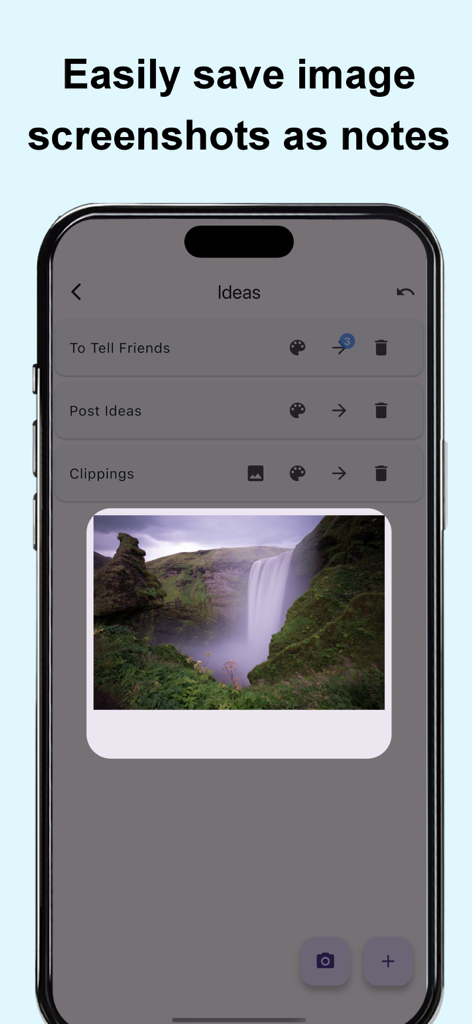
스마트폰 화면에 Memo-Only Memopad 앱이 표시되며, 시각적 메모로 저장된 폭포수 이미지가 보입니다.

스마트폰 화면에 Memo-Only Memopad 앱이 표시되며, 시각적 메모로 저장된 폭포수 이미지가 보입니다.

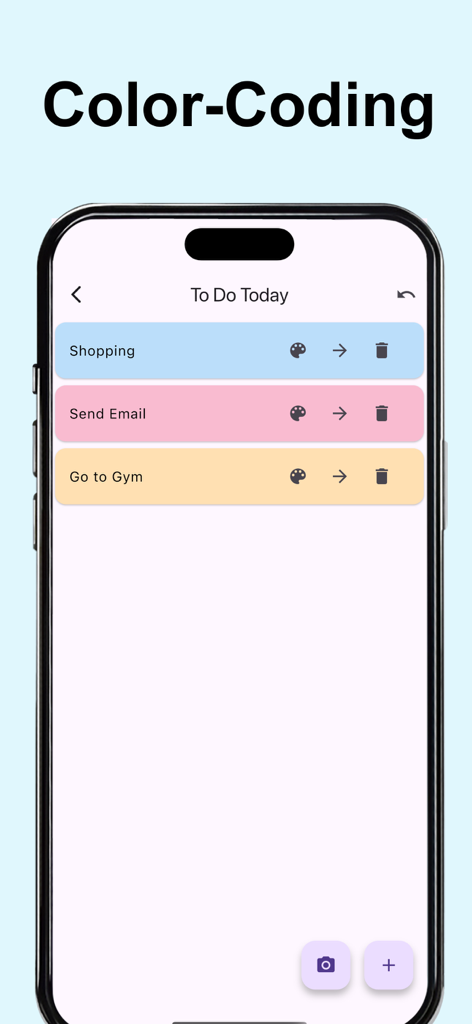
Memo-Only Memopad 앱에서 색상으로 구분된 메모와 할 일 목록을 보여주는 모바일 화면.

Memo-Only Memopad 앱에서 색상으로 구분된 메모와 할 일 목록을 보여주는 모바일 화면.

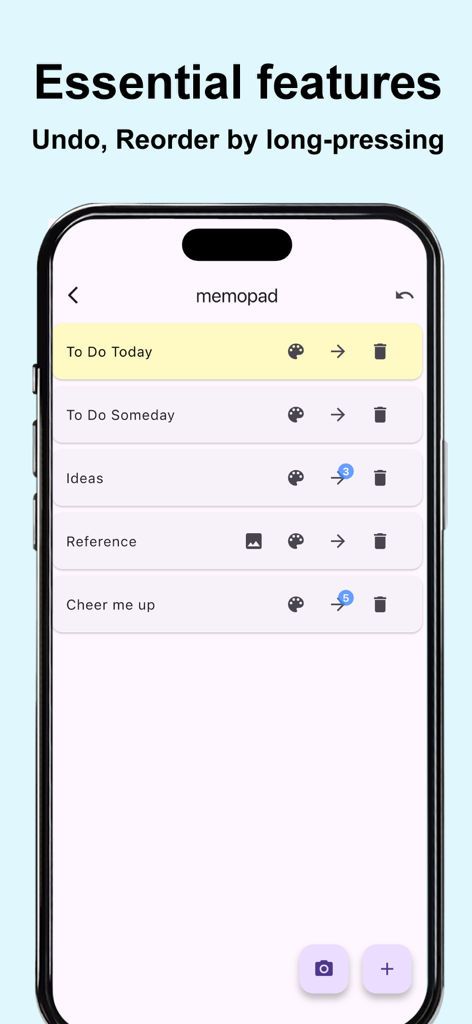
Memo-Only Memopad의 미니멀리스트 인터페이스로, 실행 취소 및 순서 변경 기능이 있는 메모 목록을 보여줍니다.

Memo-Only Memopad의 미니멀리스트 인터페이스로, 실행 취소 및 순서 변경 기능이 있는 메모 목록을 보여줍니다.

소음 없는 생산성

이 앱을 돋보이게 하는 도구, 600 명의 사용자가 선택.

💸

한 번 구매, 영원히 소유

단 한 번의 구매로 구독 피로에서 벗어나세요. 광고도 없고, 매달 신용카드에 청구되는 금액도 없습니다. 오직 당신의 메모만 남습니다.

📂

계층 구조 마스터하기

폴더 속 폴더 정리 기능으로 평면적인 목록을 넘어선 체계를 구축하세요. 구조를 갈망하는 소설가, 학생, 프로젝트 관리자에게 완벽합니다.

즉각적인 오프라인 캡처

로딩 화면 없이 100% 오프라인으로 작동합니다. 지하철, 비행기, 이동 중에도 즉시 생각을 기록하세요.

앱 소개

에 대해 알아야 할 모든 것 Memo-Only Memopad.

설명

This simple note app for person who wanted an app focused solely on making note-taking as easy as possible. The key point is its instant clarity and simple usability at a glance, yet it still includes all the essential features you’d expect from a memo app. ■ Memo-Only Memo App Features -Folder-in-folder organization: create memos within child folders, with automatic display of the number of child memos -Undo function: return to your previous action with a single tap -Easily reorder memos by long-pressing and dragging -Create image memos (use the camera or select from your photo library) -Color-code your memos -Autosave -Works offline—even without an internet connection -Supports eye-friendly, popular dark mode (automatically applies if your device is set to dark mode) -Lightweight app for fast startup -One-time purchase: no subscriptions or ads ■ Recommended Uses -Quickly jot down your ideas as soon as they come to mind! Use text or camera photos. Categorize freely for easy searching! -Shopping list memos: color-code items as you buy them! -To-do lists: create today’s or this week’s to-dos, easily categorize by type! Mark completed tasks with colors! -Save screenshots of news you see while browsing on your phone! -List memorable quotes by person for quick reference and motivation! -Draft notes for essays or novels—easy to reorder and organize! -Brainstorm ideas like sticking sticky notes—perfect for planning sessions! -Create separate memo folders for each person you interact with—use as a topic notebook for friends or family! -Perfect as a flashcard app for students or professionals: write the question on the memo, the answer in a child memo, and color memos as you master them for a sense of achievement! -Daily ranking check: record as text or screenshot! ■ How to Use ▶ Creating Memos -Tap the + icon at the bottom right to create a text memo. -Tap the camera icon at the bottom right to take a photo or select one from your album to create an image memo. ▶ Operating Memos -Tap memo text to edit. -Use the icons on the right to “Change color,” “Move to child folder,” or “Delete.” -For image memos, an image icon will appear—tap it to view the saved image. -The number of child memos is shown as a number on the arrow to the child folder. ▶ Undo Action -Use the Undo button at the top right to return to your previous action—rest easy, even if you delete something by mistake!

최신 버전

1.0.6

크기

24.5 MB

출시일

2025년 6월 10일

집중력을 되찾을 준비가 되셨나요?

구독 피로에 작별을 고한 수천 명의 체계적인 미니멀리스트들과 함께하세요. 단 한 번의 구매로 즉각적이고 광고 없는 메모 기능을 이용하세요. 당신의 아이디어, 당신의 폴더, 당신의 영원한 소유물입니다.

다운로드: App Store

App information, icons, screenshots, and descriptions displayed on this page are sourced from the Apple App Store and are the property of their respective developers. Download estimates and rankings are based on MWM's proprietary models and may not reflect actual figures. This page is provided for informational and analytical purposes only.

Believe this page infringes your intellectual property? File a dispute