Mergin Maps: QGIS in pocket
다운로드: App Store

이 페이지는 앱이나 개발자의 공식 페이지가 아니며, 정보 제공 및 논평을 목적으로 작성된 독립 편집 간행물입니다. 명시적으로 달리 언급되지 않는 한, 해당 앱이나 개발자는 MWM, Apple, Google Play, 앱 퍼블리셔 또는 앱 개발자와 제휴, 보증, 후원, 승인 또는 공식적으로 연결되어 있지 않으며, 이 페이지의 어떤 내용도 해당 앱이 MWM의 서비스를 사용하여 개발되었음을 의미하지 않습니다. 모든 상표, 로고, 스크린샷 및 기타 콘텐츠는 해당 소유자의 자산입니다.


로고: Mergin Maps: QGIS in pocket
다운로드: App Store

Mergin Maps: QGIS in pocket

모바일 장치를 전문 측량 도구로 바꿔보세요. 정확한 GPS 데이터와 지능형 양식을 오프라인에서 캡처한 다음, 몇 초 안에 QGIS 데스크톱으로 직접 동기화하세요.

주요 수치

다운로드

13K+

사용자 평점

4.4/5

총 평가 수

0

개발사

LUTRA CONSULTING LIMITED

카테고리

Utilities

지원 언어

22

최신 버전

2025.8.0

크기

130.0 MB

출시일

2019년 11월 16일
기능

현장 워크플로우 간소화

QGIS 환경과 완벽하게 통합된 상태에서 모바일 장치에서 직접 전문적인 수준의 GIS 데이터를 손쉽게 캡처, 동기화 및 관리하세요.

완벽한 QGIS 통합

모바일 맵 레이어가 데스크톱 QGIS 프로젝트와 똑같이 보이고 작동합니다. 케이블이나 복잡한 변환 없이 직접적이고 손쉬운 동기화만 제공됩니다.

안정적인 오프라인 데이터 캡처

셀룰러 서비스가 없는 원격지에서도 작업하세요. GPS 데이터, 사진 및 메모를 오프라인에서 캡처한 다음 몇 초 안에 사무실로 다시 동기화하세요.

다음 스크린샷과 설명은 앱의 공식 스토어 목록에서 직접 가져온 것이며 앱 개발자의 자산입니다.

앱 스토어

스크린샷
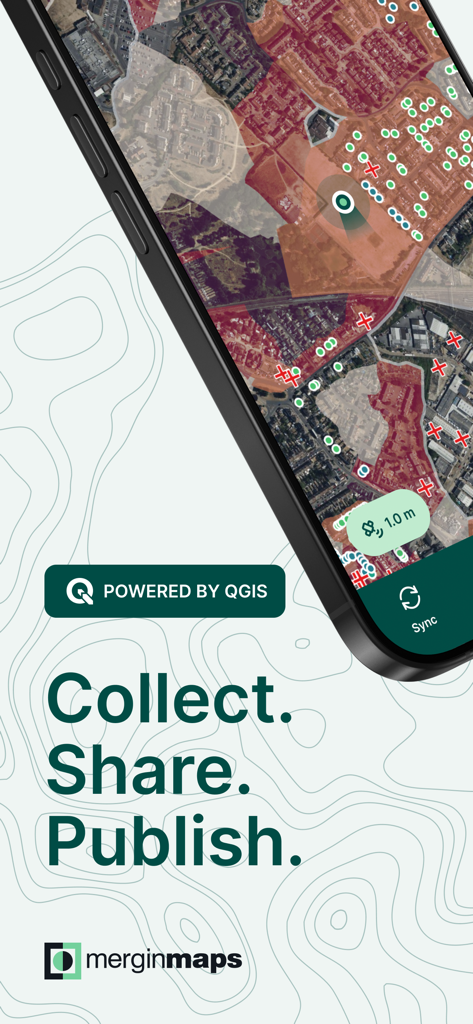
Mergin Maps: QGIS in pocket - Mergin Maps 앱 화면에 지형 매핑 및 현장 데이터 수집이 표시됨
Mergin Maps 앱 화면에 지형 매핑 및 현장 데이터 수집이 표시됨

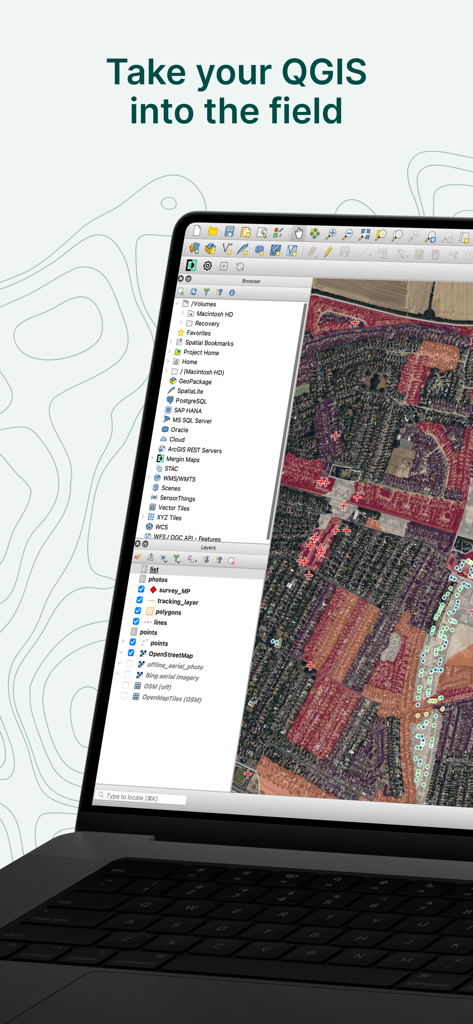
Mergin Maps: QGIS in pocket - QGIS 데스크톱 소프트웨어 인터페이스가 상세한 위성 지도 및 지리적 레이어와 함께 표시되고 'QGIS를 현장으로 가져가세요'라는 제목이 붙은 노트북
QGIS 데스크톱 소프트웨어 인터페이스가 상세한 위성 지도 및 지리적 레이어와 함께 표시되고 'QGIS를 현장으로 가져가세요'라는 제목이 붙은 노트북

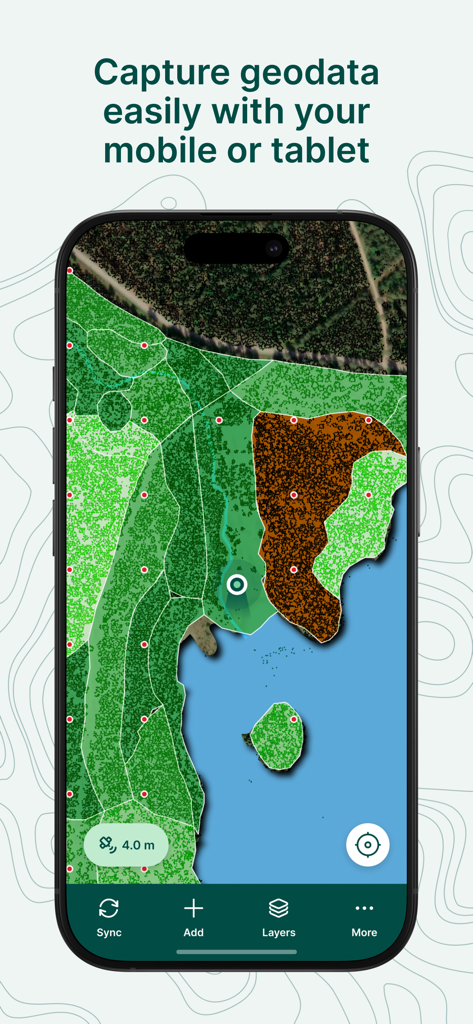
Mergin Maps: QGIS in pocket - Mergin Maps 모바일 앱에 지리 정보 시스템(GIS) 지도와 토지 피복 레이어, 데이터 캡처 인터페이스가 표시됨
Mergin Maps 모바일 앱에 지리 정보 시스템(GIS) 지도와 토지 피복 레이어, 데이터 캡처 인터페이스가 표시됨

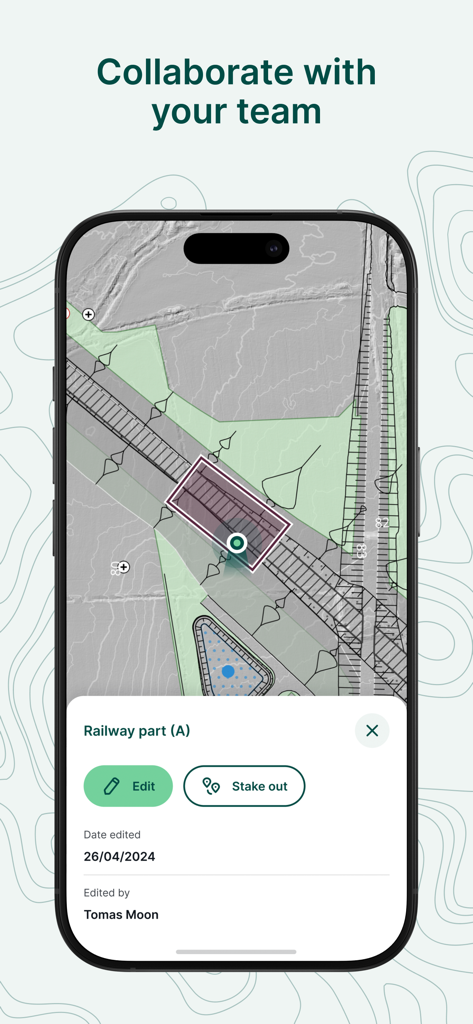
Mergin Maps: QGIS in pocket - Mergin Maps 모바일 앱 인터페이스에 철도 프로젝트에 대한 협업 현장 데이터 수집 및 편집이 표시됨
Mergin Maps 모바일 앱 인터페이스에 철도 프로젝트에 대한 협업 현장 데이터 수집 및 편집이 표시됨

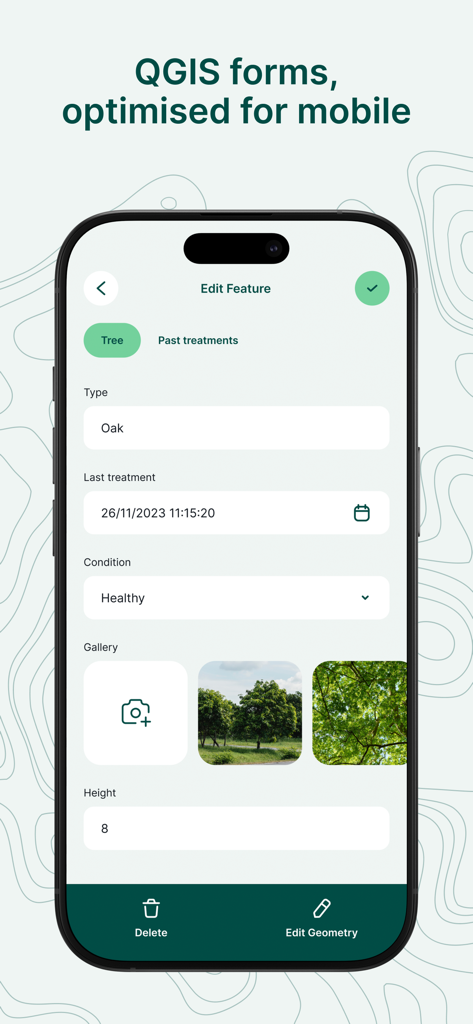
Mergin Maps: QGIS in pocket - Mergin Maps의 모바일 인터페이스에 나무 유형 및 상태에 대한 데이터 입력 필드가 있는 전문 현장 조사 양식이 표시됨
Mergin Maps의 모바일 인터페이스에 나무 유형 및 상태에 대한 데이터 입력 필드가 있는 전문 현장 조사 양식이 표시됨

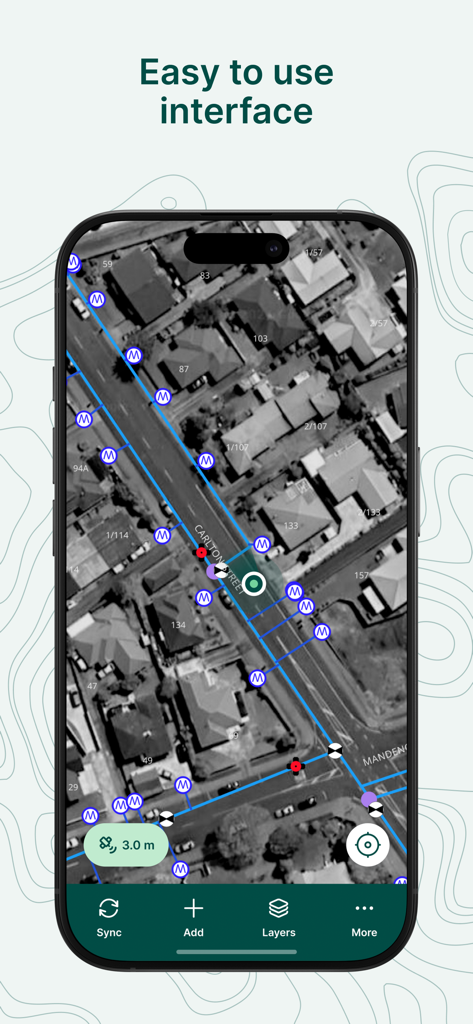
Mergin Maps: QGIS in pocket - Mergin Maps 모바일 앱 스크린샷에 전문 GIS 조사 마커 및 데이터 선이 있는 사용하기 쉬운 위성 지도 인터페이스가 표시됨
Mergin Maps 모바일 앱 스크린샷에 전문 GIS 조사 마커 및 데이터 선이 있는 사용하기 쉬운 위성 지도 인터페이스가 표시됨

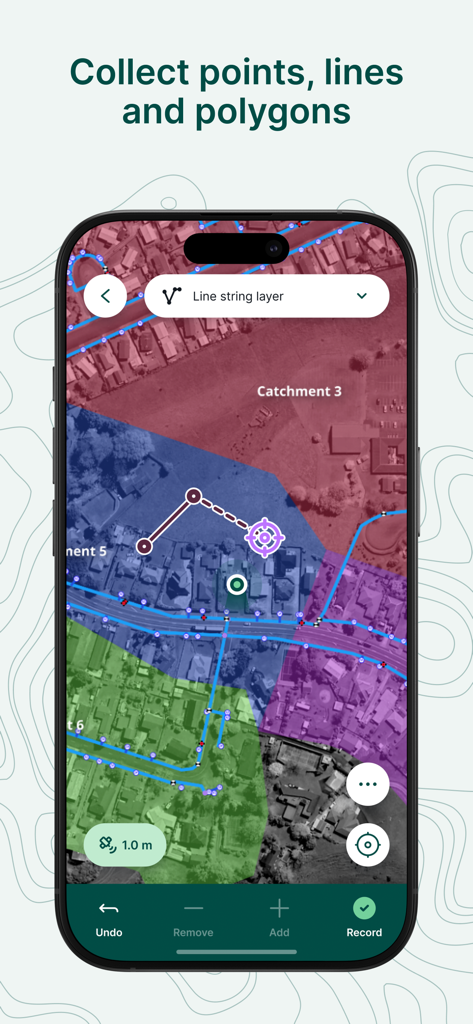
Mergin Maps: QGIS in pocket - 전문 현장 조사 및 데이터 수집을 위한 유색 기하학적 오버레이가 있는 위성 지도가 표시되는 모바일 앱 화면
전문 현장 조사 및 데이터 수집을 위한 유색 기하학적 오버레이가 있는 위성 지도가 표시되는 모바일 앱 화면

Mergin Maps: QGIS in pocket - Mergin Maps 앱에 스마트폰 화면에 구획 데이터가 있는 전문 GIS 지도가 표시됨
Mergin Maps 앱에 스마트폰 화면에 구획 데이터가 있는 전문 GIS 지도가 표시됨

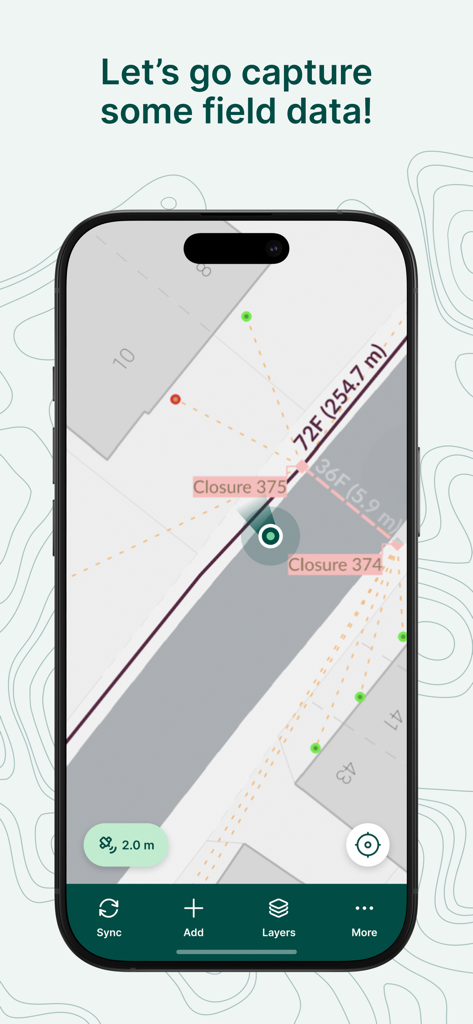
Mergin Maps: QGIS in pocket - Mergin Maps 앱 인터페이스에 지도에 표시되는 현장 데이터 캡처 및 조사 측정
Mergin Maps 앱 인터페이스에 지도에 표시되는 현장 데이터 캡처 및 조사 측정

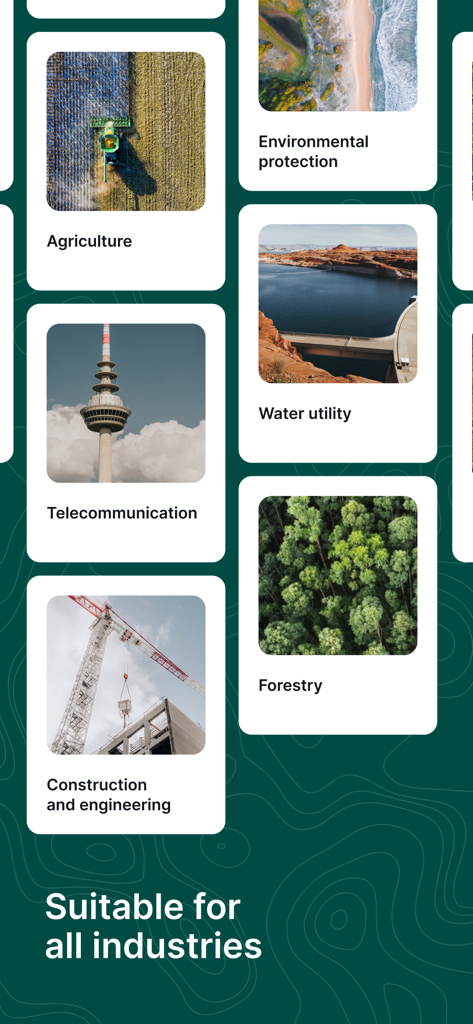
Mergin Maps: QGIS in pocket - Mergin Maps 인터페이스에 농업, 임업, 건설을 포함한 다양한 산업에 대한 적합성이 표시됨

Mergin Maps 인터페이스에 농업, 임업, 건설을 포함한 다양한 산업에 대한 적합성이 표시됨

설명

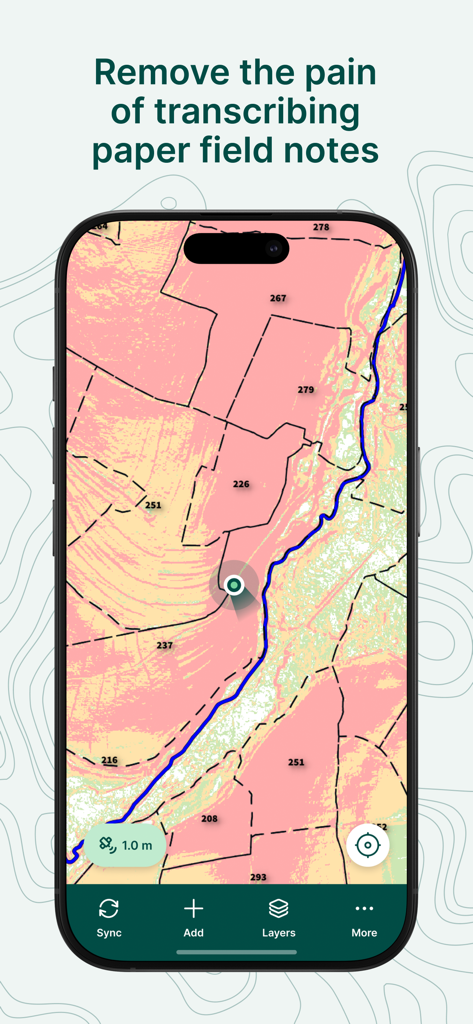
Simplify your field survey by capturing GPS field data on your mobile or tablet. Create mobile forms with the fields you require and invite your survey teams to complete them on their phones or tablets. Captured data, along with their location can be surveyed offline, then synced back to the QGIS in seconds. Enter your data once, with ease, in the field. Mergin Maps aims to remove the pain of transcribing paper field notes, manually georeferencing photos and transcribing GPS coordinates. The data you capture in the field survey is shown on a map and can be exported to a wide variety of formats including CSV, Microsoft Excel, ESRI Shapefile, Mapinfo, GeoPackage, PostGIS, AutoCAD DXF, KML and many more. Mergin Maps Input is an extension of the free and open source GIS software QGIS. It allows you to open, interrogate and edit your QGIS projects on your mobile. Map layers look the same as in QGIS desktop and you can sync your data back and forward with QGIS desktop using the Mergin Maps QGIS plugin. Mergin Maps supports offline field data capture and can be configured to use either offline or web-based background maps and contextual layers. Perks of the Mergin Maps sync system: - No need for cables to get your data on/off your device - Share projects with others for collaborative working - Safely work together on the same datasets, even offline - Updates from different surveyors are intelligently merged - Push data back from the field in real time - Version history and cloud-based backup - Fine-grained access control - Sync with your PostGIS datasets Supported field types for forms are: - Text (single or multi-line) - Numeric (plain, with +/- buttons or with slider) - Date / time (with calendar picker) - Photo - Checkbox (yes/no values) - Drop-down with predefined values - Drop-down with values from another table Forms can even be configured to perform data validation using custom rules. Works with device internal GPS receiver and third-party Bluetooth GPS receivers. Supported field types for forms are: - Text (single or multi-line) - Numeric (plain, with +/- buttons or with slider) - Date / time (with calendar picker) - Photo - Checkbox (yes/no values) - Drop-down with predefined values - Drop-down with values from another table Forms can even be configured to perform data validation using custom rules. Works with device internal GPS receiver and third-party Bluetooth GPS receivers.

Download

다운로드: App Store

이 페이지는 앱이나 개발자의 공식 페이지가 아니며, 정보 제공 및 논평을 목적으로 작성된 독립 편집 간행물입니다. 명시적으로 달리 언급되지 않는 한, 해당 앱이나 개발자는 MWM, Apple, Google Play, 앱 퍼블리셔 또는 앱 개발자와 제휴, 보증, 후원, 승인 또는 공식적으로 연결되어 있지 않으며, 이 페이지의 어떤 내용도 해당 앱이 MWM의 서비스를 사용하여 개발되었음을 의미하지 않습니다. 모든 상표, 로고, 스크린샷 및 기타 콘텐츠는 해당 소유자의 자산입니다.








