
이 페이지는 앱이나 개발자의 공식 페이지가 아니며, 정보 제공 및 논평을 목적으로 작성된 독립 편집 간행물입니다. 명시적으로 달리 언급되지 않는 한, 해당 앱이나 개발자는 MWM, Apple, Google Play, 앱 퍼블리셔 또는 앱 개발자와 제휴, 보증, 후원, 승인 또는 공식적으로 연결되어 있지 않으며, 이 페이지의 어떤 내용도 해당 앱이 MWM의 서비스를 사용하여 개발되었음을 의미하지 않습니다. 모든 상표, 로고, 스크린샷 및 기타 콘텐츠는 해당 소유자의 자산입니다.


Messages
파란색 말풍선의 강력함을 경험하세요. 보낸 문자를 편집하든, 위성으로 공유하든, 친구와 협업하든, 업계 최고의 개인 정보 보호 기능으로 iPhone, Mac, Apple Watch 전반에 걸쳐 원활하게 연결 상태를 유지하세요.
다운로드
36K+사용자 평점
총 평가 수
65K+개발사
카테고리
Social Networking지원 언어
33최신 버전
3.0크기
5.3 MB출시일
2021년 10월 25일단순한 문자 메시지 그 이상
모든 기기에서 깊은 표현, 완벽한 개인 정보 보호, 원활한 연결을 위해 설계된 도구로 최고의 커뮤니케이션을 경험하세요.
본질적으로 표현력이 풍부한
Memoji, 스티커, 전체 화면 효과로 모든 채팅에 생기를 불어넣어 개성을 마음껏 표현하세요.
안전 및 마음의 평화
자동 체크인으로 주변 사람들에게 최신 정보를 제공하고, 위성을 통한 메시지를 사용하여 셀룰러 서비스가 없어도 연락할 수 있습니다.
자주 묻는 질문
에 대해 알아야 할 모든 것 Messages
Messages 앱이란 무엇인가요?
Messages 앱은 iMessage를 통해 iOS, iPadOS, macOS, watchOS 또는 visionOS 기기로 무제한의 문자, 사진, 동영상, 문서를 보내거나 RCS, SMS 및 MMS를 통해 보낼 수 있는 커뮤니케이션 플랫폼입니다.
Messages 앱으로 셀룰러 또는 Wi-Fi 없이 메시지를 보낼 수 있나요?
네, Messages 앱은 위성 통신을 통한 메시지 전송을 지원하여 셀룰러 또는 Wi-Fi를 사용할 수 없을 때도 연결 상태를 유지할 수 있습니다. 이 기능의 사용 가능 여부는 지역에 따라 다릅니다.
Messages 앱은 수신된 문자를 번역해주나요?
네, Messages 앱은 그룹 메시지를 포함한 수신된 문자를 자동으로 번역할 수 있습니다. 이 기능은 앱의 Apple Watch 버전에서도 사용할 수 있습니다.
Messages 앱은 스팸을 어떻게 처리하나요?
Messages 앱은 기기 내 스팸 감지 기능을 통해 대화에서 스팸을 필터링합니다. 사용자는 알 수 없는 발신자의 메시지를 차단하도록 선택하여 개인 정보 보호를 강화할 수도 있습니다.
Messages 앱에서 메시지를 보낸 후 수정할 수 있나요?
네, Messages 앱에서는 메시지를 보낸 후 최대 15분까지 메시지를 수정할 수 있습니다. 수신자는 메시지에 대한 모든 수정 기록을 볼 수 있습니다.
Messages 앱에서 메시지를 보낸 후 취소할 수 있나요?
네, Messages 앱에서는 메시지를 보낸 후 최대 2분까지 메시지를 취소할 수 있어 실수로 보낸 문자를 철회할 수 있는 짧은 시간을 제공합니다.
Messages 앱으로 나중에 보낼 메시지를 예약할 수 있나요?
네, Messages 앱에서는 '나중에 보내기' 기능을 사용하여 지정된 시간에 메시지를 보내도록 예약할 수 있어 계획된 커뮤니케이션에 도움이 됩니다.
Messages 앱의 개인 설정 기능에는 어떤 것이 있나요?
Messages 앱은 이름, 사진 또는 Memoji 공유와 같은 개인 설정 기능을 제공합니다. 메시지에 효과를 추가하고 그룹 대화를 이름과 사진으로 사용자화할 수도 있습니다.
Messages 앱에서 그룹 대화는 어떻게 관리하나요?
Messages 앱은 그룹 이름 지정, 사진 추가, 멘션 기능을 사용하여 특정 메시지에 대한 답장, 인라인 답장 사용을 통해 그룹 대화를 관리하는 데 도움이 됩니다.
Messages 앱은 다른 Apple 서비스와 통합되나요?
네, Messages 앱은 iMessage 앱, Apple Cash, 동기화된 활동을 위한 SharePlay, 다른 Apple 앱의 콘텐츠를 위한 '공유됨' 기능과 통합됩니다.
Apple Watch에서 Messages 앱을 사용할 수 있나요?
네, Messages 앱은 Apple Watch에서 사용할 수 있습니다. 빠른 읽기 및 응답, 스마트 답장, 받아쓰기, 음성 메시지, Series 7 이상 모델의 QWERTY 키보드를 사용할 수 있습니다.
Messages 앱은 설문 조사를 지원하나요?
네, Messages 앱을 통해 사용자는 대화 내에서 설문 조사를 생성하고 보낼 수 있습니다. 이 기능은 채팅 인터페이스 내에서 직접 의견을 수집하거나 결정을 내리는 데 도움이 됩니다.
Messages 앱에서 메시지를 필터링할 수 있나요?
네, Messages 앱은 메시지 필터를 제공하여 대화를 분류할 수 있습니다. '메시지', '알 수 없는 발신자', '스팸', '최근 삭제됨', '초안'별로 필터링할 수 있습니다.
Messages의 '체크인' 기능은 어떻게 작동하나요?
Messages의 '체크인' 기능은 목적지에 도착하거나 설정된 시간이 지난 후 친구나 가족에게 자동으로 알림을 보내 개인 안전 및 커뮤니케이션을 강화합니다.
iCloud의 Messages는 여러 기기에서 메시지 기록을 최신 상태로 유지하나요?
네, iCloud의 Messages는 iPhone, iPad, Mac, Apple Watch 및 Apple Vision Pro 전체에서 전체 메시지 기록을 최신 상태로 유지하고 액세스할 수 있도록 하여 새 기기에서도 마찬가지입니다.
다음 스크린샷과 설명은 앱의 공식 스토어 목록에서 직접 가져온 것이며 앱 개발자의 자산입니다.
앱 스토어
스크린샷
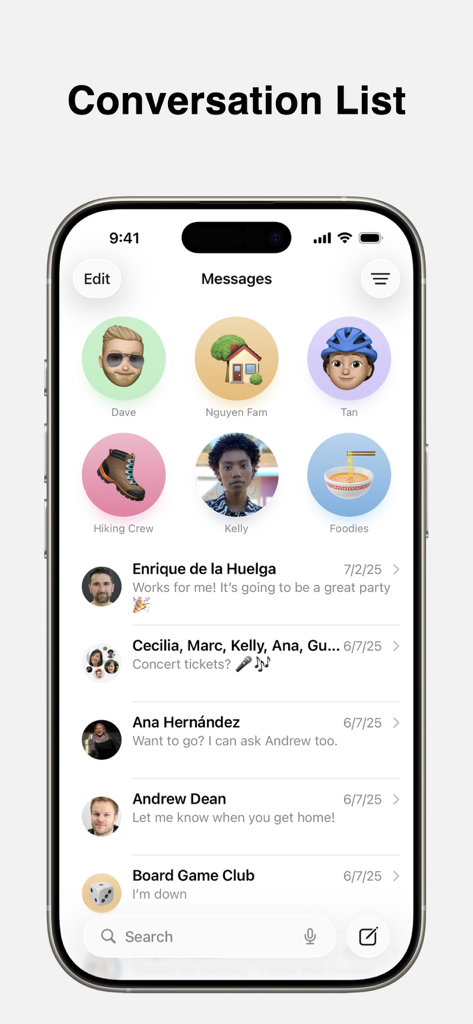
고정된 연락처가 있는 Apple Messages 앱 대화 목록을 보여주는 iPhone 화면
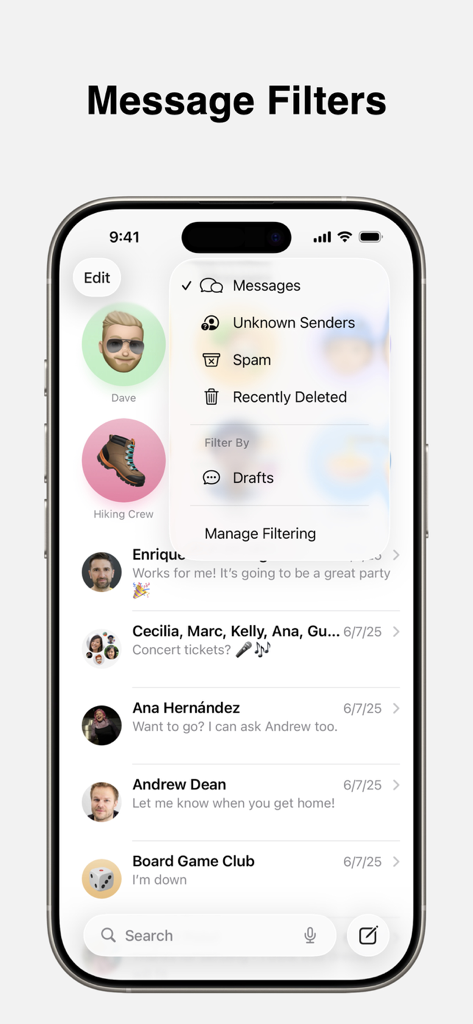
알 수 없는 발신자 및 스팸 메시지 필터링 옵션을 보여주는 iPhone의 Apple Messages 앱
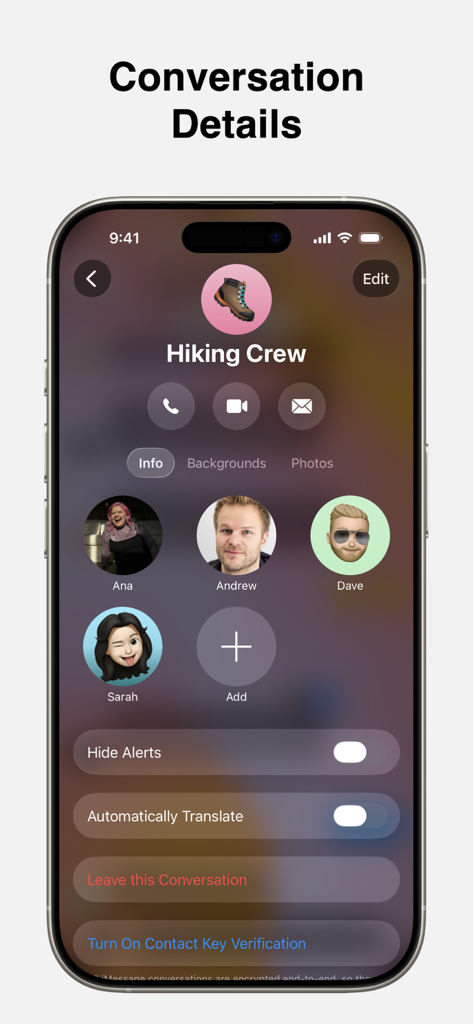
Apple Messages 앱에서 '등산 크루'라는 그룹 채팅의 대화 상세 정보 페이지를 보여주는 iPhone 화면.
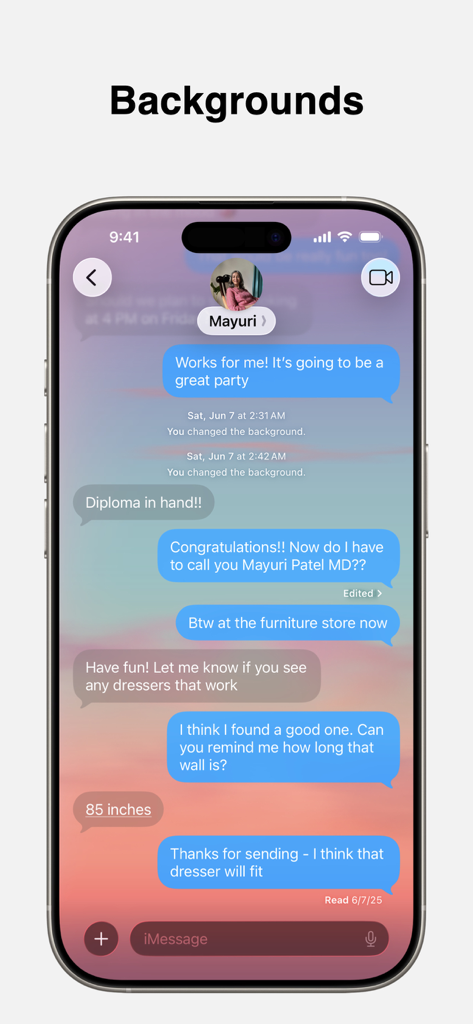
맞춤 설정된 일몰 채팅 배경이 있는 Messages 앱을 표시하는 iPhone 화면
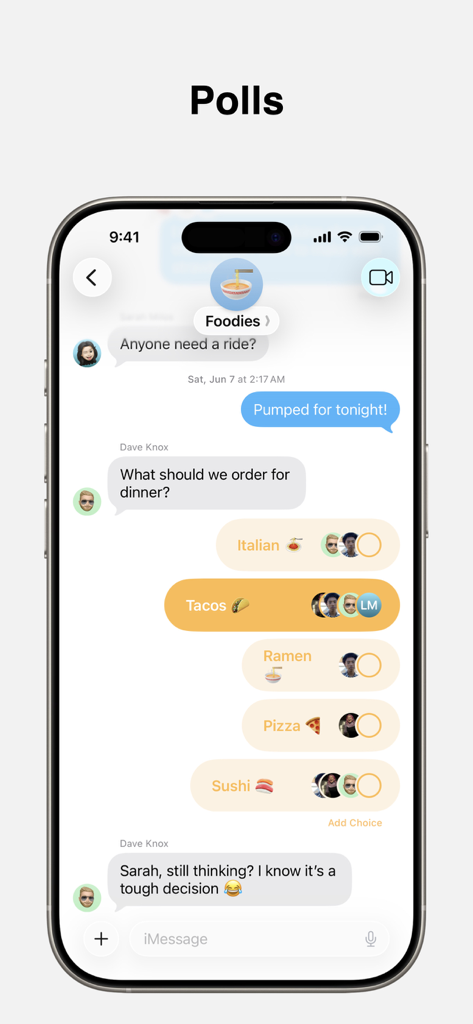
Apple Messages 앱의 그룹 채팅에 타코, 스시 등 여러 저녁 식사 옵션이 있는 설문 조사가 표시됨.
설명
Download
비슷한 앱
같은 카테고리의 상위 앱

Threads
Instagram, Inc.

Telegram Messenger
Telegram FZ-LLC

WhatsApp Messenger
WhatsApp Inc.

Meta Platforms, Inc.

Messenger
Meta Platforms, Inc.
Google Meet
Google LLC

Discord - Talk, Play, Hang Out
Discord Inc.

rednote
Xingin Information Technology (Shanghai) Co., Ltd

Tencent Technology (Shenzhen) Company Limited
이 페이지는 앱이나 개발자의 공식 페이지가 아니며, 정보 제공 및 논평을 목적으로 작성된 독립 편집 간행물입니다. 명시적으로 달리 언급되지 않는 한, 해당 앱이나 개발자는 MWM, Apple, Google Play, 앱 퍼블리셔 또는 앱 개발자와 제휴, 보증, 후원, 승인 또는 공식적으로 연결되어 있지 않으며, 이 페이지의 어떤 내용도 해당 앱이 MWM의 서비스를 사용하여 개발되었음을 의미하지 않습니다. 모든 상표, 로고, 스크린샷 및 기타 콘텐츠는 해당 소유자의 자산입니다.