Miracast ᅠ
Miracast ᅠ
다운로드: App Store

이 페이지는 앱이나 개발자의 공식 페이지가 아니며, 정보 제공 및 논평을 목적으로 작성된 독립 편집 간행물입니다. 명시적으로 달리 언급되지 않는 한, 해당 앱이나 개발자는 MWM, Apple, Google Play, 앱 퍼블리셔 또는 앱 개발자와 제휴, 보증, 후원, 승인 또는 공식적으로 연결되어 있지 않으며, 이 페이지의 어떤 내용도 해당 앱이 MWM의 서비스를 사용하여 개발되었음을 의미하지 않습니다. 모든 상표, 로고, 스크린샷 및 기타 콘텐츠는 해당 소유자의 자산입니다.

로고: Miracast ᅠ
다운로드: App Store

Miracast ᅠ

iPhone으로 seamless하게 화면을 미러링하고, 라이브 IPTV를 스트리밍하고, 모든 TV를 제어하세요. 더 스마트하고 연결된 홈 엔터테인먼트 경험을 위한 최고의 솔루션입니다.

주요 수치

다운로드

56K+

사용자 평점

4.0/5

총 평가 수

300

개발사

Linda David

카테고리

Utilities

지원 언어

1

최신 버전

3.2

크기

51.2 MB

출시일

2024년 7월 15일
기능

TV에 필요한 모든 것을 한 곳에서

최고의 홈 엔터테인먼트 허브를 경험하세요. Miracast는 seamless한 제어 및 스트리밍으로 iPhone과 큰 화면 사이의 간극을 연결합니다.

필요한 유일한 리모컨

소파 쿠션 밑을 뒤지는 것을 멈추세요. iPhone을 모든 주요 TV 브랜드의 볼륨 및 채널을 제어하는 빠르고 반응성이 뛰어난 리모컨으로 바꾸세요.

순간적으로 세상을 캐스트하세요

추억에 생명을 불어넣으세요. 화면을 seamless하게 미러링하거나 개인 사진, 4K 동영상, 웹 콘텐츠를 TV로 전송하여 모두가 즐길 수 있도록 하세요.

다음 스크린샷과 설명은 앱의 공식 스토어 목록에서 직접 가져온 것이며 앱 개발자의 자산입니다.

앱 스토어

스크린샷
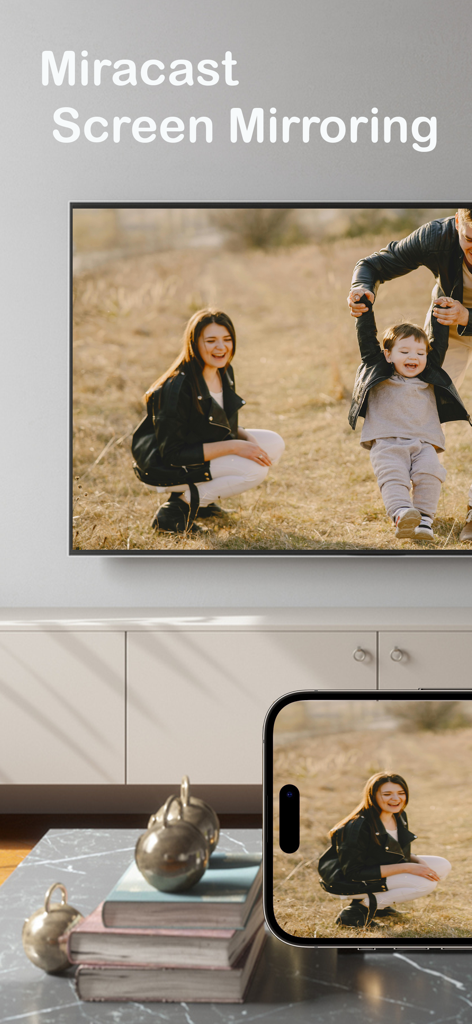
Miracast ᅠ - Miracast 화면 미러링 앱을 사용하여 iPhone이 스마트 TV에 가족 사진을 미러링하고 있습니다.
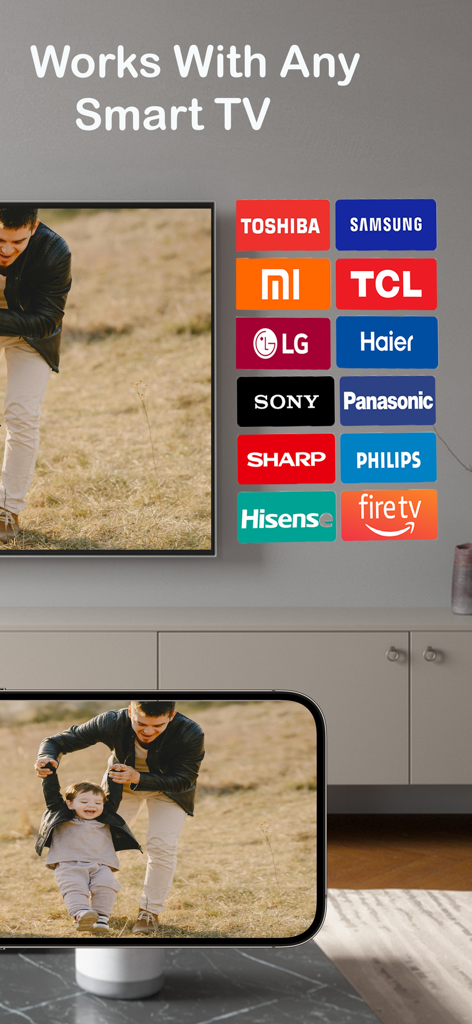
Miracast 화면 미러링 앱을 사용하여 iPhone이 스마트 TV에 가족 사진을 미러링하고 있습니다.

Miracast ᅠ - iPhone 화면이 Samsung, LG, FireTV와 같은 주요 스마트 TV 브랜드와의 호환성을 보여주는 TV에 가족 사진을 미러링하고 있습니다.

iPhone 화면이 Samsung, LG, FireTV와 같은 주요 스마트 TV 브랜드와의 호환성을 보여주는 TV에 가족 사진을 미러링하고 있습니다.
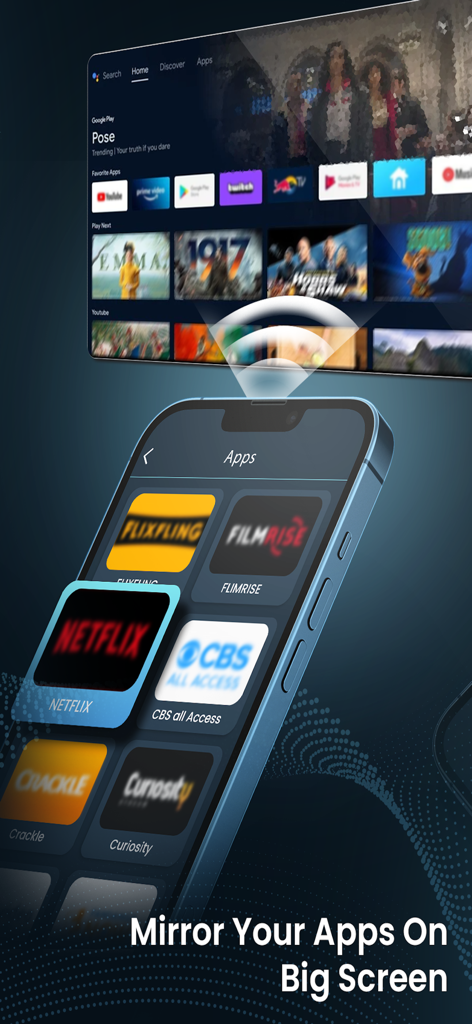
Miracast ᅠ - iPhone 화면이 Netflix 및 CBS와 같은 스트리밍 앱을 큰 스마트 TV 화면에 미러링하고 있습니다.
iPhone 화면이 Netflix 및 CBS와 같은 스트리밍 앱을 큰 스마트 TV 화면에 미러링하고 있습니다.

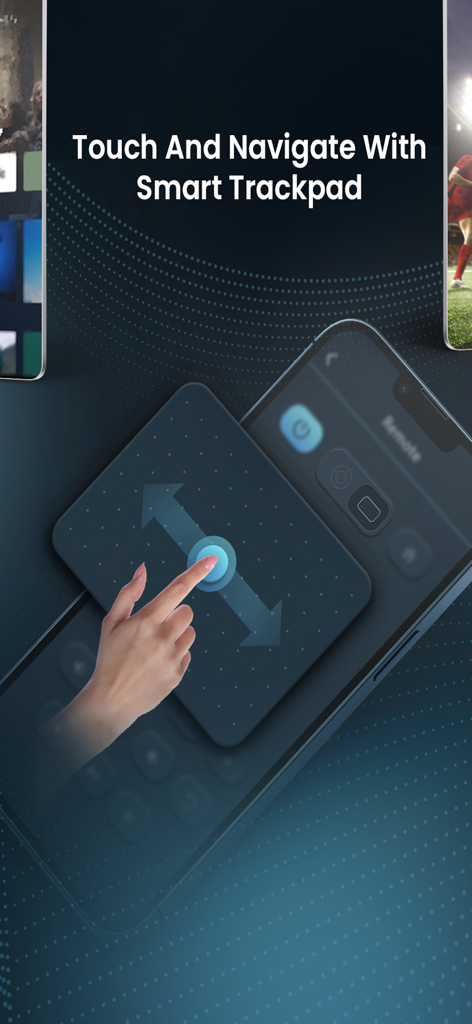
Miracast ᅠ - TV 인터페이스를 탐색하기 위한 스마트 트랙패드 기능이 표시된 스마트폰 화면.
TV 인터페이스를 탐색하기 위한 스마트 트랙패드 기능이 표시된 스마트폰 화면.

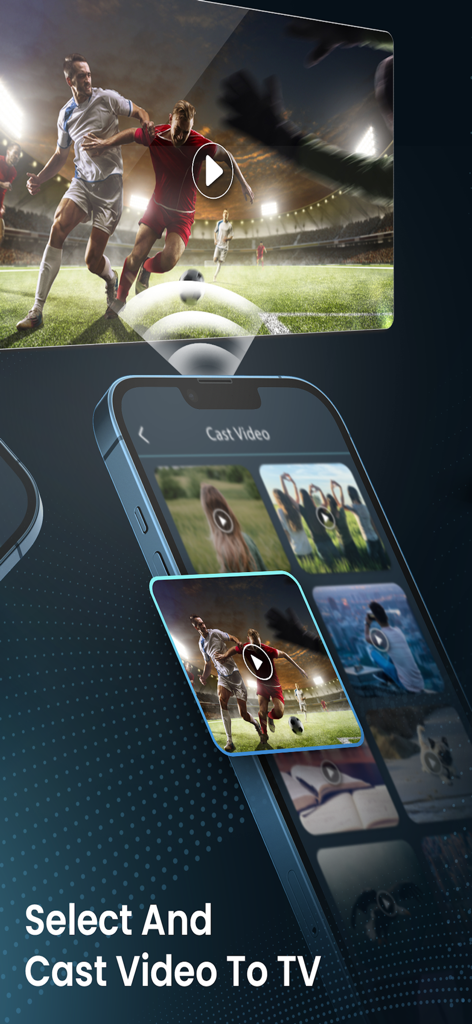
Miracast ᅠ - 축구 경기가 대형 TV 화면에 미러링되는 동영상 썸네일을 표시하는 스마트폰 인터페이스.
축구 경기가 대형 TV 화면에 미러링되는 동영상 썸네일을 표시하는 스마트폰 인터페이스.

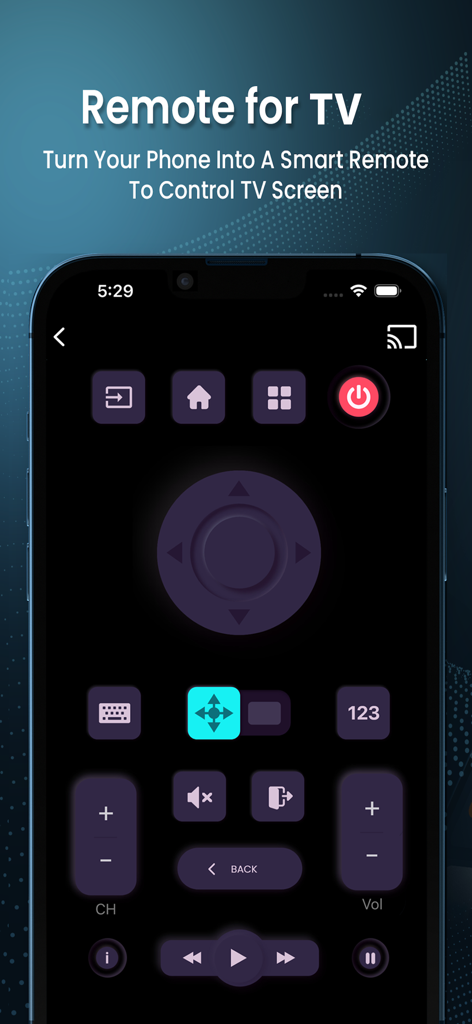
Miracast ᅠ - 탐색 버튼, 볼륨 제어 및 전원 버튼이 있는 포괄적인 가상 TV 리모컨 인터페이스를 표시하는 스마트폰.

탐색 버튼, 볼륨 제어 및 전원 버튼이 있는 포괄적인 가상 TV 리모컨 인터페이스를 표시하는 스마트폰.

설명

Transform your TV experience with Cast, the all-in-one solution for streaming, control, and media sharing. Enjoy a seamless connection between your devices and your TV, unlocking a world of entertainment and convenience. Features: IPTV – Live TV Streaming! Access all your favorite TV channels and watch live streams from various IPTV sources. Enjoy high-quality streaming right at your fingertips. Remote – Easy Control! Easily control your TV from a distance with just a tap. Change channels, adjust volume, and manage your TV effortlessly with our intuitive remote feature. Cast – Share All Your Media! Share your photos, videos, web content, and mirror your device screen to your TV, bringing your media to life on the big screen. Whether it's personal memories or online content, enjoy it all on a larger scale. Get Started Now! Download Smart View Connect today and elevate your TV viewing experience with unmatched functionality and ease. Enjoy the ultimate entertainment hub in your home. To access all premium features and content, you can choose between a weekly subscription or a one-time lifetime purchase. The cost of the purchase is charged to your iTunes account. Pricing in countries may vary and actual charges may be converted to your local currency depending on the country of residence. Payment will be charged to your iTunes Account at confirmation of purchase. Weekly subscriptions will be automatically renewed. Auto-renew can be turned off at least 24 hours before the end of the current period. Your account will be charged for renewal within 24 hours prior to the end of the current period, and you will be notified of the renewal cost. Subscriptions may be managed by you and auto-renewal may be turned off by going to the user's iTunes Account Settings. Alternatively, choose the one-time lifetime purchase for permanent access to all premium features. Privacy Policy https://sites.google.com/view/smartviewapp/terms-of-use Terms of Use https://sites.google.com/view/smartviewapp/privacy-policy

Download

다운로드: App Store

이 페이지는 앱이나 개발자의 공식 페이지가 아니며, 정보 제공 및 논평을 목적으로 작성된 독립 편집 간행물입니다. 명시적으로 달리 언급되지 않는 한, 해당 앱이나 개발자는 MWM, Apple, Google Play, 앱 퍼블리셔 또는 앱 개발자와 제휴, 보증, 후원, 승인 또는 공식적으로 연결되어 있지 않으며, 이 페이지의 어떤 내용도 해당 앱이 MWM의 서비스를 사용하여 개발되었음을 의미하지 않습니다. 모든 상표, 로고, 스크린샷 및 기타 콘텐츠는 해당 소유자의 자산입니다.








