Mona Classic
Mona Classic
다운로드: App Store

이 페이지는 앱이나 개발자의 공식 페이지가 아니며, 정보 제공 및 논평을 목적으로 작성된 독립 편집 간행물입니다. 명시적으로 달리 언급되지 않는 한, 해당 앱이나 개발자는 MWM, Apple, Google Play, 앱 퍼블리셔 또는 앱 개발자와 제휴, 보증, 후원, 승인 또는 공식적으로 연결되어 있지 않으며, 이 페이지의 어떤 내용도 해당 앱이 MWM의 서비스를 사용하여 개발되었음을 의미하지 않습니다. 모든 상표, 로고, 스크린샷 및 기타 콘텐츠는 해당 소유자의 자산입니다.


로고: Mona Classic
다운로드: App Store

Mona Classic

궁극의 사용자 정의와 최고의 접근성을 경험하세요. 프로 기능, 원활한 iCloud 동기화, 개인 정보 보호에 대한 완전한 약속을 갖춘 iPhone, iPad, Mac을 위해 네이티브로 설계되었습니다.

주요 수치

다운로드

16K+

사용자 평점

4.7/5

총 평가 수

200

개발사

Junyu Kuang

카테고리

Social Networking

지원 언어

34

최신 버전

6.9.15

크기

79.4 MB

출시일

2023년 4월 30일
기능

파워 유저를 위한 재정의된 소셜 미디어

개인 정보 보호, 워크플로우, 개인 스타일을 우선시하는 네이티브 Apple 클라이언트로 디지털 생활을 완벽하게 제어하세요.

완벽한 개인화

고급 테마 편집기, 사용자 정의 글꼴, 고유한 미적 감각에 맞는 완벽하게 재구성 가능한 레이아웃으로 이상적인 인터페이스를 만드세요.

전문가 수준의 생산성

전문적인 소셜 미디어 워크플로우를 위해 설계된 여러 열 보기, 게시물 인용, 자동 스레드 변환으로 효율성을 높이세요.

다음 스크린샷과 설명은 앱의 공식 스토어 목록에서 직접 가져온 것이며 앱 개발자의 자산입니다.

앱 스토어

스크린샷
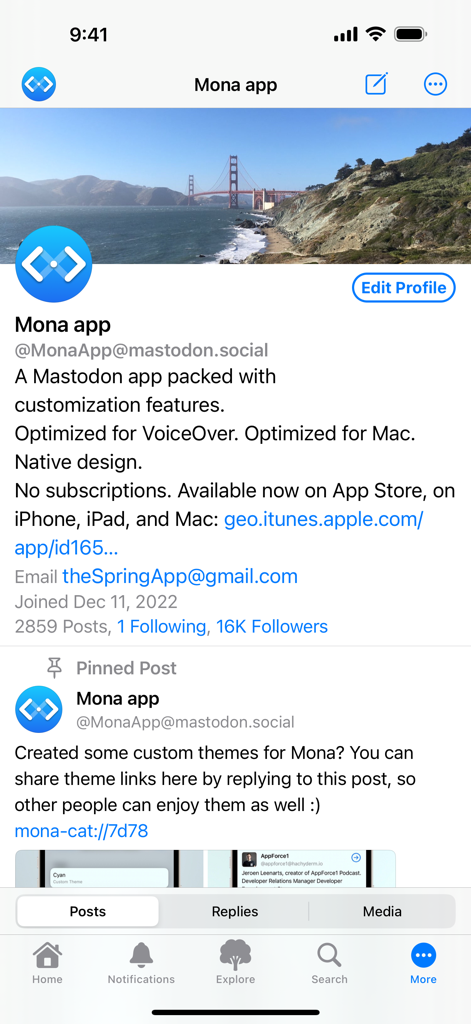
Mona Classic - Mona Classic 앱 프로필 화면으로 Mastodon 계정 약력 및 기능 표시
Mona Classic 앱 프로필 화면으로 Mastodon 계정 약력 및 기능 표시

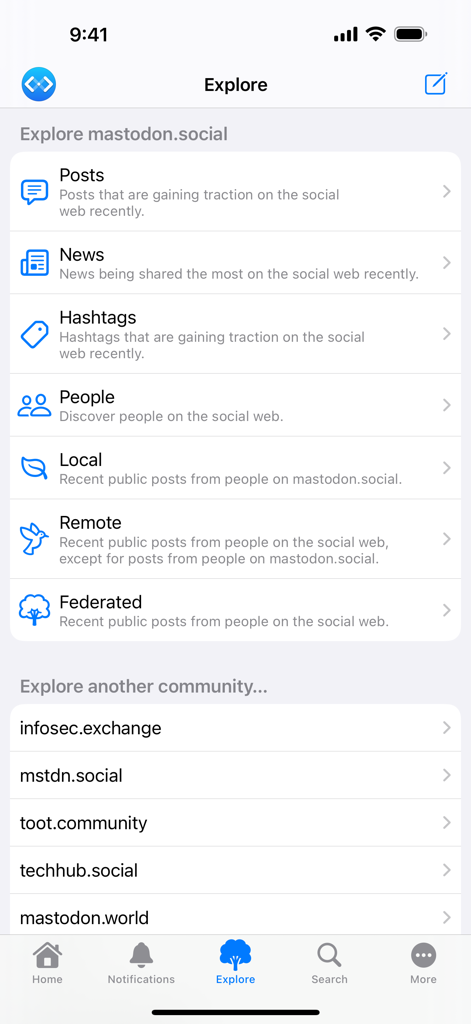
Mona Classic - Mona Classic 앱의 탐색 화면으로 다양한 Mastodon 피드 카테고리와 커뮤니티 인스턴스 목록 표시
Mona Classic 앱의 탐색 화면으로 다양한 Mastodon 피드 카테고리와 커뮤니티 인스턴스 목록 표시

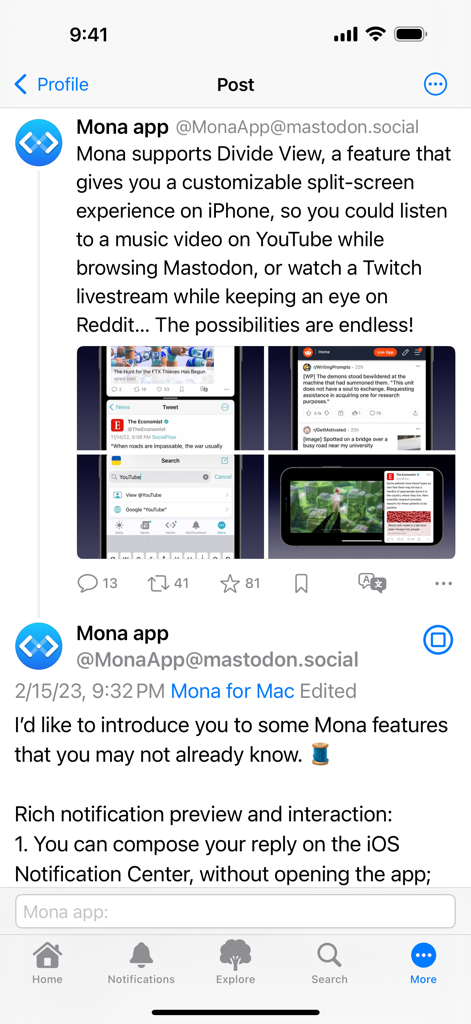
Mona Classic - Mona Classic 앱 스크린샷으로 분할 보기 화면 기능 표시

Mona Classic 앱 스크린샷으로 분할 보기 화면 기능 표시
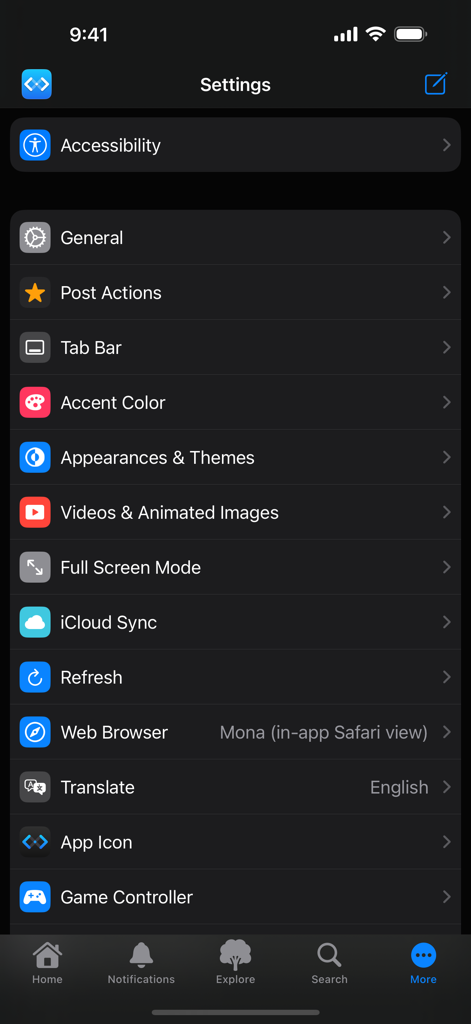
Mona Classic - Mona Classic 앱의 설정 화면으로 접근성, 테마, iCloud 동기화, 게임 컨트롤러 사용자 정의 옵션 표시
Mona Classic 앱의 설정 화면으로 접근성, 테마, iCloud 동기화, 게임 컨트롤러 사용자 정의 옵션 표시

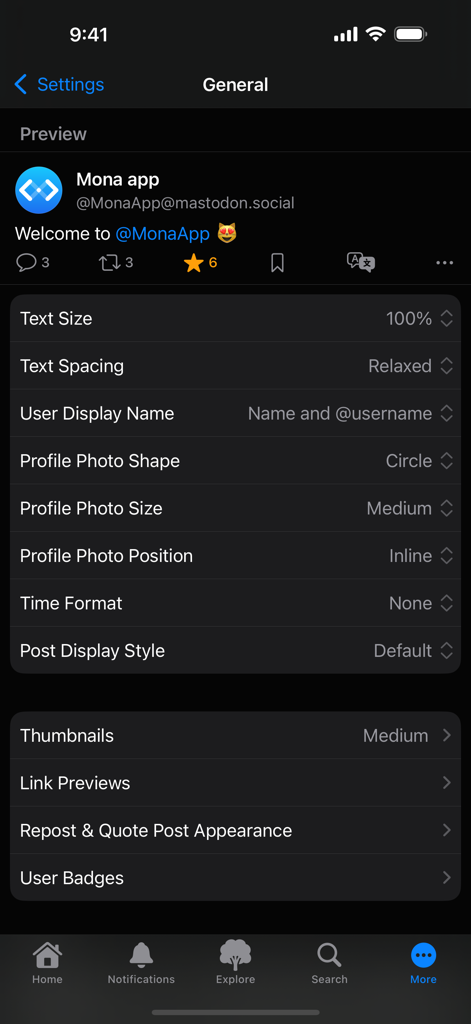
Mona Classic - Mona Classic 앱의 일반 설정 화면으로 텍스트 크기, 간격, 프로필 사진 모양 사용자 정의 옵션 표시
Mona Classic 앱의 일반 설정 화면으로 텍스트 크기, 간격, 프로필 사진 모양 사용자 정의 옵션 표시

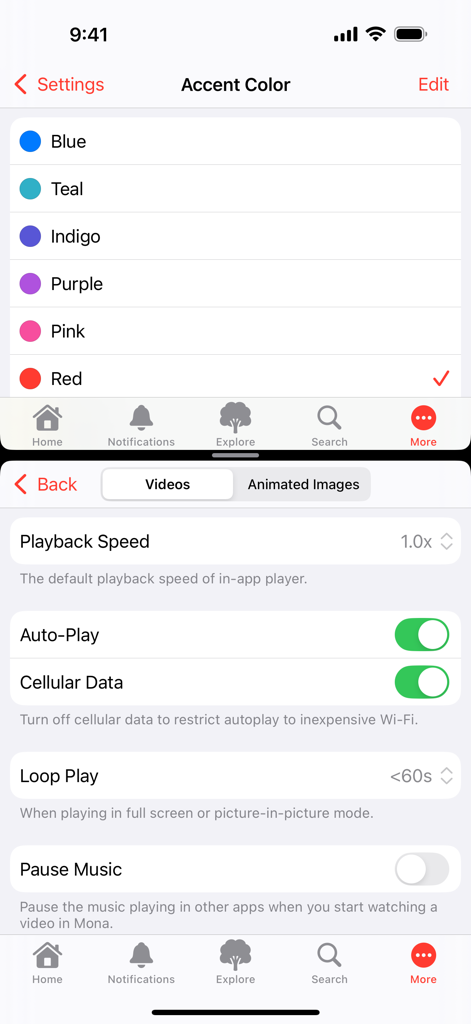
Mona Classic - Mona Classic의 설정 화면으로 악센트 색상 선택 및 자동 재생, 루프 재생과 같은 비디오 재생 옵션 표시
Mona Classic의 설정 화면으로 악센트 색상 선택 및 자동 재생, 루프 재생과 같은 비디오 재생 옵션 표시

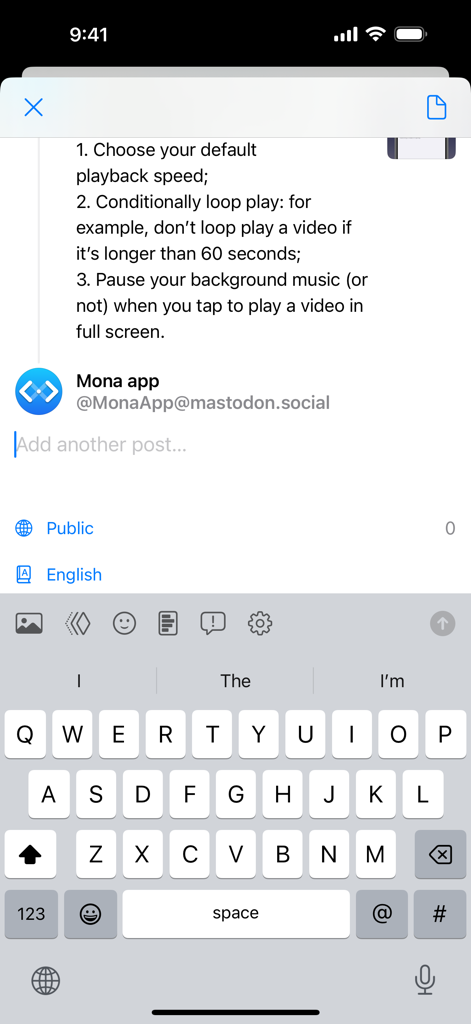
Mona Classic - Mona Classic 게시물 작성 인터페이스로 스레드 생성 및 키보드 열림 표시
Mona Classic 게시물 작성 인터페이스로 스레드 생성 및 키보드 열림 표시

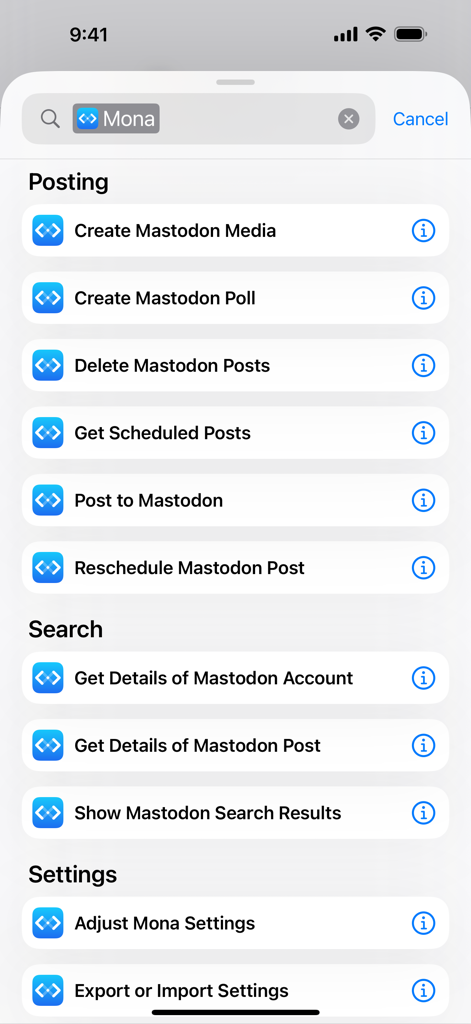
Mona Classic - Mastodon 게시 및 검색 옵션을 포함한 Mona Classic 앱의 iOS 단축키 작업 목록

Mastodon 게시 및 검색 옵션을 포함한 Mona Classic 앱의 iOS 단축키 작업 목록

설명

Mona is a highly customizable Mastodon app with VoiceOver optimization and native design. Post Actions • Drag actions into the order you prefer • Configure actions as swipe options: swipe a post horizontally to perform an action • Optionally hide some or all action buttons from post cards, while keeping them accessible via context menu, swipe options, keyboard shortcuts, and VoiceOver rotor iCloud Sync • Sync your mute list, user notes, reading positions, drafts, search history, accent colors, and custom app themes across your iPhone, iPad, and Mac, privately and securely • Optionally disable some features from automatic syncing User Notes • Privately set aliases, notes and username colors for other Mastodon users • User Notes list: browse, organize and edit all your notes in one place Game Controller (require iOS 14, iPadOS 14, macOS 11 or a newer system) • Control the app and browse posts with a compatible game controller, such as a Playstation DualSense/DualShock, Nintendo Switch, Xbox or MFi controller • Customize button functions via in-app settings • Set extra functions for Adaptive Triggers on the Playstation DualSense controller Privacy • Mona does not collect any personal information • Your account tokens are protected by on-device Keychain • Your network connections to Mastodon servers are protected by HTTPS Other Mona features: • Full Screen mode on iPhone let your timeline content fill the entire screen once you start scrolling • Column View takes full advantage of the big screen on iPad and Mac, shows multiple views at once and allows you to navigate between views fluently and efficiently • Check recent posts on your home screen or notification center with widgets • Search posts on the Timeline • Adjustable text spacing • Adjustable and adaptive text sizes • Option to display post source on timeline (e.g. Mona for Mac) • Share a post as picture • Open multiple windows on iPad and Mac • Customizable text translation experience • Automatic video and GIF playback on timelines • Supports changing app icon on iPhone, iPad, and Mac • Turn on/off content scaling on Mac for extra screen estate or sharper text • Autocomplete for post composer • Push notifications • Lock the app with Face ID or Touch ID • Mona Pro and Mona Pro Max available as one-time in-app purchases, with 14-day free trial Tab Bar (Mona Pro feature) • Pin your frequently visit pages to the tab bar • Drag tabs into the order you prefer • Rename your tabs • Change your tab icons (more than a thousand of icons for you to choose) • Show/hide tab names and button shapes Accent Color (Mona Pro feature) • Configure different Accent Colors for Light and Dark mode • More than 10 built-in colors for you to choose • Design and set custom colors Theme Editor (Mona Pro feature) • Customize the app’s color scheme • Design and set custom themes • Advanced color settings allow you to fine-tune colors for different level of views • Export and share your custom themes • Import custom themes shared by other people Font Customization (Mona Pro feature) • Configure different fonts for body text and headings • Select from a variety of build-in fonts • Supports custom fonts installed by third-party apps Other Mona Pro features: • Full-featured post composer: write longer posts, attach pictures and videos, create polls, schedule post, and automatic thread conversion • More post actions: including favorite, repost, quote post, add bookmark, and translate • Add multiple accounts: you can also opt to favorite, repost, quote post, or follow using a non-current account • Filter and mute: filter timelines based on post category and content; hide posts with certain words; hide posts from certain people • Customize push notifications based on notification category • Export and import settings: easily transfer your custom settings between multiple devices Customer support: • Mastodon: @MonaApp@mastodon.social • Email: theSpringApp@gmail.com

Download

다운로드: App Store

이 페이지는 앱이나 개발자의 공식 페이지가 아니며, 정보 제공 및 논평을 목적으로 작성된 독립 편집 간행물입니다. 명시적으로 달리 언급되지 않는 한, 해당 앱이나 개발자는 MWM, Apple, Google Play, 앱 퍼블리셔 또는 앱 개발자와 제휴, 보증, 후원, 승인 또는 공식적으로 연결되어 있지 않으며, 이 페이지의 어떤 내용도 해당 앱이 MWM의 서비스를 사용하여 개발되었음을 의미하지 않습니다. 모든 상표, 로고, 스크린샷 및 기타 콘텐츠는 해당 소유자의 자산입니다.








