Montessori Numbers for Kids
다운로드: App Store

이 페이지는 앱이나 개발자의 공식 페이지가 아니며, 정보 제공 및 논평을 목적으로 작성된 독립 편집 간행물입니다. 명시적으로 달리 언급되지 않는 한, 해당 앱이나 개발자는 MWM, Apple, Google Play, 앱 퍼블리셔 또는 앱 개발자와 제휴, 보증, 후원, 승인 또는 공식적으로 연결되어 있지 않으며, 이 페이지의 어떤 내용도 해당 앱이 MWM의 서비스를 사용하여 개발되었음을 의미하지 않습니다. 모든 상표, 로고, 스크린샷 및 기타 콘텐츠는 해당 소유자의 자산입니다.

로고: Montessori Numbers for Kids
다운로드: App Store

Montessori Numbers for Kids

수천 개의 학교에서 신뢰하고 공통 핵심 기준을 준수하는 저희 수상 경력에 빛나는 앱은 아이패드를 촉감적인 몬테소리 교실로 바꿔줍니다. 안심하고 교육적인 스크린 타임을 통해 아이가 수, 양, 십진법을 마스터하도록 도와주세요.

주요 수치

다운로드

263K+

사용자 평점

4.1/5

총 평가 수

200

개발사

Pierre Abel

카테고리

Education

지원 언어

1

최신 버전

3.1.1

크기

106.9 MB

출시일

2012년 8월 15일
기능

수학에 대한 깊은 이해를 쌓으세요

아이들이 전문가가 디자인한 활동을 통해 양을 시각화하고 수의 관계를 마스터하도록 돕는 암기식 학습을 넘어섭니다.

수량 시각적 연관

아이들은 디지털 몬테소리 구슬, 막대, 정사각형을 사용하여 추상적인 것과 구체적인 것 사이의 격차를 해소하면서 숫자를 실제 수량과 연관시키는 법을 배웁니다.

자릿값 및 소수점 마스터

공통 핵심 기준에 따른 직관적이고 직접적인 조작을 통해 0부터 1000까지의 숫자를 만들면서 십진법과 같은 복잡한 개념을 단순화합니다.

다음 스크린샷과 설명은 앱의 공식 스토어 목록에서 직접 가져온 것이며 앱 개발자의 자산입니다.

앱 스토어

스크린샷
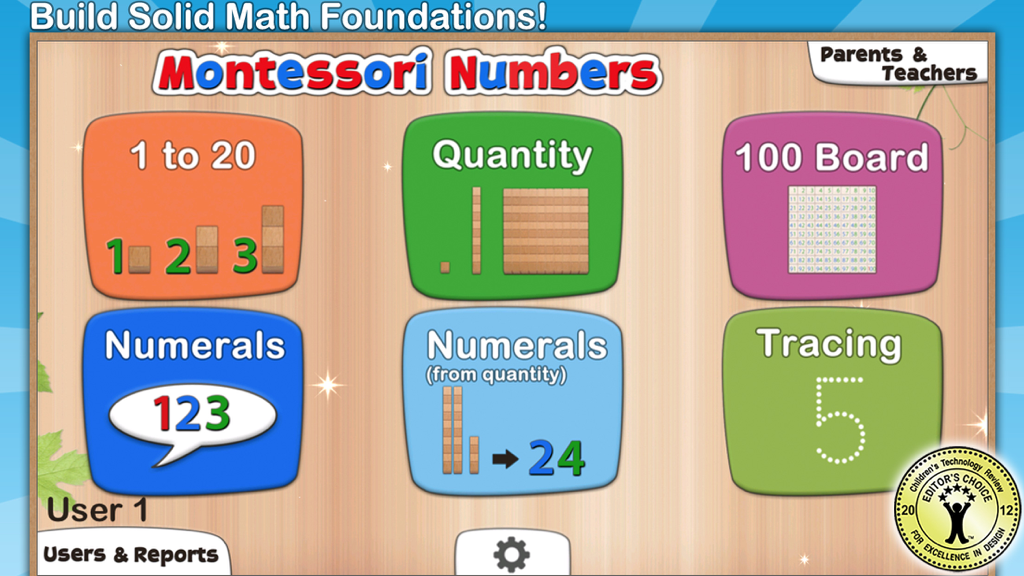
Montessori Numbers for Kids - 몬테소리 수 세기 앱의 메인 대시보드는 세기 및 쓰기와 같은 다양한 수학 학습 활동을 보여줍니다.
몬테소리 수 세기 앱의 메인 대시보드는 세기 및 쓰기와 같은 다양한 수학 학습 활동을 보여줍니다.

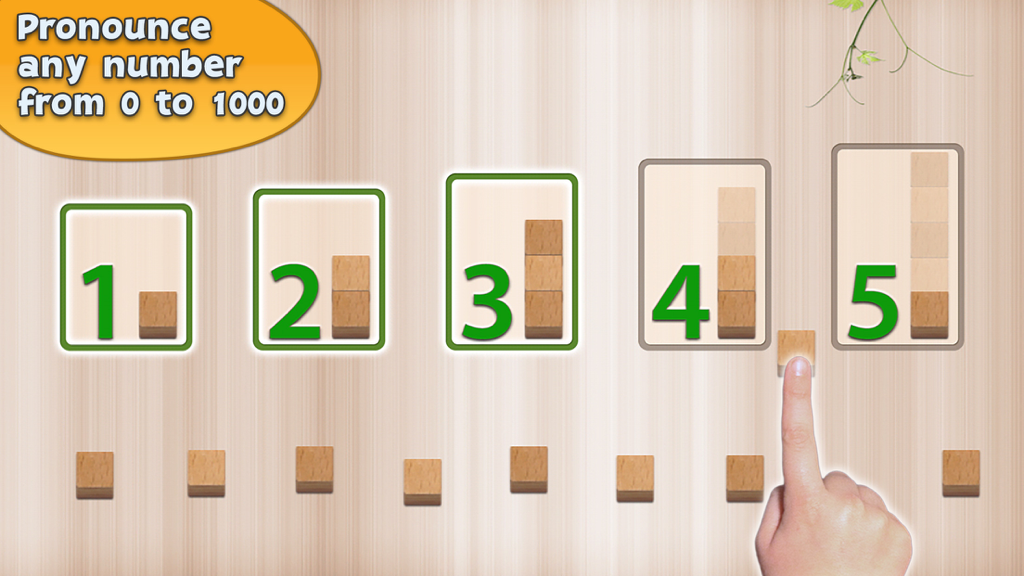
Montessori Numbers for Kids - 세기 연습을 위한 숫자와 나무 블록을 보여주는 교육 인터페이스

세기 연습을 위한 숫자와 나무 블록을 보여주는 교육 인터페이스

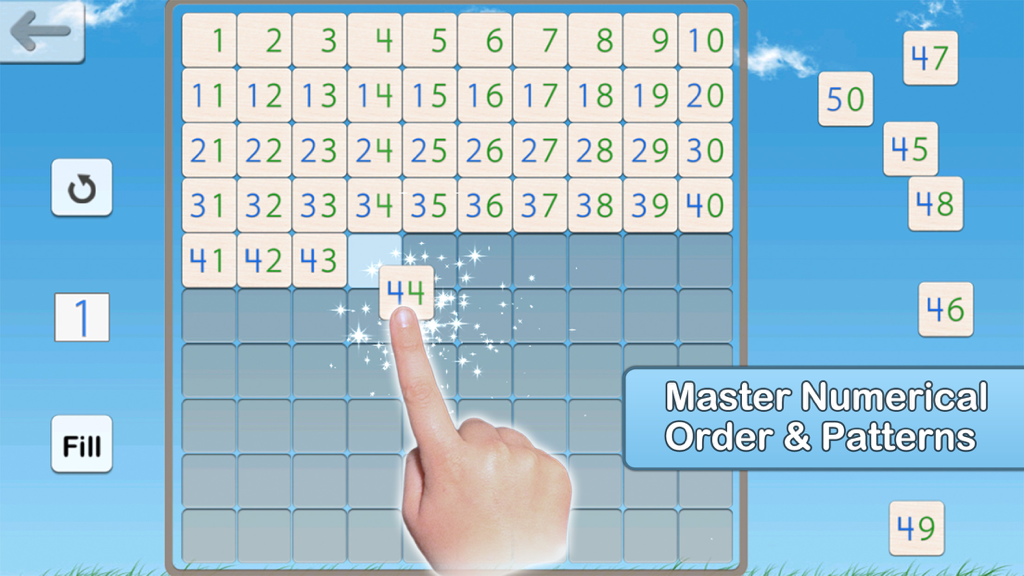
Montessori Numbers for Kids - 아이가 몬테소리 수 세기 앱에서 수의 순서를 배우기 위해 백 보드 그리드를 완성하고 있습니다.
아이가 몬테소리 수 세기 앱에서 수의 순서를 배우기 위해 백 보드 그리드를 완성하고 있습니다.

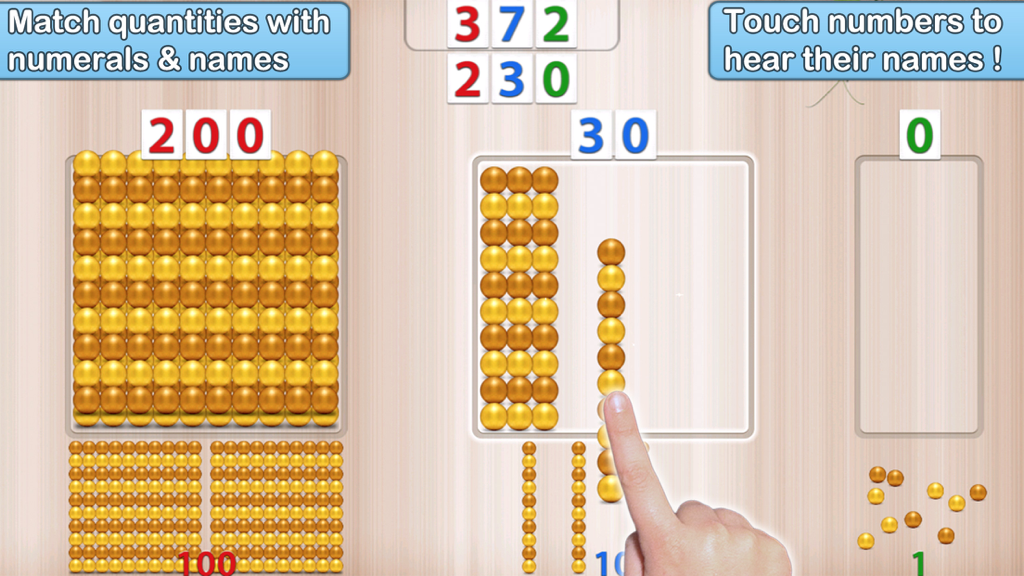
Montessori Numbers for Kids - 아이가 몬테소리 수 세기 앱을 사용하여 황금 구슬 수량을 숫자와 일치시키고 자릿값을 배우고 있습니다.
아이가 몬테소리 수 세기 앱을 사용하여 황금 구슬 수량을 숫자와 일치시키고 자릿값을 배우고 있습니다.

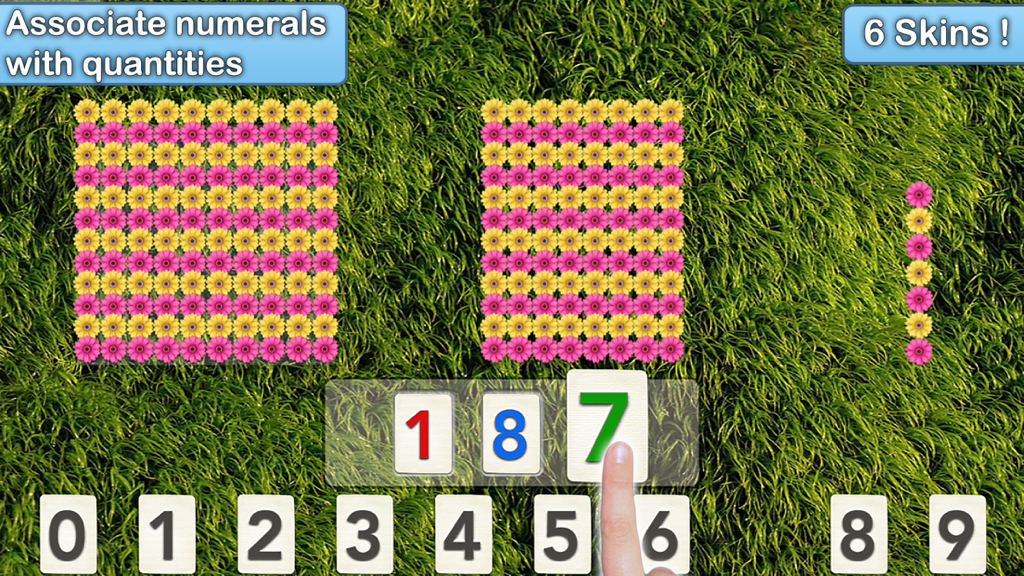
Montessori Numbers for Kids - 아이가 몬테소리 수학 게임에서 숫자와 꽃 수량을 연관시키고 있습니다.
아이가 몬테소리 수학 게임에서 숫자와 꽃 수량을 연관시키고 있습니다.

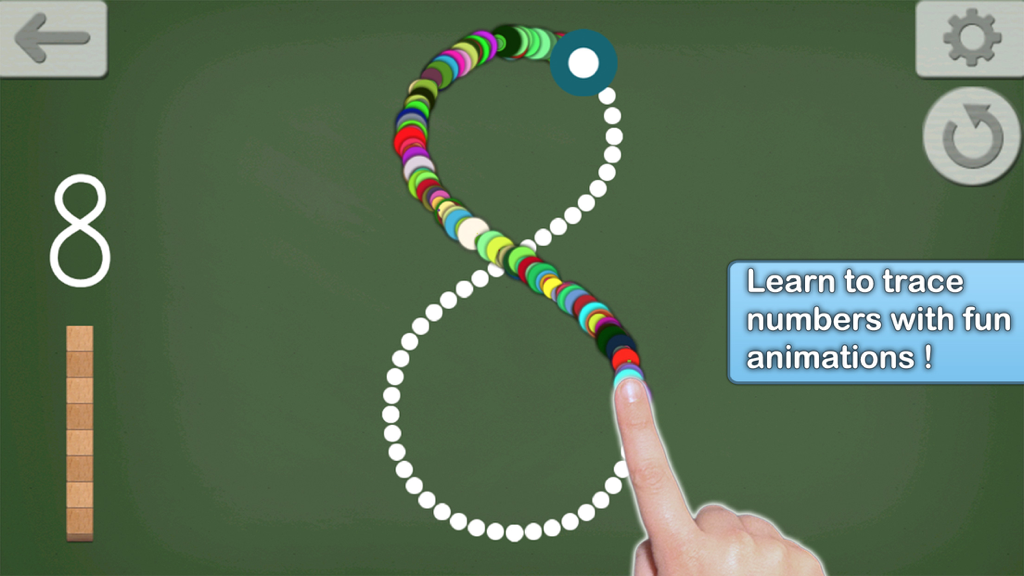
Montessori Numbers for Kids - 아이가 칠판 배경에서 다채로운 애니메이션으로 숫자 8을 따라 그리고 있습니다.

아이가 칠판 배경에서 다채로운 애니메이션으로 숫자 8을 따라 그리고 있습니다.

설명

• "This is a must-have app, for any early learning setting" - Editor's Choice - 4.8 stars out of 5 -Children's Technology Review • "A fantastic app for helping the young students understand the relationship between numbers and the quantity they stand for” - NBCNews.com • Featured by Apple as "Best for Ages 5 and under" & as 'New and Noteworthy' (Education) • 26,000 units sold to US schools ! _____ Montessori Numbers is designed to help build sound mathematical foundations in children aged 3-7 by using a concrete, visually significant material inspired from the Montessori methodology. Montessori Numbers offers a sequence of guided activities that gradually help children reinforce their skills. Each activity offers several levels of increasing complexity. • Learn to count up to 999 • Experiment with quantities and learn their names • Learn the numerals and their names • Understand the relationship between numbers and quantities • Understand the decimal system and place value • Master the numerical order • Learn to trace numbers Montessori Numbers builds on the iPad’s touch feature, and uses verbal feedback for more efficient learning. The app can pronounce any number between 0 and 1009 (American, British and Australian voices available). ___________ Common Core State Standard ___________ This app will help your child in learning the following Common Core State Standards domains: • Counting and Cardinality (K.CC) • Operations and Algebraic Thinking (K.OA, 1.OA.1/2/5) • Number & Operations in Base Ten (K.BNT,1.NBT.1/2/4/5/6, 2.NBT.1/2/3/5/8/9, 3.NBT.1/2). The app is great to deal with place value. ___________ Activities ___________ • Hundred Board A great activity to help your child master the numerical order of 1-1000, and to introduce numerical patterns. The hundred board displays 100 numbers in a square. The first number (1,101,201,...) can be chosen so it can customized for each child • 1 to 20 This activity is designed to introduce numbers. 3 levels of difficulty: 0 to 5, 0 to 10 and 11 to 20. • Quantity In this activity, kids associate quantities to numbers by manipulating units, bars of 10, and squares of 100 to match a given number which is pronounced and optionally displayed. Levels of difficulty: 0 to 9, 10 to 99, 100 to 999 or custom • Numerals In this activity, number names are to be associated with numerals. As a number name is pronounced, kids are invited to build the corresponding numeral. Kids can freely experiment with numerals and hear the names associated with each numeral they build. The quantity representing the numbers built is also displayed to reinforce the association between quantity and numerals. Levels of difficulty: 0 to 9, 10 to 99, 100 to 999 or custom • Numerals (from Quantity) In this activity, a quantity is to be associated with a given numeral. The child must build the number that matches the quantity displayed. This is the most complex activity because the child must count the quantity displayed, and then build the number using the numerals. Levels of difficulty: 0 to 9, 10 to 99, 100 to 999 or custom • Number Tracing Learn to trace numbers with animations that follow the child's touch. Several options (size, difficulty, tracing style, show/hide model) are available to tailor the activity to your needs. • Building Block Game: A game can be started at the end of each activity (availability can be modified in settings). There is no “real” goal to this game - kids can play freely with the materials, thus becoming more familiar with them. ___________ More Accolades ! ___________ • "Overall, Montessori Numbers is a great way to expose kids to math in a meaningful way." CommonSenseMedia.com • Wired's GeekDad Approved • "Montessori Numbers is among the best educational apps for young children I've seen. The verbal feedback is very supportive. " Mary Ellin Logue, Ed.D, Early Childhood Education, University of Maine • Rated 5 stars on BestKidsApps.com and MindLeap.com

Download

다운로드: App Store

이 페이지는 앱이나 개발자의 공식 페이지가 아니며, 정보 제공 및 논평을 목적으로 작성된 독립 편집 간행물입니다. 명시적으로 달리 언급되지 않는 한, 해당 앱이나 개발자는 MWM, Apple, Google Play, 앱 퍼블리셔 또는 앱 개발자와 제휴, 보증, 후원, 승인 또는 공식적으로 연결되어 있지 않으며, 이 페이지의 어떤 내용도 해당 앱이 MWM의 서비스를 사용하여 개발되었음을 의미하지 않습니다. 모든 상표, 로고, 스크린샷 및 기타 콘텐츠는 해당 소유자의 자산입니다.