이 페이지는 앱이나 개발자의 공식 페이지가 아니며, 정보 제공 및 논평을 목적으로 작성된 독립 편집 간행물입니다. 명시적으로 달리 언급되지 않는 한, 해당 앱이나 개발자는 MWM, Apple, Google Play, 앱 퍼블리셔 또는 앱 개발자와 제휴, 보증, 후원, 승인 또는 공식적으로 연결되어 있지 않으며, 이 페이지의 어떤 내용도 해당 앱이 MWM의 서비스를 사용하여 개발되었음을 의미하지 않습니다. 모든 상표, 로고, 스크린샷 및 기타 콘텐츠는 해당 소유자의 자산입니다.
MoonCatcher
흐릿한 하얀 덩어리에 만족하지 마세요. 40배 줌, 자동 노출 제어, 밤하늘에 특화된 전문가 수준의 초점 이동 기능으로 iPhone을 정밀한 달 촬영 카메라로 변신시키세요.
주요 수치
다운로드
14K+
사용자 평점
2.3/5
총 평가 수
0
개발사
HIROFUMI MARUO
카테고리
Photo & Video
지원 언어
2
최신 버전
18.1
크기
22.7 MB
출시일
2014년 12월 17일
기능
정밀하게 우주를 포착하세요
흐릿한 하얀 빛에 만족하지 마세요. MoonCatcher는 고급 초점 이동 및 특수 노출 제어로 iPhone을 강력한 달 망원경으로 변신시켜 달의 진정한 질감을 드러냅니다.
더 이상 "하얀 덩어리"는 없습니다
당사의 특수 달 모드는 네이티브 카메라 앱에서 일반적으로 날아가는 복잡한 분화구와 달 패턴을 드러내기 위해 노출을 자동으로 균형 있게 조절합니다.
고급 40배 달 줌
그 어느 때보다 가깝게 다가가세요. 정밀 줌 및 초점 이동 기술을 사용하여 최대 배율에서도 완벽한 선명도를 찾으세요.
다음 스크린샷과 설명은 앱의 공식 스토어 목록에서 직접 가져온 것이며 앱 개발자의 자산입니다.
앱 스토어
스크린샷
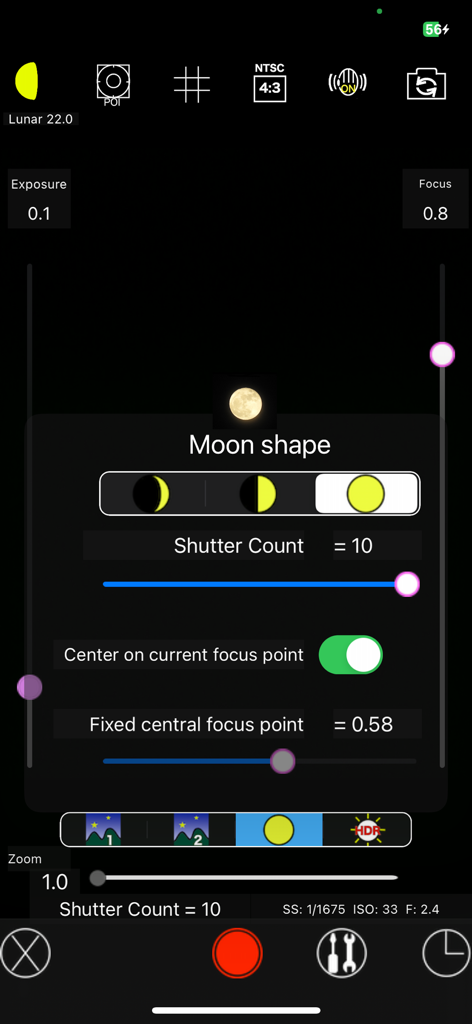
천체 사진 촬영을 위한 수동 카메라 설정 및 달 모양 선택을 보여주는 MoonCatcher 앱 인터페이스
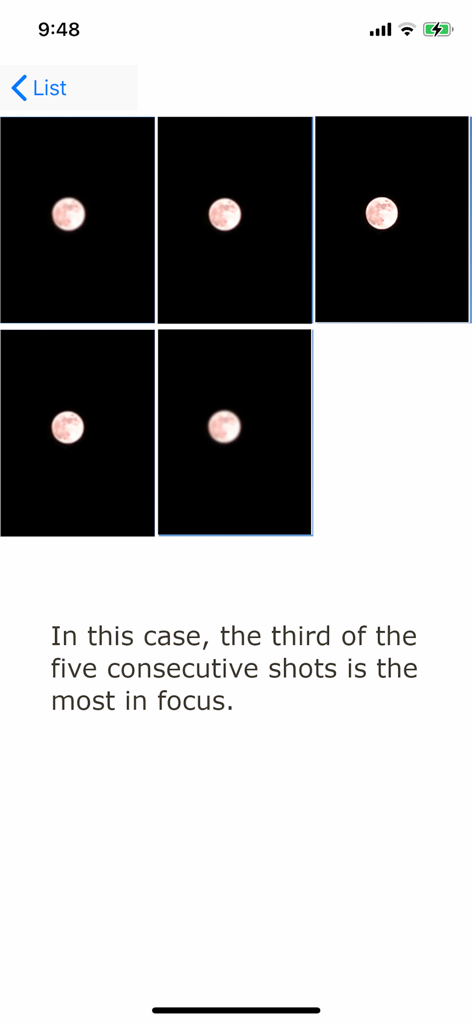
가장 선명한 이미지를 찾기 위해 초점 이동을 보여주는 MoonCatcher 앱의 5개의 연속 달 사진 시퀀스
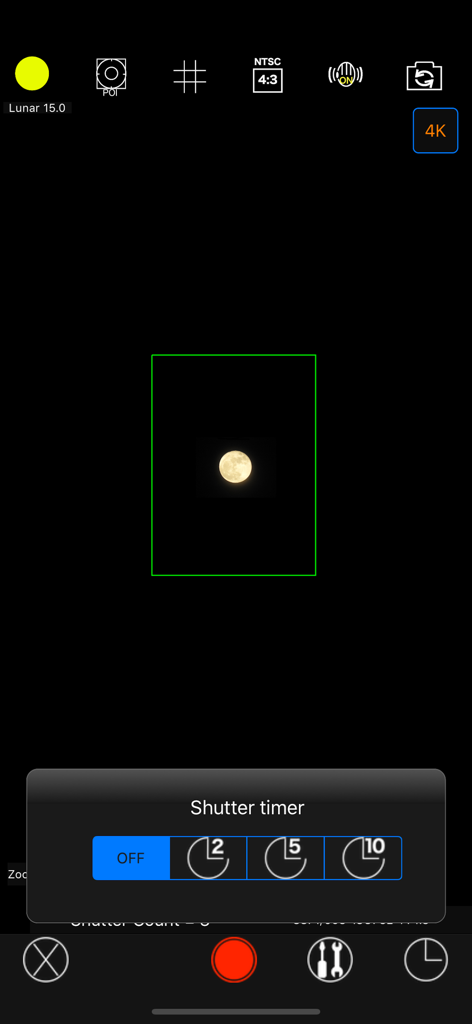
셔터 타이머 메뉴와 캡처된 달 이미지를 보여주는 MoonCatcher 앱 카메라 인터페이스
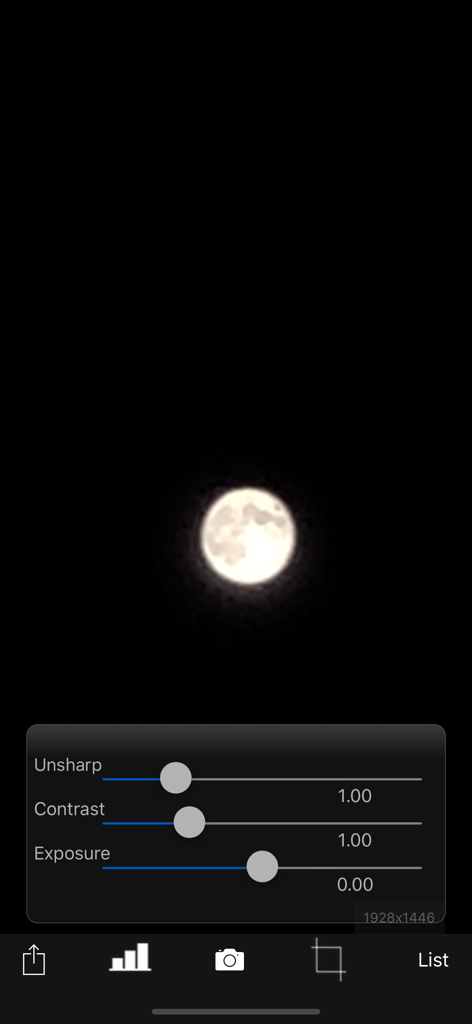
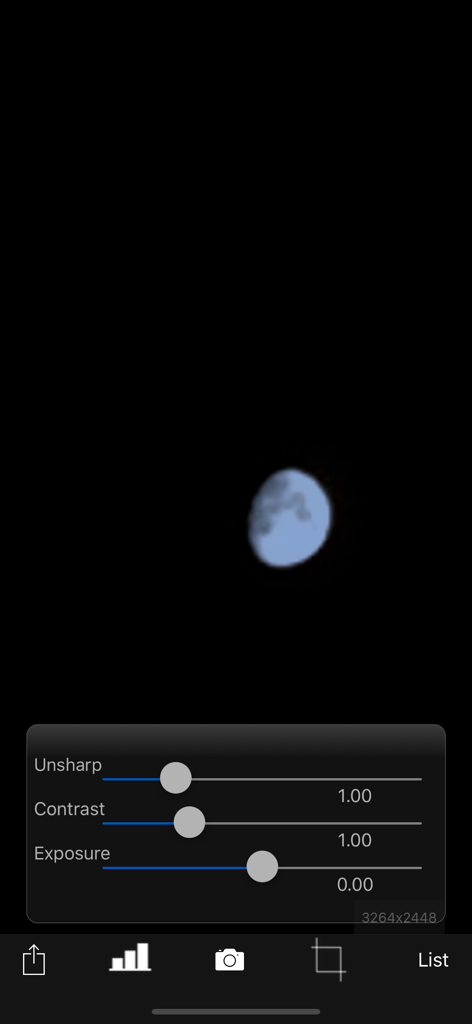
달 사진과 함께 달의 불분명한 대비 및 노출에 대한 편집 슬라이더를 보여주는 MoonCatcher 앱 인터페이스
달 이미지 위에 불분명한 대비 및 노출 조정 슬라이더를 보여주는 MoonCatcher 앱 사진 편집 화면
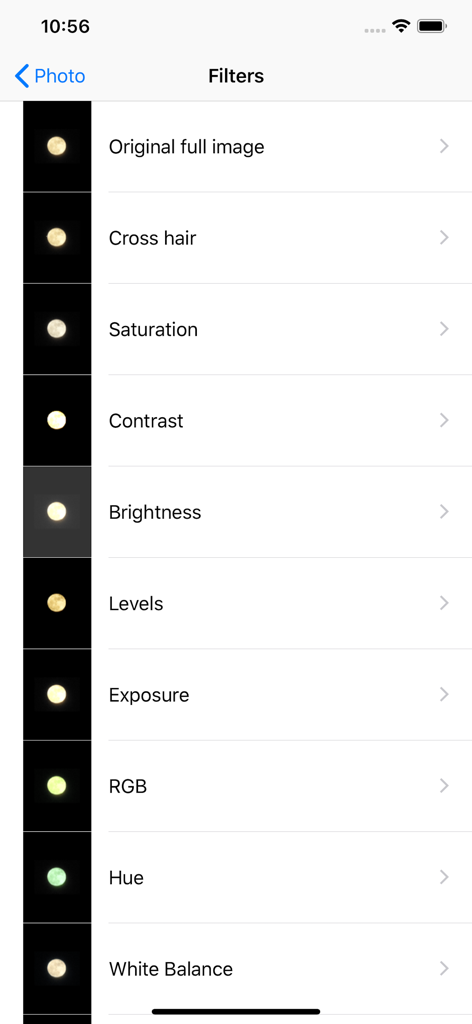
달 사진 촬영을 위한 사진 편집 필터 목록을 보여주는 MoonCatcher 앱 인터페이스
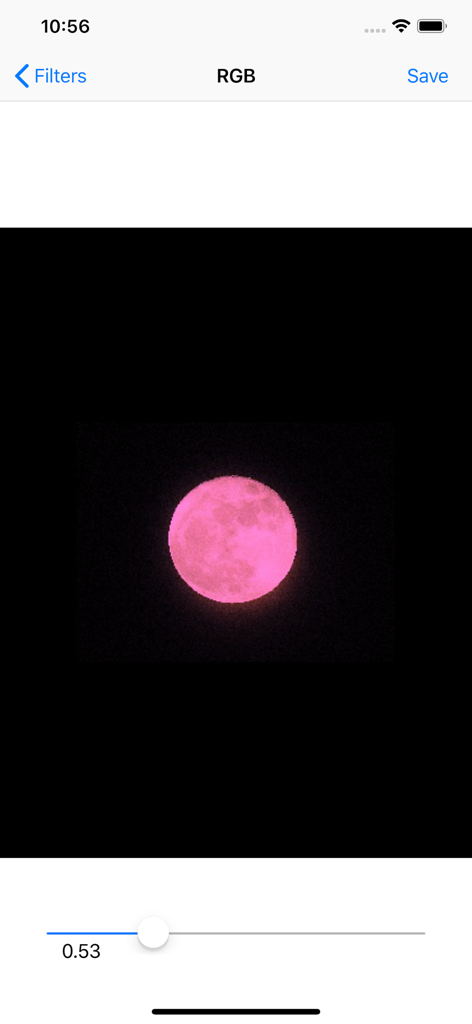
RGB 필터 슬라이더로 편집 중인 분홍색 달을 보여주는 MoonCatcher 앱 인터페이스
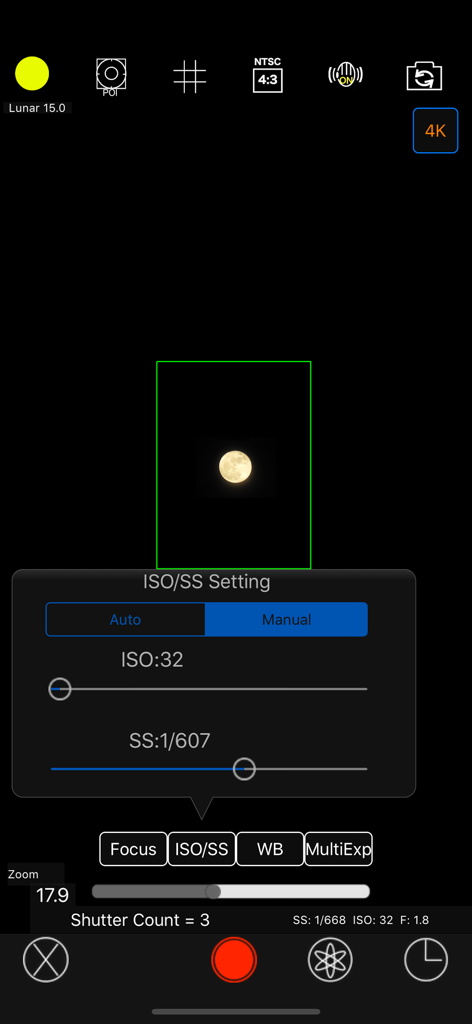
MoonCatcher 사진 앱의 수동 ISO 및 셔터 속도 설정 인터페이스
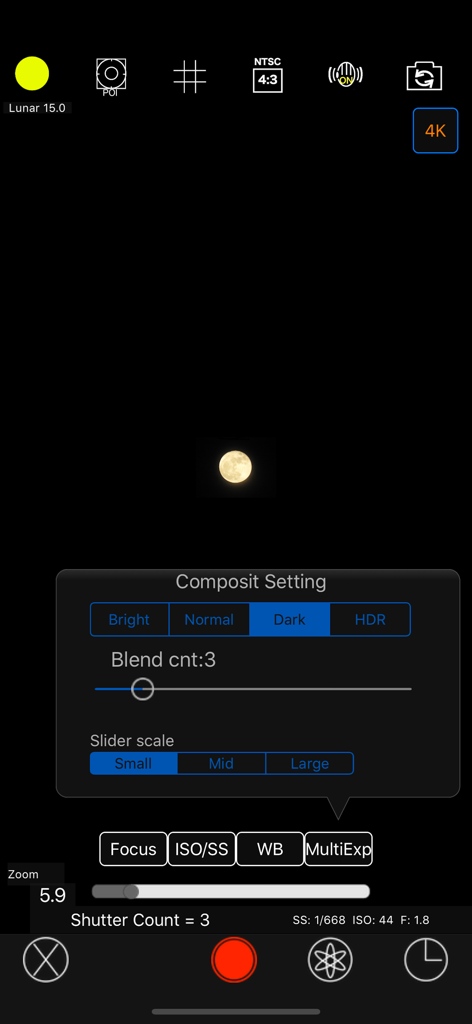
수동 합성 설정 메뉴와 캡처된 달 이미지를 보여주는 MoonCatcher 카메라 인터페이스
설명
This is an app that allows you to easily photograph the moon at night, including its pattern. You can also zoom easily. Usage is simple. (A) Tap the moon from the menu and tap the closest moon shape among the three. (B) Point the camera at the moon and zoom. (C) Release the shutter without moving the smartphone (tripod recommended). The shutter will fire several times, so don't let it slide until the end. If you cannot take any of the photos with the moon in focus, you can try "changing the center of focus" as many times as you like below. Tap the manual mode button (second button from the bottom right) to enter manual mode, where you can manually set focus, ISO/shutter speed, white balance, and multiple exposure parameters. ------------------------- The features of this app are (1) Fully automatic function - If you select "Moon", the exposure will be automatically darkened in response to the bright moon in the night sky, and the focus will be adjusted to the distance. Since it fires continuously while changing the focus multiple times, you can choose the best result among them. (The number of consecutive shots and the center of focus can be changed with the slider) *"Change the focus center": Tap "Moon" on the shooting screen to display the moon shape selection segment, the number of consecutive shots slider, and the focus center slider. Now you can change each value. Because the moon is far away, it is difficult to focus when zoomed in. Therefore, if you take pictures while changing the focus little by little, you can expect the moon to be in focus at some point. The focus range is from 0 (nearby) to 1 (far), but in reality, the focus is shifted by 1/5 when shooting. For example, 0.7 to 0.9 (0.8 in the center). By changing the center of focus, you can shift the focus within any range and fire continuously. - There are two types of night views. ・"Night Scene 1" brightens a dark night scene by one level. ・“Night Scene 2” brightens the image one step brighter than “Night Scene 1”. It fires continuously while changing the brightness 4 times. - If you select "HDR", multiple consecutive images with different exposures will be combined to create a pseudo-large dynamic range. Multiple exposure 3 times. (2) Full manual function You can take photos by manually setting the focal length, exposure, white balance, photo composition method, and number of photos. ・Tap "Focus", "ISO/SS", and "WB" to select auto or manual. ・Tap "Multiple Exposure" to select the multiple exposure composition method and set the number of composite images (up to 100). The synthesis methods are as following. Bright: Screen composit (Screen Blend) Normal: Comparison(light) composition (Lighten Blend) Dark: Comparison (dark) composition (Darken Blend) HDR: Special composition (Special Blend) (3) Other camera functions ・Zoom function: Achieving a zoom ratio of 40 time ・A camera position: The LCD screen side or the back camera is selectable. ・Focus position specification ・Mesh display ・Aspect selection ・Deviation correction selection (4) Filter function just after the photography To display the photograph just after photography and the following filtering are possible by slider operation. ・Purity (sharpness) ・Comparison degree (contrast) ・Luminosity (exposure) ・Display list function The photos taken in this app is stored in the camera roll and in app itself too and you can see the list of them with the shooting date and time information. ・Image processing function When you tap the image on the list, it displays the list of filters for image processing. It has about 70 filters such as 'Brightness','Contrast','Blur','Sharpening','Sepia','Monochrome','Edge detection','Sketch' and so on. *** This app include the following open sources. - GPUImage (Copyright (c) 2012, Brad Larson, Ben Cochran, Hugues Lismonde, Keitaroh Kobayashi, Alaric Cole, Matthew Clark, Jacob Gundersen, Chris Williams. All rights reserved.)
이 페이지는 앱이나 개발자의 공식 페이지가 아니며, 정보 제공 및 논평을 목적으로 작성된 독립 편집 간행물입니다. 명시적으로 달리 언급되지 않는 한, 해당 앱이나 개발자는 MWM, Apple, Google Play, 앱 퍼블리셔 또는 앱 개발자와 제휴, 보증, 후원, 승인 또는 공식적으로 연결되어 있지 않으며, 이 페이지의 어떤 내용도 해당 앱이 MWM의 서비스를 사용하여 개발되었음을 의미하지 않습니다. 모든 상표, 로고, 스크린샷 및 기타 콘텐츠는 해당 소유자의 자산입니다.