Morse Chat: Chat in Morse Code
다운로드: App Store

이 페이지는 앱이나 개발자의 공식 페이지가 아니며, 정보 제공 및 논평을 목적으로 작성된 독립 편집 간행물입니다. 명시적으로 달리 언급되지 않는 한, 해당 앱이나 개발자는 MWM, Apple, Google Play, 앱 퍼블리셔 또는 앱 개발자와 제휴, 보증, 후원, 승인 또는 공식적으로 연결되어 있지 않으며, 이 페이지의 어떤 내용도 해당 앱이 MWM의 서비스를 사용하여 개발되었음을 의미하지 않습니다. 모든 상표, 로고, 스크린샷 및 기타 콘텐츠는 해당 소유자의 자산입니다.


로고: Morse Chat: Chat in Morse Code
다운로드: App Store

Morse Chat: Chat in Morse Code

아마추어 무선 애호가 및 디지털 레트로 취미 활동가들의 글로벌 커뮤니티에 참여하세요. WPM별 방부터 광고 없는 개인 내부 서클까지, 모스 부호의 기술과 유산을 소중히 여기는 사람들과 연결하세요.

주요 수치

다운로드

28K+

사용자 평점

4.7/5

총 평가 수

900

개발사

Xiang Dong

카테고리

Social Networking

지원 언어

1

최신 버전

3.4.5

크기

42.5 MB

출시일

2021년 9월 21일
기능

모스 부호의 기술을 마스터하세요

현대 전신용으로 설계된 방해 없는 환경에서 연습하고, 채팅하고, 기술을 다듬기 위해 애호가들의 글로벌 커뮤니티에 참여하세요.

속도 향상

10 WPM 초보자부터 20 WPM 이상 전문가까지, 자신의 속도에 맞춰 연습할 수 있도록 WPM별로 분류된 공개 방에 참여하세요.

채팅하면서 배우기

실시간 자동 번역과 전용 연습장을 사용하여 실제 대화에서 보내는 기술을 연마하여 격차를 해소하세요.

다음 스크린샷과 설명은 앱의 공식 스토어 목록에서 직접 가져온 것이며 앱 개발자의 자산입니다.

앱 스토어

스크린샷
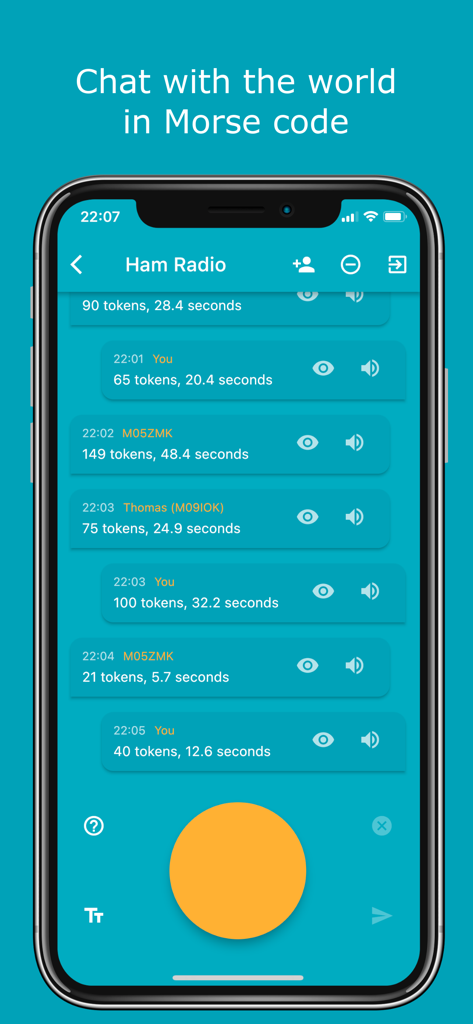
Morse Chat: Chat in Morse Code - 모스 부호 입력을 위한 큰 노란색 탭 버튼이 있는 아마추어 무선 공개 방에서 모스 채팅 앱 인터페이스를 보여주는 모바일 화면.
모스 부호 입력을 위한 큰 노란색 탭 버튼이 있는 아마추어 무선 공개 방에서 모스 채팅 앱 인터페이스를 보여주는 모바일 화면.

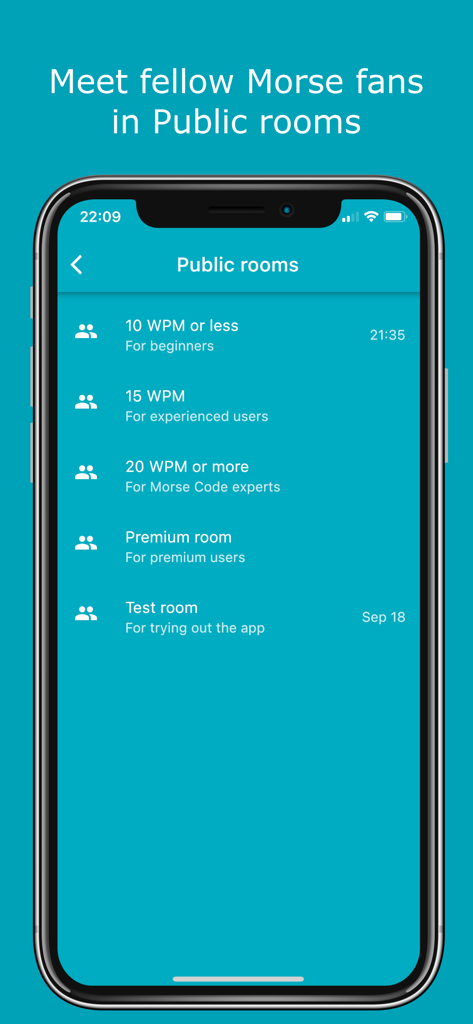
Morse Chat: Chat in Morse Code - 모스 채팅 앱 인터페이스가 초보자 및 전문가를 위한 모스 부호 속도 수준별로 분류된 공개 채팅방을 보여줍니다.
모스 채팅 앱 인터페이스가 초보자 및 전문가를 위한 모스 부호 속도 수준별로 분류된 공개 채팅방을 보여줍니다.

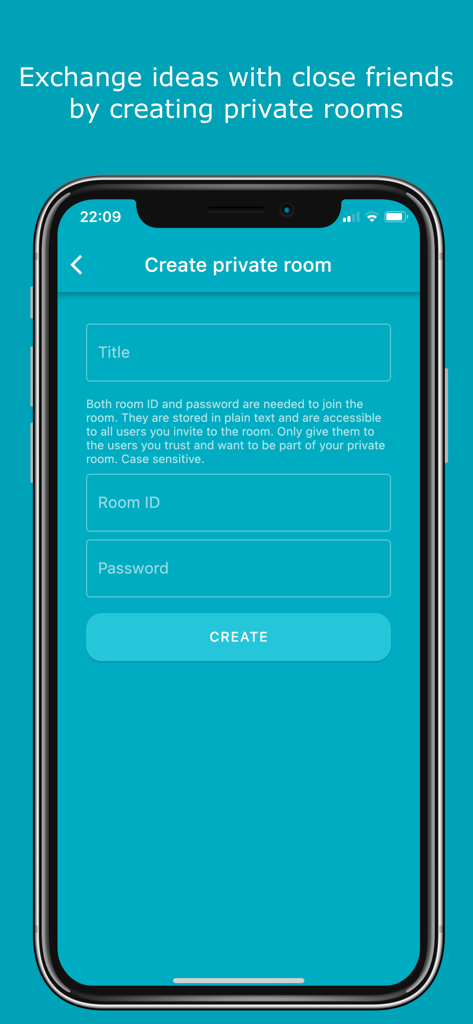
Morse Chat: Chat in Morse Code - 모스 채팅 앱에서 보안 개인 채팅방을 생성하기 위한 인터페이스

모스 채팅 앱에서 보안 개인 채팅방을 생성하기 위한 인터페이스

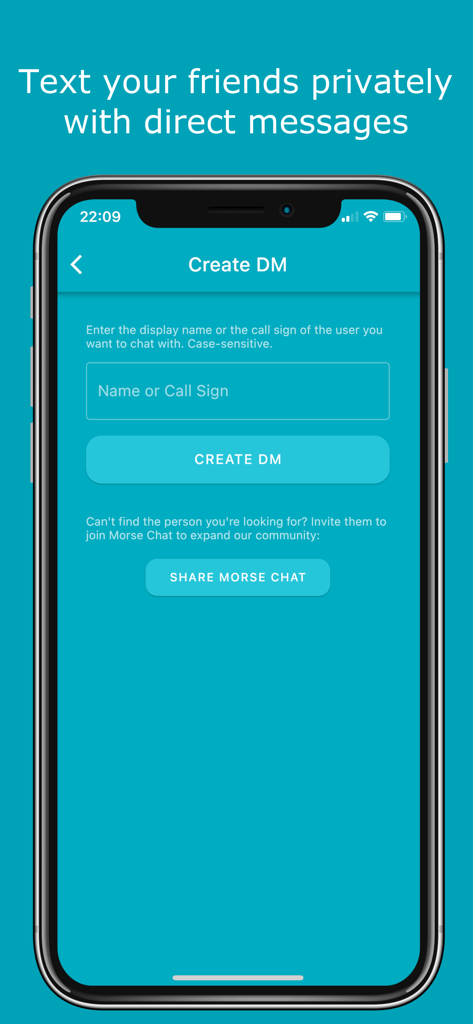
Morse Chat: Chat in Morse Code - 이름 또는 호출 부호를 입력하는 모스 채팅 앱의 직접 메시지 생성 화면
이름 또는 호출 부호를 입력하는 모스 채팅 앱의 직접 메시지 생성 화면

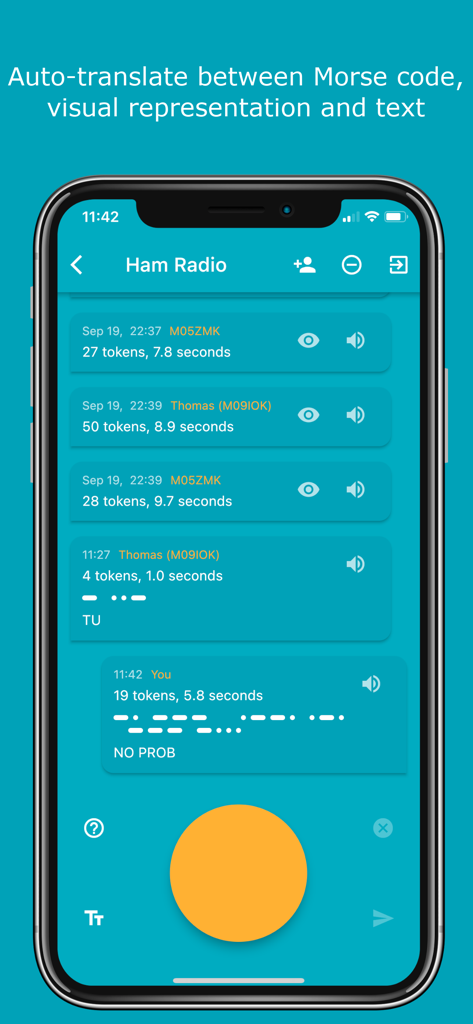
Morse Chat: Chat in Morse Code - 아마추어 무선 채팅방에서 모스 부호 점과 텍스트 간의 자동 번역을 보여주는 모스 채팅 앱 스크린샷.
아마추어 무선 채팅방에서 모스 부호 점과 텍스트 간의 자동 번역을 보여주는 모스 채팅 앱 스크린샷.

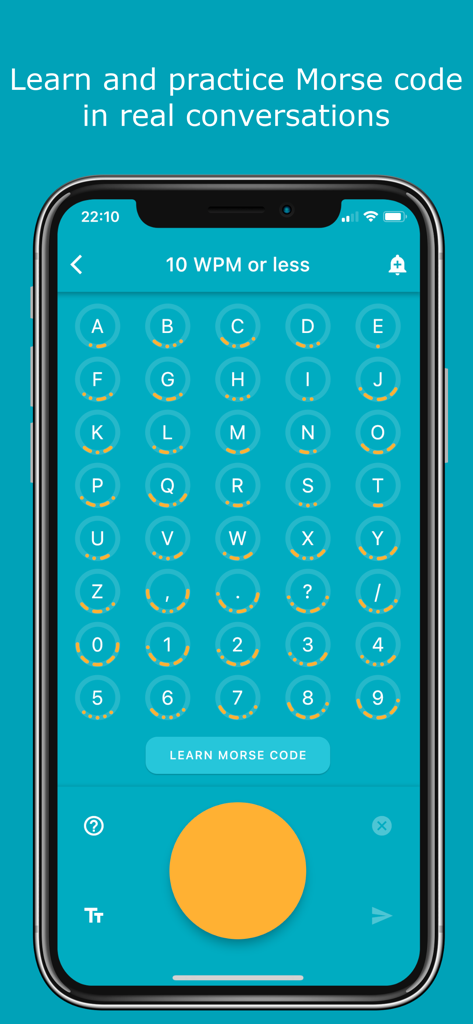
Morse Chat: Chat in Morse Code - 해당하는 모스 부호 점과 대시가 있는 문자와 기호 그리드를 보여주는 모스 채팅 앱 인터페이스
해당하는 모스 부호 점과 대시가 있는 문자와 기호 그리드를 보여주는 모스 채팅 앱 인터페이스

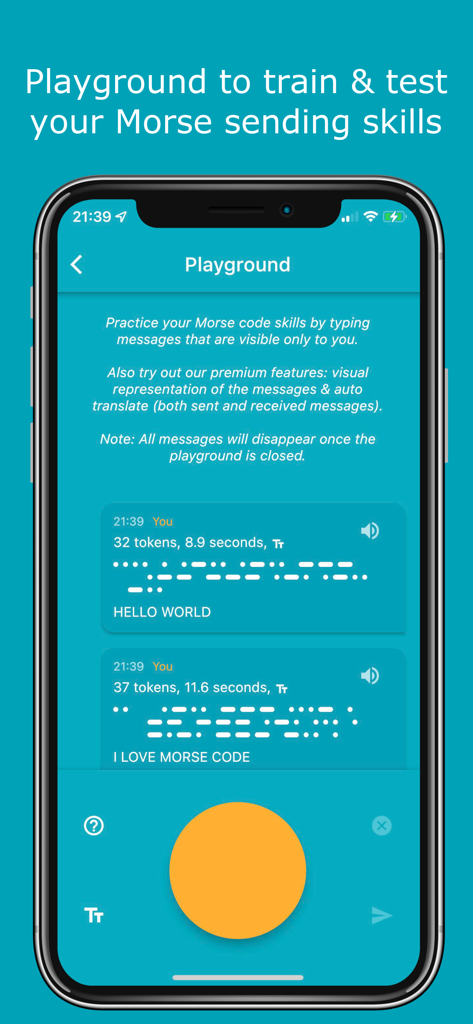
Morse Chat: Chat in Morse Code - 모스 부호 탭을 위한 큰 주황색 버튼과 연습 메시지를 보여주는 모스 채팅 앱 연습장 화면.
모스 부호 탭을 위한 큰 주황색 버튼과 연습 메시지를 보여주는 모스 채팅 앱 연습장 화면.

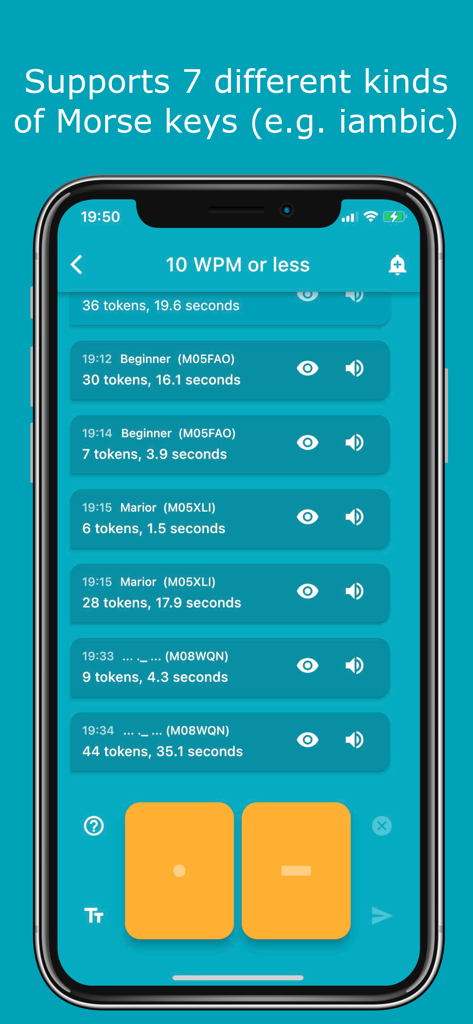
Morse Chat: Chat in Morse Code - 점과 대시 입력 버튼이 있는 10 WPM 채팅방을 보여주는 모스 채팅 앱 인터페이스
점과 대시 입력 버튼이 있는 10 WPM 채팅방을 보여주는 모스 채팅 앱 인터페이스

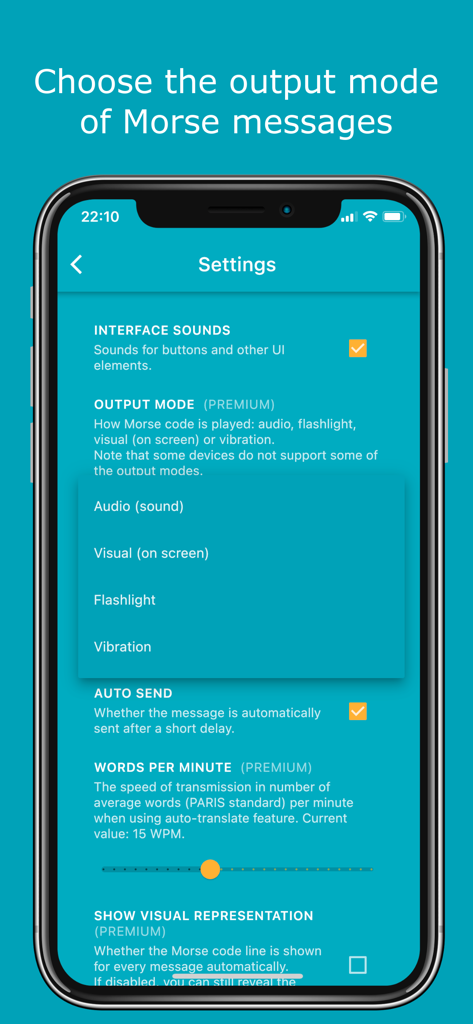
Morse Chat: Chat in Morse Code - 오디오, 손전등 및 진동에 대한 출력 모드 옵션을 표시하는 모스 채팅 설정 화면
오디오, 손전등 및 진동에 대한 출력 모드 옵션을 표시하는 모스 채팅 설정 화면

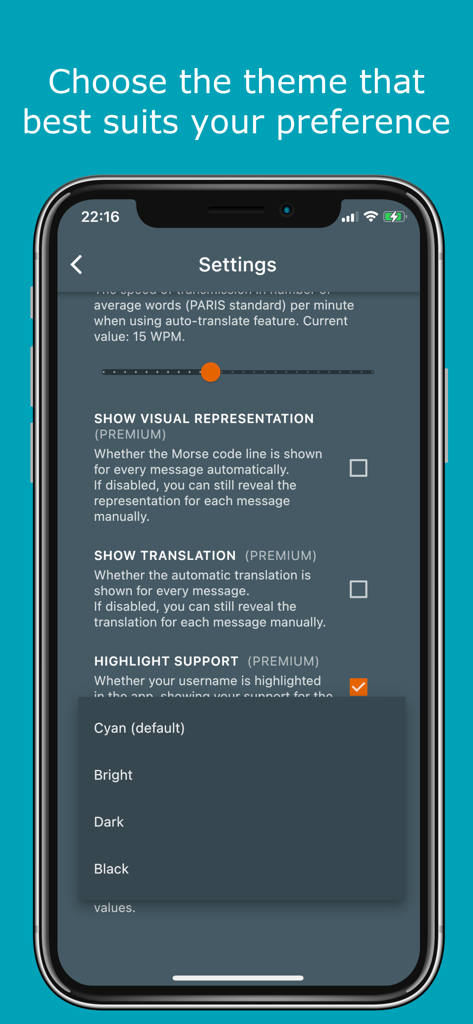
Morse Chat: Chat in Morse Code - 모스 채팅 앱 설정에서 어둡게 또는 검게와 같은 테마를 선택하기 위한 메뉴 표시

모스 채팅 앱 설정에서 어둡게 또는 검게와 같은 테마를 선택하기 위한 메뉴 표시

설명

Features: - Communicate with fellow Morse enthusiasts from far and near simply by tapping dots and dashes. - Meet new friends in a number of public rooms (10 WPM or less, 15 WPM, 20 WPM or more, Test room and so on). - Share and exchange ideas with your Inner Circle by creating private rooms. - In private rooms, the owner can modify room details (room ID & name) and remove members. - Text your friends privately with direct messages. - 7 types of Morse keys to choose from (e.g. iambic). - NEW! “Playground” to test and train your Morse code sending skills. - Support for external keyboard. - Easily subscribe and unsubscribe to notifications by clicking the bell icon at the upper right corner. - Learn and practice Morse code in real conversations (click on the question mark icon in any chat screen to see Morse representations and the most common Morse abbreviations). - Auto-translate between Morse code, Morse representation and text while receiving or sending messages. You decide what to show and in which order in Settings. - Option to show live translation while typing the Morse code. - Try the app out as a guest or sign in with your Apple ID, Google account or Facebook account. - Completely adjust the app according to your preferences: 1. Choose the frequency and output mode of the Morse messages (audio, blinking light, flashlight, vibration or audio + blinking light). 2. Adjust the transmission speed when using auto-translate. 3. Change the theme (Cyan, Bright, Dark, Black). 4. Enable/disable auto-send, auto-translation and more. - Absolutely no ads. - Easily block annoying users. - Blog posts and the info screen provide detailed instructions on how to use the app. Morse Code Morse code is a communication system that uses a series of short signals (also known as dots or dits) and long signals (also known as dashes or dahs) to transmit characters. The initial version of it was developed by Samuel F. B. Morse as a method to transmit natural language through the telegraph in the mid-19th century. Morse Chat Morse Chat is an app that allows users to communicate with others using Morse code. Once you sign in, you’ll see 3 big buttons which correspond to 3 main ways of chatting. - Public Rooms. A number of rooms (10 WPM or less, 15 WPM, 20 WPM or more, Test room and so on) has been created to allow chatting with fellow Morse code enthusiasts. These rooms are open to everyone. Contact us if you have an idea for a new public room. - Private Rooms. These can be created by premium users, and joined by any user (premium or not) who gets the room ID and password (case sensitive) or is invited by an existing room member. - Direct Messages (DMs). These are private messages between two participants. Simply create a DM by searching the other user’s display name or call sign. Download Morse Chat now and say “Hello” to the world in Morse code! Privacy Policy: https://www.dong.digital/morsechat/privacy/ Terms of Use: https://www.dong.digital/morsechat/tos/

Download

다운로드: App Store

이 페이지는 앱이나 개발자의 공식 페이지가 아니며, 정보 제공 및 논평을 목적으로 작성된 독립 편집 간행물입니다. 명시적으로 달리 언급되지 않는 한, 해당 앱이나 개발자는 MWM, Apple, Google Play, 앱 퍼블리셔 또는 앱 개발자와 제휴, 보증, 후원, 승인 또는 공식적으로 연결되어 있지 않으며, 이 페이지의 어떤 내용도 해당 앱이 MWM의 서비스를 사용하여 개발되었음을 의미하지 않습니다. 모든 상표, 로고, 스크린샷 및 기타 콘텐츠는 해당 소유자의 자산입니다.