Moves by Maxon
Moves by Maxon
다운로드: App Store

이 페이지는 앱이나 개발자의 공식 페이지가 아니며, 정보 제공 및 논평을 목적으로 작성된 독립 편집 간행물입니다. 명시적으로 달리 언급되지 않는 한, 해당 앱이나 개발자는 MWM, Apple, Google Play, 앱 퍼블리셔 또는 앱 개발자와 제휴, 보증, 후원, 승인 또는 공식적으로 연결되어 있지 않으며, 이 페이지의 어떤 내용도 해당 앱이 MWM의 서비스를 사용하여 개발되었음을 의미하지 않습니다. 모든 상표, 로고, 스크린샷 및 기타 콘텐츠는 해당 소유자의 자산입니다.


로고: Moves by Maxon
다운로드: App Store

Moves by Maxon

실제 세계와 디지털 세계의 간극을 좁히세요. iPhone 또는 iPad에서 바로 얼굴 표정, 전신 모션, 고품질 3D 스캔을 캡처하여 Cinema 4D에 원활하게 통합하세요.

주요 수치

다운로드

84K+

사용자 평점

2.8/5

총 평가 수

100

개발사

Maxon Computer GmbH

카테고리

Graphics & Design

지원 언어

1

최신 버전

2026.0.0

크기

25.5 MB

출시일

2020년 2월 28일
기능

주머니 속 프로급 캡처

비싼 스튜디오와 수많은 수동 키프레임 작업을 건너뛰세요. Moves by Maxon은 얼굴, 신체, 객체 캡처를 Cinema 4D 워크플로우로 바로 가져옵니다.

고품질 얼굴 MoCap

TrueDepth 카메라를 사용하여 마이크로 표정과 감정을 전문가 수준의 정확도로 3D 캐릭터에 매핑하세요.

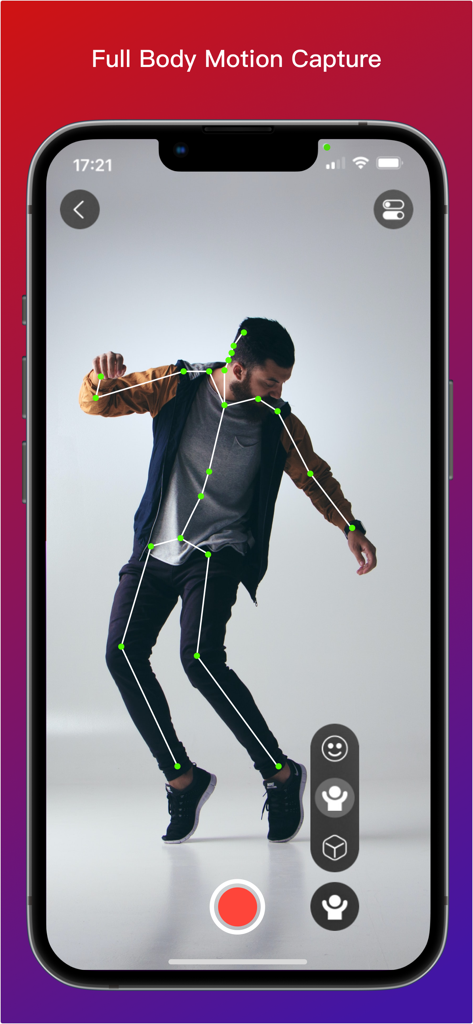
AI 기반 신체 추적

슈트 없이 전신 퍼포먼스를 녹화하세요. ARKit을 활용하여 즉시 리깅된 애니메이션 골격을 생성하세요.

다음 스크린샷과 설명은 앱의 공식 스토어 목록에서 직접 가져온 것이며 앱 개발자의 자산입니다.

앱 스토어

스크린샷
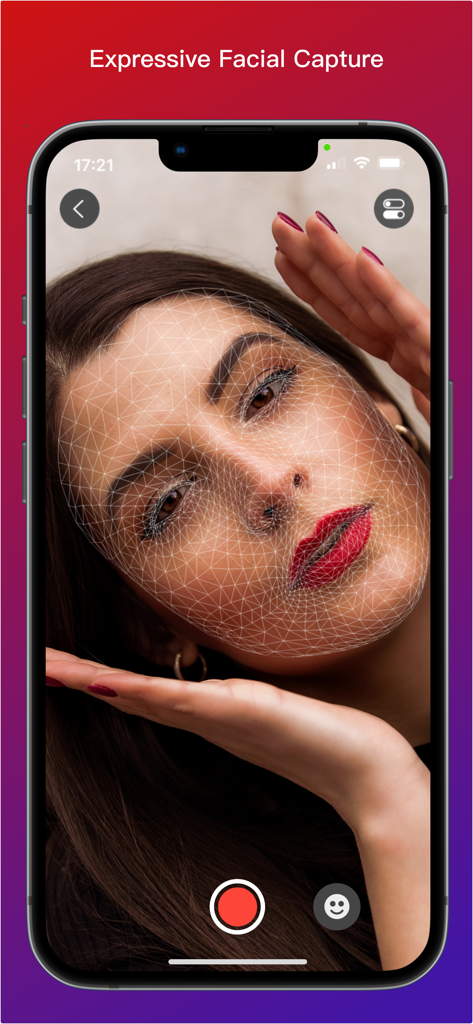
Moves by Maxon - Moves by Maxon 앱 인터페이스가 여성의 얼굴에 겹쳐진 3D 와이어프레임 메시를 보여주며 표정 캡처를 위한 것입니다
Moves by Maxon 앱 인터페이스가 여성의 얼굴에 겹쳐진 3D 와이어프레임 메시를 보여주며 표정 캡처를 위한 것입니다

Moves by Maxon - 사람에게 3D 골격 오버레이가 있는 전신 모션 캡처를 표시하는 iPhone 화면
사람에게 3D 골격 오버레이가 있는 전신 모션 캡처를 표시하는 iPhone 화면

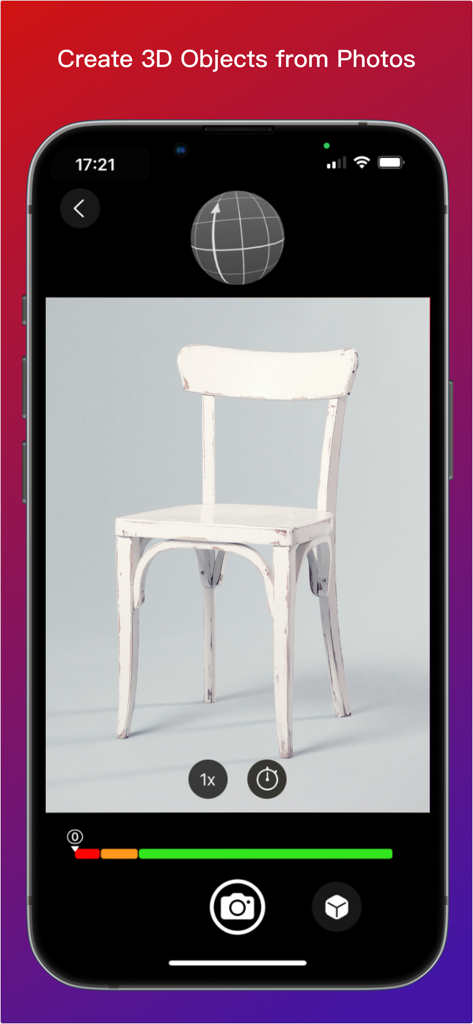
Moves by Maxon - 사진에서 의자의 3D 모델을 만들기 위해 포토그래메트리를 시연하는 Moves by Maxon 앱 인터페이스

사진에서 의자의 3D 모델을 만들기 위해 포토그래메트리를 시연하는 Moves by Maxon 앱 인터페이스

설명

Moves by Maxon is available on the iOS App Store for all iPhones and iPads running iOS 15.0 and later. Get Your Moves On! -------------------- With Moves by Maxon for iPhone and iPad you can capture facial and full-body movement or scan 3D objects and then bring them into 3D space in Cinema 4D. Whether you want to bring your facial expressions, best dance moves or a model of your favorite teddy bear into the world of 3D, Moves by Maxon is the perfect app. Download it now! Object Capture ---------------- Photogrammetry based object capture couldn't be easier! Place the object you want to import in a well lit spot where it can be photographed from all angles. Start taking snapshots and the on-screen tool shows a record of where you have snapped. Moves by Maxon will let you know when there are enough images. Then connect and send the images to Cinema 4D and watch the magic happen! For best results, start practicing with simple objects such as a small stuffed toy or desktop sculpture. Note - Object Capture is only supported by Cinema 4D 2023 and later running on macOS Monterey. Facial Motion Capture ----------------------------- With Face Capture, you can capture facial expressions with iPad or iPhone. It's as easy as recording a selfie video. Start the camera and off you go. The app uses the capture data to generate a moving 3D model in real time, which you can then transfer to 3D geometry in Cinema 4D. The movements of your facial expressions are precisely detected and can be used to create impressive facial animations in Cinema 4D without any previous knowledge. Want to learn how? Check out our tutorials on www.cineversity.com. Body Motion Capture ---------------------------- You can record entire body movements as well! When videos are recorded in the Moves by Maxon app with your iPhone or iPad camera, Apple ARKit analyzes the movements in realtime and creates an animated 3D "skeleton" that is superimposed on the video. This provides a preview and the ability evaluate the recording of your moves. Once you've imported the capture data into Cinema 4D - a simple and intuitive process - you can adjust the data there and transfer it to a 3D figure to perform your very own moves. Please note: Capturing body motion is a relatively new feature of Apple's ARKit, so capturing clean full figure motion requires some preparation and finesse. Therefore, there are a few things you should consider when capturing body movements to ensure good results. Contrast Matters ---------------------- The person being captured should stand out from the background. So, choose dark clothes for light backgrounds and vice versa. Fitted clothing will produce better results than loose or baggy clothing. Extreme patterns in clothing are also not optimal. Don't Move Too Fast --------------------------- Due to the motion blur that occurs when recording fast movements, the contours can become blurred and no longer be precisely captured by the app. Pirouettes and similar fast movements should be avoided for best results. Avoid Overlapping ------------------------ Moves by Maxon may not be able to distinguish and interpret movements where arms or legs cross each other or are crossed in front of or behind the body correctly. This can cause captured movement to "fidget" for a short time. Quiet movements without repeatedly crossing the arms or legs provide more accurate recordings. Cinema 4D is required to utilize the captured movement and the Moves by Maxon connectivity comes preinstalled. If you do not have Cinema 4D, a free trial version is available at www.maxon.net.

Download

다운로드: App Store

이 페이지는 앱이나 개발자의 공식 페이지가 아니며, 정보 제공 및 논평을 목적으로 작성된 독립 편집 간행물입니다. 명시적으로 달리 언급되지 않는 한, 해당 앱이나 개발자는 MWM, Apple, Google Play, 앱 퍼블리셔 또는 앱 개발자와 제휴, 보증, 후원, 승인 또는 공식적으로 연결되어 있지 않으며, 이 페이지의 어떤 내용도 해당 앱이 MWM의 서비스를 사용하여 개발되었음을 의미하지 않습니다. 모든 상표, 로고, 스크린샷 및 기타 콘텐츠는 해당 소유자의 자산입니다.







