Mugen Player
Mugen Player
다운로드: App Store

이 페이지는 앱이나 개발자의 공식 페이지가 아니며, 정보 제공 및 논평을 목적으로 작성된 독립 편집 간행물입니다. 명시적으로 달리 언급되지 않는 한, 해당 앱이나 개발자는 MWM, Apple, Google Play, 앱 퍼블리셔 또는 앱 개발자와 제휴, 보증, 후원, 승인 또는 공식적으로 연결되어 있지 않으며, 이 페이지의 어떤 내용도 해당 앱이 MWM의 서비스를 사용하여 개발되었음을 의미하지 않습니다. 모든 상표, 로고, 스크린샷 및 기타 콘텐츠는 해당 소유자의 자산입니다.

로고: Mugen Player
다운로드: App Store

Mugen Player

끊김 없는 연속 재생, 백그라운드 오디오, 직관적인 제스처 컨트롤로 로컬 라이브러리를 완벽하게 제어하세요. 저장 공간 낭비 없이 파일을 직접 재생하고, 안전한 생체 인식 보관함으로 개인 미디어를 보호하세요.

주요 수치

다운로드

205K+

사용자 평점

4.4/5

총 평가 수

4K+

개발사

Koichiro Kamada

카테고리

Photo & Video

지원 언어

2

최신 버전

5.8

크기

17.9 MB

출시일

2017년 8월 31일
기능

전문가 수준의 재생 제어

개인 정보 보호, 저장 공간 효율성 및 원활한 미디어 관리를 중시하는 파워 유저를 위해 설계된 초경량 플레이어입니다.

복사 없는 파일 액세스

미디어가 있는 위치에서 정확히 재생하여 저장 공간을 간소화하세요. 중복 파일로 공간을 낭비하지 않고 iOS 폴더에서 직접 파일에 액세스하세요.

무한 루프 및 A-B 반복

혼합 미디어에 대한 원활한 전환 및 백그라운드 재생을 통해 연습, 데모 또는 소매 디스플레이를 위한 최고의 도구입니다.

다음 스크린샷과 설명은 앱의 공식 스토어 목록에서 직접 가져온 것이며 앱 개발자의 자산입니다.

앱 스토어

스크린샷
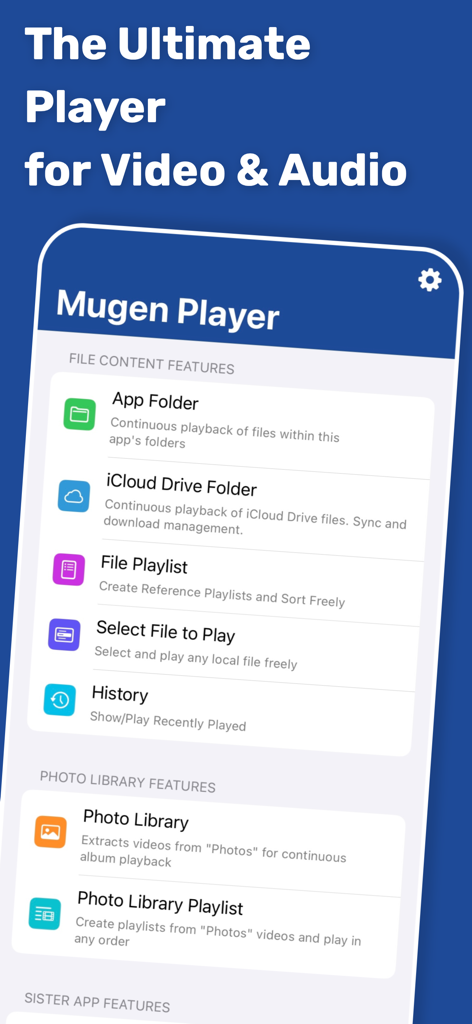
Mugen Player - Mugen Player 앱 인터페이스로 파일 콘텐츠 및 사진 라이브러리 재생 기능 표시
Mugen Player 앱 인터페이스로 파일 콘텐츠 및 사진 라이브러리 재생 기능 표시

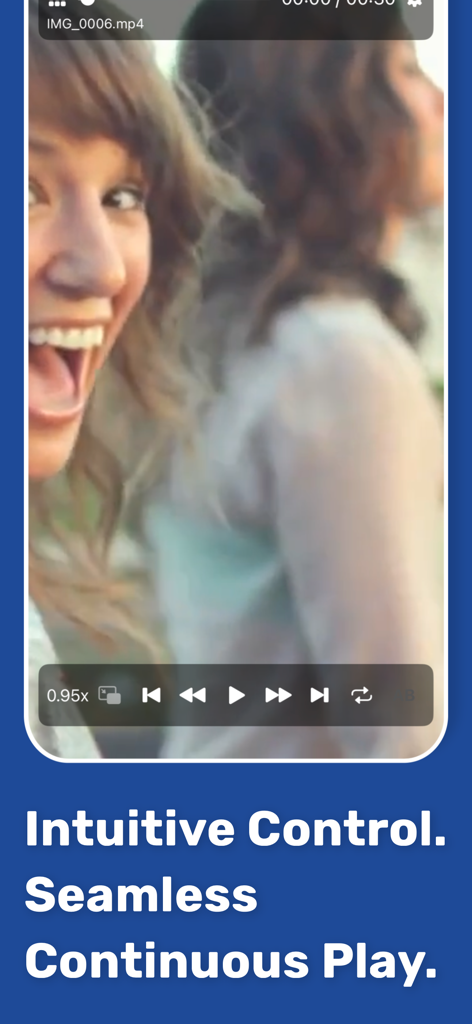
Mugen Player - Mugen Player 앱 인터페이스로 직관적인 재생 및 끊김 없는 연속 재생 컨트롤을 갖춘 비디오 표시
Mugen Player 앱 인터페이스로 직관적인 재생 및 끊김 없는 연속 재생 컨트롤을 갖춘 비디오 표시

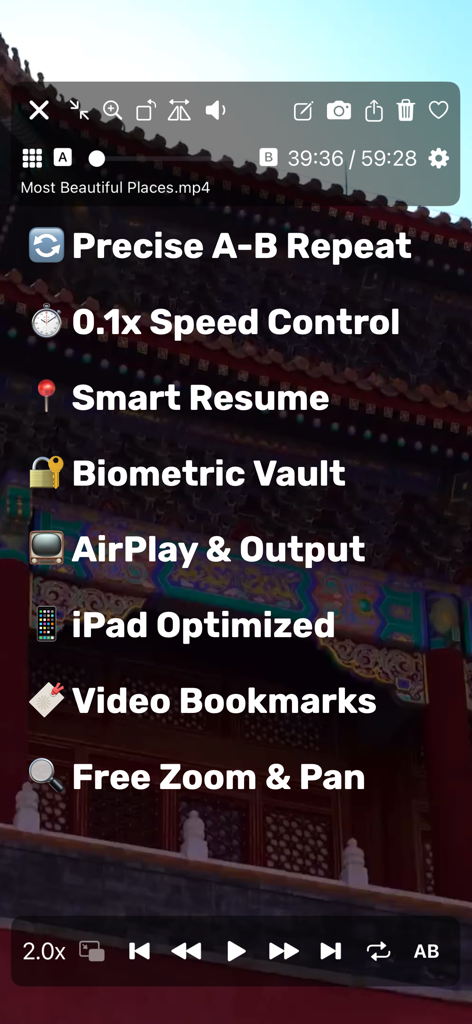
Mugen Player - A-B 반복, 속도 제어, 생체 인식 보관함과 같은 기능에 대한 Mugen Player 앱 스크린샷
A-B 반복, 속도 제어, 생체 인식 보관함과 같은 기능에 대한 Mugen Player 앱 스크린샷

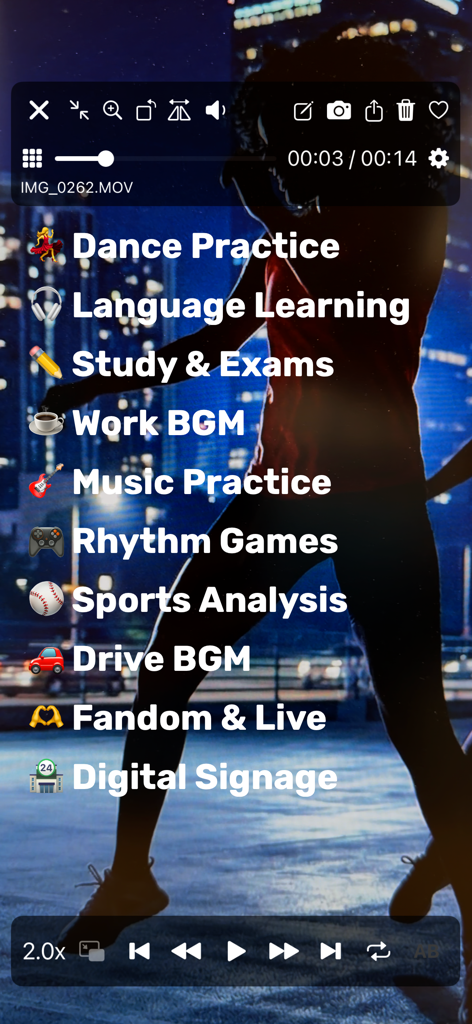
Mugen Player - 댄스 연습 및 스포츠 분석과 같은 다양한 재생 사용 사례를 비디오 위에 나열하는 Mugen Player 앱 인터페이스
댄스 연습 및 스포츠 분석과 같은 다양한 재생 사용 사례를 비디오 위에 나열하는 Mugen Player 앱 인터페이스

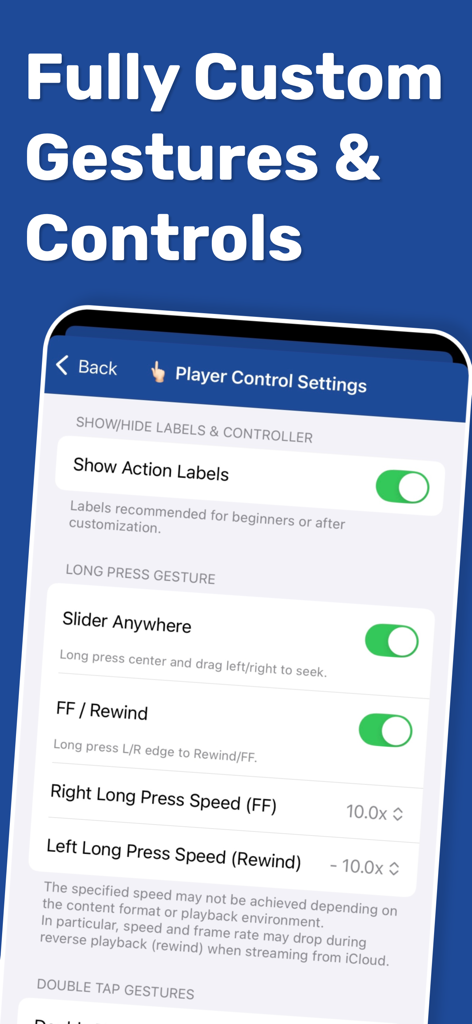
Mugen Player - 사용자 지정 제스처 및 재생 속도에 대한 플레이어 제어 설정을 보여주는 Mugen Player 앱 화면
사용자 지정 제스처 및 재생 속도에 대한 플레이어 제어 설정을 보여주는 Mugen Player 앱 화면

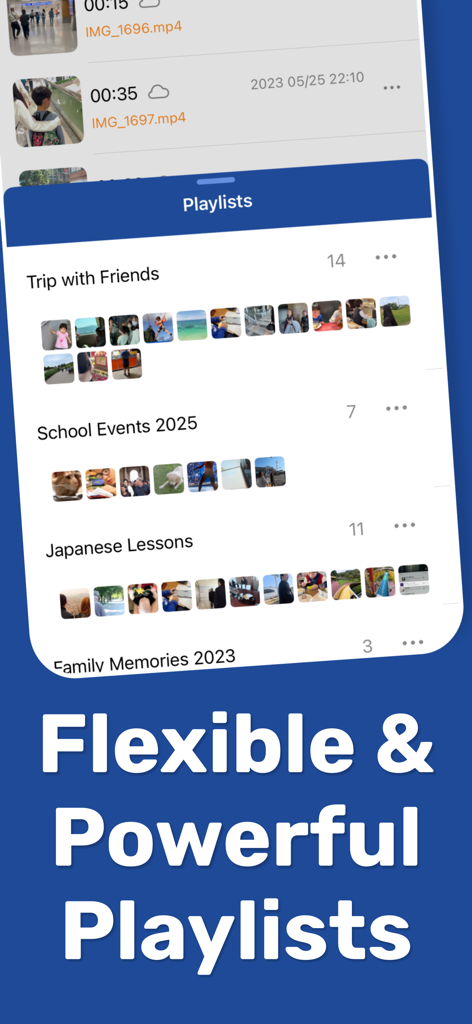
Mugen Player - 로컬 미디어 파일을 위한 유연하고 강력한 재생 목록 관리를 보여주는 Mugen Player 앱 인터페이스
로컬 미디어 파일을 위한 유연하고 강력한 재생 목록 관리를 보여주는 Mugen Player 앱 인터페이스

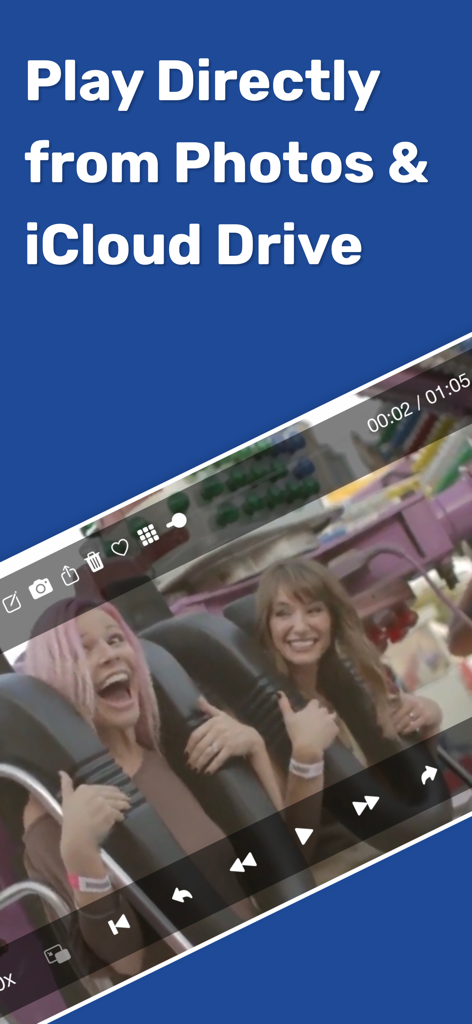
Mugen Player - Photos 및 iCloud Drive에서 직접 비디오를 재생하는 Mugen Player 앱
Photos 및 iCloud Drive에서 직접 비디오를 재생하는 Mugen Player 앱

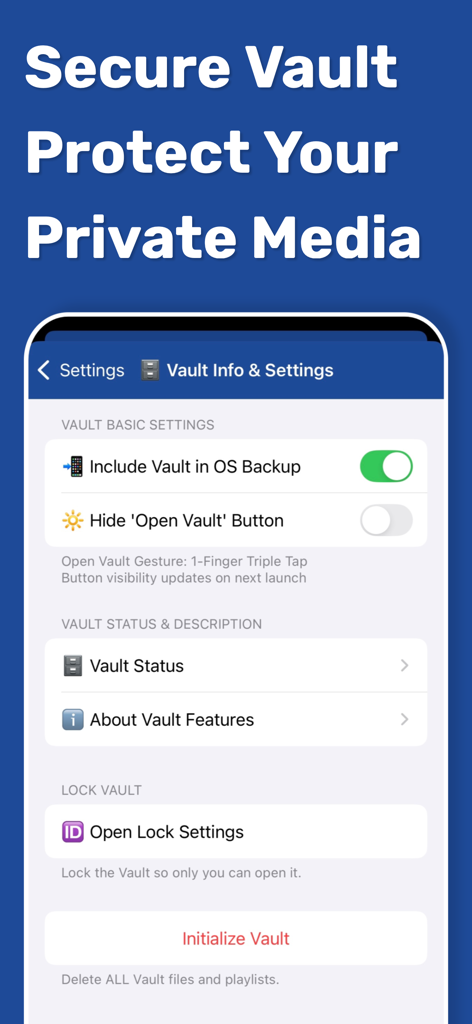
Mugen Player - 개인 미디어에 대한 개인 정보 보호 및 잠금 설정을 보여주는 Mugen Player 앱의 보안 보관함 인터페이스
개인 미디어에 대한 개인 정보 보호 및 잠금 설정을 보여주는 Mugen Player 앱의 보안 보관함 인터페이스

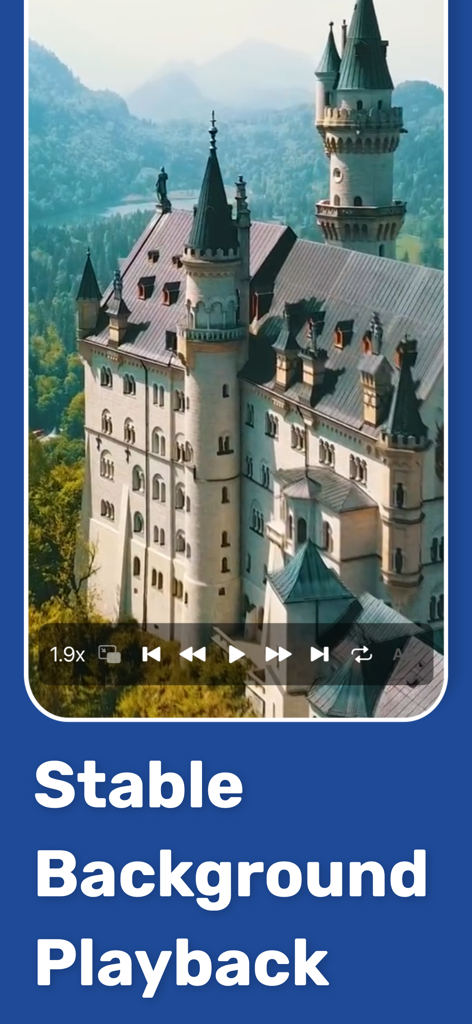
Mugen Player - 성 비디오 및 안정적인 백그라운드 재생 텍스트를 재생하는 Mugen Player 앱 인터페이스
성 비디오 및 안정적인 백그라운드 재생 텍스트를 재생하는 Mugen Player 앱 인터페이스

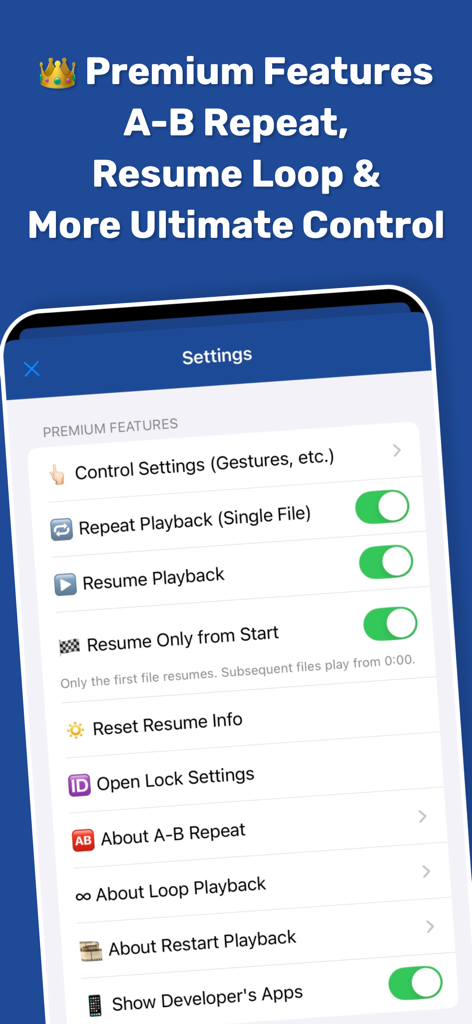
Mugen Player - A-B 반복 및 루프 재생과 같은 고급 재생 컨트롤이 있는 Mugen Player 프리미엄 설정 메뉴

A-B 반복 및 루프 재생과 같은 고급 재생 컨트롤이 있는 Mugen Player 프리미엄 설정 메뉴

설명

[Overview & Features] An easy-to-use, ultra-lightweight player designed for smooth continuous media playback. - Switch between media instantly with intuitive swipe gestures. - Perform playback controls like skip forward/back using simple gestures. - Create mixed playlists containing both videos and audio (music). - Seamless background playback of mixed video/audio playlists. - Resume playback and restart playlists naturally from where you left off. - Loop playback supported. Ideal for in-store displays, demo videos, or BGM. - Intuitive background playback controls. - Broad support for external devices, including earphones, headphones, and car controllers. - AirPlay supported. Stream your memories without complex operations. - Flexible support for iPad screen modes. Provides a stable experience across all devices and multitasking modes. [Play Directly from Files] Freely select and play media files stored on your device. - Select files from a wide range of storage locations with standard iOS operation. - Direct playback from the file's original location. No wasteful copies created in the app. - Select multiple files at once for continuous playback of multiple media items. - Playback history is automatically saved for quick access. [Photo Library Playback] Select from your Photo Library for continuous album-based playback. - Automatically extracts only the videos within an album. - Supports all videos in the Photo Library, including iCloud Shared Albums. - Supports videos in iCloud Photo Library. Directly loads and plays cloud data. - Priority settings available for iCloud data loading (Speed vs. Quality). - Supports sorting (ascending/descending), filtering by Favorites, and toggling Favorites on/off. - Create and edit custom playlists. [App Folder Playback] Directly reference and play files within the Mugen Player app folder. - No loading or registration required; just tap to start continuous playback. - Sort by file name, size, or other attributes. [Secure Vault Feature] Store media data in a special secure area (Vault) within the app. - Strict lock and protection using various IDs. - Restrict vault access operations (e.g., gesture only). - Secure export from the vault with privacy in mind. - Control whether to include in OS backups (safe for storage-limited iCloud environments). [Sister App Integration] Directly play data recorded with sister apps "Mugen Camera" and "Zero Camera." - Automatically detects app installation and mounts folders. - Continuous playback without any linking, loading, or registration steps. [Premium Features (Paid)] - Hide advertisements - Loop, Single Repeat, and A-B Repeat - Resume & Restart Playback - Extensive customization of gestures and button operations - Lock with Face ID / Touch ID Please check the in-app store screen for further details. [Supported File Formats] - Supports formats natively playable by standard iOS functions. - Supports formats playable in the standard "Files" app.

Download

다운로드: App Store

이 페이지는 앱이나 개발자의 공식 페이지가 아니며, 정보 제공 및 논평을 목적으로 작성된 독립 편집 간행물입니다. 명시적으로 달리 언급되지 않는 한, 해당 앱이나 개발자는 MWM, Apple, Google Play, 앱 퍼블리셔 또는 앱 개발자와 제휴, 보증, 후원, 승인 또는 공식적으로 연결되어 있지 않으며, 이 페이지의 어떤 내용도 해당 앱이 MWM의 서비스를 사용하여 개발되었음을 의미하지 않습니다. 모든 상표, 로고, 스크린샷 및 기타 콘텐츠는 해당 소유자의 자산입니다.








