
이 페이지는 앱이나 개발자의 공식 페이지가 아니며, 정보 제공 및 논평을 목적으로 작성된 독립 편집 간행물입니다. 명시적으로 달리 언급되지 않는 한, 해당 앱이나 개발자는 MWM, Apple, Google Play, 앱 퍼블리셔 또는 앱 개발자와 제휴, 보증, 후원, 승인 또는 공식적으로 연결되어 있지 않으며, 이 페이지의 어떤 내용도 해당 앱이 MWM의 서비스를 사용하여 개발되었음을 의미하지 않습니다. 모든 상표, 로고, 스크린샷 및 기타 콘텐츠는 해당 소유자의 자산입니다.

Music Studio Lite
Steinberg의 전설적인 오디오 엔진으로 11가지 스튜디오 녹음 악기와 127트랙 시퀀서를 마스터하세요. 지금 iPad 또는 iPhone에서 데스크톱 수준의 제작 및 낮은 레이턴시 성능을 경험해 보세요.
다운로드
1M+사용자 평점
총 평가 수
10K+개발사
카테고리
Music지원 언어
2최신 버전
2.11.1크기
86.0 MB출시일
2010년 6월 26일이동 중에도 전문가 수준의 제작
데스크톱급 오디오 엔지니어링의 성능과 정밀도로 iPad 또는 iPhone을 고성능 녹음 스튜디오로 변환하세요.
진정한 스튜디오 사운드
전문가 수준의 사실감을 제공하는 11가지 정교하게 샘플링된 16비트 악기를 통해 연주하는 모든 멜로디를 생생하게 구현하세요.
지연 없는 성능
전문가 수준의 폴리포니 및 안정성을 위해 설계된 고도로 최적화된 오디오 엔진으로 즉각적인 반응을 경험하세요.
자주 묻는 질문
에 대해 알아야 할 모든 것 Music Studio Lite
Music Studio Lite 앱에는 어떤 기능이 포함되어 있나요?
Music Studio Lite는 60건반 피아노 키보드, 11가지 악기, 노트 편집, 리버브 및 실시간 효과 기능이 있는 127트랙 시퀀서를 제공합니다. 음악 제작을 위해 마이크 녹음, 오디오 가져오기 및 CoreMIDI를 지원합니다.
Music Studio Lite 버전에서 프로젝트를 저장할 수 있나요?
아니요, Music Studio Lite에서는 저장, 내보내기 및 공유 기능이 비활성화되어 있습니다. 사용자는 한 번에 하나의 노래 프로젝트만 생성하고 작업할 수 있습니다.
Music Studio Lite는 몇 가지 악기를 제공하나요?
Music Studio Lite는 스튜디오에서 녹음된 11가지 악기를 제공합니다. Music Studio의 전체 버전은 사용자에게 124가지 악기의 확장된 선택을 제공합니다.
Music Studio Lite는 멀티트랙 시퀀싱을 지원하나요?
예, Music Studio Lite는 완전한 기능을 갖춘 127트랙 시퀀서를 특징으로 합니다. 이를 통해 사용자는 광범위한 노트 편집을 통해 각 트랙의 템포, 박자표, 음소거, 솔로, 팬 및 볼륨을 조정할 수 있습니다.
Music Studio Lite에서 MIDI 호환성을 사용할 수 있나요?
예, Music Studio Lite는 CoreMIDI(입/출력), Virtual MIDI 및 MIDI 하드웨어를 지원합니다. 그러나 이 Lite 버전에서는 MIDI 가져오기 및 내보내기 기능이 비활성화되어 있습니다.
Music Studio Lite에는 어떤 오디오 녹음 옵션이 있나요?
Music Studio Lite는 마이크 녹음, AudioCopy & AudioPaste, iPod 라이브러리 또는 다양한 파일 형식에서 오디오를 가져오는 것을 지원합니다. 또한 파형 및 오디오 영역 편집 기능을 제공합니다.
Music Studio Lite 앱에는 어떤 효과가 포함되어 있나요?
Music Studio Lite에는 고품질 리버브, 공진 필터, 컴프레서 및 리미터가 포함되어 있습니다. Delay, EQ, Amp, Phaser, BitCrusher 및 StereoWidener와 같은 추가 효과는 전체 버전 전용입니다.
Music Studio Lite의 키보드 옥타브 범위는 어떻게 되나요?
Music Studio Lite는 5옥타브로 제한된 구성 가능한 키보드를 제공합니다. Music Studio의 전체 버전은 85개의 건반과 확장된 7옥타브 범위를 제공합니다.
Music Studio Lite와 전체 버전 간에 사용 가능한 드럼 루프의 차이점은 무엇인가요?
Music Studio Lite에는 10개의 드럼 루프가 포함되어 있습니다. 전체 버전은 더 광범위한 리듬 제작을 위해 이를 100개의 드럼 루프로 크게 확장합니다.
Music Studio Lite는 실시간 효과 처리를 제공하나요?
예, Music Studio Lite는 실시간 효과를 지원합니다. 여기에는 고품질 리버브, 공진 필터, 컴프레서 및 리미터가 포함되며 음악 제작 중에 적용할 수 있습니다.
다음 스크린샷과 설명은 앱의 공식 스토어 목록에서 직접 가져온 것이며 앱 개발자의 자산입니다.
앱 스토어
스크린샷
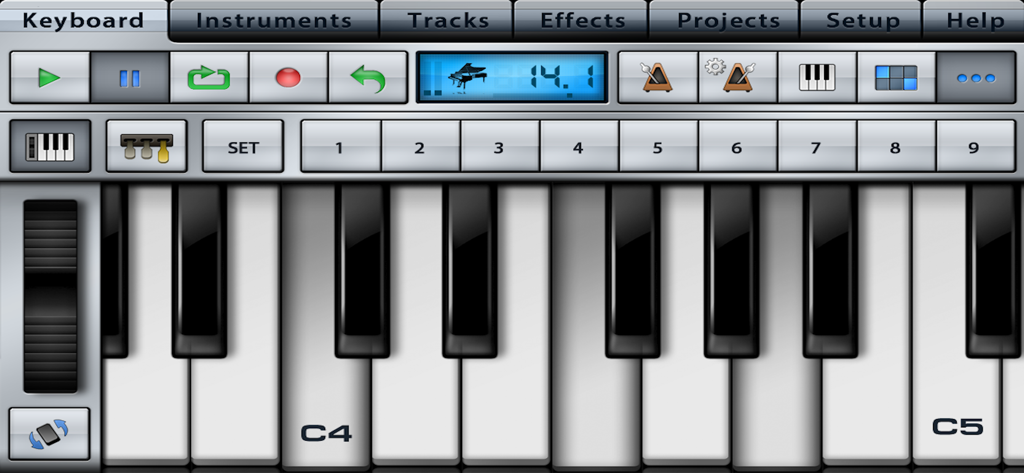
Music Studio Lite의 스튜디오 컨트롤이 있는 사실적인 피아노 키보드 인터페이스
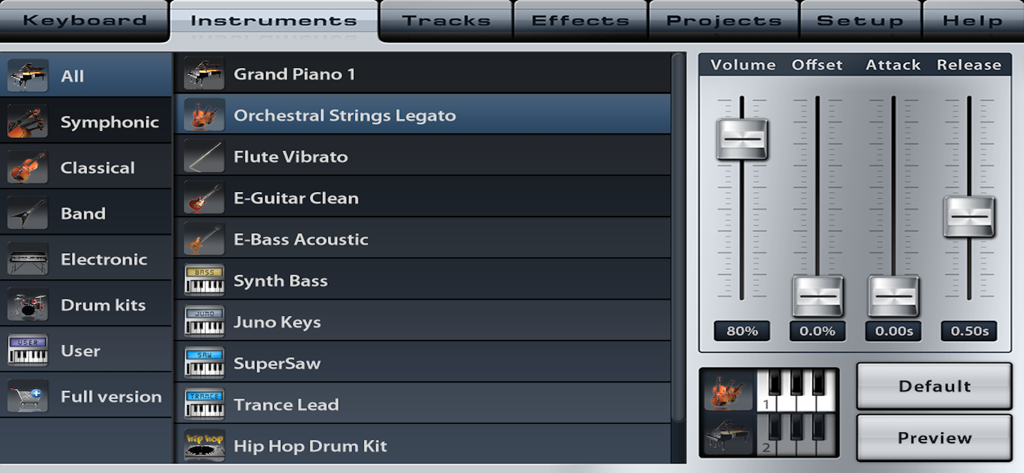
볼륨, 어택, 릴리즈 사운드 파라미터 슬라이더가 있는 Music Studio Lite 악기 선택 메뉴
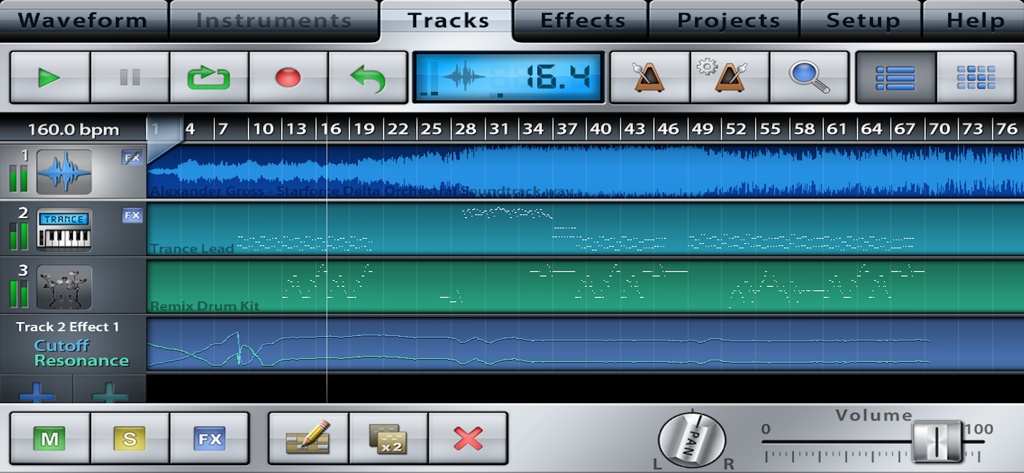
오디오 및 악기 시퀀스가 있는 멀티트랙 시퀀서를 보여주는 Music Studio Lite 인터페이스
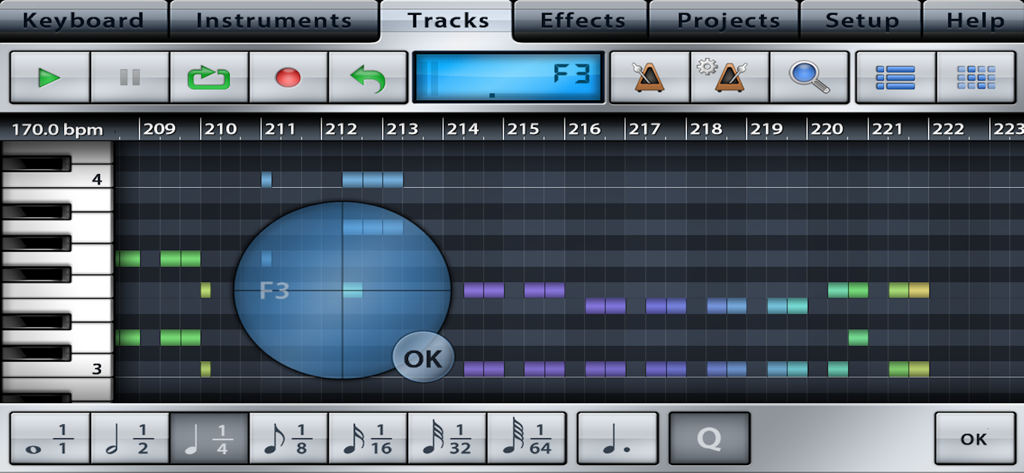
Music Studio Lite의 MIDI 시퀀서 및 트랙 편집 인터페이스
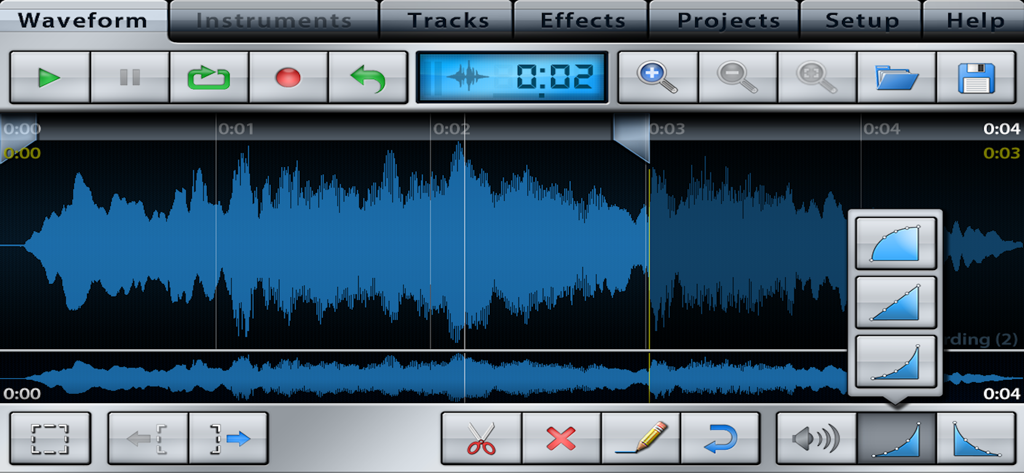
트랙 컨트롤 및 편집 도구가 있는 오디오 파형 편집 화면, Music Studio Lite
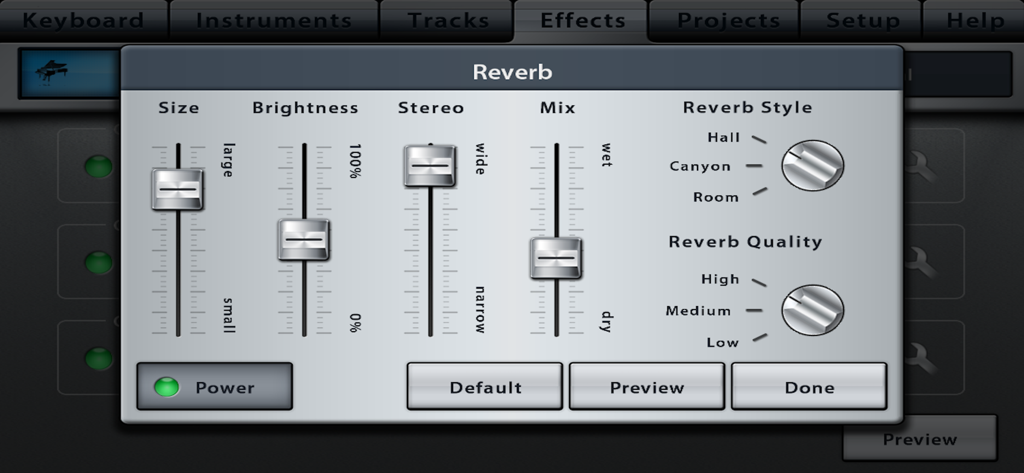
슬라이더와 스타일 선택 기능이 있는 Music Studio Lite의 잔향 효과 인터페이스
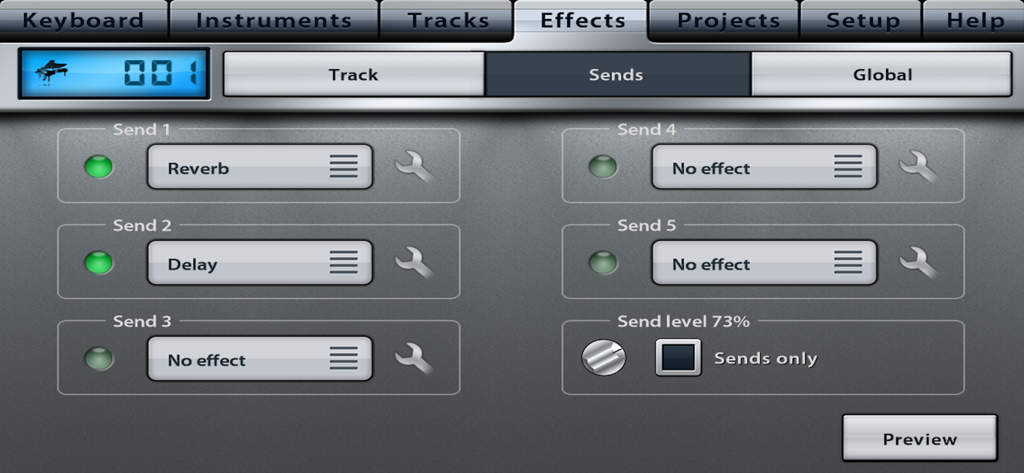
잔향 및 딜레이 옵션이 있는 Music Studio Lite의 효과 센드 탭 인터페이스
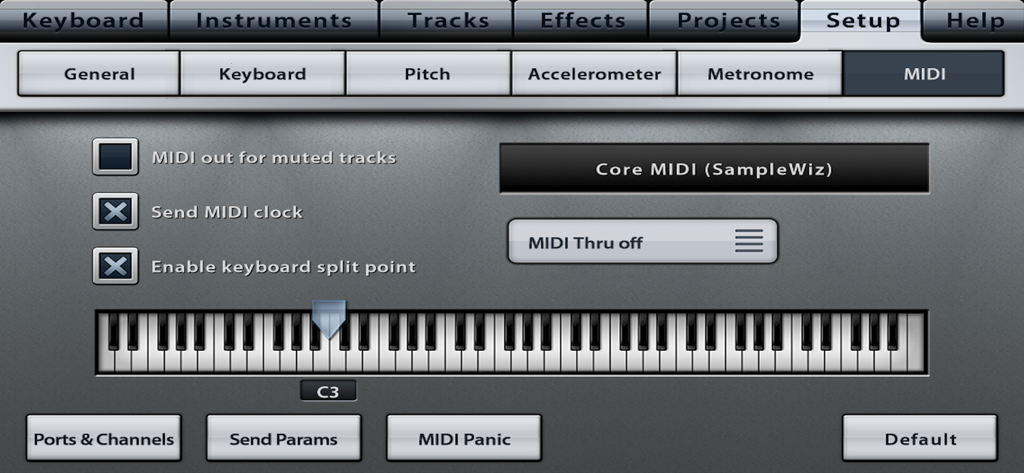
키보드 분할 지점 설정이 있는 Music Studio Lite 앱 MIDI 구성 화면
설명
Download
비슷한 앱
유사한 기능과 사용자 경험을 가진 앱

Loopy Pro: Looper DAW Sampler
A Tasty Pixel

AUM - Audio Mixer
Kymatica AB

Drambo
Jaroslaw Jacek

Groove Rider 2
Dmitrij Pavlov

BandLab – Music Maker & Beats
BandLab Singapore Pte Ltd

Medly
Medly Labs Inc.

Cubasis 3 - DAW & Music Studio
Steinberg Media Technologies GmbH

KORG Gadget 3
KORG INC.
iMPC Pro 2 for iPhone
Akai Professional
이 페이지는 앱이나 개발자의 공식 페이지가 아니며, 정보 제공 및 논평을 목적으로 작성된 독립 편집 간행물입니다. 명시적으로 달리 언급되지 않는 한, 해당 앱이나 개발자는 MWM, Apple, Google Play, 앱 퍼블리셔 또는 앱 개발자와 제휴, 보증, 후원, 승인 또는 공식적으로 연결되어 있지 않으며, 이 페이지의 어떤 내용도 해당 앱이 MWM의 서비스를 사용하여 개발되었음을 의미하지 않습니다. 모든 상표, 로고, 스크린샷 및 기타 콘텐츠는 해당 소유자의 자산입니다.