My GPS Area Calculator
다운로드: App Store

이 페이지는 앱이나 개발자의 공식 페이지가 아니며, 정보 제공 및 논평을 목적으로 작성된 독립 편집 간행물입니다. 명시적으로 달리 언급되지 않는 한, 해당 앱이나 개발자는 MWM, Apple, Google Play, 앱 퍼블리셔 또는 앱 개발자와 제휴, 보증, 후원, 승인 또는 공식적으로 연결되어 있지 않으며, 이 페이지의 어떤 내용도 해당 앱이 MWM의 서비스를 사용하여 개발되었음을 의미하지 않습니다. 모든 상표, 로고, 스크린샷 및 기타 콘텐츠는 해당 소유자의 자산입니다.

로고: My GPS Area Calculator
다운로드: App Store

My GPS Area Calculator

GPS 또는 수동 매핑을 사용하여 정확한 면적 및 둘레를 계산합니다. 농부, 측량사, 건설업자를 위해 설계되었으며, iPhone 및 Apple Watch에서 현장 데이터를 위한 전문가의 선택입니다.

주요 수치

다운로드

55K+

사용자 평점

4.5/5

총 평가 수

0

개발사

MYSTIC MOBILE APPS LLC

카테고리

Navigation

지원 언어

14

최신 버전

2.63

크기

65.9 MB

출시일

2023년 1월 8일
기능

전문가 수준의 정밀도를 위해 설계됨

미국 건설업자, 농부 및 측량사를 위한 고정밀 GPS 매핑, 원활한 하드웨어 통합 및 전문 데이터 형식을 통해 현장 작업을 간소화하십시오.

측량 수준의 정확도

장치를 외부 Garmin GPS 수신기와 페어링하여 드리프트를 최소화하고 센티미터 단위의 정확한 데이터를 캡처하여 탁월한 정밀도를 달성하십시오.

핸즈프리 경계 매핑

전화기는 트럭에 두십시오. Apple Watch를 사용하여 둘레를 추적하고 면적을 측정하면서 도구와 장비를 위한 손을 자유롭게 유지하십시오.

다음 스크린샷과 설명은 앱의 공식 스토어 목록에서 직접 가져온 것이며 앱 개발자의 자산입니다.

앱 스토어

스크린샷
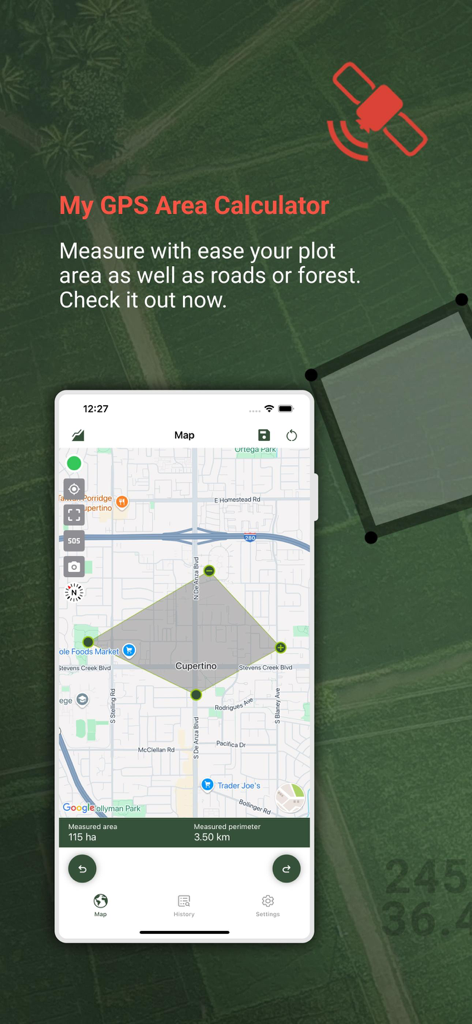
My GPS Area Calculator - My GPS Area Calculator 앱이 지도에서 토지 측정 및 둘레를 보여줍니다
My GPS Area Calculator 앱이 지도에서 토지 측정 및 둘레를 보여줍니다

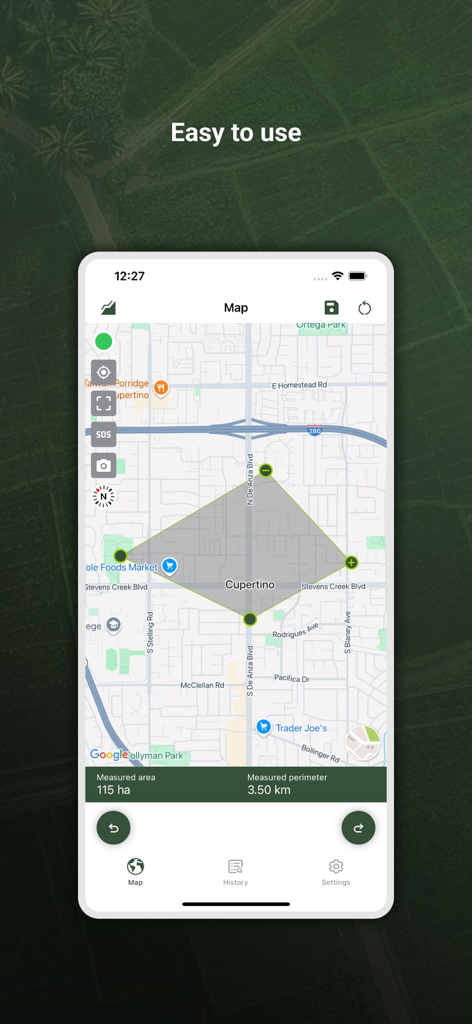
My GPS Area Calculator - 쿠퍼티노 지도에서 115헥타르 면적 측정을 보여주는 My GPS Area Calculator 앱 스크린샷
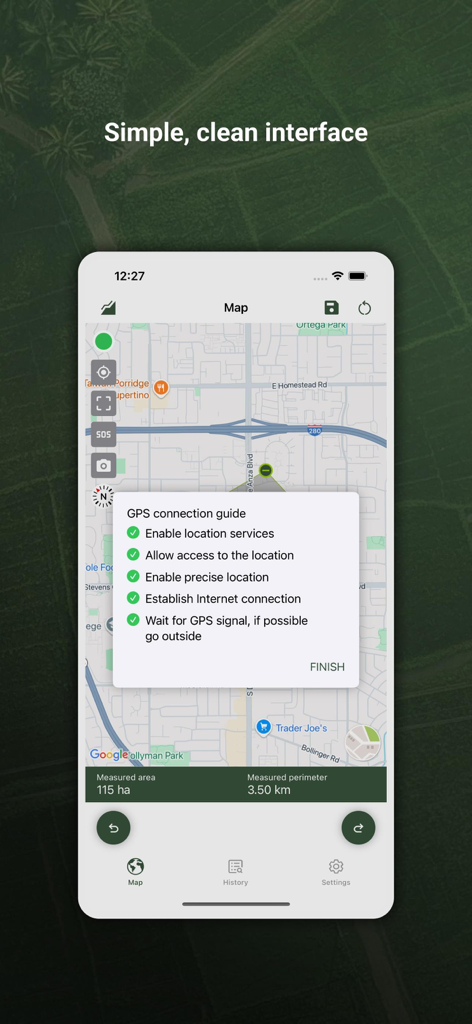
쿠퍼티노 지도에서 115헥타르 면적 측정을 보여주는 My GPS Area Calculator 앱 스크린샷

My GPS Area Calculator - My GPS Area Calculator 앱 인터페이스가 지도 측정 및 GPS 연결 가이드를 보여줍니다
My GPS Area Calculator 앱 인터페이스가 지도 측정 및 GPS 연결 가이드를 보여줍니다

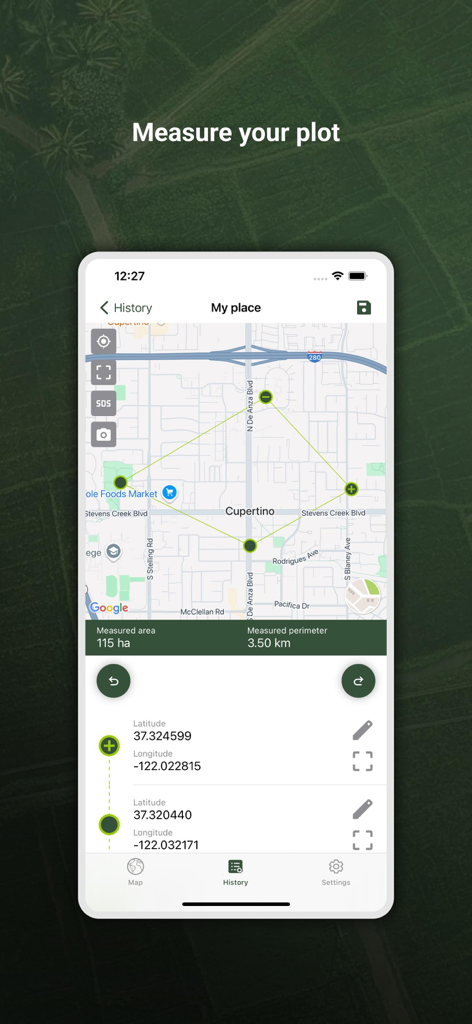
My GPS Area Calculator - GPS Area Calculator 앱 인터페이스가 면적 및 둘레 세부 정보와 함께 지도에 측정된 토지 구획을 표시합니다
GPS Area Calculator 앱 인터페이스가 면적 및 둘레 세부 정보와 함께 지도에 측정된 토지 구획을 표시합니다

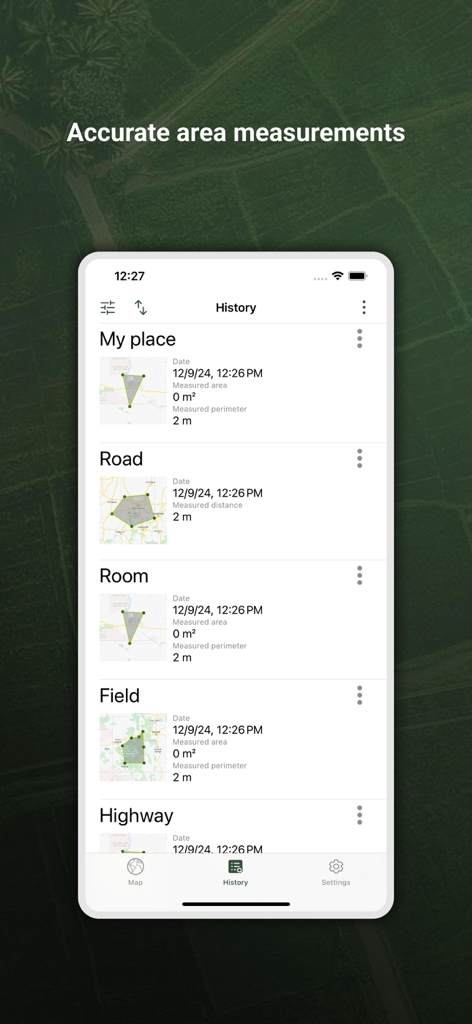
My GPS Area Calculator - 앱 기록 섹션에 저장된 GPS 면적 및 거리 측정 목록

앱 기록 섹션에 저장된 GPS 면적 및 거리 측정 목록

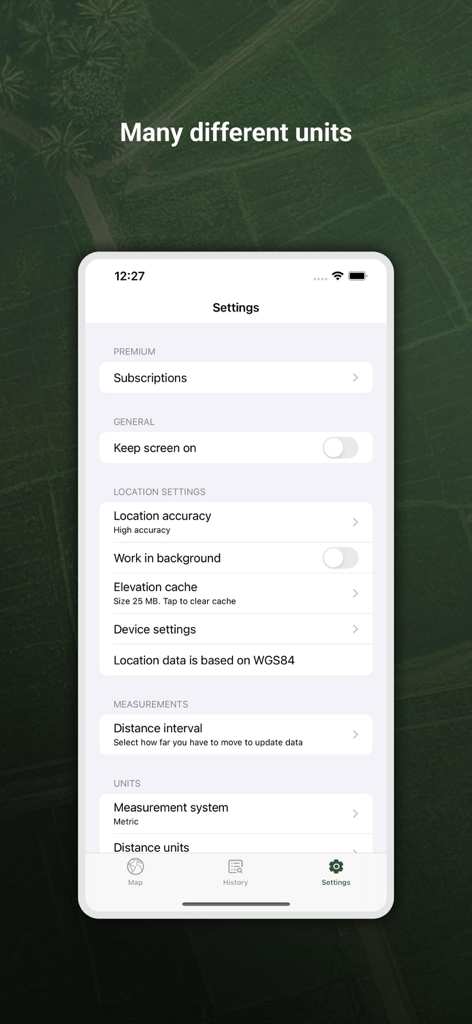
My GPS Area Calculator - 측정 단위 및 위치 정확도 옵션을 보여주는 My GPS Area Calculator 앱 설정 화면
측정 단위 및 위치 정확도 옵션을 보여주는 My GPS Area Calculator 앱 설정 화면

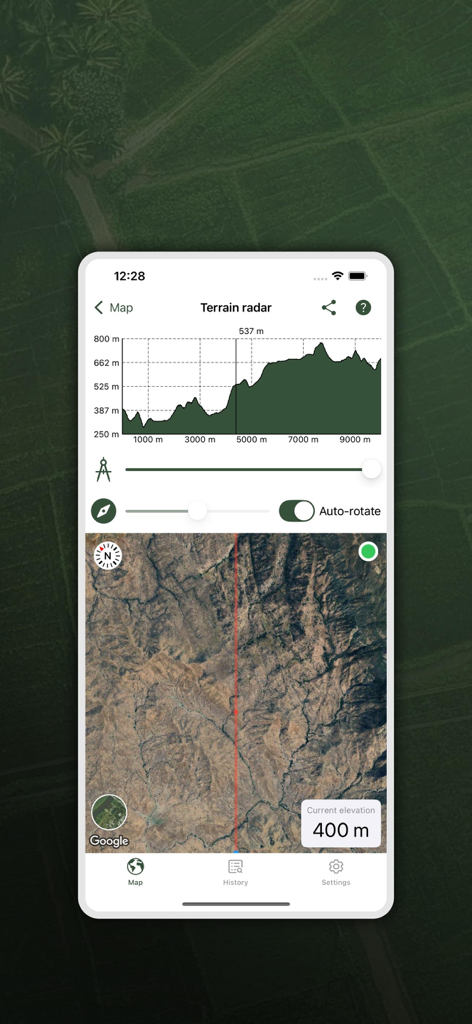
My GPS Area Calculator - My GPS Area Calculator 앱이 전문적인 토지 측량을 위해 고도 프로필 그래프와 위성 지도 보기가 있는 지형 레이더를 표시합니다
My GPS Area Calculator 앱이 전문적인 토지 측량을 위해 고도 프로필 그래프와 위성 지도 보기가 있는 지형 레이더를 표시합니다

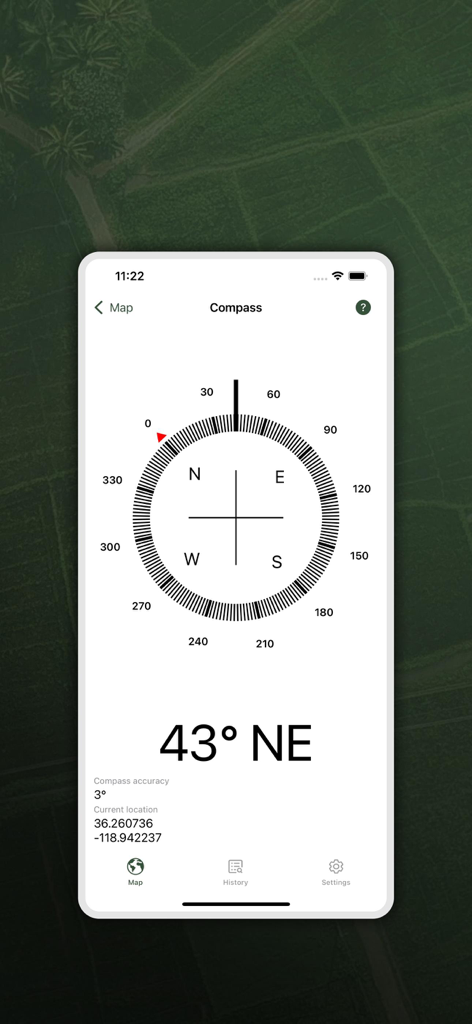
My GPS Area Calculator - 북동쪽 방향 43도와 현재 GPS 좌표를 보여주는 디지털 나침반 인터페이스

북동쪽 방향 43도와 현재 GPS 좌표를 보여주는 디지털 나침반 인터페이스

설명

With our app, measuring the area of spaces is even easier. • Dual Mode Precision: Enjoy easy GPS-based or manual map-pointing measurements for accurate area calculations. • Unmatched Accuracy: Rely on our high-precision GPS for consistently accurate measurements. • Versatile Measurements: Switch effortlessly between area and distance measurements to suit diverse needs. • Measurement Storage: Save and revisit your measurements anytime for convenience. • Compass Navigation: Easily navigate to saved areas with our integrated compass feature. • Data Sync: Log in to synchronize your data across multiple devices seamlessly. • Data Export/Import: Share and receive measurements easily with GPX and KML format support. • Customizable Units: Choose between metric and imperial units for your comfort. • In-App Help Function: Easily learn about all app functions with our comprehensive in-app help feature. • SOS Feature: Send SOS messages with your location in emergencies. • Snapshot Feature: Quickly capture and save screenshots of your measurements. • Sorted Measurements: Organize saved measurements by name, date, distance, or size. • Location Accuracy: Select your preferred location accuracy for detailed or battery-saving measurements. • Background Measuring: Continue measuring in the background for uninterrupted multitasking. • Apple Watch Integration: Conveniently measure using your Apple Watch watch and sync with your phone. • Multiple Map Views: Choose from normal, terrain, hybrid, or satellite maps for a tailored view. One measuring option is just to start the app and walk around a space to measure the area on foot. This is the easiest method to use if you simply need square footage. The other measuring option involves a little more planning. Sit on your comfy sofa, start our app, and in the custom map view, manually select the points/area to measure. This can come in handy if you want to measure your plot of land, or a physical area for future investment. On the other hand, if you are a farmer and you want to know the area of your planting fields, it's a great option for you as well. After taking the measurements, you can share them with your coworkers or friends. The app is extremely useful for a large number of specialists in various fields: - Land surveyors - City planners - Farmers - Landscape designers - Construction surveys - Facilities mapping - Construction sites and building sites area - Farm fencing Some of the measurements include: - Field area measurement in meters², kilometers², feet², nmi², yards² and acres. - Distance measurement in meters, kilometers, nautical miles, feet & miles, yards Our app comes with a brand new application for Apple Watch. You can easily make all measurements without using your phone and synchronize data afterwards to enjoy viewing your saved measurements on a bigger screen! Recommendations External Bluetooth GPS receiver is recommended if your built-in receiver is not accurate enough. We specifically recommend GARMIN GLO and GARMIN GLO 2 which gives the accuracy up to 0.3 m. Our app can also come in handy when measuring distances, so if you are a runner, or you are planning a hiking trip, there’s nothing simpler than measuring the distances of your adventure with our app! Our measurement algorithms are very accurate. They use both GPS positioning and a network connection to make your measurements even more accurate. Important!: The accuracy of the application depends on the GPS sensor accuracy in a device - on most devices the accuracy is within +/- 5m. To improve accuracy, we encourage you to use more a precise GPS receiver, such as Garmin which provides accuracy to a few cm. Privacy policy: https://mysticmobileapps.com/legal/privacy/mygpsareacalculator Terms and conditions: https://mysticmobileapps.com/legal/terms/mygpsareacalculator

Download

다운로드: App Store

이 페이지는 앱이나 개발자의 공식 페이지가 아니며, 정보 제공 및 논평을 목적으로 작성된 독립 편집 간행물입니다. 명시적으로 달리 언급되지 않는 한, 해당 앱이나 개발자는 MWM, Apple, Google Play, 앱 퍼블리셔 또는 앱 개발자와 제휴, 보증, 후원, 승인 또는 공식적으로 연결되어 있지 않으며, 이 페이지의 어떤 내용도 해당 앱이 MWM의 서비스를 사용하여 개발되었음을 의미하지 않습니다. 모든 상표, 로고, 스크린샷 및 기타 콘텐츠는 해당 소유자의 자산입니다.