My GPS Coordinates Lite
다운로드: App Store

이 페이지는 앱이나 개발자의 공식 페이지가 아니며, 정보 제공 및 논평을 목적으로 작성된 독립 편집 간행물입니다. 명시적으로 달리 언급되지 않는 한, 해당 앱이나 개발자는 MWM, Apple, Google Play, 앱 퍼블리셔 또는 앱 개발자와 제휴, 보증, 후원, 승인 또는 공식적으로 연결되어 있지 않으며, 이 페이지의 어떤 내용도 해당 앱이 MWM의 서비스를 사용하여 개발되었음을 의미하지 않습니다. 모든 상표, 로고, 스크린샷 및 기타 콘텐츠는 해당 소유자의 자산입니다.

로고: My GPS Coordinates Lite
다운로드: App Store

My GPS Coordinates Lite

네 가지 좌표 형식을 동시에 보고, 지오태그가 지정된 사진 증거를 캡처하고, SOS 알림으로 안전을 유지하세요. 현장 전문가 및 아웃도어 애호가를 위한 궁극의 데이터 대시보드입니다.

주요 수치

다운로드

92K+

사용자 평점

4.7/5

총 평가 수

100

개발사

MYSTIC MOBILE APPS LLC

카테고리

Navigation

지원 언어

14

최신 버전

5.46

크기

73.2 MB

출시일

2020년 7월 7일
기능

전문가 수준의 정밀 내비게이션

기본 지도를 넘어서: 정확한 공간 데이터와 현장에서 바로 사용할 수 있는 신뢰성을 요구하는 전문가 및 모험가를 위한 포괄적인 툴킷입니다.

보편적인 좌표 지원

측량, 지오캐싱 및 수색 및 구조에 대한 기술 표준을 충족하는 DMS, DDM, DD 및 UTM 형식으로 동시에 위치를 확인하세요.

지오태그 사진 증거

현장 발견, 토지 경계 또는 야외 업적에 대한 검증된 시각적 기록을 만들기 위해 정확한 좌표와 고도를 사진에 직접 오버레이하세요.

다음 스크린샷과 설명은 앱의 공식 스토어 목록에서 직접 가져온 것이며 앱 개발자의 자산입니다.

앱 스토어

스크린샷
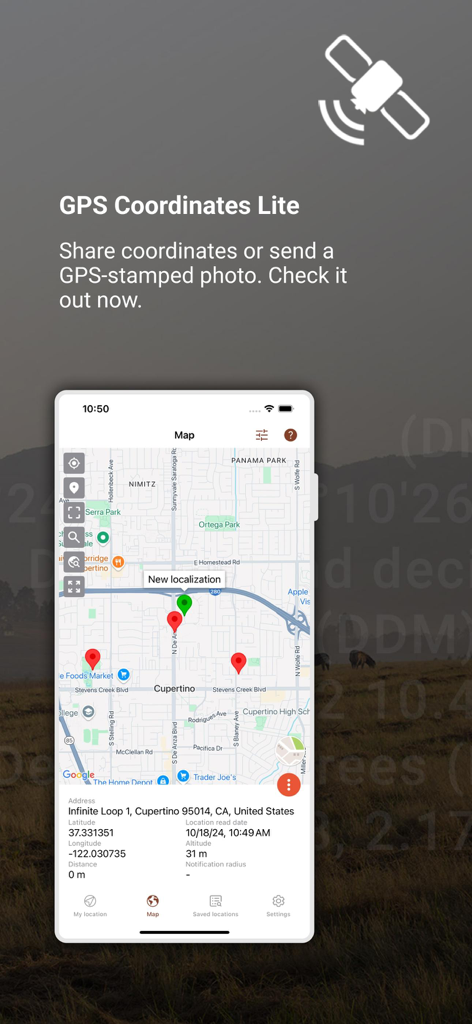
My GPS Coordinates Lite - My GPS Coordinates Lite 앱이 여러 위치 핀과 위도 경도 및 고도를 포함한 원시 공간 데이터가 표시된 쿠퍼티노 지도를 표시하고 있습니다.
My GPS Coordinates Lite 앱이 여러 위치 핀과 위도 경도 및 고도를 포함한 원시 공간 데이터가 표시된 쿠퍼티노 지도를 표시하고 있습니다.

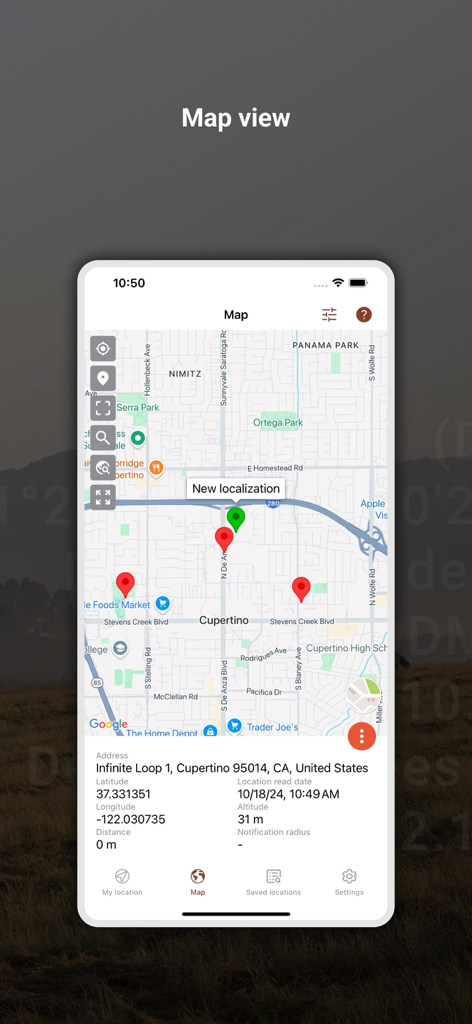
My GPS Coordinates Lite - My GPS Coordinates Lite 앱의 지도 보기에 쿠퍼티노의 위치 핀과 좌표 데이터가 표시됩니다.
My GPS Coordinates Lite 앱의 지도 보기에 쿠퍼티노의 위치 핀과 좌표 데이터가 표시됩니다.

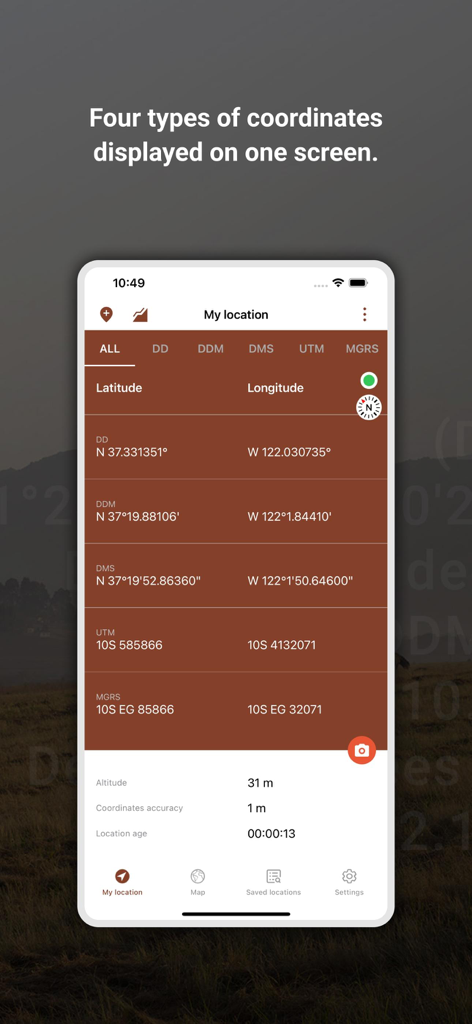
My GPS Coordinates Lite - My GPS Coordinates Lite 앱 인터페이스에 DD, DMS 및 UTM과 같은 여러 좌표 형식의 한 화면이 표시됩니다.
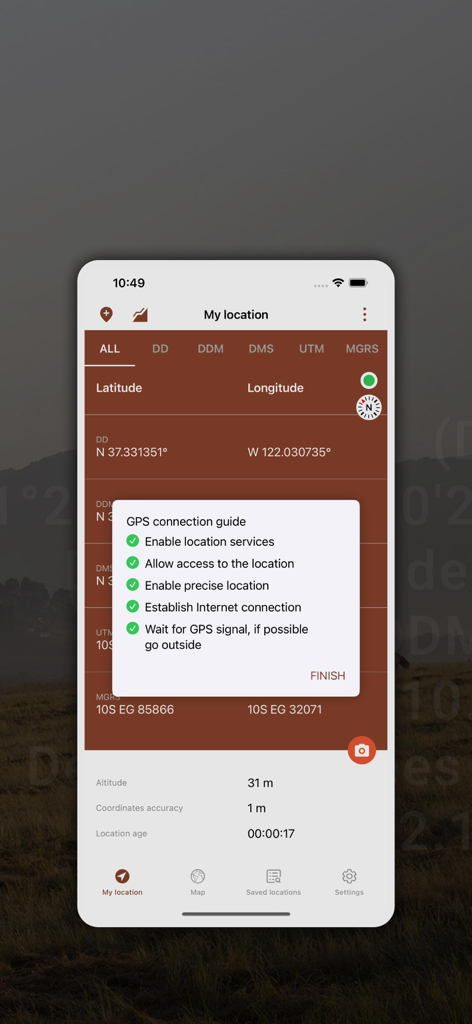
My GPS Coordinates Lite 앱 인터페이스에 DD, DMS 및 UTM과 같은 여러 좌표 형식의 한 화면이 표시됩니다.

My GPS Coordinates Lite - My GPS Coordinates Lite 앱 스크린샷에 GPS 연결 가이드 팝업이 표시된 내 위치 화면이 표시됩니다.
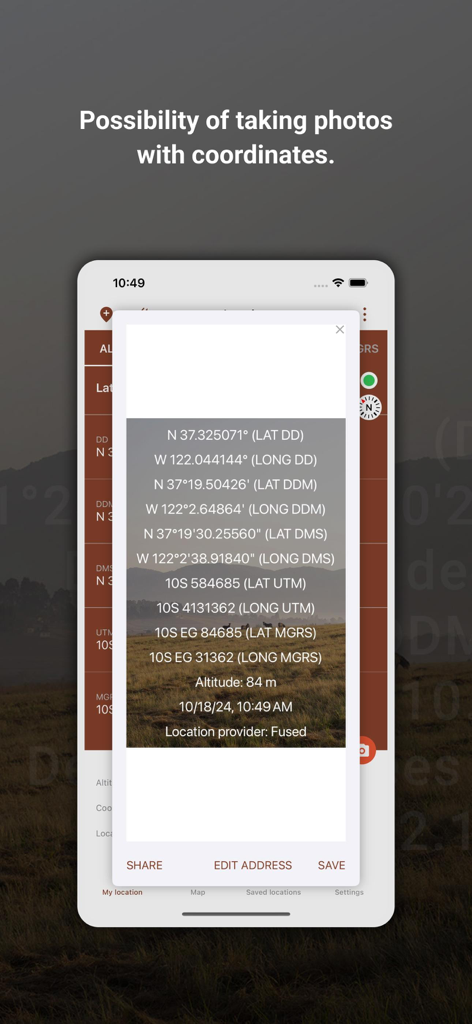
My GPS Coordinates Lite 앱 스크린샷에 GPS 연결 가이드 팝업이 표시된 내 위치 화면이 표시됩니다.

My GPS Coordinates Lite - UTM 및 고도 데이터를 포함한 자세한 GPS 좌표 오버레이가 있는 스마트폰 화면이 표시됩니다.
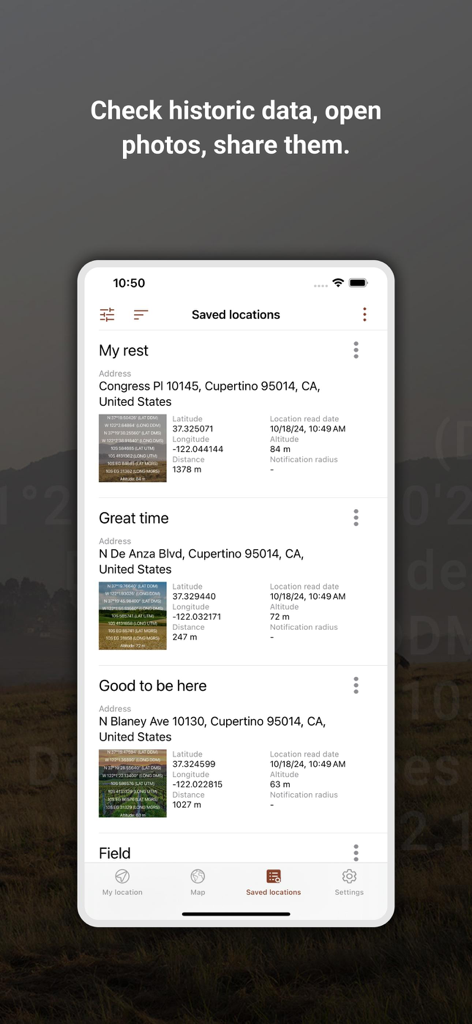
UTM 및 고도 데이터를 포함한 자세한 GPS 좌표 오버레이가 있는 스마트폰 화면이 표시됩니다.

My GPS Coordinates Lite - 앱에 저장된 위치 목록에 GPS 좌표, 주소 및 문서화를 위한 사진 오버레이가 표시됩니다.
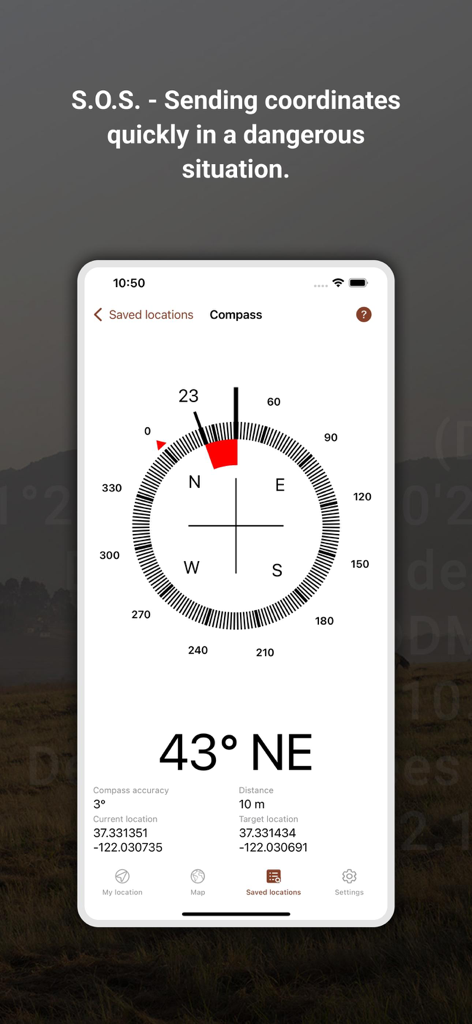
앱에 저장된 위치 목록에 GPS 좌표, 주소 및 문서화를 위한 사진 오버레이가 표시됩니다.

My GPS Coordinates Lite - My GPS Coordinates Lite 앱의 디지털 나침반 인터페이스에 현재 및 대상 좌표와 SOS 안전 기능 텍스트가 표시됩니다.
My GPS Coordinates Lite 앱의 디지털 나침반 인터페이스에 현재 및 대상 좌표와 SOS 안전 기능 텍스트가 표시됩니다.

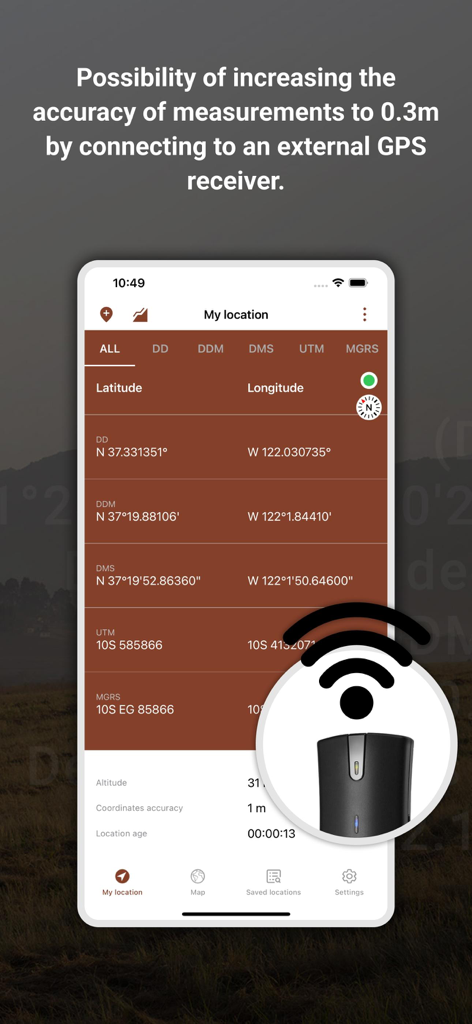
My GPS Coordinates Lite - My GPS Coordinates Lite 앱 인터페이스에 높은 정밀도를 위한 외부 GPS 수신기 지원이 표시됩니다.
My GPS Coordinates Lite 앱 인터페이스에 높은 정밀도를 위한 외부 GPS 수신기 지원이 표시됩니다.

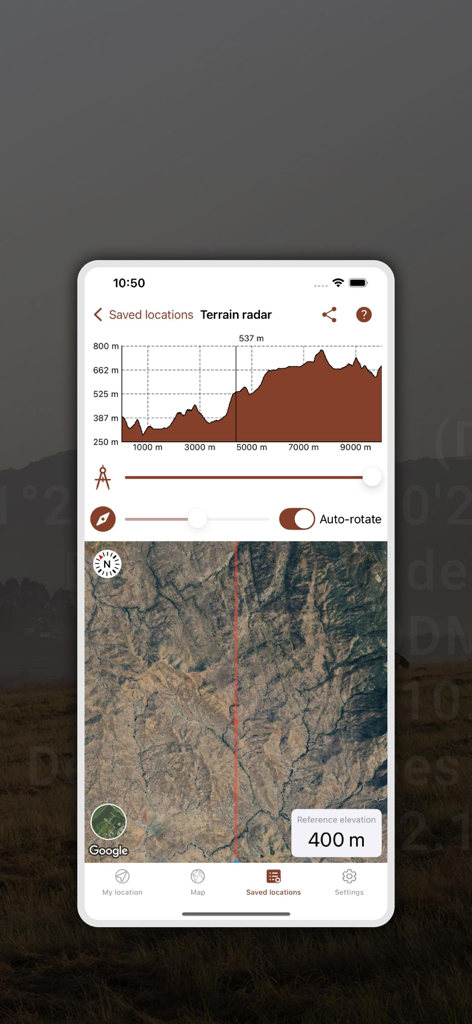
My GPS Coordinates Lite - 지형 레이더 보기에 저장된 위치에 대한 고도 프로필 그래프와 위성 지도가 표시됩니다.
지형 레이더 보기에 저장된 위치에 대한 고도 프로필 그래프와 위성 지도가 표시됩니다.

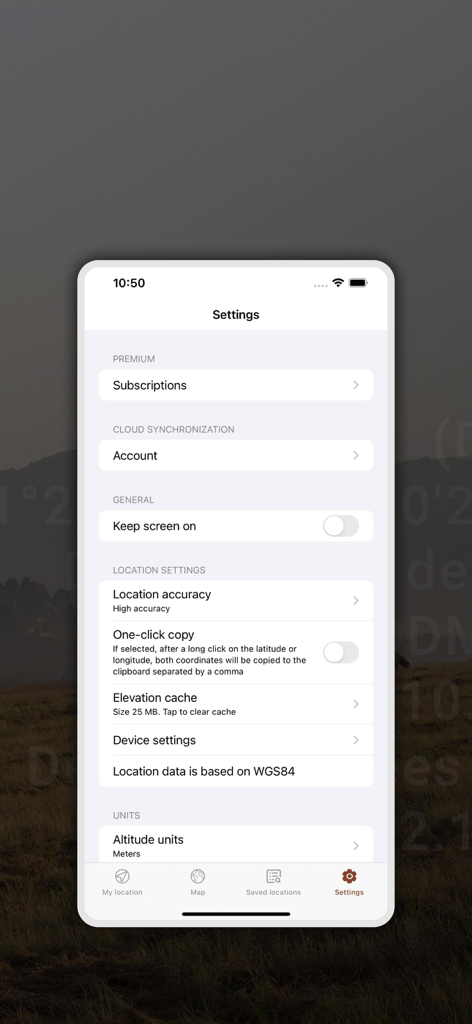
My GPS Coordinates Lite - My GPS Coordinates Lite 앱의 설정 화면에 위치 정확도, 단위 측정 및 클라우드 동기화를 위한 구성 옵션이 표시됩니다.

My GPS Coordinates Lite 앱의 설정 화면에 위치 정확도, 단위 측정 및 클라우드 동기화를 위한 구성 옵션이 표시됩니다.

설명

This application allows you to read geographical coordinates in four formats simultaneously. We are able to display coordinates in four formats on one screen: - DMS (Degrees, minutes, seconds) - DDM Degrees and decimal minutes - DD Decimal degrees - UTM Universal Transverse Mercator Additional data that is displayed is altitude and GPS accuracy. Altitude is measured using three sources: - GPS receiver - Network API - built-in barometer sensor Using the data, we are able to display your position on Maps. One of the most useful features is being able to take a photo with GPS coordinates overlayed on it. If you don’t want to take a picture, you can save your location by adding it to your places. In saved locations, you can find saved photos as well as saved places. Data history is recorded chronologically. The S.O.S functionality allows you to quickly send your GPS coordinates and a Google Maps link by Messages to provided phone number(s) in settings. We can additionally provide text content that will appear in a message. On the main screen as well as the history screen, you can share your GPS coordinates with your buddies via your social media profile, messenger apps or email. In settings you can manage things like: - GPS data refresh rate interval (the more often the more battery life) - at what distance the GPS data should be refreshed (the more often the more battery life) - altitude units - accuracy units - speed units - if saved photos should also be saved in your phones gallery - text position and color in photos NOTICE: The application contains advertisements, if you don’t want to see the ads or GPS data from plugged in, more precise GPS receivers such as Garmin GLO2, you can buy a subscription. By plugging into external GPS services, accuracy of the received measurements increases to 1 foot. NOTICE: The accuracy of the application depends on the sensitivity of the GPS receiver built into the phone. In most cases, the GPS modules embedded in the phone provide an accuracy of + - 10 m. GPS sensitivity also depends on the place of measurement: Inferior measurements often inside buildings, between buildings and in bad weather. Better in the open air, under a clear sky. Privacy policy: https://mysticmobileapps.com/legal/privacy/gpscoordinatesconverterlite Terms and conditions: https://mysticmobileapps.com/legal/terms/gpscoordinatesconverterlite

Download

다운로드: App Store

이 페이지는 앱이나 개발자의 공식 페이지가 아니며, 정보 제공 및 논평을 목적으로 작성된 독립 편집 간행물입니다. 명시적으로 달리 언급되지 않는 한, 해당 앱이나 개발자는 MWM, Apple, Google Play, 앱 퍼블리셔 또는 앱 개발자와 제휴, 보증, 후원, 승인 또는 공식적으로 연결되어 있지 않으며, 이 페이지의 어떤 내용도 해당 앱이 MWM의 서비스를 사용하여 개발되었음을 의미하지 않습니다. 모든 상표, 로고, 스크린샷 및 기타 콘텐츠는 해당 소유자의 자산입니다.








