My GPS Odometer
My GPS Odometer
다운로드: App Store

이 페이지는 앱이나 개발자의 공식 페이지가 아니며, 정보 제공 및 논평을 목적으로 작성된 독립 편집 간행물입니다. 명시적으로 달리 언급되지 않는 한, 해당 앱이나 개발자는 MWM, Apple, Google Play, 앱 퍼블리셔 또는 앱 개발자와 제휴, 보증, 후원, 승인 또는 공식적으로 연결되어 있지 않으며, 이 페이지의 어떤 내용도 해당 앱이 MWM의 서비스를 사용하여 개발되었음을 의미하지 않습니다. 모든 상표, 로고, 스크린샷 및 기타 콘텐츠는 해당 소유자의 자산입니다.


로고: My GPS Odometer
다운로드: App Store

My GPS Odometer

하이킹, 운전, 부동산 측정을 위한 신뢰할 수 있고 군더더기 없는 도구입니다. 복잡한 소셜 앱 없이도 높은 정확도의 데이터와 다양한 좌표 형식을 얻으세요.

주요 수치

다운로드

76K+

사용자 평점

2.5/5

총 평가 수

0

개발사

MYSTIC MOBILE APPS LLC

카테고리

Navigation

지원 언어

14

최신 버전

4.33

크기

36.4 MB

출시일

2018년 3월 8일
기능

일상 모험을 위한 정밀 추적

정원 울타리 측정, 자동차 여행 추적, 오프라인 하이킹 등 무엇을 하든 My GPS Odometer는 소셜 미디어 노이즈 없이 전문가 수준의 거리 데이터를 제공합니다.

위성급 정확도

기본 걸음 수 계산기 그 이상을 경험하세요. 저희 앱은 전용 위성 GPS를 사용하여 터널을 통과할 때도 '직선 거리' 데이터를 계산하는 등 정확한 거리 측정을 제공합니다.

전문 단위 및 도구

해리, UTM 좌표, 소모 칼로리에 대한 지원으로 경험을 맞춤 설정하세요. 보트 타는 사람, 원예사, 기술 애호가를 위한 완벽한 기술 동반자입니다.

다음 스크린샷과 설명은 앱의 공식 스토어 목록에서 직접 가져온 것이며 앱 개발자의 자산입니다.

앱 스토어

스크린샷
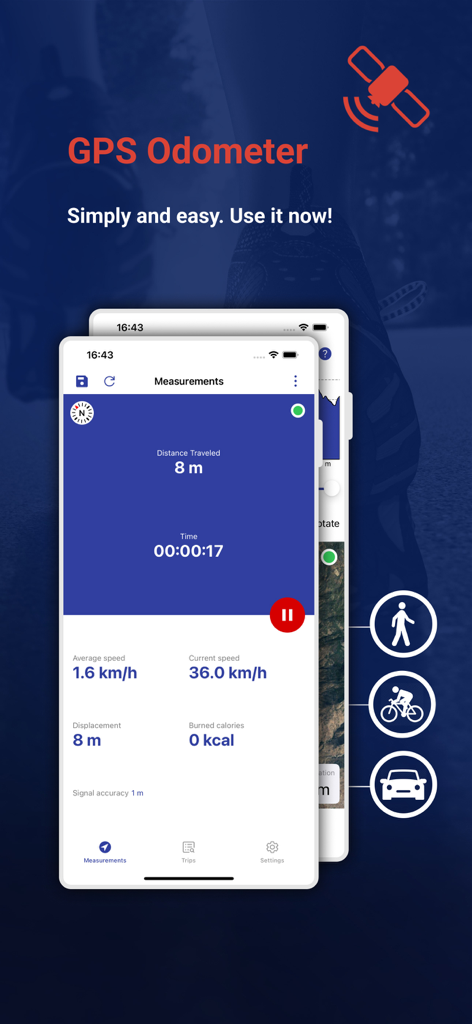
My GPS Odometer - 걷기, 자전거 타기 또는 운전 중에 실시간 거리, 속도 및 시간을 추적하는 My GPS Odometer 앱의 인터페이스
걷기, 자전거 타기 또는 운전 중에 실시간 거리, 속도 및 시간을 추적하는 My GPS Odometer 앱의 인터페이스

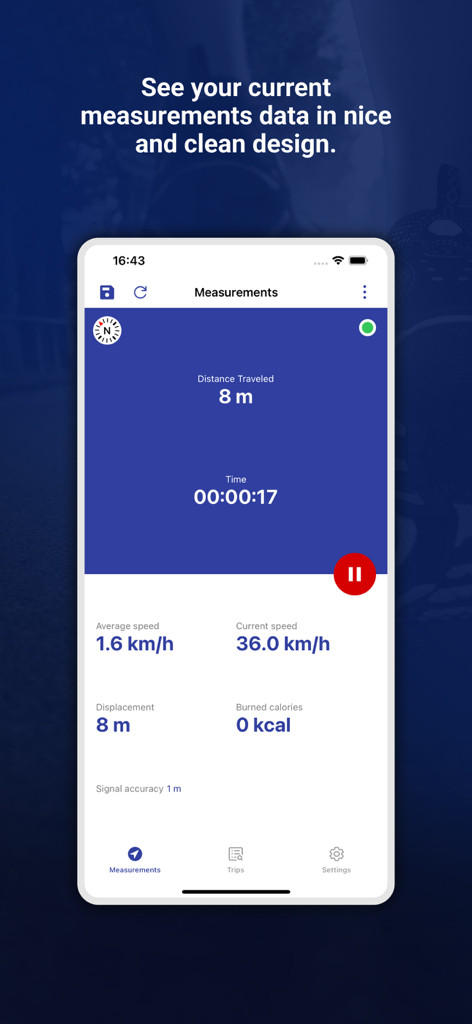
My GPS Odometer - 거리, 속도 및 시간의 실시간 추적을 보여주는 My GPS Odometer 앱
거리, 속도 및 시간의 실시간 추적을 보여주는 My GPS Odometer 앱

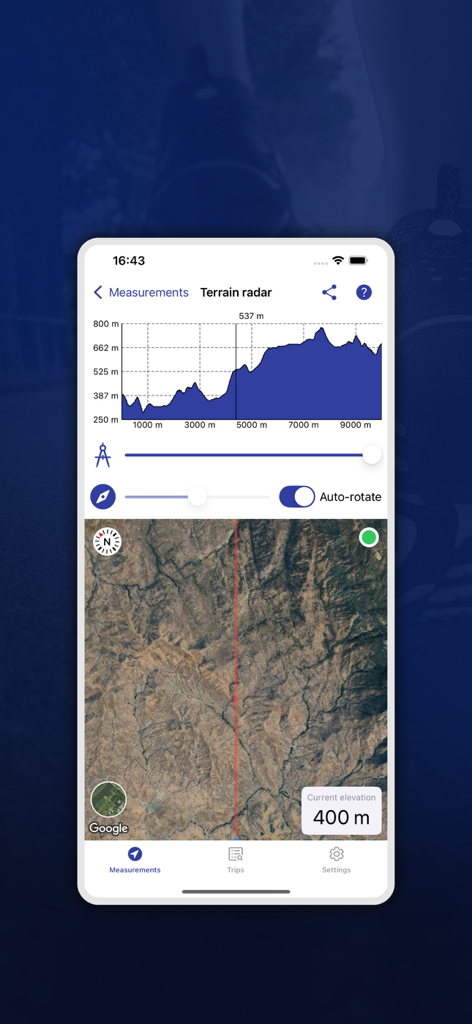
My GPS Odometer - 고도 차트와 위성 지도 보기가 있는 지형 레이더를 표시하는 My GPS Odometer 앱 화면
고도 차트와 위성 지도 보기가 있는 지형 레이더를 표시하는 My GPS Odometer 앱 화면

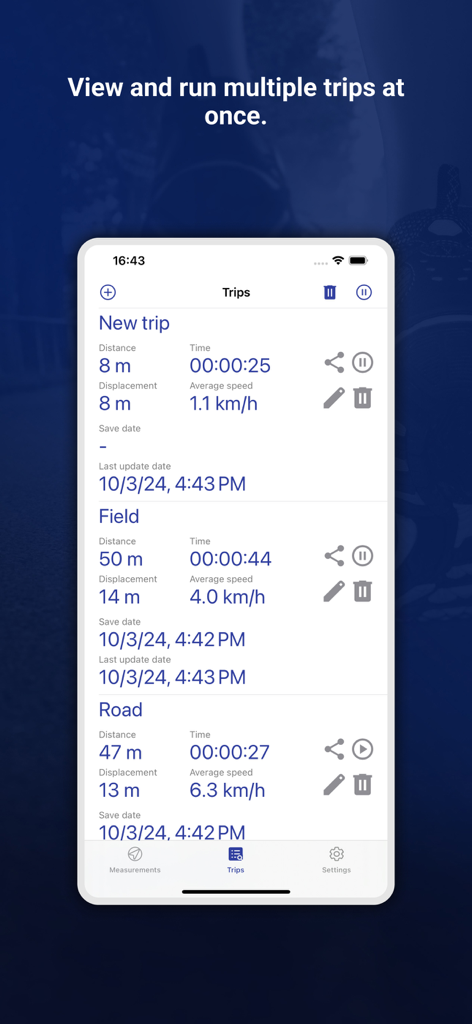
My GPS Odometer - My GPS Odometer 앱에서 거리, 시간 및 평균 속도 세부 정보와 함께 추적된 여러 이동 기록을 보여주는 인터페이스
My GPS Odometer 앱에서 거리, 시간 및 평균 속도 세부 정보와 함께 추적된 여러 이동 기록을 보여주는 인터페이스

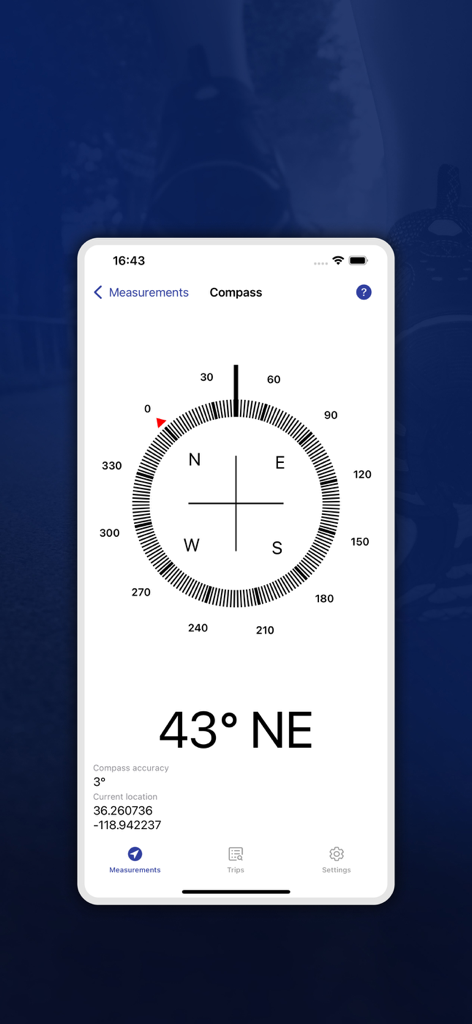
My GPS Odometer - 방향 43도 북동쪽과 정확한 GPS 위치 좌표를 보여주는 My GPS Odometer 앱 나침반 화면
방향 43도 북동쪽과 정확한 GPS 위치 좌표를 보여주는 My GPS Odometer 앱 나침반 화면

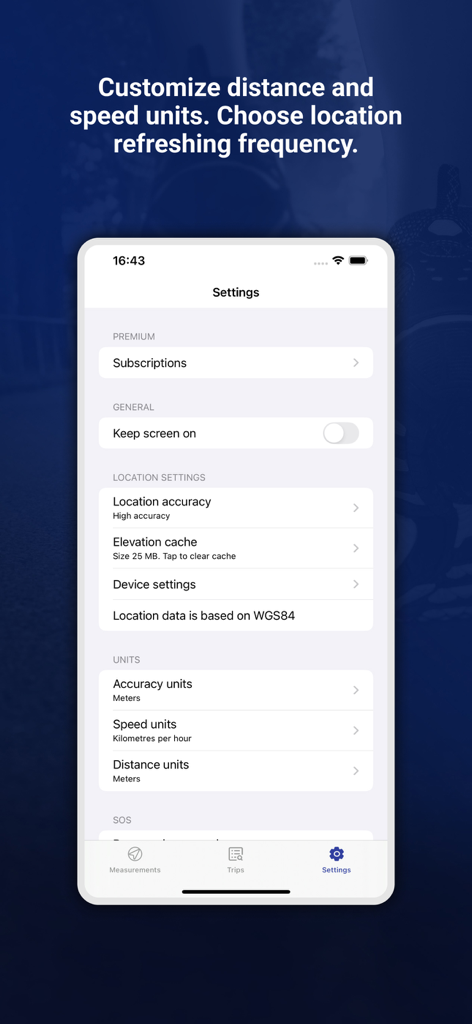
My GPS Odometer - 단위 및 위치 정확도 옵션이 있는 My GPS Odometer 앱 설정 메뉴

단위 및 위치 정확도 옵션이 있는 My GPS Odometer 앱 설정 메뉴

설명

GPS Odometer is an application which allows you to measure distance. It might be useful during driving a car, running, walking or even doing gardening. You can also record more than one trip to record multiple data. What's more, out application counts for burned calories. Remember! - Do not try to test the application by pacing around in the same small area. - Satellite based GPS location does not work well indoors or near large structures. - Many apps use network based location because it does work indoors, but it is not accurate enough for use with this app. If the location icon is not solid in your status bar, that means your PHONE can't acquire a satellite GPS fix in that area. Features: - Share your trip with friends and family - Works in the background with simple notifications showing time and distance - more accurate comparing to other apps - includes pause/resume for each trip - each trip can be started separately - includes a blocking system which prevent from clicking by mistake - includes displacement - approximates distance traveled in some GPS dead spots such as driving through a tunnel by adding the as-a-bird flies distance to your trip. - added simply changing views from distance to calories Options: - choose between average or current speed - receive notifications at given distance intervals - receive a notification to turn off after no movement for some time - keep screen awake - 4 coordinate formats: - DMS degrees, minutes and seconds sexgesimal - DMM degrees and decimal minutes - DD decimal degrees - UTM Universal Transverse Mercator Distance units include: - kilometers - miles - nautical miles - meters - feet Speed units include: - kilometers per hour - miles per hour - nautical miles per hour - meters per second - feet per second Privacy policy: https://mysticmobileapps.com/legal/privacy/odometer Terms and conditions: https://mysticmobileapps.com/legal/terms/odometer

Download

다운로드: App Store

이 페이지는 앱이나 개발자의 공식 페이지가 아니며, 정보 제공 및 논평을 목적으로 작성된 독립 편집 간행물입니다. 명시적으로 달리 언급되지 않는 한, 해당 앱이나 개발자는 MWM, Apple, Google Play, 앱 퍼블리셔 또는 앱 개발자와 제휴, 보증, 후원, 승인 또는 공식적으로 연결되어 있지 않으며, 이 페이지의 어떤 내용도 해당 앱이 MWM의 서비스를 사용하여 개발되었음을 의미하지 않습니다. 모든 상표, 로고, 스크린샷 및 기타 콘텐츠는 해당 소유자의 자산입니다.








