My Task Board - To Do Tracker
다운로드: App Store

이 페이지는 앱이나 개발자의 공식 페이지가 아니며, 정보 제공 및 논평을 목적으로 작성된 독립 편집 간행물입니다. 명시적으로 달리 언급되지 않는 한, 해당 앱이나 개발자는 MWM, Apple, Google Play, 앱 퍼블리셔 또는 앱 개발자와 제휴, 보증, 후원, 승인 또는 공식적으로 연결되어 있지 않으며, 이 페이지의 어떤 내용도 해당 앱이 MWM의 서비스를 사용하여 개발되었음을 의미하지 않습니다. 모든 상표, 로고, 스크린샷 및 기타 콘텐츠는 해당 소유자의 자산입니다.


로고: My Task Board - To Do Tracker
다운로드: App Store

My Task Board - To Do Tracker

iPhone, Mac 및 Apple Watch에서 동기화되는 네이티브의 방해 없는 보드로 워크플로우를 마스터하세요. 일회성 구매, 완전한 개인 정보 보호, 키보드 우선 속도 – 복잡함 대신 효율성을 중시하는 사용자를 위해 제작되었습니다.

주요 수치

다운로드

100

사용자 평점

1.0/5

총 평가 수

0

개발사

Paul Adam

카테고리

Business

지원 언어

1

최신 버전

2.4

크기

3.5 MB

출시일

2025년 12월 11일
기능

정리 없이 효율적으로

Apple 생태계를 위해 특별히 제작된 네이티브 칸반 보드를 경험하세요. 구독 없음, 추적 없음 – 모든 기기에서 순수한 생산성만 제공됩니다.

통합 Apple 경험

번개처럼 빠른 iCloud 동기화와 배터리 및 하드웨어를 존중하는 네이티브 느낌으로 iPhone, iPad, Mac 및 Apple Watch에서 생산성을 유지하세요.

일회성 구매

월별 요금과 구독 피로를 잊으세요. 한 번만 결제하면 개인 정보가 유지되는 iCloud 저장 공간에 데이터가 보관된 생산성 도구를 영원히 소유할 수 있습니다.

다음 스크린샷과 설명은 앱의 공식 스토어 목록에서 직접 가져온 것이며 앱 개발자의 자산입니다.

앱 스토어

스크린샷
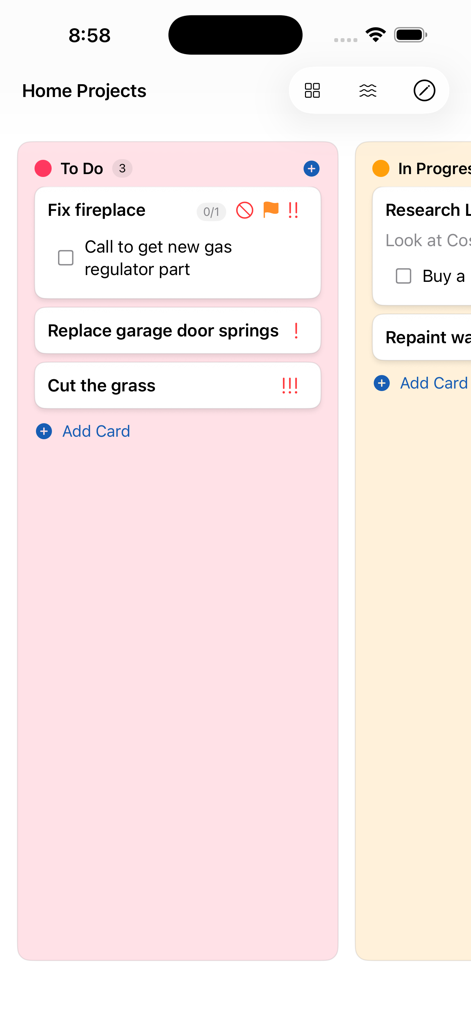
My Task Board - To Do Tracker - 가정 프로젝트를 위한 할 일 체크리스트와 우선 순위 아이콘이 표시된 핑크색 칸반 레인이 있는 iPhone 스크린샷
가정 프로젝트를 위한 할 일 체크리스트와 우선 순위 아이콘이 표시된 핑크색 칸반 레인이 있는 iPhone 스크린샷

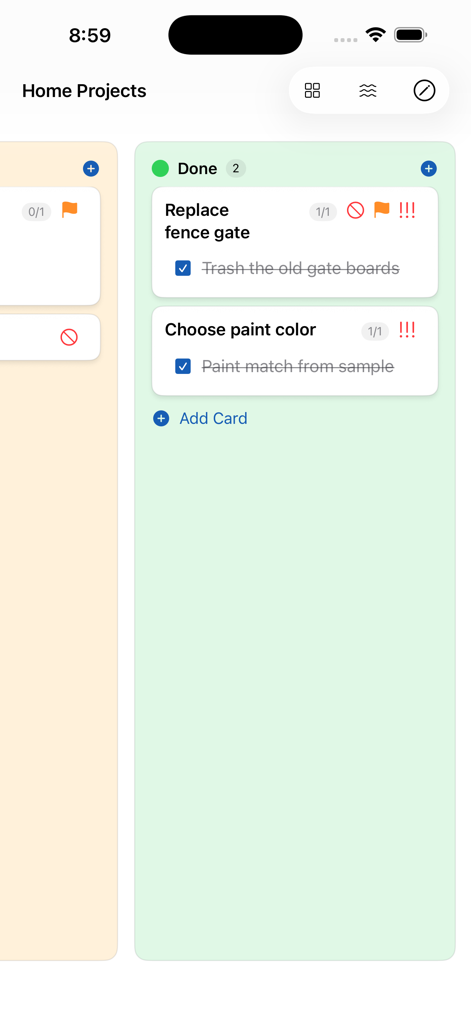
My Task Board - To Do Tracker - 완료된 카드들이 Done 열에 표시된 My Task Board 앱

완료된 카드들이 Done 열에 표시된 My Task Board 앱

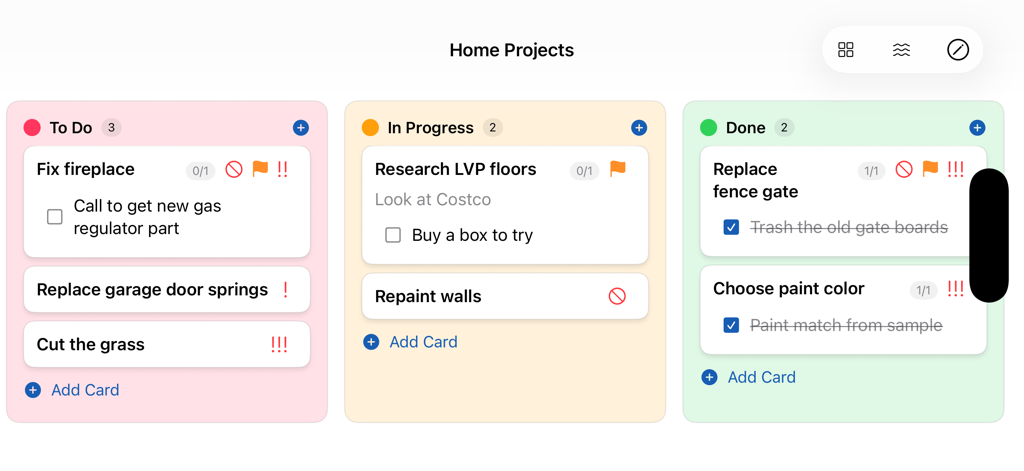
My Task Board - To Do Tracker - To Do, In Progress, Done 열로 분류된 가정 프로젝트 할 일 목록을 위한 시각적 칸반 보드 인터페이스
To Do, In Progress, Done 열로 분류된 가정 프로젝트 할 일 목록을 위한 시각적 칸반 보드 인터페이스

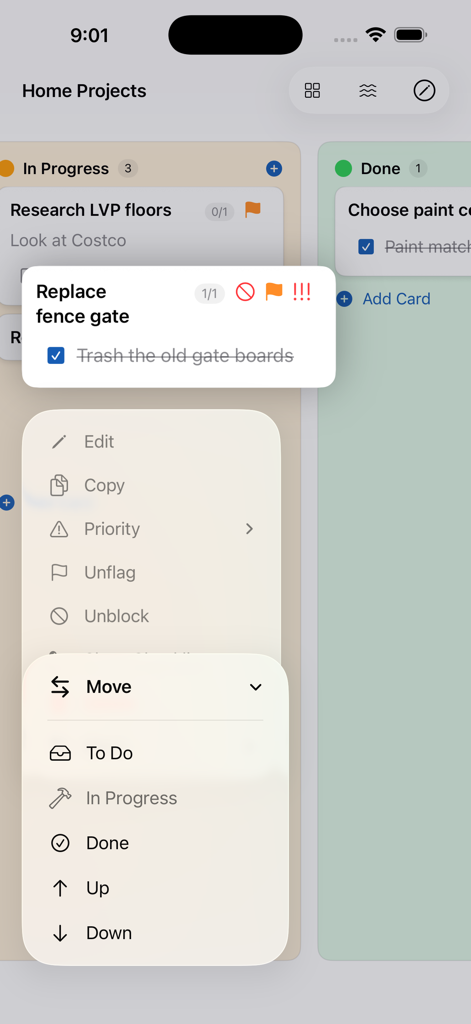
My Task Board - To Do Tracker - iPhone에서 할 일 열 간 카드를 이동하는 메뉴를 보여주는 My Task Board 앱
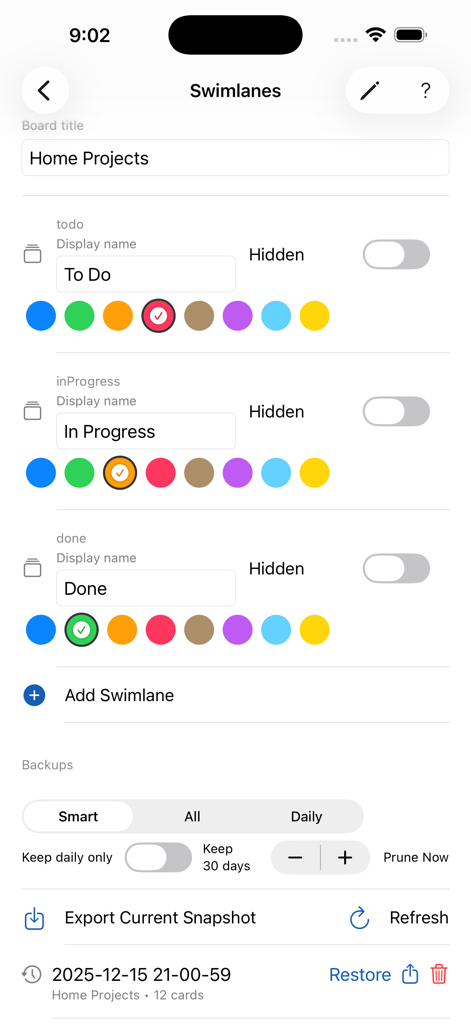
iPhone에서 할 일 열 간 카드를 이동하는 메뉴를 보여주는 My Task Board 앱

My Task Board - To Do Tracker - My Task Board 앱의 스윔레인 사용자 정의 및 백업 관리 인터페이스
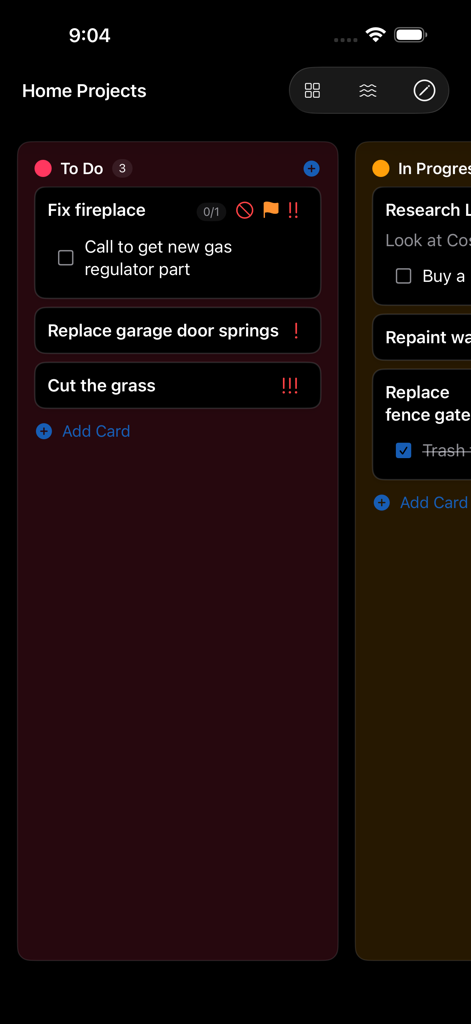
My Task Board 앱의 스윔레인 사용자 정의 및 백업 관리 인터페이스

My Task Board - To Do Tracker - 체크리스트와 우선 순위 아이콘이 있는 할 일 목록을 표시하는 My Task Board 앱
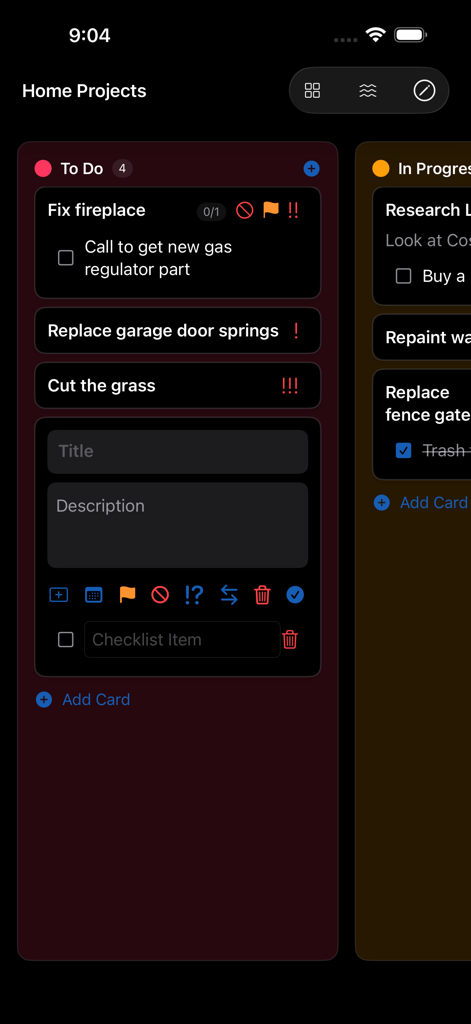
체크리스트와 우선 순위 아이콘이 있는 할 일 목록을 표시하는 My Task Board 앱

My Task Board - To Do Tracker - 가정 프로젝트 할 일 목록이 표시된 다크 모드 칸반 보드와 할 일 편집 인터페이스
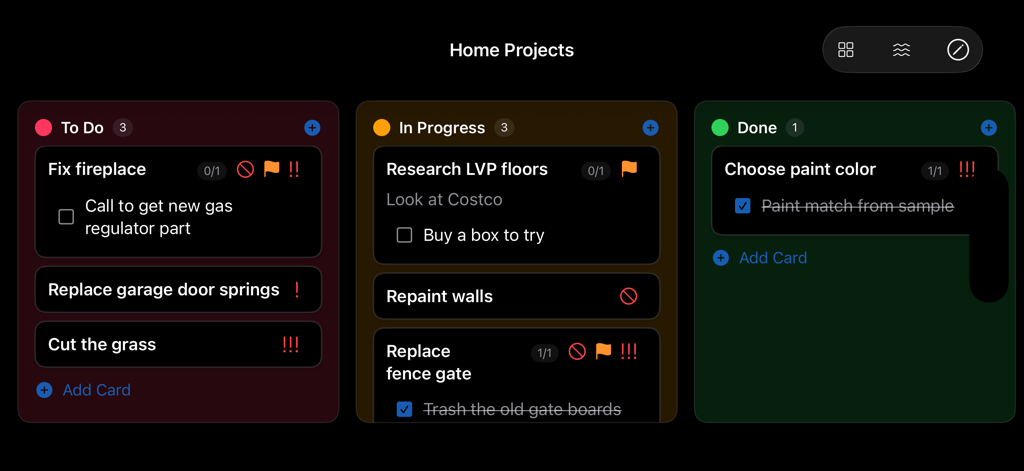
가정 프로젝트 할 일 목록이 표시된 다크 모드 칸반 보드와 할 일 편집 인터페이스

My Task Board - To Do Tracker - To Do, In Progress, Done 열이 있는 칸반 할 일 보드 인터페이스
To Do, In Progress, Done 열이 있는 칸반 할 일 보드 인터페이스

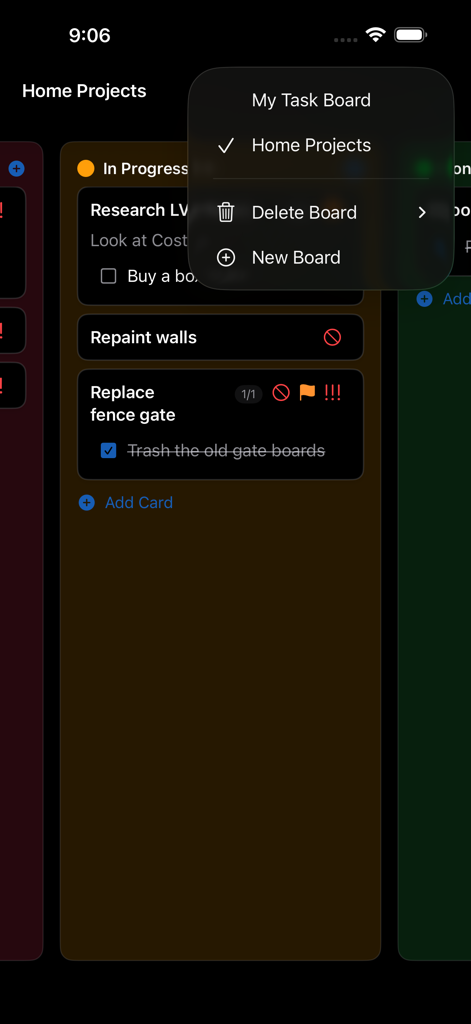
My Task Board - To Do Tracker - iPhone의 칸반 할 일 레인과 보드 관리 메뉴를 보여주는 My Task Board 앱 인터페이스
iPhone의 칸반 할 일 레인과 보드 관리 메뉴를 보여주는 My Task Board 앱 인터페이스

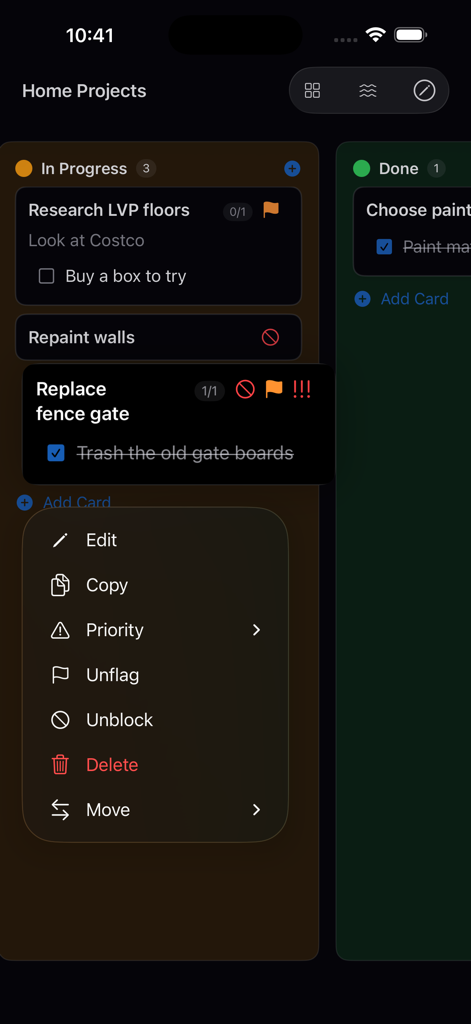
My Task Board - To Do Tracker - iPhone에서 할 일 관리 컨텍스트 메뉴가 열린 칸반 보드를 표시하는 My Task Board 앱 인터페이스

iPhone에서 할 일 관리 컨텍스트 메뉴가 열린 칸반 보드를 표시하는 My Task Board 앱 인터페이스

설명

My Task Board — Fast, Accessible Kanban for iPhone, iPad, Mac, and Apple Watch Stay organized with a clean, distraction‑free Kanban board that syncs across your Apple devices. Create multiple boards, customize swimlanes with distinctive colors, and manage cards with titles, details, priorities, flags, blockers, and optional checklists — all with thoughtful accessibility and powerful keyboard support. One‑Time Purchase. No subscriptions. Highlights • Multiple boards you can switch between instantly • Custom swimlanes with high‑contrast colors • Cards with titles, rich descriptions, checklists, priority, flag, and blocked status • Drag & drop to reorder and move cards between lanes • Keyboard‑friendly with convenient shortcuts • Designed for accessibility: VoiceOver labels, Dynamic Type scaling, and clear contrast • iCloud sync using iCloud Key‑Value Store • Automatic backups with export and restore tools • Apple Watch companion via Watch Connectivity Why you’ll love it My Task Board is built for speed and clarity. Add a card, move it forward, and keep momentum — on any device. Features • Create, rename, and delete boards • Add, rename, reorder, and recolor swimlanes • Add, edit, move, and delete cards inline • Set card priority (Low/Medium/High), flag, or mark as blocked • Add checklists to cards and toggle their visibility • Move cards within a lane (Up/Down) from the Move menu or with arrow keys • Automatic focus on the label when you add a checklist item • Edit mode adapts its size — no extra blank space when the checklist is hidden • Drag and drop between lanes on all platforms • Zoom controls for text size (including shortcuts) • Export current snapshot and restore from backups; automatic pruning options • Seamless iCloud KVS sync across devices • Works great on iPhone, iPad, Mac, and Apple Watch Support Find Help in the app’s toolbar, or contact support if something isn’t working as expected. Privacy Your data is stored privately in iCloud Key‑Value Store with your Apple ID. No analytics. No tracking. Power tips • Double‑tap (iOS) or double‑click (macOS) a card to edit • Tap/click away from a card to save changes and dismiss the keyboard • Command‑N to add a card in the focused lane • Command‑+/Command‑− to adjust text size; Command‑0 to reset • Escape to toggle editing on the selected card • Delete to remove a card when not editing What’s New • Automatic focus for newly added checklist items • Up/Down movement for cards within a lane • Smarter edit mode sizing (no extra space with hidden checklist) • Improved backups management and restore • Performance and polish across platforms • Hide swimlanes from view. • Send old cards to the Archive which is hidden from the board by default. • Start, End, and Due Dates.

Download

다운로드: App Store

이 페이지는 앱이나 개발자의 공식 페이지가 아니며, 정보 제공 및 논평을 목적으로 작성된 독립 편집 간행물입니다. 명시적으로 달리 언급되지 않는 한, 해당 앱이나 개발자는 MWM, Apple, Google Play, 앱 퍼블리셔 또는 앱 개발자와 제휴, 보증, 후원, 승인 또는 공식적으로 연결되어 있지 않으며, 이 페이지의 어떤 내용도 해당 앱이 MWM의 서비스를 사용하여 개발되었음을 의미하지 않습니다. 모든 상표, 로고, 스크린샷 및 기타 콘텐츠는 해당 소유자의 자산입니다.