My Widgets
My Widgets
다운로드: App Store

이 페이지는 앱이나 개발자의 공식 페이지가 아니며, 정보 제공 및 논평을 목적으로 작성된 독립 편집 간행물입니다. 명시적으로 달리 언급되지 않는 한, 해당 앱이나 개발자는 MWM, Apple, Google Play, 앱 퍼블리셔 또는 앱 개발자와 제휴, 보증, 후원, 승인 또는 공식적으로 연결되어 있지 않으며, 이 페이지의 어떤 내용도 해당 앱이 MWM의 서비스를 사용하여 개발되었음을 의미하지 않습니다. 모든 상표, 로고, 스크린샷 및 기타 콘텐츠는 해당 소유자의 자산입니다.

로고: My Widgets
다운로드: App Store

My Widgets

미적 큐레이터와 생산성 전문가를 위한 올인원 위젯 허브. 사용자 지정 캘린더 및 사진 그리드부터 빠른 메모 및 별자리까지—독자적인 대시보드를 디자인하세요.

주요 수치

다운로드

933K+

사용자 평점

3.8/5

총 평가 수

3K+

개발사

Francis Bonnin

카테고리

Utilities

지원 언어

8

최신 버전

6.2

크기

25.5 MB

출시일

2014년 10월 11일
기능

홈 화면의 성능을 높이세요

정리된 상태를 유지하고 영감을 얻는 데 필요한 모든 것을 단 한 번의 스와이프로 이용하세요.

나만의 미학 큐레이션

개인 사진과 사용자 지정 위젯을 믹스 앤 매치하여 기기를 개성을 아름답게 반영하는 공간으로 변환하세요.

효율성 극대화

캘린더, 메모, 세계 시계를 전면에 배치하여 앱 전환 피로 없이 바쁜 일상을 관리하세요.

다음 스크린샷과 설명은 앱의 공식 스토어 목록에서 직접 가져온 것이며 앱 개발자의 자산입니다.

앱 스토어

스크린샷
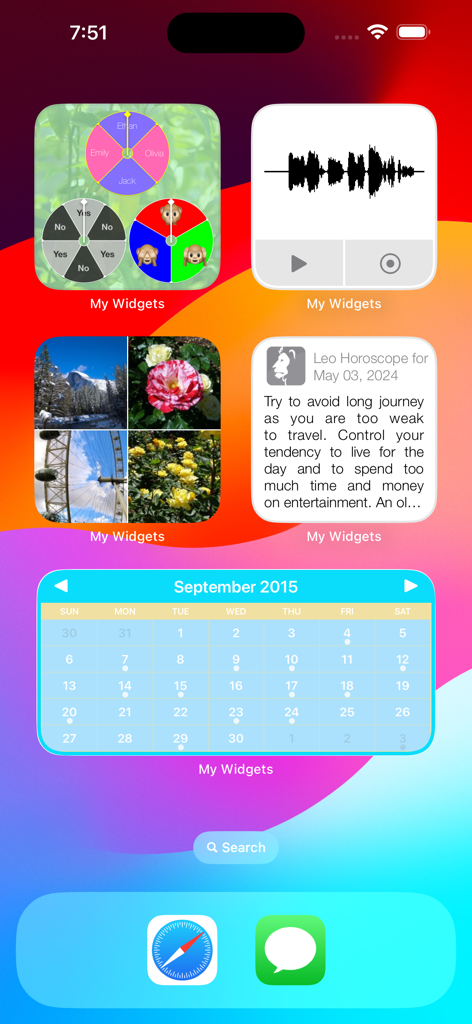
My Widgets - 캘린더, 사진, 별자리, 오디오 메모를 위한 사용자 지정 위젯이 표시된 iPhone 홈 화면
캘린더, 사진, 별자리, 오디오 메모를 위한 사용자 지정 위젯이 표시된 iPhone 홈 화면

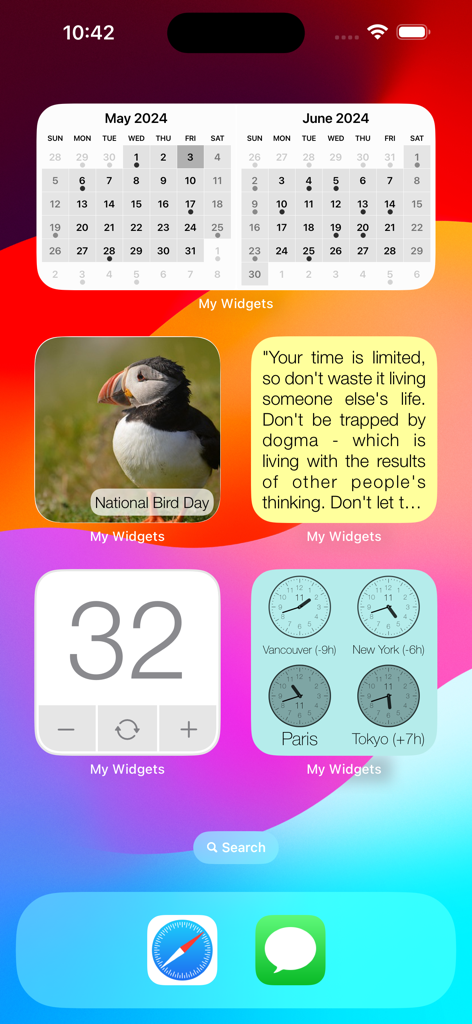
My Widgets - 캘린더, 사진, 명언, 세계 시계 위젯이 포함된 사용자 지정 iOS 홈 화면
캘린더, 사진, 명언, 세계 시계 위젯이 포함된 사용자 지정 iOS 홈 화면

My Widgets - 캘린더, 자연 사진, 숫자 카운터가 포함된 사용자 지정 iOS 위젯 디스플레이
캘린더, 자연 사진, 숫자 카운터가 포함된 사용자 지정 iOS 위젯 디스플레이

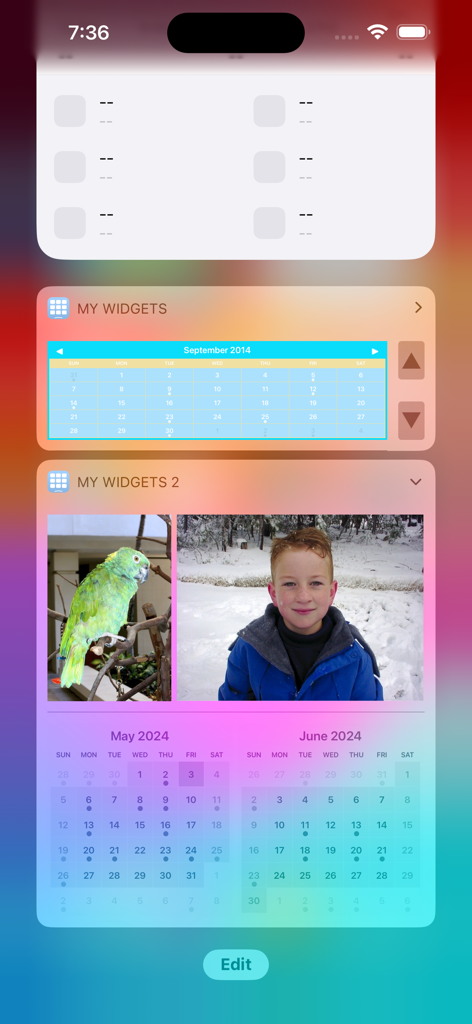
My Widgets - My Widgets 앱의 사용자 지정 캘린더 및 사진 위젯이 표시된 iPhone 화면
My Widgets 앱의 사용자 지정 캘린더 및 사진 위젯이 표시된 iPhone 화면

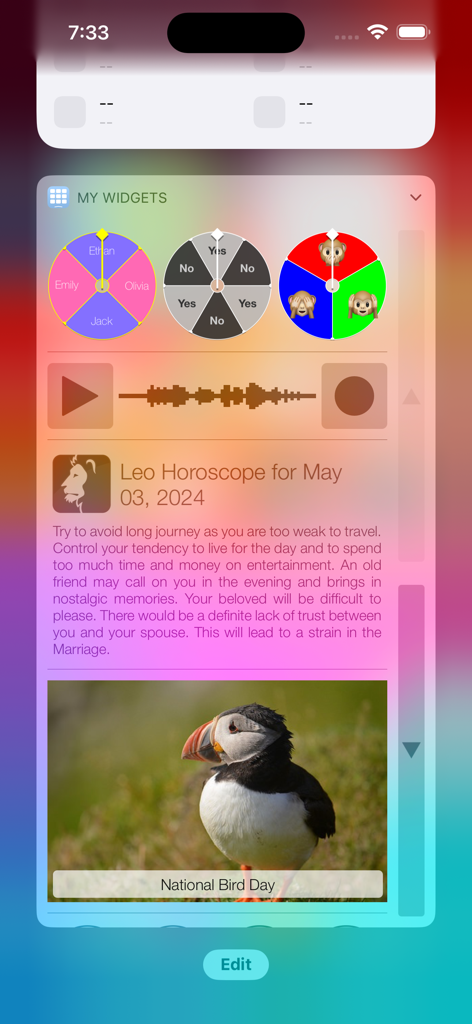
My Widgets - My Widgets 앱의 별자리 및 의사 결정 휠을 포함한 사용자 지정 iOS 위젯
My Widgets 앱의 별자리 및 의사 결정 휠을 포함한 사용자 지정 iOS 위젯

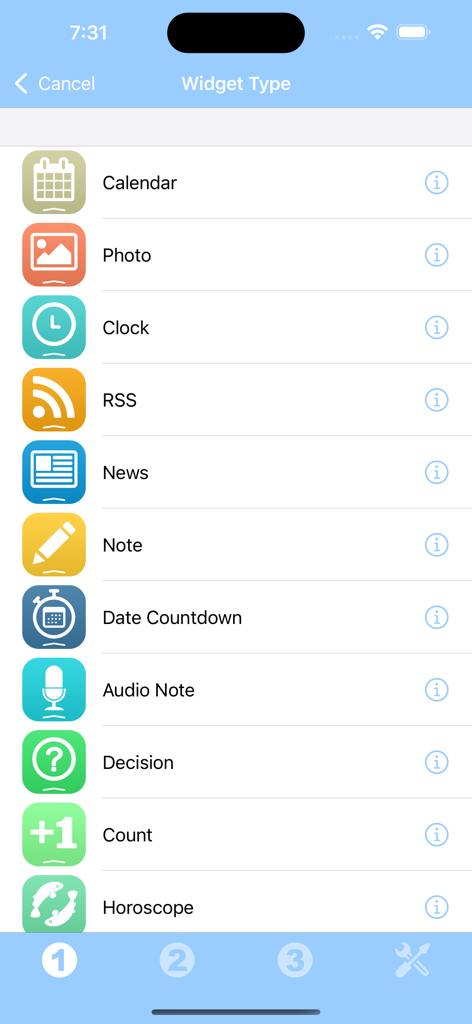
My Widgets - 캘린더, 사진, 시계, 메모를 포함한 My Widgets 앱의 다양한 위젯 유형 목록
캘린더, 사진, 시계, 메모를 포함한 My Widgets 앱의 다양한 위젯 유형 목록

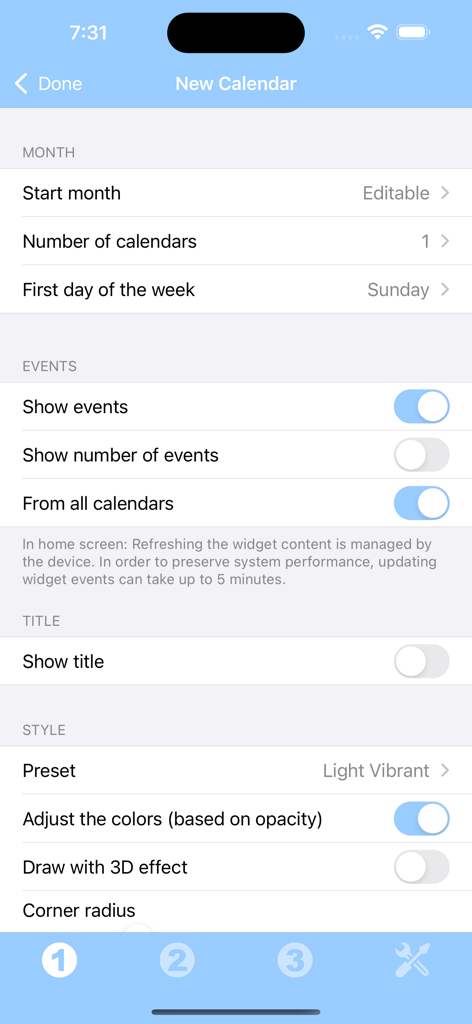
My Widgets - 월 레이아웃, 이벤트 표시, 시각적 스타일 옵션을 보여주는 사용자 지정 캘린더 위젯 설정 화면
월 레이아웃, 이벤트 표시, 시각적 스타일 옵션을 보여주는 사용자 지정 캘린더 위젯 설정 화면

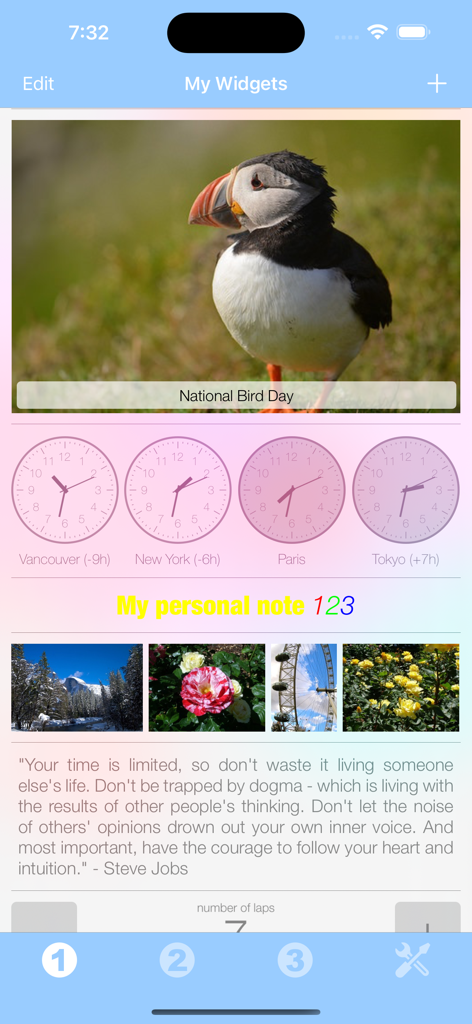
My Widgets - 사진 위젯, 세계 시계, 개인화된 텍스트 메모가 표시된 My Widgets 모바일 앱 인터페이스.

사진 위젯, 세계 시계, 개인화된 텍스트 메모가 표시된 My Widgets 모바일 앱 인터페이스.

설명

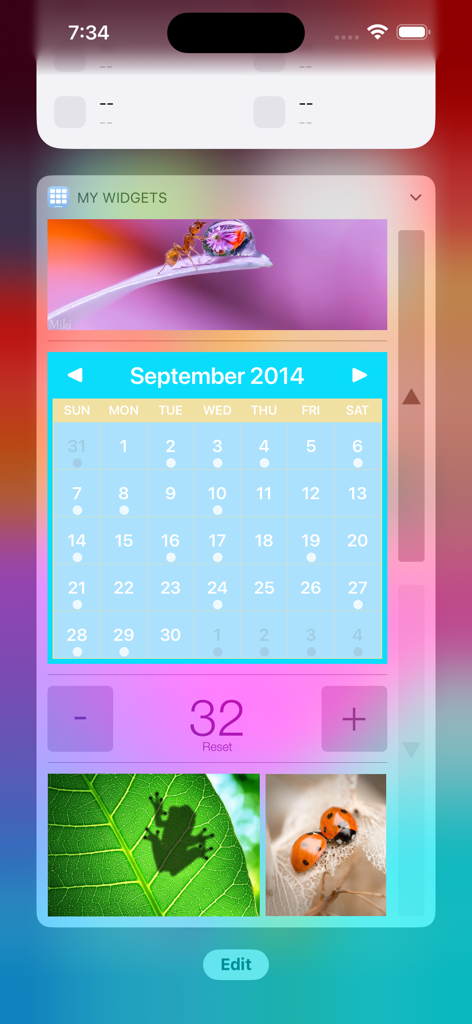
Thanks to this application (and the other Widget apps from PacoLabs), you can now customize the Home screen and the Today view of your device, by adding custom widgets for some specific purposes. From anywhere in your device, you'll have access to your own information and actions. Add various widgets for your different needs. You can, for instance, add a calendar that will display the current month and the busy days. You can add your favorite photos of your beloved family and friends. You can add your horoscope, a photo of the day (from the internet), some audio notes, some world clocks and more... The application contains some free widgets like the Note widget allowing you to quickly view and edit some text notes and reminders and the Decision widget allowing you to randomly choose one item among several choices. Each other widget type can be tried and can be unlocked separately. You can also unlock all the current and future widget types at once, if you are a widget addict ! Those Widgets are compatible with the new iOS 14 Home Screen Widgets. The application is really easy to use and is adapted to the fresh look of your device. Dark mode of iOS13 is supported. In Today view: You can add as many widgets as you want and they will be displayed in up to 3 different lists. Those same lists will be available in the Today view and in the application (although it is possible, if you want, to hide some widgets in the Today view). To avoid overloading the Today view, when too many widgets are displayed, an intuitive control will allow you to navigate from one widget to another. Even if the main purpose of the app is to view the widgets in the Today view, it can also be very handy to view them directly in the application (a long press on a widget in the Today view will open it directly in the main application).

Download

다운로드: App Store

이 페이지는 앱이나 개발자의 공식 페이지가 아니며, 정보 제공 및 논평을 목적으로 작성된 독립 편집 간행물입니다. 명시적으로 달리 언급되지 않는 한, 해당 앱이나 개발자는 MWM, Apple, Google Play, 앱 퍼블리셔 또는 앱 개발자와 제휴, 보증, 후원, 승인 또는 공식적으로 연결되어 있지 않으며, 이 페이지의 어떤 내용도 해당 앱이 MWM의 서비스를 사용하여 개발되었음을 의미하지 않습니다. 모든 상표, 로고, 스크린샷 및 기타 콘텐츠는 해당 소유자의 자산입니다.








