MyKeyboard Pro
MyKeyboard Pro
다운로드: App Store

이 페이지는 앱이나 개발자의 공식 페이지가 아니며, 정보 제공 및 논평을 목적으로 작성된 독립 편집 간행물입니다. 명시적으로 달리 언급되지 않는 한, 해당 앱이나 개발자는 MWM, Apple, Google Play, 앱 퍼블리셔 또는 앱 개발자와 제휴, 보증, 후원, 승인 또는 공식적으로 연결되어 있지 않으며, 이 페이지의 어떤 내용도 해당 앱이 MWM의 서비스를 사용하여 개발되었음을 의미하지 않습니다. 모든 상표, 로고, 스크린샷 및 기타 콘텐츠는 해당 소유자의 자산입니다.

로고: MyKeyboard Pro
다운로드: App Store

MyKeyboard Pro

기본의 한계를 벗어나세요. 모든 키를 사용자 정의하고, 19개 이상의 심미적인 글꼴 중에서 선택하고, 당신의 고유한 스타일에 맞춰진 사용자 정의 매크로 및 테마로 생산성을 높이세요.

주요 수치

다운로드

2K+

사용자 평점

4.0/5

총 평가 수

0

개발사

FiveSheep OU

카테고리

Utilities

지원 언어

7

최신 버전

3.7.10

크기

20.8 MB

출시일

2021년 4월 8일
기능

당신의 키보드, 당신의 규칙

기본 키보드에 만족하지 마세요. MyKeyboard Pro는 진정으로 개인적인 모바일 경험을 위해 모든 탭, 글꼴, 단축키를 사용자 정의할 수 있는 자유를 제공합니다.

나만의 독특한 스타일 표현하기

사용자 정의 배경 사진, 19가지 멋진 글꼴, 미학에 맞는 조절 가능한 키 모양으로 완벽한 모양을 만드세요.

프로 수준의 생산성

전용 숫자 행과 복사, 붙여넣기, 전체 선택을 위한 사용자 정의 키로 더 빠르게 입력하세요. 이메일과 문자를 절반의 시간 안에 처리하세요.

다음 스크린샷과 설명은 앱의 공식 스토어 목록에서 직접 가져온 것이며 앱 개발자의 자산입니다.

앱 스토어

스크린샷
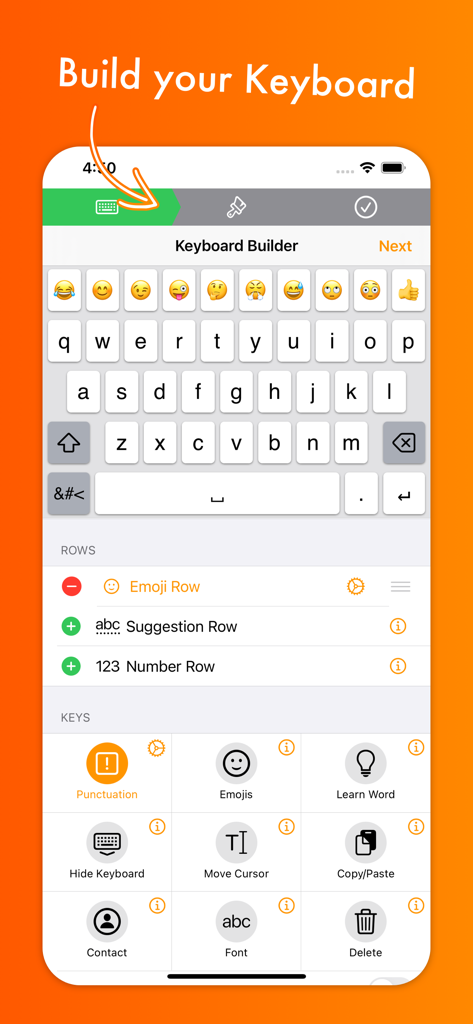
MyKeyboard Pro - MyKeyboard Pro 인터페이스에서 키보드 행 및 복사, 붙여넣기와 같은 기능 키 사용자 정의 옵션 표시
MyKeyboard Pro 인터페이스에서 키보드 행 및 복사, 붙여넣기와 같은 기능 키 사용자 정의 옵션 표시

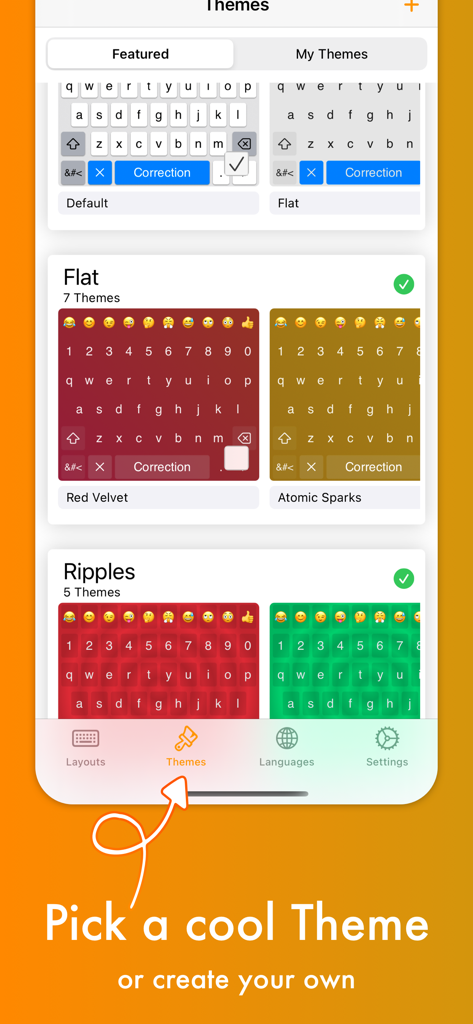
MyKeyboard Pro - MyKeyboard Pro 앱에서 Red Velvet 및 Atomic Sparks와 같은 다양한 키보드 테마 및 색상을 보여주는 화면
MyKeyboard Pro 앱에서 Red Velvet 및 Atomic Sparks와 같은 다양한 키보드 테마 및 색상을 보여주는 화면

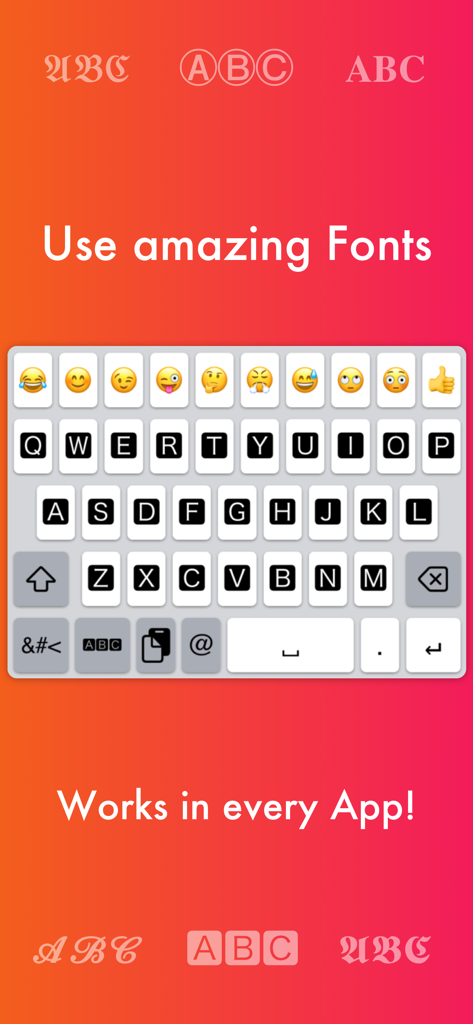
MyKeyboard Pro - iOS 앱용 사용자 정의 글꼴 및 키보드 레이아웃을 강조하는 MyKeyboard Pro 앱 스크린샷
iOS 앱용 사용자 정의 글꼴 및 키보드 레이아웃을 강조하는 MyKeyboard Pro 앱 스크린샷

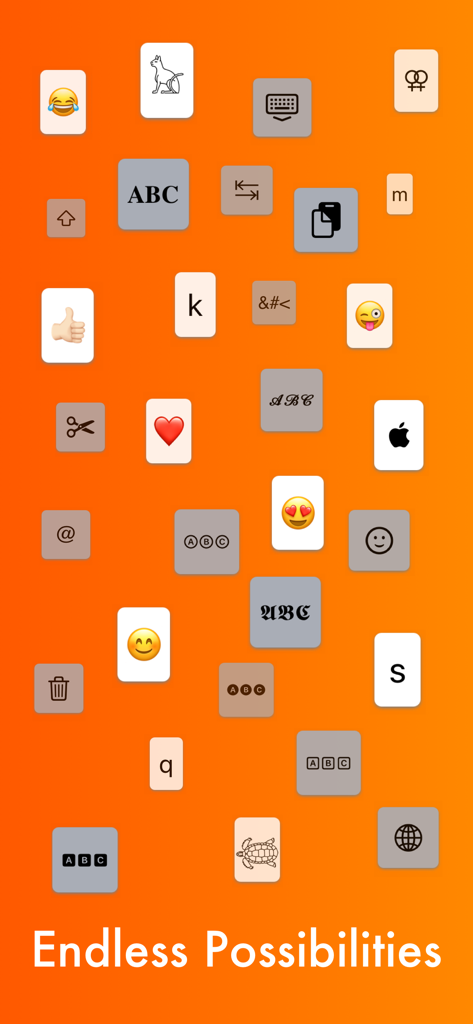
MyKeyboard Pro - 다양한 글꼴과 아이콘이 있는 다양한 사용자 정의 가능한 키보드 키를 보여주는 그래픽
다양한 글꼴과 아이콘이 있는 다양한 사용자 정의 가능한 키보드 키를 보여주는 그래픽

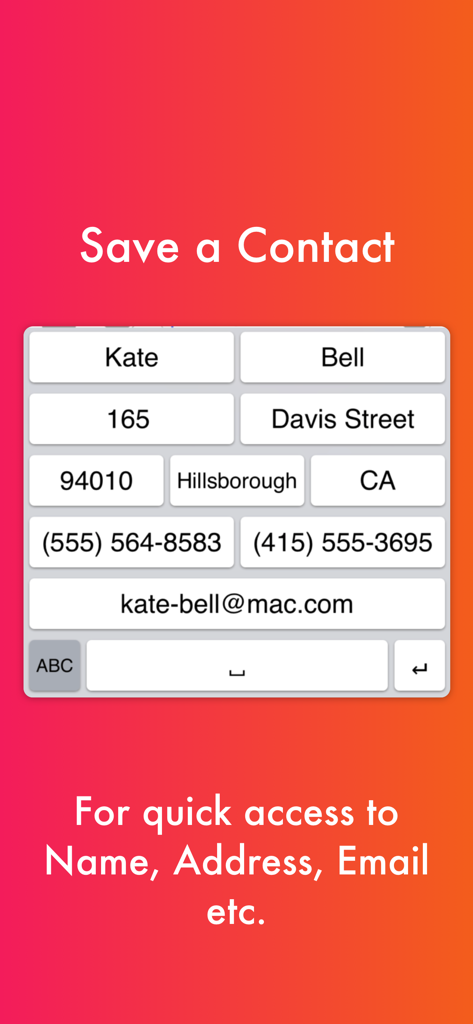
MyKeyboard Pro - 이름 및 이메일과 같은 연락처 정보에 빠르게 액세스하기 위한 바로 가기 키가 포함된 사용자 정의 키보드 레이아웃
이름 및 이메일과 같은 연락처 정보에 빠르게 액세스하기 위한 바로 가기 키가 포함된 사용자 정의 키보드 레이아웃

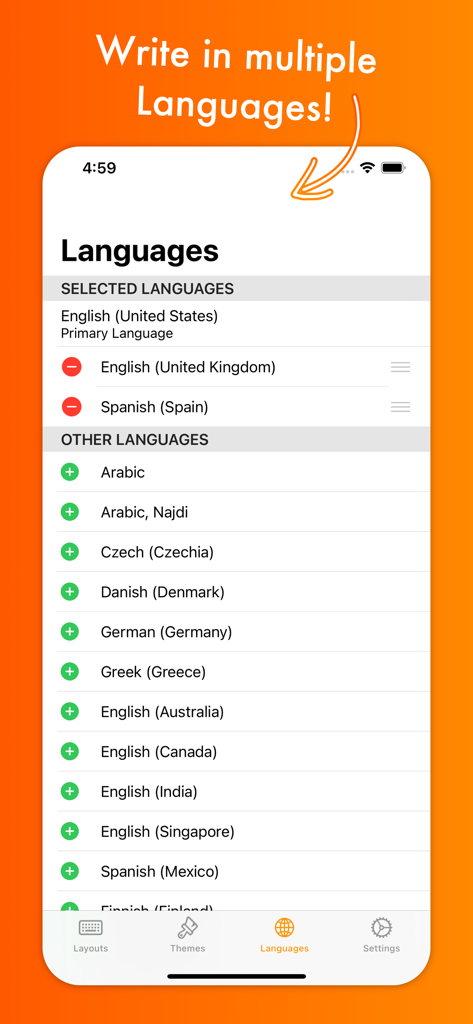
MyKeyboard Pro - 영어, 스페인어, 아랍어를 포함한 여러 언어 옵션을 보여주는 MyKeyboard Pro의 언어 선택 인터페이스
영어, 스페인어, 아랍어를 포함한 여러 언어 옵션을 보여주는 MyKeyboard Pro의 언어 선택 인터페이스

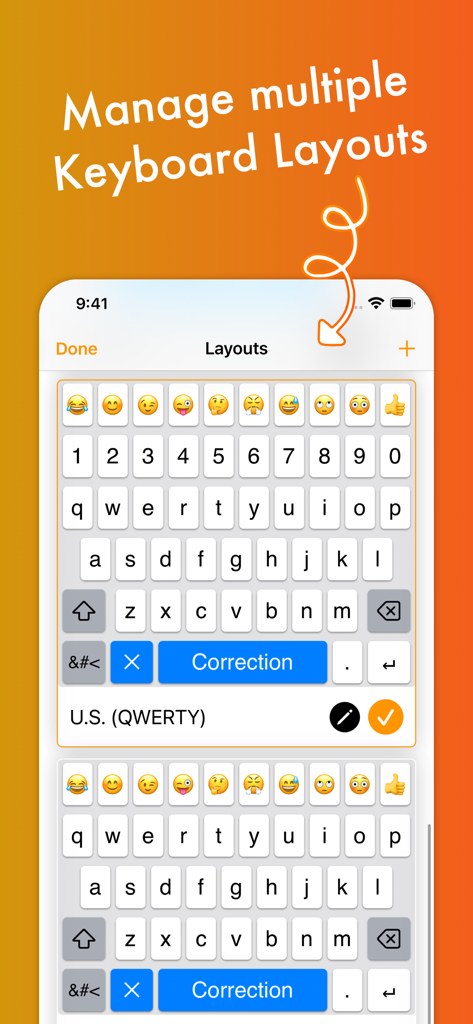
MyKeyboard Pro - MyKeyboard Pro에서 여러 사용자 정의 키보드 레이아웃을 관리하는 인터페이스
MyKeyboard Pro에서 여러 사용자 정의 키보드 레이아웃을 관리하는 인터페이스

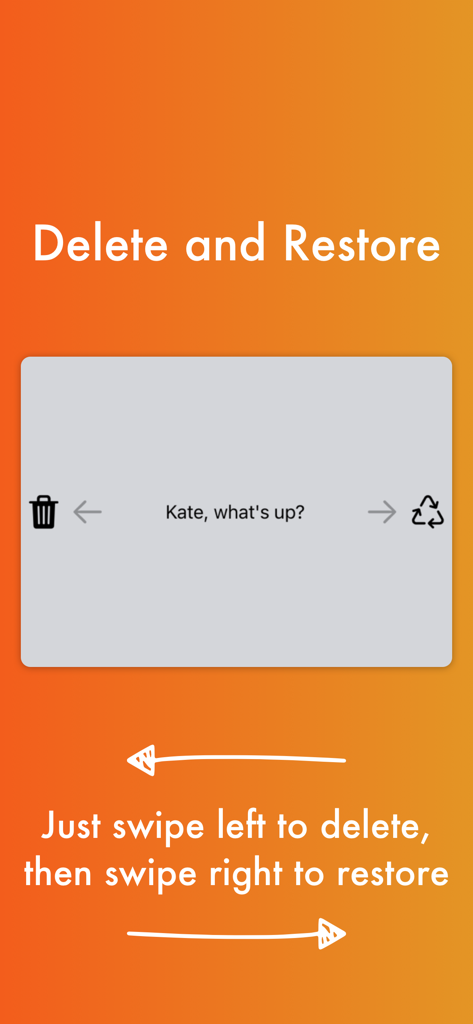
MyKeyboard Pro - 키보드에서 텍스트 삭제를 위해 왼쪽으로 스와이프하고 복원하기 위해 오른쪽으로 스와이프하는 기능 시연

키보드에서 텍스트 삭제를 위해 왼쪽으로 스와이프하고 복원하기 위해 오른쪽으로 스와이프하는 기능 시연

설명

Customize virtually anything about your iOS keyboard, with simple drag and drop. Add or remove keys or rows, customize the way keys look and behave, change the duration until subkeys (the keys that pop up when holding on a key) pop up, add and remove subkeys and add keys with custom actions. MyKeyboard is beloved by its users for its ease of use and endless possibilities. For example, the emoji row is a standard feature of the custom Keyboard and can be changed to contain all of your favorite emoji. These emoji keys then automatically contain subkeys with similar emoji which you can personalize. By default, a number row is also in the keyboard, providing you fast access to these often-used keys. Another amazing feature of MyKeyboard is the switchable fonts. MyKeyboard contains 19 amazing fonts that can be used across almost all apps, including WhatsApp, Instagram, Facebook and iMessage. You can add a font key to your keyboard and switch to the font by tapping on it. Custom key actions include: - Insert Appearance - Insert - Replace Word With Appearance - Show Subkeys - Shift - Caps Lock - Cut - Copy - Paste - Accept Correction - Dismiss Correction - Learn Current Word - Switch Keyboard - Switch To Main Keyboard - Hide Keyboard - Next Input Mode - Delete Last Character - Activate Deletion Mode - Clear - Clear Left - Clear Left Word - Clear Right - Clear Right Word - Clear Word - Switch to Emoji Board (Switches you to the emoji keyboard; Learn more about this when you google emoji keyboard) These actions can be triggered on tap and hold. When no hold action is set for a specific key, the keyboard goes into trackpad mode, allowing you to shift the insertion point around by swiping. The deletion mode is similar and allows you to delete by swiping left and retract from it by swiping right. By default, it is the hold/press action on the delete key. You can also increase or decrease the key hold time until these actions are triggered, but you will have to perform swift key gestures when setting it very low. ~~ Keyboard Builder ~~ Use the keyboard builder for creating a fully customized keyboard layout in less than a minute. Your own keyboard layout is called “My Keyboard” and can be configured in every imaginable way. You can even add a copy, cut or paste key, a font key, an emoji key, a move cursor key, a “delete all” key and so much more. You can also create your own keys, for example for inserting copypasta or using copy/paste keys to perform these actions faster. We have made keyboard customization very accessible and it's easily doable for everyone. And it is customizable in every extend. For example, by adding a lot of g keys to a keyboard you could essentially create your own g board, or by adding multiple font switching keys to one, you can create your own font keyboard. ~~ Themes ~~ You can choose from a variety of free and paid themes, or go ahead and create your own customized keyboard theme. Theme customization can be used to change every aspect of your keyboard: background and foreground colors, shadow and border sizes and their colors, key corner radius and you can even set a custom height for your keys! Even a custom keyboard background image is configurable with your own photo. In the section “my themes”, you can see and manage all of your customized themes. Themes can even be shared with your friends who also use MyKeyboard!

Download

다운로드: App Store

이 페이지는 앱이나 개발자의 공식 페이지가 아니며, 정보 제공 및 논평을 목적으로 작성된 독립 편집 간행물입니다. 명시적으로 달리 언급되지 않는 한, 해당 앱이나 개발자는 MWM, Apple, Google Play, 앱 퍼블리셔 또는 앱 개발자와 제휴, 보증, 후원, 승인 또는 공식적으로 연결되어 있지 않으며, 이 페이지의 어떤 내용도 해당 앱이 MWM의 서비스를 사용하여 개발되었음을 의미하지 않습니다. 모든 상표, 로고, 스크린샷 및 기타 콘텐츠는 해당 소유자의 자산입니다.








