MyWorkout - workout log app
다운로드: App Store

이 페이지는 앱이나 개발자의 공식 페이지가 아니며, 정보 제공 및 논평을 목적으로 작성된 독립 편집 간행물입니다. 명시적으로 달리 언급되지 않는 한, 해당 앱이나 개발자는 MWM, Apple, Google Play, 앱 퍼블리셔 또는 앱 개발자와 제휴, 보증, 후원, 승인 또는 공식적으로 연결되어 있지 않으며, 이 페이지의 어떤 내용도 해당 앱이 MWM의 서비스를 사용하여 개발되었음을 의미하지 않습니다. 모든 상표, 로고, 스크린샷 및 기타 콘텐츠는 해당 소유자의 자산입니다.


로고: MyWorkout - workout log app
다운로드: App Store

MyWorkout - workout log app

진지한 리프터를 위한 최고의 동반자. Apple Watch에서 세트 및 휴식 타이머를 추적하고, 볼륨을 시각화하고, 원활한 Apple Health 통합으로 루틴을 최적화하세요.

주요 수치

다운로드

1000

사용자 평점

4.5/5

총 평가 수

300

개발사

Shinya Taguchi

카테고리

Health & Fitness

지원 언어

2

최신 버전

7.3.8

크기

49.3 MB

출시일

2022년 8월 3일
기능

최고의 성능을 위한 정밀 추적

진지한 리프터를 위한 최고의 데이터 기반 동반자. 원활한 Apple 생태계 통합 및 고급 진행 분석으로 훈련을 간소화하세요.

마찰 없는 시계 기록

Apple Watch에서 직접 세트, 반복 횟수 및 휴식 간격을 기록하여 집중력을 유지하세요. 휴대폰은 사물함에 두고 집중은 철에 두세요.

정량화된 진행 상황

자동 1RM 계산, 볼륨 차트 및 데이터 기반 운동선수를 위해 설계된 근육별 히트맵으로 진화를 시각화하세요.

다음 스크린샷과 설명은 앱의 공식 스토어 목록에서 직접 가져온 것이며 앱 개발자의 자산입니다.

앱 스토어

스크린샷
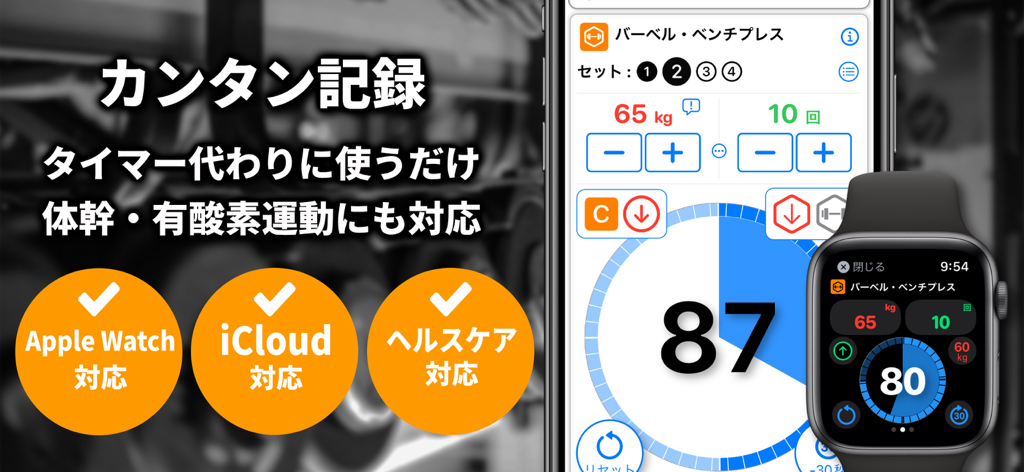
MyWorkout - workout log app - iPhone 및 Apple Watch에 표시된 MyWorkout 앱 인터페이스로 운동 기록 및 타이머 표시
iPhone 및 Apple Watch에 표시된 MyWorkout 앱 인터페이스로 운동 기록 및 타이머 표시

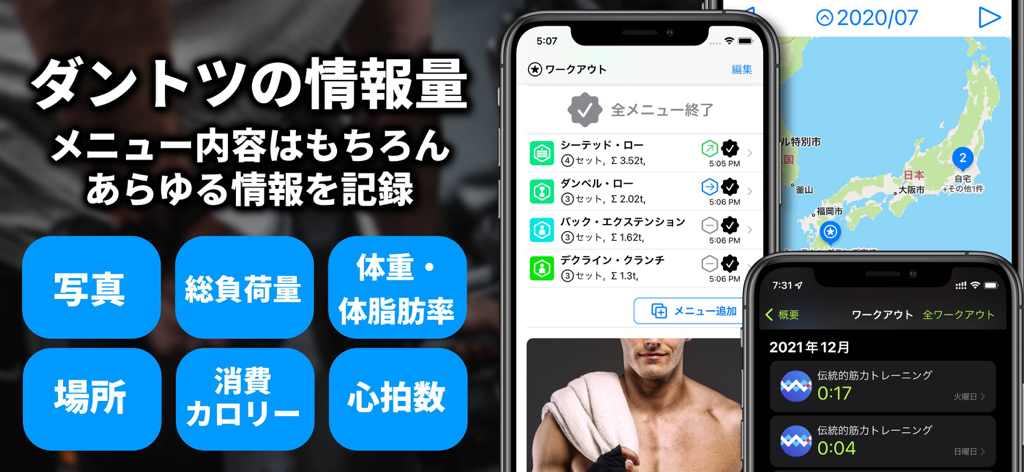
MyWorkout - workout log app - MyWorkout 앱 인터페이스로 운동 기록, 위치 추적 및 건강 지표 표시.
MyWorkout 앱 인터페이스로 운동 기록, 위치 추적 및 건강 지표 표시.

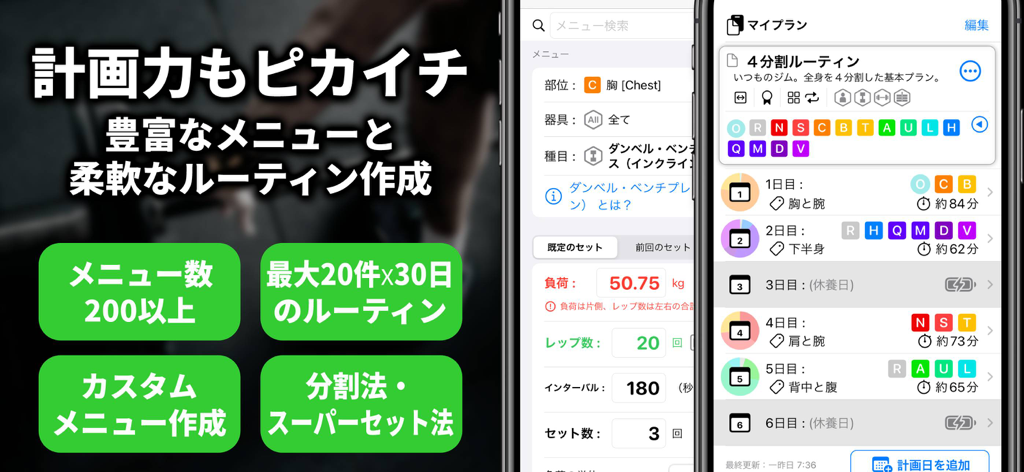
MyWorkout - workout log app - 구조화된 운동 루틴 및 계획 기능을 보여주는 MyWorkout 앱 인터페이스
구조화된 운동 루틴 및 계획 기능을 보여주는 MyWorkout 앱 인터페이스

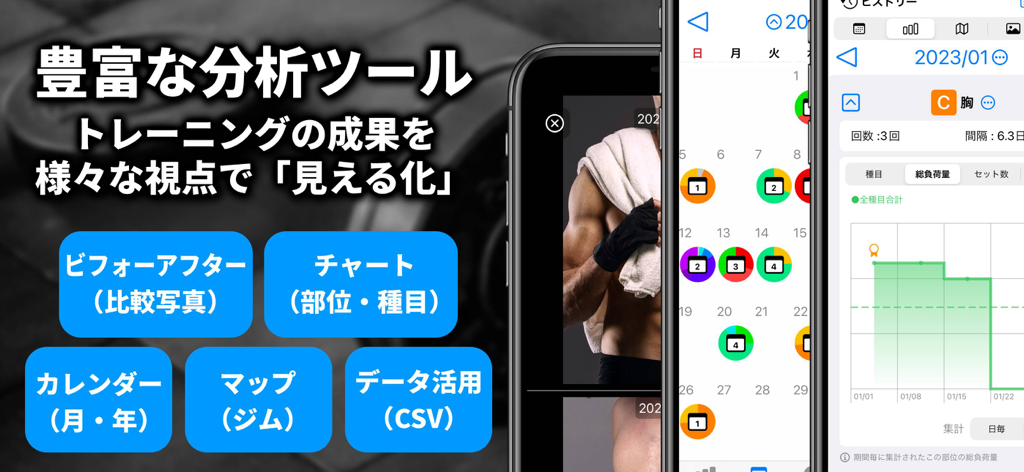
MyWorkout - workout log app - 차트 캘린더 및 진행 상황 추적을 보여주는 MyWorkout 앱 분석 기능

차트 캘린더 및 진행 상황 추적을 보여주는 MyWorkout 앱 분석 기능

설명

● Easy & Convenient  Simply repeat the following operations to log (same with Apple Watch)   1. Do one set with the indicated load and reps.   2. Tap screen to start interval timer   3. Modify load and reps if necessary, Shows the next set when the interval is over  You can also add logs later. ● Extensive logging items ・Strength training using body weight, weights, and machines ・Core and isometric exercises such as planks ・Cardio (aerobic exercise) such as running (※) ・Load (kg/lbs)/reps and duration per set ・Workout / weight / body fat / heart rate (linked to Apple Healthcare) ・Location where you trained (name the location as desired) ・Take pictures, remote shooting with Apple Watch (immediate, timer)(※) ● Outstanding planning features ・Weekly routines assigning menus to days of the week ・Routine of up to 30 days with no fixed days of the week(※) ・Automatic setting of planned routines (programs) to today's menu ・Over 200 built-in exercises. Easy search by part, equipment, or exercise name. ・You can create up to 10(※) original exercises per part. ・Create up to 20 programs, share with other users(※) ・Supersets in strength training (alternating logging of two exercises)(※) ・Calculate 1RM and show recommended load(※) ● Various visualization of your efforts ・Show logs in a year/month calendar. Color-coded by parts of the body. ・Logs are summarized by parts or exercise size and displayed as a chart ・Icons show today's progress and trends in real time. ・Compare two photos side by side, share before-and-after images(※) ・Show workout locations on a map ・Control music playback while you workout(Apple Watch ※) ・Share logs (daily and monthly results) on SNS (image output)(※) ● Securely stores logs ・Store logs in iCloud. Automatic synchronization between devices. ・Output logs to CSV by specifying a period of time(※) ・Backup all data to a file (In case of Apple ID changes, failures or mistakes.)(※) (※) optional feature(Premium Plan required) Terms of Use: https://stage72.wixsite.com/apps/en/terms-of-use

Download

다운로드: App Store

이 페이지는 앱이나 개발자의 공식 페이지가 아니며, 정보 제공 및 논평을 목적으로 작성된 독립 편집 간행물입니다. 명시적으로 달리 언급되지 않는 한, 해당 앱이나 개발자는 MWM, Apple, Google Play, 앱 퍼블리셔 또는 앱 개발자와 제휴, 보증, 후원, 승인 또는 공식적으로 연결되어 있지 않으며, 이 페이지의 어떤 내용도 해당 앱이 MWM의 서비스를 사용하여 개발되었음을 의미하지 않습니다. 모든 상표, 로고, 스크린샷 및 기타 콘텐츠는 해당 소유자의 자산입니다.








