이 페이지는 앱이나 개발자의 공식 페이지가 아니며, 정보 제공 및 논평을 목적으로 작성된 독립 편집 간행물입니다. 명시적으로 달리 언급되지 않는 한, 해당 앱이나 개발자는 MWM, Apple, Google Play, 앱 퍼블리셔 또는 앱 개발자와 제휴, 보증, 후원, 승인 또는 공식적으로 연결되어 있지 않으며, 이 페이지의 어떤 내용도 해당 앱이 MWM의 서비스를 사용하여 개발되었음을 의미하지 않습니다. 모든 상표, 로고, 스크린샷 및 기타 콘텐츠는 해당 소유자의 자산입니다.
Nano Hotel Booking
객실, 차량, 자산을 위한 전문 캘린더로 소규모 비즈니스를 관리하세요. 이용 가능 여부를 관리하고, 계절별 가격을 자동화하며, 모든 Apple 기기에서 쉽게 동기화하세요.
여러 앱을 번갈아 사용하는 것을 중단하세요. 나노 호텔 예약은 독립적인 관리자에게 예약 추적, 계절별 요금 조정, 모든 임대 유형에 걸친 수익 성장을 위한 전문 도구를 제공합니다.
유연한 임대 모드
하루 단위 객실, 시간 단위 차량, 월 단위 사무실 등 모든 자산 기간을 하나의 통합 시스템에서 관리하세요.
한눈에 보는 시각적 이용 가능 여부
직관적인 색상 코딩 캘린더를 통해 몇 초 안에 가능한 시간을 확인하고 예약을 확정하여 비즈니스를 체계적이고 효율적으로 유지하세요.
다음 스크린샷과 설명은 앱의 공식 스토어 목록에서 직접 가져온 것이며 앱 개발자의 자산입니다.
앱 스토어
스크린샷
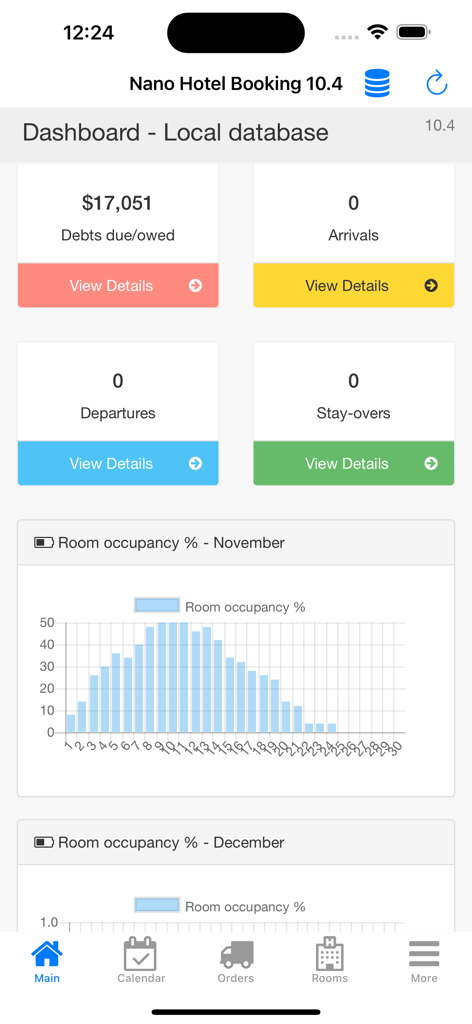
나노 호텔 예약 대시보드에 재무 통계와 객실 점유율 차트가 표시됩니다.
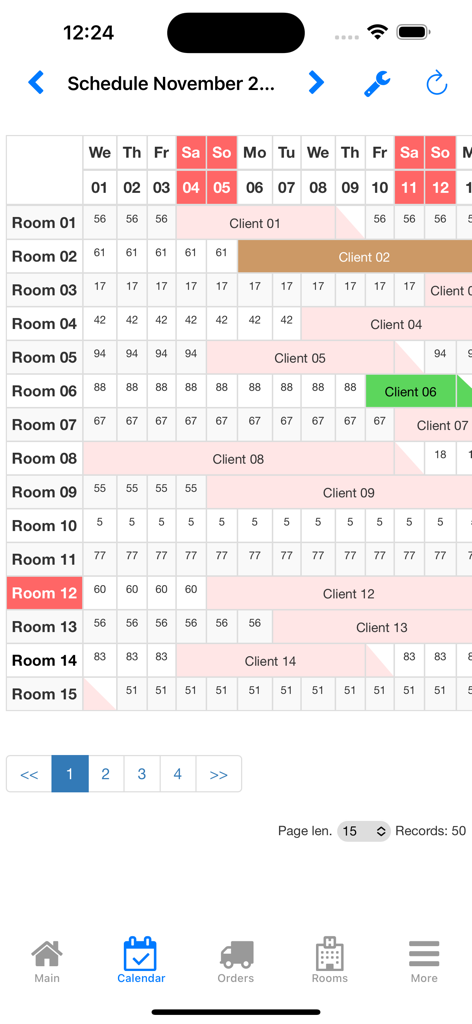
나노 호텔 예약 앱의 색상 코딩된 숙소 관리 캘린더 인터페이스
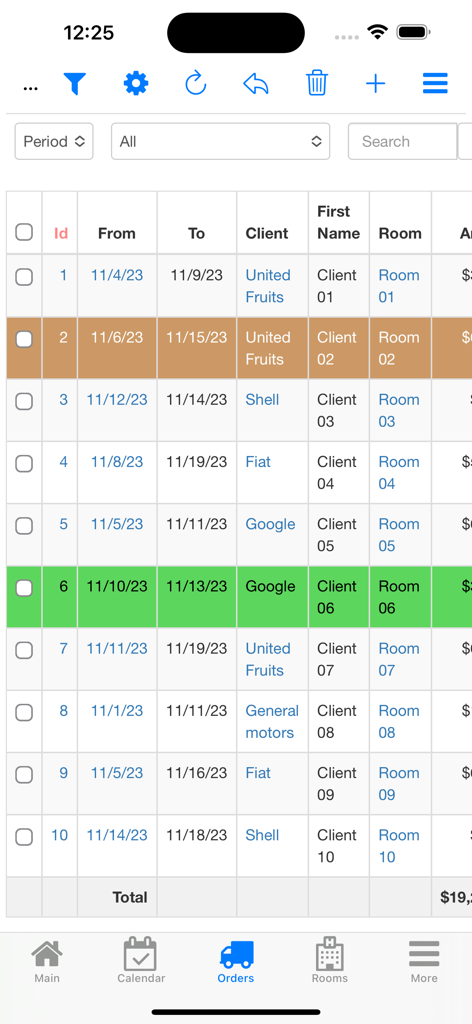
나노 호텔 예약 모바일 앱 인터페이스의 고객 예약 및 임대 주문 목록
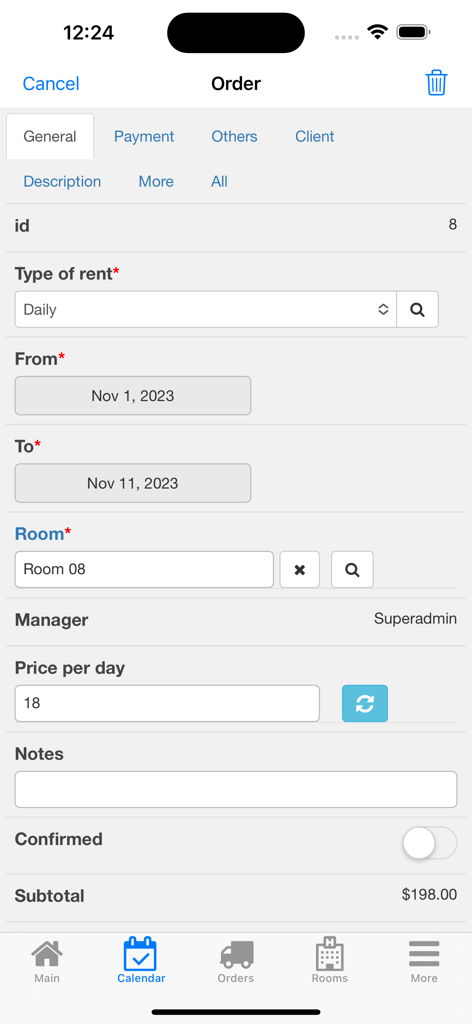
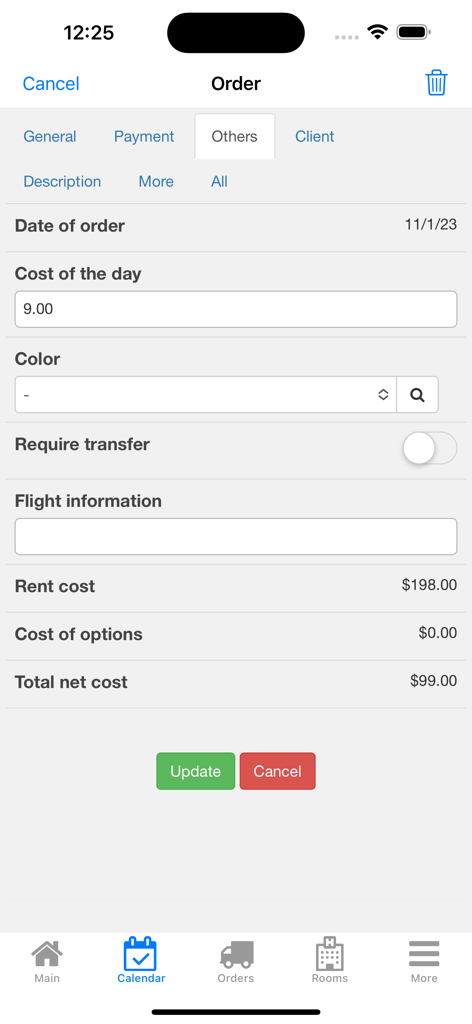
나노 호텔 예약 앱의 모바일 인터페이스에 임대 날짜, 객실 번호 및 소계 계산이 포함된 상세 주문 양식이 표시됩니다.
나노 호텔 예약 앱의 주문 관리 화면에 임대료와 추가 서비스 옵션이 표시됩니다.
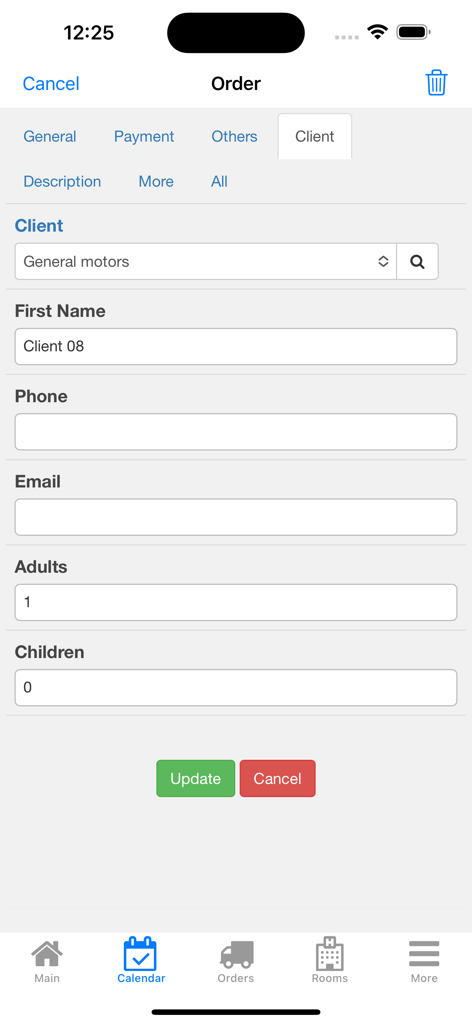
나노 호텔 예약 앱의 주문 상세 화면에 이름, 연락처 정보, 투숙객 수 등 고객 정보 필드가 표시됩니다.
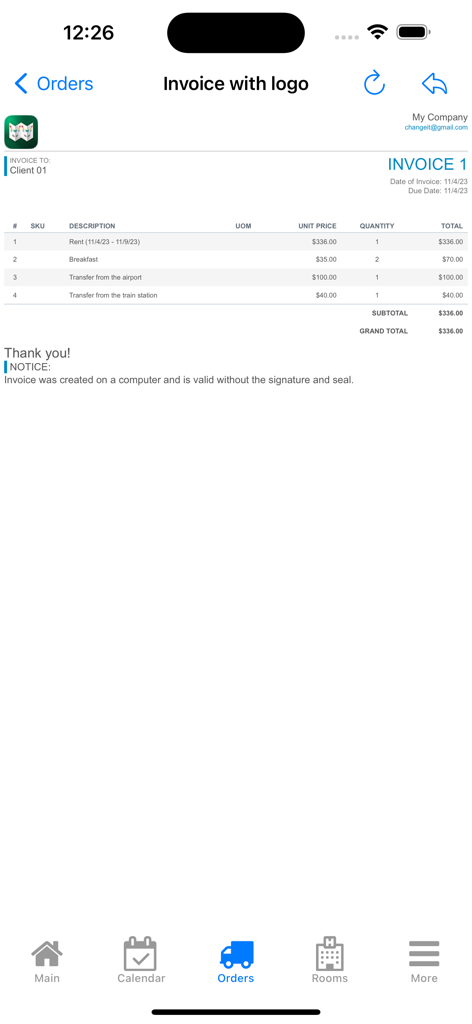
나노 호텔 예약 앱의 전문적인 송장 화면에 소규모 비즈니스 고객의 임대료, 조식 및 전송 서비스 요금이 나열됩니다.
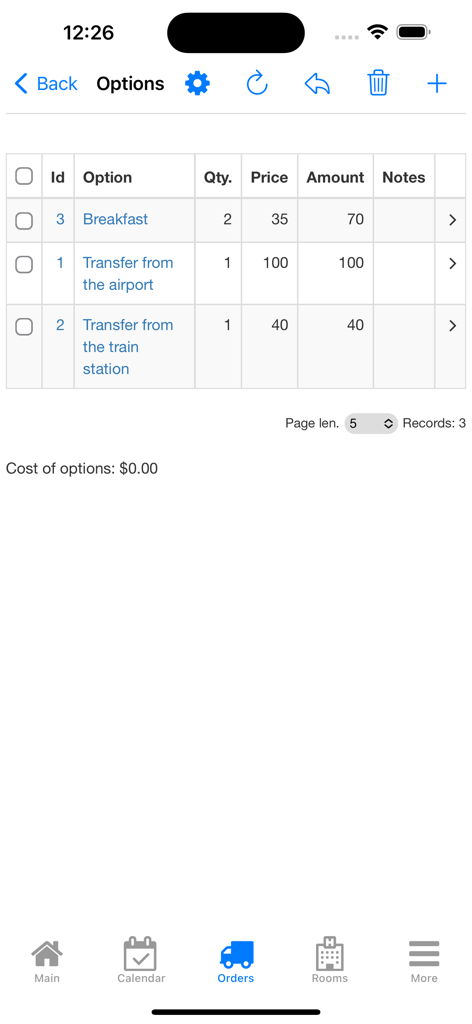
나노 호텔 예약 앱 인터페이스에서 조식 및 전송과 같은 추가 예약 서비스 목록
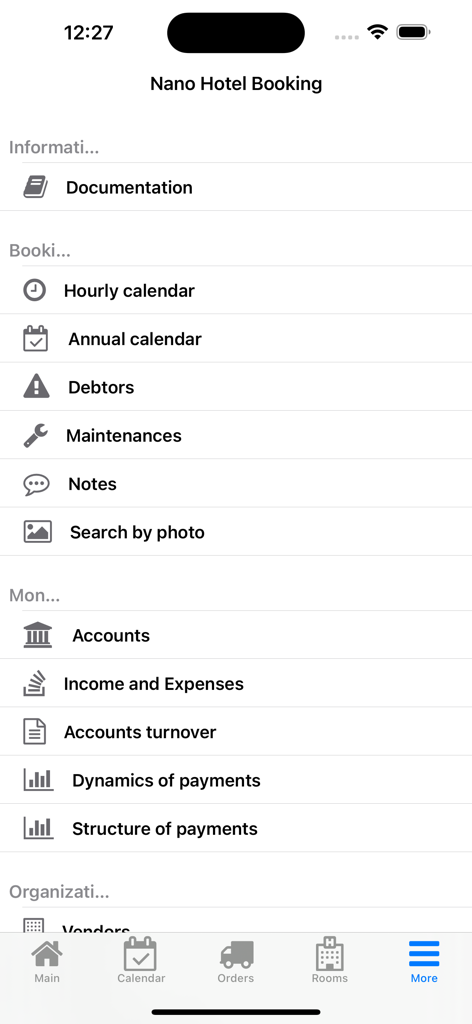
나노 호텔 예약 앱의 메뉴 화면에 소규모 비즈니스 소유자를 위한 관리 도구가 표시됩니다.
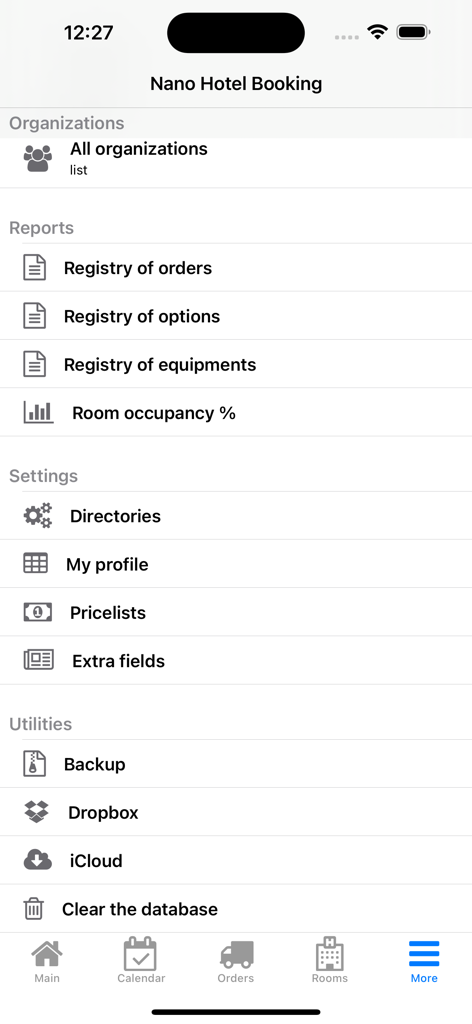
나노 호텔 예약 앱의 설정 및 보고서 메뉴에 비즈니스 유틸리티가 표시됩니다.
설명
Nano Hotel Booking - is an application for receiving orders and booking rooms in hotels, recreation centers, health centers, guesthouses.
Also, it can be used for daily, hourly, weekly, monthly, quarterly and yearly renting of real estate, vehicles, construction machinery and any other objects. Application’s versatility makes it suitable for services reservation, for example, at hair salons, car workshops, gyms etc.
The application is fully compatible with the desktop version (Nano Hotel Booking for OS X).
Principles of operation
The application is based on a calendar registering the statuses of the hotel rooms (objects). The calendar displays the state of a hotel room on any day of the month. In the hourly rent mode there is a separate calendar for one day divided into 5, 10, 15, 30 or 60 minutes.
Booked days are highlighted with pink color. For each free day, the room rate is given with regard to seasonal prices.
To book a room you need to create an order for this room while specifying the term and the type of a rent. An order can be tied to the client book, or you can simply enter client’s name and phone number directly to the order card.
You can book a free room straightforward from the calendar. You can open an order card or a room card from the calendar with one click. Rooms can be made unavailable, for example, for the period of renovation. Rooms and orders can also be labeled with colored tags in order to show their current status.
Pricing
In a room (object) card you can specify the price and the cost of one day of rent. If you have a lot of rooms, it will be more convenient to create price lists in the settings and tie rooms to them.
You can specify daily, hourly, weekly, monthly, quarterly and yearly prices in the price lists separately.
You can enter season prices for each room. Season prices can be tied to the price lists.
It is possible to add additional options to each order, such as food, excursions, transfers. There is an indication of each option’s price, as well as whether the price depends on the number of days and the number of guests.
An account of the room appliances is kept, i.e. refrigerator, TV, telephone set and so forth.
Types of rent
Daily
This is the main mode of the application. The value of an order is calculated as the price per day multiplied by the number of days or nights, depending on the application settings (see “Settings” – “My Profile”).
Hourly
The value of an order is calculated as the price per hour multiplied by the number of hours of rent (can be specified accurately to within 5 minutes).
Weekly, monthly, quarterly and yearly
In these modes (cyclic orders), the value is calculated as the price per one period (week, month, quarter or year) multiplied by the number of periods that have begun. Let us demonstrate you this through an example. Let’s say the monthly rent is 100 and let’s say today is June 30th. Let’s create an order from July 1st to August 31st with a monthly rent type. In this example, the order amount on June 30th will be 0, as the rent starts only since tomorrow. The order amount on July 1st will be 100. On August 1st the order amount will increase by 100 and will equal 200. On September 1st the amount will not change, as the order ends on August 31st.
You can stop a cyclic order at any moment. For this purpose, there is a button “Close cyclic order” in an order card. It will set the order amount equal to the sum of money actually received and the end date to the day of an order closure.
In all types of rent, the value of options is added to the order amount.
이 페이지는 앱이나 개발자의 공식 페이지가 아니며, 정보 제공 및 논평을 목적으로 작성된 독립 편집 간행물입니다. 명시적으로 달리 언급되지 않는 한, 해당 앱이나 개발자는 MWM, Apple, Google Play, 앱 퍼블리셔 또는 앱 개발자와 제휴, 보증, 후원, 승인 또는 공식적으로 연결되어 있지 않으며, 이 페이지의 어떤 내용도 해당 앱이 MWM의 서비스를 사용하여 개발되었음을 의미하지 않습니다. 모든 상표, 로고, 스크린샷 및 기타 콘텐츠는 해당 소유자의 자산입니다.